Blu-ray Players with Netflix in 2026: What Still Works

Summary: Built-in Netflix support can disappear even while a Blu-ray drive continues to work. This guide compares the Sony UBP-X700, disc-only alternatives, a separate streaming device, and a PC-based PlayerFab setup so you can choose by app longevity, disc quality, complexity, and device count.
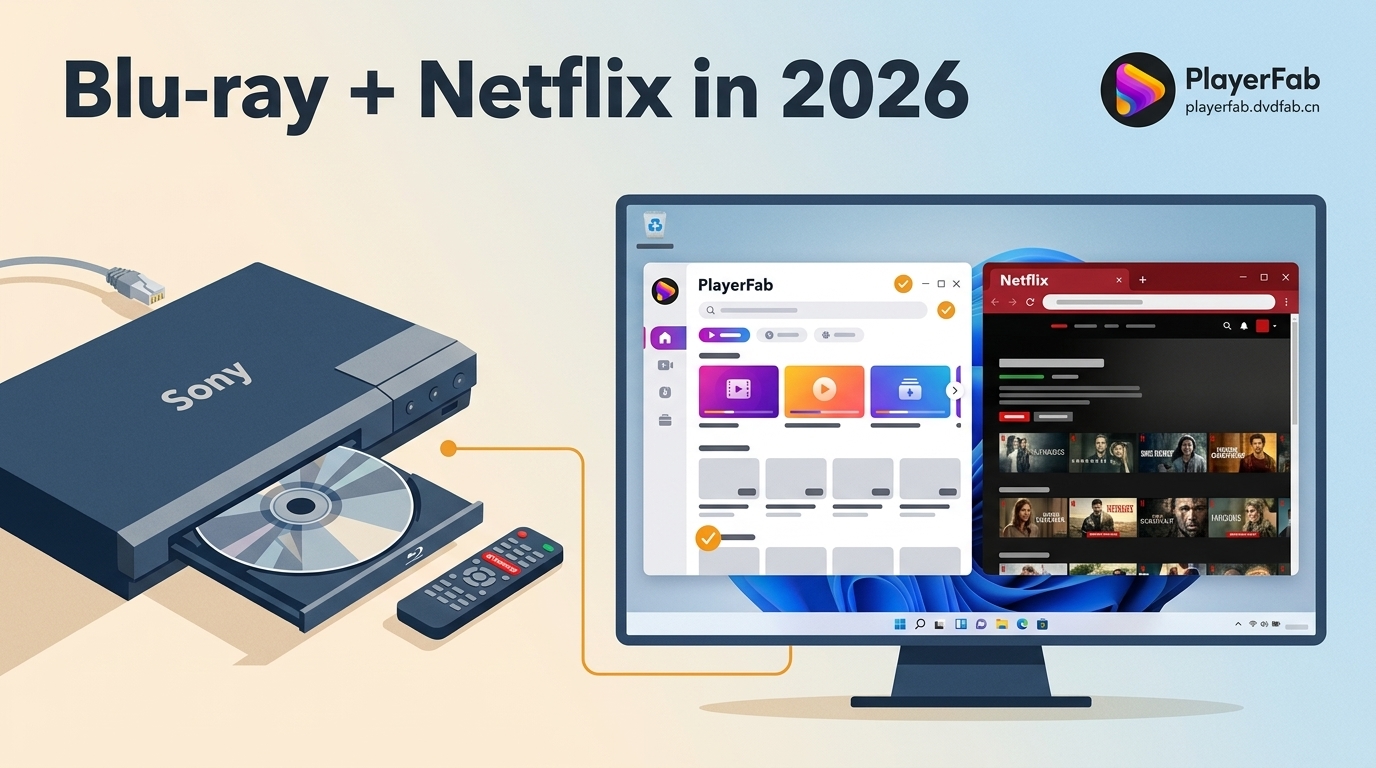
A Blu-ray player with Netflix can lose its streaming app while continuing to play discs normally. The practical choice is to confirm model-level support first, then decide between a verified one-box player, a disc player with a dedicated streamer, or a computer-connected setup.
I judge these options by four things: app maintenance life, disc performance, setup complexity, and how many devices the system needs. That framework is more useful than assuming a Wi-Fi Blu-ray player will keep every streaming app for its full hardware life.

Why Netflix Support Disappears from Blu-ray Players
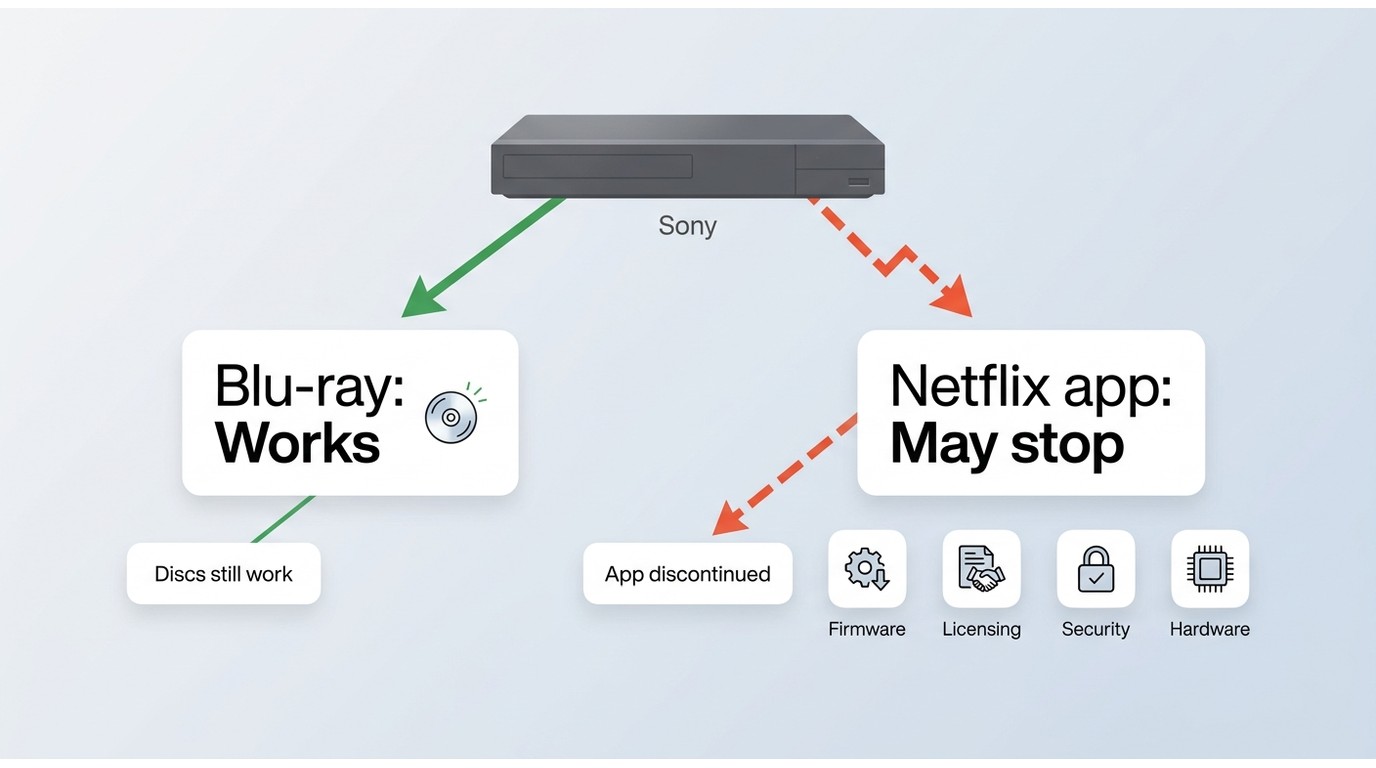
Netflix support is model-specific: app maintenance, service agreements, firmware, security requirements, and hardware capability all matter. A working disc drive does not prove that the Netflix client is still supported.
Older hardware can contribute to slow menus or playback trouble, but processor age is not the whole explanation. The system on a chip matters alongside app maintenance and service agreements. A manufacturer may stop maintaining one app while the optical drive and other functions remain usable, so model-specific notices are more dependable than a specification-sheet guess.
- Confirm the exact model number, including any regional suffix.
- Install the latest firmware offered for that model.
- Sign out of Netflix, restart the player, and sign in again.
- For higher-quality output, confirm the display chain meets HDCP 2.2 requirements and use a certified Premium High Speed HDMI cable.
- If the app has disappeared, check the manufacturer's model-specific service notice. A factory reset cannot restore a service that has been discontinued.
In my editing and playback checks, the most important distinction is whether the problem follows the Netflix app or affects discs too. Treating those as separate systems prevents unnecessary hardware replacement.
Netflix Compatibility at a Glance
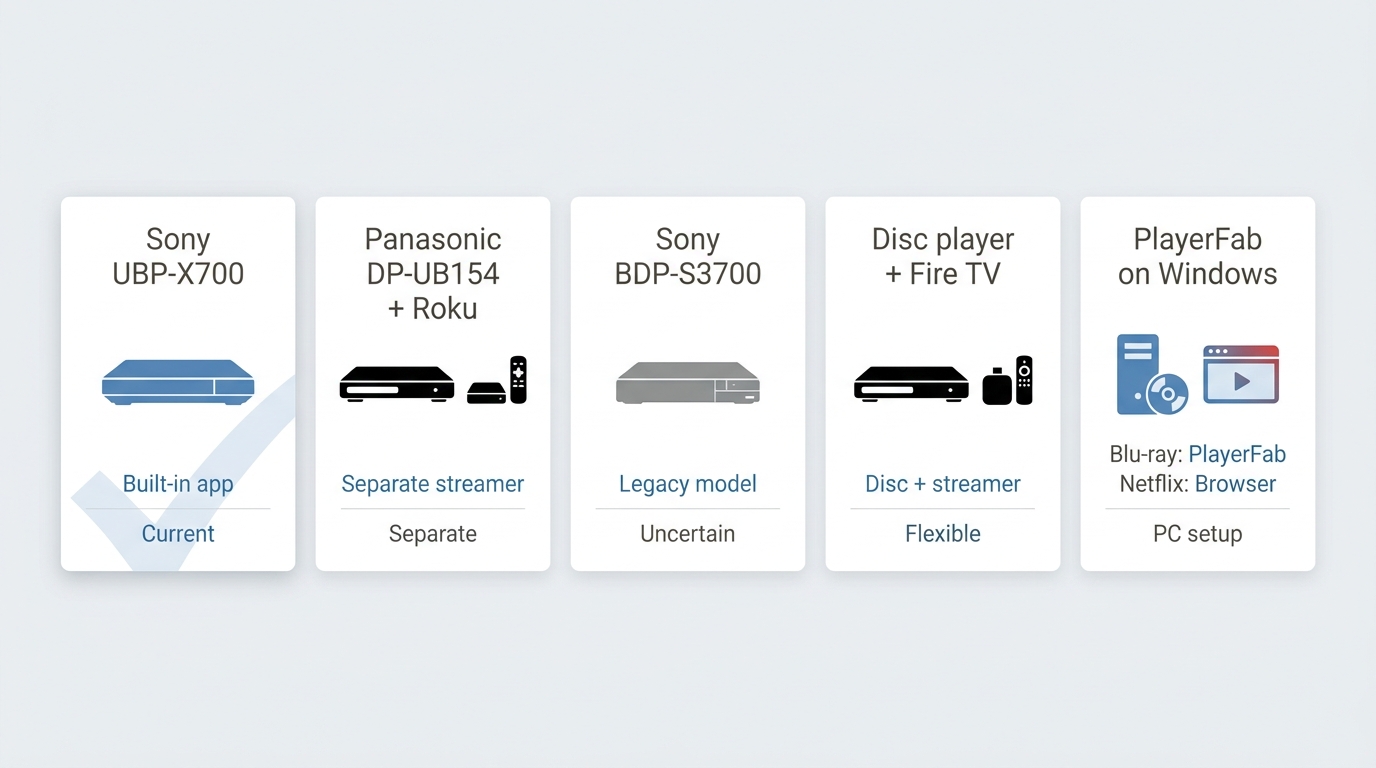
Among current Blu-ray players with Netflix, the Sony UBP-X700 has the clearest model-specific support path here. The other choices either need a separate Netflix device, have unverified app status, or use a PC for disc playback while Netflix remains in its official app or browser.
| Option | Current Netflix status | Official evidence | Last checked | Wi-Fi or Ethernet | 4K and HDR support | App limitations | Support-risk level | Best use case |
|---|---|---|---|---|---|---|---|---|
| Sony UBP-X700 | Supported on the model family, with caveats | Sony model-specific Netflix support information | July 2026 | Wi-Fi and wired networking | 4K UHD disc playback and HDR formats | Built-in catalog is narrower than a dedicated streamer; app behavior can differ from disc playback | Medium | One-box UHD disc playback with a built-in Netflix option |
| Panasonic DP-UB154P-K paired with a dedicated streamer | Netflix runs on the separate streamer, not the disc player | Panasonic lists no Wireless LAN, Internet Apps, or 4K VOD | July 2026 | Streamer-dependent; the player is disc-focused | 4K UHD disc playback with HDR10+ | Requires a second input, remote, or control layer | Low to medium | Disc-first viewing with Roku, Fire TV, Apple TV, or a similar device |
| Sony BDP-S3700 with unverified Netflix status | Unverified in current US support materials | Sony's current US support materials do not establish active Netflix service for this model | July 2026 | Built-in Wi-Fi | 1080p disc playback; no UHD disc playback | Older app support may be unavailable or inconsistent | High | Budget 1080p disc playback, not a Netflix-first purchase |
| Disc player paired with Roku, Fire TV, or Apple TV | Netflix runs on the dedicated streaming device | Netflix supports many current streaming-device families | July 2026 | Depends on the selected streamer | Depends on both the disc player and streamer | Two-device setup, but a broader app catalog is typical | Low to medium | Readers who prioritize streaming flexibility and disc quality separately |
| PC-based PlayerFab media hub | Netflix remains in its official supported app or browser; PlayerFab handles supported discs and authorized media | PlayerFab product capabilities and Netflix's supported access routes | July 2026 | Computer network connection for Netflix; optical drive for discs | PlayerFab Ultra HD Player supports UHD disc playback and HDR on compatible systems | Requires a Windows or Mac computer; it is not a native Netflix hardware client | Medium | Computer-connected theaters and consolidated disc or local-media libraries |
Status note: as of July 2026. Built-in app availability can change independently from disc playback.
My practical takeaway is simple: a single box is tidier, while a split setup usually makes it easier to replace the streaming side without replacing the disc player.
Standalone Blu-ray Players with Netflix
The right Netflix blu ray player depends on whether you value one-box convenience or easier streaming upgrades. For most buyers, I would separate disc playback from apps unless reducing the number of boxes matters more.
Sony UBP-X700: Verified, with Caveats
The Sony UBP-X700 is the strongest one-box candidate in this group because Sony still provides model-specific Netflix information, but that does not make the app immune to service changes or device-specific glitches.
Its main appeal is UHD disc playback plus a built-in Netflix option. If broader hardware comparisons matter more than app status, a best 4K Blu-ray player guide can take the model comparison further without turning this article into a general hardware ranking.
User reports about manual Dolby Vision switching or occasional audio-sync behavior are useful caveats, not universal outcomes. I would choose the X700 for discs first and treat Netflix as a convenient extra rather than the sole reason to buy it.
Best for: Buyers who want UHD disc playback and a verified built-in Netflix option. Not ideal for: Anyone prioritizing the broadest app catalog or the most replaceable long-term streaming interface.
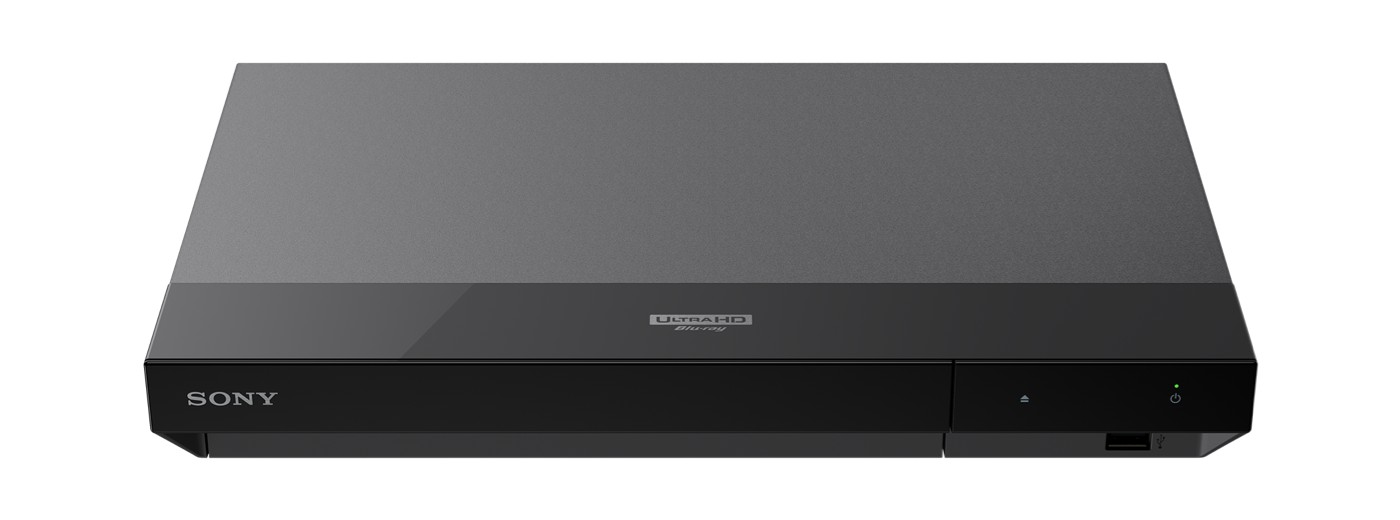
- Dual HDMI outputs can separate video and audio paths.
- Supports 4K UHD discs and HDR playback.
- Dolby Vision may require manual setting changes for different content.
- The front panel has no display.
Panasonic DP-UB154: Disc-Only Choice
The Panasonic DP-UB154 is not a Panasonic Blu-ray player with Netflix. It is a compact UHD disc player that makes sense when paired with a Roku, Fire TV, Apple TV, or another dedicated streamer.
Panasonic lists no Wireless LAN, Internet Apps, or 4K VOD for this model, so its value is focused disc playback rather than a one-box app system. In practice, that clean division can be easier to maintain because the streamer can be updated or replaced separately.
Best for: Readers who prioritize UHD disc playback and accept a second device. Not ideal for: Anyone searching for a one-box Blu-ray DVD player with Netflix.
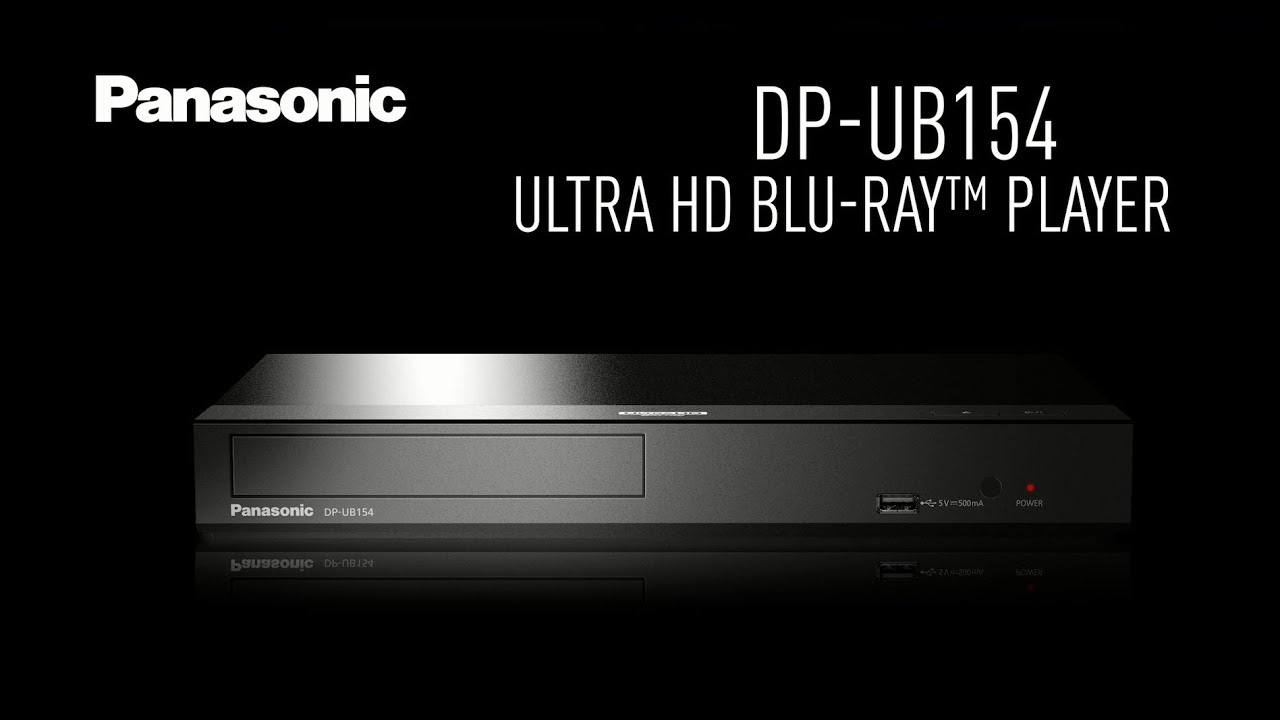
- Supports UHD Blu-ray playback and HDR10+.
- Keeps disc playback separate from streaming-app maintenance.
- Does not provide Netflix, Wi-Fi, internet apps, or 4K VOD.
- Requires another device for streaming.
Sony BDP-S3700: Netflix Status Unverified
The Sony BDP-S3700 remains a cheap Sony Blu-ray player for 1080p discs, but its current US Netflix support is unverified. It should not be purchased as a confirmed Blu-ray player with Netflix.
Its built-in Wi-Fi, DVD upscaling, and compact design can still fit a basic disc setup. Readers shopping mainly to stream Netflix through a Blu-ray player should instead choose a currently verified model or add a dedicated streamer.
Best for: Low-cost 1080p disc playback. Not ideal for: A Netflix-first setup or anyone needing 4K UHD discs.
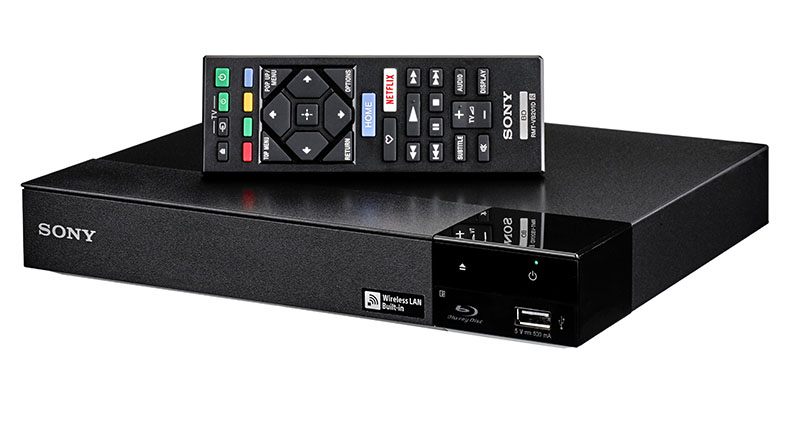
- Plays standard Blu-ray discs and upscales DVDs.
- Includes built-in Wi-Fi and screen mirroring.
- Menu navigation can feel slower than newer players.
- Current Netflix availability is not confirmed here.
Three Practical Setup Paths
There are three sensible ways to combine Blu-ray and Netflix; none is right for every room or workflow.
- Verified all-in-one player: Choose the Sony UBP-X700 when one-box convenience matters. Best for fewer devices; not ideal for the widest app choice.
- Disc player plus dedicated streamer: Pair a disc-focused model with Roku, Fire TV, or Apple TV. Best for replaceable streaming hardware; not ideal if a second device and input feel cumbersome.
- PC software hub: Use a computer and optical drive for supported disc playback while accessing Netflix through its official app or browser. Best for a computer-connected media library; not ideal for appliance-like simplicity.
My default recommendation is the split-device path because streaming platforms and disc hardware follow different maintenance cycles. That is an editorial judgment based on how the systems are updated, not a promise that any device will receive support indefinitely.
A PC-Based Blu-ray and Netflix Alternative
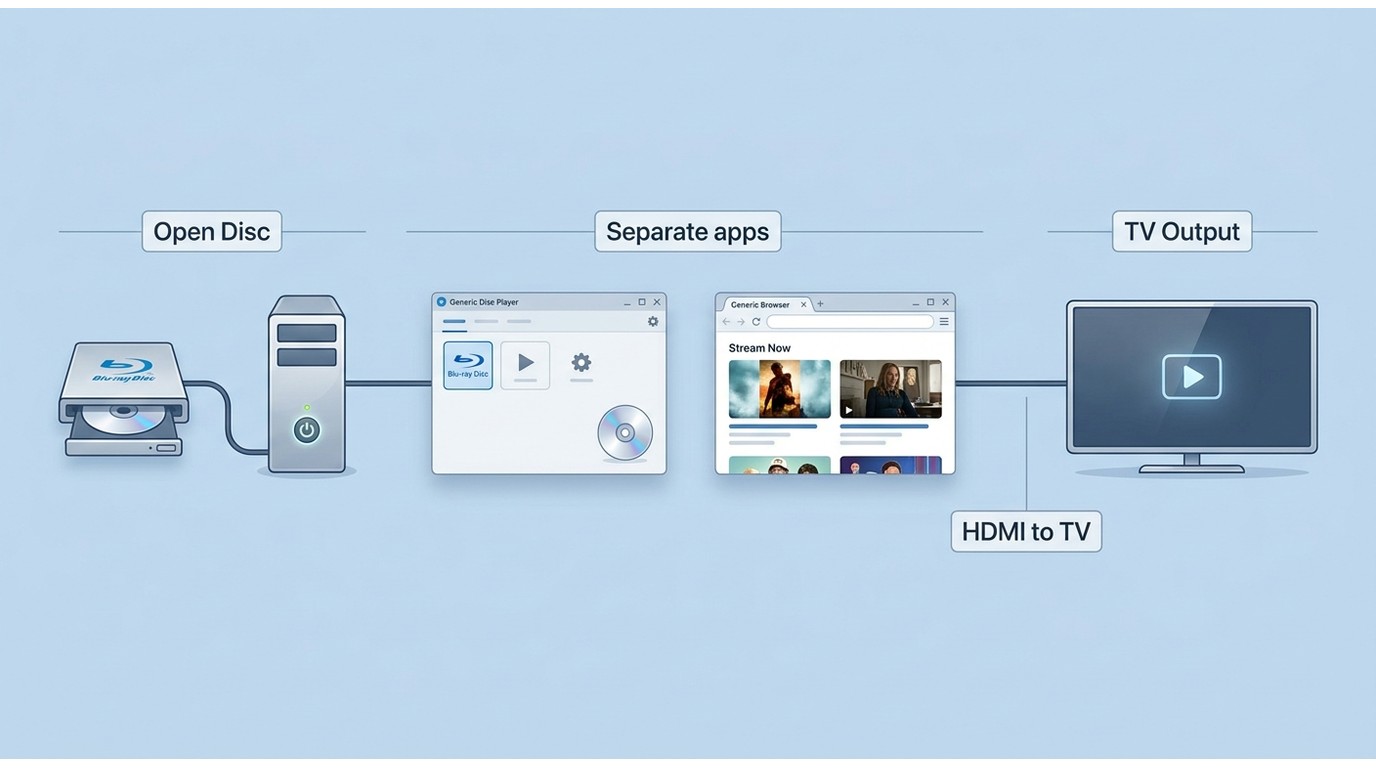
A PC can combine disc playback and media-library control, but Netflix should still be accessed through its official supported app or browser. For personal playback of supported discs and media you are authorized to access, PlayerFab should be used where permitted by platform terms and applicable law.
PlayerFab All-In-One: PC-Based Media Hub
Within the PlayerFab All-In-One suite, PlayerFab Ultra HD Player is the component relevant to this setup. It supports Windows and Mac and is designed for DVD, Blu-ray, UHD disc, ISO, folder, and local-file playback rather than serving as a native Netflix client.
PlayerFab All-In-One can suit a computer-connected screen or TV when you want disc navigation, a poster-based media library, HDR playback on compatible hardware, and common local video formats in one interface. Netflix remains a separate official service window.
For setup details, the natural starting point is the same workflow used to explain how to play Blu-ray on PC: connect a compatible optical drive, open the disc in PlayerFab, choose the playback mode, and send the computer's video output to the display.
For readers who need to play Blu-ray on Windows 10, a compatible optical drive and suitable playback software remain essential to this same setup.
Best for: Computer-connected home theaters and people who manage discs, ISO images, folders, and local media in one library. Not ideal for: Readers who want a simple living-room appliance, no PC connection, or a built-in Netflix app.
- Windows provides full disc menu navigation for DVD, Blu-ray, and UHD Blu-ray.
- Mac supports DVD menus, while Blu-ray menu playback is still under development; Simple Mode supports Blu-ray and UHD playback.
- Compatible hardware can use GPU decoding to reduce CPU load during demanding playback.
On Alice Harper's documented Dell XPS 15 test platform with an NVIDIA RTX 4060 and an LG C2 OLED display, GPU-assisted playback is the relevant check: decoding shifts toward the graphics processor, which can make high-bitrate local playback smoother without implying anything about Netflix app support.
FAQs
Can I get Netflix movies on Blu-ray discs?
No. A Blu-ray disc contains a physical release, while Netflix is a streaming service. Some players can handle both functions, but a Netflix title is not copied onto a disc merely because the same device plays Blu-rays.
Can I add Netflix back to a Sony Blu-ray player?
Sometimes. Firmware updates, a restart, and signing out and back in can fix an ordinary app problem. If Sony or Netflix has ended service for that exact model, reinstalling settings or performing a factory reset will not restore it.
Is buying a Blu-ray player still worthwhile in 2026?
Yes, if you value physical ownership, stable disc playback, or the picture and audio potential of well-mastered releases such as Dune or Blade Runner 2049. I would treat built-in streaming apps as a convenience, not the main measure of a player's useful life.
Does Netflix look as good as 4K Blu-ray?
Often not, because streaming uses more compression, but the visible gap depends on the master, Netflix plan, device support, display size, internet stability, HDR, and audio system. A guide to Blu-ray resolution explains the format side; I notice the practical difference most in dark gradients, fast motion, and lossless-disc audio on a large display.
Conclusion
A Blu-ray player with Netflix still makes sense when the exact model has confirmed support and you accept that the app may age differently from the disc drive. Choose the Sony UBP-X700 for one-box convenience with caveats, the Panasonic DP-UB154 only with a separate streamer, the BDP-S3700 for budget discs rather than verified Netflix, or PlayerFab Ultra HD Player when a PC-based disc and media-library workflow fits. My preference is usually to keep disc playback and streaming on replaceable systems instead of forcing both through one aging app platform.
