
YouTube Archive: Find Deleted Videos by URL, Title, or Channel

Summary: This guide explains three practical ways to find deleted YouTube video archives. It covers tools like Internet Archive (Wayback Machine), YouTube Video Finder, and methods for recovering missing URLs through search, history, playlists, and other online clues.
When a video, playlist entry, or channel disappears, a YouTube archive can help you identify what remains, but it may not restore a playable file. I would start with the strongest clue you still have: a URL or video ID, then a title, channel, subtitle phrase, or thumbnail. A YouTube archive may mean watch history or live archives, saved web pages, metadata indexes, community projects, or locally saved media, and these sources do not recover the same things.
Choose the Right Archive Tool
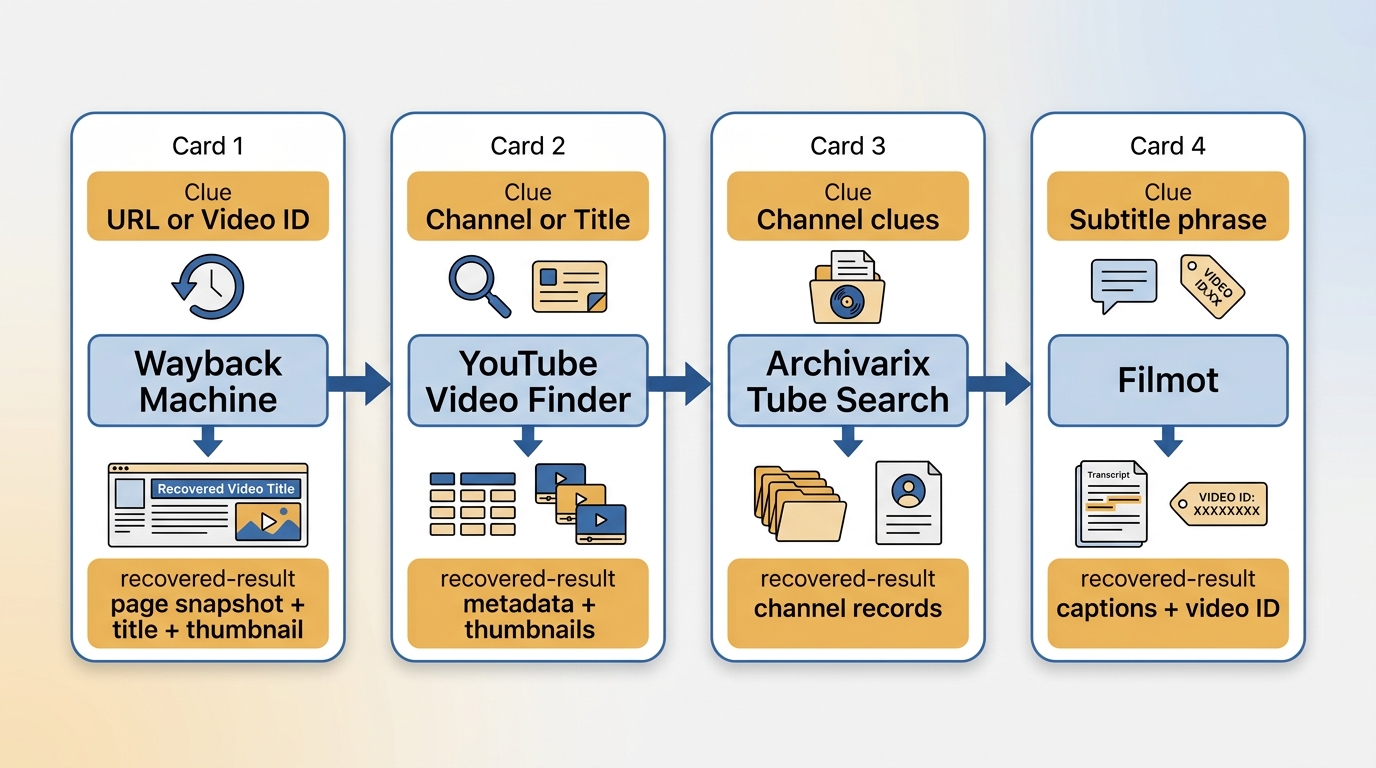
| Tool | Best starting input | Sources or indexes checked | Channel, title, or subtitle search | Possible recovered result | Main limitation |
|---|---|---|---|---|---|
| Wayback Machine | Exact URL or video ID | Archived web-page captures | No, primarily URL-based | Watch-page snapshot, title, thumbnail, or occasionally media | A captured page does not necessarily include a playable video file |
| YouTube Video Finder | Exact URL or video ID | Multiple archive and metadata sources | No, it works best with an ID | Archive links, metadata, thumbnails, or capture references | It cannot search effectively without an original identifier |
| Archivarix Tube Search | Channel name, title, or remembered details | YouTube-focused archive and metadata index | Yes, including channel and title searches | Channel records, titles, thumbnails, metadata, or archive leads | A result may identify a video without providing its media file |
| Filmot | Title, channel, spoken phrase, or subtitle text | Searchable video metadata and captions index | Yes, including full-text and subtitle discovery | Video identification, channel details, captions, or reupload leads | Availability in an index is not proof that the original upload is accessible |
For deleted YouTube videos, the right archive search tool depends on the clue in hand. Exact links favor URL-based tools, while remembered dialogue, a creator name, or part of a title is usually more useful in a specialized index.
Find Deleted Videos With a URL
Having the original URL or Video ID, usually the 11-character string after v= in a YouTube link, is the most efficient way to recover a deleted video. The reason is simple: web crawlers and search engines build their indexes around URLs. When you have the exact link, archive tools can perform a direct match to check whether that specific page was previously crawled, cached, or saved by a third-party platform.
Check Wayback Without Assuming Playback
Wayback Machine is a web archiving service provided by the nonprofit organization Internet Archive. It uses automated crawlers to capture and store webpage HTML, page structure, and some media files over time. For deleted YouTube videos, Wayback Machine may still have a snapshot of the original video page from before it went offline. In other words, if you have the video link, there is a good chance you can find archived traces of the deleted YouTube video on Archive.org.
Step 1: Copy the deleted YouTube video URL
Get the full URL of the deleted YouTube video, for example: https://www.YouTube.com/watch?v=XXXXXXXXXXX. You may be able to find the missing link in your browser history, YouTube watch history, or old chat messages. If you ever shared the video with someone, the original URL may still be in that conversation.
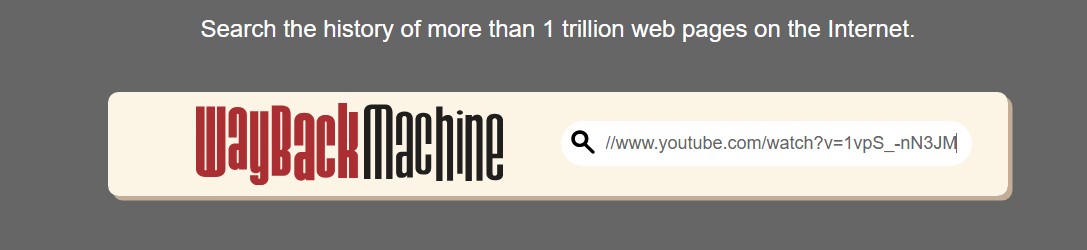
Step 2: Open Internet Archive and paste the URL into the search box
Go to the official Internet Archive website, paste the copied URL into the search bar at the top of the page, and run the search.
Step 3: Check the available snapshots
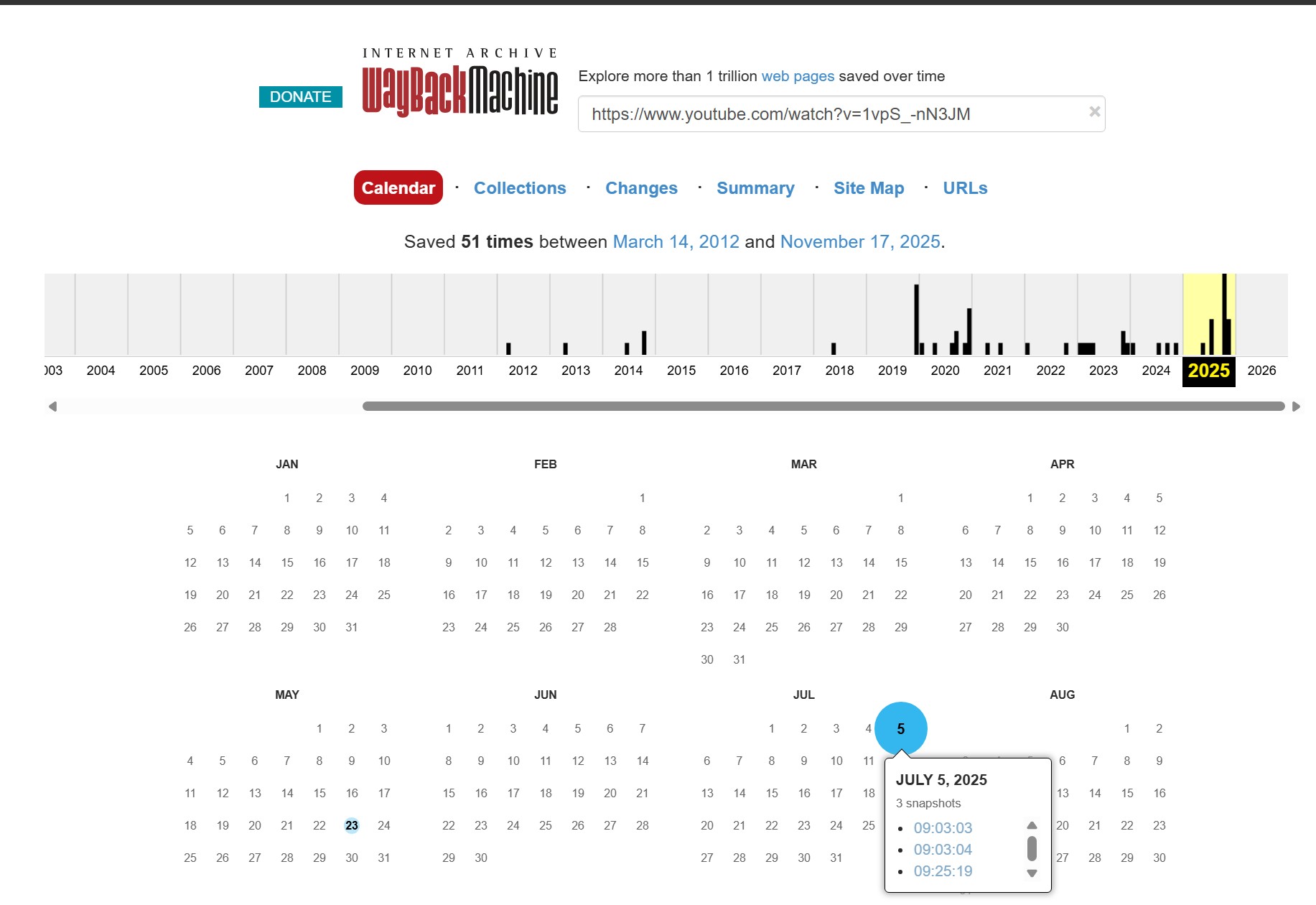
If the URL was archived before the video was deleted, Wayback Machine will show a timeline and calendar view. Archived dates are usually marked with colored circles, which indicate that the crawler captured the page successfully.
Step 4: Watch the YouTube video archive
Click a recorded date and timestamp to open the archived snapshot of the video page. A snapshot confirms that the page was captured, but it may contain only archived YouTube metadata, a thumbnail, captions, or an error page. Playback is possible only when the media file itself was captured and remains accessible.
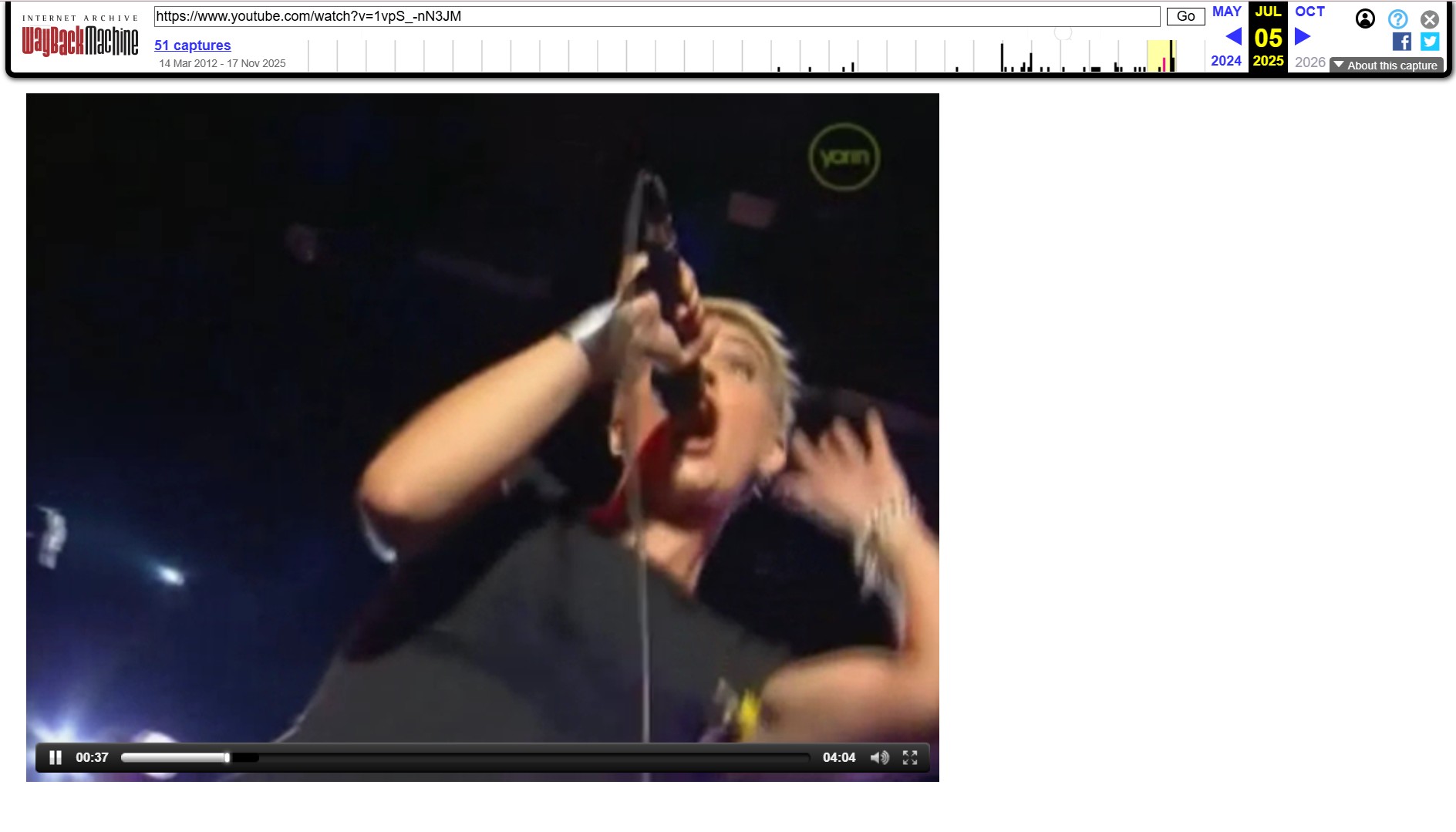
I would check Wayback first when an exact URL exists because it can establish whether the original page was ever captured. If it returns only a title, thumbnail, or error page, a specialized index is usually the more productive next step.
Search Multiple Archive Indexes
Wayback Machine is one route, not the whole YouTube video archive ecosystem. YouTube Video Finder works as a deleted video finder that checks multiple sources from one URL or video ID. When you remember a channel, title, spoken phrase, subtitle text, or other metadata but not the link, tools such as Archivarix Tube Search and Filmot are often a better fit because they support discovery beyond a direct URL.
Its workflow is simple. You enter a video URL or video ID, and the tool searches different sources for archived captures and metadata. If it finds a match, it may return an archive link. Even if it cannot recover a playable version, it may still show useful details such as the title, description, or thumbnail, which can help you continue searching for a reupload or mirror. This method only works if you already have the original link.
Step 1: Copy the deleted video URL or video ID
Before using this tool, make sure you have the original YouTube link or the video ID. If you do not have the link, it will not be able to help.
Step 2: Open YouTube Video Finder and paste the URL
Go to the YouTube Video Finder website and locate the search box on the homepage. Paste the deleted video link into the box, or type in the video ID directly, then click "Search for Captures."
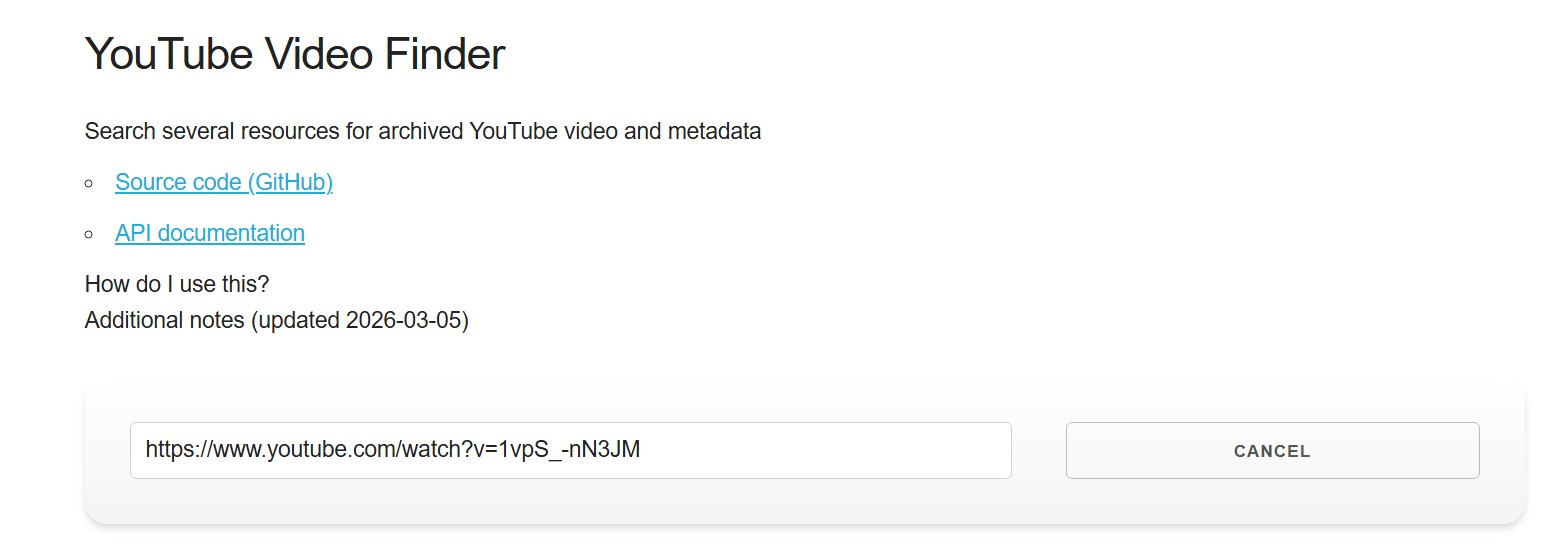
Step 3: Check the returned sources
Once the tool finishes querying all available services, it will display the results for each source and show whether that source has archived material or not. If the deleted YouTube video archive exists, a link will be provided. If not, the page may still return metadata such as the video title, description, or thumbnail, which you can use to keep searching for reuploads or mirrors.
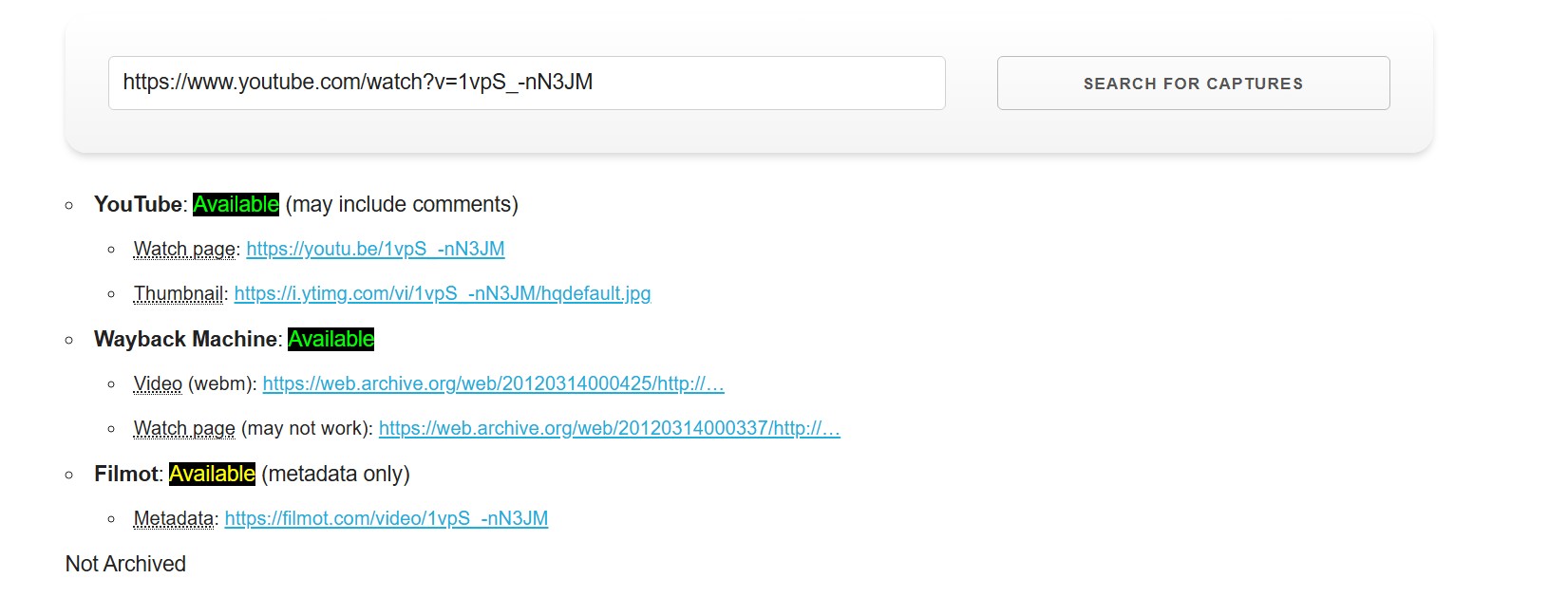
Identify What Was Actually Recovered
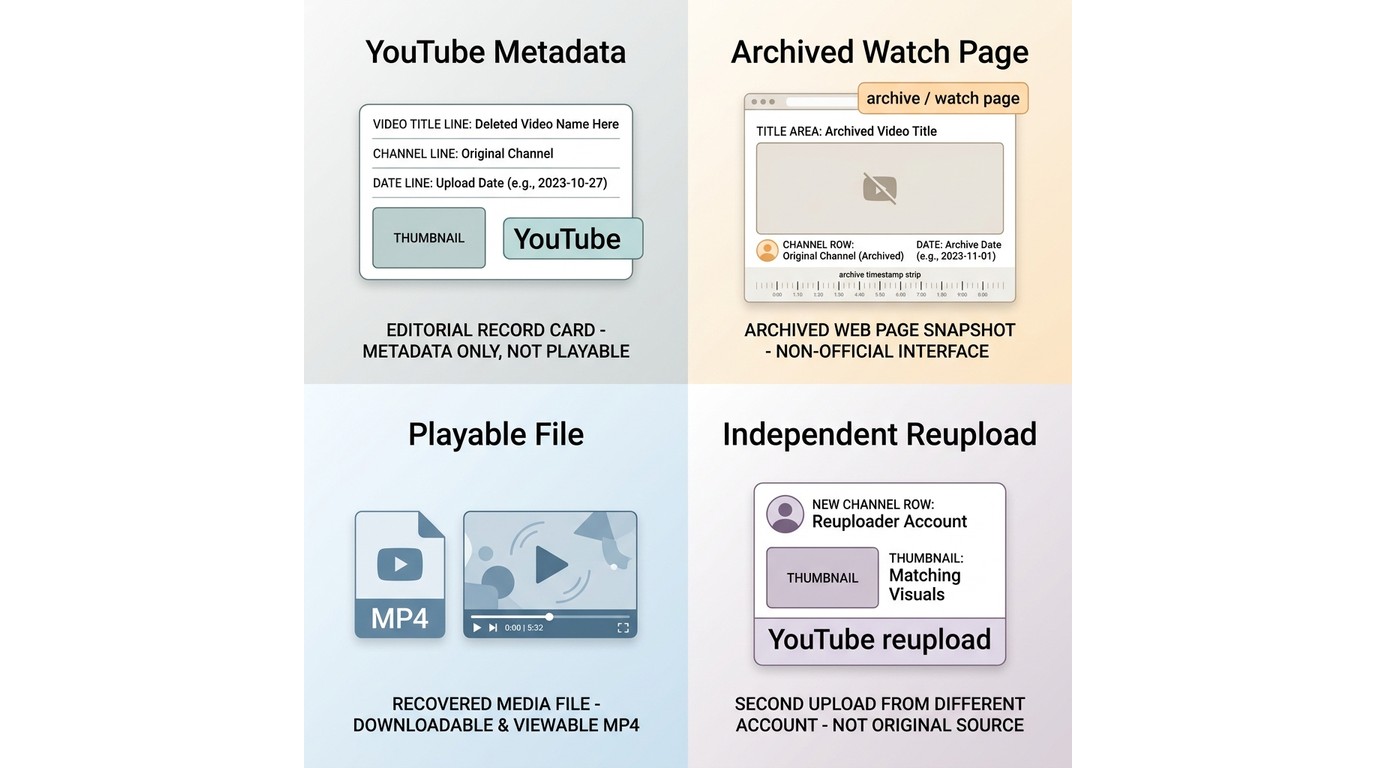
| Recovery state | What it means | What to do next | What it does not prove |
|---|---|---|---|
| Metadata only | You found a title, channel, thumbnail, description, subtitle record, or video ID. | Use those details to search archive indexes, social posts, playlists, and possible reuploads. | It does not show that the original video file survives. |
| Archived watch page | A crawler saved the public YouTube page at a point in time. | Capture the available details and inspect whether any embedded media is accessible. | It does not confirm that the video stream was archived. |
| Playable archived media file | An actual media file is present and accessible through the archive. | Use it only for purposes you are authorized to access, save, or share. | It does not automatically grant redistribution rights. |
| Independent reupload or mirror | Another account uploaded a copy or excerpt elsewhere. | Compare its title, duration, creator, and context with the original clues. | It does not prove authenticity or permission to republish. |
Finding a title, thumbnail, subtitle record, or saved watch page is not the same as recovering a playable video file. In my view, identifying the result type first prevents the most common dead end: mistaking a page record for the video itself.
Find Deleted Videos Without a URL
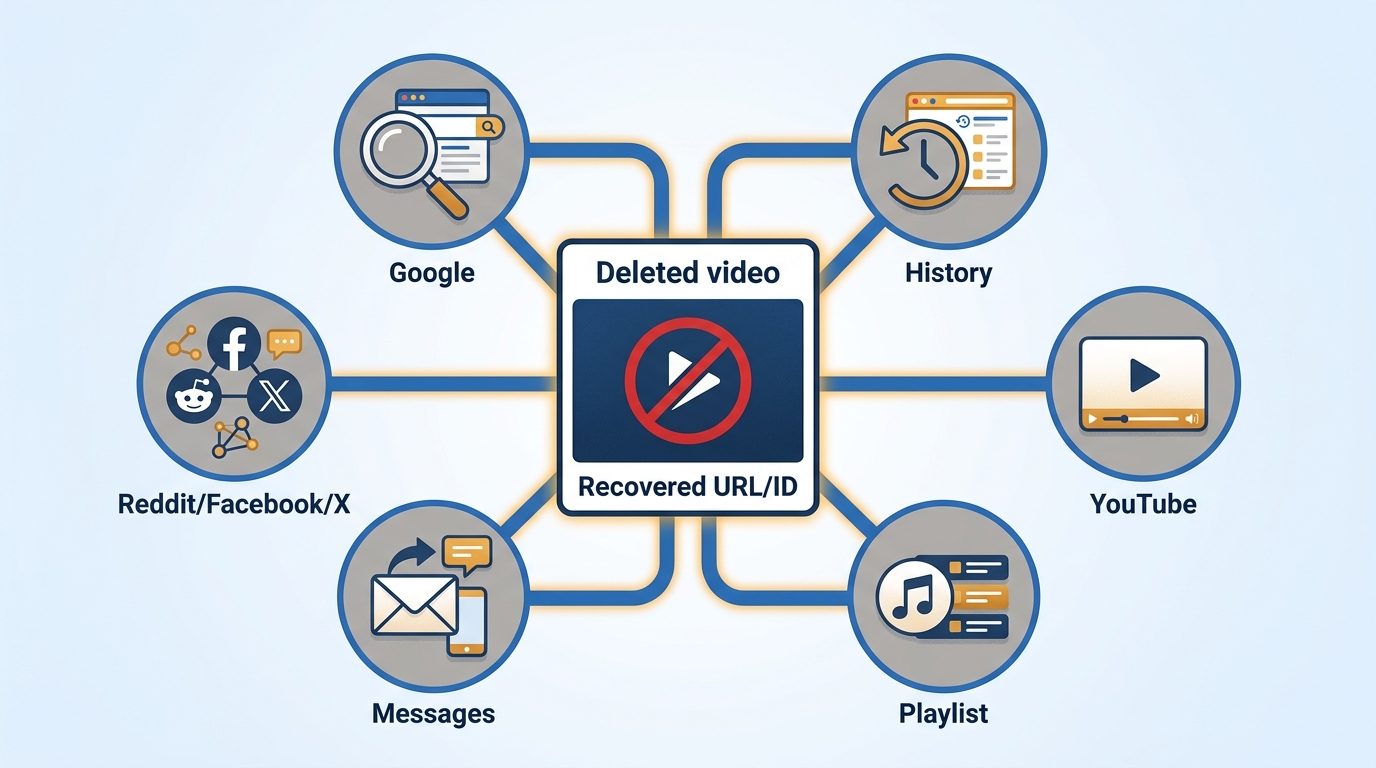
Finding deleted YouTube videos without a URL is harder, but the first goal is to recover the strongest identifying clue rather than to watch the video immediately. Work from a playlist or history entry, shared link or message, exact title, channel identifier, subtitle phrase, thumbnail, and then partial memory. Any recovered URL or video ID can go back into Wayback Machine or YouTube Video Finder for a targeted search.
Step 1: Recover the Deleted Video's URL or Other Clues First
Start with anything you still remember, such as part of the title, the creator's name, or the topic of the video. Here are several practical ways to find the URL of a deleted YouTube video.
- Type "site:www.YouTube.com + name Of TheVideo" in Google. This may help you find old references to the deleted video more quickly.

- If you remember seeing the video on Facebook, Reddit, X, or another platform, search there as well. In some cases, an old post may still contain the original YouTube link.
- If you watched or shared the video before, the original URL may still appear in your browser history, bookmarks, emails, or messages.
- If you watched the video while signed in, your watch history may also contain useful clues, such as the title or original link.
- If the video was once saved in a playlist, the playlist may still show a missing entry, a blank slot, or part of the deleted title.
Search by Channel, Title, or Subtitles
If no URL emerges, search a YouTube archive index using the channel name, an exact or partial title, a distinctive phrase from the video, subtitle text, or a reverse-image search of the thumbnail. These clues can surface archived YouTube metadata or a video ID even when the original watch link is gone. A metadata match is still useful because it gives you better terms for finding an authorized reupload or confirming what disappeared.
Step 2: Paste the Recovered URL into Archive Tools
Once you recover the original URL or video ID, use it in archive-based tools for a more direct search. Paste it into Wayback Machine or YouTube Video Finder, then treat any result according to what it actually contains: metadata, a watch-page snapshot, a playable media file, or a separate reupload. An archived page can provide useful traces without making the deleted video watchable.
If you still cannot find the YouTube archive after trying this method, it is possible that the video has been completely removed from the server and is no longer accessible.
Save Videos Before They Disappear
For content you are authorized to access, and where platform terms and applicable law permit it, proactive preservation is more reliable than trying to reconstruct a deleted page later. Save a local copy for personal offline viewing, then preserve the title, channel name, original URL, description, thumbnail, captions, and capture date alongside it. This approach is most useful for personally important or evidence-related material, but it is not appropriate when you lack permission to copy or redistribute the content.
After you have lawfully obtained a local file, YouTube video watcher options can help you play it locally. PlayerFab Stream Player is intended for streaming playback, while PlayerFab Free Video Player can play local video files on Windows and Mac; neither product recovers a missing YouTube file or turns an archived watch page into media.
YouTube Archive FAQ
What Is the Distributed YouTube Archive?
The Distributed YouTube Archive is a community preservation concept rather than a guaranteed centralized recovery service. Contributors may preserve different videos or channels while a shared tracker records metadata such as video IDs, titles, channel names, and contributor details. The referenced tracker shows no clear recent update signal, so treat it as one possible research lead rather than a dependable current archive.
Can I Recover a YouTube Video I Deleted From My Own Channel?
Recovery depends on what you retained before deletion: a local copy, an export, a backup, a shared link, or an archived trace. Deletion from YouTube does not guarantee that an archive captured the media file, so the most reliable recovery path for your own uploads is a copy you saved separately.
Where Can I Search YouTube Archives?
Start with the exact URL or video ID in Wayback Machine and multi-source finders. If you do not have a link, use archive search tools that accept a channel name, title, subtitle phrase, thumbnail, or other archived YouTube metadata. Your YouTube history, playlists, messages, and social posts can supply the clues those tools need.
How Can I Find a YouTube Video From Many Years Ago?
Begin with the details you remember: title words, channel name, playlist placement, watch history, old messages, social mentions, or a distinctive subtitle phrase. If the original upload is gone, move from those clues into specialized indexes and archive tools. An old video may be identifiable even when its original media file is no longer available.
Can Archives Find Private Videos or Deleted Channels?
An archive may retain a public page snapshot or metadata captured before a video became private or a channel disappeared. It cannot guarantee access to a private media file, content that was never crawled, or a deleted channel's complete library.
Can I Download an MP4 From Internet Archive?
It is possible only when an actual media item is present in the archive and downloads are enabled. A Wayback Machine snapshot of a YouTube watch page is not automatically an MP4. Limit downloads to content you are authorized to access and save.
Is Using an Archived YouTube Video Legal?
Archive availability does not grant permission to copy, redistribute, or republish a video. Personal research or an authorized backup is different from public sharing, and the appropriate use depends on authorization, copyright, privacy, platform terms, and applicable law.
What to Try Next
For a YouTube archive search, start with an exact URL or video ID, then try a multi-source index. If neither is available, rebuild the trail with a channel name, title, subtitle phrase, thumbnail, playlists, history, messages, and social mentions. For future videos, preserve an authorized local copy and its metadata before access changes. A metadata match can still unlock a useful reupload search, but readers should stop treating every archived page as a playable recovery.
