Best YouTube Video Watchers in 2026: Ad-Free & High-Res

Summary: After evaluating the top YouTube viewer tools, I've found that escaping ads and tracking requires tailored open-source solutions. This guide categorizes the best YouTube video watchers based on real-world use cases. While FreeTube provides the most stable desktop experience with local subscriptions, apps like NewPipe and LibreTube dominate Android by offering lightweight background play.
Table of Contents
YouTube Watchers: Paste, Play, and Stay Focused
A YouTube video watcher splits into two answers: a browser-based watcher website that plays a pasted link in a single tab, and an installed client (FreeTube, NewPipe, LibreTube, SmartTube, or VLC) that reshapes viewing on desktop, mobile, or TV. Pricing and availability vary by project, as of August 2026.
If you searched for a YouTube video watcher or a YouTube link watcher, you probably want the same thing I do when I just need to see one clip: paste a URL, hit play, and skip the recommendation carousel.
The reason these tools have grown popular is less about ads and more about attention. The standard interface layers auto-playing Shorts, homepage recommendations, and pre-roll spots on top of the single video you actually opened, and browser ad-blockers now trip anti-adblock scripts more often than they help. A dedicated YouTube viewer trims that surface area so a single video stays a single video.
The Three-Step Paste-Link Workflow
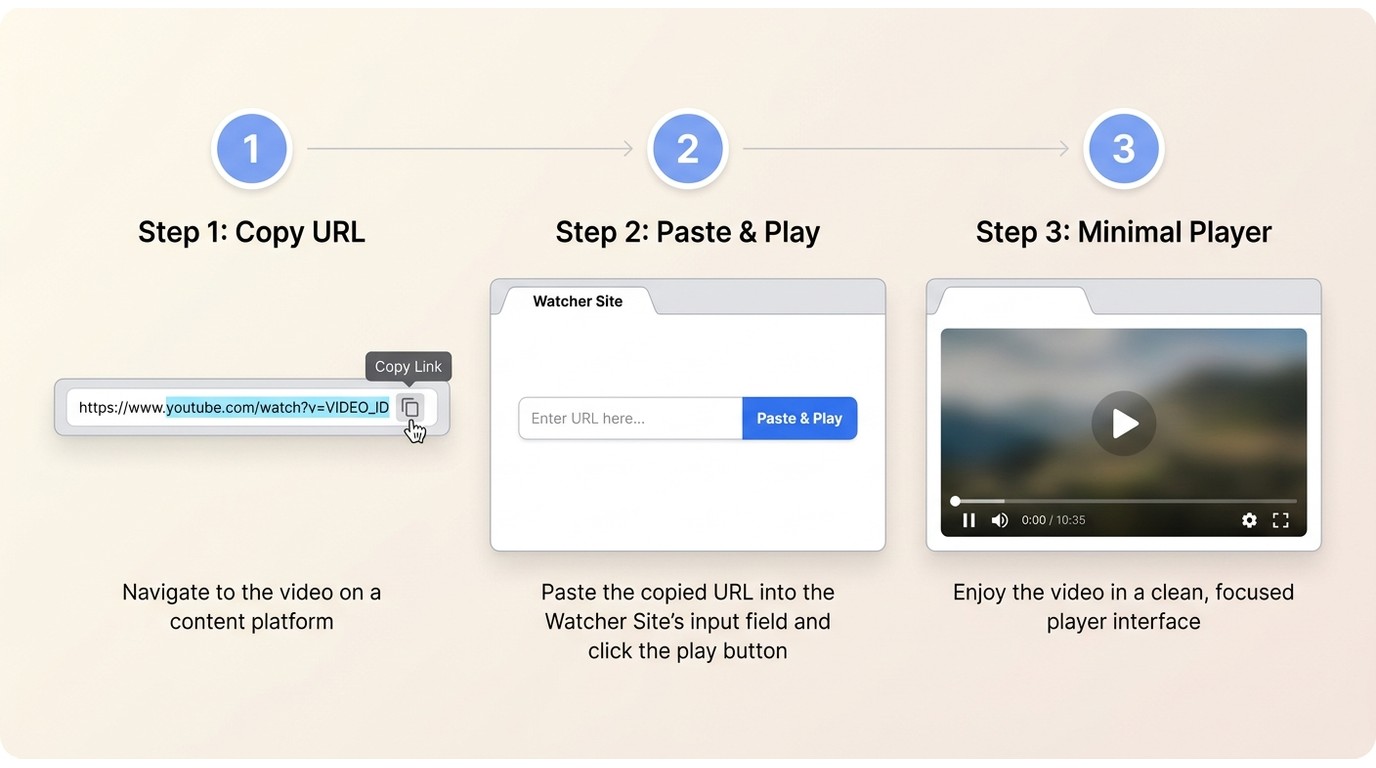
For a compatible public video, a browser-based YouTube URL viewer usually works in three steps:
- Copy the YouTube video URL from the address bar or the share sheet.
- Open a compatible watcher website in any modern browser.
- Paste the link into the input field and start playback.
Browser playback does not automatically save an MP4 file to your device, that is a separate capability with its own permissions. In my own routine, the paste-link path is the fastest fit for a single clip a friend sent me, while an installed client is what I reach for when I want subscriptions, a watch history, or a TV-friendly interface across repeat sessions.
Cookies, Login, and Connection Models
Not every “private” watcher is private in the same way. It helps to separate four connection models before choosing one:
- No-login browser watchers: play a pasted URL in a tab without asking you to sign in, useful for one-off clips.
- Cookie-minimized clients: installed apps that store subscriptions locally and avoid Google account cookies, reducing account-linked activity.
- Proxy-based front-ends: a community-hosted server fetches the video and relays it to your browser. Access still involves YouTube on the server side, and public instance use should follow YouTube’s terms of service and your local rules.
- Direct-to-YouTube: tools like VLC that request the stream directly from YouTube’s CDN, without any privacy layer in between.
None of these guarantees anonymity. What they change is which identifiers travel with the request and where your subscription list lives.
Focus, Classroom, and Clean Sharing
The use cases that actually justify a separate watcher, in my experience, are attention-shaped:
- Focus viewing: opening one tutorial or news clip without the sidebar pulling you into an hour of unrelated Shorts.
- Classroom and family: sharing a video with a class or a kid without exposing them to the recommendation feed or comment section.
- Urgent lookups: watching an explainer during a task, where a pre-roll ad or a homepage grid genuinely gets in the way.
- Clean sharing: sending a link that opens straight to the video, not to whatever the algorithm serves next.
Top YouTube Watchers by Use Case
No single watcher fits every platform or every level of technical comfort. The five options below were active projects at the time of writing (as of August 2026), and I’ve grouped them by the setting where each one genuinely earns its install, with a plain note on where it isn’t the right pick.
FreeTube for Private Desktop Viewing
Best for: desktop users who want subscriptions stored locally rather than synced to a Google account. Not ideal for: casual viewers who only open one link a week, or anyone on low-RAM hardware.
FreeTube is a fully open-source desktop client for Windows, macOS, and Linux that keeps subscriptions, watch history, and playlists on your local drive in an SQLite database instead of syncing them to the cloud.
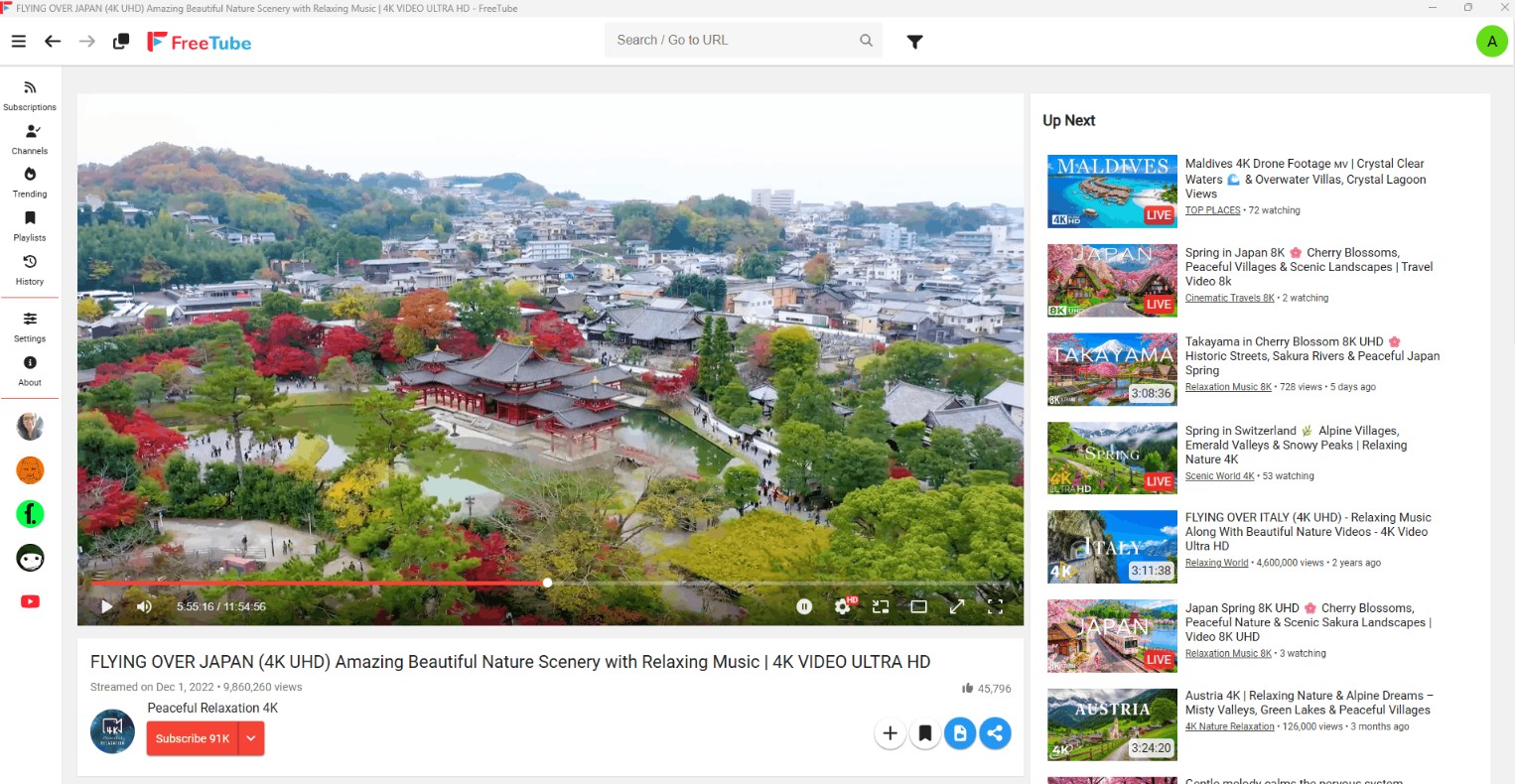
Core Architecture: Routes requests through a built-in local extractor or external Invidious API instances. With a public Invidious instance, the instance server sits between you and YouTube; with the local extractor, your device still connects to YouTube directly, so the connection model affects what identifiers travel with the request.
Key Features: Integrated SponsorBlock (automatically skips sponsored segments, intros, and outros), profile management without Google accounts, and one-click OPML data import/export.
Trade-offs: Because it is built on the Electron framework, it has a heavier memory footprint than a native player, which can be demanding on older or low-RAM hardware.
NewPipe and LibreTube for Android
Best for: Android users who want lighter background playback and a cleaner feed. Not ideal for: iOS owners, or anyone unwilling to sideload apps outside the Play Store.
On Android, the friction in the official app is battery drain and background playback locked behind a paid tier. NewPipe and LibreTube are two lightweight alternatives commonly recommended in the Android community.
NewPipe: a long-running minimalist client that parses public YouTube pages rather than calling the official API, which tends to make it resilient when the site changes. It supports native background audio, local file saving of content you’re authorized to download where the platform’s terms allow, and typically uses less battery than the official app.
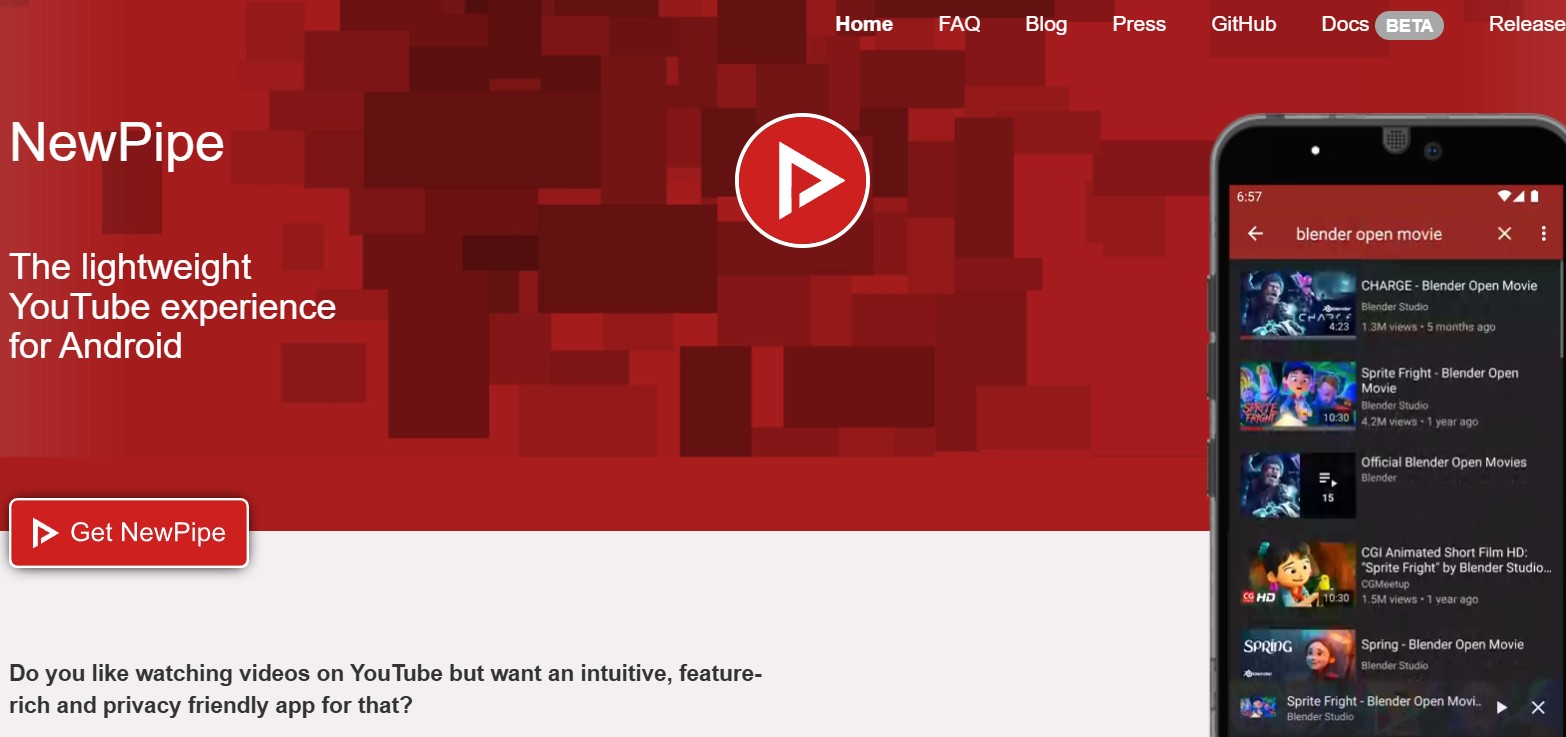
LibreTube: Built on a more modern "Material You" design, LibreTube routes traffic through Piped instances. It offers a smoother user interface and built-in SponsorBlock support, though instance routing can sometimes cause slight loading delays.
Trade-offs: Due to Google Play Store policies against ad-blocking, both apps must be sideloaded via APK or F-Droid. Neither is available for iOS devices.
SmartTube for TVs and Home Theaters
Best for: living-room setups on Android TV or Fire TV where the standard app feels heavy. Not ideal for: households that rely on casting from a phone, or TVs where sideloading is locked down.
SmartTube (formerly SmartTubeNext) is an open-source application built for Android TV, Fire TV, and standard Android set-top boxes, with a UI shaped around a remote rather than a touchscreen.
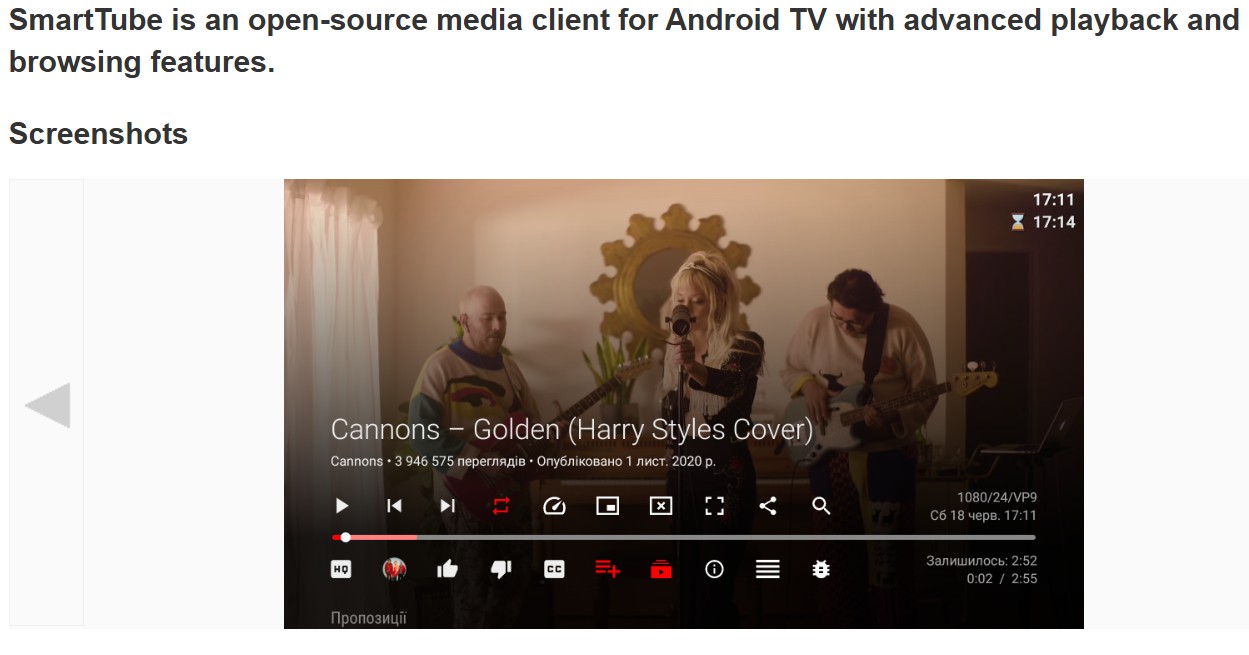
Core Architecture: A custom-built player optimized for television remote controls and large screens, bypassing the standard YouTube Leanback web interface.
Key Features: Hardware-accelerated high-resolution playback per the project’s stated support, auto-framerate matching, customizable audio tracks, and native SponsorBlock integration for sponsored-segment handling on the big screen.
Trade-offs: Requires enabling "Unknown Sources" on your TV to install the APK via a downloader app or USB drive. It does not support screen casting from a mobile device.
Invidious and Piped for Browser Privacy
Best for: browser-first viewers comfortable with community-hosted services. Not ideal for: anyone who needs guaranteed uptime or a single "official" instance to point friends at.
Invidious and Piped are open-source alternative web front-ends rather than standalone apps. A community-hosted server fetches the video from YouTube and relays it to your browser, which reduces the identifiers your browser sends directly to Google. Use of public instances should still follow YouTube’s terms of service and the rules that apply where you live, and stability depends on which instance you pick.
Core Architecture: Web-based proxy routing. Users can access public instances maintained by the community or self-host their own instance via Docker.
Key Features: No installation required, a minimal player page without a recommendation feed, and reduced page-level scripts depending on the instance. Availability may be limited on managed networks, so follow your organization’s access policy.
Trade-offs: Public instances can occasionally suffer from rate-limiting or buffering during peak hours. Self-hosting requires a server (like a Raspberry Pi), basic Linux command-line knowledge, and regular maintenance.
VLC for Quick URL Playback
Best for: viewers who already have VLC installed and just want to play a single URL without adding another app. Not ideal for: anyone who wants a channel feed, search, or resolutions above 1080p.
VLC is a general-purpose media player that can open a YouTube URL directly in its network stream dialog. It streams the video for playback; it isn’t a channel browser and it doesn’t manage a subscription list.
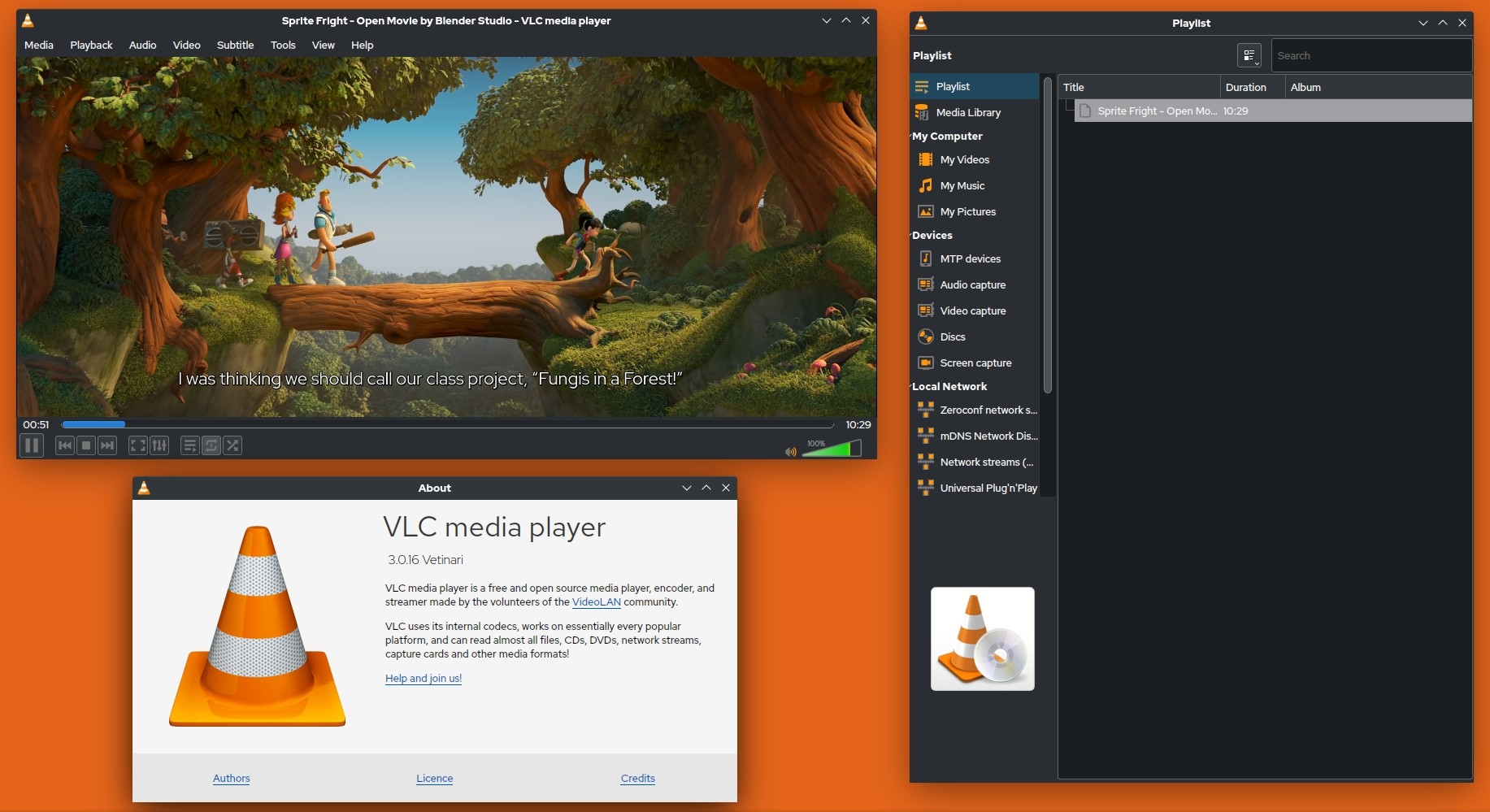
Core Architecture: Uses a built-in YouTube.lua script to parse video URLs directly within the standard media player interface.
Key Features: already installed on many desktops, minimal interface, and basic video saving for content you’re authorized to access where the platform’s terms allow.
Trade-offs: No interface for browsing or searching channels. Because YouTube’s adaptive delivery separates high-resolution video and audio tracks, VLC’s native YouTube playback typically tops out around 1080p rather than reaching the higher resolutions available in a browser or a dedicated client.
Feature Comparison of YouTube Viewers
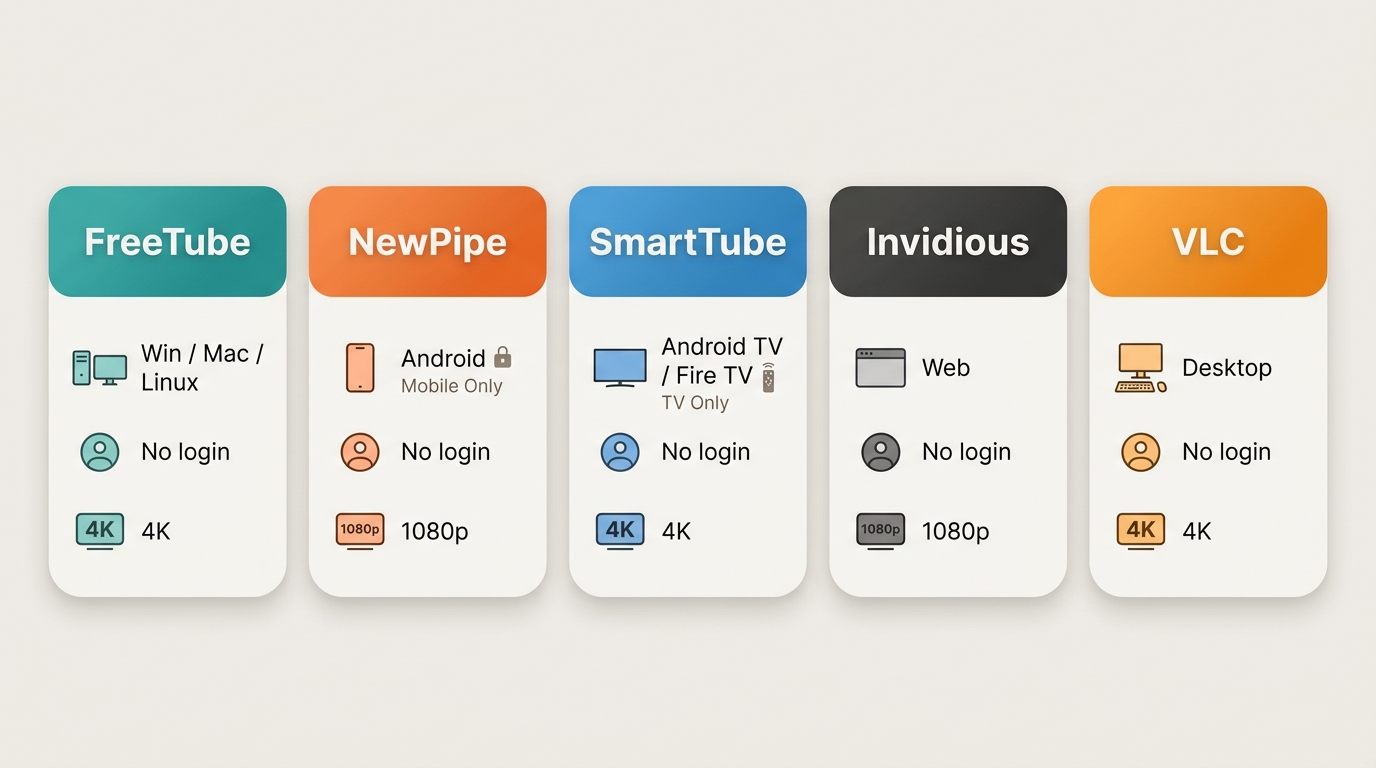
The table below is meant to help you decide between a browser paste-link watcher and an installed client at a glance. I focused the dimensions on the questions I actually ask before installing anything: does it need a login, where does data live, and what breaks first when YouTube changes something on the delivery side.
| Tool | Type | Platform | Paste-link support | Login required | Interface simplification | Local file saving | Main limitation |
|---|---|---|---|---|---|---|---|
| Browser paste-link watchers | Web front-end | Any modern browser | Yes, primary flow | No | Strips homepage feed and recommendations | No, playback only | Availability of a given site can change |
| FreeTube | Installed desktop client | Windows, macOS, Linux | Yes | No | Local subscriptions, integrated SponsorBlock | Yes, where permitted | Electron footprint on older hardware |
| NewPipe and LibreTube | Installed mobile client | Android | Yes | No | Background play, no recommendation feed | Yes, where permitted | Sideload only, no iOS build |
| SmartTube | Installed TV client | Android TV, Fire TV | Limited, remote-first UI | No | Remote-friendly UI, SponsorBlock | No | Requires enabling unknown sources; no phone casting |
| Invidious and Piped | Community-hosted front-end | Web browser | Yes | No | Minimal UI, no recommendation feed | Depends on instance | Public instances can rate-limit or go offline |
| VLC | General media player | Windows, macOS, Linux | Yes, via network stream | No | No browsing UI at all | Basic, where permitted | Caps at 1080p; parsing script needs updates |
YouTube Watcher FAQs
Does a YouTube watcher download an MP4 or only stream it?
Most paste-link watcher websites only stream the video in a browser tab, they don’t drop an MP4 into your Downloads folder. Saving a local file is a separate capability offered by some installed clients, and it should be used only for content you’re authorized to access, where YouTube’s terms and applicable law permit.
Why do some YouTube videos require sign-in to play?
Age gates, region restrictions, and creator settings are access controls enforced by YouTube itself, not features a third-party watcher can be counted on to unlock. A paste-link watcher may play many public videos without asking you to log in, but restricted content can still be blocked depending on the video and the tool. No watcher should be treated as a reliable way around a platform access control.
Will a paste-link YouTube watcher work in Chrome on mobile?
Generally yes for the browser side: if the watcher website loads in Chrome on Android or iOS and the video allows embedding, playback works the same way it does on desktop. What’s different on mobile is the installed-client path, NewPipe and LibreTube run only on Android, and there’s no equivalent sideloaded client on iOS, so iPhone users are effectively limited to browser-based watchers.
Why do third-party YouTube watchers sometimes stop playing videos?
Playback can fail for a few different reasons: YouTube changes how a video is delivered, a public proxy instance is overloaded, a specific video disallows embedding, or a local parsing script needs an update. That’s different from your device being broken. If one watcher fails, trying another instance or another tool usually tells you quickly whether the issue is the service or your setup.
Choose the Right Viewing Workflow
The right YouTube video watcher really depends on how often you’re watching and on what: a browser paste-link site is the quickest fit for a one-off clip, an installed client like FreeTube, NewPipe, LibreTube, or SmartTube is the better home for recurring subscription viewing on a specific platform, and VLC is a fair fallback when you just want to open a URL in something you already have. If your viewing tends to stretch beyond YouTube into local files and disc content on desktop, a broader streaming player for PC covers that side of the workflow without changing how you watch a pasted link.

 12 Best HEVC Players for Windows, Mac, and 4K (2026)By Alice Harper - Aug 4, 2026
 Best WMV Player for Mac and How to Play WMV on Mac NativelyBy James Morgan - Aug 4, 2026
 8 Best TS File Players and Playback Tools for 2026By Alice Harper - Jul 28, 2026
 6 Best DVD Players for Laptops in 2026: Drives and AppsBy Alice Harper - Jul 22, 2026