5 Samsung Blu-ray Players Worth Buying Used in 2026

Summary: Samsung no longer makes Blu-ray players, so choosing one now means judging discontinued hardware on condition, features, and return protection. This guide compares five notable models, explains USB and MP4 limits, provides a used-player test checklist, and maps modern alternatives to different setups.
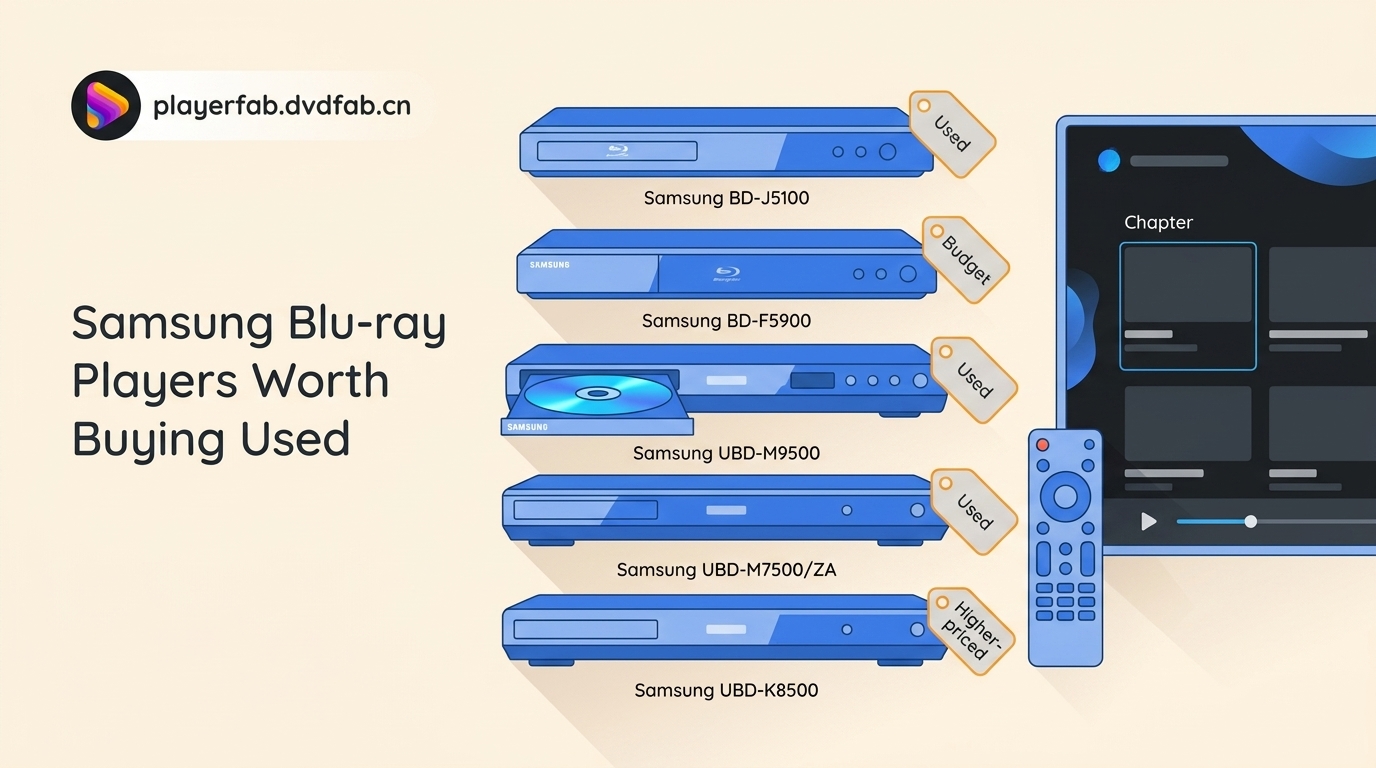
Searching for a Samsung Blu-ray player or Samsung Blu-ray DVD player now leads to a practical problem: every available unit is discontinued hardware, usually used or old stock. The useful question is not which model once had the longest feature list, but which one still fits your discs, display, budget, and tolerance for secondhand risk.
This guide compares five Samsung Blu-ray player models, shows how to inspect a used unit, explains Samsung Blu-ray player USB and MP4 compatibility, and sets out current replacement routes without treating any one route as right for every setup.

Samsung Blu-ray Players Are Discontinued
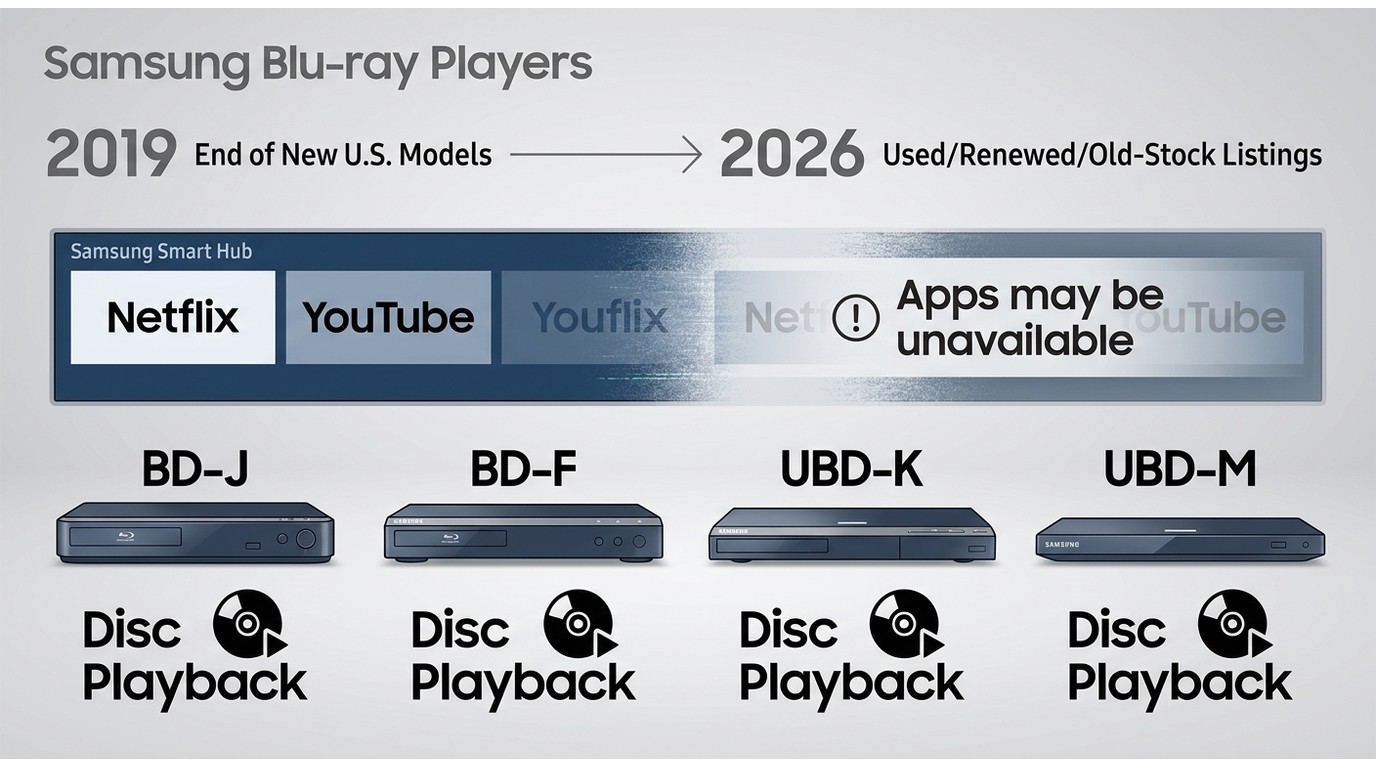
Samsung stopped introducing new Blu-ray players in the United States in 2019. A new Samsung Blu-ray player listing is therefore old stock, renewed inventory, or a seller's description of an unused discontinued unit.
That distinction affects support. Legacy model pages and firmware files may remain available, but buyers should not expect new features, revived Smart Hub apps, or future compatibility fixes. A Samsung smart Blu-ray player can still handle its core disc functions, while Netflix, YouTube, and other legacy apps may be unavailable.
Model numbers matter more than broad labels. The BD-J and BD-F families focus on Full HD playback, while UBD-K and UBD-M models handle 4K UHD discs. If a listing omits the full model number or clear rear-panel photos, I would treat that as a reason to pause rather than guess.
5 Samsung Blu-ray Players Compared
The best Samsung Blu-ray player is the one whose core disc features match your display and whose condition can be verified. The table carries the repeated specifications so each profile can focus on the decision that separates one model from another.
| Model | Maximum disc resolution | HDR support | 3D Blu-ray | Wi-Fi | USB media caveat | HDMI outputs | Known limitation | Observed used-price context | Best fit |
|---|---|---|---|---|---|---|---|---|---|
| Samsung BD-J5100 | 1080p Blu-ray | No | No | No | File support varies by codec and drive format | One | Ethernet connection and obsolete apps | Usually among the lower-cost listings | Basic Blu-ray, DVD, and CD playback |
| Samsung BD-F5900 | 1080p Blu-ray | No | Yes | Yes | Model-era limits apply to video, audio, and storage format | One | Legacy apps and older 2.4 GHz networking | Condition and remote inclusion drive value | Owners of a compatible 3D display |
| Samsung UBD-M9500 | 4K UHD Blu-ray | HDR10 and HLG | No | Yes | Test representative files before relying on USB playback | Two | No Dolby Vision and no current app ecosystem | Often among the higher-priced complete Samsung listings | Flexible UHD and AV-receiver connections |
| Samsung UBD-M7500/ZA | 4K UHD Blu-ray | HDR10 | No | No | USB compatibility depends on the file and drive | One | Wired networking and less connection flexibility | Often below complete M9500 listings | Simple UHD setup with nearby Ethernet |
| Samsung UBD-K8500 | 4K UHD Blu-ray | HDR10 | Yes | Yes | Confirm the exact media profile with a test file | Two | Age, boot reliability, and no Dolby Vision | Scarcity, condition, and return terms can raise its cost | UHD plus legacy 3D disc collections |
Used-price observations are from U.S. listings as of July 2026. Completeness, cosmetic condition, seller protection, and an original remote can materially change value.
Samsung BD-J5100
The BD-J5100 is a sensible Samsung DVD player and Full HD Blu-ray deck when the goal is simple disc playback. It handles Blu-ray, DVD, and CD, but its lack of Wi-Fi and 4K UHD support keeps the use case narrow.
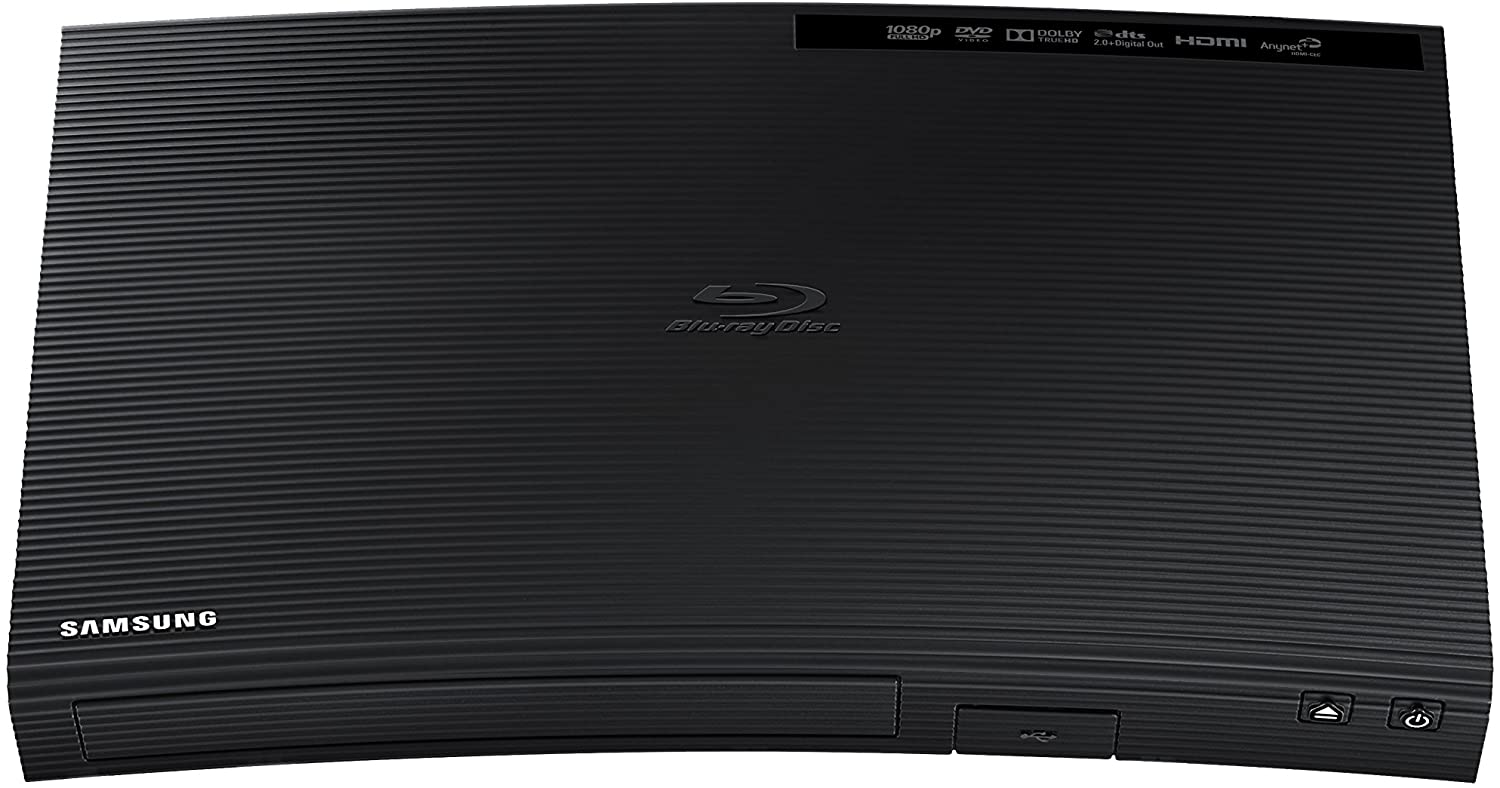
I would choose it for a 1080p display or secondary room where low purchase cost matters more than smart features. Pass if the TV is 4K and the collection includes UHD discs, because upscaling a DVD is not a substitute for UHD playback.
Samsung BD-F5900
The BD-F5900 earns its place through 3D Blu-ray support rather than its aging network features. It is a focused choice for someone who still owns a compatible 3D television and wants a compact disc deck with built-in Wi-Fi.
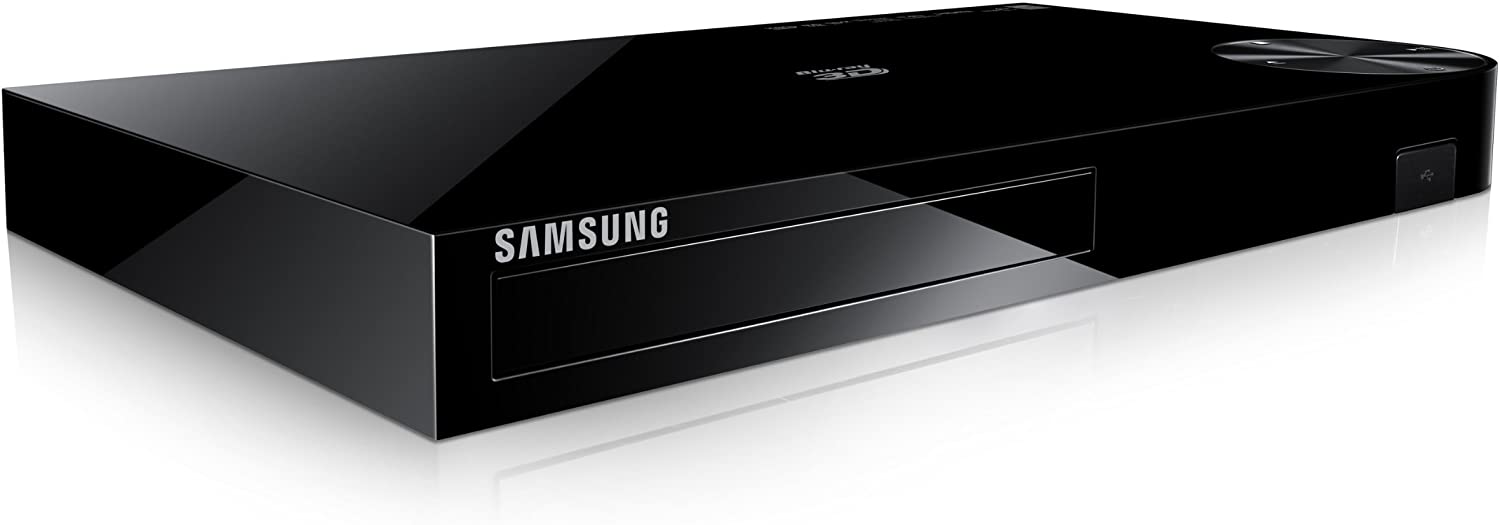
For a 3D collection, that distinction can outweigh the obsolete app interface; the broader 3D Blu-ray player decision also depends on the display and glasses already on hand. I would pass if 3D is irrelevant, because a simpler Full HD deck avoids paying for a feature you will not use.
Samsung UBD-M9500
The UBD-M9500 is the most flexible Samsung 4K Blu-ray player here for an AV system that benefits from separate video and audio HDMI paths. It supports 4K UHD discs, HDR10, HLG, Wi-Fi, Ethernet, Bluetooth, and HD audio formats, but not Dolby Vision.
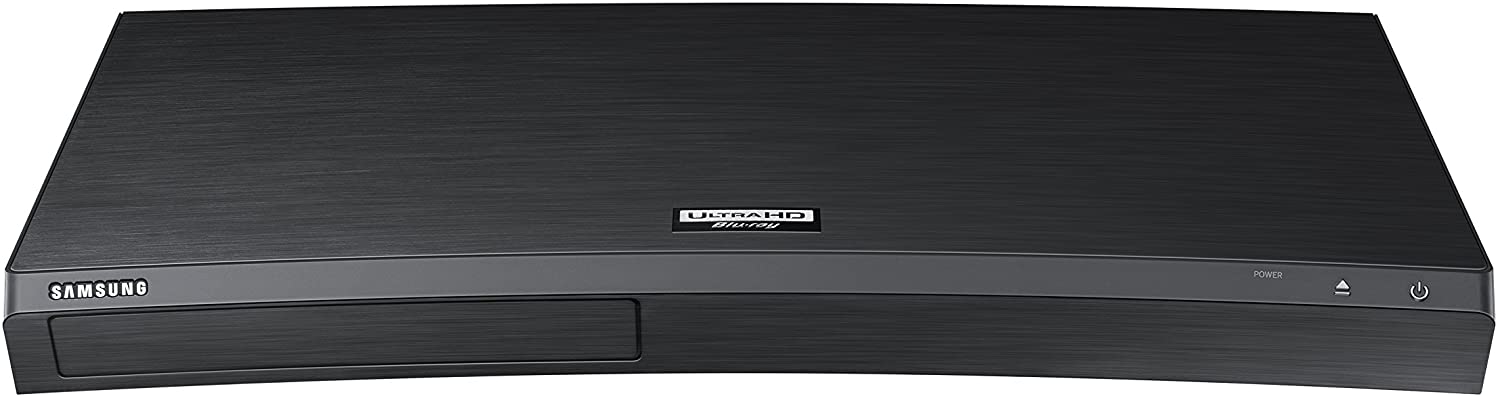
On an LG C2 OLED, I use a known-good 4K UHD copy of Dune to confirm HDR10 output and stable chapter seeking before judging a used unit. That test is scoped to the specific player on the bench; cosmetic condition, transport wear, and remote completeness still determine whether the asking price makes sense.
Choose the M9500 when dual HDMI outputs solve a real receiver-compatibility problem. Pass if Dolby Vision from disc is a priority or if the seller offers no return protection, because scarcity can erase the apparent value of buying used.
Samsung UBD-M7500/ZA
The UBD-M7500/ZA keeps the core 4K UHD and HDR10 disc functions while trimming connection options. Its single HDMI output and wired networking make it better for a straightforward TV connection than a split audio-video installation.
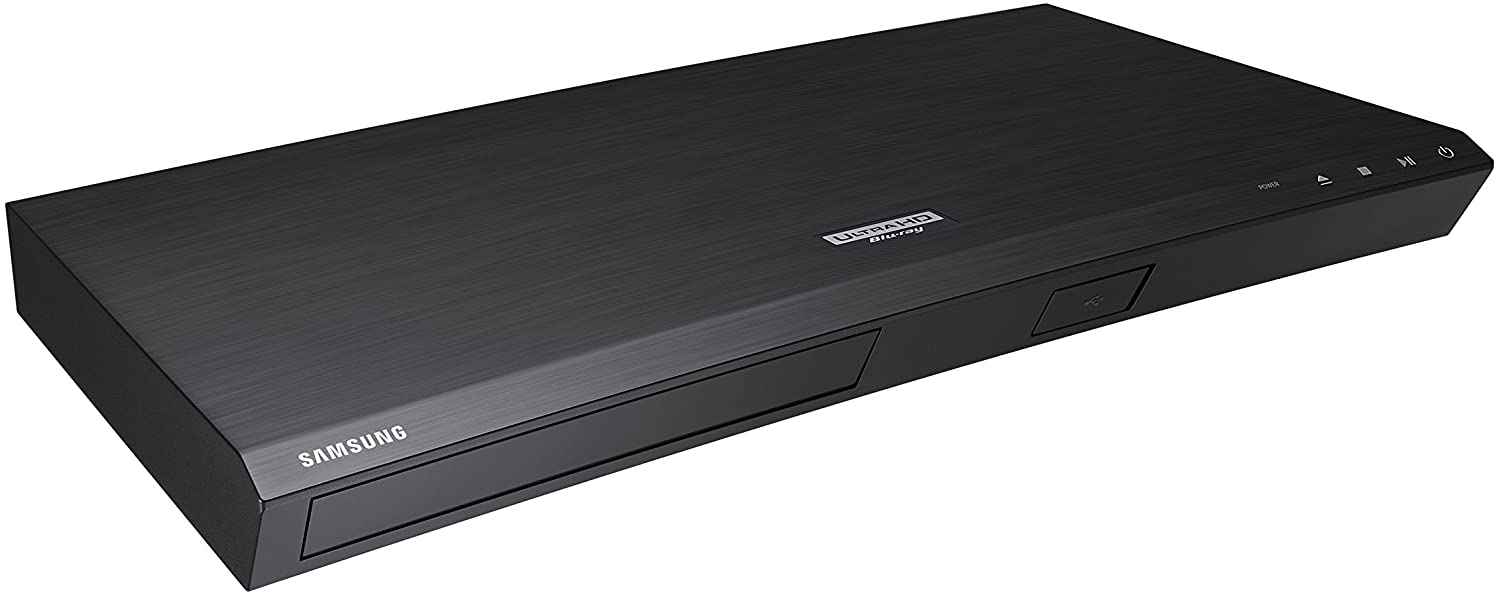
I would consider it when the receiver already passes 4K HDR correctly and Ethernet is available near the cabinet. It is less convincing when the setup needs separate HDMI audio, wireless networking, or Dolby Vision.
Samsung UBD-K8500
The UBD-K8500 combines 4K UHD, HDR10, built-in Wi-Fi, dual HDMI outputs, and 3D Blu-ray playback. That mix remains useful, but the age of the hardware makes a careful boot and playback test more important than its launch-era status.

When checking one, I run a cold boot and then play a known-good Blade Runner 2049 disc for at least 20 minutes on an LG C2 OLED, watching for freezes before testing pause, seek, and eject. A passing test covers that unit during that session, not all K8500 hardware.
The K8500 suits a collection that mixes UHD and 3D discs. Buyers importing discs should also separate standard region expectations from claims about a region free Blu-ray player; aftermarket changes must be verified on the exact unit.
USB and MP4 Compatibility
A Samsung Blu-ray player USB port does not guarantee that every MP4 file will play. MP4 is a container, and compatibility also depends on the video codec, audio codec, resolution, bitrate, USB-drive format, and folder structure supported by the exact model.
- Test a short file that is known to work on another device.
- Place it in the drive's top-level directory and use a simple filename.
- If it fails, try a differently formatted USB drive supported by the model.
- Compare the file's video and audio formats with the model manual.
- Re-encode a copy to a more widely supported profile rather than assuming the USB port is faulty.
On a Dell XPS 15 running Windows 11, I inspect the file's container, video, and audio information before changing the drive. That order avoids wasting time reformatting storage when the actual mismatch is inside the MP4 file.
Used Samsung Buying Checklist
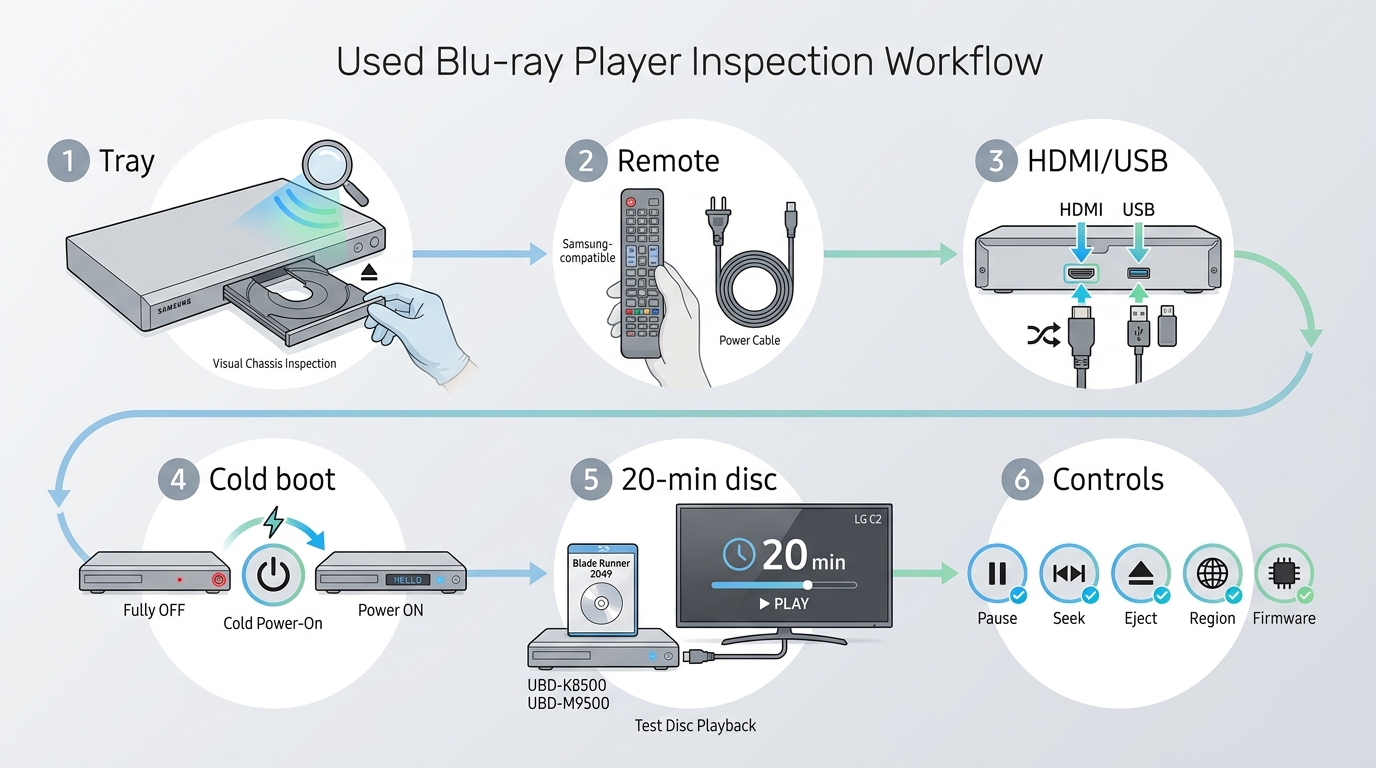
A cheap Samsung Blu-ray player is not a bargain if it cannot complete a basic disc test or be returned. Treat the purchase as a pass/fail inspection, with the Samsung Blu-ray player remote, ports, power cable, and seller protection checked before price.
Test Before the Return Window Closes
- Inspect the tray, HDMI port, USB port, power connection, and case for impact damage or heavy corrosion.
- Confirm that the listing includes the correct power cable and a working remote.
- Verify the return window before powering the unit.
- Cold boot the player rather than accepting a seller's warm-start demonstration.
- Play a clean, known-good disc for at least 20 minutes.
- Test pause, chapter seek, stop, resume, and eject.
- Repeat the same scene to see whether a freeze occurs at a consistent point.
My buying rule is simple: if a seller will not allow basic testing or a protected return, the low price does not compensate for the uncertainty. Optical-drive faults often appear after playback begins, not on the home screen.
Check Remote, Region, and Firmware
The remote is part of the inspection because setup, reset, subtitle, audio, and menu functions can be awkward or inaccessible from front-panel controls. Replacement remotes exist, but the extra search and uncertain button mapping should be reflected in the deal.
- Perform a factory reset to clear inherited network accounts and settings.
- Check whether Samsung still hosts a firmware file for the exact model, while recognizing that a legacy download is not active development.
- Confirm the disc region expected by your collection and do not rely on an unverified seller claim.
- Assume old Smart Hub apps may be unavailable, even if their icons remain visible.
- Reconnect Ethernet or Wi-Fi only after local disc playback passes.
Current Alternatives by Budget and Use
If you want BD-Live features on Blu-ray discs, treat them as optional because their online extras can depend on publisher servers that may no longer be available.
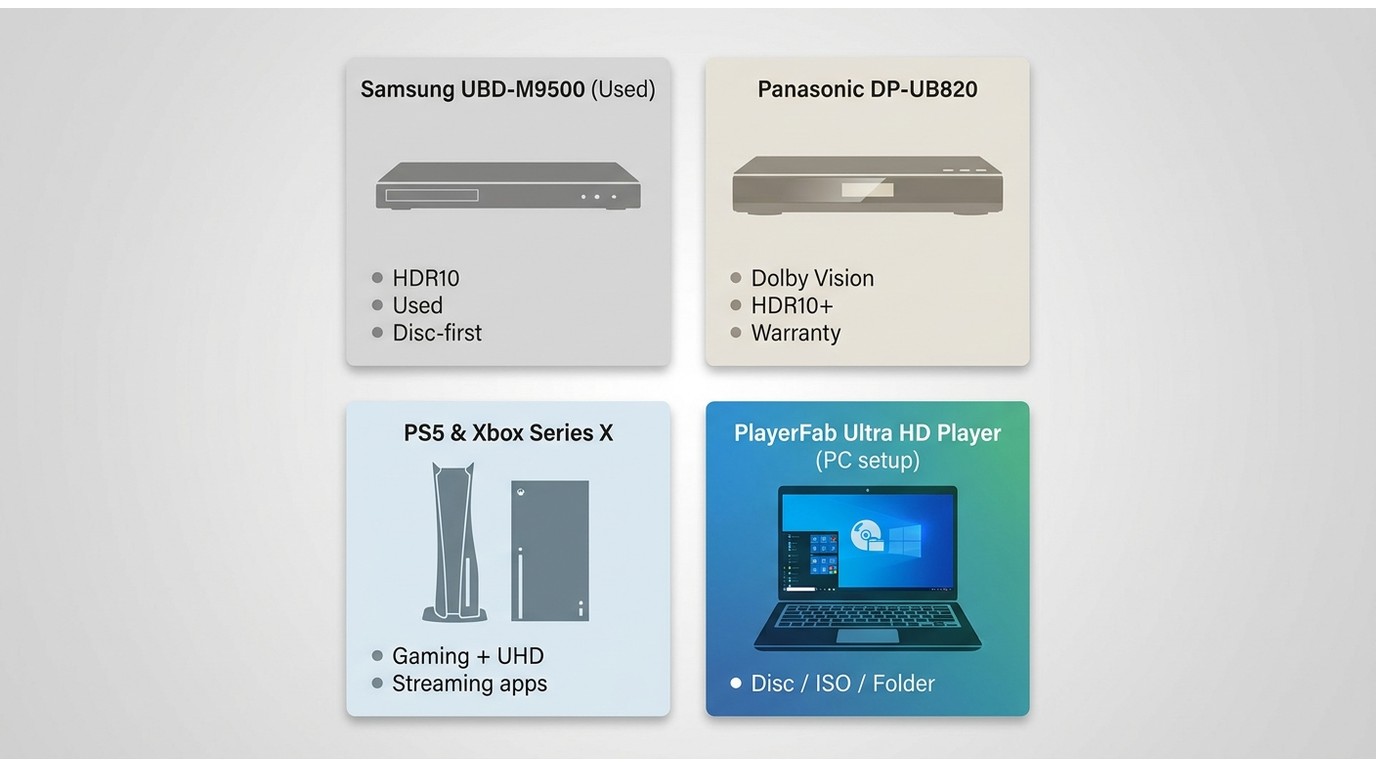
A Samsung Blu-ray player alternative should be chosen by existing hardware, HDR needs, warranty expectations, and everyday usability. The matrix keeps used hardware, a current deck, a console, and PC software as four different routes rather than forcing them into a single ranking.
| Route | Upfront cost | HDR and disc focus | Streaming convenience | Noise and usability | Support status | Best fit |
|---|---|---|---|---|---|---|
| Used Samsung UHD player | Varies widely by model and condition | HDR10-focused UHD playback; model features differ | Legacy apps should not drive the purchase | Dedicated remote and disc-first interface | Discontinued | Low-risk listing that passes testing and matches an existing HDR10 setup |
| Panasonic DP-UB820 | Premium hardware purchase | Modern UHD deck with Dolby Vision and HDR10+ support | Best paired with a separate streaming device | Quiet, dedicated disc workflow | Active retail model | Disc collectors prioritizing current HDR support and warranty coverage |
| PS5 or Xbox Series X | Better value when the console is already owned | UHD disc capability with platform-specific HDR limits | Strong app access | Controller-led interface and more audible operation | Current console ecosystems | Gaming and movie playback from one device |
| PC software | Depends on the computer and optical drive already available | Disc, ISO, folder, and local-file playback can share one system | Streaming remains separate from local-media playback | More setup than a standalone appliance | Current software route | Computer-to-TV setups with a compatible drive |
Panasonic DP-UB820
The Panasonic DP-UB820 remains an active premium option, positioned well above a typical budget replacement. It fits buyers who prioritize premium disc playback, Dolby Vision, HDR10+, and warranty coverage, not someone seeking a low-budget replacement.
Its disc-first design also means streaming is better handled by another device. Readers comparing a broader field of 4K Blu-ray players should weigh HDR format support against the cost of replacing a Samsung that still works.
Sony UBP-X800M2 Support Caveat
The Sony UBP-X800M2 remains available through retailers, but retail availability should not be confused with ongoing firmware development. Sony's indexed latest firmware is M45.R.0058, dated May 31, 2022.
It can still suit a buyer who accepts that support context and wants a dedicated deck with broader disc and app functions than an old Samsung. If Netflix access is central, compare the support realities of a Blu-ray player with Netflix rather than assuming an app icon guarantees service.
PlayerFab Ultra HD Player
PlayerFab Ultra HD Player is a PC-based route for readers who already have a compatible Windows or Mac computer, an optical drive, and a computer-to-TV connection. It supports DVD, Blu-ray, 4K UHD Blu-ray, ISO, folder, 3D disc, and common local-file playback.
For personal playback of media you own or are authorized to access, where permitted by applicable terms and law, the relevant advantages are menu navigation, HDR format support, and high-resolution audio handling in one local-media interface. On a Dell XPS 15 running Windows 11 with an external optical drive connected to an LG C2 OLED, I use a menu test, subtitle switch, and chapter seek to confirm the setup before settling in for a film.
This route fits an existing PC entertainment system; it is less suitable for someone who wants a standalone living-room appliance that starts with a dedicated remote and no computer setup.
Which Option Fits Your Setup?
A tested used Samsung offers value when its exact limitations already match the room. A current deck makes more sense for modern HDR and warranty priorities, a console fits overlapping gaming needs, and PC software fits a computer-and-drive setup.
- Choose a BD-J5100 or BD-F5900 for Full HD disc playback when 4K UHD and current apps are outside the requirement.
- Choose an M9500, M7500/ZA, or K8500 when HDR10 UHD playback matches the display and the unit passes a protected return-window test.
- Choose an active modern deck when Dolby Vision, current retail support, and warranty coverage justify the added cost.
- Choose a console when gaming, streaming, and disc convenience matter more than a quiet dedicated-player interface.
- Choose the PC route when the computer and optical drive are already available; a focused guide to playing Blu-ray on a PC can help confirm the remaining setup requirements.
My practical judgment is to buy the least complicated route that meets the display and disc collection you already own. A rare Samsung model is not automatically better value, and a newer replacement is not automatically necessary if a tested used deck does the required job.
Samsung Blu-ray Player FAQs
Can a Samsung Blu-ray player also play DVDs?
Yes. The Samsung models covered here play DVDs as well as Blu-ray discs, but upscaling, USB file support, and menu behavior vary by model. Treat Samsung Blu-ray DVD player as a broad category, not a promise that every unit has identical capabilities.
Can I still update a discontinued Samsung Blu-ray player?
You may find a legacy firmware download for the exact model, but availability does not mean Samsung is still developing updates. Match the model number carefully, reset the player first, and follow the model-specific installation instructions.
Why does my Samsung player freeze during a movie?
Start with a clean, known-good disc, clear ventilation around the player, and a cold boot. If the freeze repeats, perform a factory reset and replay the same scene. A recently purchased used unit that still fails should go back within the return window.
Is buying Blu-ray hardware still worthwhile in 2026?
It can be worthwhile when you own discs, value consistent picture and audio quality, or want playback that does not depend on a title remaining in a streaming catalog. The trade-off is hardware cost and, with discontinued Samsung units, secondhand reliability risk.

 6 Best MPEG Players for Windows and Mac (2026)By Alice Harper - Aug 26, 2026
 How to Play Blu-ray Discs on Windows 10 (Free & Pro Solutions)By Alice Harper - Aug 7, 2026
 10 Best 4K Video Players for PC and Mac, Tested in 2026By Alice Harper - Aug 4, 2026
 The 5 Best Free MOV Players in 2026 (Windows, Mac and Android), plus How to FixBy Alice Harper - Aug 4, 2026