6 Best 3D Blu-ray Players in 2026: Hardware, PC, and VR Picks

Summary: A usable 3D Blu-ray setup depends on the full chain: source, player, display, glasses, and output mode. This guide compares three current hardware players and three PC options, then explains direct playback, MVC, SBS, projector, and headset paths.
Table of Contents
Finding a usable 3D Blu-ray player in 2026 is difficult because the player is only one part of the chain. The source format, display, glasses, HDMI path, operating system, and output mode all have to agree. The best 3D Blu-ray player is therefore the one that matches the equipment you already own.
This guide compares six hardware and software picks, then maps them to disc-based theaters, Windows PCs, compatible projectors, and VR or XR headset workflows. Here, “VR pick” means a player or preparation path for supported local files and headset output, not a separate category of standalone 3D Blu-ray hardware.
Quick Picks: 6 3D Blu-ray Players Compared
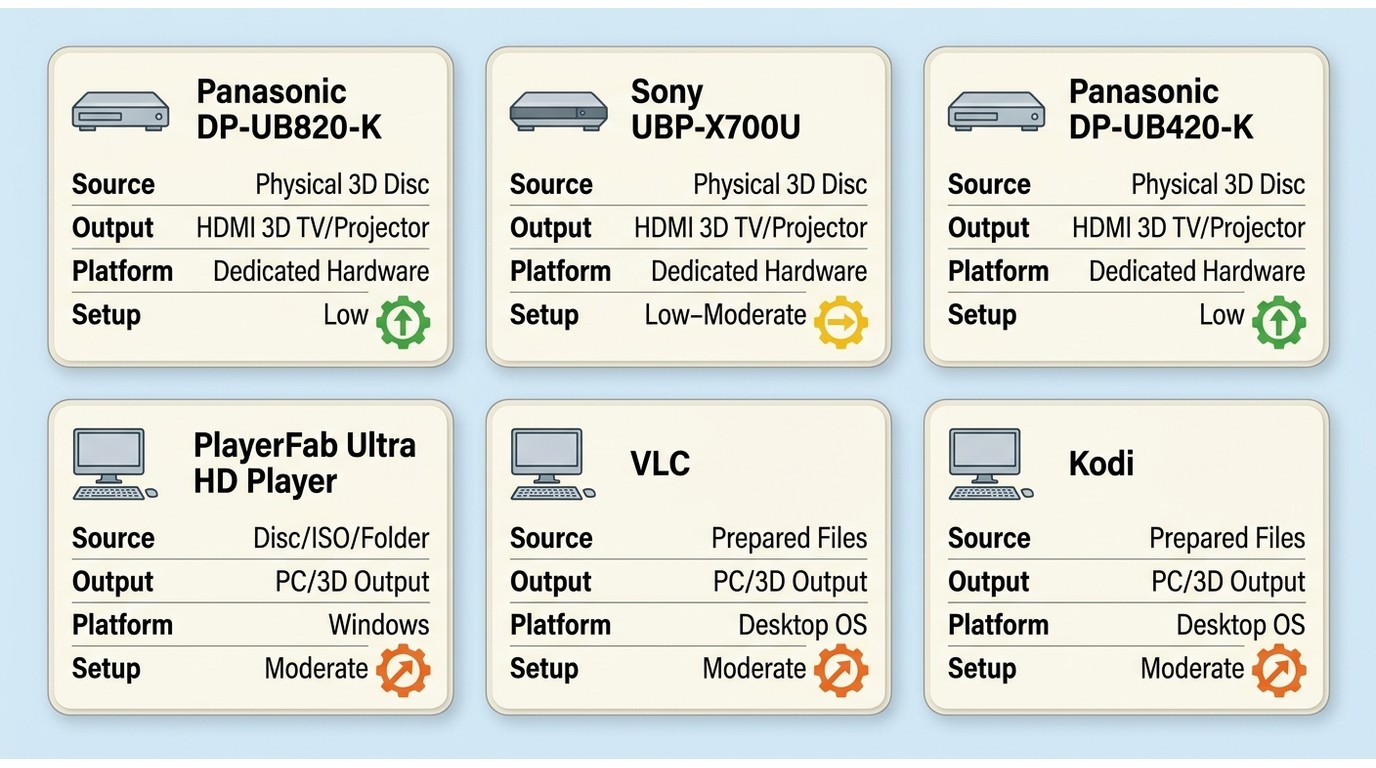
A shortlist is useful only after one rule is clear: no 3D Blu-ray DVD player can compensate for an incompatible display or output path. The matrix below treats every recommendation as one component in a complete setup.
| Player | Best for | Current US availability | Price and source date | 3D source support | Display or output support | Operating system or hardware requirement | Setup difficulty | Major limitation |
|---|---|---|---|---|---|---|---|---|
| Panasonic DP-UB820-K | Premium disc theater with a compatible 3D display. Not ideal for a compact PC workflow. | Active US model | $549.99, Panasonic US, July 2026 | Physical Blu-ray 3D discs | HDMI to a compatible 3D TV or projector | Dedicated player, matching display, glasses, and HDMI chain | Low once the theater chain is compatible | High purchase price and disc-region constraints |
| Sony UBP-X700U | Compact active model with explicit 3D support. Not ideal for users who dislike manual Dolby Vision switching. | Active through Sony US and US sellers | Sony US or seller listing, July 2026; price varies by seller | Physical Blu-ray 3D discs | HDMI to a compatible 3D TV or projector | Dedicated player, matching display, glasses, and HDMI chain | Low to moderate | Manual Dolby Vision setting changes and no universal cross-region promise |
| Panasonic DP-UB420-K | Value-focused projector or TV setup that can use HDR10+. Not ideal when Dolby Vision is required. | Available from major US retailers | $297.99 to $299.99, major US retailer listings, July 2026 | Physical Blu-ray 3D discs | HDMI to a compatible 3D TV or projector | Dedicated player, matching display, glasses, and HDMI chain | Low once connected | No Dolby Vision |
| PlayerFab Ultra HD Player | Windows users who want guided disc, ISO, folder, and menu playback. Not ideal for macOS users or those seeking open-source software. | Current download for Windows | Download and license options on the official product site, July 2026 | Supported discs, ISO files, folders, and local video | PC display or compatible 3D output mode; headset use may require a prepared file path | Windows 10 or Windows 11, 64-bit, plus compatible drive and output hardware | Moderate | The verified workflow in this guide is Windows-only |
| VLC Media Player | Prepared SBS, top-and-bottom, or anaglyph files. Not ideal for native commercial-disc menus. | Actively available | Free, VideoLAN distribution, July 2026 | Prepared local 3D video files | PC display, anaglyph output, or display handling SBS/top-and-bottom | Supported desktop OS and compatible prepared file | Low for files, higher for source preparation | Not a universal direct-disc or 3D menu solution |
| Kodi | Custom media-center libraries and technically managed 3D file paths. Not ideal for plug-and-play disc viewing. | Actively maintained | Free, Kodi distribution, July 2026 | Support varies by build, platform, and prepared source | Compatible PC or media-center output chain | Suitable platform, build, GPU, source format, and configuration | Moderate to high | Results vary substantially by platform and configuration |
Prices and availability as of July 2026.
My practical reading of the table is simple: hardware is easier when a compatible theater already exists, while software earns its place when the source and output path need more flexibility. Neither category fixes a missing 3D display.
What Your 3D Setup Actually Needs
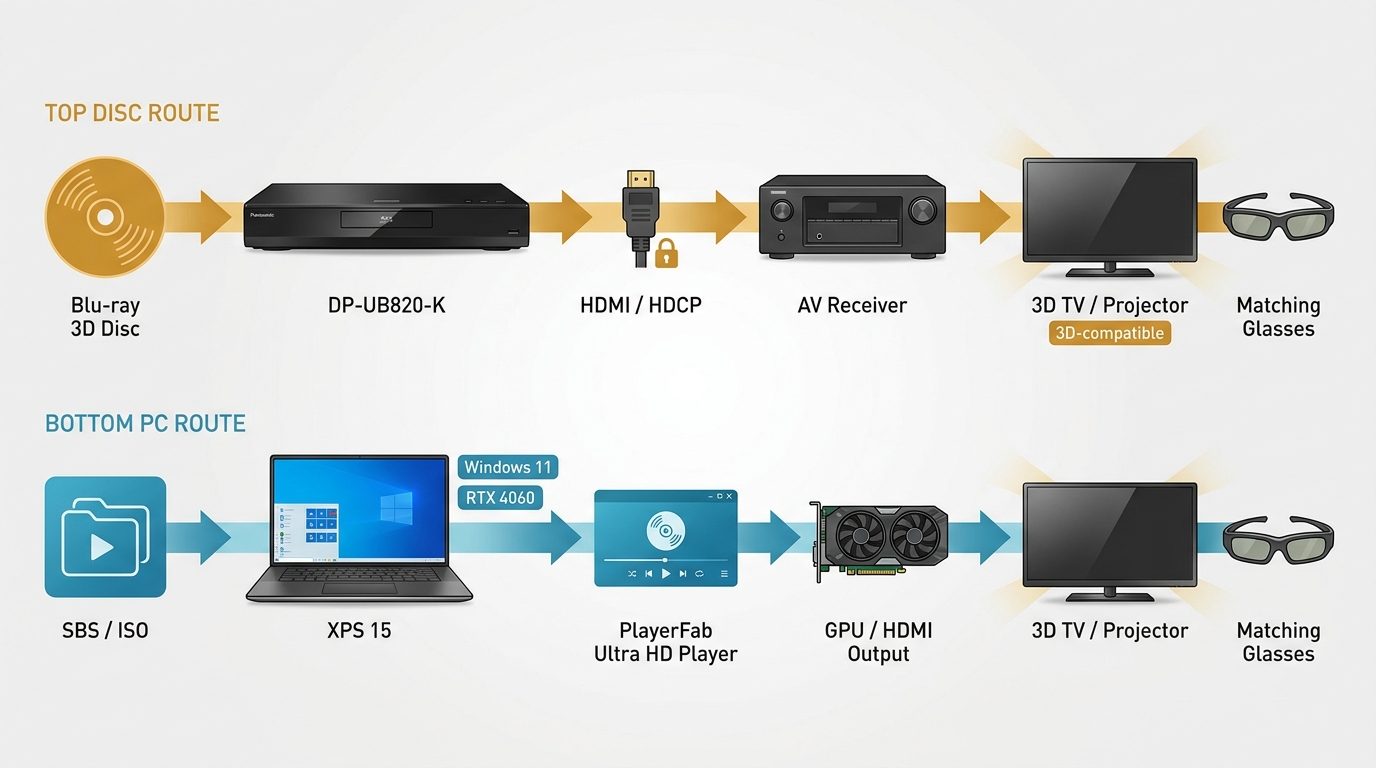
3D Blu-ray compatibility is a chain, not a logo on one box. Confirm the display and output path first, then choose the player.
- Display: Use an exact-model 3D Blu-ray projector or a legacy 3D TV that explicitly supports the intended 3D format. New mainstream televisions rarely include 3D, and several premium projector lines have also dropped it.
- Glasses: Match active-shutter, passive-polarized, or red/cyan 3D Blu-ray glasses to the display and output mode. These types are not interchangeable.
- HDMI and HDCP path: The player, cable, AV receiver, splitter, and display must pass the required video signal without forcing it into 2D.
- Optical drive: A physical disc path needs a compatible Blu-ray drive unless a legally created ISO or local file already exists.
- Source format: Identify whether the source is a disc, ISO, MVC file, SBS file, or top-and-bottom file. A player that opens SBS video may still lack direct 3D Blu-ray ISO playback.
- Operating system: Check the exact software build and supported OS. A 3D Blu-ray player for PC should not be assumed to work identically on macOS.
- GPU and output mode: Confirm whether the path uses frame-packed output, SBS, top-and-bottom, anaglyph, HDMI 3D, or a headset-compatible local format.
- Audio: If lossless surround matters, verify audio passthrough across the player, receiver, and output device.
- Disc region compatibility: Hardware models may be limited by disc region. Treat this as a purchase check, not as a promise that software will accept every disc.
- 4K expectations: A 3D 4K Blu-ray player may upscale 1080p Blu-ray 3D while also playing UHD discs, but UHD support alone does not confirm 3D support.
On a Dell XPS 15 with an RTX 4060 running Windows 11, checking a prepared SBS file made the dependency obvious: the file opened normally, but the visible 3D result depended on choosing an output mode the connected display could interpret. The player alone did not determine the experience.
Collectors who regularly import titles should compare a region-free Blu-ray player separately, since 3D support and cross-region disc compatibility are different purchase requirements.
The most common buying mistake I see is choosing a player before confirming the display, glasses, receiver, and output mode. For new hardware in 2026, a compatible projector is usually the more realistic route; a legacy 3D TV remains worthwhile when the full chain already works.
Best 3D Blu-ray Player Hardware
Dedicated 3D Blu-ray hardware remains the cleanest disc-first choice for a working theater. These models also play modern UHD media, but each must explicitly retain Blu-ray 3D support.
1. Panasonic DP-UB820-K
The Panasonic DP-UB820-K is the premium pick for a compatible projector or legacy 3D TV, especially when picture processing and flexible audio connections matter.
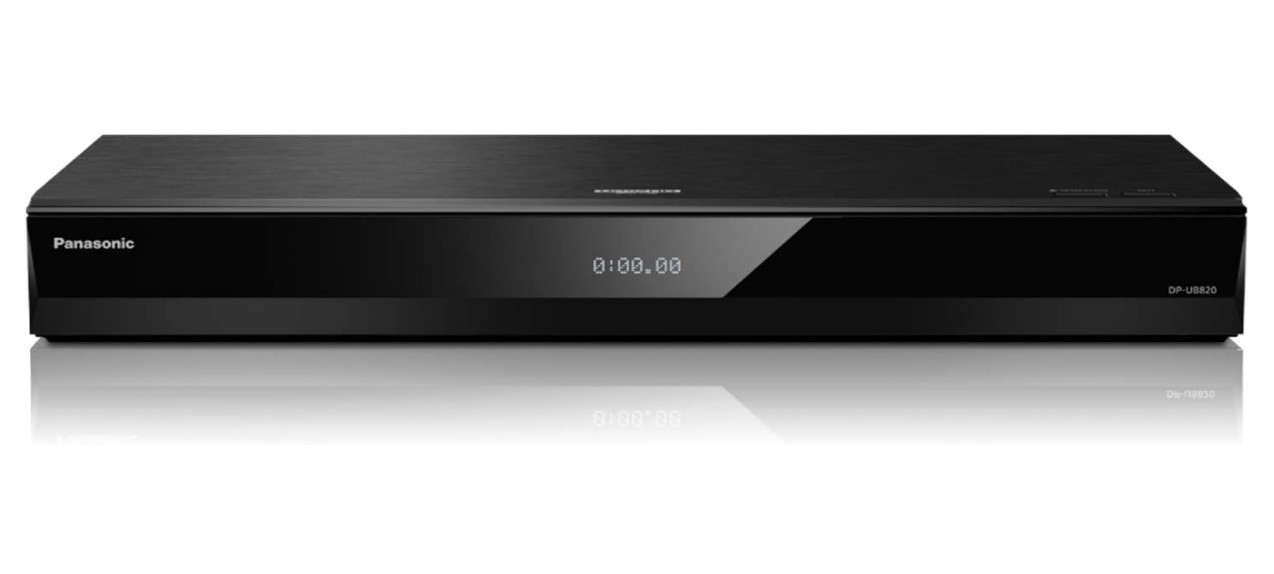
Its HCX processing, 4K upscaling, HDR10+, Dolby Vision, twin HDMI outputs, and 7.1-channel analog outputs suit a full AV rack. Those features help standard and UHD viewing, while Blu-ray 3D support handles a compatible 1080p 3D disc chain.
Best for: A premium disc-based theater with a verified 3D display. Not ideal for: Buyers prioritizing a low purchase price, portability, or a PC-centered workflow. The $549.99 US list price and disc-region limits are meaningful trade-offs.
2. Sony UBP-X700U
The Sony UBP-X700U is a compact active choice for buyers who want explicit Blu-ray 3D support without building a PC playback chain.
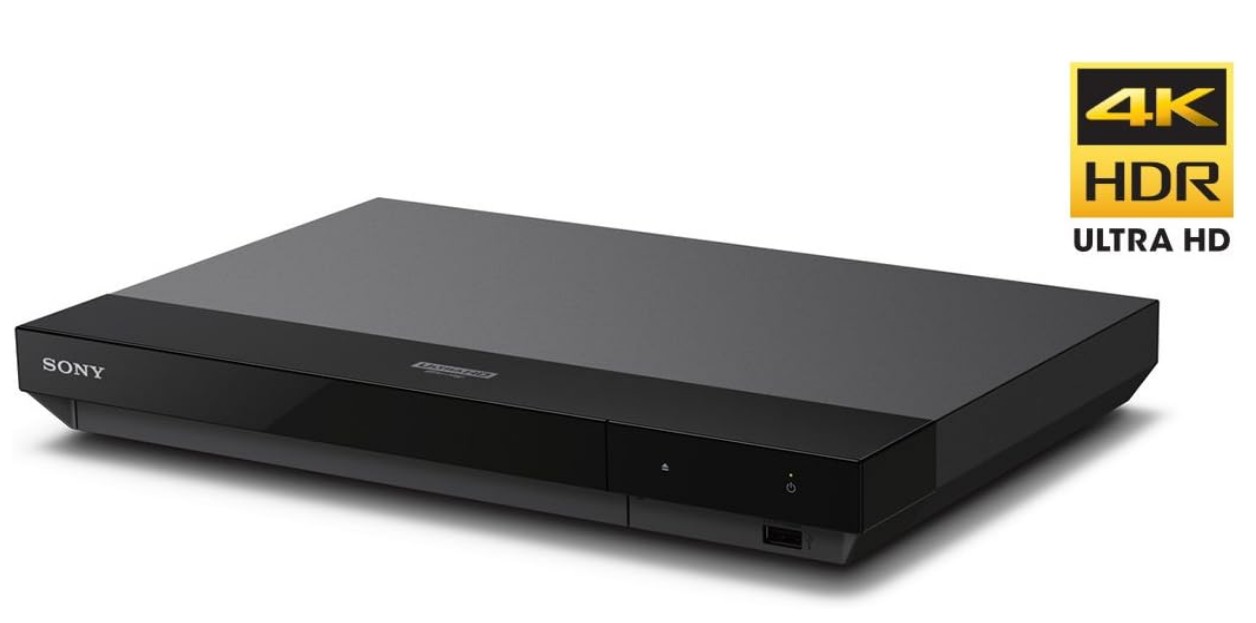
It supports Blu-ray 3D, UHD discs, Dolby Atmos passthrough, Dolby Vision, and Wi-Fi in a small chassis. The main usability compromise is the need to change Dolby Vision settings manually for different content.
Best for: A compact disc setup with a matching 3D TV or projector. Not ideal for: Users who want automatic Dolby Vision handling or guaranteed playback of discs from every region. Its value depends on the current seller price, so I would compare it by fit rather than label it a universal budget model.
3. Panasonic DP-UB420-K
The Panasonic DP-UB420-K offers a lower-priced route to Panasonic's HCX processing for a compatible 3D theater.
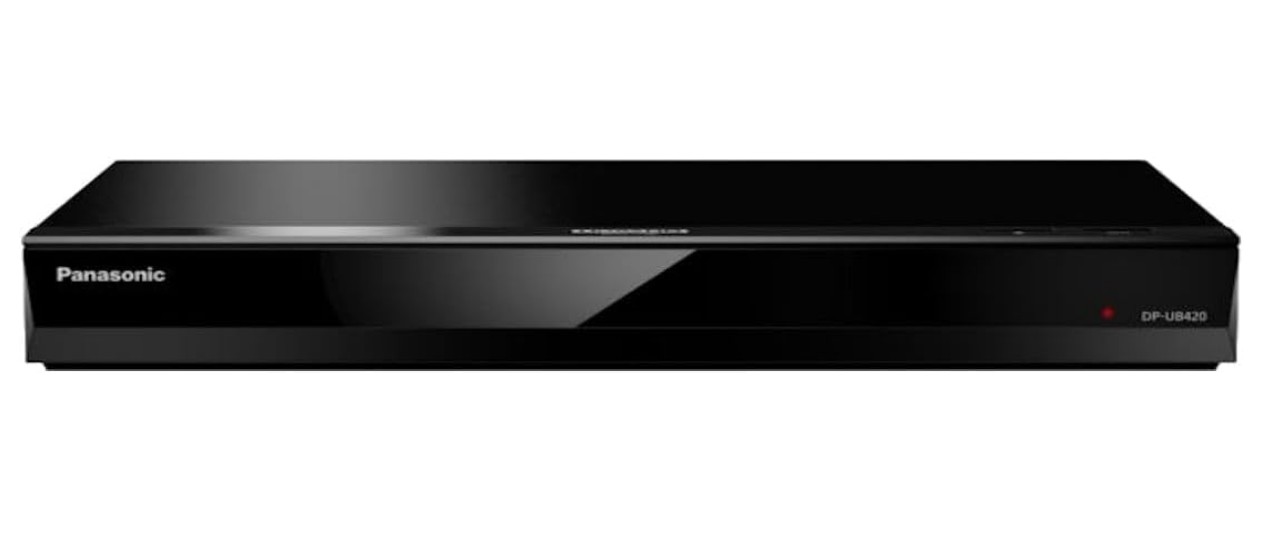
It combines Blu-ray 3D support, HDR10+, Wi-Fi, 4K upscaling, and twin HDMI outputs. The central compromise is straightforward: it does not support Dolby Vision.
Best for: A value-focused 3D projector or TV owner who can use HDR10+. Not ideal for: A Dolby Vision-dependent setup. At roughly $297.99 to $299.99 from major US retailers, it can be the practical middle ground when the display chain is already confirmed.
Best 3D Blu-ray Player Software
3D Blu-ray player software is useful when a Windows PC or prepared-file library is already part of the theater. Direct disc playback, MVC handling, and SBS output are distinct paths, so software claims need to be read narrowly.
Because drive recognition, protected-disc support, and Windows configuration can each stop playback before 3D output is even considered, knowing how to play Blu-ray on a PC helps isolate the base playback path first.
Before any extraction, conversion, or local-copy workflow, use only discs and files you legally own or are authorized to access, for personal viewing where permitted by applicable law and relevant service terms.
1. PlayerFab Ultra HD Player
PlayerFab Ultra HD Player is the guided Windows option for direct playback of supported discs, ISO files, folders, local videos, and disc menus.
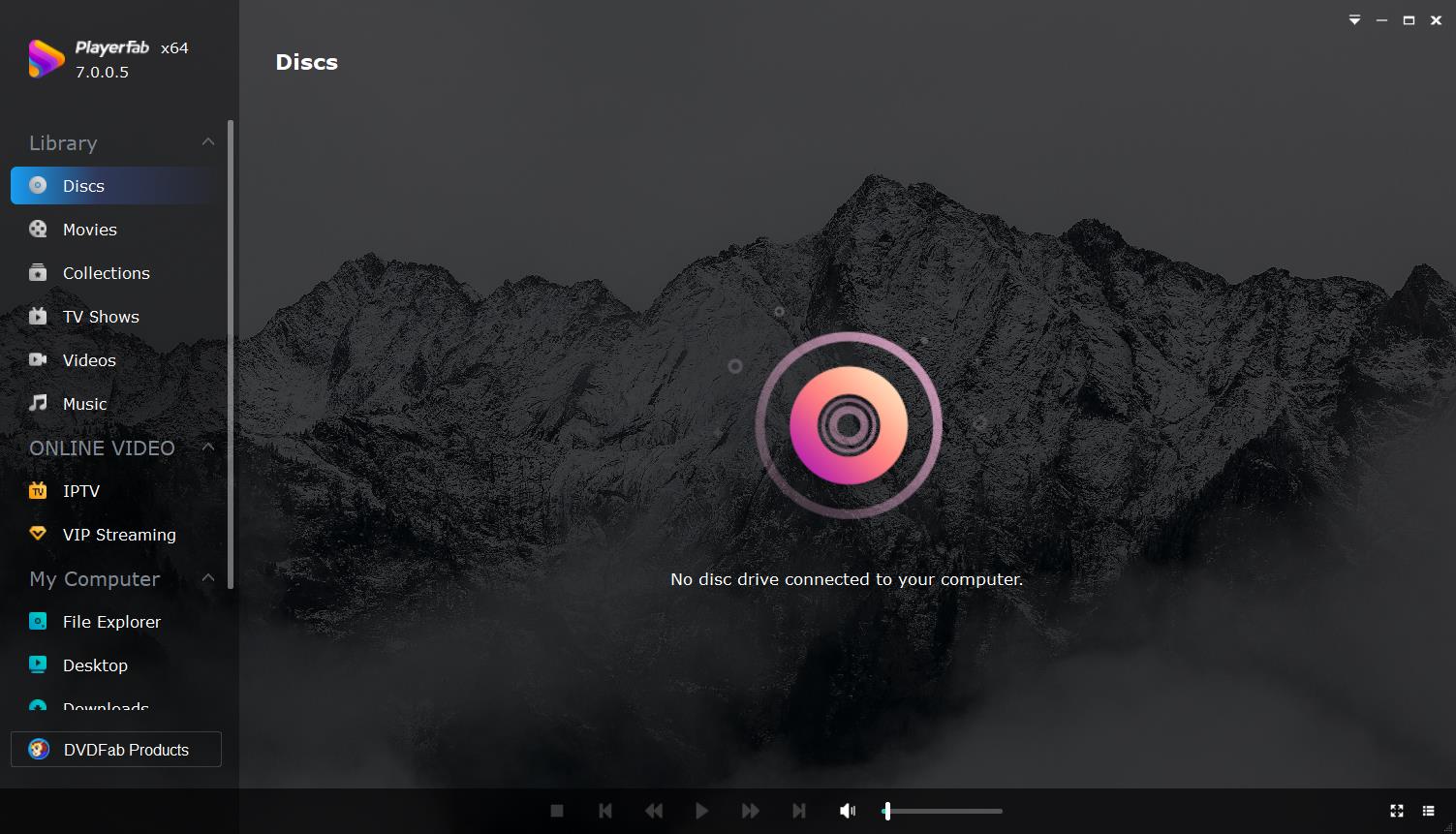
PlayerFab Ultra HD Player supports Windows 10 and Windows 11 64-bit systems. Its verified local-media capabilities include DVD, Blu-ray, and 4K UHD sources from discs, ISO files, or folders; menu and simple playback modes; 3D Blu-ray and 3D video output modes; GPU decoding; HDR modes; and major home-theater audio formats.
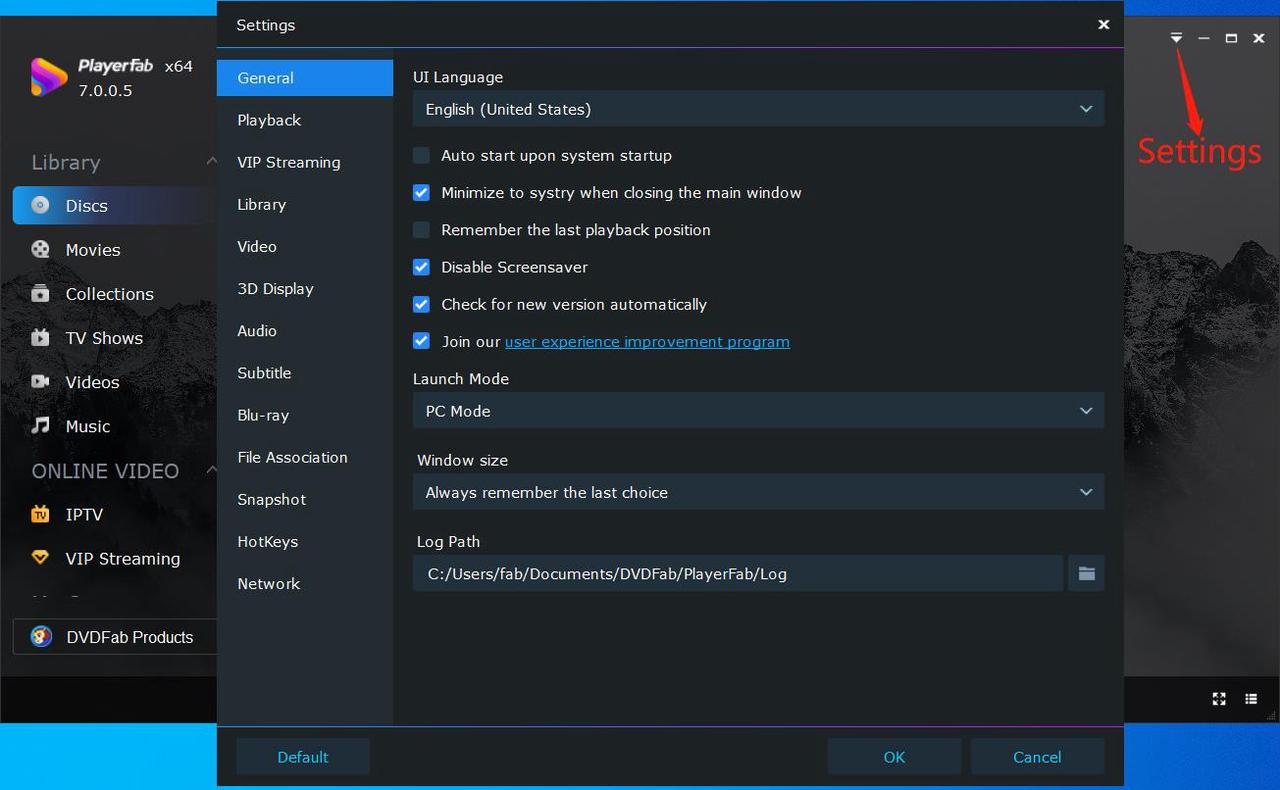
The 3D options include anaglyph, checkerboard, row-interleaved, and HDMI 1.4 3D TV output. That breadth is useful only when the connected display accepts the selected mode. A VR or XR headset generally fits through a supported prepared-file workflow rather than an assumption that a disc menu will open directly inside every headset.
On a Dell XPS 15 with an RTX 4060 and Windows 11, loading a supported local ISO exposed the menu and 3D output controls in the same playback workflow. That check supports the direct-play role described here, but it does not imply that every drive, disc, receiver, or display combination will behave identically.
Best for: Windows users who want a structured local disc, ISO, folder, and menu workflow. Not ideal for: macOS users, readers who want open-source software, or anyone whose display lacks a compatible 3D input mode.
A separate Mac download endpoint exists, but this guide does not present it as a verified current 3D playback path; the supported workflow above is limited to the current Windows requirements.
2. VLC Media Player
VLC is best treated as a flexible player for prepared SBS, top-and-bottom, or anaglyph files, not as a universal commercial 3D disc and menu player.
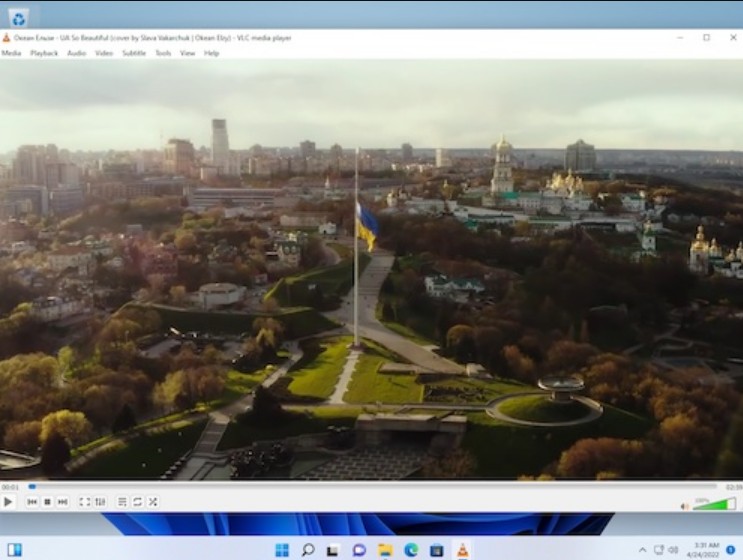
Its strengths are broad local-file support, cross-platform availability, and a low-friction way to check prepared 3D video. Blu-ray behavior depends on the source and configuration, and native commercial-disc menus should not be assumed. Source preparation can also reduce convenience or image fidelity, depending on the chosen format.
Best for: A prepared SBS file, a top-and-bottom file, or an anaglyph experiment on a standard monitor. Not ideal for: Direct commercial-disc playback, full 3D menus, or users who do not want a separate preparation step.
3. Kodi
Kodi remains an active media-center option for organized local libraries, but 3D success varies by platform, build, source format, GPU, and output configuration.
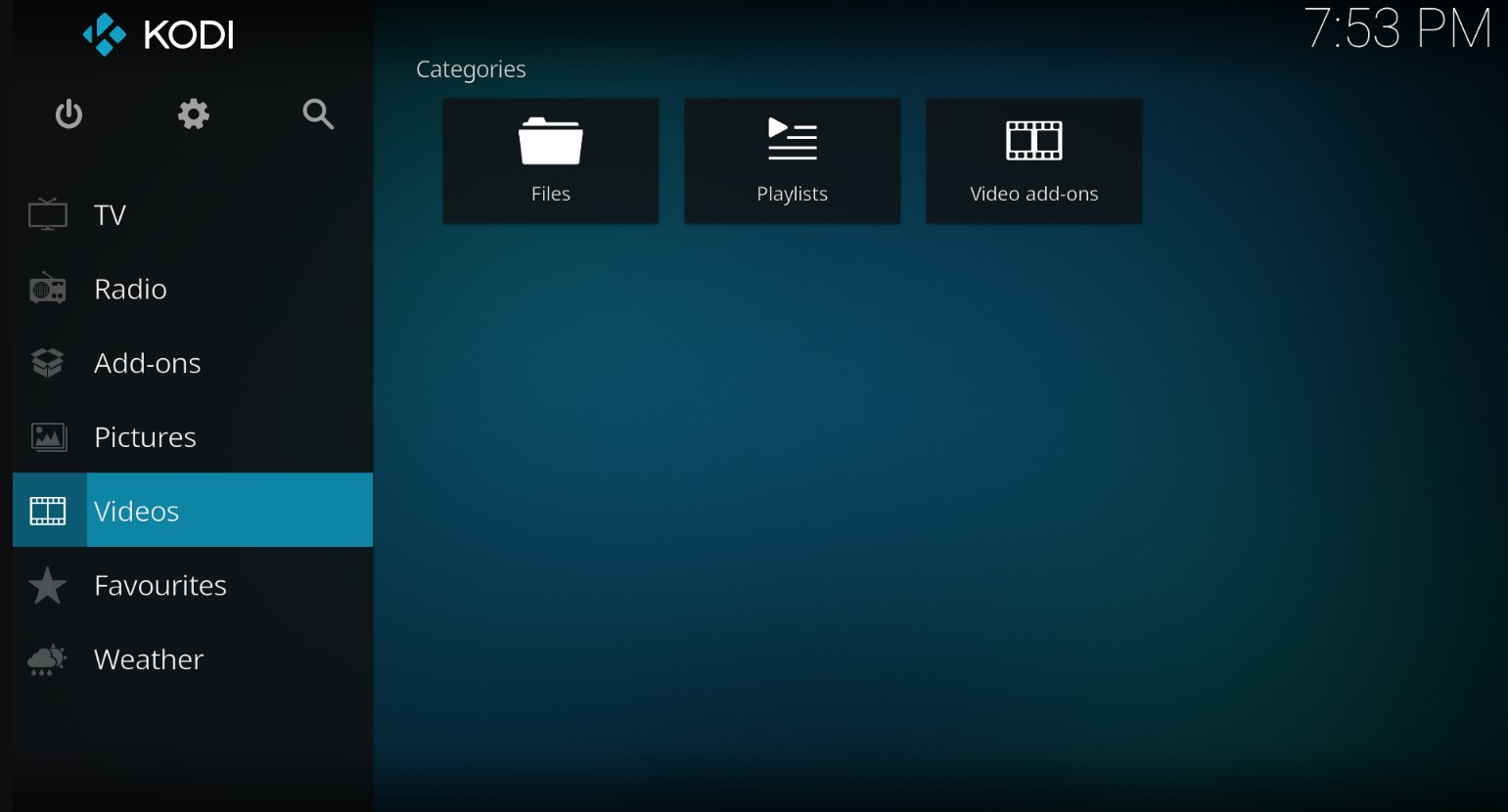
Kodi can recognize common 3D filename tags and can fit advanced MVC or SBS setups when the hardware and software build support the intended path. It is more configurable than VLC, but that flexibility creates more variables. Add-ons or manual configuration may be relevant in some environments, not as a universal requirement.
Best for: A custom media center with a maintained local library and a user willing to validate each layer. Not ideal for: Immediate plug-and-play viewing from a commercial 3D disc.
My preference is to choose Kodi only when library management is part of the goal. If the job is simply to open one prepared file, its configuration overhead can outweigh the benefit.
Hardware vs. Software: Which Fits Your Setup?
Hardware fits a stable disc theater; software fits a compatible PC or prepared-file workflow. The decision should follow ownership model, source type, display, and tolerance for configuration.
- Choose dedicated hardware when you primarily watch physical discs, already own a compatible 3D TV or projector, and want appliance-like operation.
- Choose direct Windows software when supported discs, ISO files, folders, or local video are central and the PC output chain has been verified.
- Choose a prepared-file player when portability across monitors, projectors, or headsets matters more than disc-menu access.
- Choose MVC when preserving the full 3D source structure matters and the target software and hardware can handle it.
- Choose SBS or top-and-bottom when broader display or headset compatibility matters, accepting the preparation time and possible quality trade-off.
In my view, direct play is simpler because it preserves the disc or ISO experience with fewer preparation stages. Prepared files are often more portable, but the conversion choice becomes part of picture quality, storage, and headset compatibility.
Play 3D Blu-ray on Hardware or PC
To play 3D Blu-ray on PC or hardware, verify the source and display first, then configure the output mode. A successful setup is a compatibility decision, not a fixed number of clicks.
Method 1: A Dedicated Hardware Chain
A dedicated chain is the most direct path when every component explicitly supports Blu-ray 3D.
- Verify the exact display model. Confirm Blu-ray 3D support on the projector or legacy TV, plus the required type of glasses.
- Connect the video chain. Use a suitable High-Speed HDMI path through a compatible receiver or directly to the display.
- Check player and disc compatibility. Confirm Blu-ray 3D support and the disc's region requirements before purchase.
- Select the display's 3D mode. Match frame-packed output and glasses synchronization to the display instructions.
- Test audio and image together. Confirm that the receiver passes the 3D video signal while delivering the intended soundtrack.
With a legacy 3D TV, the sensible approach is to preserve a chain that already works rather than replace one component without checking the others. For a new purchase, a verified 3D projector is usually easier to source than a new mainstream 3D television.
Method 2: Direct Play or Prepared Files
A PC path has three distinct options: direct disc or ISO playback, MVC extraction for compatible local playback, and SBS or top-and-bottom conversion for wider display or headset use.
- Identify the source. Determine whether you have a physical disc, authorized ISO, MVC file, SBS file, or top-and-bottom file.
- Choose the path. Use direct play only when the drive, software, GPU, output mode, and display support it. Use MVC when the target chain accepts it; choose SBS or top-and-bottom for broader file-based compatibility.
- Configure the matching 3D output. Select frame-packed, HDMI 3D, SBS, top-and-bottom, checkerboard, row-interleaved, or anaglyph according to the display or headset application.
- Test sound and synchronization. Check audio passthrough, left/right image order, glasses sync, and visible depth before committing to a full movie.
On the same Windows 11 Dell XPS 15, switching between a direct local source and a prepared SBS sample showed the practical trade-off: direct playback retained the menu-oriented workflow, while the prepared file was easier to route to a wider range of player and display combinations. That result is limited to those tested source types and hardware.
Final Recommendation by Use Case
The best 3D Blu-ray player is the one that completes your existing compatibility chain without adding unnecessary conversion or hardware.
- Existing 3D TV or projector, mostly physical discs: Choose the Panasonic DP-UB820-K for a premium theater, the DP-UB420-K for a lower-priced HDR10+ route, or the Sony UBP-X700U for a compact active model.
- Windows PC with supported discs, ISO files, folders, or local media: PlayerFab Ultra HD Player is the guided option when its Windows requirements and output modes match the display.
- Prepared SBS or anaglyph files: VLC is the simpler file player.
- Managed media-center library: Kodi fits users prepared to validate the platform, build, GPU, source, and output configuration.
- VR or XR headset: Plan around a supported local SBS, top-and-bottom, or other headset-compatible path. Do not assume a standalone headset will directly read a commercial 3D Blu-ray menu.
PlayerFab is not for macOS users, open-source-only buyers, or a setup without a compatible 3D display path. For a working disc theater, dedicated hardware remains the simpler recommendation; for a verified Windows and local-file chain, software can provide the more adaptable route.
FAQ
Are 3D Blu-rays and compatible players still available in 2026?
Yes, but the ecosystem is smaller. Some Blu-ray 3D discs and compatible players remain available, while current display support is concentrated in selected projectors and legacy 3D TVs. Check the exact player and display model rather than relying on a general Blu-ray or 4K label.
Will every 4K Blu-ray player play 3D discs?
No. UHD playback, HDR support, and 4K upscaling do not automatically include Blu-ray 3D. Look for explicit 3D disc support in the model specifications and confirm that the HDMI display chain also accepts the signal.
Can I watch a 3D Blu-ray without a 3D TV?
Yes, with the right alternative path. A compatible 3D Blu-ray projector can receive a traditional player signal, while a PC monitor or VR/XR headset may use a supported SBS, top-and-bottom, anaglyph, or other local-file output. The source format must match the chosen display path.
Do I need special glasses for 3D Blu-ray playback?
Most display-based setups do. Active-shutter glasses, passive-polarized glasses, and anaglyph glasses work differently and must match the display or output mode. Buying glasses by brand name alone is not enough; confirm the exact display model and 3D format.

 6 Best MPEG Players for Windows and Mac (2026)By Alice Harper - Aug 26, 2026
 How to Play Blu-ray Discs on Windows 10 (Free & Pro Solutions)By Alice Harper - Aug 7, 2026
 10 Best 4K Video Players for PC and Mac, Tested in 2026By Alice Harper - Aug 4, 2026
 The 5 Best Free MOV Players in 2026 (Windows, Mac and Android), plus How to FixBy Alice Harper - Aug 4, 2026