10 Best 4K Video Players for PC and Mac, Tested in 2026

Summary: This 2026 guide compares ten current 4K video players for PC and Mac, explains the codec, bit-depth, HDR, and hardware-decoding conditions that decide whether 4K actually plays smoothly, walks through PlayerFab Ultra HD Player for disc and library workflows, and offers step-by-step fixes for stutter, A/V lag, and washed-out HDR. Recommendations are made by fit rather than by a single winner.
Table of Contents
If you have searched for a 4K video player or a 4K player for PC and still ended up with stuttering playback, a green or black picture, or washed-out HDR, you already know the core problem: a program can advertise 4K support and still fail on the file in front of you. Smooth, accurate 4K comes down to whether the player matches the file's codec, bit depth, HDR format, and hardware-decoding path, not the badge on the download page.
I am Alice Harper, an editor at PlayerFab, and I spend most of my time on codecs, hardware acceleration, and how technical specs translate into what you actually see on screen. In this guide I compare current PC and Mac 4K player software, explain the playback requirements that decide whether a file runs cleanly, and give practical fixes when it does not. No streaming shortcuts and no promises that one tool wins for everyone, just what fits which reader.
10 Best 4K Video Players for PC and Mac
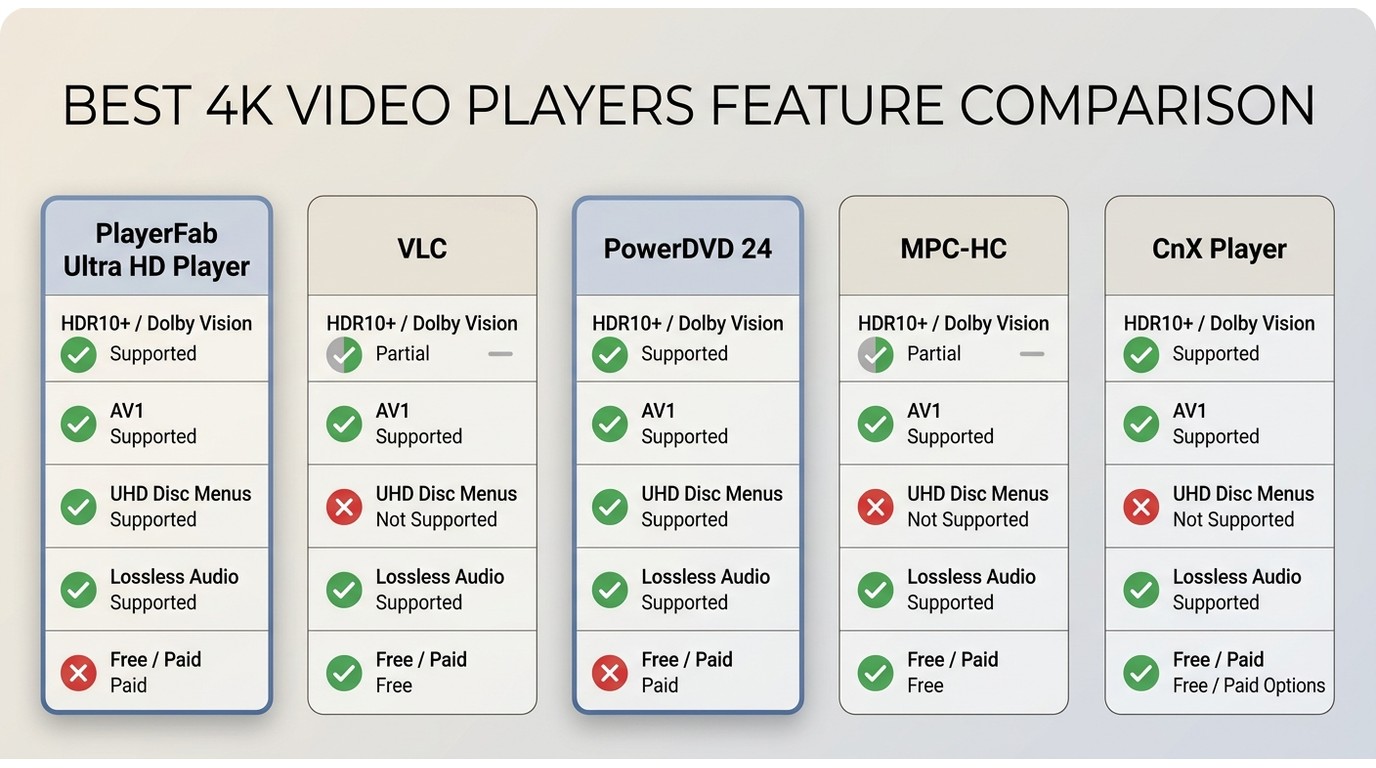
Here is the short version. For ordinary local files, a free open-source player like VLC or the maintained MPC-HC fork usually does the job. For 4K UHD discs, menus, HDR, and lossless audio, a paid home-theater player such as PlayerFab Ultra HD Player or CyberLink PowerDVD 24 earns its price. The table below scores nine current picks against the criteria that actually predict smooth 4K, and each card adds an honest best-fit and not-ideal-for judgment.
A quick word on method, because a shortlist is only as good as the criteria behind it. My reference setup is a Dell XPS 15 with an Intel Core i7-13700H, an NVIDIA RTX 4060, and 32 GB of RAM, with cross-platform checks on a MacBook Air M2 and HDR output sent to an LG C2 OLED over HDMI. The sample set covers HEVC Main 10 and AV1 10-bit clips, high-bitrate 4K files, HDR10 and Dolby Vision grades, and UHD disc-menu, subtitle, and lossless-audio checks. When I test HDR handling I lean on familiar reference scenes, the neon exteriors of Blade Runner 2049 and the desert highlights of Dune, because banding and washed-out tone mapping show up there fast. Rather than publish invented benchmark numbers, I report behavior qualitatively and defer exact specifications to each vendor's official product information, so treat this as an editorial comparison rather than a lab report. Where a tool's current desktop status or a specific capability could not be confirmed, I say so instead of scoring it as tested.
| Player | Windows / Mac | License | HEVC Main 10 | AV1 | HDR10 / HDR10+ | Dolby Vision | Tone mapping | GPU decoding | 4K UHD disc menus | Lossless audio | Best fit |
|---|---|---|---|---|---|---|---|---|---|---|---|
| PlayerFab Ultra HD Player | Windows, Mac | Paid, trial available | Yes | Yes | Yes | Yes | Follows system HDR | Yes (NVDEC, Quick Sync, AMF) | Yes | Yes (up to 7.1) | Disc menus and local libraries |
| Aiseesoft Blu-ray Player | Windows, Mac | Paid, trial available | Yes | Not confirmed | Basic | Not confirmed | No | Yes | BD and DVD menus | Passthrough | Simple disc and file playback |
| 5KPlayer | Windows, Mac | Free | Yes | Not confirmed | Basic | No | No | Yes | No | Passthrough | AirPlay, DLNA, and free local files |
| VLC Media Player | Windows, Mac, Linux | Free, open source | Yes | Yes | HDR10; HDR10+ limited | Profile-dependent | Basic | Yes | No | Passthrough | Free cross-platform local playback |
| CyberLink PowerDVD 24 | Windows | Paid | Yes | Yes | Yes | Yes | Yes | Yes | Yes | Yes | Windows home theater and UHD discs |
| KMPlayer | Windows (desktop status to confirm) | Free | Yes | Not confirmed | Basic | Not confirmed | No | Yes | No | Passthrough | Playback customization and filters |
| DivX 11 | Windows, Mac | Free, paid Pro | Yes | Not confirmed | Basic | No | No | Yes | No | Passthrough | DivX, MKV, and MP4 files |
| CnX Player | Windows (and mobile) | Freemium | Yes | Yes (10-bit) | Yes | Profile-dependent | Not confirmed | Yes | No | Not confirmed | AV1 10-bit and HDR local files |
| MPC-HC (clsid2 fork) | Windows | Free, open source | Yes | Yes (with decoder) | Yes | Profile-dependent | Via renderer | Yes | No | Passthrough | Lightweight Windows playback |
Support in the table reflects each tool's official product information as of August 2026. UFUShare appears below as a verification-pending entry and is not scored here because its current status could not be confirmed. If your priority is optical media rather than files, a dedicated best 4K Blu-ray player roundup goes deeper on hardware and full UHD workflows, and readers who only want disc playback without paying can start with a free Blu-ray player instead of a full home-theater suite.
PlayerFab Ultra HD Player: Best for Discs and Libraries
PlayerFab Ultra HD Player is the current desktop product for local files, optical discs, ISO or folder playback, and media-library management. On Windows and Mac it plays common containers such as MKV, MP4, and ISO, handles DVD, Blu-ray, and 4K UHD Blu-ray with menu navigation, supports HDR10, HDR10+, Dolby Vision, and HLG, and outputs lossless audio formats including Dolby Atmos, TrueHD, and DTS:X up to 7.1 channels, with the exact result depending on your edition, hardware, and display chain. It also matches posters and metadata for a scrollable local library, which is handy if your movies live on a NAS. For personal playback of content you own or are authorized to access, this stays comfortably within normal platform terms; it is a player, not a downloader or converter.
My take: this workflow is a strong fit for Windows and Mac readers who want disc menus, HDR, lossless audio, and a poster-wall library in one app rather than stitching several tools together. It is not ideal for readers who only need a lightweight free player for a handful of local files, or who are on Linux or mobile, where it does not run. Pricing and trial terms are listed on the official product page.
Aiseesoft Blu-ray Player: Best for Simple Disc Playback
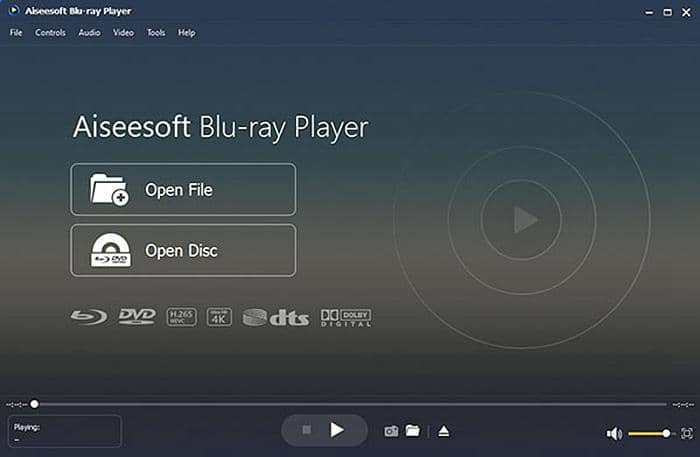
Aiseesoft Blu-ray Player offers current Windows and Mac downloads and keeps things simple: play 4K video files, DVDs, Blu-rays, ISO images, and folders with a navigation panel. Treat its exact 4K and disc capabilities as whatever its current product page confirms rather than assuming advanced format handling. It is a good fit for readers who mainly want straightforward disc and file playback without a steep learning curve. It is not ideal if you need broad HDR profile handling, tone mapping, or media-library features.
5KPlayer: Best for AirPlay and DLNA
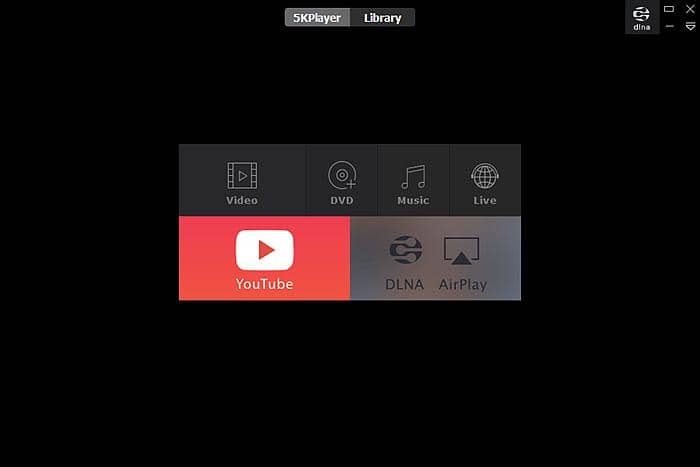
5KPlayer is an active free player for Windows and Mac, positioned around local playback plus AirPlay and DLNA streaming to other devices on your network, alongside network playback options such as an IPTV player. It is a solid free choice if you often push local 4K and MKV files from a laptop to a TV or speaker. It is not ideal for readers who need validated UHD disc menus or advanced home-theater format support, which sit outside its focus.
VLC Media Player: Best Free Open-Source Choice
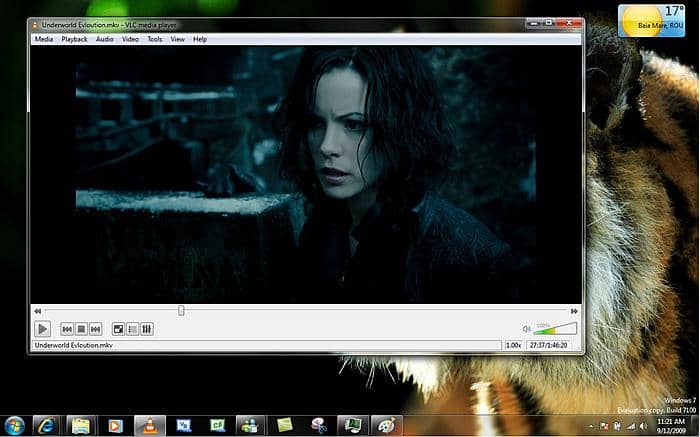
VLC 3.0.23 is the current release, and it plays an enormous range of formats from files, discs, and network sources, with HDR and hardware decoding available. The catch is that broad codec support does not guarantee smooth or color-accurate output: real results depend on the codec profile, your GPU path, drivers, and the display chain. It is the best fit for free, open-source local playback across platforms. It is not ideal for tricky HEVC Main 10, Dolby Vision profile, UHD disc-menu, or tone-mapping jobs, which often need file-specific testing before you trust them.
PowerDVD 24: Best for Windows Home Theater
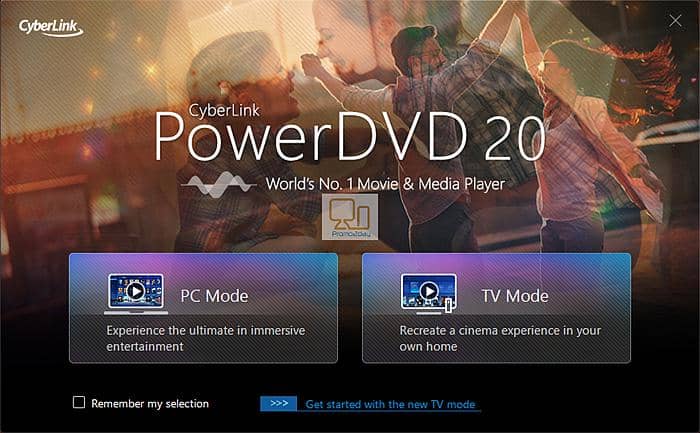
CyberLink currently markets PowerDVD 24 for Windows, and it remains the most feature-complete home-theater player on the platform: 4K playback, HDR, wide format support, 4K UHD disc menus, and a media library, sold under current CyberLink licensing. It is the best fit for Windows users who want a polished, all-in-one disc and file experience. It is not ideal for Mac users, since it is Windows only, or for readers who just want a free lightweight player.
KMPlayer: Best for Playback Customization
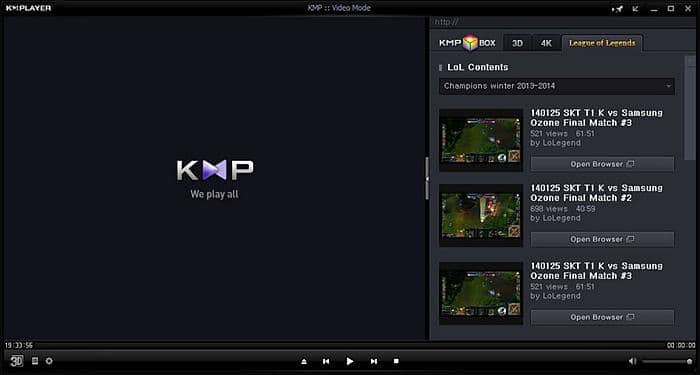
KMPlayer is still active and known for heavy customization: filters, playback-speed control, and image tuning. One honest caveat, though. Its official site currently leads with mobile downloads, so verify the current desktop edition, its Windows and Mac availability, and its desktop 4K features before relying on them. I would treat it as a fit for readers who enjoy tweaking playback settings, not as a fully retested peer until its current desktop status is confirmed.
DivX 11: Best for DivX and MKV Files
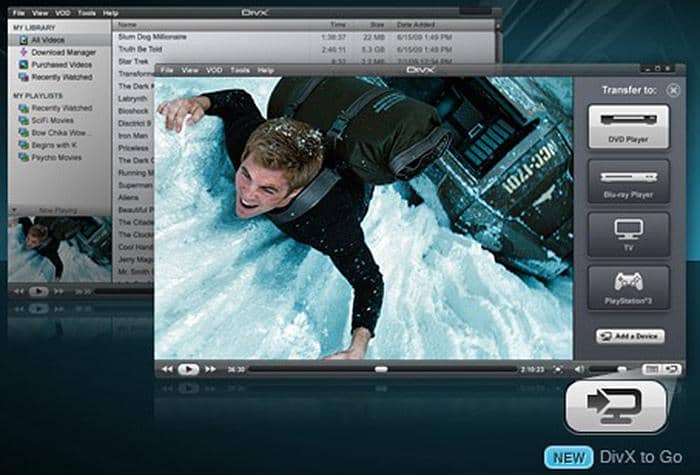
DivX 11 provides current Windows and Mac installers, with a free tier and a paid Pro upgrade. It plays AVI, DivX, MKV, and MP4 files well and adds multi-audio and casting options. Follow the official release information for current operating-system compatibility rather than older version notes. It is the best fit for readers whose libraries are mostly DivX, MKV, and MP4. It is not ideal for UHD disc menus or HDR-critical workflows, and it is a player rather than the article's focus of a converter.
CnX Player: Best for AV1 and HDR
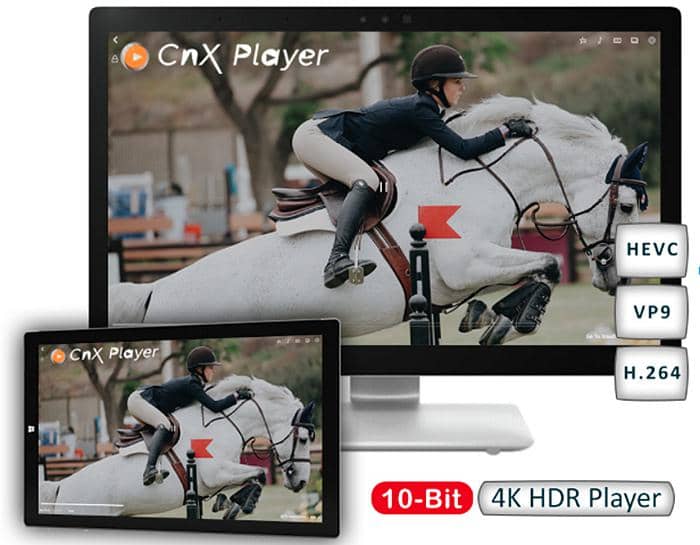
CnX Player is actively available and advertises AV1 10-bit and HDR playback, which is its real point of difference for modern high-efficiency files. It is the best fit for Windows readers who work with AV1 10-bit and HDR local content and also want a companion mobile app. It is not ideal for disc playback or for anyone expecting universal format, GPU, or HDR-display compatibility, which no player can promise.
UFUShare 4K Blu-ray Player: Verification Pending
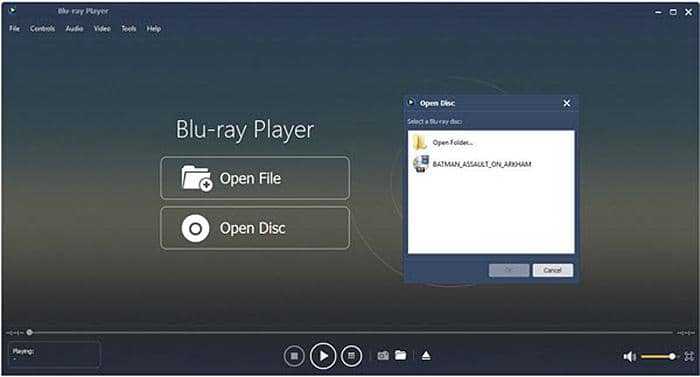
UFUShare 4K Blu-ray Player historically offered 4K and HD Blu-ray disc, folder, and ISO playback with subtitle and audio-track selection. I could not confirm its current official status, updates, or compatibility, so I am keeping it as a verification-pending entry rather than scoring it in the table above. Until its current status is clear, do not treat it as a fully validated recommendation.
MPC-HC: Best Lightweight Windows Player
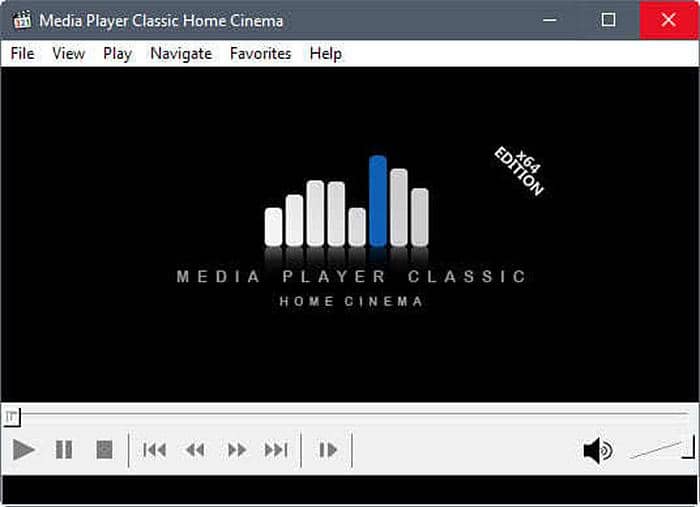
The old claim that MPC-HC stopped updating in 2017 is simply wrong. The maintained clsid2 fork released version 2.7.4 on July 20, 2026 and ships an HDR-capable renderer by default on most systems. It stays spyware-free, ad-free, and light on resources while handling 4K HEVC and common formats with hardware decoding. It is the best fit for Windows readers who want a fast, no-frills player they can extend with external renderers. It is not ideal for disc menus or for readers who prefer a turnkey setup over manual configuration.
What Smooth 4K Playback Requires
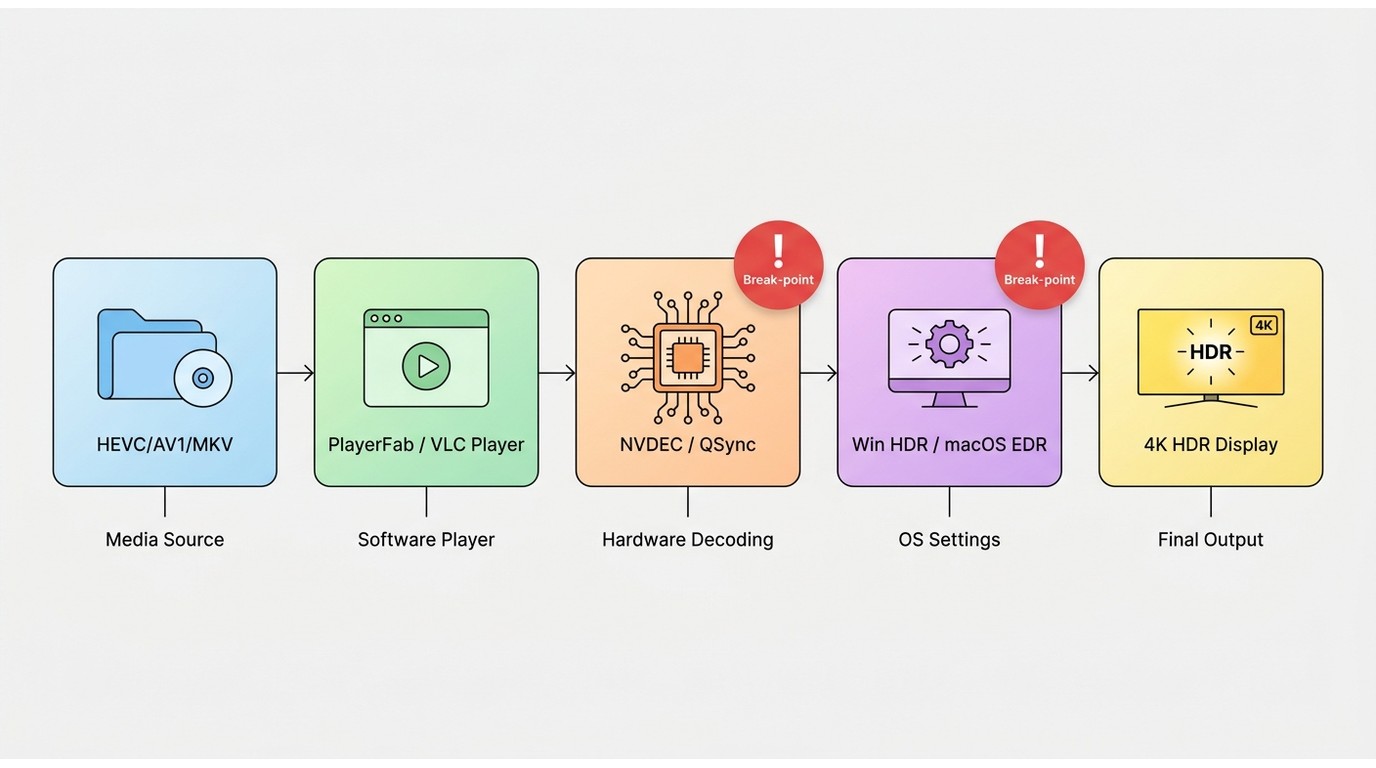
A 4K badge alone does not predict smooth or color-accurate playback. What actually matters is a chain of conditions: the codec and its profile, the bit depth, the file's bitrate, hardware-decoding support in your GPU, current drivers, your operating system's HDR settings, and every link in the display path. Miss one and the same file that plays perfectly on one PC will stutter or look wrong on another.
Codecs, Containers, and Bit Depth
Most modern 4K uses HEVC (H.265), increasingly in Main 10 for 10-bit color, while AV1 is spreading fast for high-efficiency 10-bit files. Containers like MKV and MP4 just wrap those streams, so a player can open the container yet still choke on the specific codec profile inside. HEVC does support 4K, but 8-bit versus 10-bit, the profile, and the bitrate all decide whether decoding is smooth. The practical upshot: check that your player and GPU support the exact codec profile your files use, not just the container.
HDR Formats and Tone Mapping
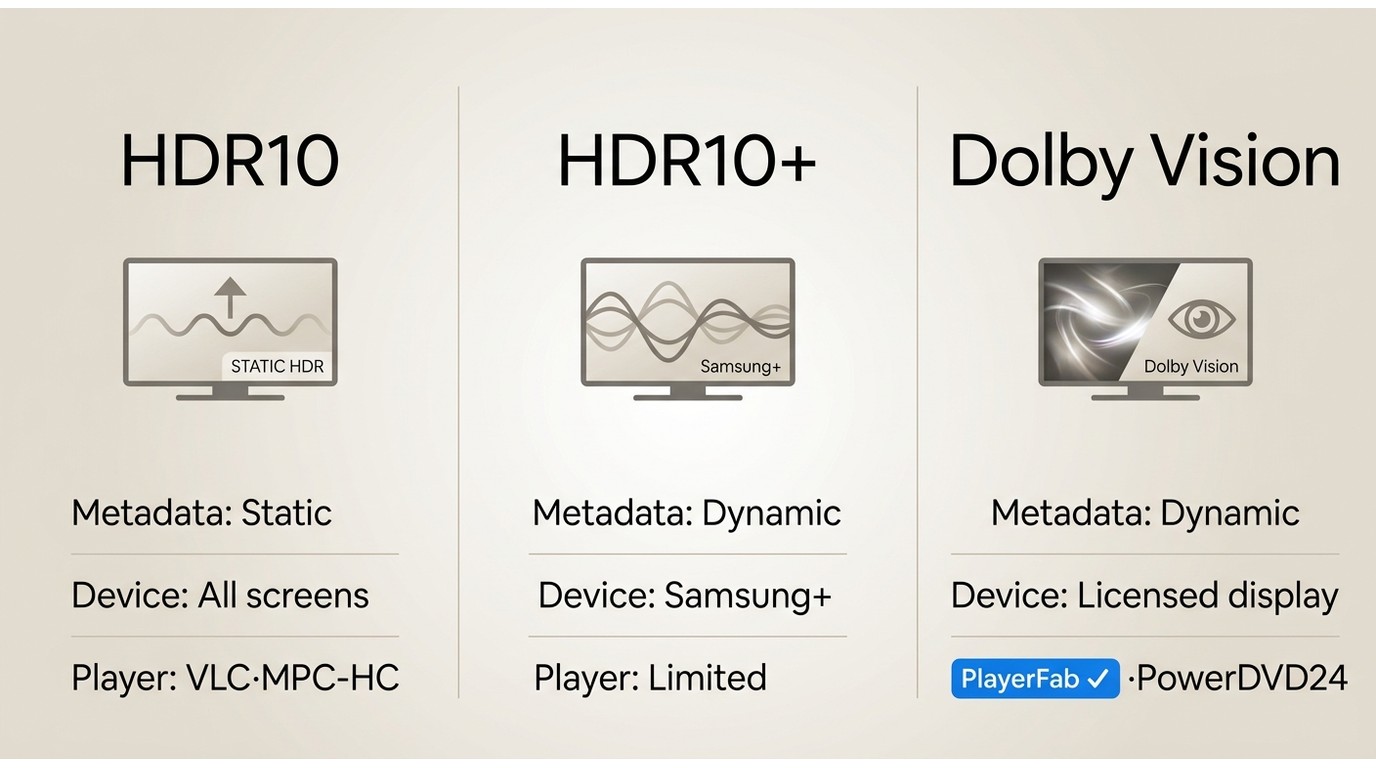
HDR is not one thing. HDR10 is the baseline, HDR10+ and Dolby Vision add dynamic metadata, and each needs matching support along the whole chain. On an SDR screen, or when tone mapping is handled poorly, HDR content looks washed out or unnaturally dark. This is exactly where I use reference scenes: if the shadows in Blade Runner 2049 crush or the sky in Mad Max: Fury Road bands, the tone-mapping path, not the file, is usually the problem.
GPU, Display, and OS Requirements
Hardware decoding offloads 4K work from your CPU to the GPU's dedicated decoder, which is what keeps high-bitrate HEVC and AV1 smooth. That means a supported GPU (NVIDIA NVDEC, Intel Quick Sync, or AMD's decoder), current drivers, Windows 11 HDR enabled correctly, and an HDMI or DisplayPort chain plus a display that can actually show the format. A capable GPU with stale drivers or HDR left off in Windows will still disappoint.
Local Files Versus UHD Discs
Playing a downloaded 4K file and playing a commercial 4K UHD disc are different jobs: discs add menu navigation and their own playback requirements, which is why free file players often cannot handle them. It also helps to know your resolution terms, since the practical difference between FHD vs UHD affects what you should expect on screen. If discs matter to you, prioritize a player with verified UHD disc-menu support.
Playing 4K with PlayerFab Ultra HD Player
If the requirements above point you toward a disc-and-library player, here is the current PlayerFab Ultra HD Player workflow in three steps. Before you start, make sure you are on Windows or Mac with a GPU that supports hardware decoding, current drivers, and, for HDR titles, an HDR-capable display with Windows HDR turned on. This suits disc-menu and media-library users; it is more than readers need for basic free file playback.
Step 1: Install PlayerFab and Choose a Mode
Download for WindowsDownload for Mac
Install PlayerFab Ultra HD Player, open it, and pick a playback mode. PC Mode suits a monitor at a desk, while TV Mode gives you a large-screen, remote-friendly layout. You can evaluate playback on the trial before deciding on a license.
Step 2: Open a File, Folder, ISO, or Disc
Point the player at what you want to watch: a single 4K file, a video folder, an ISO image, or an inserted disc you own. The same screen is where you would play ISO files or play Blu-ray on PC with full menu navigation, which is the main reason to reach for a disc-capable player in the first place.
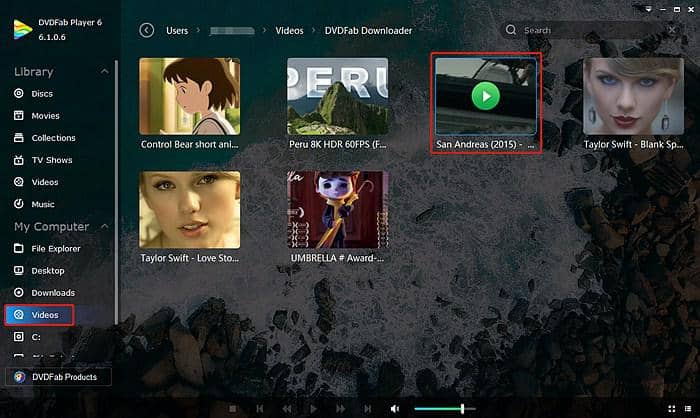
Step 3: Confirm HDR, Audio, and Hardware Decoding
Before you settle in, open settings and confirm three things: that HDR is passing through to your display, that audio is routed to the output you want (HDMI bitstream for a receiver, or your speakers or headphones), and that hardware decoding is on. When I loaded a high-bitrate HEVC Main 10 clip of Dune on the Dell XPS 15 with an RTX 4060 and hardware decoding enabled, playback held steady and the CPU stayed relaxed rather than pinned, which is the behavior you want from a 4K file. Subtitles and audio tracks switch from the same panel.
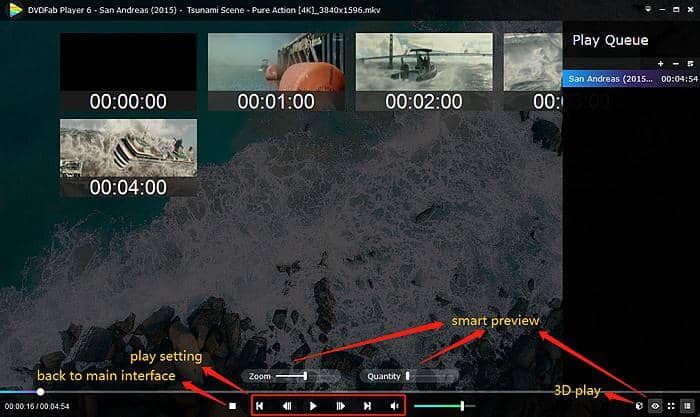
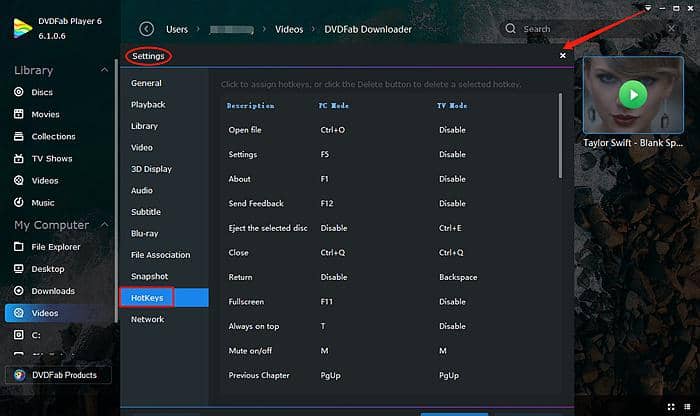
Hot keys and a smart-preview thumbnail bar make it easy to jump to a scene, and the layout stays the same whether you are on a laptop or a living-room screen.
Fix 4K Stutter and Washed-Out HDR
When 4K stutters, lags out of sync, shows a black or missing picture, turns green or purple, or looks washed out, work through the causes in order rather than jumping straight to a new player. In my experience most of these failures trace back to the decoding path or the display chain, not the software's logo.
Check Hardware Decoding and GPU Drivers
Start here, because it fixes the most cases. Confirm hardware decoding is enabled in the player and that your GPU drivers are current. Stutter and dropped frames on otherwise capable hardware are very often a software-decode fallback or an outdated driver, not a weak PC.
Match the Codec, Profile, and Container
If only certain files misbehave, identify the codec, profile, container, and bitrate. A player can handle one HEVC file yet stumble on a Main 10 or Dolby Vision profile variant at a higher bitrate. Community reports of a file that plays on one setup but not another usually come down to this profile mismatch rather than a broken app.
Correct HDR and Display-Chain Settings
Washed-out or dim HDR is a display-chain problem: check Windows HDR settings, the player's tone-mapping behavior, and your cable, receiver, and display capabilities. An HDR grade sent to a screen that is not in HDR mode, or tone-mapped poorly to SDR, is where that faded look comes from.
Try a Better-Fit Player
Only after the above should you switch players, and even then with a clear expectation. Changing software helps when the failure is player-specific, for example a renderer that mishandles a particular profile. It will not help when the real bottleneck is the GPU, drivers, or display chain, because those follow you to the next player.
4K Playback Questions Answered
What Is a 4K Video?
A 4K video is video at roughly 4000 horizontal pixels. On consumer UHD TVs and monitors that means 3840 by 2160, while digital cinema uses 4096 by 2160. For choosing playback software the practical takeaway is simple: pick a player and display that support the consumer UHD resolution your files and discs actually use.
Is a Paid 4K Player Worth It?
Not for everyone. Free players handle many local 4K files perfectly well. A paid player becomes worthwhile when you need verified 4K UHD disc menus, broader HDR and lossless-audio handling, media-library management, or support you can rely on. It is not ideal to pay if your needs stop at ordinary local-file playback, where a free option covers you.
Can VLC Play HEVC 4K on Windows 11?
Yes, VLC can play many HEVC 4K files on Windows 11. Whether playback is smooth and color-accurate still depends on the HEVC Main 10 profile, HDR settings, hardware decoding, current drivers, and your display path. If a specific file struggles, that combination is where to look.
Does YouTube Stream in 4K on a PC?
Yes. YouTube streams eligible videos in 4K, shown as 2160p in the quality menu, when the video, your browser or device, your display, codec support, and your connection all allow it. If 2160p is missing or keeps dropping, it usually comes down to browser or device codec support, display resolution, or available bandwidth.
Choosing the Right 4K Player
The right 4K video player depends on what you actually prioritize, not on a single winner. For everyday local files, reach for a free 4K video player such as VLC or the maintained MPC-HC fork. For a modest Windows PC, a lightweight player keeps things smooth. For 4K UHD disc menus, HDR accuracy, lossless audio, or a managed media library, PlayerFab Ultra HD Player or another verified paid home-theater option is the better match, with the honest caveat that it is more than you need if you only ever open a few local files. Match the player to your files, your hardware, and your display, and 4K playback stops being a gamble.

 6 Best MPEG Players for Windows and Mac (2026)By Alice Harper - Aug 26, 2026
 How to Play Blu-ray Discs on Windows 10 (Free & Pro Solutions)By Alice Harper - Aug 7, 2026
 The 5 Best Free MOV Players in 2026 (Windows, Mac and Android), plus How to FixBy Alice Harper - Aug 4, 2026
![Best 10 Region-Free Blu-ray Players in 2026 [Software & Hardware]](https://r5.dvdfab.cn/upload/player/en/region-free-blu-ray-player-gB3y.jpg) Best 10 Region-Free Blu-ray Players in 2026 [Software & Hardware]By Alice Harper - Aug 3, 2026
Best 10 Region-Free Blu-ray Players in 2026 [Software & Hardware]By Alice Harper - Aug 3, 2026