5 Best IPTV Players for Windows and Firestick in 2026

Summary: Choosing the right IPTV player for Windows or Firestick starts with understanding the category: most top-ranked results mix player software with IPTV subscription services. This guide covers five player apps with a comparison table, platform-specific recommendations, and buffering troubleshooting. For Firestick users focused on live TV, TiviMate is the standard community recommendation. Windows users who need a broader media hub will find PlayerFab a practical fit.
Table of Contents
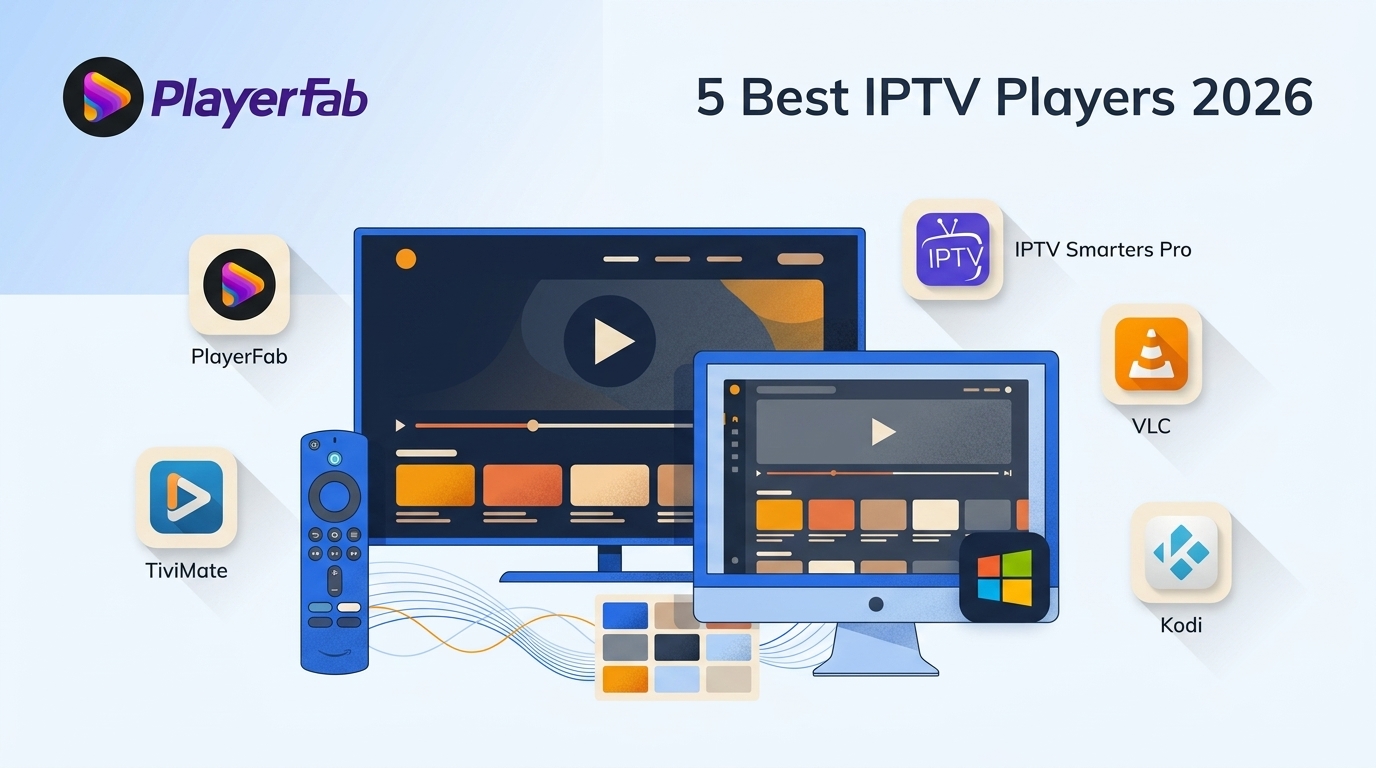
Here's the short answer: most "best IPTV player" lists fail because they mix player apps with channel services, so readers end up comparing software against subscriptions. This guide only compares software. I loaded the same M3U playlist into five current IPTV players on a Windows PC and a Fire TV Stick, and the differences that actually matter for daily use — playlist loading, EPG readability, remote navigation, and how each app recovers from a bad stream — showed up fast.
If you searched for the best IPTV player for Windows or Firestick in 2026, the honest answer depends on the device you sit in front of most. Below I walk through what a player actually is (and isn't), the features that separate a usable app from a frustrating one, five current players worth considering, device-by-device picks, and a three-step setup for an authorized playlist.
An IPTV Player Does Not Include Channels
An IPTV player is software that plays streams from your own authorized playlist or provider credentials; the player itself does not supply channels. That single distinction is why so many "top IPTV" lists are unhelpful — they compare player apps against subscription services as if they were the same product. In my view, any comparison that hides this line isn't worth reading.
Player Software Versus IPTV Service
The player is the interface: it parses your playlist, renders the electronic program guide, and decodes the stream. The service is what actually delivers channels, and you bring that yourself — typically as an M3U/M3U8 URL, Xtream Codes login, or Stalker portal from a provider you already pay. A player with no playlist loaded is a blank screen.
Legal and Privacy Boundaries
Player software itself can be lawful; access to unlicensed content through it may not be. Use players only with content you're authorized to watch, and follow each platform's terms and your local law. On privacy: network operators and services can observe traffic patterns regardless of the app you use, and players differ in whether credentials are stored locally on your device or synced to a vendor account — the local-only model is generally the more conservative choice. If you use a VPN, do so in a way that complies with local regulations and each service's terms.
What Matters in an IPTV Player
After loading the same playlist into five apps, the features that actually separate them are narrower than most feature lists suggest. Daily usability and failure recovery matter more than the longest checklist.
Playlist and Login Formats
Most providers hand you an M3U or M3U8 URL, Xtream Codes credentials, or a Stalker portal. A player that only accepts one of these will lock you into that provider; broader support means you can switch services without switching apps.
EPG, Recording, and Multiview
An electronic program guide turns a long channel list into something you can actually browse — but only if the layout is legible on the screen you use. Scheduled recording and catch-up matter for live sports and news; multiview matters if you follow more than one game at once.
Navigation, Stability, and Privacy
On a TV, remote-first navigation and quick channel switching matter more than any single feature. On desktop, how the app recovers from a dead stream (does it retry, or leave you on a black screen?) tells you more about long-term stability than the spec sheet. And check where the player stores your playlist credentials — local storage is generally more conservative than a vendor-synced account.
5 Best IPTV Players for 2026
PlayerFab: Best for Windows Media Libraries
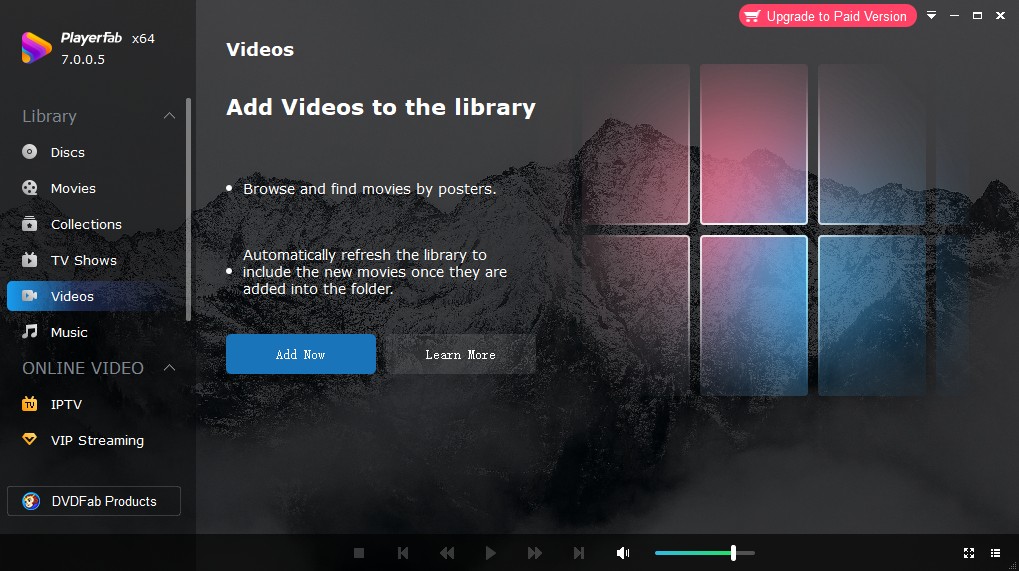
If you're on Windows and already juggle a local video folder, DVDs, and Blu-rays alongside online streams, PlayerFab is the most cohesive desktop option in this list — one app for the library instead of three. It's not a native Fire TV app and it's not an IPTV-specialist tool, so if multiview and TV-remote navigation are your priority, look at TiviMate instead.
Best for: Windows users who want a single desktop player for local media, discs, and supported online video.
Not ideal for: Fire TV or Android TV first users, or anyone who needs IPTV-specific features like multiview.
IPTV Smarters Pro: Flexible Provider Login
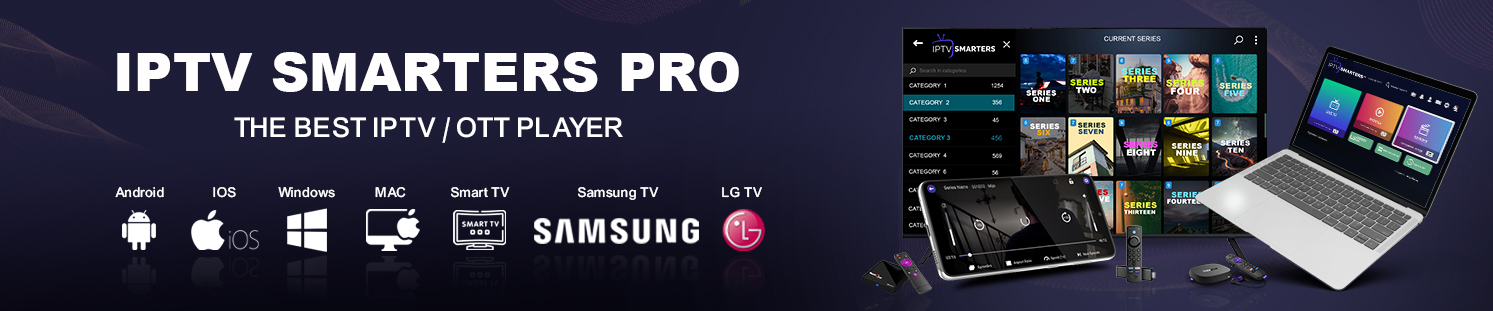
IPTV Smarters Pro is player software that connects to your provider credentials or playlist; it does not provide channels itself. What it does well is accept just about every common login format a provider might hand you — M3U/M3U8 URLs, Xtream Codes, and portal logins — with parental controls and picture-in-picture on top. That flexibility is the reason to pick it.
Best for: Users whose provider gives them an unusual login format, or households that want a consistent interface across phone, tablet, and TV.
Not ideal for: Readers who want the most polished TV-remote experience on Fire TV — TiviMate still edges it there.
For a free EPG-enabled Windows option, My IPTV Player in the Microsoft Store is worth a look for lightweight setups.
VLC: Best Free Desktop Option
VLC opens an M3U/M3U8 URL from the Media menu and plays it — no account, no subscription, no vendor sync. If you just want to test a playlist a provider sent you before committing to a paid player, VLC is the fastest route on Windows or Mac.
Best for: Free desktop playback, quick playlist testing, and users who don't want another vendor account.
Not ideal for: Anyone who wants a real IPTV interface with EPG grid, categories, and recording — VLC is a media player first, not an IPTV shell.
Kodi: Best for Extensible Setups
Kodi is free, open-source, and runs on Windows, Mac, Android, and Fire TV. With the PVR IPTV Simple Client add-on it accepts an M3U playlist and an XMLTV EPG source, and the interface is fully skinnable. The trade-off is honest: you're assembling a setup, not opening one out of the box.
Best for: Tinkerers who want one media center for IPTV, local files, and add-ons across devices.
Not ideal for: Readers who want an app that just works after installation without configuration.
TiviMate: Best for Fire TV
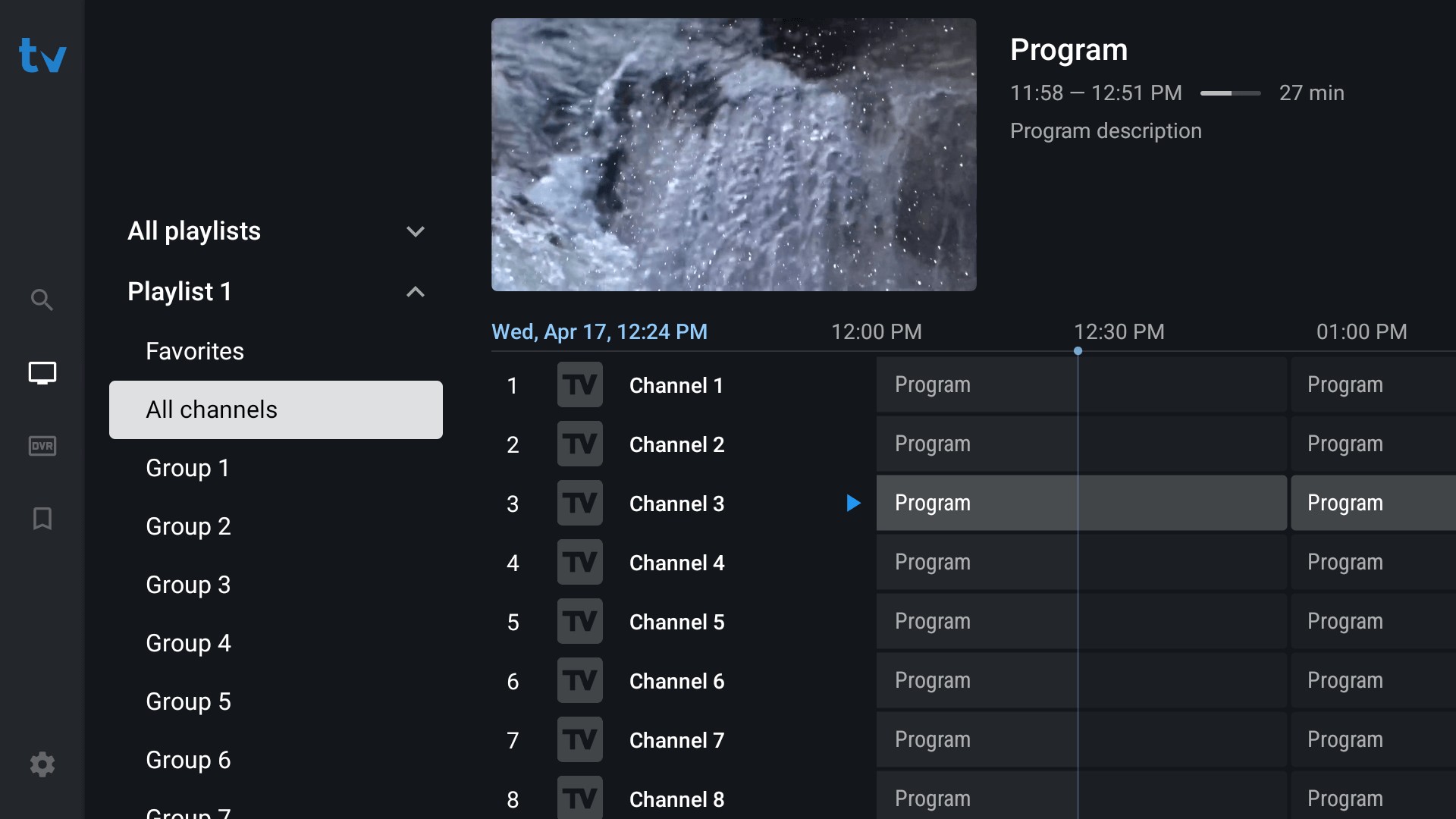
TiviMate is built for Android TV and Fire TV, and it shows the moment you pick up the remote. M3U, Xtream Codes, and portal logins are all handled; scheduled recording, catch-up, multiview, EPG, favorites, and parental controls are the daily-use features that actually get exercised. On a TV, remote-first navigation matters more than any single feature spec — a long feature list is useless if it takes six clicks to change channels.
Best for: Fire TV Stick and Android TV users who want a polished, TV-remote-first IPTV interface.
Not ideal for: Windows-first users — TiviMate is not a native Windows desktop app, so PC users need a workaround or a different player.
IPTV Player Comparison at a Glance
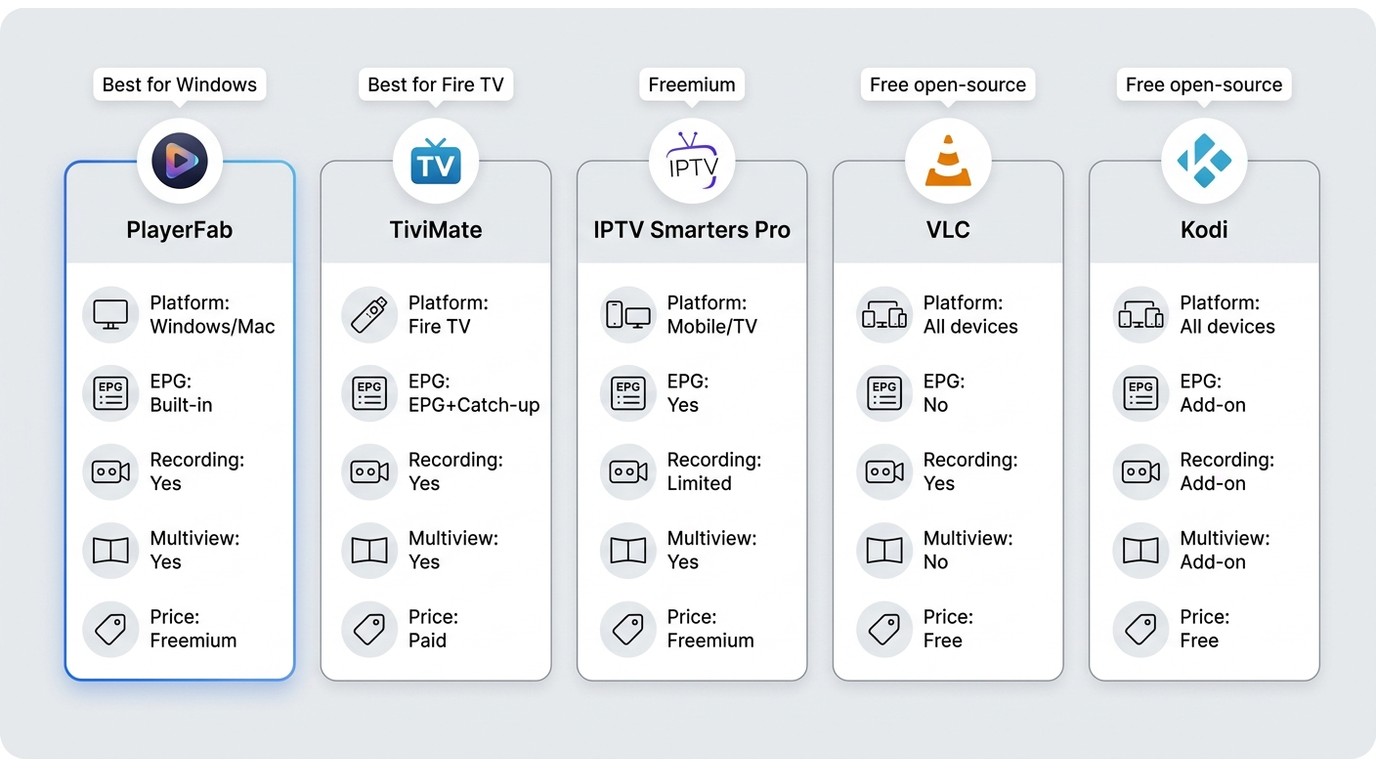
| Player | Best for | Devices | M3U / Xtream / Stalker | EPG | Recording / Catch-up | Multiview | Price model |
|---|---|---|---|---|---|---|---|
| PlayerFab | Windows media libraries | Windows, Mac | Playlist playback via URL | Depends on playlist | No | No | Paid, free version available |
| TiviMate | Fire TV / Android TV | Android TV, Fire TV | All three | Yes | Yes | Yes | Free tier + paid Premium |
| IPTV Smarters Pro | Flexible provider logins | Windows, Mac, Android, iOS, Fire TV | All three | Yes | Catch-up (provider-dependent) | No | Free |
| VLC | Free desktop playback | Windows, Mac, Linux, mobile | M3U/M3U8 URL only | No native EPG grid | No | No | Free, open-source |
| Kodi | Extensible setups | Windows, Mac, Linux, Android, Fire TV | M3U via PVR add-on | Via XMLTV add-on | Add-on dependent | No | Free, open-source |
Feature availability shown as of August 2026 based on each player's official documentation.
Best Picks by Device
Windows and PC
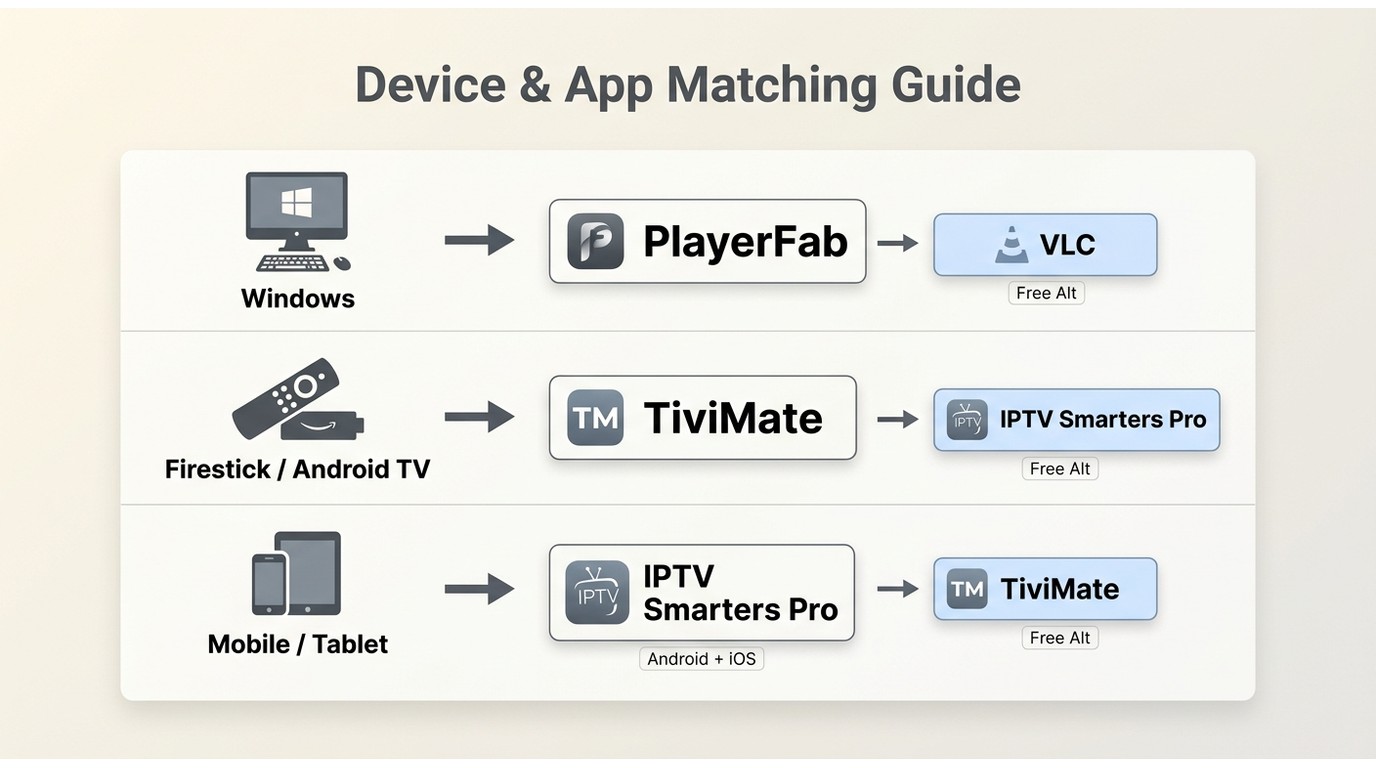
Windows users should first check the installation source and playlist format the app accepts, then work down to interface fit. PlayerFab is the first pick if you also manage local video and disc libraries on the same machine — one app instead of three, and you can pair it with a broader best streaming player for PC workflow when the source is a supported service rather than an M3U feed. VLC is the free fallback for quick playlist testing. TiviMate deserves a mention here mainly for what it can't do — there is no native Windows build, which is the single biggest gap in the Windows IPTV picture.
Firestick and Android TV
On a TV, everything is decided by the remote. TiviMate is the first pick on Fire TV Stick and Android TV, with IPTV Smarters Pro as a solid fallback if your provider hands you an unusual login format. Sideloading on Fire TV is possible for apps not in the Amazon Appstore, but do it only for apps and content you're authorized to run.
Mobile and Smart TVs
On phones and tablets, IPTV Smarters Pro carries across Android and iOS with the same interface as its TV counterpart, which is easier than learning a new app per device. On smart TVs, availability is fragmented — Samsung and LG have their own store rules, and Apple TV notably has a thinner native IPTV lineup than Fire TV, so many users route through an external streamer for consistency.
IPTV Player Setup in Three Steps
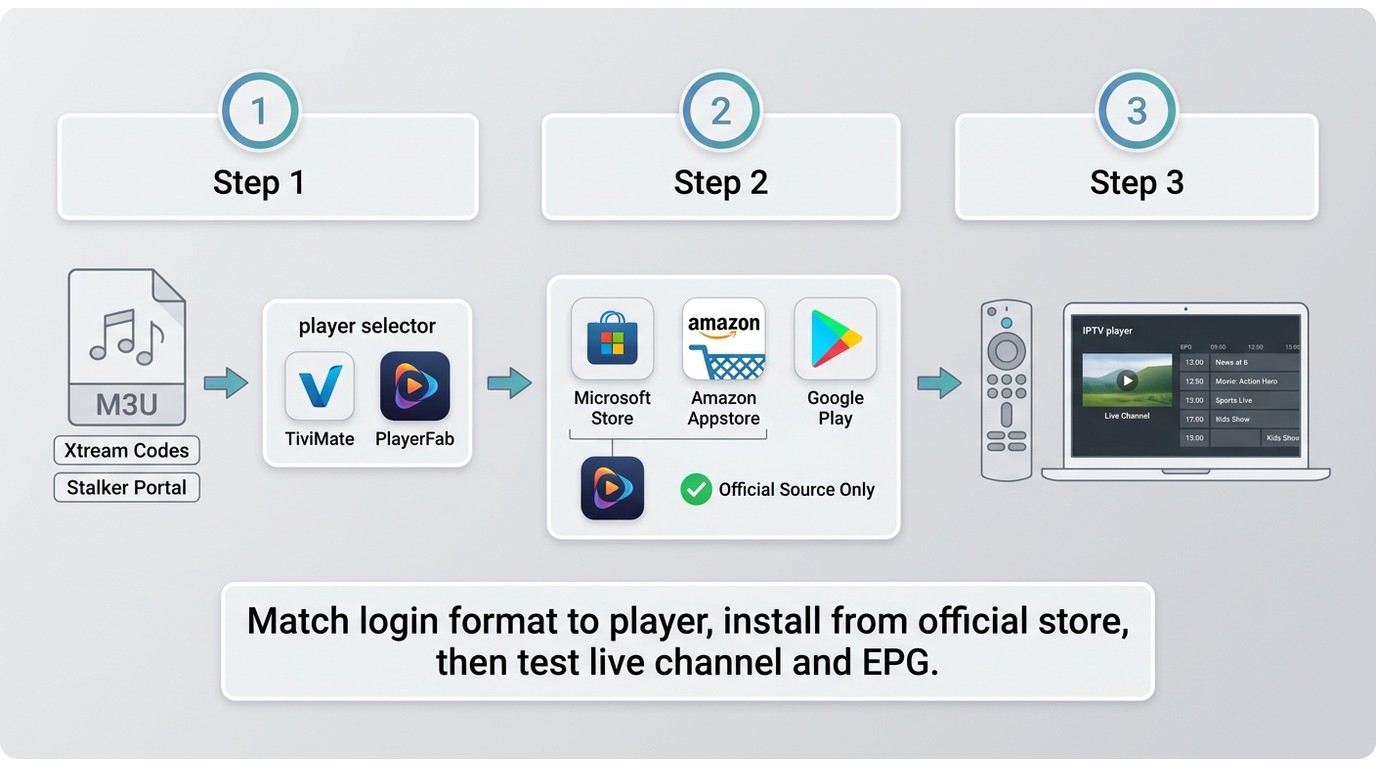
For content you're authorized to access, where permitted by platform terms and applicable law:
- Pick the right player for your device and login format. Match your provider's format (M3U/M3U8 URL, Xtream Codes, or Stalker portal) to a player that accepts it.
- Install from an official source. The player's official site, Microsoft Store, Google Play, or the Amazon Appstore where available — this is the single biggest factor in avoiding a compromised build.
- Add your playlist and test. Enter your M3U URL or provider credentials, wait for the EPG to load, then play a live channel, a catch-up entry, and a VOD title to confirm each path works before you rely on it.
FAQ
Can I use a good IPTV player for free?
Yes — VLC and Kodi are fully free and open-source, and IPTV Smarters Pro is free. TiviMate offers a free tier with a paid Premium upgrade, and PlayerFab has both a free version and paid editions. Note this is the player's price only; the channels themselves come from a provider you pay separately, and player cost and provider cost are two different bills.
Why does my IPTV player buffer or show a black screen?
Buffering and black screens usually trace back to the source or the network rather than the player: a slow provider server, an overloaded playlist, or a Wi-Fi bottleneck. Try a smaller playlist, switch to a wired connection if possible, raise the buffer size in the player's settings, and test the same stream in a second player (VLC works well as a diagnostic). If a channel fails only in one app, it's the app; if it fails everywhere, it's upstream.
Does Amazon block IPTV players on Firestick?
App availability on the Amazon Appstore varies by app and by region, and some IPTV-related apps are not listed there — that is a listing decision, not a network block. Lawful player apps generally remain installable through the store or by sideloading where Fire TV allows it. Use only apps and content you're authorized to run.
Can an IPTV player or playlist be detected?
Network operators and services can observe traffic patterns regardless of which player you use — that's true of any streaming app. On the player side, what varies is credential handling: some apps store your playlist locally on the device, others sync it to a vendor account. Local storage is the more conservative default. Nothing here is evasion advice; use players only with content you're authorized to access and follow each service's terms.
The Right Player Depends on Your Device
The best IPTV player is the one that matches your device and your provider's login format, not the one with the longest feature list. For Windows users who also manage local media, PlayerFab is the most cohesive desktop pick; for Fire TV and Android TV, TiviMate is hard to beat on remote-first navigation; IPTV Smarters Pro handles unusual provider logins across every platform; VLC is the free desktop fallback; and Kodi rewards the time spent configuring it. No single player is best for every device — start from where you actually watch, then work backward to the app.

 Play Video Files: 4 Paths Across Formats and DevicesBy James Morgan - Sep 22, 2026
 12 Best HEVC Players for Windows, Mac, and 4K (2026)By Alice Harper - Aug 4, 2026
 Best WMV Player for Mac and How to Play WMV on Mac NativelyBy James Morgan - Aug 4, 2026
 8 Best TS File Players and Playback Tools for 2026By Alice Harper - Jul 28, 2026