Best 10 Region-Free Blu-ray Players in 2026 [Software & Hardware]

Summary: To choose the best region-free Blu-ray player, you need to look beyond region support and consider picture quality, audio performance, Wi-Fi, convenience, and price. Among the 10 options covered in this blog, I'd recommend Sony BDP-S1700U for simplicity, Panasonic DP-UB9000 for high-end home theater, and PlayerFab All-In-One for the most convenient region-free 4K Blu-ray playback on PC.
Table of Contents
Here’s the short answer: the right region-free Blu-ray player depends on the discs you import, the seller’s documented modification, and whether you prefer a standalone deck or PC workflow. The key is confirming Blu-ray A/B/C switching, DVD 0-8 support, warranty coverage, and firmware guidance before you buy.
A region-free Blu-ray player, also called a multi-region or all-region Blu-ray player, can play compatible imported Blu-ray and DVD discs beyond a single market. That matters for collector’s editions and overseas box sets, but a familiar Sony or Panasonic model is not automatically region-free: many listings rely on a seller or specialist modification. This guide compares eight hardware options and two PC software choices, including current-status cautions, region-code rules, and the checks that make a purchase easier to evaluate.
Choosing a Region-Free Blu-ray Player
Region codes come first. Standard Blu-ray discs use Regions A, B, and C, while DVDs use regions 0-8. Most 4K UHD feature discs are region-free, but the standard Blu-ray bonus disc in the same package can still be locked to Region A, B, or C. In my view, that distinction matters more than a generic “4K compatible” label when you collect imported editions.
Listed hardware prices in this article reflect U.S. marketplace listings as of July 2026. Region switching, modifier, warranty, firmware guidance, and return terms depend on the exact listing.
| Disc type | Region behavior | What to confirm |
|---|---|---|
| Standard Blu-ray | Regions A, B, or C | Documented A/B/C switching on the modified configuration |
| DVD | Regions 0-8 | DVD 0-8 or all-region support |
| 4K UHD Blu-ray | Many feature discs are region-free | Check any included standard Blu-ray disc separately |
Verify the Seller and Modification
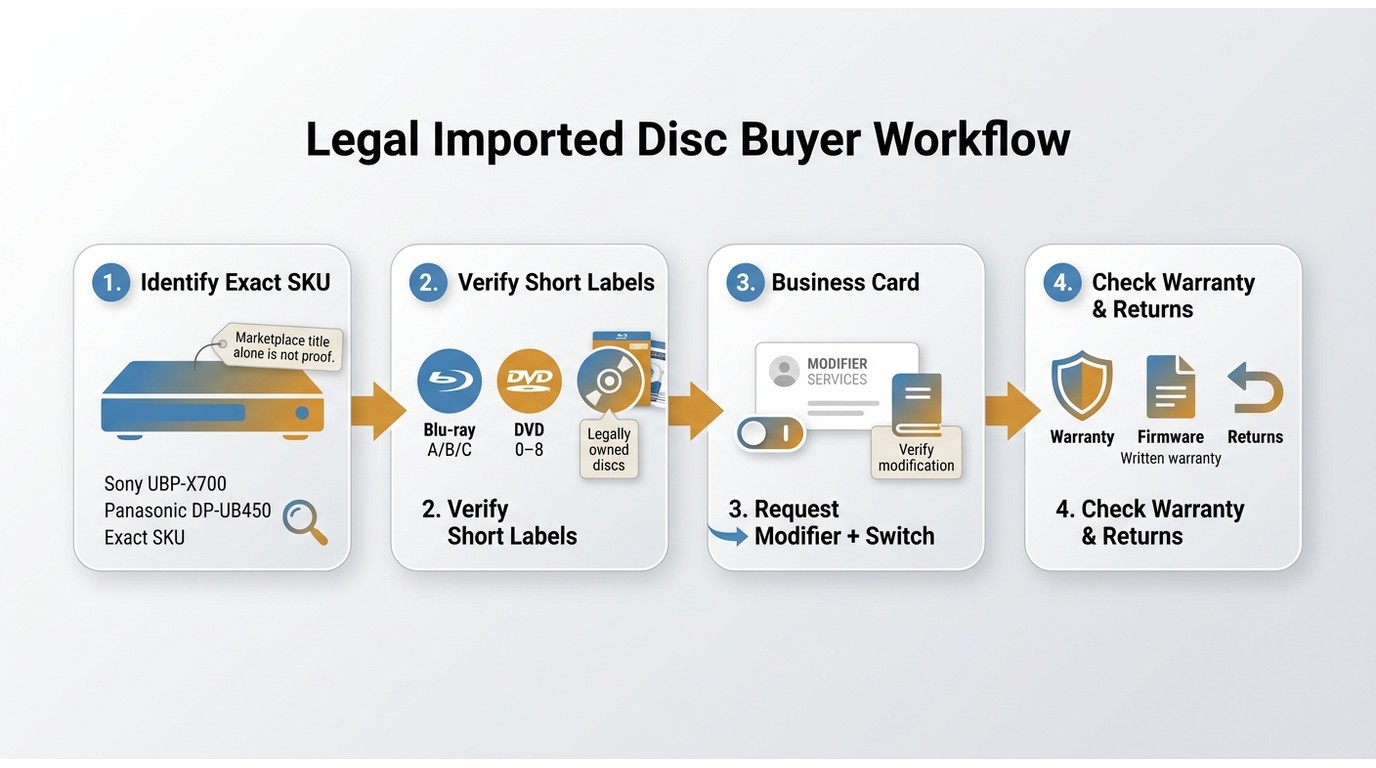
Before ordering, confirm the exact shipped SKU, explicit Blu-ray A/B/C support, DVD 0-8 support, the switching method, the modifier’s name, modification warranty, firmware-update instructions, and return policy. Marketplace wording alone is not proof of a modified Blu-ray player. Specialist support and clear documentation are usually worth more than the lowest listing price.
Decide Whether the Premium Is Worth It
A documented multi-region unit makes the most sense for frequent import buyers, collectors seeking Region A-unavailable titles, or viewers who need particular subtitle tracks without adding another box to the shelf. If you import only occasionally, compare the modification premium with a second inexpensive player or a PC workflow. Consider how often you import, your subtitle needs, available space, and the total cost of a one-box versus two-player setup.
A good region-free Blu-ray player is not just about broader disc access. It should match your collection, display, audio setup, and the level of seller support you are willing to rely on. These are the practical factors worth comparing.
- Check the region support first.
Some players are fully unlocked for both Blu-rays and DVDs, while others only cover DVDs or limited Blu-ray regions. If you buy imported discs often, this is the first detail I would verify.
- Match the player to your disc collection.
If you mostly watch standard Blu-rays and DVDs, a good 1080p model may be enough. If you collect newer releases, 4K UHD playback and upscaling are worth paying attention to.
- Look at picture and sound features.
Dolby Vision, HDR10, Dolby Atmos, and strong audio format support can make a real difference, especially if movie nights are a big part of your setup.
- Think about daily convenience.
Some players keep things simple and focus only on discs, while others add Wi-Fi, streaming apps, USB playback, or network features that make them more flexible.
- Do not ignore practical details.
PAL/NTSC conversion, worldwide voltage support, and reliable region switching can save a lot of frustration, especially with international discs and different TV systems.
- Consider software too.
If you usually watch on a laptop or desktop, region free blu ray software can be a practical alternative to a standalone region-free Blu-ray player.
8 Region-Free Hardware Options and Caveats
These eight hardware entries range from budget 1080p decks to premium 4K home-theater players. Their base-model status, modification responsibility, switching method, warranty, and firmware guidance can vary by seller, so treat each region-free claim as configuration-specific. The Sony UBP-X800M2 and LG BP550 are included as availability cautions rather than equal-status current picks.
#1 Sony UBP-X800M2: Remaining-Stock Option
- Best for: Buyers who find supported remaining stock at a sensible price and want 4K disc playback with broad home-theater format support.
- Price: $539.00
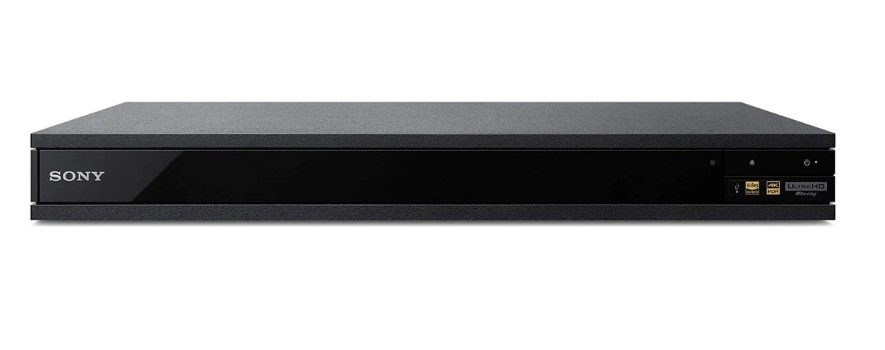
The Sony UBP-X800M2 is best treated as a remaining-stock option rather than a current-production flagship. Its base hardware supports 4K UHD discs, Dolby Vision, HDR10, Dolby Atmos, local-file playback, and streaming features. Blu-ray A/B/C and DVD all-region capability should be confirmed as part of the seller-modified configuration, along with the remote switching sequence, modification warranty, and firmware policy. It is not ideal for buyers who prioritize current production and long-term replacement availability.
- Plays DVDs from all regions (0-8) and Blu-ray discs from Regions A, B, and C
- One-button Blu-ray region switching with automatic DVD region switching
- Supports 4K UHD Blu-ray playback and 4K upscaling for standard discs
- Dolby Vision, HDR10, and Dolby Atmos support for a better home theater experience
- Compatible with a wide range of audio and video file formats
- Worldwide voltage support (110V-240V)
- Includes USB playback, DLNA media sharing, and built-in streaming apps
#2 Panasonic DP-UB450: Value-Focused 4K Pick
- Best for: Buyers who prioritize 4K disc playback and a value-focused multi-region configuration.
- Price: $439.00
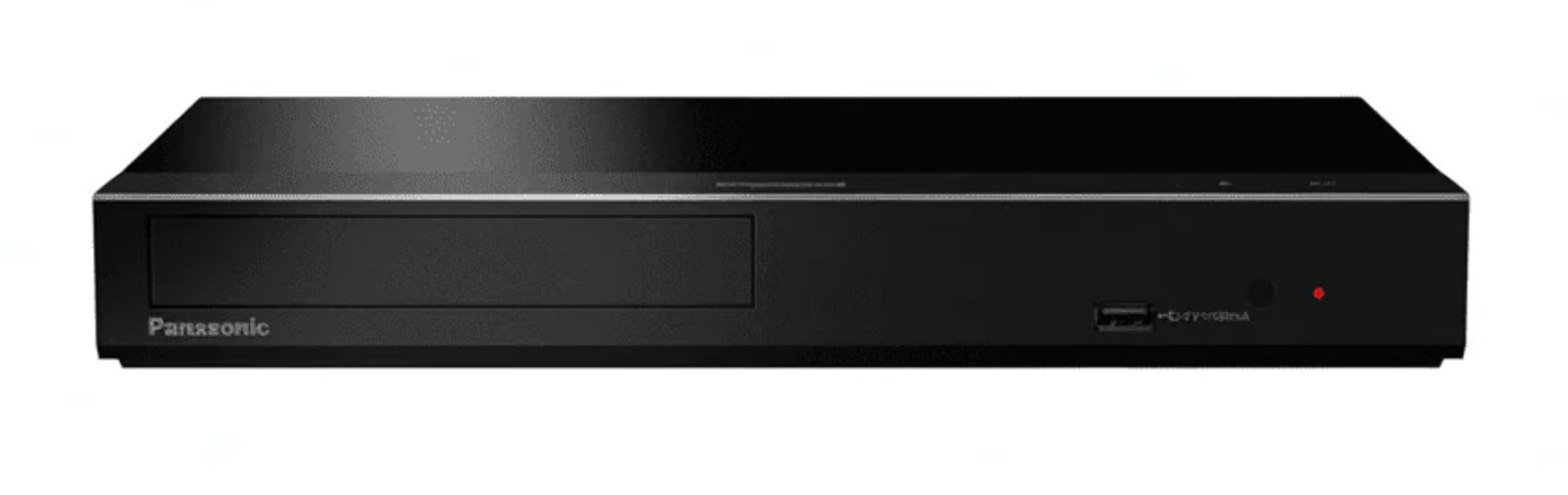
Panasonic DP-UB450 is a value-focused 4K choice for readers who want UHD playback without moving to a premium theater component. Its base hardware supports 4K UHD playback, up-conversion, and UHD, 3D, and standard Blu-ray discs. Any DVD all-region or Blu-ray A/B/C capability comes from the exact seller-modified configuration, so confirm the modifier, switching method, warranty, firmware guidance, and shipped SKU. It is not ideal for buyers who need premium analog audio connections or a more elaborate home-theater build.
- Plays DVDs from all regions (0-8) and Blu-ray discs from Regions A, B, and C
- One-button Blu-ray region switching with automatic DVD region switching
- Supports full 4K UHD playback and 4K up-conversion
- Plays UHD, 3D Blu-ray discs, and standard Blu-ray discs
- Internal PAL/NTSC conversion for broader TV compatibility
- Worldwide voltage support (110V-240V)
- Supports external HDD playback
#3 Panasonic DMP-BD: Disc-First Pick
- Why I picked it: Its disc-focused design, long-term durability, and no-frills reliability make it especially appealing for serious collectors.
- Price: $194.00
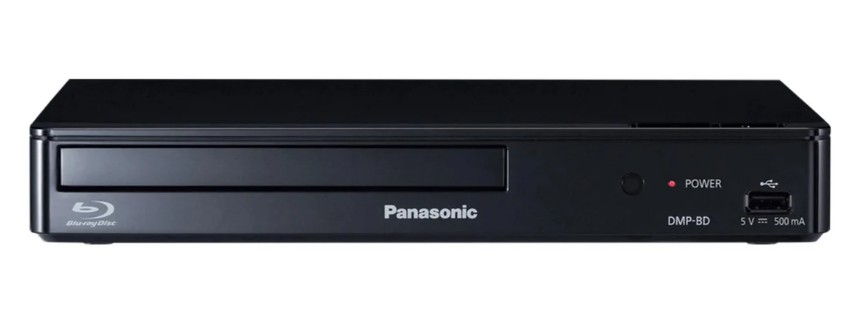
This Panasonic DMP-BD region-free configuration is a specialist-retailer modification, not a factory region-free Panasonic SKU. Its disc-first design may suit collectors who do not need Wi-Fi or streaming features, but the listing should identify the modifier, remote switching method, modification warranty, firmware-update policy, and current inventory status. It is a sensible fit for standard Blu-ray and DVD collections; it is not a substitute for a 4K UHD-focused player.
- Plays DVDs from all regions (0-8) and Blu-ray discs from Regions A, B, and C
- One-button Blu-ray region switching with automatic DVD region switching
- Any all-region warranty (including lifetime claims) is seller-specific and should be confirmed against the modifier's written policy
- Internal PAL/NTSC conversion for wider TV compatibility
- Worldwide voltage support (110V-240V)
- Front USB port with support for multiple media file formats
#4 Sony BDP-S1700U: Budget 1080p Pick
- Why I picked it: A simple and affordable pick that covers the essentials well, especially for everyday Blu-ray and DVD playback in 1080p.
- Price: $169.00
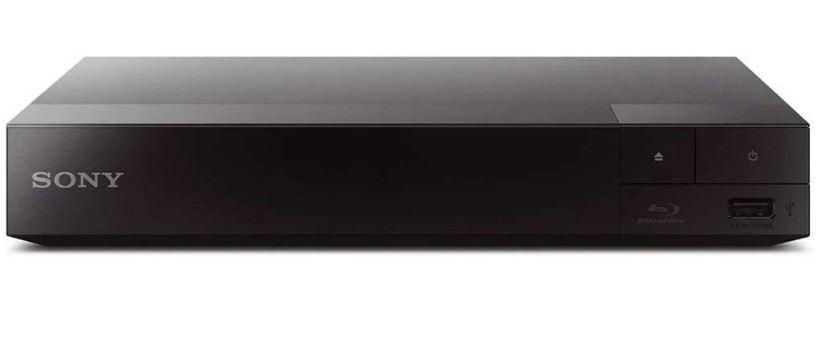
The factory Sony BDP-S1700U is a Region A base model. Blu-ray Region B/C playback and DVD all-region support depend on the exact seller-modified configuration, so verify its switching instructions, modifier warranty, firmware guidance, and return policy. It suits budget-conscious viewers with standard Blu-ray and DVD collections who want 1080p playback and a compact deck. It is not ideal for buyers who need 4K UHD discs or advanced home-theater video formats.
- Full 1080p HD output for Blu-ray and DVD playback
- Quick Start feature for faster loading and less waiting
- Factory Region A Blu-ray playback; Region B/C and DVD all-region support depend on the seller-modified configuration
- Dolby Digital Plus, Dolby TrueHD, DTS-HD High Resolution Audio, DTDLS-HD Master Audio
- PAL/NTSC conversion
- Worldwide voltage support makes it easier to use internationally (110 volts to 240 volts)
- Front USB port for convenient local media playback
#5 Sony UBP-X700: Compact 4K Pick
- Why I picked it: It offers one of the best balances between region-free flexibility, 4K features, and overall value.
- Price: $389.00
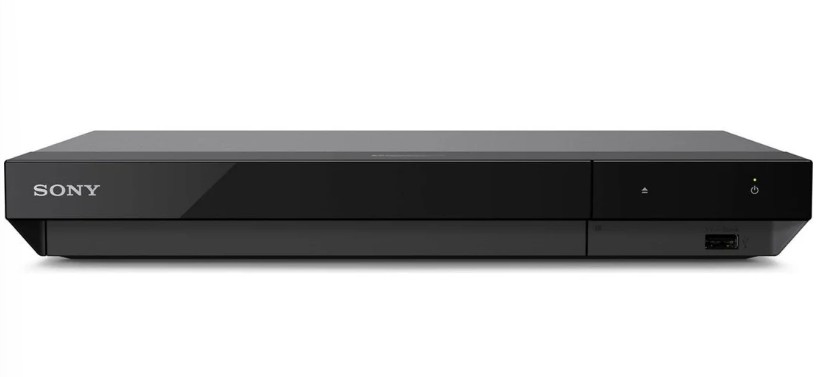
Sony UBP-X700 remains a current compact 4K option with Dolby Vision, HDR10, 3D playback, streaming access, and local-file support. Its standard Blu-ray A/B/C capability is seller-added rather than a factory specification, so verify the modified configuration, switching method, warranty, and firmware guidance. Some users report freezing during demanding triple-layer disc transitions, which makes it less suitable when transport reliability on 100GB discs is the top priority. For broader feature comparisons, see our guide to the best 4K Blu-ray player options.
- Factory 4K UHD disc playback; DVD all-region and standard Blu-ray A/B/C support depend on the seller-modified configuration
- Supports Dolby Vision, HDR10, and Dolby Atmos for a more cinematic viewing experience
- Built-in Wi-Fi and access to streaming services like YouTube and Amazon VOD
- 3D playback support for users with compatible discs and TVs
- Upscales non-4K discs to near 4K quality
- Broad compatibility with video and audio file formats
- USB input for convenient playback from external storage
#6 Sony BDP-S3700E: Check Availability
- Why I picked it: Its built-in Wi-Fi, streaming access, and smartphone control make it one of the most convenient everyday-use players in the lineup.
- Price: $184.00
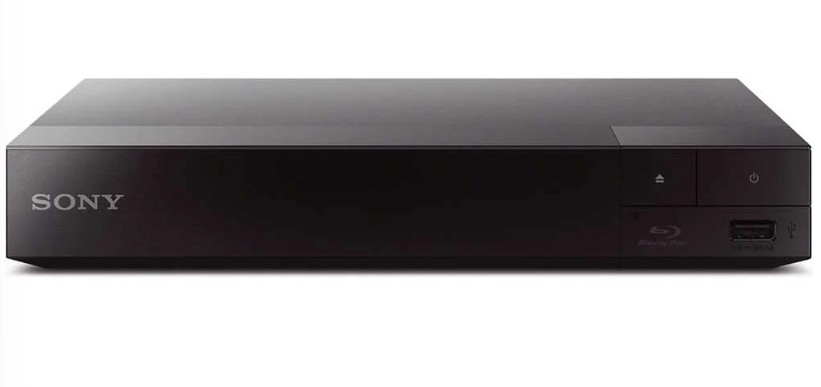
Sony still maintains support information for the BDP-S3700 family, but current U.S. first-party sales availability was not verified. Readers may encounter remaining or seller-modified inventory with Wi-Fi, DLNA, streaming access, and 1080p disc playback. Treat multi-region claims as seller-specific, and confirm the exact SKU, modification method, warranty, firmware instructions, and return policy before buying. It is not a current 4K-focused choice.
- Built-in Wi-Fi for easier access to online features and streaming
- Supports Sony streaming apps, including Netflix and YouTube
- DLNA compatibility for playing media from devices on your home network
- Sony SideView app support for smartphone remote control
- Full 1080p HD playback with Quick Start for faster loading
- DVD 0-8 all-region and Blu-ray A/B/C support depend on the seller-modified configuration; confirm the shipped SKU before buying
- Front USB port for media playback without relying only on discs
#7 LG BP550: Discontinued Reference
- Why I picked it: A more lifestyle-friendly option that blends region-free playback with Wi-Fi, 3D support, and Smart TV features.
- Price: $244.00
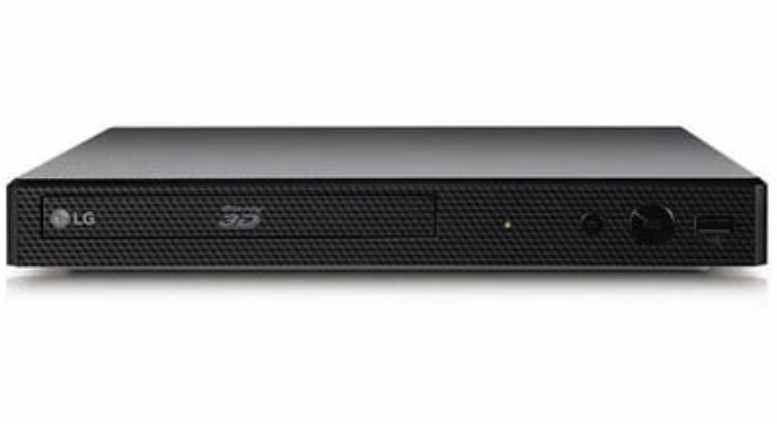
LG lists the BP550 as discontinued, so it is best treated as a used-market reference rather than a current 2026 recommendation. A used unit may offer Wi-Fi, USB playback, 3D support, and 1080p up-conversion, but its claimed region-free capability must be verified separately. It is not ideal for readers who need dependable new-stock availability, clear support coverage, or a confirmed modification warranty.
- Built-in Wi-Fi for easier access to connected features
- LG Smart TV compatibility for a more integrated viewing setup
- 3D Blu-ray playback for users with compatible discs and TVs
- USB input for convenient playback of stored media files
- 1080p up-conversion to improve standard disc playback on HD TVs
- Plays DVDs from all regions, with Blu-ray support available across Region A, B, and C configurations
- Full NTSC/PAL conversion and 110V-240V support for international use
#8 Panasonic DP-UB9000: Premium Theater Pick
- Why I picked it: Its flagship build quality and refined audio-video performance make it the standout choice for a serious home theater setup.
- Price: $1489.00
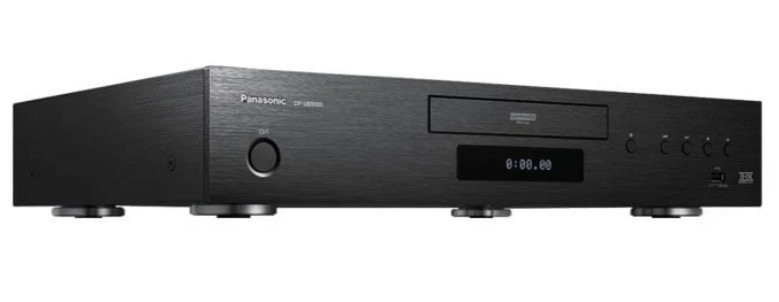
Panasonic DP-UB9000 is a premium home-theater player with 4K UHD playback, 3D support, up-conversion, network connectivity, and a design aimed at higher-end audio-video systems. Its base model is not inherently a standard-Blu-ray A/B/C player, so that capability requires a separately modified configuration with documented switching instructions, warranty coverage, and firmware guidance. It is best suited to buyers who value premium build quality and theater integration. It is not ideal for readers who do not need those priorities or who want the lowest-cost route to multi-region playback.
- Premium build quality with reduced vibration for more stable playback
- Full 4K UHD playback with 4K up-conversion
- Stronger focus on high-end audio and video performance
- Plays DVDs from all regions and Blu-rays from Regions A, B, and C
- Supports 3D Blu-ray playback
- Built-in Wi-Fi for network connectivity
- External HDD playback for added media flexibility
Region settings can prevent a standard setup from playing imported discs even when the drive can read the media. This article covers eight hardware options and two software options, with older or discontinued hardware clearly labeled as cautions. For legally owned discs, a documented multi-region setup can help you play compatible imported titles for personal viewing, subject to local law and the seller’s stated terms.
2 Region-Free Blu-ray Software Picks
What a PC Playback Setup Requires
A region-free Blu-ray player for PC requires both a compatible optical drive and playback software. A region-free external Blu-ray drive, its firmware or operating-system region setting, the player software, and display compatibility are separate considerations. For 4K disc playback, GPU, HDCP-capable display connections, and software support can add further constraints.
- Choose an external or internal Blu-ray drive compatible with your computer.
- Confirm the drive's region behavior separately from the playback application.
- Use software that supports your authorized disc, local-file, and display workflow.
- For 4K UHD, confirm the full PC, GPU, display, and connection chain.
A PC workflow is often more practical than a standalone player when you already watch at a desk, use local media, or need a compact setup. A dedicated deck is usually simpler for a living-room television and disc-menu routine.
These two region-free Blu-ray software options suit readers who prefer watching on a laptop or desktop rather than using a standalone player. One is an integrated desktop workflow, while the other is a free option for users who accept manual setup and troubleshooting.
#1 PlayerFab All-In-One
- Why I picked it: It feels like the most complete region free Blu-ray software choice here because it brings discs, local media, and streaming into one polished player.
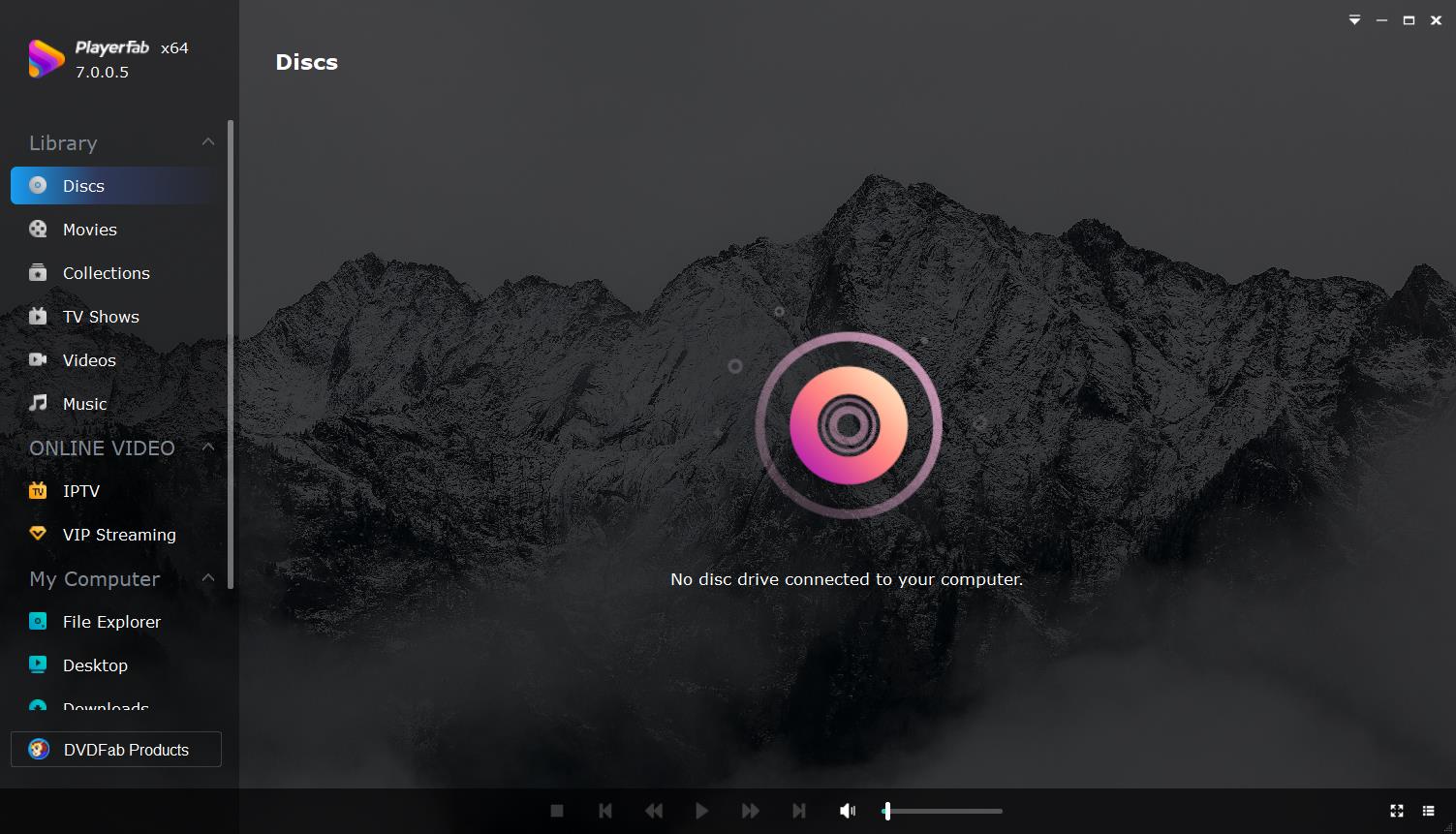
PlayerFab All-In-One is a desktop media player for Windows and Mac that brings supported DVDs, Blu-rays, 4K UHD Blu-rays, ISO files, folders, local media, supported streaming access, and a poster-wall library into one workflow. Its relevant strengths for imported-disc collectors are menu navigation, home-theater audio-video support, and AI Live Subtitle, which can automatically identify language and translate into English when a suitable English subtitle track is unavailable. AI subtitle quality depends on the audio, accents, background noise, network connection, and supported language conditions. It is best for Windows PC users who want an integrated library and playback workflow, not readers seeking a standalone TV appliance or a free minimalist player.
- Plays local videos, DVDs, Blu-rays, UHD Blu-rays, ISO files, and folders in one app
- Provides access to supported streaming services alongside disc and local playback for users with valid subscriptions
- AI Live Subtitle trial with automatic language identification and English translation
- DVD menu navigation support on Windows for discs, ISO files, and DVD folders
- Smart media library for organizing movies, TV shows, and music
- Designed as an all-in-one player rather than a disc-only tool
#2 VLC Media Player
- Best for: Technical users who want a free media player and are comfortable with manual Blu-ray setup and compatibility troubleshooting.
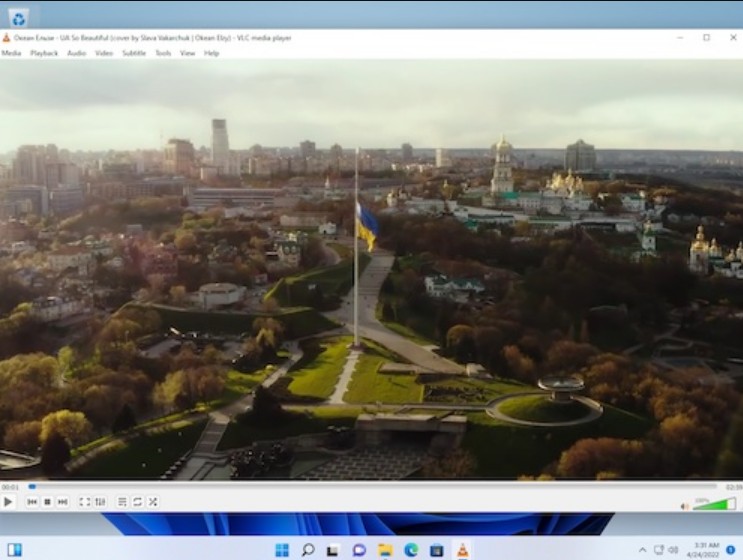
VLC Media Player is a free, actively maintained media player with broad file-format support across multiple platforms. Commercial Blu-ray playback is not a native plug-and-play workflow: libraries, keys, menus, and disc-specific compatibility can require manual setup and troubleshooting. That makes VLC a reasonable choice for technical users who accept those limits, not for readers seeking dependable out-of-box commercial-disc menus. Its VLC Blu-ray playback setup can involve additional components that vary by disc and system.
- Free and open-source media player
- Available across multiple platforms, including Windows, macOS, and Linux
- Plays most multimedia formats, DVDs, Audio CDs, VCDs, and streaming protocols
- Strong subtitle, synchronization, and audio/video control options
- Handles files, discs, webcams, devices, and network streams
- Blu-ray playback is possible, but may require additional setup files
Compare Current Region-Free Options
| Option | Best for | Status | Native resolution | Region configuration | Seller checks | Key limitation | |
|---|---|---|---|---|---|---|---|
| Hardware | Sony UBP-X800M2 | Buyers who find supported remaining stock at a sensible price | Remaining stock | 4K UHD | Seller-modified; confirm Blu-ray A/B/C and DVD 0-8 | Confirm SKU, modifier, warranty, firmware, returns | Not current production; long-term replacement availability limited |
| Panasonic DP-UB450 | Value-focused 4K buyers who want a multi-region configuration | Current | 4K UHD | Seller-modified; confirm Blu-ray A/B/C and DVD 0-8 | Confirm modifier, warranty, firmware, returns | No premium analog audio outputs | |
| Panasonic DMP-BD Region Free Blu-ray Player | Serious collectors who want a disc-first modified deck without Wi-Fi or streaming | Specialist-retailer modified | 1080p HD | Seller-modified; confirm Blu-ray A/B/C and DVD 0-8 | Confirm modifier, warranty, firmware, returns | No 4K UHD playback; warranty terms vary by seller | |
| Sony BDP-S1700U | Budget viewers with standard Blu-ray and DVD collections | Current base model; multi-region via seller | 1080p HD | Factory Region A; Blu-ray B/C and DVD 0-8 depend on seller modification | Confirm SKU, modifier, warranty, firmware, returns | No 4K UHD playback | |
| Sony UBP-X700 | Compact 4K buyers who want Dolby Vision and streaming | Current | 4K UHD | Factory 4K; Blu-ray A/B/C and DVD 0-8 depend on seller modification | Confirm modifier, warranty, firmware, returns | Some users report freezing on demanding triple-layer discs | |
| Sony BDP-S3700E | Buyers who accept availability-unverified 1080p stock with Wi-Fi and streaming | Availability not verified | 1080p HD | Seller-modified; confirm Blu-ray A/B/C and DVD 0-8 | Confirm SKU, modifier, warranty, firmware, returns | Current U.S. first-party sales availability not verified | |
| LG BP550 | Used-market reference only | Discontinued | 1080p up-conversion | Verify any claimed modification separately on used units | Limited support; confirm modifier and warranty | No new-stock availability or manufacturer support | |
| Panasonic DP-UB9000 | Premium home-theater systems | Current | 4K UHD | Blu-ray A/B/C requires seller modification; confirm DVD 0-8 | Confirm modifier, warranty, firmware, returns | Highest price in the lineup; overkill for casual viewers | |
| Software | PlayerFab All-In-One | Windows PC users who want an integrated library and playback workflow | Current | Up to 4K UHD (depends on PC, GPU, display) | Region behavior depends on the connected optical drive | Not applicable (software) | Not a standalone TV appliance |
| VLC Media Player | Technical users comfortable with manual Blu-ray setup | Current | HD; commercial Blu-ray varies by disc | Region behavior depends on the connected optical drive | Not applicable (software) | Commercial Blu-ray is not native plug-and-play |
Region-Free Blu-ray Player FAQ
Can I make my current Blu-ray player region-free?
There is no reliable universal DIY method for making a Blu-ray player region-free. Blu-ray A/B/C switching is model- and modification-specific, and a DVD service code does not prove Blu-ray multi-region support. If dependable playback and support matter, a documented pre-modified configuration is generally the more practical choice.
Why is Blu-ray being discontinued?
Blu-ray is not disappearing overnight, but some parts of the market are clearly shrinking. What has been cut back most noticeably is recordable Blu-ray media and recorder hardware, largely because streaming, cloud storage, and hard drives have replaced them for many people. Sony ended production of recordable Blu-ray discs in February 2025 and later exited the Blu-ray recorder business, but commercial movie discs and Blu-ray players are still available.
What risks come with a modified region-free player?
A base player and a seller-modified multi-region configuration are separate purchases to evaluate. Focus on the modifier’s warranty coverage, written firmware-update instructions, return policy, documented switching method, and support for the exact shipped SKU. Those details matter more than a broad marketplace claim that a player is “region-free.”
Which region-free player fits a 4K collection?
For current 4K choices, the Panasonic DP-UB450 suits value-focused buyers, while the Panasonic DP-UB9000 fits premium home-theater systems. If standard Blu-ray A/B/C switching is essential, choose a current model with a clearly documented seller modification. The Sony UBP-X800M2 is better treated as a remaining-stock option.
Is a region-free player worth it?
A region-free player is most valuable when you buy imports regularly, want titles unavailable in Region A, need specific subtitle tracks, or prefer one deck instead of two. Occasional import buyers should compare the modification premium with a second inexpensive player, a PC workflow, or a free Blu-ray player for Windows that fits their technical comfort level.
How can I verify a player before buying?
Use a simple eight-point checklist: confirm the exact SKU, explicit Blu-ray A/B/C support, DVD 0-8 support, the documented switching method, the modifier’s name, modification warranty, firmware-update policy, and return policy. Amazon and eBay wording is a claim to verify, not proof that a unit has the stated modification.
Final Recommendations by Buyer Type
The best region-free Blu-ray player depends on your collection and setup: choose the Sony BDP-S1700U modified configuration for budget 1080p viewing, the Panasonic DP-UB450 for value-focused 4K, and the Panasonic DP-UB9000 for a premium theater system. Frequent import collectors benefit most from a documented pre-modified unit, while PC-only viewers can play Blu-ray on a PC with a compatible drive and suitable software. PlayerFab fits users who want an integrated desktop library and playback workflow, not a standalone appliance or free minimalist player; VLC fits technical users who accept manual setup. I would prioritize the seller’s modification documentation, warranty, and firmware guidance over minor feature differences, and treat remaining-stock or discontinued hardware with extra caution.

 6 Best MPEG Players for Windows and Mac (2026)By Alice Harper - Aug 26, 2026
 How to Play Blu-ray Discs on Windows 10 (Free & Pro Solutions)By Alice Harper - Aug 7, 2026
 10 Best 4K Video Players for PC and Mac, Tested in 2026By Alice Harper - Aug 4, 2026
 The 5 Best Free MOV Players in 2026 (Windows, Mac and Android), plus How to FixBy Alice Harper - Aug 4, 2026