Best 4K Blu-ray Players in 2026: 7 Hardware and PC Picks.

Summary: Seven 2026 hardware picks are compared by HDR behavior, disc support, outputs, noise, and reliability, then matched to home-theater, budget, audio, and gaming scenarios. The PC section separates commercial discs, authorized local media, ISO or folders, and ordinary 4K files before reviewing PlayerFab, VLC, and setup checks.

Table of Contents
The best 4K Blu-ray player is not simply the deck with the longest specification sheet. The real choice is between a living-room 4K UHD Blu-ray player with dependable HDR and disc handling, or 4K Blu-ray player software that matches a specific PC media path.
Dolby Vision switching, triple-layer freezes, a shrinking hardware lineup, and title-dependent PC menus are the issues that change the answer. My rule is straightforward: reliability and format fit matter more than extra features. The table below separates the seven hardware picks, followed by standalone reviews and two practical PC playback paths.
2026 4K Blu-ray Players at a Glance
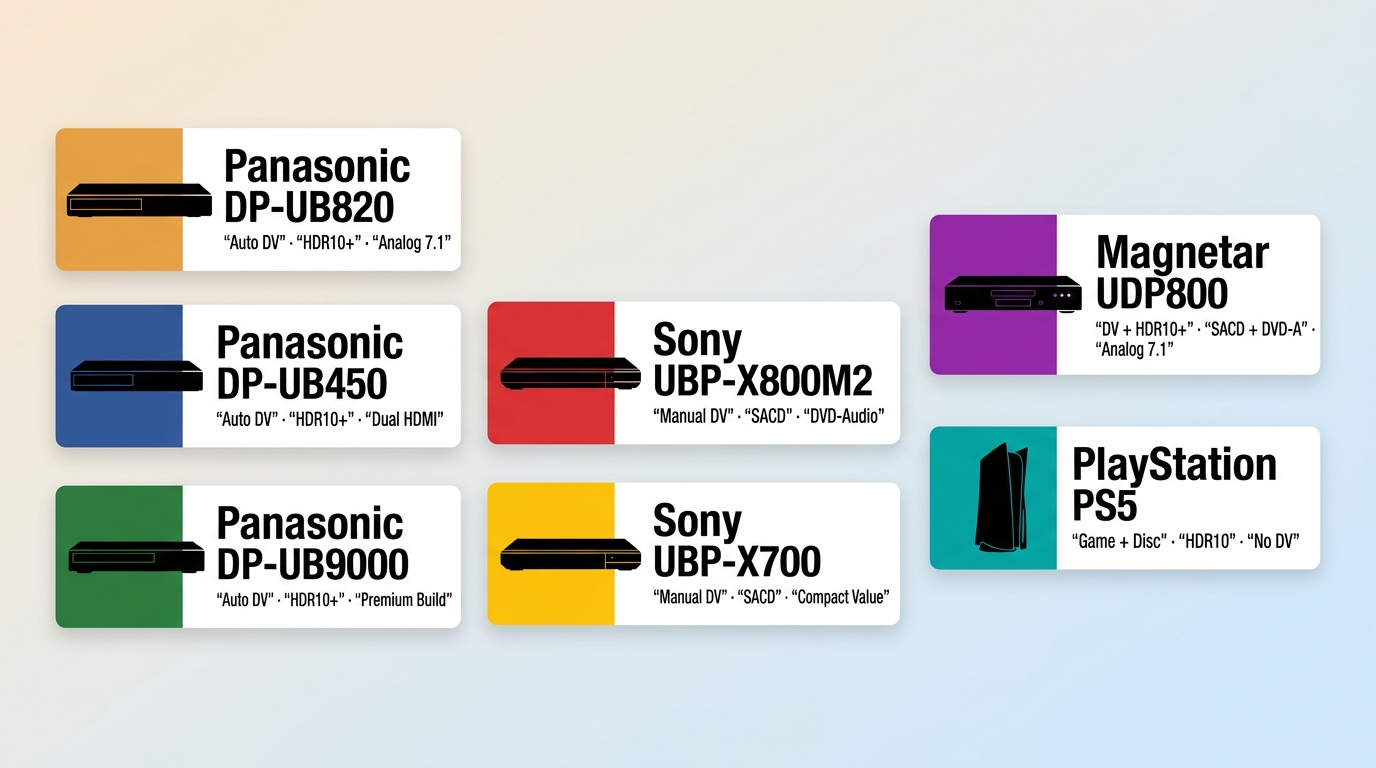
The best 4K Blu-ray player 2026 shortlist covers distinct needs rather than one universal winner. Among these top rated 4K Blu-ray player options, the DP-UB820 is the balanced pick, the DP-UB450 cuts cost, and the specialist models trade convenience for broader disc or audio support.
| Player | Best for | US availability and price band | Dolby Vision behavior | HDR10+ support | 4K upscaling | Universal-disc support | Audio and video outputs | Drive noise | Known reliability caveats |
|---|---|---|---|---|---|---|---|---|---|
| Panasonic DP-UB820 | Balanced home theater | Widely stocked; midrange | Automatic | Yes | Strong processing | No SACD or DVD-Audio | Dual HDMI and analog audio | Quiet in normal use | Triple-layer behavior can vary by disc or unit |
| Panasonic DP-UB450 | Budget Dolby Vision setup | Limited US stock; lower-cost tier | Automatic | Yes | Basic | No SACD or DVD-Audio | Dual HDMI; no multichannel analog | Generally modest | Fewer adjustment and upscaling controls |
| Panasonic DP-UB9000 | Premium theater installation | Specialist retail; premium tier | Automatic | Yes | Strong processing | No SACD or DVD-Audio | Extensive analog and HDMI outputs | Low | Cost and cabinet size limit its fit |
| Sony UBP-X800M2 | Mixed movie and music discs | Widely stocked; midrange | Manual toggle | No | Good | SACD and DVD-Audio | Dual HDMI; digital audio | Low to moderate | Manual Dolby Vision and occasional title-specific freezes |
| Sony UBP-X700 | Lower-cost Sony Dolby Vision | Widely stocked; budget tier | Manual toggle | No | Good | SACD support | Dual HDMI; digital audio | Moderate | Lighter build and title-specific stability reports |
| Magnetar UDP800 | Premium audio and disc collections | Specialist retail; premium tier | Automatic | Yes | Strong | SACD and DVD-Audio | Balanced analog audio and dual HDMI | Low | High cost and no streaming-app focus |
| Sony PlayStation 5 | Gaming plus UHD movies | Widely stocked; console tier | Not supported for UHD discs | No | Basic | No SACD or DVD-Audio | Single HDMI | Audible during some disc loads | Controller-led interface and limited movie controls |
Availability and price bands are for the US market as of July 2026.
My editorial takeaway is to choose the DP-UB820 for balance, the DP-UB450 for a leaner budget, the UDP800 or UB9000 for premium systems, the PlayStation 5 for gaming, and the X800M2 for a mixed disc library. The UB9000 and X700 stay in the table because their narrower fit does not require another full review.
Top Standalone 4K UHD Blu-ray Players
The best UHD Blu-ray player for a living-room setup should match the display, disc collection, and tolerance for manual controls. These five reviews focus on viewing consequences, not feature count.
Panasonic DP-UB820: Best Overall 4K Player
The Panasonic DP-UB820 is the best 4K Blu-ray player in this comparison for a balanced HDR home theater. Its HDR Optimizer, automatic Dolby Vision behavior, HDR10+, and flexible outputs cover more common setups than the other midrange decks.
On an LG C2 OLED, I used Blade Runner 2049 to compare the HDR Optimizer presets; the darker city scenes retained shadow detail without making bright signage look flat. That result applies to this display-and-disc pairing, but it shows why tone mapping is more useful than another app icon.
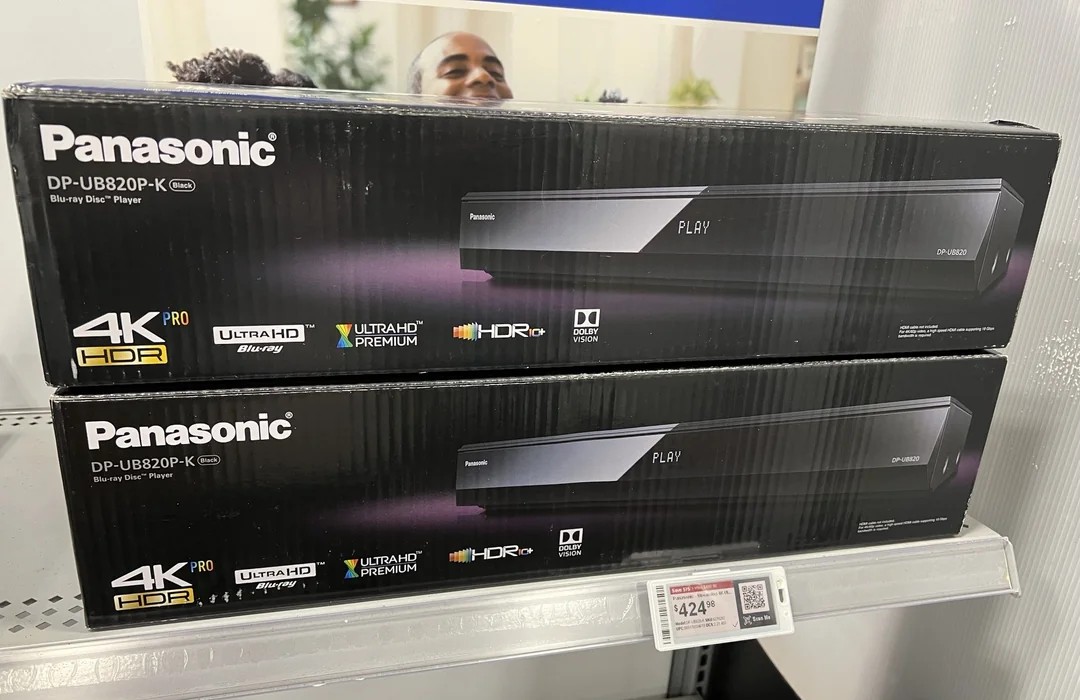
Best for: OLED or projector owners who want automatic HDR handling and useful output flexibility. Not ideal for: buyers who need SACD or DVD-Audio support, or a more substantial remote and front display.
Panasonic DP-UB450: Best Budget Pick
The Panasonic DP-UB450 is the budget pick for buyers who want Dolby Vision and HDR10+ without paying for the UB820's deeper processing controls. Its appeal is format coverage, not premium upscaling or analog connectivity.
I would pair it with a TV that already handles scaling well. Best for: a straightforward 4K display setup. Not ideal for: projectors, older receivers, or DVD-heavy collections that benefit from the UB820's extra adjustment and output options.
Sony UBP-X800M2: Best Universal Player
The Sony UBP-X800M2 is a 4K UHD Blu-ray player for collectors who also play SACD, DVD-Audio, and local media. Its rigid chassis and broad disc support are strengths, but Dolby Vision must be switched manually.
With the X800M2 connected to an LG C2 OLED, changing from an HDR10 disc to Dune in Dolby Vision required the setting change before playback; once selected, the disc and lossless audio played normally in that session. I find that extra step acceptable for a mixed disc shelf, not for a hands-off movie night.
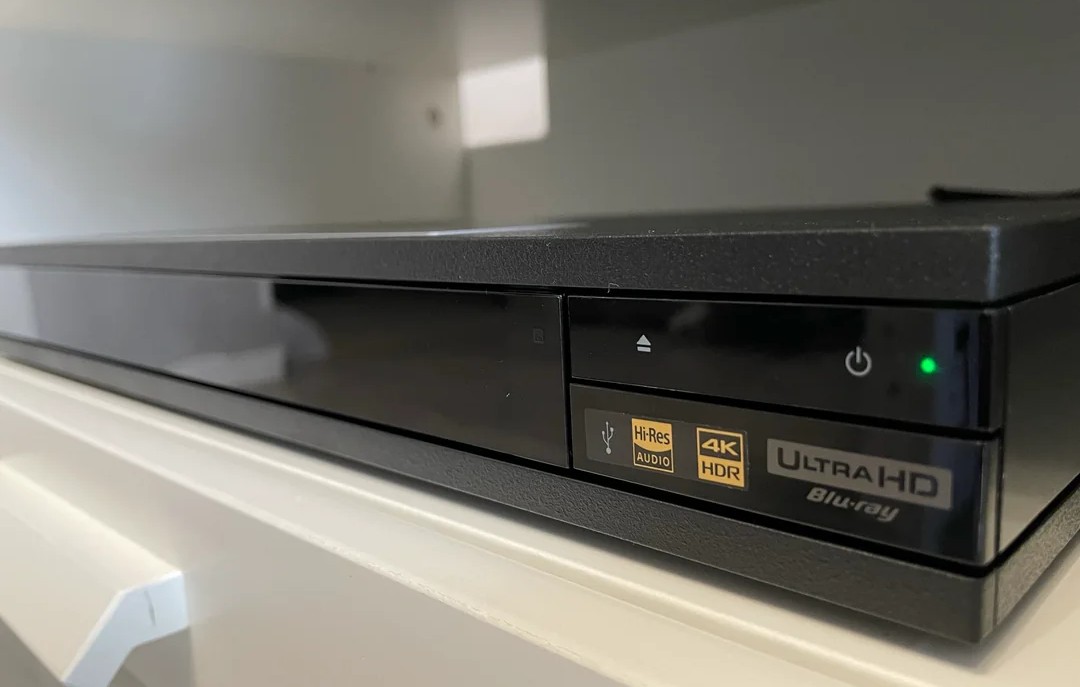
Best for: collectors combining UHD movies with high-resolution music discs. Not ideal for: viewers who expect automatic Dolby Vision or frequently skip chapters on damaged media.
Magnetar UDP800: Premium Audiophile Pick
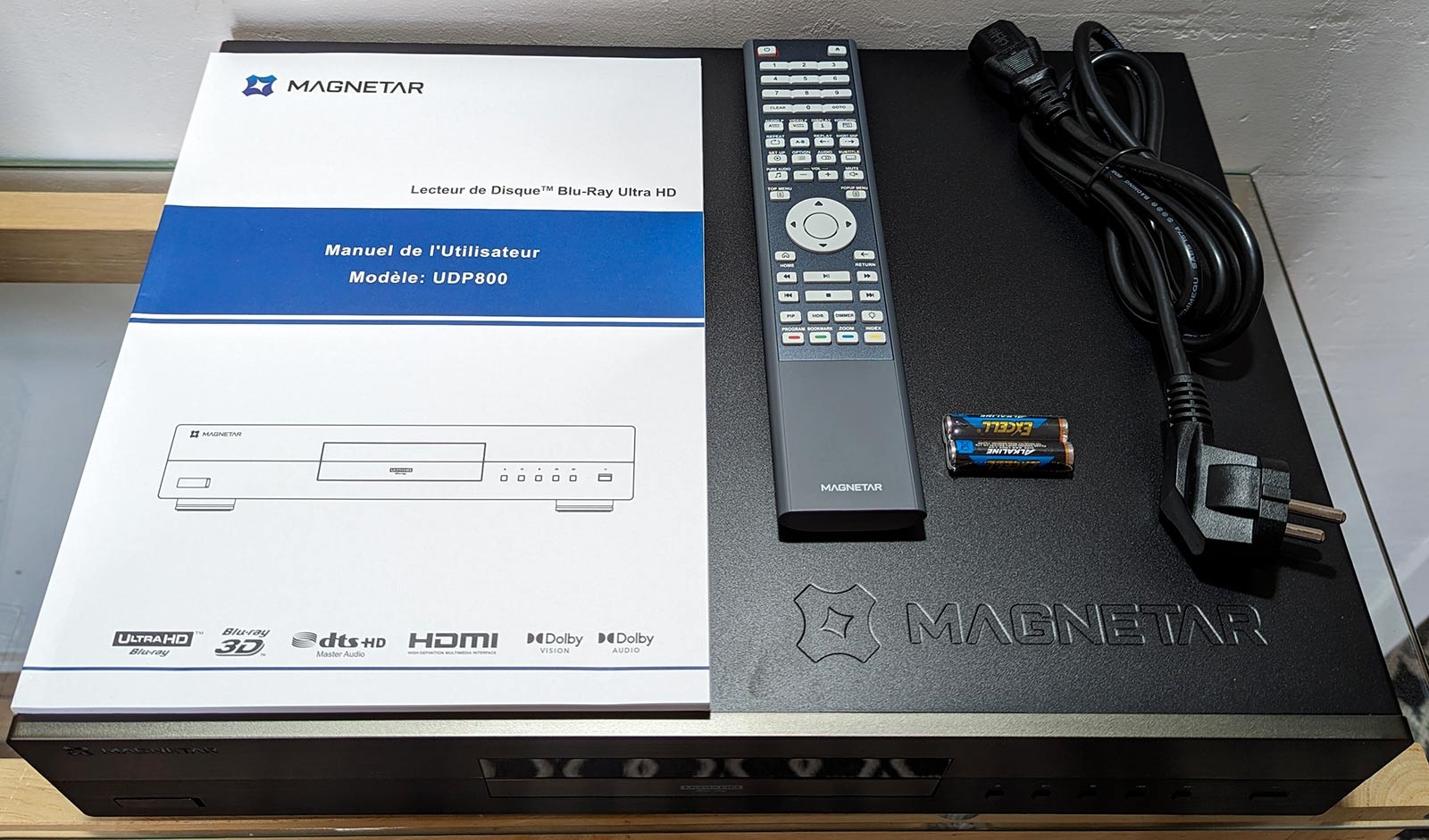
The Magnetar UDP800 is the best Ultra HD Blu-ray player here for a premium audio-first system. It combines broad disc support, balanced analog outputs, HDR10+, and Dolby Vision in a substantial chassis.
Its value depends on the rest of the system. Best for: a dedicated theater or stereo installation that can use its output stage. Not ideal for: buyers using a soundbar, a simple HDMI receiver, or streaming apps as the main source.
PlayStation 5: Best for Gamers
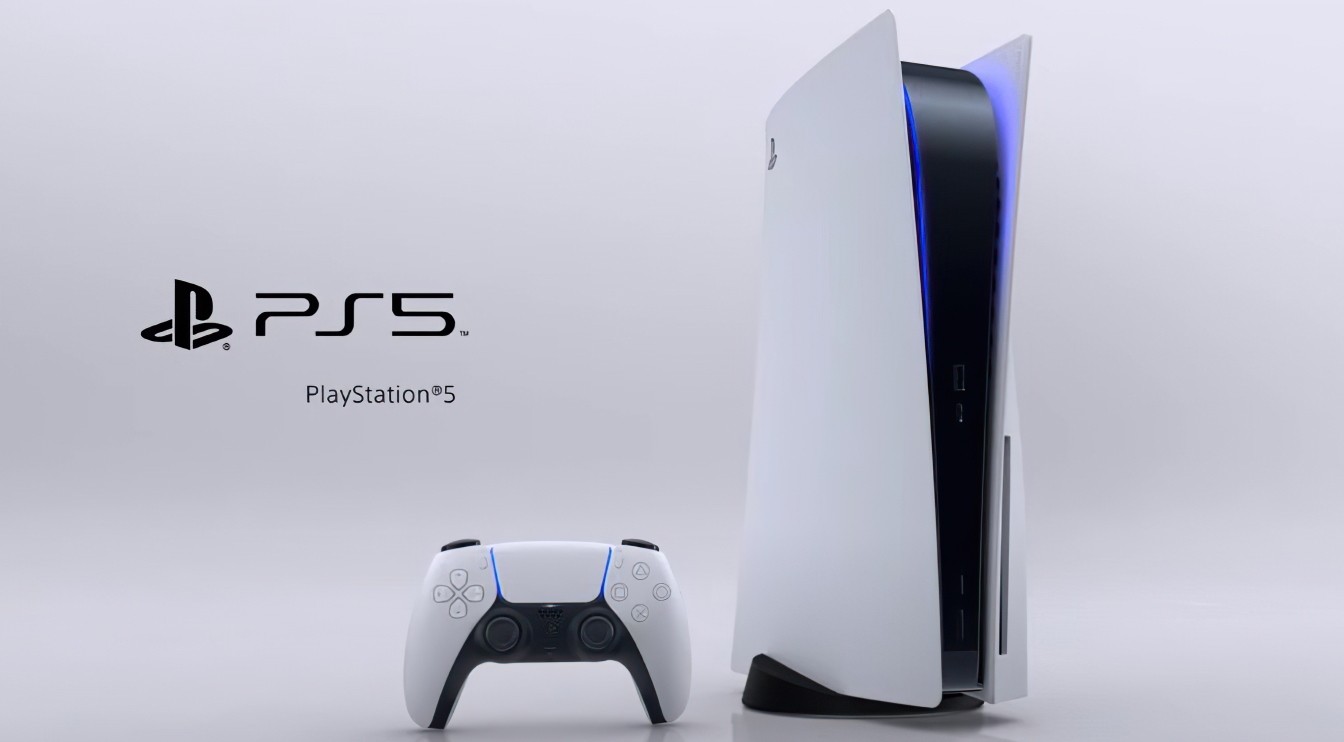
The PlayStation 5 is a capable 4K UHD Blu-ray player when gaming comes first. It loads discs quickly and delivers HDR10, but UHD movie playback does not include Dolby Vision and the controller is less convenient than a dedicated remote.
On a PlayStation 5 running current system software with Mad Max: Fury Road, chapter changes responded quickly and the film remained stable during the viewing session, while the missing Dolby Vision option was visible on the LG C2 input status. Best for: gamers avoiding a second box. Not ideal for: film-first buyers with a Dolby Vision display.
Choosing a 4K UHD Blu-ray Player
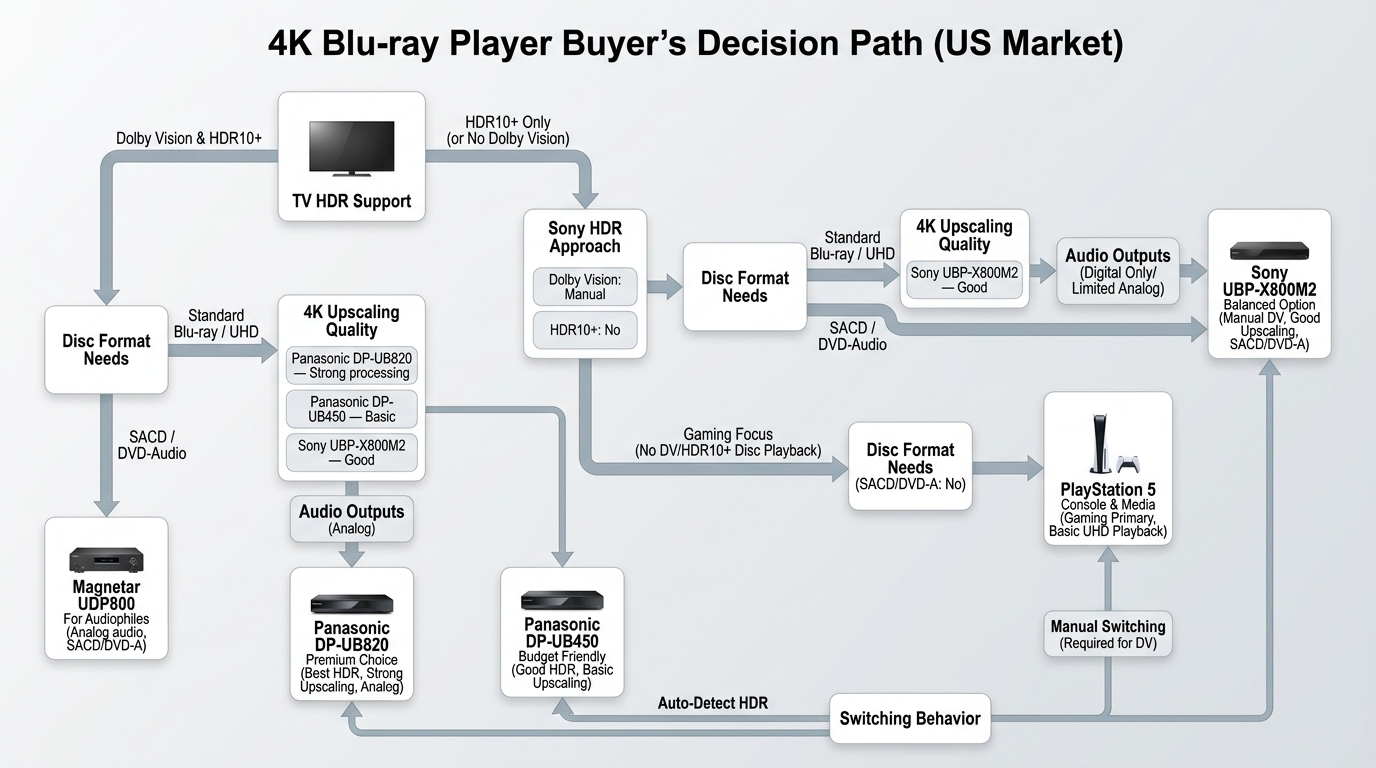
The best 4K Blu-ray players earn their place through compatible HDR, dependable disc reading, useful upscaling, and outputs that fit the system. A longer feature list does not compensate for a mismatch in those four areas.
HDR Formats
Dolby Vision and HDR10+ adjust picture information scene by scene, while HDR10 uses one curve for the title. Check what the TV actually supports, then decide whether automatic Dolby Vision switching matters; Sony's manual toggle adds friction that Panasonic and Magnetar avoid.
My preference is automatic format handling because it prevents an easy setup mistake when alternating between Dune, Blade Runner 2049, and HDR10-only discs.
4K Upscaling Capabilities
Upscaling matters most for standard Blu-rays and DVDs. Better processing preserves edges and reduces visible artifacts instead of simply stretching the picture, although a capable television can narrow the difference between players.
I judge this feature with familiar material rather than test patterns alone. Faces, film grain, and title text reveal over-sharpening quickly; if the TV already scales those elements cleanly, paying for duplicate processing has less value.
Disc Reliability, Build Quality, and Noise
Disc reliability is a purchase criterion because triple-layer transitions, rapid chapter skips, and imperfect discs can expose freezes that a specification table cannot. Heavier chassis can reduce vibration, but failures may still be specific to a title or individual unit.
When a 100GB triple-layer disc paused on an older deck, cleaning and reloading the same disc separated a media problem from a repeatable player problem. I also listen from the normal seating position: brief loading noise is different from a drive that remains distracting during quiet scenes.
Manual Dolby Vision switching belongs in this reliability discussion too. It is not a read error, but forgetting the setting can produce the wrong HDR path and look like a picture-quality fault.
How We Evaluated the Players
Our evaluation framework covers triple-layer discs, menu and chapter response, Dolby Vision and HDR10+, upscaling, drive noise, output flexibility, and the separate PC compatibility path. Each observation stays tied to its disc, display, and player combination.
For repeatable viewing checks, I use film scenes with dark gradients, bright highlights, fine grain, and active sound mixes, then compare menu response and drive behavior outside the movie. Reliability matters more than a longer feature sheet because an unused feature does not rescue a stalled disc.
4K Blu-ray Player Software for PC
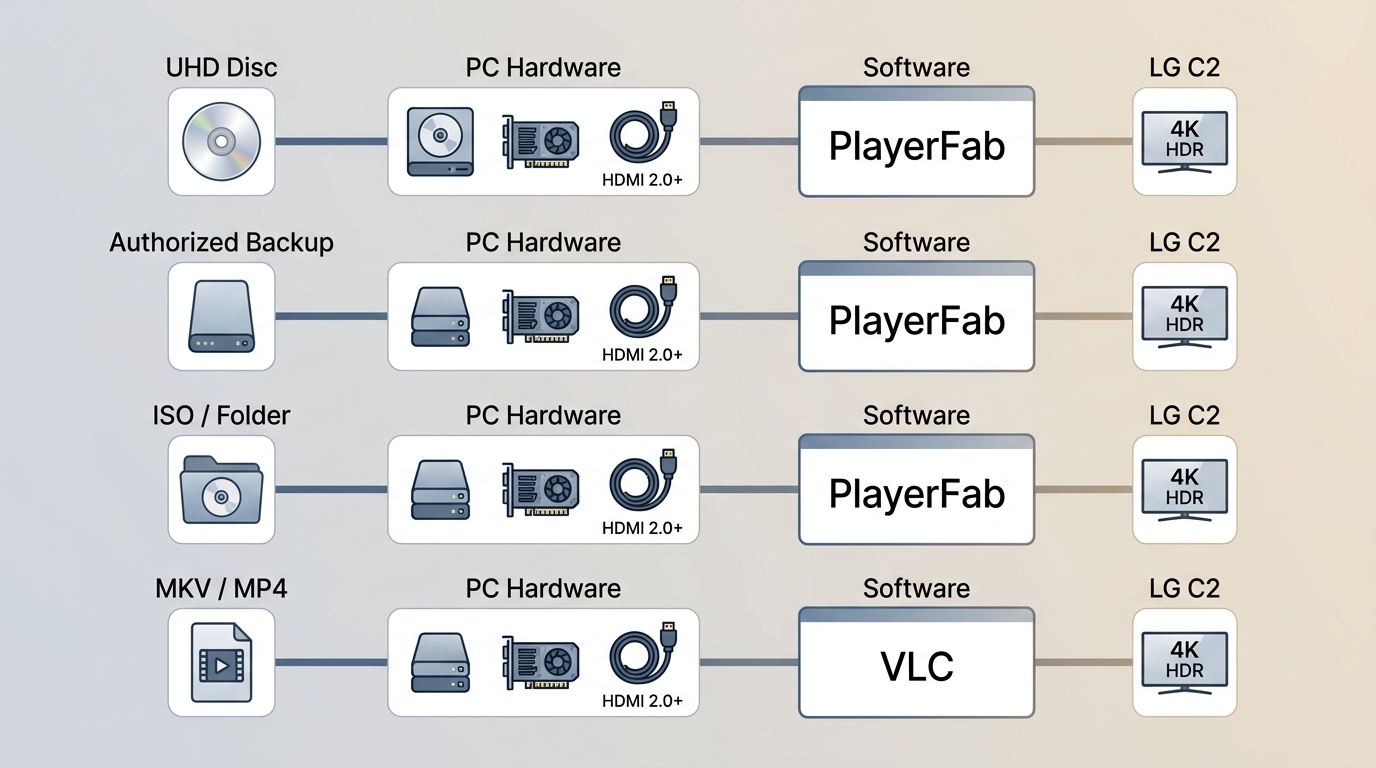
The best Blu-ray player for PC depends first on the source. Commercial UHD discs, authorized local backups, ISO or folders, and ordinary video files follow different drive, display, software, and menu paths.
| Media path | Drive or source | Display-chain considerations | Menu expectation | Compatibility note |
|---|---|---|---|---|
| Commercial UHD disc | UHD-capable optical drive and a disc you are authorized to access | Compatible graphics output, cable, and display protection support where applicable | Full menus depend on software, operating system, and title | Can vary by drive firmware, title, and software path |
| Authorized local backup | Local media created from content you lawfully own or control | GPU decoding and HDR-capable output help with demanding files | Usually direct title playback unless menu data is included | Format and metadata determine results |
| ISO or folder | Local ISO image or disc folder from an authorized source | Storage speed, graphics output, and HDR settings matter | Menu Mode may be available, with platform and title differences | Test the main title, audio, subtitles, and menu |
| Ordinary 4K video file | MKV, MP4, or another local file | A compatible decoder, GPU, and display are the main checks | No disc menu expected | Dedicated 4K video players are simpler than a commercial-disc workflow |
Identify the media path before choosing a PC 4K Blu-ray player. That one decision prevents most false comparisons between a 4K Blu-ray media player for local files and software intended to handle physical disc structures.
PC Requirements and Playback Paths
To play 4K Blu-ray on PC, check the entire chain rather than one processor model: the source, UHD-capable drive where needed, graphics output, cable, display, operating system, and chosen software. Commercial-disc and menu behavior can remain title-dependent.
On a Dell XPS 15 with an RTX 4060 connected to an LG C2 OLED, a high-bitrate Dune MKV played smoothly after hardware decoding was enabled, while that ordinary-file result did not prove commercial-disc menu support. This is why workflow-based checks are more useful than a universal minimum-hardware claim.
PlayerFab Ultra HD Player
For content you're authorized to access, where permitted by platform terms and applicable law, PlayerFab Ultra HD Player is a 4K Blu-ray player for PC and Mac workflows involving physical discs, ISO images, folders, and ordinary local media.
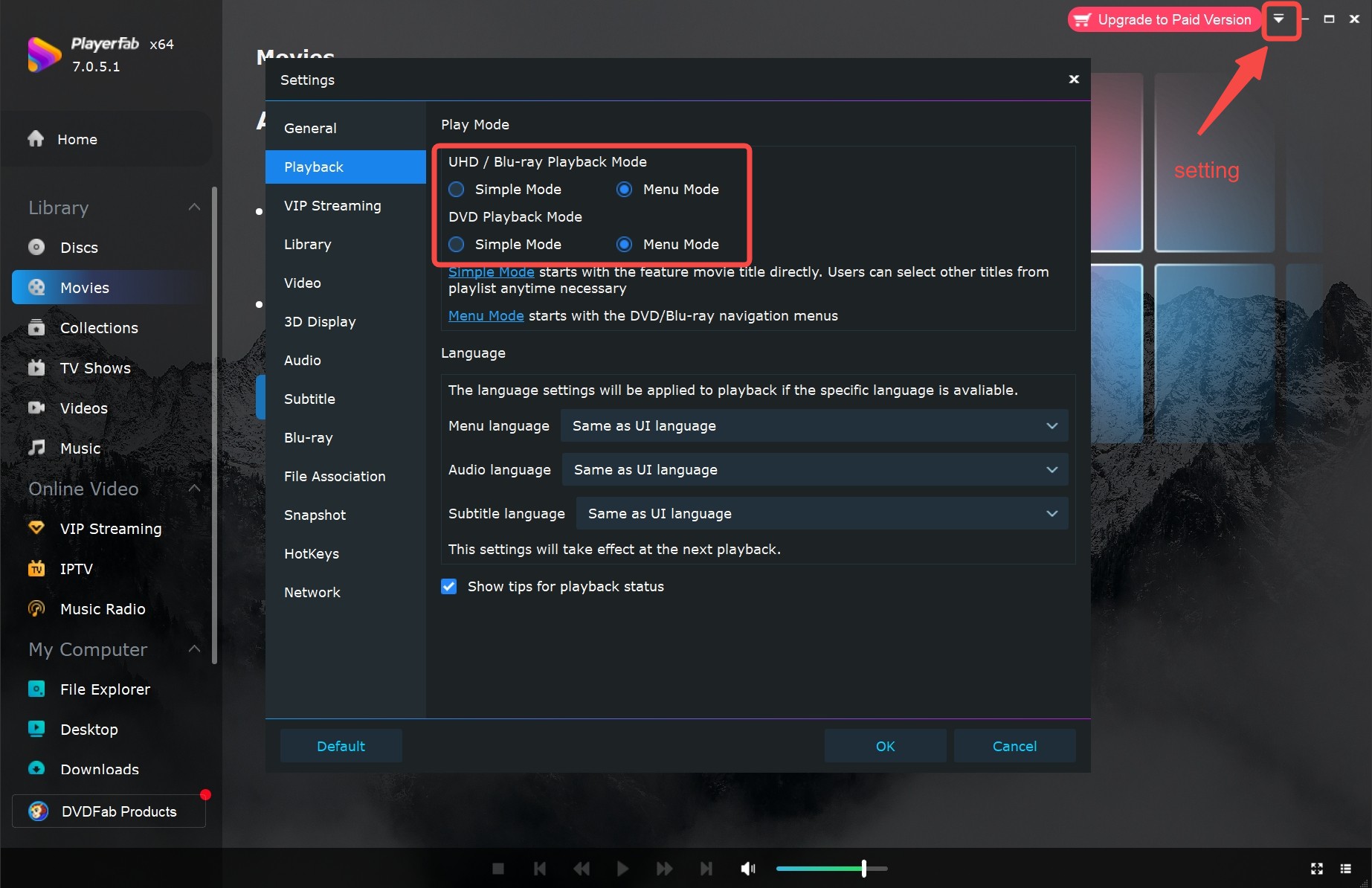
The Windows version supports full disc Menu Mode for DVD, Blu-ray, and 4K UHD sources; macOS supports Simple Mode for Blu-ray and 4K UHD while Blu-ray menu playback remains in development. Relevant viewing controls include HDR10, HDR10+, Dolby Vision handling, high-resolution audio passthrough, and PC or TV interface modes. Menu behavior can still vary by title and hardware path.
For Mac users, a Blu-ray player for Mac is most practical when Simple Mode matches the required disc and menu workflow.
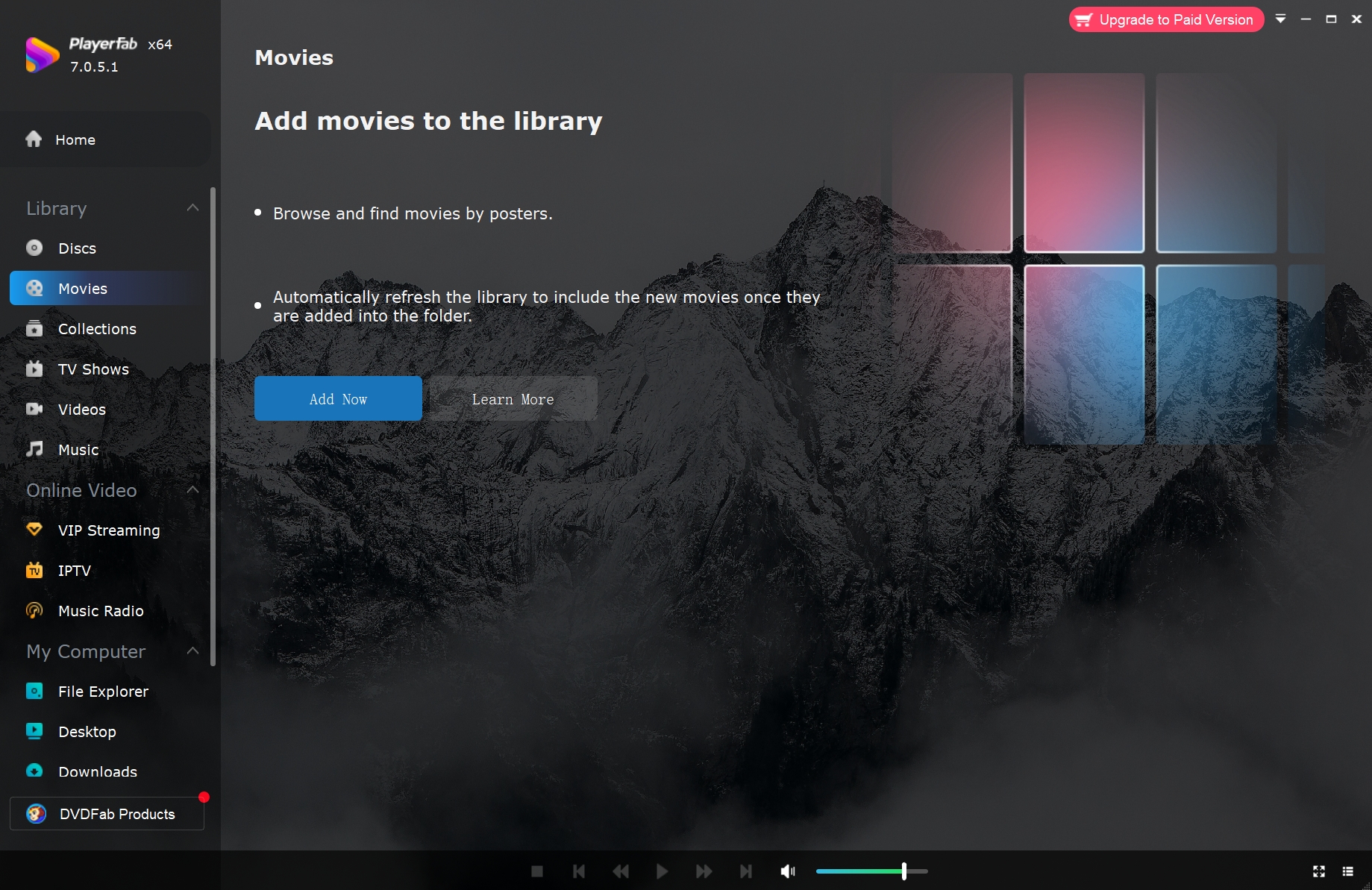
Best for: Windows users who need disc menus and local ISO or folder playback, plus Mac users who can work with Simple Mode. Not ideal for: anyone expecting identical menu support on both systems or a promise that each title will behave the same.
VLC Media Player
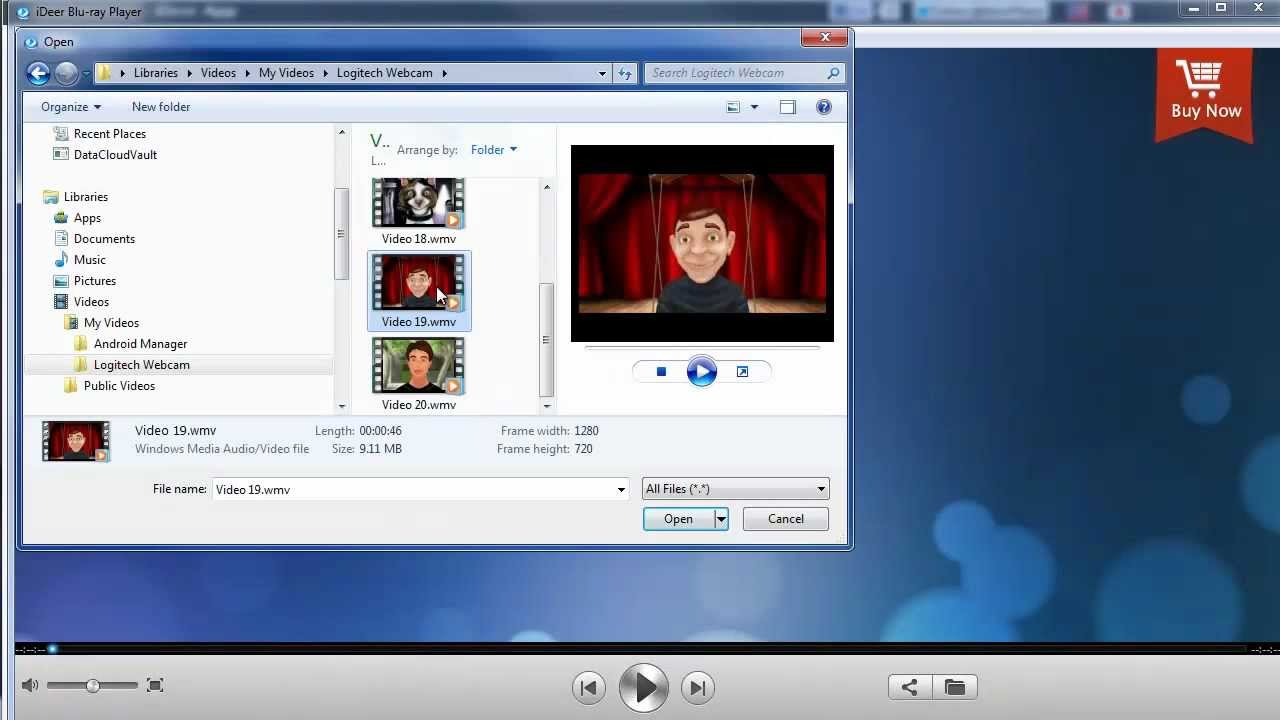
VLC is a maintained free player for ordinary 4K files and configured disc workflows, but that does not make it a guaranteed commercial UHD-disc or BD-J menu solution. Additional setup may be required, and menus can remain title-dependent.
The broader field of free Blu-ray player options for Windows is most useful when the source and menu expectations are clear. Best for: local files, network streams, and users comfortable with configuration. Not ideal for: buyers seeking consistent commercial-disc menus with minimal setup.
Discontinued Software and Current Alternatives
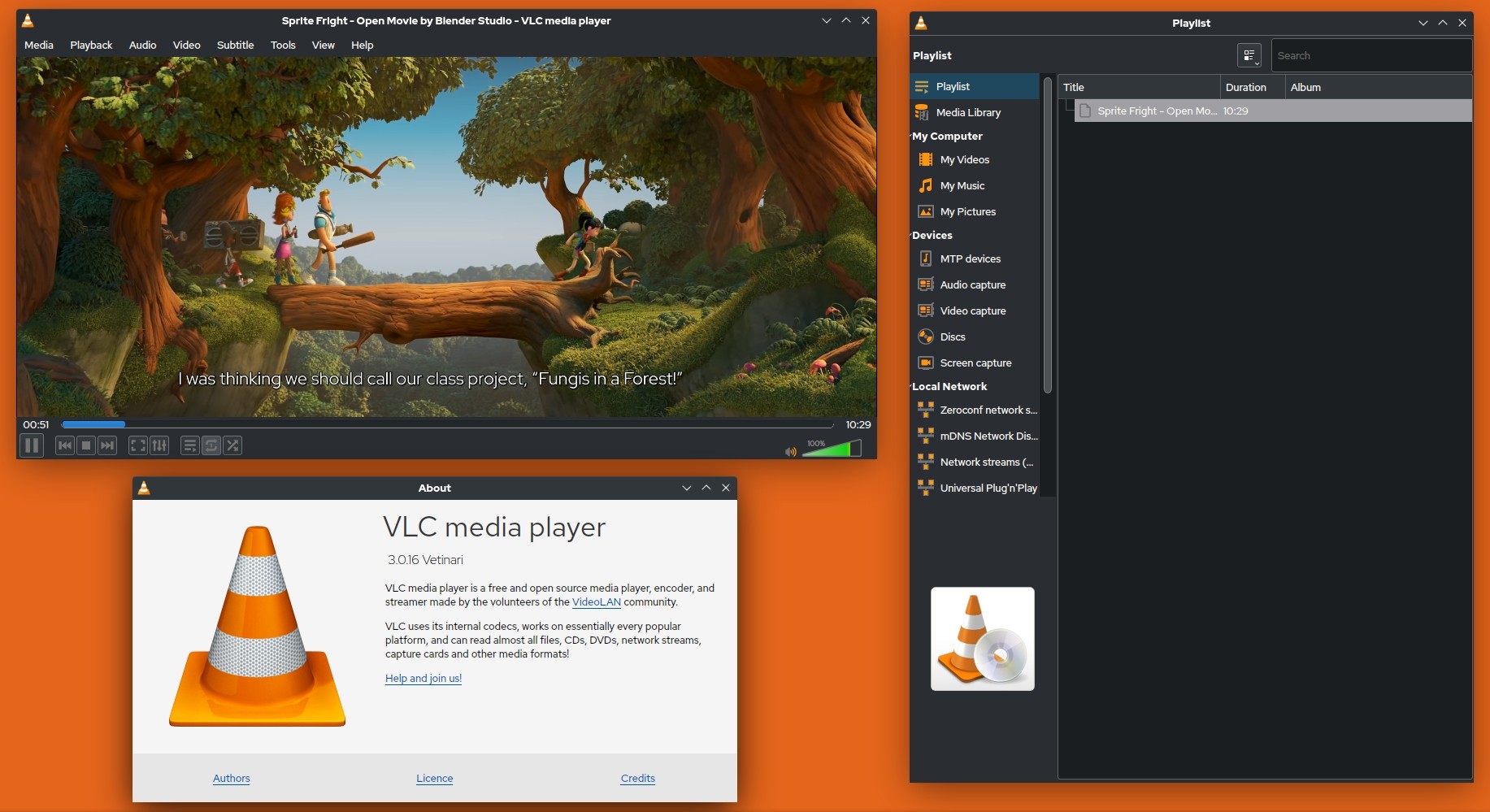
iDeer is not a current peer recommendation because its former official domain no longer presents an active product. Maintained choices already covered here provide a clearer path: VLC for ordinary files and configured use, or PlayerFab for supported disc and local-media workflows.
The archived interface image remains useful for identifying older search results, not as a reason to download unsupported software. I would avoid building a playback setup around an application without a current product presence.
PC Setup for 4K UHD Disc Playback
A reliable setup starts with compatibility checks, not a download button. Use this three-step sequence to identify the hardware chain, select the correct source path, and test playback before relying on a PC 4K Blu-ray player.
Step 1: Check Your Drive and Display
Confirm that a physical UHD disc has a UHD-capable optical drive, then check the graphics output, cable, and display connection. A 4K panel alone does not guarantee that the full commercial-disc chain is compatible.
For broader Blu-ray playback on a computer, the same chain logic applies, but UHD adds more demanding disc and HDR considerations.
Step 2: Select the Correct Playback Path
Choose the path that matches the source: commercial disc, authorized local backup, ISO or folder, or ordinary 4K file. Then select software that supports that source and the menu behavior you need.
PlayerFab users can choose PC Mode for keyboard-and-mouse control or TV Mode for a larger remote-friendly interface. The original trial links remain available for Windows Free Trial and Mac Free Trial.
Step 3: Load and Test the Disc
Load the source, then test the main video, audio track, subtitles, HDR output, chapter response, and menu behavior. Do not assume that one successful title predicts every disc or that Menu Mode behaves identically across operating systems.
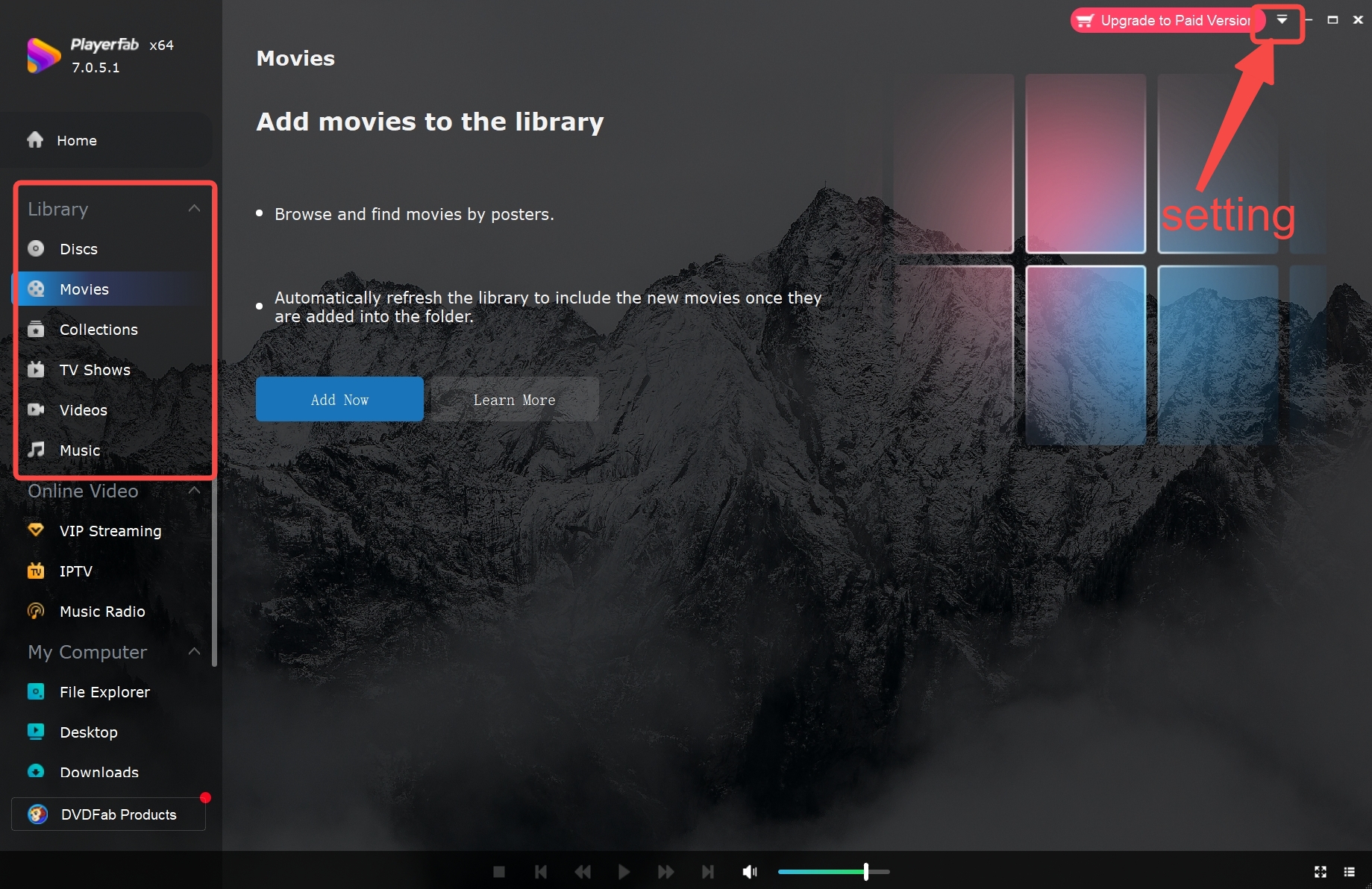
On the Dell XPS 15 with Windows 11, loading an authorized UHD ISO into PlayerFab populated the library and exposed audio and subtitle choices; in that source test, menu navigation opened as expected. A second pass in Simple Mode confirmed the main-title path without treating that single ISO as a universal result.
FAQs
Are 4K Blu-ray players being discontinued?
Some manufacturers and models have left the market, so the lineup is smaller, but active 4K UHD Blu-ray player options remain available. I view this as a reason to prioritize serviceable, established models, not evidence that the disc format has disappeared.
Is a 4K Blu-ray player worth buying in 2026?
It is worth buying when you own UHD discs and value consistent disc bitrate, lossless audio, and HDR support that matches your TV. It is less compelling for a streaming-first viewer or a buyer whose display cannot use the player's format advantages.
Can VLC play a commercial 4K UHD Blu-ray disc?
VLC excels with ordinary 4K files, but commercial UHD-disc and BD-J menu playback can require extra configuration and may remain title-dependent. I would not choose it as a guaranteed no-setup disc solution.
Why can a 4K monitor still fail UHD disc playback?
The monitor is one link in the chain. The UHD drive, graphics path, connection, display protection support where applicable, software, operating system, and disc-specific menu behavior must work together, so a 4K resolution label alone is insufficient.
Conclusion
The best 4K Blu-ray player is the model that fits the actual viewing path: Panasonic's DP-UB820 for a balanced home theater, the DP-UB450 for budget-focused Dolby Vision and HDR10+, Magnetar for premium audio priorities, and PlayStation 5 for gamers. PC software makes sense when authorized media, drive, display, and menu requirements match the stated limits. For that route, PlayerFab offers a Windows and Mac workflow for supported disc and local-media sources, with a free trial available through the links above.

 6 Best MPEG Players for Windows and Mac (2026)By Alice Harper - Aug 26, 2026
 How to Play Blu-ray Discs on Windows 10 (Free & Pro Solutions)By Alice Harper - Aug 7, 2026
 10 Best 4K Video Players for PC and Mac, Tested in 2026By Alice Harper - Aug 4, 2026
 The 5 Best Free MOV Players in 2026 (Windows, Mac and Android), plus How to FixBy Alice Harper - Aug 4, 2026