The 5 Best Free MOV Players in 2026 (Windows, Mac and Android), plus How to Fix

Summary: I've encountered countless MOV files that refuse to sync audio or display video correctly on standard Windows players due to missing Apple-proprietary codecs. The MOV container's complexity often causes metadata errors or playback stuttering in basic media apps. In my evaluation of various tools, PlayerFab proved most consistent, utilizing a robust internal decoding engine that handles these high-bitrate headers natively, ensuring smooth 4K playback.
Table of Contents
Here’s the short answer: Windows 11 opens most MOV files, but 4K and 10-bit HEVC iPhone clips may stutter, play audio over a black screen, or prompt a paid codec purchase. A capable free MOV player handles those clips on Windows without that extra step. This guide compares five free players and covers what to do when a file still won’t open.

What a MOV File Is and Why Some Won't Play
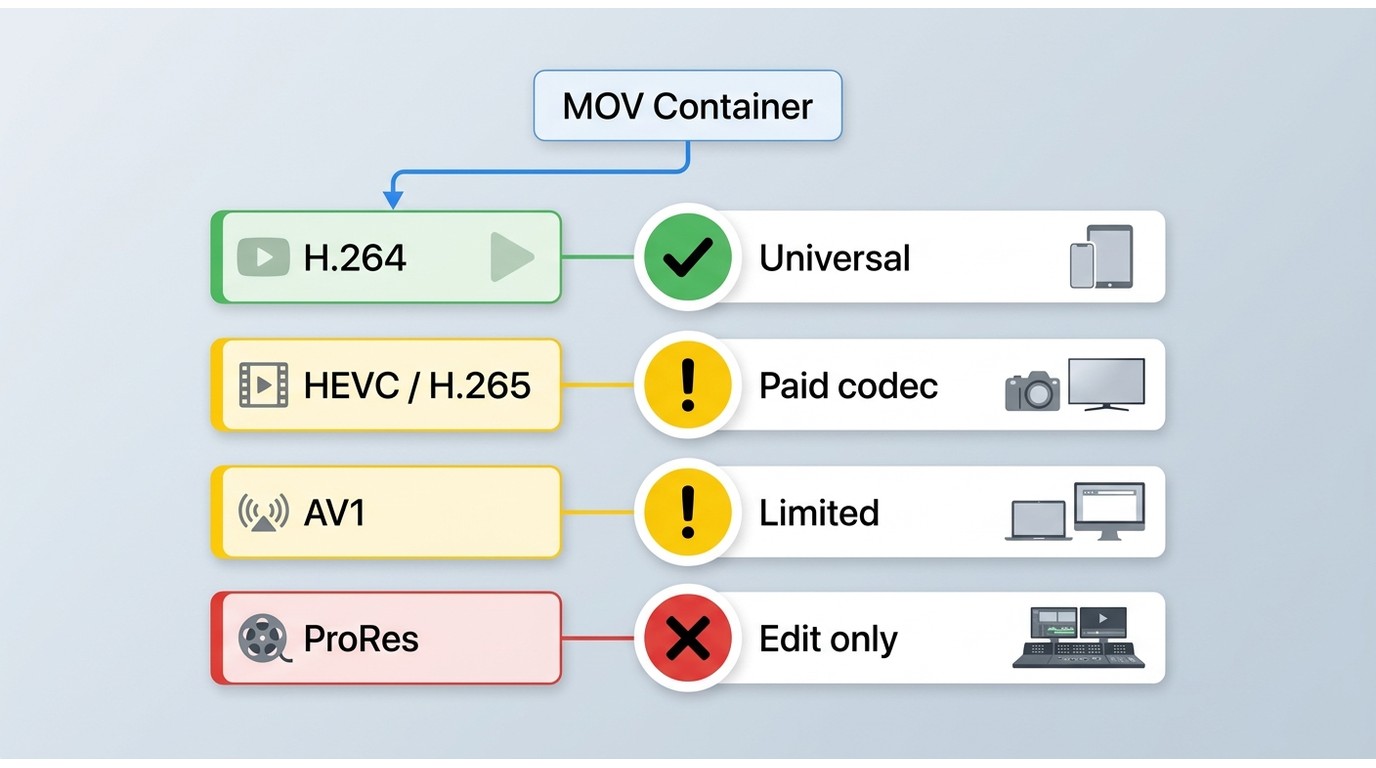
The codecs inside a .mov: H.264, HEVC, AV1 and ProRes
MOV is a container format, meaning it can hold video encoded with H.264, HEVC/H.265, AV1, or ProRes, along with audio, subtitles, and metadata. H.264 is widely supported, while HEVC/H.265 playback is more demanding because it compresses high-resolution video more efficiently. AV1 is another efficient codec, and ProRes is common in editing workflows because it prioritizes quality and easier editing over small file sizes.
Why 4K and 10-bit HEVC clips stutter or go black on Windows
Windows 11 plays many MOV files out of the box. The usual problem is 10-bit HEVC or 4K HDR iPhone footage, which can stutter or produce audio with a black screen in basic apps. As of July 2026, the Microsoft Store HEVC extension is typically sold separately for a small fee, while a player with its own HEVC decoder can avoid that purchase. QuickTime Player for Windows was discontinued in 2016 and should not be installed. In practice, the codec inside the MOV file, not the .mov extension itself, is what most often causes the failure.
Open a MOV file in three quick steps
- Have your MOV file ready and confirm your OS version, then download a MOV player that includes native HEVC decoding.
- Set it as the default app for .mov files, or drag the clip into the player window.
- Start playback. For a fuller Windows-specific walkthrough, see playing MOV files on Windows.
The Best Free MOV Players
1. PlayerFab Free Video Player (Windows/Mac)
- Best for: Windows and Mac users who want native HEVC and 4K MOV playback without paying for a Windows codec
PlayerFab Free Video Player decodes 10-bit HEVC and AV1 MOV files natively and supports 4K HDR10 playback without the paid Microsoft Store HEVC extension. It has no bundled adware. For the HEVC-paywall problem, this is the desktop option I would consider first because its built-in decoder addresses the issue directly rather than changing Windows system codecs.
Pros:
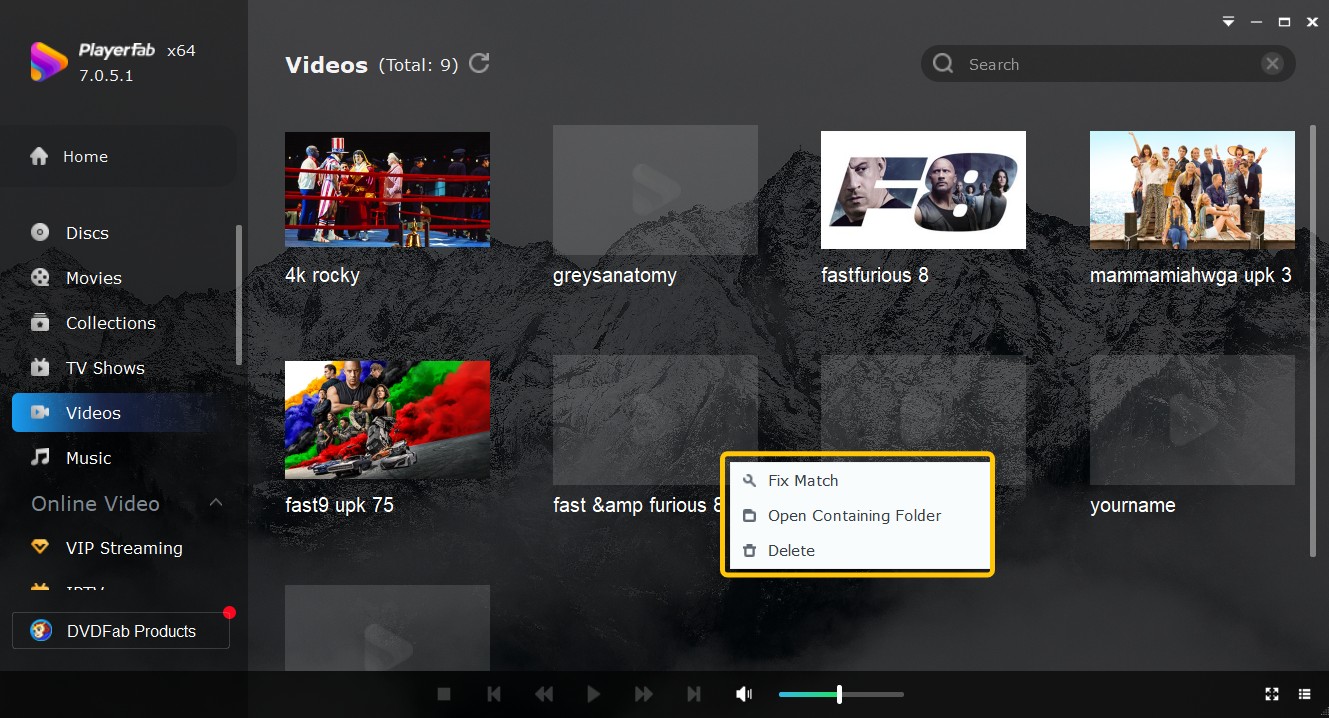
- Supports hardware-accelerated H.265/HEVC playback, which offloads decoding to the GPU
- Automatically organizes local video metadata, turning a messy folder into a professional library
Cons:
- Not ideal if you need UHD or Blu-ray extras, which are available in the Pro version
2. MX Player (Android)
- Best for: Android users needing reliable mobile MOV playback
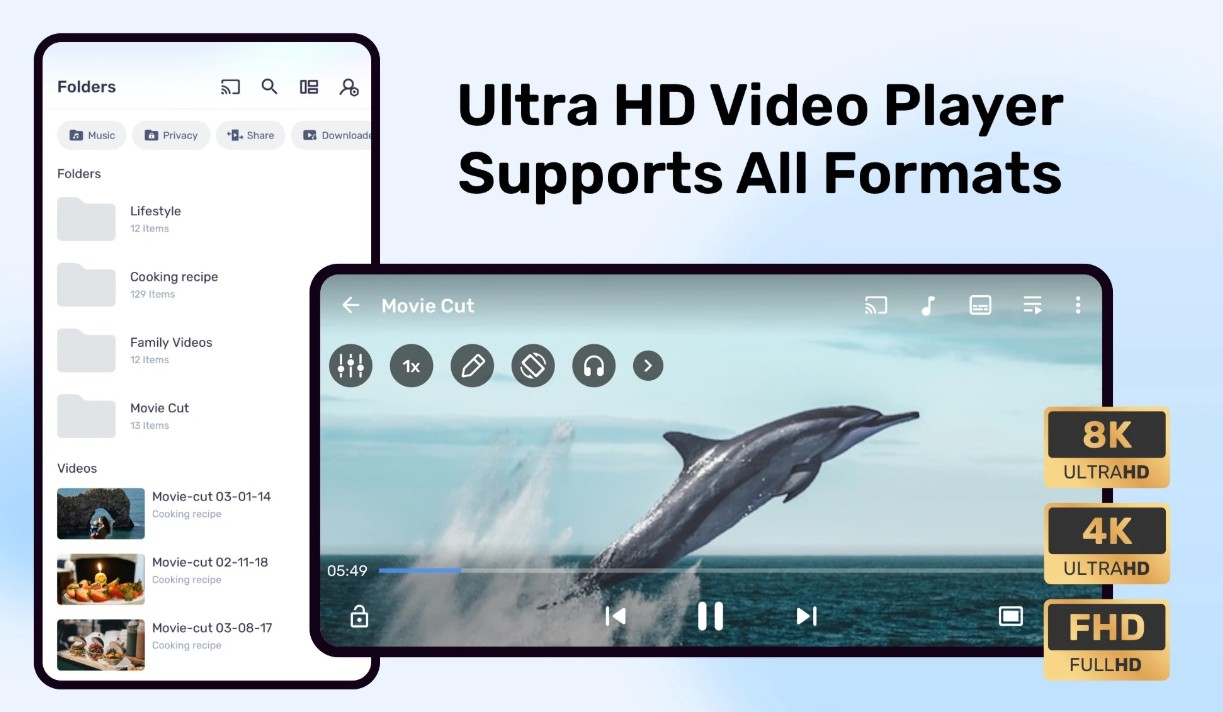
MX Player is a practical Android option for MOV playback, particularly when hardware decoding is available on the device. Its gesture controls adjust volume and brightness with simple swipes, and it supports several subtitle formats. The free version includes ads, so it is best for Android viewing rather than an ad-free desktop-style library.
Pros:
- Hardware acceleration saves battery, intuitive gesture controls
Cons:
- Free version includes ads that occasionally interrupt viewing
- Its gesture controls for volume and brightness are the most intuitive
3. IINA (Mac)
- Best for: Mac users wanting native performance
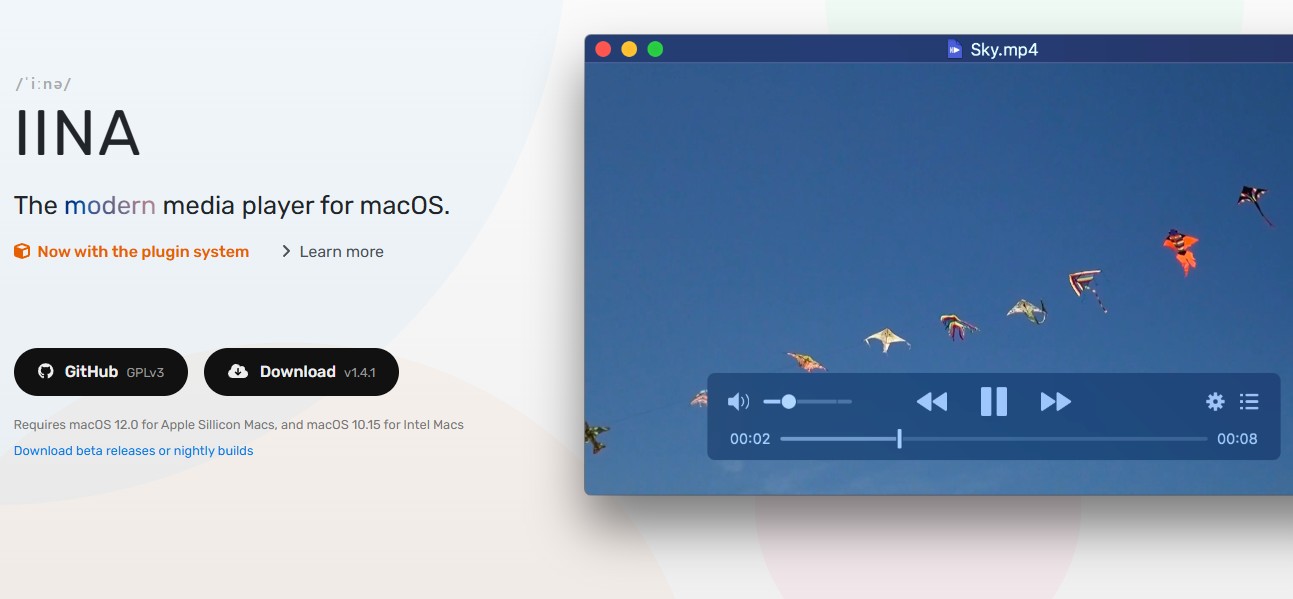
If you're on a Mac, IINA is a broader-format alternative to QuickTime Player on macOS for workflows that need wider codec support. This native macOS player treats MOV files like first-class citizens, leveraging Apple's hardware encoding for smooth scrubbing and playback. The interface feels right at home on your Mac, with Touch Bar support for quick controls and Picture-in-Picture for multitasking. Unlike VLC's generic cross-platform approach, IINA integrates deeply with macOS features while supporting every modern codec including AV1 and HEVC.
Pros:
- Native macOS design with Touch Bar integration
- Built on MPV, it handles complex subtitle formats and MOV metadata better than the built-in QuickTime Player on macOS
Cons:
- No Windows or Linux versions available
- Advanced configuration requires tweaking underlying MPV scripts
4. VLC Media Player (Cross-Platform)
- Best for: Fixing corrupted or problematic MOV files
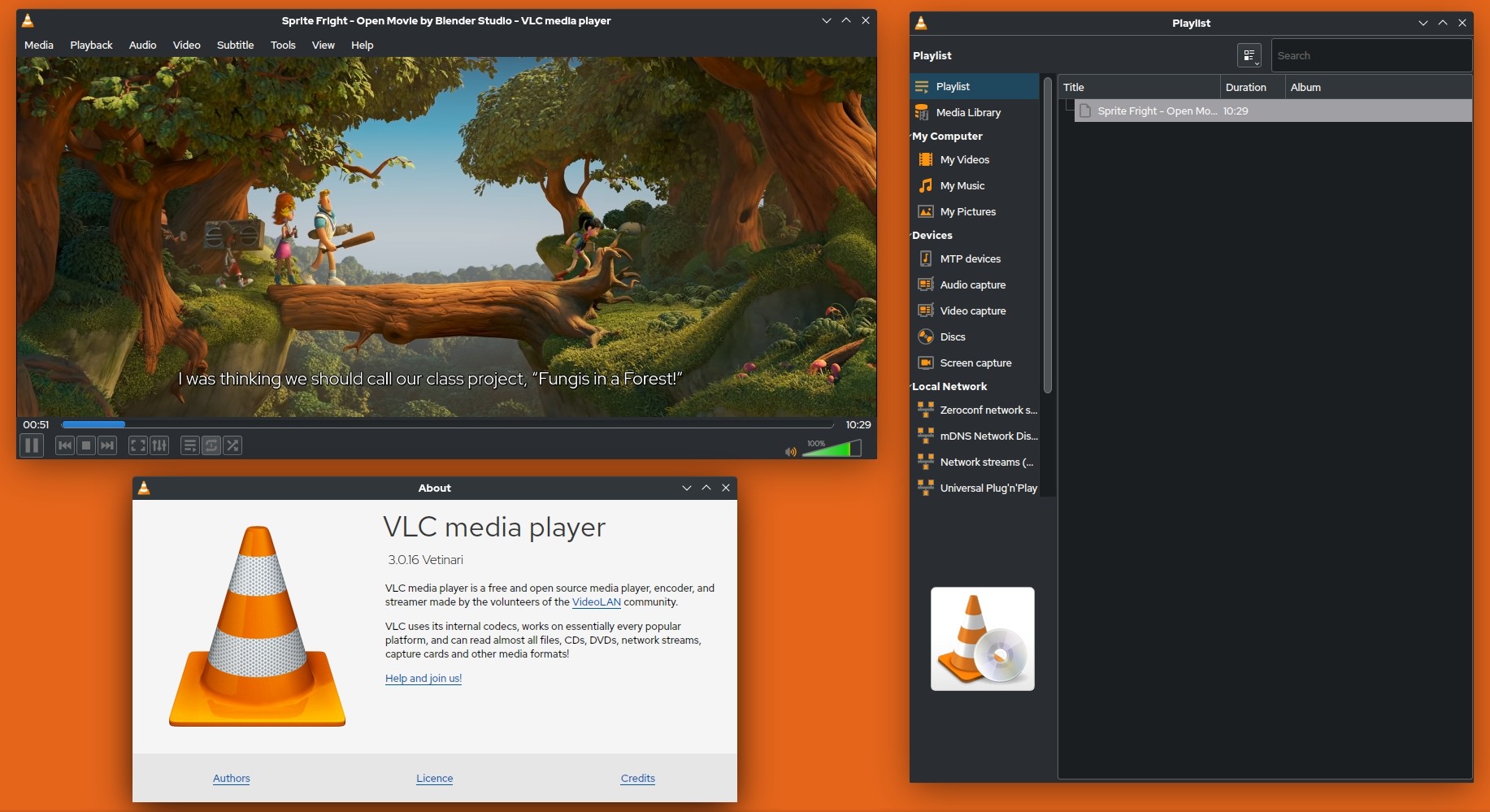
VLC is a useful troubleshooting option for problematic MOV files. When a MOV export is corrupted or half-downloaded, its error handling can play files that other players reject. Its interface is dated, but the playback engine is available across Windows, Mac, Linux, Android, and iOS. Keep it as a fallback rather than expecting it to resolve a file that is genuinely damaged.
Pros:
- Extensive library of built-in codecs, completely free and open-source
- A reliable choice for quick playback on multiple different platforms
Cons:
- The user interface feels outdated and lacks the modern aesthetic
- I have experienced occasional audio desync issues when playing high-resolution files
5. PotPlayer (Windows)
- Best for: Advanced users wanting detailed customization
For Windows users who want granular control over MOV playback, PotPlayer offers extensive settings for hardware decoding, subtitle rendering, and multiple audio tracks. PotPlayer handles MOV files with frame-accurate seeking and supports 3D video plus 360-degree VR content. It also supports other formats, including AVI files. Its dense settings menus make it a better fit for users willing to spend time configuring playback.

Pros:
- It utilizes minimal system resources
- Extensive customization options, supports 3D and VR video
Cons:
- The configuration menus are dense and can be overwhelming for casual users
Which MOV Player Is Right for You

For most Windows and Mac users with HEVC iPhone clips, PlayerFab Free Video Player is the most direct first choice because it avoids the separate Windows codec purchase. It is not the right fit if you specifically need Pro-only UHD or Blu-ray features.
For Android viewing: MX Player is a sensible choice for mobile MOV playback, though its free version includes ads.
For Mac users: IINA suits people who want a native macOS interface and broad format support. It is not available for Windows or Linux.
For troubleshooting: Keep VLC as a backup for a problematic or incomplete MOV file, but convert or repair the clip if it still will not open.
For power users: PotPlayer offers detailed playback controls, but its dense menus can be excessive for casual viewing.
MOV Player Comparison at a Glance
| Feature | PlayerFab | MX Player | IINA | VLC | PotPlayer |
|---|---|---|---|---|---|
| Price | Free | Free (ads) | Free | Free | Free |
| Platform | Windows/Mac | Android | macOS | All platforms | Windows |
| GPU Acceleration | Yes | Yes | Yes | Yes | Yes |
| Native HEVC / 10-bit | Yes | Yes, hardware dependent | Yes, hardware dependent | Yes, hardware dependent | Yes, hardware dependent |
| Needs paid codec? | No | No | No | No | No |
| 4K/HDR Support | Yes (HDR10) | Yes, hardware dependent | Yes | Yes | Yes |
| MOV Native Support | Excellent | Good | Excellent | Good | Good |
| AV1 Codec | Yes | Yes | Yes | Yes | Yes |
| Interface Quality | Modern | Modern | Native Mac | Dated | Customizable |
| Ad-Free | Yes | No (free version) | Yes | Yes | Yes |
| Best For | Windows/Mac users | Mobile viewing | Mac ecosystem | Troubleshooting | Power users |
When a MOV File Still Won't Play: Fixes and Fallbacks
Convert a stubborn MOV to MP4
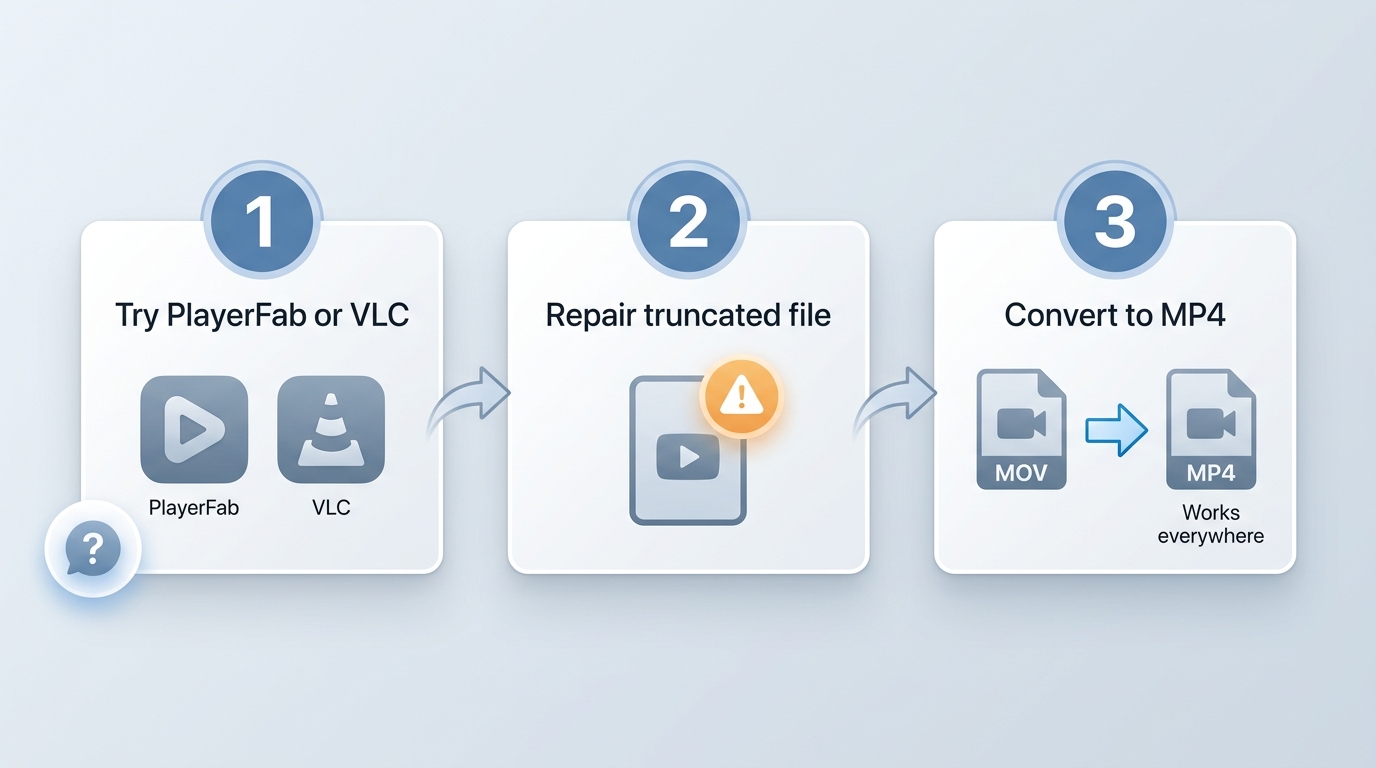
If VLC and another MOV player both fail, the clip may be corrupted, truncated, or encoded with an uncommon codec. Converting it to MP4 is often the practical escape hatch because MP4 with H.264 video has broad device support. If the file was interrupted during transfer or recording, repair the original first when possible, since conversion cannot restore video data that is missing.
Open a MOV in your browser, no install needed
If you only need to view one clip quickly, an online video player can open a MOV file in a browser without installing desktop software. I would use browser playback for a quick check and conversion for a file that needs to work reliably across devices.
Frequently Asked Questions
Can these players handle 4K HEVC footage from an iPhone without a black screen?
Often, yes. The black-screen or audio-only problem usually comes from 10-bit HEVC with HDR, not the MOV extension. A GPU-accelerated player with built-in HEVC decoding, such as PlayerFab Free Video Player or IINA, is the practical option; VLC may be less smooth on older hardware.
Are free MOV players safe to download?
They can be, provided you download them from an official developer site or a trusted app store. Some free apps include ads or bundled extras, so avoid unofficial download portals. PlayerFab Free Video Player has no bundled adware, while VLC and IINA are established alternatives.
If Windows 11 already opens MOV files, do I still need a dedicated player?
Not for every file. Windows 11 handles many MOV clips; see the explainer above for when a dedicated player helps and when the built-in app is enough.
Can I play a MOV file on my iPhone or Android phone?
iPhone plays MOV files natively because MOV is an Apple format. On Android, support depends on the phone and the codec inside the file, so MX Player is a practical alternative when the stock player stutters or will not open the clip.
The Bottom Line
A MOV player is most useful in the specific scenarios covered above rather than with MOV files generally. PlayerFab Free Video Player is a straightforward free desktop choice for native HEVC playback, IINA fits Mac-focused users, MX Player covers Android, VLC is a sensible fallback for troublesome files, and PotPlayer suits people who want detailed Windows controls. If no player can open the clip, repair or convert it to MP4 instead of continuing to install codecs.

 6 Best MPEG Players for Windows and Mac (2026)By Alice Harper - Aug 26, 2026
 How to Play Blu-ray Discs on Windows 10 (Free & Pro Solutions)By Alice Harper - Aug 7, 2026
 10 Best 4K Video Players for PC and Mac, Tested in 2026By Alice Harper - Aug 4, 2026
![Best 10 Region-Free Blu-ray Players in 2026 [Software & Hardware]](https://r5.dvdfab.cn/upload/player/en/region-free-blu-ray-player-gB3y.jpg) Best 10 Region-Free Blu-ray Players in 2026 [Software & Hardware]By Alice Harper - Aug 3, 2026
Best 10 Region-Free Blu-ray Players in 2026 [Software & Hardware]By Alice Harper - Aug 3, 2026