What is BD Live? How It Works on PS5 & PC? [2026 Updated]

Summary: BD-Live is a special feature that lets your Blu-ray discs connect to the internet to get "extra" content like new trailers, games, or bonus videos that weren't originally on the disc. This article explains everything you need to know about BD Live, including what BD Live means on Blu-ray players and PS5 , how it works, and what content it offers.
Imagine this: You insert a Blu-ray disc into your player, and instead of just the movie, you see an option to download a new trailer for a sequel that was released years after the disc was printed. Or, you participate in a global live chat with other fans while watching the same film.
This feature is called BD-Live. While it once represented the "future" of home cinema, its role in 2026 has changed significantly. In this guide, we will explain what BD-Live is, why some BD-Live discs struggle to play today, and how you can still access these features on modern hardware like the PS5 or a PC.
What Is BD-Live?
Officially introduced by the Blu-ray Disc Association (BDA) in 2008, BD-Live is a standardized feature for Blu-ray Discs that allows players to connect to the internet to access external, disc-related content. Technically known as Blu-ray Profile 2.0, it was designed to overcome the "static" nature of physical media by linking the disc to a movie studio's online server. While a standard Blu-ray disc contains all its movies and trailers physically on the pits of the disc, a BD-Live enabled disc acts as a key. When inserted into a compatible player, it fetches "live" data—such as updated trailers, subtitle tracks, or interactive games—that didn't exist when the disc was originally manufactured.
To understand BD-Live, it is helpful to distinguish it from earlier Blu-ray standards:
- Profile 1.0: The basic standard for initial Blu-ray players, offering only movie playback and simple menus.
- Profile 1.1 (BonusView): Added "Picture-in-Picture" (PiP) capabilities, allowing users to watch director commentaries in a small window while the movie plays. This data is stored locally on the disc.
- Profile 2.0 (BD-Live): This is the current "full" standard. It incorporates all features of BonusView but adds mandatory internet connectivity and local storage management.
What Does BD-Live Offer?
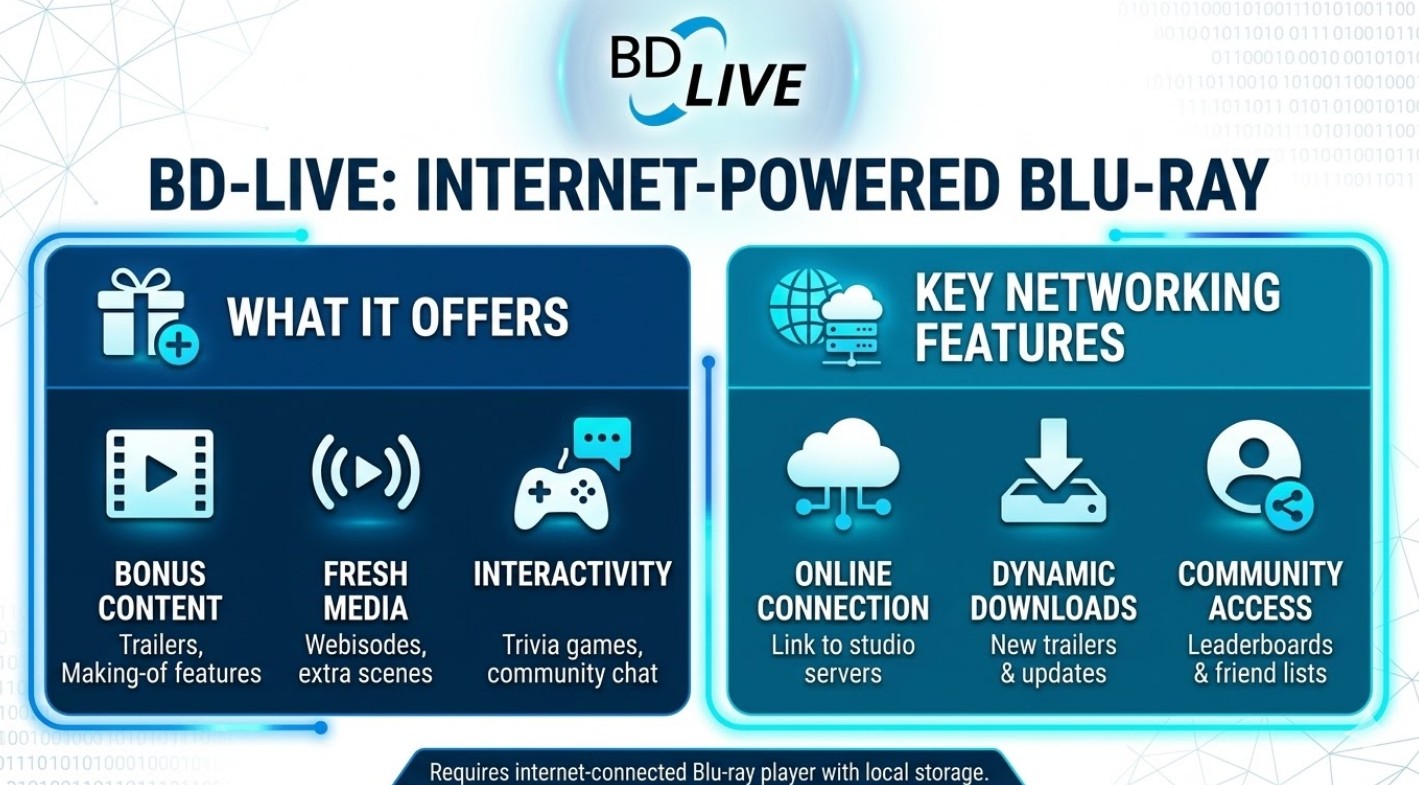
The primary purpose of BD-Live was to bridge the gap between physical media and the internet, providing a layer of content that could be updated long after a disc was pressed. For a reader, understanding these features helps explain why a disc might attempt to connect to the internet in the first place.
- Dynamic Content Updates: Players can bypass older trailers stored on the disc to stream the latest high-definition trailers and studio news directly from the internet.
- Downloadable Extras: Access to "bonus" files that were either too large for the disc or created after its release, such as additional language subtitles, deleted scenes, and digital art booklets.
- Social & Interactive Tools: Features that allow for synchronized "community screenings" with live chat, as well as movie-themed trivia and polls with global leaderboards.
- Web-Based Applications: Leveraging the BD-J (Blu-ray Java) platform to launch internet-enabled apps, including mini-games, interactive movie maps, or direct links to purchase movie merchandise.
All these features are server-dependent. If the movie studio no longer maintains the specific online portal for a title, these options will typically result in a connection error or an infinite loading screen.
What Does BD-Live Mean on PS5?
The Sony PlayStation 3 played a pivotal role in the adoption of this technology. In March 2008, a significant firmware update (version 2.20) made it the first major hardware device to support BD-Live. Continuing this legacy, on the PS5, BD-Live refers to the console’s built-in support for Blu-ray Profile 2.0. This allows the PS5 to act as an internet-connected hub for any Blu-ray disc with "Live" features.
When enabled, it provides three key capabilities:
- Online Connectivity: The PS5 can fetch dynamic content, such as updated trailers or live studio updates, directly from a movie studio’s remote server.
- Built-in Storage: Unlike older standalone players that require an external USB drive to provide the mandatory 1GB of local storage, the PS5 uses its internal SSD to handle this cache storage automatically.
- Smooth Navigation: The console’s high-performance hardware easily runs the complex BD-J (Java) scripts required for interactive menus, overlays, and mini-games found on modern Blu-ray discs.
How to Access BD-Live?
To access BD-Live in 2026, you must meet three essential prerequisites:
- A Profile 2.0 Compatible Player: This includes most modern standalone Blu-ray players, the PlayStation 3, PS4, PS5, and specialized PC software.
- Internet Access: The player must be connected via Ethernet or Wi-Fi to "handshake" with the studio's servers.
- External Storage (Persistent Storage): BD-Live requires at least 1GB of available storage to cache downloaded files. Because many early hardware players lacked internal memory, users often have to plug a USB flash drive into the back of the device for the feature to even initialize.
Below are the specific methods for using BD-Live on standalone hardware, the PS5, or a PC:
Use Blu-ray Player or PS5 for BD Live Playback
Most mainstream Blu-ray players, including those from Sony, Panasonic, and LG, as well as the PS5, support BD-Live features. While the specific menu layouts may differ slightly between brands, the general playback process remains consistent across most hardware devices.
To experience BD-Live on your player, follow these universal steps:
Step 1: Confirm Hardware and Storage Support.
Ensure you are using a player with an integrated or attached disc drive. Crucially, the BD-Live specification requires at least 1GB of local storage to cache downloaded data.
- Standalone Players: Many older models lack internal memory. You must plug a USB flash drive or SD card (at least 1GB, formatted to FAT32) into the player's "Ext" or USB port before the features can initialize.
- Consoles (PS5/Xbox): These devices use their internal high-speed SSDs to manage this storage automatically, so no external USB drive is required.
Step 2: Connect to the Network and Enable Access.
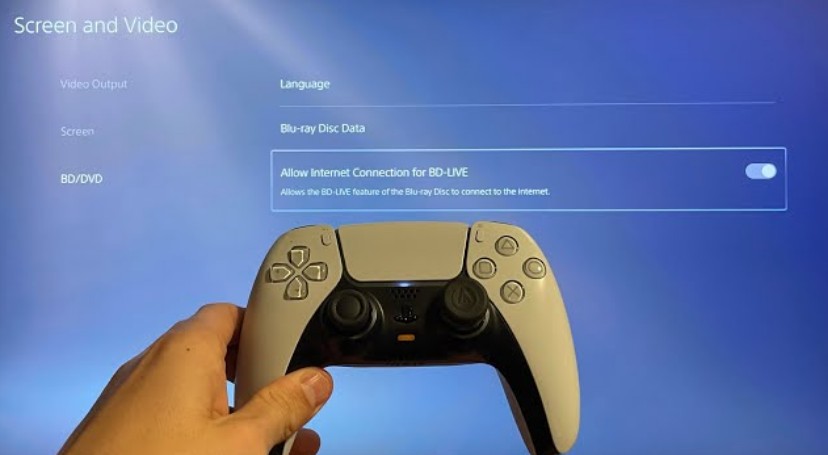
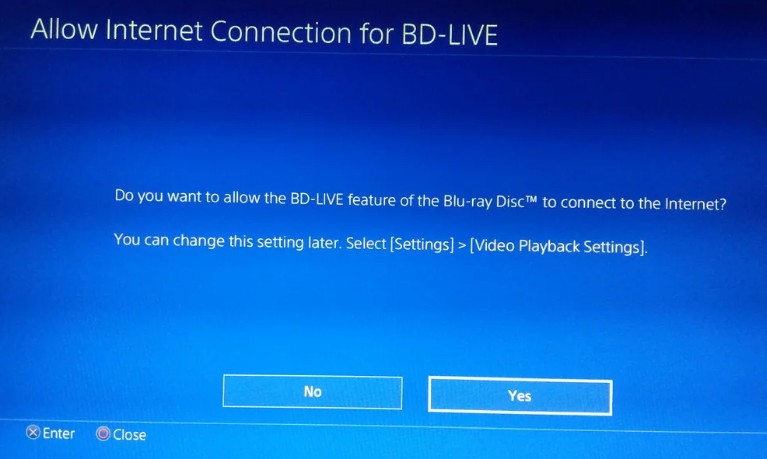
Link your device to a stable internet connection via a wired LAN cable or Wi-Fi. Once connected, you must manually grant the player permission to access the internet for disc content. Navigate to your device’s Settings (e.g., Settings > Screen and Video > Blu-ray on PS5, or Setup > Network Settings on standalone players) and ensure the option labeled "Allow Internet Connection for BD-LIVE" is toggled on.
Step 3: Insert the Disc and Access the Menu.
Insert a Blu-ray disc that carries the BD-Live logo. Once the system recognizes the disc, select the Disc Player icon to begin playback. After the disc’s main menu loads, look for a dedicated entry point such as "BD-Live," "Online," "Special Features," or a studio-specific portal (e.g., "WB Live") to access the interactive content.
Use PlayerFab Ultra HD Player for PC BD Live Playback
For those who prefer watching movies on a PC, PlayerFab Ultra HD Player provides a reliable way to access BD-Live content without the need for a standalone hardware player. The software is designed to handle various formats, including 4K UHD with HDR10, while maintaining high-resolution audio quality. It serves as a practical, software-based alternative to dedicated home theater systems, featuring a straightforward interface that makes it easy to navigate interactive menus and online disc features directly from your computer.
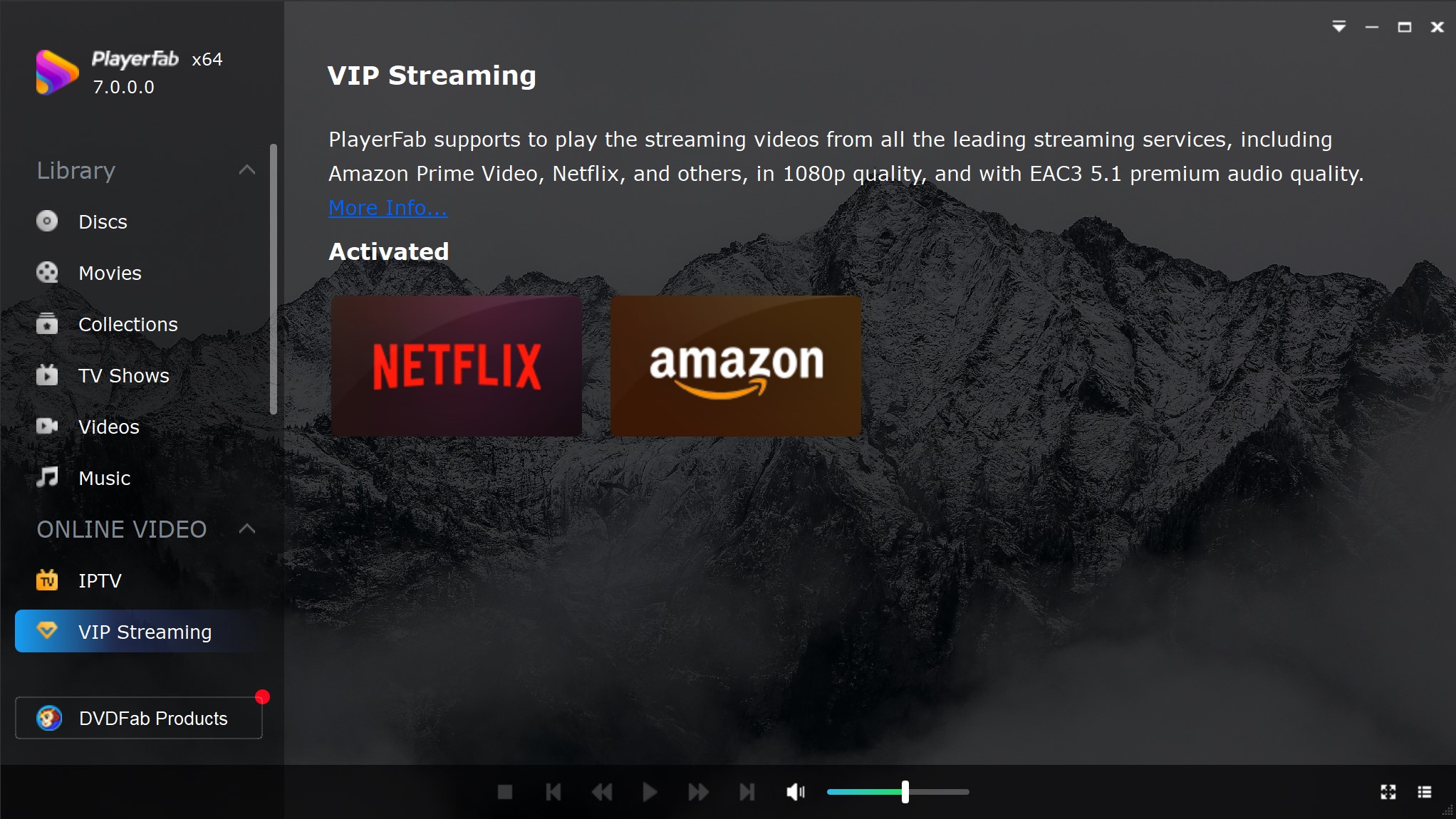
- Navigate through full menus to access all BD-Live features easily.
- Break through region codes to play any Blu-ray disc worldwide.
- Deliver stunning 4K visuals with native HDR10 and Dolby Vision support.
- Crank up the audio with lossless Dolby Atmos and DTS:X sound.
- Back up physical discs directly into your local library as ISOs.
- Speed up 4K playback using GPU-boosted hardware decoding for smoothness.
Using PlayerFab Ultra HD Player to access BD Live content is easy:
Step 1: Download & Install PlayerFab Ultra HD Player
Visit the official website to download the software. Choose your operating system (Windows/macOS) and install the setup file.
Step 2: Launch the Application
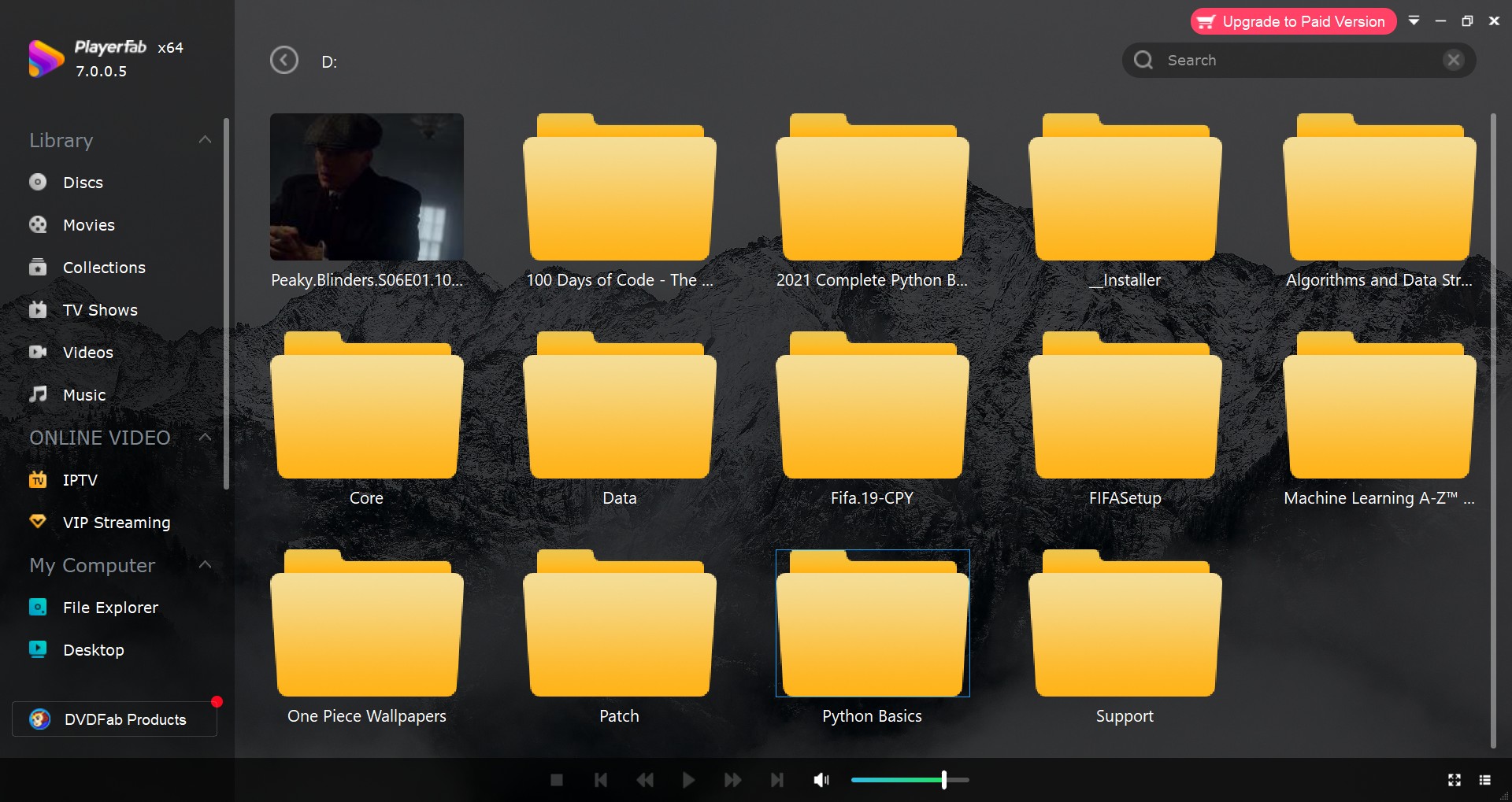
After installation, open the PlayerFab Ultra HD Player . The interface will display your system’s file storage and external drives.
Step 3: Insert & Play a BD Live Blu-ray Disc
- Insert a BD Live-supported Blu-ray disc into your computer’s optical drive.
- Select the disc from the file directory in PlayerFab .
- Ensure your internet connection is active , so BD Live content can be accessed.
- Enjoy exclusive movie extras and interactive features seamlessly.
Is BD Live Discontinued?
The short answer is: it depends entirely on the movie studio. Since BD-Live content is hosted on external servers rather than the disc itself, the feature only functions if the studio continues to maintain that server infrastructure. By 2026, the majority of major studios, including Disney, Universal, and Warner Bros, have deactivated their legacy BD-Live portals to reduce maintenance costs.
However, the actual usability varies on a case-by-case basis. For example, Warner Bros. heavily integrated "WB Live" into the final few Harry Potter films. Today, because those specific servers have been shut down, many of these Blu-ray discs may experience loading errors or fail to play back correctly on certain hardware. In contrast, the 2008 release of Iron Man still supports BD-Live and can be played normally, as its legacy server remains active against the odds.
Therefore, if you still have BD-Live discs in your collection, it is worth testing them. Whether you are using a standalone player, a PS5, or software like PlayerFab Ultra HD Player, you might find that some interactive features are still functional. For collectors, it can be a rewarding way to revisit legacy content.
FAQ about BD Live
Do all Blu-ray players support BD-Live?
No. BD-Live requires hardware that meets the Profile 2.0 specification. Early Blu-ray players (Profile 1.0 or 1.1/BonusView) do not have the necessary internet connectivity or local storage capabilities. Most players manufactured after 2009, including the PS3, PS4, and PS5, support the feature.
Why do some discs take a long time to load with BD-Live enabled?
If a studio’s server is offline or your internet connection is unstable, the player may get stuck in a "handshake" loop, attempting to connect before playing the movie. If you encounter long loading screens or black screens, disabling "BD-Live Internet Connection" in your settings will usually solve the problem.
Conclusion
BD-Live is an important part of the Blu-ray ecosystem. Even though most movie studios now prefer digital streaming extras, this feature still provides a unique way to interact with older physical discs. To get the best results, it is helpful to understand your hardware's storage requirements and how your software handles inactive server links. Whether you use a PS5 or the navigation features of PlayerFab Ultra HD Player, managing these settings will help you watch your Blu-ray collection without the frustration of loading errors or connection issues.

 6 Best MPEG Players for Windows and Mac (2026)By Alice Harper - Aug 26, 2026
 How to Play Blu-ray Discs on Windows 10 (Free & Pro Solutions)By Alice Harper - Aug 7, 2026
 10 Best 4K Video Players for PC and Mac, Tested in 2026By Alice Harper - Aug 4, 2026
 The 5 Best Free MOV Players in 2026 (Windows, Mac and Android), plus How to FixBy Alice Harper - Aug 4, 2026