Elmedia Player Review 2026: Is Pro Worth $19.99?

Summary: Elmedia is a convenient Mac player for mixed local video libraries, with capable subtitle and playback controls. This review explains official download safety, the $19.99 Free-versus-Pro decision, demanding-file limits, and when VLC, IINA, or a disc-focused alternative may fit better.
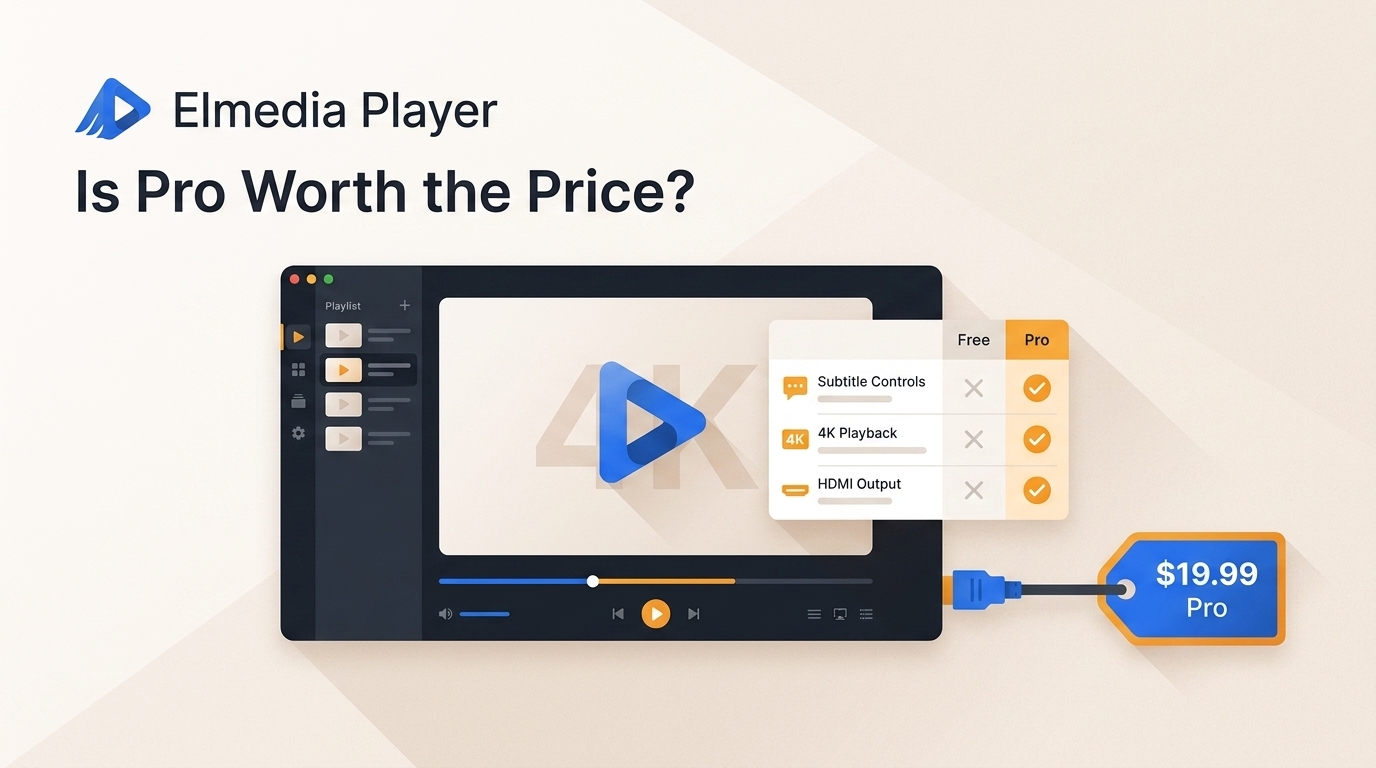
Table of Contents
If format errors, subtitle drift, or unreliable casting sent you searching for an Elmedia Player Mac review, the practical answer is that Elmedia is a convenient file-first player, while the Free-versus-Pro decision depends mainly on casting and playback controls.
I tested the Elmedia Video Player with common formats, subtitles, and 4K playback on a MacBook Air M2. This review separates those observations from current pricing, official download guidance, demanding-file limits, and the situations where VLC, IINA, or a disc-focused player makes more sense.

What Elmedia Player Does on Mac
Elmedia Video Player opens many local formats and codecs that QuickTime Player may not handle natively, making it useful for a mixed Mac video library without adding separate codec packs or converting each file first.
QuickTime Player remains actively supported and is a strong choice for recording, trimming, editing, export, and Apple-centered workflows. Elmedia fills a different role: it focuses on file compatibility for formats such as MKV, AVI, FLV, WMV, MP4, and MOV.
My editorial take is simple: Elmedia's value is convenience for a varied local library, not evidence that QuickTime is obsolete. If most of your files already work in QuickTime, changing players may add little.
Setup, Safety, and Official Downloads
For Elmedia Player safety, install from the official developer site or the Mac App Store, then use Finder to set file associations. No software download warrants a blanket safety guarantee, so the source matters.
The developer reported that a compromised installer was distributed briefly in 2017 and that the incident was resolved. That history is a reason to avoid mirrors and download portals, not a reason to treat current official installers as the same file.
- Install from an official source. Use the official Elmedia Video Player website or the Mac App Store.
- Set the default app. In Finder, right-click an MKV, FLV, AVI, or other target file, choose Get Info, select Elmedia under Open with, and choose Change All.
- Review macOS permissions. Approve only the access needed for files or network features you intend to use. Some users report repeated Privacy and Security prompts after making Elmedia the default, but that behavior is not universal.

Elmedia Free vs Pro
Elmedia Free covers basic local playback, while Pro is easier to justify for regular casting and specific paid controls. The US Mac App Store lists Pro version 8.24 as a $19.99 one-time in-app purchase as of July 2026.
| Decision point | Elmedia Free | Elmedia Pro |
|---|---|---|
| US price | Free download | $19.99 one-time in-app purchase |
| Local file playback | Plays supported local formats | Includes local playback |
| Subtitle controls | Basic subtitle support | More control over subtitle appearance and synchronization |
| Playback tools | Core playback functions | A-B loop, audio equalizer, video adjustments, and image-series capture |
| Casting | Not the reason to choose Free | AirPlay, Chromecast, and DLNA support |
| Better fit | Basic local viewing | Frequent casting or regular use of the paid controls |
Direct casting can be more useful than mirroring when you want the receiving device to handle playback, but network conditions, receiver support, and macOS or tvOS updates can affect connectivity. I would start with Free unless one of the paid functions solves a routine need.
Key Features Tested in Elmedia Player
I ran Elmedia Video Player on a MacBook Air M2 through common local-playback scenarios. The most useful result for a typical Mac user was straightforward access to mixed formats, while the clearest limits appeared with demanding capture, HDR, and home-theater workflows.
| Test area | Setup or sample | Resolution and bitrate | Subtitle type | Observed result | Resource observation |
|---|---|---|---|---|---|
| MP4 playback | MacBook Air M2; macOS version not documented | 4K; bitrate not documented | None | Smooth playback in the recorded test | No CPU spike was observed |
| H.265 MKV playback | MacBook Air M2; sample name not documented | 4K; bitrate not documented | External subtitle track | Smooth playback in the recorded test | Higher battery impact than a native app was observed |
| AVI and WMV playback | MacBook Air M2; legacy local files | Not documented | None | Opened without conversion | No separate resource figure was recorded |
| Subtitle handling | External SRT and ASS tracks | Matched to local video | SRT and ASS | Search, loading, and manual synchronization controls worked | No separate resource figure was recorded |
| Frame capture | 1080p and dense 4K files | 1080p and 4K; bitrate not documented | Not applicable | Dense 4K capture was slower than 1080p capture | The cause was not established |
The matrix distinguishes the observed Elmedia Player review results from product capabilities and from details that were not recorded. For most readers, format opening and subtitle behavior matter more than Edge-case capture speed.
Playback Formats and 4K Test Results
In my tests, Elmedia handled standard MP4s, H.265 encoded MKVs, and older AVI/WMV files. The MP4 and H.265 MKV samples delivered smooth 4K playback on the MacBook Air M2, while AVI and WMV opened without conversion.
When pushing the player with high-bitrate 4K content, playback remained smooth and didn't spike my CPU usage, thanks to its hardware acceleration. That result belongs to the named test setup and should not be treated as a promise for every file.
A recognized extension does not guarantee playback when a TiVo file is protected or when its encoding path is unsupported. Demanding 8K or HDR results also vary by codec, frame rate, display path, and Mac hardware, so an advertised format label is not a universal performance result.
From a viewing perspective, this distinction matters most in high-motion scenes: container support gets the file open, but the codec, frame rate, display chain, and hardware determine whether motion and HDR presentation remain stable.
Subtitle and Audio Sync Controls
Subtitle support is one of Elmedia's more practical strengths for foreign films, anime, and local files with imperfect timing. It supports external SRT and ASS tracks, built-in OpenSubtitles search, and manual timing adjustments.
In the recorded MacBook Air M2 test, matching external subtitle tracks loaded and the manual synchronization controls allowed timing corrections. Audio delay controls serve the same purpose when the soundtrack and picture arrive slightly out of step.
I value these controls because subtitle rendering and timing can affect a film more than a long feature list. The limitation is that a matching subtitle result still depends on the title and release version you are watching.
Video Tuning and Playlists
Elmedia provides brightness, contrast, saturation, noise reduction, an audio equalizer, A-B looping, and playlist management. These tools are useful when a local file needs a small adjustment rather than a full editing workflow.
The highly responsive 10-band audio equalizer, A-B loop functionality, and real-time video tuning work great without dropping the frame rate. The playlist manager also supports continuous playback for a queue of local files.
My preference is to use tuning sparingly. If a movie looks consistently washed out or too dark across players, the display path or source file may be the better place to investigate.
Screen Capture Performance Limits
Frame capture works, but dense 4K files can take longer to process than 1080p video. That slowdown matters to users extracting many stills, while it has little effect on ordinary playback.
In my test, taking screenshots of dense 4K files was slower than capturing frames from 1080p files. The cause was not established, so it would be misleading to attribute the delay to memory allocation or another internal component.
For occasional stills, I would not make this the deciding factor. For image-series work or frequent high-resolution capture, test the exact files you use before paying for Pro.
Elmedia Player Pros, Cons, and Alternatives
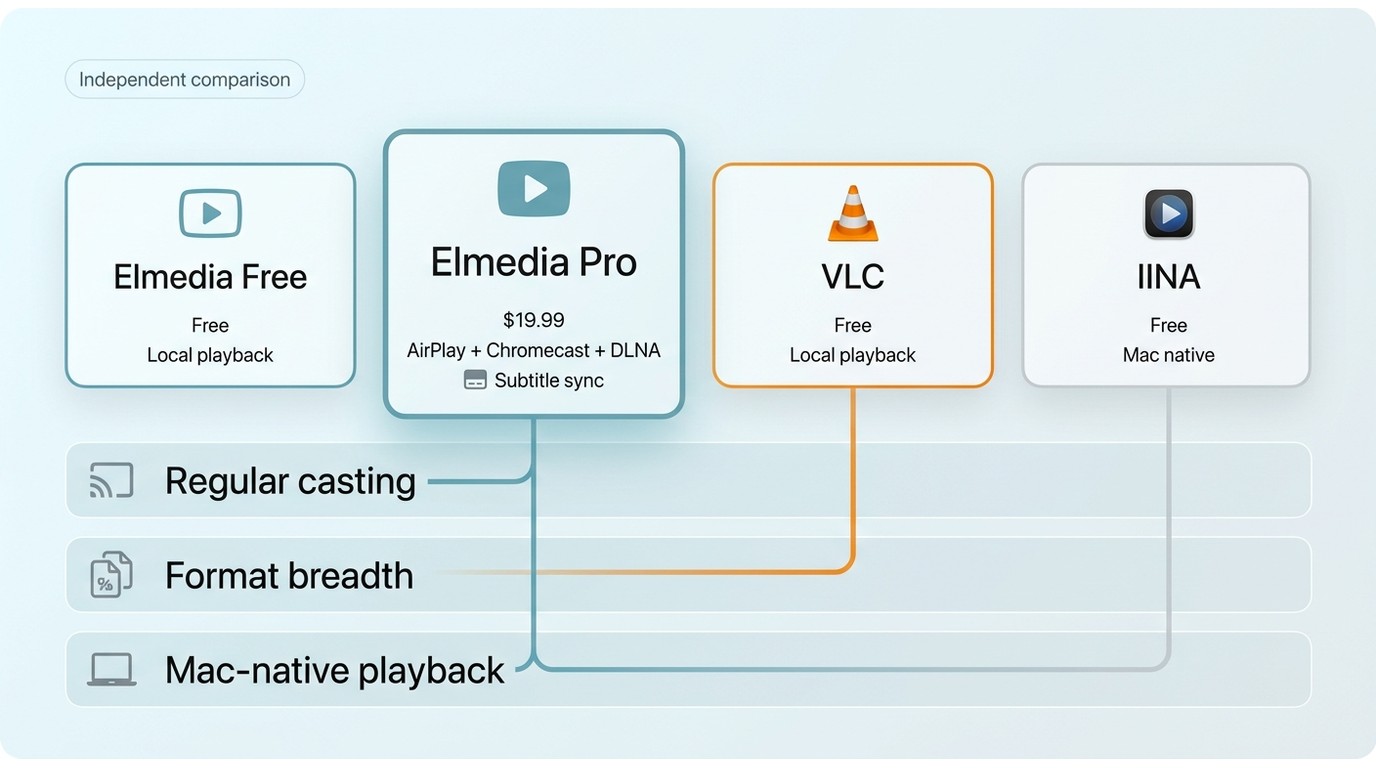
Elmedia sits between VLC's broad free customization and IINA's Mac-native presentation. Its case is strongest for file-first playback and paid casting, but the right choice changes with interface preferences, disc needs, and receiving devices.
What Works Well
Mixed-format convenience: Elmedia opens many local formats without asking the user to convert each file first.
Subtitle and timing control: External subtitle support, search, and manual sync tools address common problems with local movie libraries.
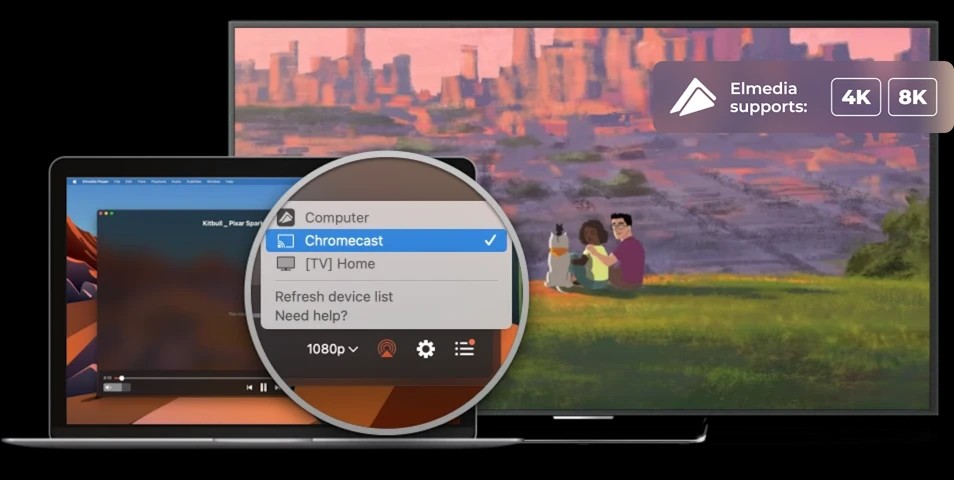
Direct casting in Pro: AirPlay, Chromecast, and DLNA can move playback to a larger screen without relying entirely on screen mirroring. Connectivity can still vary with the local network, receiver, and software version.
The practical upshot is that these strengths matter most to readers who regularly switch between file types, subtitle tracks, and screens. A Mac user with a simple MP4 library may not need the paid tier.
Where Elmedia Falls Short
Battery impact: The recorded H.265 test showed faster battery drain than a highly optimized native app, which matters away from a charger.
Disc and ISO workflows: Elmedia can open individual video files from some disc structures, but it is not built around complete Blu-ray Java menus, extras, and disc navigation.
Home-theater audio: Readers who need raw lossless-audio passthrough to a particular receiver should test that exact chain, because output behavior can differ by format and hardware.
Casting variability: Pro supports the major listed protocols, but it is not ideal for anyone who needs assured compatibility with each receiver and each macOS or tvOS release.
For normal local playback, the capture and home-theater limits may be secondary. They become decisive when the workflow centers on disc menus, high-end audio routing, or repeated 4K frame extraction.
| Player | US price | Local format playback | Subtitle and sync controls | AirPlay, Chromecast, and DLNA | Mac-native interface | Resource and battery considerations | Best fit | Not ideal for |
|---|---|---|---|---|---|---|---|---|
| Elmedia Free | Free | Broad local-file focus | Core subtitle support | Paid features are the main casting route | Mac-focused, though the design may feel dated | Varies by codec and file load | Basic mixed-format playback | Frequent casting or disc menus |
| Elmedia Pro | $19.99 one-time purchase | Broad local-file focus | Expanded timing and display controls | Supports AirPlay, Chromecast, and DLNA | Same Mac-focused interface | Network and demanding files can affect the experience | Regular casting and paid controls | Assured receiver compatibility or full disc navigation |
| VLC | Free | Very broad format coverage | Extensive controls | Chromecast and network options; not an Elmedia-style AirPlay suite | Cross-platform design | Depends on settings, codec, and hardware | Free customization and format breadth | Readers prioritizing a native Mac look |
| IINA | Free | Broad support for common local formats | Useful subtitle controls | Not centered on a multi-protocol living-room casting suite | Strong Mac-native presentation | Depends on file and hardware | Mac interface and keyboard-driven playback | Disc menus or a casting-first workflow |
If your decision extends beyond this review, a broader best video player for Mac comparison should weigh interface, format coverage, casting, and disc support. A VLC alternative is worthwhile only when it fixes a specific issue such as Mac navigation or a casting workflow.
Who Elmedia Suits Best
Elmedia suits Mac users who want to open a mixed local library with minimal setup. It is less convincing for full disc navigation, specialized home-theater audio, or users who want every useful feature in a free package.
- Choose Elmedia Free for straightforward local playback when casting and the paid controls are not routine needs.
- Choose Elmedia Pro when AirPlay, Chromecast, or DLNA casting is frequent enough to justify the price and your receiving devices work with the app.
- Consider VLC when free customization and broad format handling matter more than a Mac-native interface.
- Consider IINA when a cleaner Mac presentation and keyboard-centered playback matter more than Elmedia's paid casting set.
- Use a disc-focused player when Blu-ray menus, ISO playback, or home-theater audio routing define the workflow.
Commercial disclosure: PlayerFab is a paid alternative from the DVDFab product family for narrower disc-menu and ISO use cases. It is not the better fit for readers who only need a lightweight Mac file player. The DVDFab for Mac download installs a separate DVDFab product, not Elmedia, and should not be used as an Elmedia setup button.
Elmedia Player FAQ
These quick answers cover the decisions that matter after the feature review.
Can I safely download Elmedia Player outside the Mac App Store?
Use the official Elmedia website or the Mac App Store. The developer says the 2017 compromised-installer incident was resolved, but avoiding mirrors remains the sensible download practice.
Is Elmedia Pro worth $19.99 if I only play local files?
Usually not at first. Start with Free for basic local playback, then upgrade if casting or the paid synchronization and tuning controls become regular needs.
Will Elmedia work as my default player without permission prompts?
It follows the normal Finder default-app process. Some users report repeated Privacy and Security prompts, but the issue is not universal across Macs or configurations.
Can Elmedia play protected TiVo files and every HDR video?
No supported extension can settle that by itself. Protected content may fail, while HDR and demanding 8K playback depend on codec, frame rate, display path, and Mac hardware.
Should I choose Elmedia, VLC, or IINA for daily Mac use?
Choose Elmedia for file-first convenience and optional casting, VLC for free customization, or IINA for a more Mac-native interface. None is the right fit for every workflow.
Verdict: Is Elmedia Player Worth It?
This Elmedia Player review finds version 8.24 worth trying for Mac users with mixed local files, especially when subtitle timing and simple playback controls matter. Free is the sensible starting point; the $19.99 Pro upgrade makes more sense for frequent casting or repeated use of its paid controls. VLC or IINA may fit readers who prioritize free customization or a more native interface, while PlayerFab belongs in the narrower disc-menu and ISO conversation rather than everyday lightweight playback.

 Play Video Files: 4 Paths Across Formats and DevicesBy James Morgan - Sep 22, 2026
 12 Best HEVC Players for Windows, Mac, and 4K (2026)By Alice Harper - Aug 4, 2026
 Best WMV Player for Mac and How to Play WMV on Mac NativelyBy James Morgan - Aug 4, 2026
 8 Best TS File Players and Playback Tools for 2026By Alice Harper - Jul 28, 2026