12 Best Free MP3 Players for Windows, Mac, Android & iOS [2026 Review]

Summary: After testing 12 best free MP3 players across Windows 11, macOS 14, Android, and iOS, the results showed clear differences in playback quality, library management, customization, and overall usability. Some players worked better for local MP3 collections, while others were more suitable for streaming or cloud-based listening. Overall, PlayerFab, VLC, AIMP, and foobar2000 stood out as the strongest picks on their respective platforms.
Table of Contents
MP3 is probably the most familiar audio format for most people. Because of that, many readers might have the same question at first: if almost every media player can play MP3 files, do we really need a list of the best MP3 players?
In practice, the answer is yes. While many programs technically support MP3, not all of them offer the same experience. Some are packed with ads, some are too bloated, some have awkward interfaces, and some make it frustrating to organize playlists or browse a large local music library. So the real issue is not whether a player can open an MP3 file. It is whether it can do it smoothly, cleanly, and in a way that actually makes listening enjoyable. Based on my testing of the MP3 players across different systems, along with the issues users mention most often, I put together this review to help you quickly find the best free MP3 player for your needs.
How We Evaluated the Free MP3 Player Candidates
Before diving into the list, here are the main criteria I used to test these free MP3 players:
- Format compatibility: Whether the player could reliably handle common audio formats without playback or metadata issues.
- Audio features: Whether tools like EQ, sound effects, and gapless playback were actually useful in real listening.
- Interface and ease of use: How easy it was to import music, browse the library, and manage playlists.
- Library management: How well the player handled metadata, album art, lyrics, and larger music collections.
- Extra features: Useful additions such as lyrics, sleep timer, playback history, and customization.
- Ads and limitations: Whether the free version was practical to use without intrusive ads, paywalls, or bundled software.
Windows PC: Windows 11
MacBook Air (M2): macOS 14
Android phone: Samsung Galaxy S23
iPhone: iPhone 15 running iOS
Test files: Local MP3 files
Test file quality: 320 kbps MP3, 44.1 kHz, stereo
Quick Picks: Best MP3 Players at a Glance
👍Best Free MP3 Player for Windows: PlayerFab Free Video Player
Its biggest advantage is range: high-quality MP3 playback, a smart local library, and support for video, DVD, and UHD Blu-ray in one app.
👍Best Free MP3 Player for macOS: VLC
VLC earns this spot by being easy to trust. It plays MP3 files smoothly, supports many formats, and adds practical tools like EQ and audio filters.
👍Best Free MP3 Player for Android: AIMP
AIMP feels more adjustable than most Android players, with broad format support, detailed EQ settings, and output options that audio-focused users actually care about.
👍Best Free MP3 Player for iPhone: foobar2000
For iPhone users who care about gapless playback and deeper control over local audio files, foobar2000 offers more than a typical music app.
In-Depth Review: 6 Best Free MP3 Players for Windows & mac
PlayerFab Free Video Player
- Compatible systems: Windows 11/10/8.1/8/7 (32-bit and 64-bit)
- Why I recommend it: Best for high-quality MP3 playback and all-in-one media use.
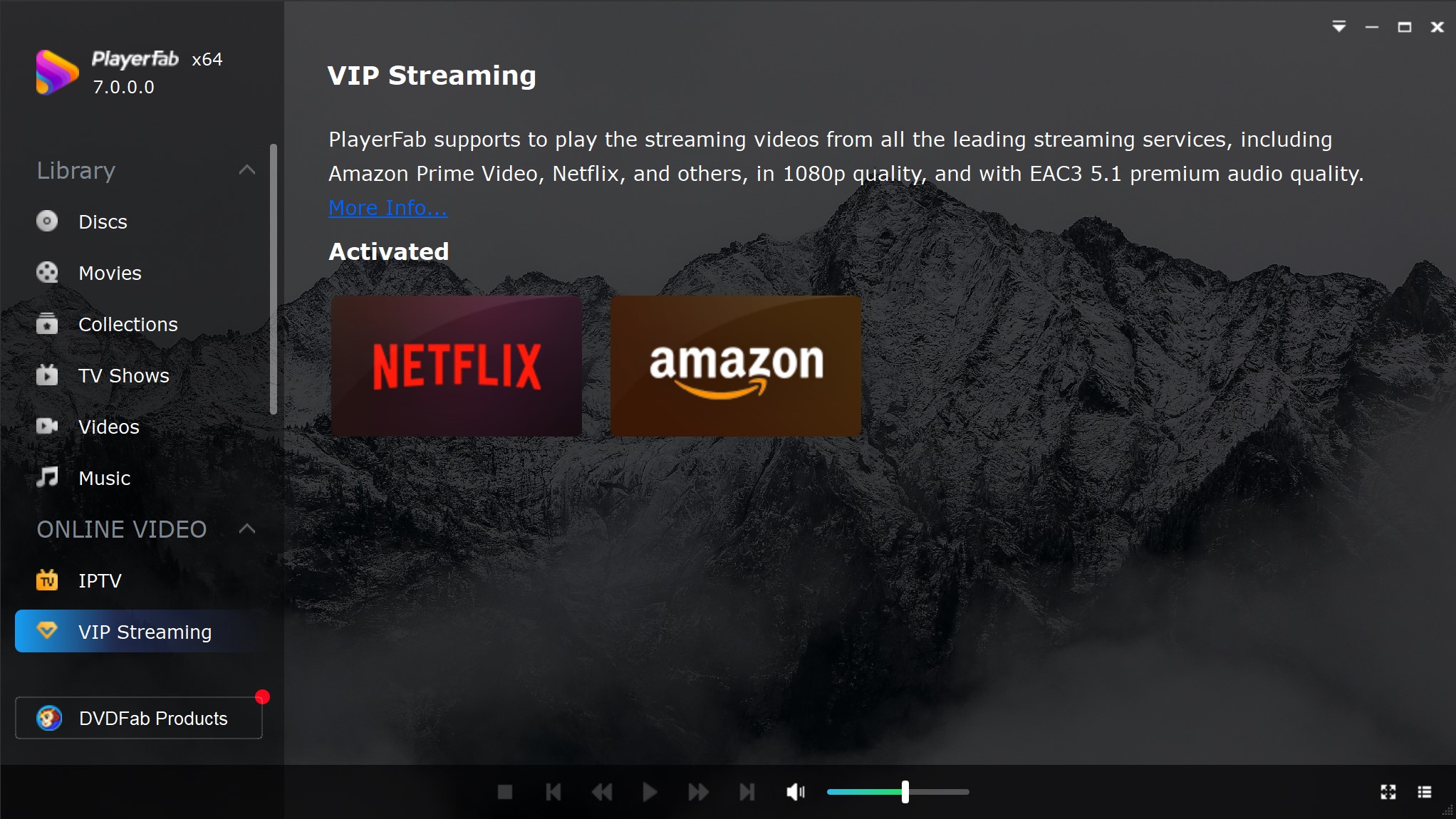
PlayerFab Free Video Player is the best free MP3 player for Windows, supporting enough audio features to stand out as a strong media player. It officially supports MP3, WAV, M4A, FLAC, OGG, CUE, and APE, and one of its biggest strengths for MP3 playback is its built-in library structure. Instead of acting like a plain file opener, it gives local music a dedicated place inside the interface, making it easier to browse songs, sort by artist or album, and manage playlists. It also supports advanced audio technologies such as Dolby Atmos, Dolby TrueHD, DTS-HD Master Audio, and DTS:X, which adds extra appeal for users who care about higher-quality playback and a more immersive listening experience.
Free Download Windows 11/10/8.1/8/7
Free Download macOS 10.10 - 15
I tested PlayerFab Free Video Player 7.0.5.5 on Windows 11 using 320 kbps MP3 files. The audio quality was excellent, and I specifically checked library import, artist and album sorting, playlist behavior, and metadata display. I also tested the smart music library and play history functions, which is especially useful was the ability to create customized MP3 playlists for different listening needs. Playback on Windows 11 was very smooth, and when I left it running for an entire morning while working, CPU usage stayed under 2%.
What makes me recommend it most is that it is a complete media player, not just a music player. Besides audio playback, it can also handle digital videos, DVDs, and even UHD Blu-rays. If you want more advanced features, the full PlayerFab All-In-One version goes even further with features like streaming playback and AI Live Subtitle, introduced in version 7.0.5.5, which can automatically generate real-time subtitles and English translations while you watch movies. That is why I see it as one of the most practical choices: a single piece of software can cover nearly all your media playback needs, so you do not have to install multiple separate players.
- Supports popular audio formats, including MP3, WAV, M4A, FLAC, OGG, CUE, and APE.
- Delivers high-quality audio playback with support for Dolby Atmos, Dolby TrueHD, DTS-HD Master Audio, and DTS:X.
- Supports up to 7.1-channel surround sound for a more immersive listening experience.
- Creates a smart local music library by automatically organizing songs by album, artist, or genre.
- Makes it easy to build and manage custom MP3 playlists for different playback needs.
- Includes play history and metadata display for easier music tracking and browsing.
- Supports auto-updating libraries, so newly added or deleted local files are reflected automatically.
- Uses GPU hardware acceleration with AMD, Intel Quick Sync, and NVIDIA CUDA support for smoother playback.
- The full version adds 4K Blu-ray support, streaming playback and AI Live Subtitle features.
VLC
- Compatible systems: Windows, macOS, Linux, Android, iOS
- Why I recommend it: Best for high-quality MP3 playback with broad format support and basic audio tuning.
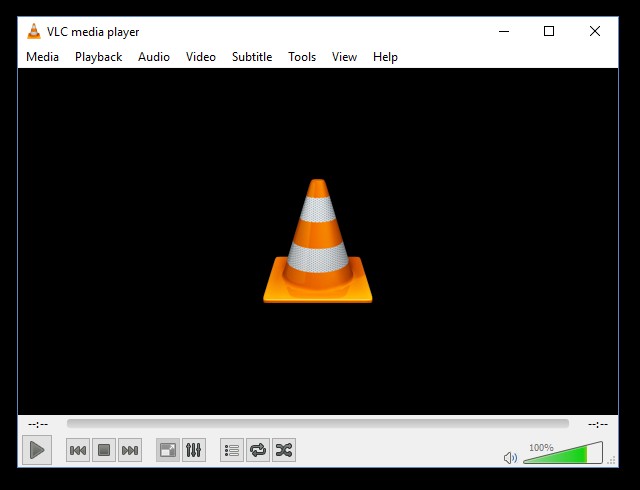
VLC Media Player is one of the easiest picks for a free MP3 player because it combines reliable audio playback with extremely broad media support. MP3 playback is straightforward, but VLC is more than a basic music app: it can also handle video, discs, and streaming formats in the same interface. For music listening, its most useful extras are the 10-band equalizer, audio effects, and flexible settings, which give it more tuning room than many default players. That balance of compatibility and customization is what keeps VLC relevant as a best MP3 player option.
During my test of VLC 3.0.23 on Windows 11, MP3 playback was smooth, stable, and trouble-free. CPU usage stayed low in my use, which made it easy to leave running in the background while working. I also tested the desktop 10-band equalizer and audio filters for basic tuning, including low-end, vocal presence, and brightness adjustments. These tools were practical for light sound shaping, even if they are not as advanced as a dedicated audio player's DSP stack. One change that stood out in 3.0.23 is Dark Mode on Windows and Linux, which fits late-night MP3 listening especially well. That said, VLC is not perfect. Some users report lags, choppy playback, and occasional crashes, and its interface can still feel dated and less intuitive for beginners. Some advanced features are also not especially easy to locate or understand at first.
Overall, VLC is best for users who want one best free MP3 player that also covers nearly every other media format. My take is simple: if you value compatibility, stable playback, and a bit of customization, VLC remains one of the safest choices.
- Plays almost any media format.
- Stable MP3 playback.
- Low CPU usage.
- Useful 10-band equalizer.
- Occasional crashes can happen.
- Interface feels dated.
- Advanced tools are not beginner-friendly.
MusicBee
- Compatible systems: Windows 11/10/7.
- Why I recommend it: Best for MP3 users who want deep library control, plugins, and a more customizable desktop music experience.
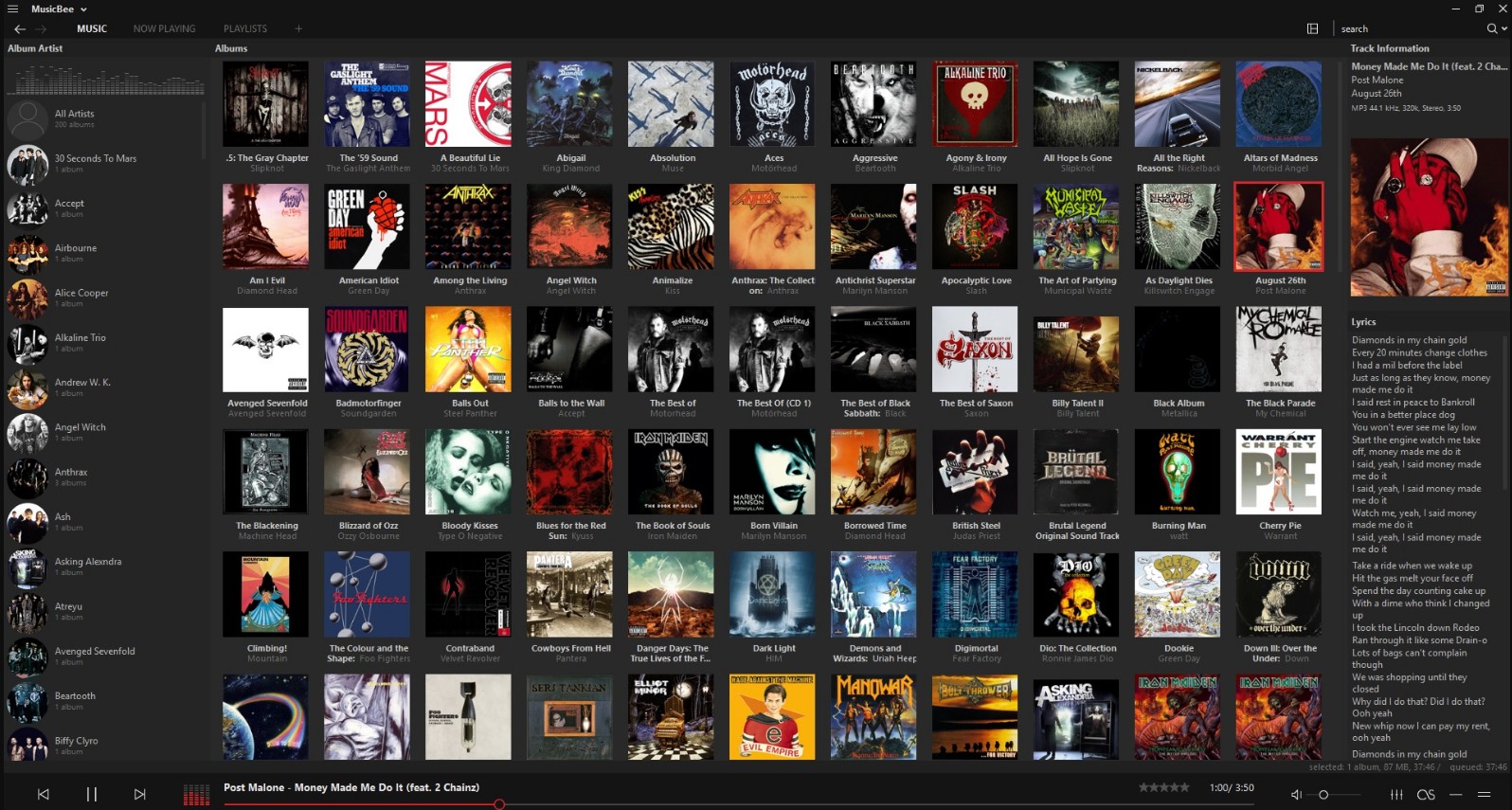
MusicBee is one of the strongest candidates for a best free MP3 player on Windows because it is built around local music management, not just playback. It supports large libraries, auto-tagging, device sync, skins, and a wide add-on ecosystem. That matters for MP3 users with bigger collections, because MusicBee can do more than play files. It can help organize, clean up, and personalize the whole listening experience. Its plugin library also extends visuals, lyrics, artist pictures, hotkeys, sync tools, and playback utilities, which gives it far more flexibility than a basic free MP3 player.
On Windows 11, MusicBee 3.6.9403 impressed me most with its plugin support and visual customization. The dynamic audio visualizations made playback feel more lively, and downloading extra skins gave the interface a much more polished look than many default players. At the same time, that flexibility came with a few trade-offs. Memory usage reached about 15% in my use, which felt heavier than more minimalist players. When I batch-processed 10 MP3 files, the app showed some lag, and artist images were not always matched correctly. The learning curve is also real, since the number of menus and settings can feel overwhelming at first.
For users who care about local library control, deep customization, and a more feature-rich desktop music setup, MusicBee remains an especially appealing best MP3 player option. It is most rewarding when you are willing to spend a little time configuring it to fit your own listening habits.
- Excellent library management
- Strong plugin ecosystem
- Custom skins and layouts
- Good for large MP3 collections
- Higher memory usage
- Can lag during batch tasks
- Artist images may mismatch
Cog
- Compatible systems: macOS 10.15 and later.
- Why I recommend it: Best for gapless MP3 playback and a pure local audio experience.
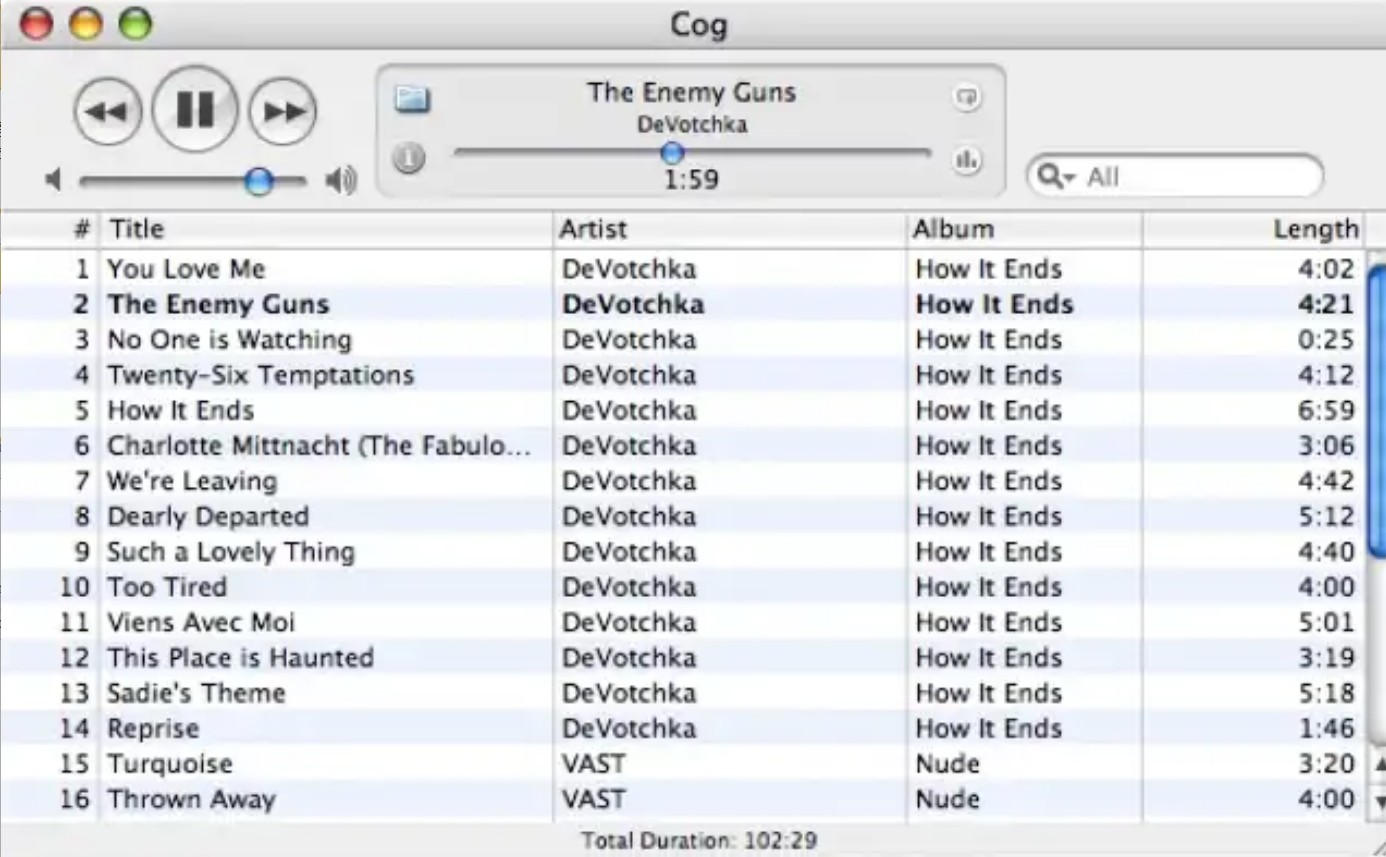
Cog is a more audio-focused app than a typical media player, which is exactly why it fits a best free MP3 player list for Mac. Its main strengths are gapless playback, broad audio format support, and a cleaner local music experience. That makes it especially appealing for users who care more about smooth album listening than heavy library features. It also supports global hotkeys, desktop notifications, album- and track-level shuffle, and repeat modes for a single track, album, or full playlist.
With Cog v3422, what stood out most in my use was how clearly it is built as a pure audio player. Gapless playback worked especially well for albums, live recordings, and DJ mixes, making the listening experience feel much smoother and more natural. I also liked the support for global hotkeys, desktop notifications, and flexible playback controls. At the same time, its weak point was clearly playlist and library handling. When I set certain folders as playlists, the app crashed, and after reopening it, it would continue crashing. Another issue was CPU usage. On my M2 MacBook Air, I noticed that Cog used around 20% CPU during playback, which felt unusually high for simple MP3 listening.
Cog is best for Mac users who want a best MP3 player focused on playback quality, gapless listening, and a local audio-first experience. Its strengths are easy to appreciate if your priority is listening, but the weaker playlist stability and higher CPU usage make it less ideal for heavier everyday library use.
- Excellent gapless playback
- Pure audio-player focus
- Strong album art support
- Useful hotkeys and notifications
- Great for the organization of albums and mixed files
- Weak playlist handling
- Folder playlists may crash
- Reopening may repeat crashes
- CPU usage feels too high
- Library tools are limited
MediaMonkey
- Compatible systems: Windows, Android
- Why I recommend it: Best for messy, tag-heavy MP3 libraries that need serious cleanup and organization.
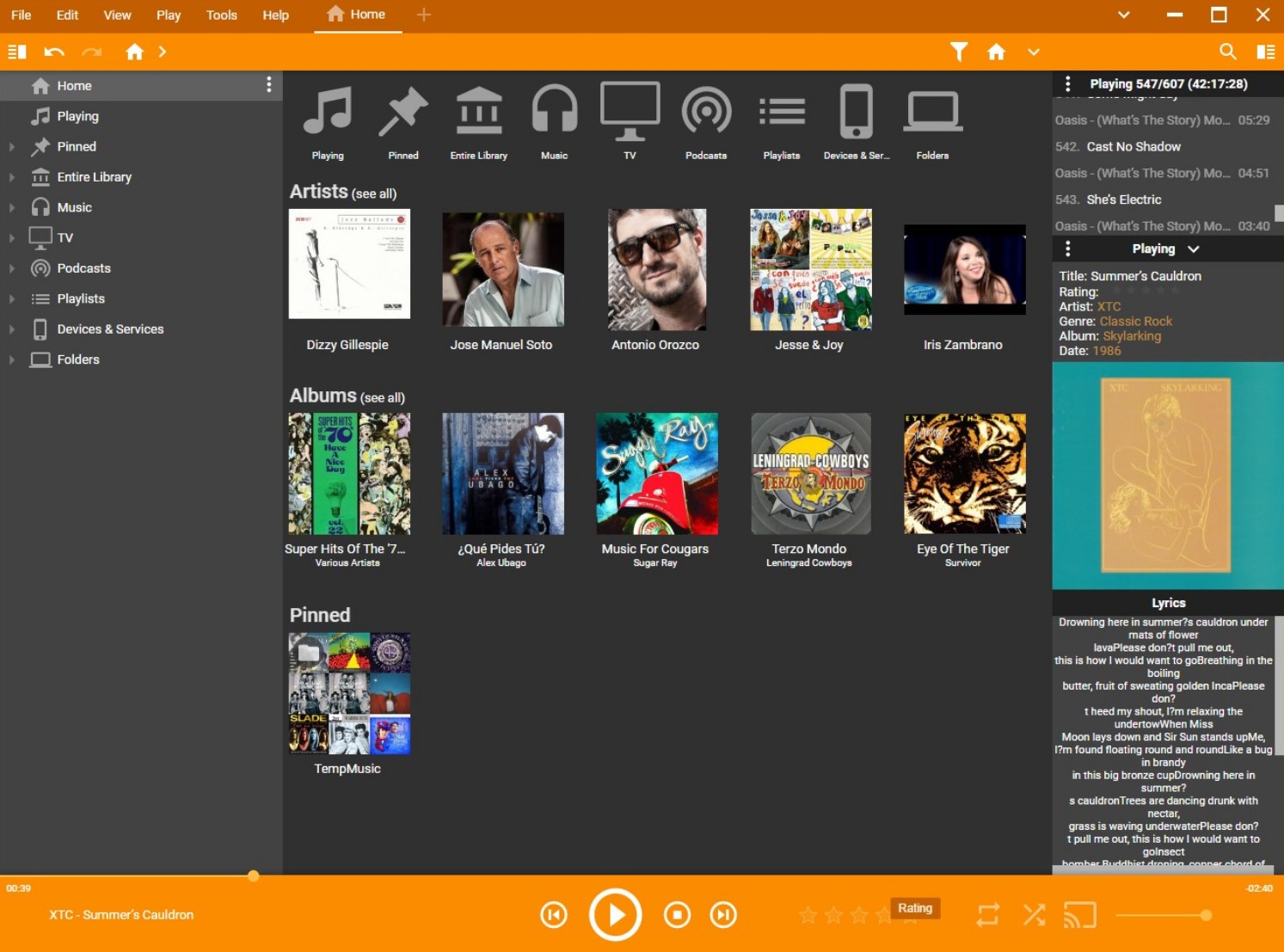
MediaMonkey is one of the most practical choices for users whose local MP3 collection has grown large, inconsistent, and difficult to manage. Its biggest strength is not just playback, but music management: it is built for tagging, sorting, renaming, converting, syncing, and organizing files from different sources into a cleaner library. That makes it especially useful if your collection includes multiple album editions, live recordings, or files with messy metadata. It also works as a Music Manager, CD Ripper, and Converter, which gives it more utility than a basic free MP3 player.
MediaMonkey handled a library of dozens of MP3 files very well. Its tagging and classification were clear, which made it easy to separate albums, live tracks, and alternate versions. It also stands out because it can sync across devices, which is useful if your music library is spread across systems. At the same time, the learning curve is real. The interface is powerful, but it takes time to understand, especially for new users. I also ran into stability issues: when repeatedly previewing tracks and skipping songs on Windows 11, the app would occasionally freeze and then crash. The latest supported release is still current, but the experience can feel less stable than the feature set suggests.
MediaMonkey fits best if your priority is cleaning up and managing a serious local MP3 collection, not just pressing play. For users with large, messy libraries, its management tools are much easier to appreciate than its interface.
- Handles large MP3 libraries well
- Tagging and sorting are clear
- Syncs across devices
- Includes CD ripping and conversion
- Good for mixed file sources
- Interface takes time to learn
- Menus feel complex at first
- Can freeze when skipping tracks
Vox Music Player
- Compatible systems: macOS, iPhone, iPad, Apple Watch.
- Why I recommend it: Best for high-resolution MP3 and lossless playback in a sleek audio-first design.
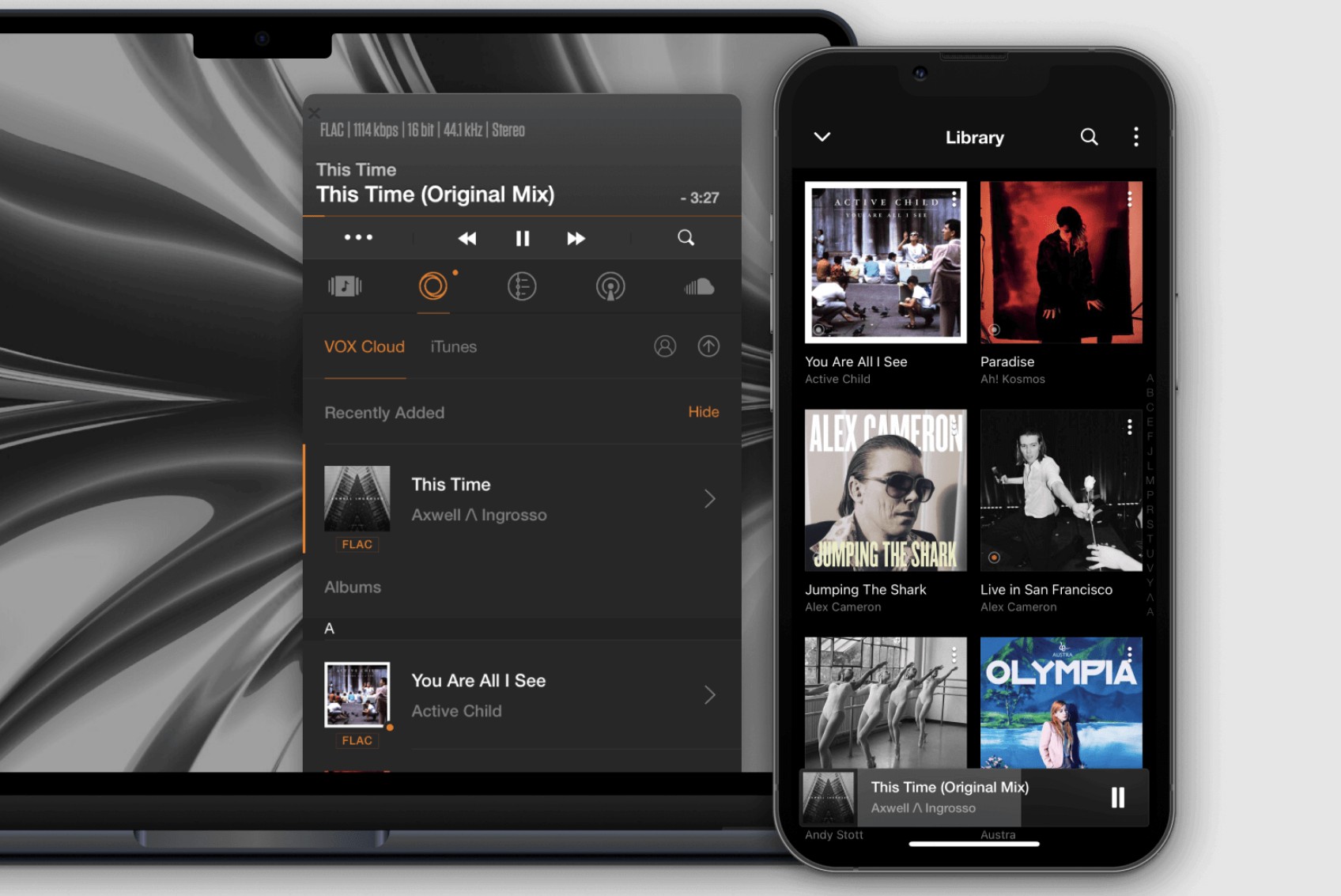
VOX is a strong free MP3 player choice for Mac users because it stays focused on audio rather than trying to be an all-purpose media hub. It supports high-resolution formats such as FLAC, DSD, PCM, and ALAC without compression or conversion, which makes it appealing if you care about sound quality beyond basic MP3 playback. Its interface is sleek and minimalist, and it also includes useful playback extras like a built-in equalizer, gapless playback, and radio support. That combination makes VOX feel closer to a dedicated audio app than a generic desktop player.
In my use, VOX felt most convincing as a pure audio player. Gapless playback worked especially well for albums, live recordings, and mixed sets, and the local music experience felt clean and polished. I also liked its support for global hotkeys, desktop notifications, album- and track-level shuffle, and repeat modes for a single track, album, or full playlist. The main drawback is that some of its best features are locked behind VOX Premium, including unlimited VOX Cloud storage, which starts at $4.99 per month. When I tested the cloud storage workflow, I also ran into times when the cloud library got stuck on "loading library" or failed to sync properly between devices.
VOX is a good fit for users who want a best MP3 player on Mac that feels cleaner, supports more formats, and delivers a more polished local playback experience. However, once cloud features and premium tools enter the picture, the limits of the free version become much easier to notice.
- Plays FLAC, DSD, PCM, and ALAC natively
- Gapless playback suits albums and DJ mixes
- Built-in EQ supports basic sound tuning
- Radio feature is available in-app
- Interface stays clean and minimal
- VOX Cloud needs a paid subscription
- Cloud library may stay on "loading"
- Device sync can fail sometimes
- Free version locks key premium features
In-Depth Review: 6 Best Free MP3 Players for Android & iOS
AIMP
- Compatible systems: Windows, Android
- Why I recommend it: Best for MP3 users who want flexible audio output and desktop-level sound controls.
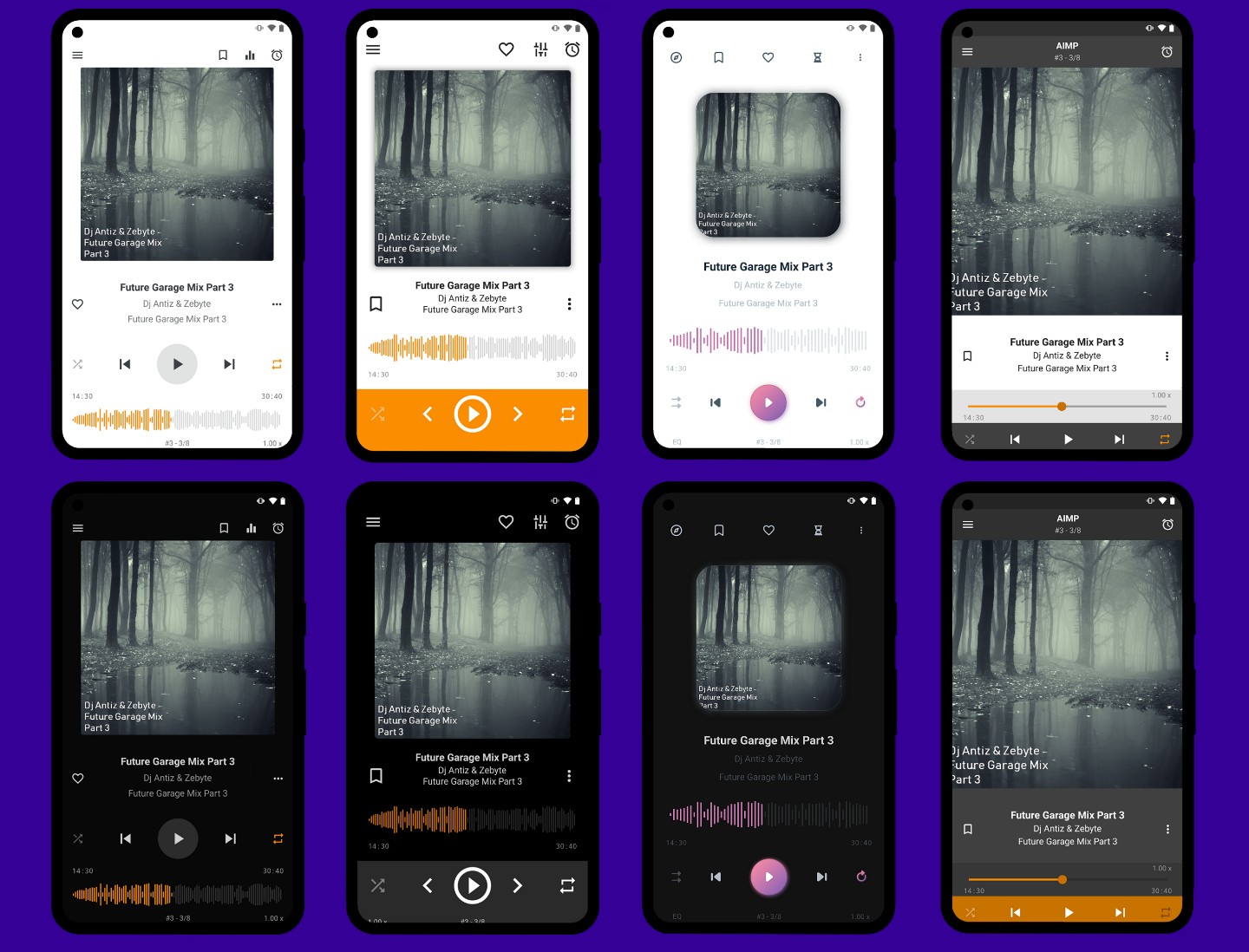
AIMP is the best free MP3 player for Android system. It supports a wide range of audio formats and includes output options such as DirectSound, ASIO, WASAPI, and WASAPI Exclusive, which are the kinds of settings desktop listeners and more audio-focused users actually pay attention to. On top of that, it gives you an 18-band EQ and built-in sound effects, so it feels much more adjustable than a basic free MP3 player.
The first thing I noticed while using it was how playback-oriented the whole experience felt. AIMP does not try too hard to become a full music-management platform. Instead, it puts more emphasis on how your music sounds and how much control you have over output and tuning. That part worked well for me. The downside showed up on Android, where I hit a freeze while playing a song and the app closed itself afterward, even though the playlist only contained a few dozen MP3 files. I also came across user feedback describing lag, long delays, and freeze or crash issues in extremely large libraries, including cases involving hundreds of thousands of tracks and many smart playlists.
For someone who wants a free MP3 player mainly for playback control, AIMP still makes sense. For someone who plans to manage a huge library every day, the performance side deserves more caution.
- Supports DirectSound, ASIO, and WASAPI.
- Includes multi-band EQ.
- Built-in sound effects included.
- Handles many audio formats.
- Good for output-sensitive users.
- Large libraries may lag badly.
Freefy
- Compatible systems: iPhone, iPad, and Mac with Apple silicon.
- Why I recommend it: Best for free music streaming without audio ads, not local MP3 management.
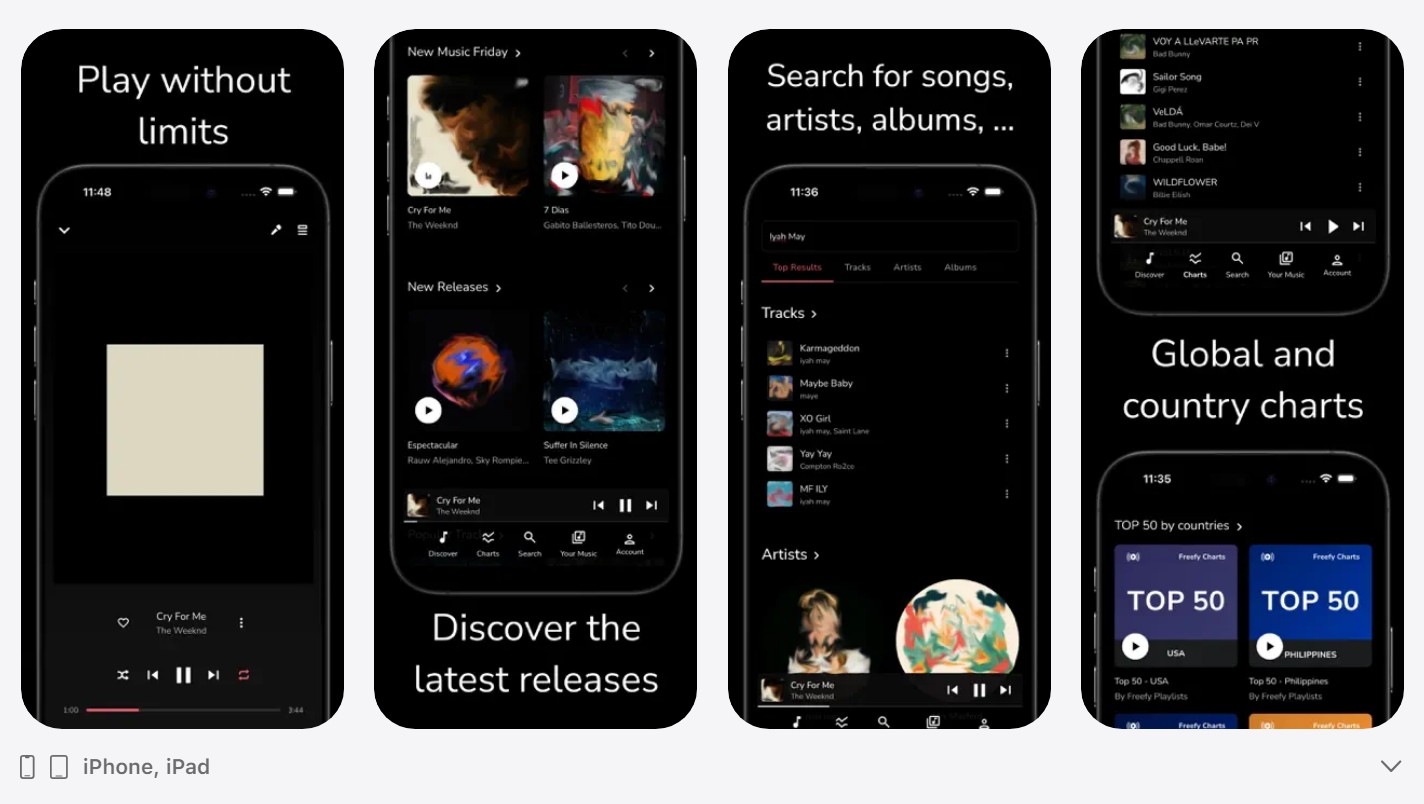
Freefy works differently from a typical free MP3 player for iPhone. Its value comes from being a free streaming music platform with no ads between songs, rather than from deep local file support, format compatibility, or tag editing. That is the key distinction to understand before adding it to a best free MP3 player list. If your goal is to stream music for free with fewer interruptions, it makes sense. If your goal is managing local MP3 files, it is much less suitable. On iOS, Freefy has also added playback improvements such as AirPlay, Bluetooth playback, and headphone/media button controls, which make it more usable as an everyday streaming app.
The biggest advantage is clear: it gives you a free streaming experience without audio ads between songs. On iOS, the newer build also improves practical playback with AirPlay, Bluetooth support, and headphone controls, which helps it fit naturally into Apple-device listening. At the same time, its weakness is just as obvious. Freefy is fundamentally not a local audio player. Its strengths are streaming access and ad-free song playback, not local MP3 library handling, metadata cleanup, or advanced format support. That means whether it feels useful depends almost entirely on what you want from the app.
For users who simply want free streaming on Apple devices, Freefy is easy to understand. For users searching for a best MP3 player to organize and play local music files, it fits much less naturally because its core product direction is streaming first.
- No audio ads between songs.
- AirPlay support on iOS.
- Bluetooth playback works.
- Headphone controls are supported.
- Free streaming is the main appeal.
- Not built for local MP3 libraries.
- Format support is not the focus.
- No real tag-editing depth.
- Better as streaming than file management.
Musicolet
- Compatible systems: Android.
- Why I recommend it: Best for users who want a clean offline-only Android MP3 player.
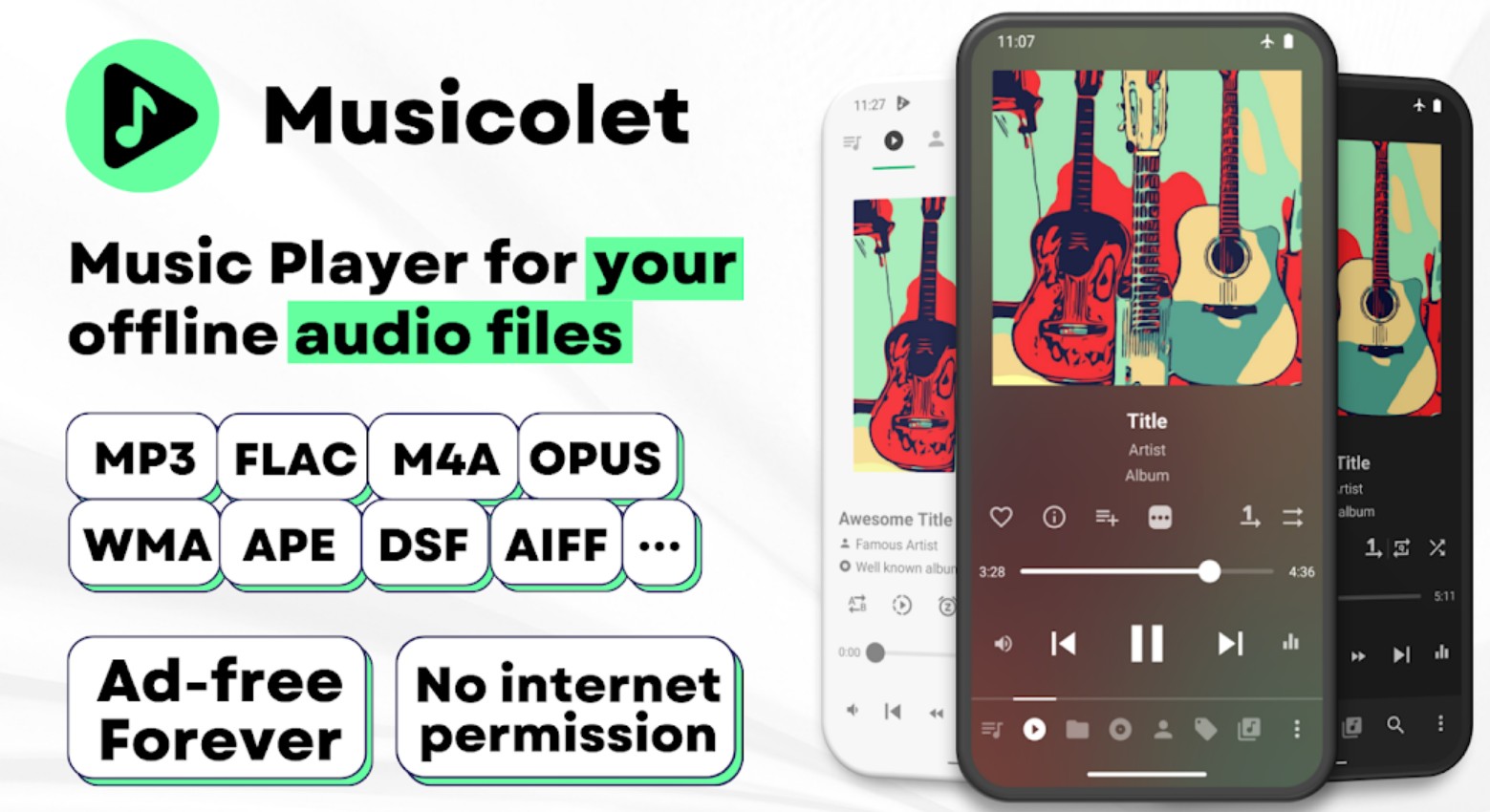
Musicolet takes a very clear approach: it is built for local audio files only, not for streaming, cloud syncing, or online discovery. That makes it especially suitable for people who keep a separate MP3 library on their phone and do not want it mixed with streaming apps. In format support, it covers the common local-use cases well, including mp3, m4a, wma, flac, opus, plus more formats listed in its app description. It also supports offline lyrics, but only through embedded lyrics or .lrc files rather than internet fetching.
In practice, Musicolet feels focused and easy to understand. Its offline-only design keeps the app centered on local playback, which is helpful if you want your MP3 library separated from streaming content. At the same time, that same design also sets its limits. Features that depend on internet access are not part of the experience, so lyrics are not fetched automatically. If a track does not already contain lyrics, you need to add them manually with pasted text or an .lrc file. That makes Musicolet a better fit for users who want a dedicated Android local music player than for those expecting online convenience features.
- Offline-only design stays focused.
- Supports mp3, m4a, wma, flac, opus.
- Does not mix with streaming libraries.
- Supports embedded lyrics and .lrc files.
- No online lyrics fetching.
- Manual lyric input is sometimes needed.
- Not built for streaming features.
- Android local playback only.
foobar2000
- Compatible systems: Windows, macOS, Android, iOS.
- Why I recommend it: Best for users who want advanced tagging, CD ripping, and format conversion in one MP3 player.
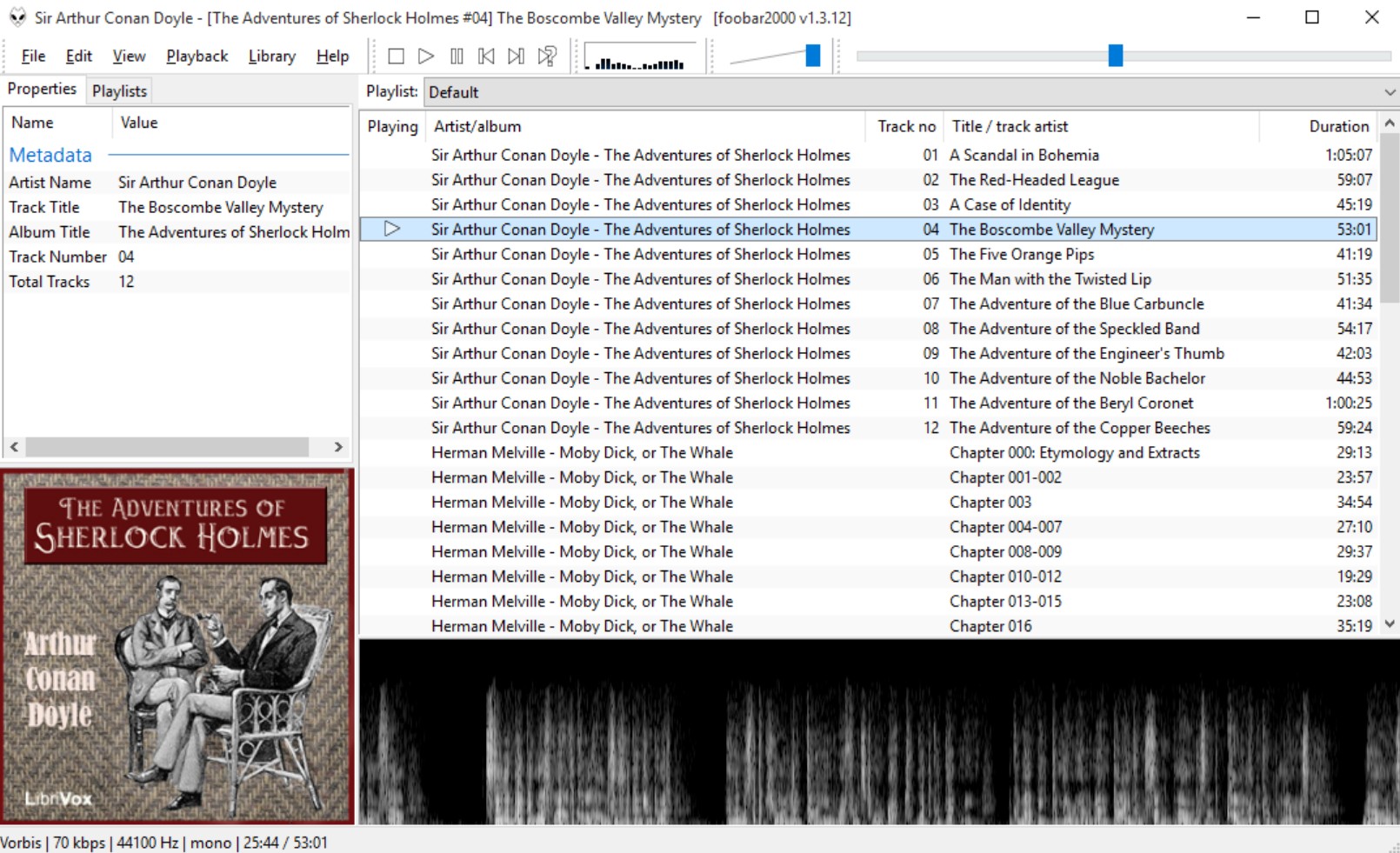
foobar2000 is an advanced freeware MP3 audio player. Its core appeal is clear: advanced tagging, Audio CD ripping, and format conversion are all built into the platform. It also supports mainstream audio formats out of the box and can be extended with extra components, which is why it still appeals to users who manage local music seriously rather than just pressing play. For people with MP3 collections that need cleanup, retagging, or conversion, it offers much more than a lightweight best MP3 player focused only on playback.
In actual use, the tagging tools are where foobar2000 becomes most useful. On desktop, I could select one or multiple tracks, open Properties, and directly edit metadata. I tried this with a full MP3 album and was able to fill in ALBUM, DATE, and GENRE for all tracks in one go. But some features are complex. foobar2000 often gives you more than one way to do the same job, and some of the smarter workflows depend on rule-based patterns rather than simple menus. So while the tagging system is powerful, it takes time to learn if you want to go beyond manual edits. The same applies to its broader feature set: it is capable, but not especially welcoming at first.
For users who care about metadata control, CD ripping, and file conversion, foobar2000 still makes a lot of sense. It is a tool-heavy free MP3 player, and that is exactly why some people will value it more than others.
- Gapless playback is built in.
- CD ripping is supported.
- Format conversion is included.
- Metadata editing is very detailed.
- Layout and components are customizable.
- Advanced workflows require rule knowledge.
- Interface feels minimal and utilitarian.
Evermusic
- Compatible systems: iOS
- Why I recommend it: Best for users who want cloud access and offline playback in one iOS music app.
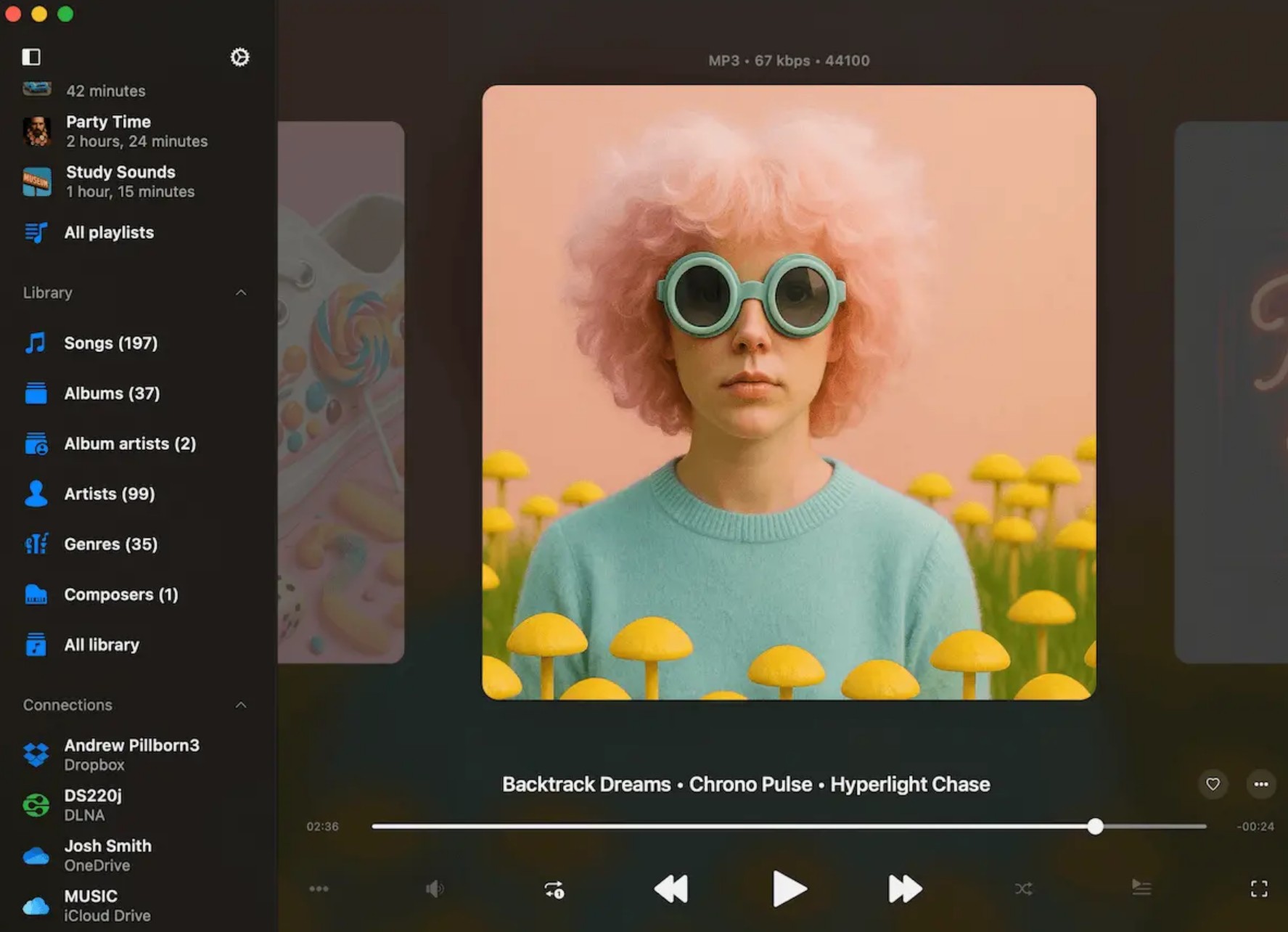
Evermusic is closer to a hybrid audio app than a traditional local-only MP3 player. Its core appeal is simple: you can treat it as a Cloud + Offline Music Player, while still getting support for common audio formats such as MP3, AAC, M4A, WAV, AIFF, and M4R. That makes it more flexible than many iOS players that only focus on one source. It also includes features like an equalizer, bass boost, playlist management, and file access from cloud services or network storage, so it works especially well if your music is spread across devices and folders rather than locked into one library.
In listening tests, the Bass Boost feature was the most noticeable audio tool. With an MP3 file, it made the kick drum hit harder, added more weight to the low end, and gave the overall sound a warmer, more enveloping feel. The trade-off showed up quickly once I pushed it too far: the bass started to sound muddy and less controlled. So the feature is useful, but only within a moderate range. That fits Evermusic as a whole. It gives you more playback flexibility than a bare iOS music app, but its strongest advantage is still the combination of cloud access plus offline playback, not ultra-deep sound tuning.
If your music lives partly in the cloud and partly on your device, Evermusic makes more sense than a library-only player. For iOS users who want one app to bridge those two worlds, it is easy to justify.
- Supports MP3, AAC, M4A, WAV, AIFF, M4R.
- Combines cloud and offline playback.
- Bass Boost changes sound clearly.
- Includes EQ and playlist tools.
- Works with many cloud services.
- More complex than basic local players.
- Sound tuning is still fairly limited.
- Better for access than library depth.
Cs Music Player / Cs Music Pro
- Compatible systems: iPhone, iPad.
- Why I recommend it: Best for iOS users who want a better interface for the existing Music.app library.
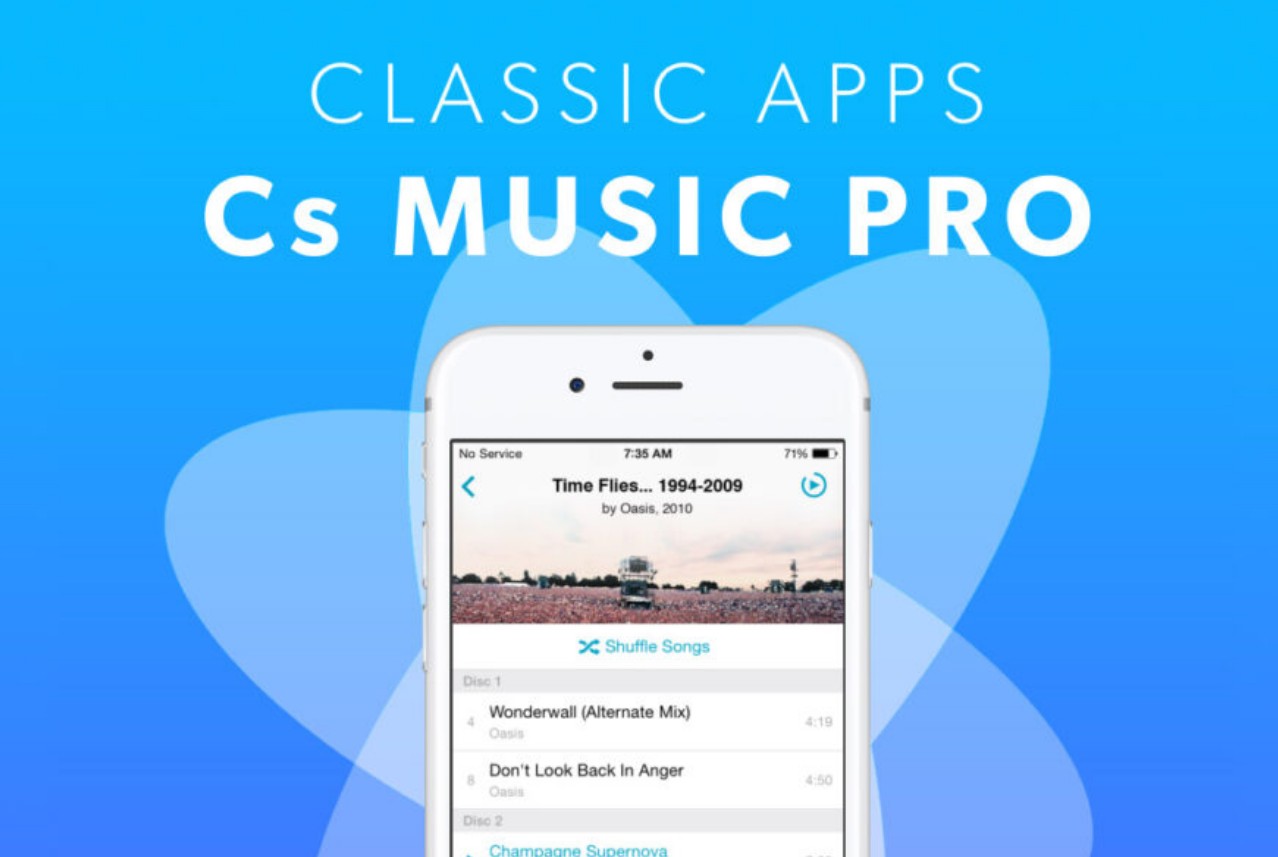
Cs Music Player is the best iOS-dedicated MP3 player. It is not a standalone player with its own independent file system and cloud structure. Instead, it reads the music already stored in your Music.app library and gives it a more thoughtful interface for browsing, sorting, filtering, and playback. That is exactly why it feels so natural on iPhone and iPad. The app keeps the classic tabbed music interface, adds better organization tools, and brings back features like star ratings, which matter a lot more when you already have a curated iOS library.
Cs Music feels like an attempt to make Apple's local music experience more pleasant without forcing you to rebuild your collection somewhere else. Browsing by artist, album, playlist, and favorites feels more direct, and the tab-based structure makes everyday use easier for people who already live inside the Apple ecosystem. The limitation is equally clear: because it depends on the existing Music.app library, it does not function like an independent player in the way Evermusic does.
For iOS users who already maintain their music inside Apple's own library system, Cs Music is a very sensible upgrade. It does not replace Music.app underneath, but it can make using that library much more enjoyable.
- Improves the Music.app interface.
- Classic tabbed browsing works well.
- Better sorting and filtering options.
- Fits iPhone and iPad use well.
- Not a standalone music player.
- Depends on Music.app library.
- Less flexible than independent players.
- Cloud-style file handling is absent.
Comparison: Which Free MP3 Player Best Meets Your Needs?
The table below gives a quick side-by-side look at the most important differences between each player, including format support, platform compatibility, library management, playback mode, and the feature that makes each one worth considering.
| Free MP3 player | Compatible Systems | Music Library Management | Highlight |
| PlayerFab Free Video Player | Windows | Built-in smart music library with playlist support | All-in-one player for audio, video, DVD, Blu-ray, and streaming |
| VLC | Windows, macOS, Linux, Android, iOS | Basic library and playlist tools | Wide format support with stable playback and useful audio tools |
| MusicBee | Windows | Strong library organization, tagging, and plugin support | Best for large local libraries and deep customization |
| Cog | macOS | Limited | Gapless playback and a pure local audio experience |
| MediaMonkey | Windows, Android | Very strong tagging, sorting, and large-library management | Best for cleaning up messy music libraries |
| VOX | macOS, iPhone, iPad, Apple Watch | Moderate library support with cloud integration | High-resolution audio playback in a sleek interface |
| AIMP | Windows, Android | Moderate playlist and playback management | Advanced output settings, EQ, and sound effects |
| Freefy | iPhone, iPad, Mac (Apple silicon) | Limited local library management | Free streaming without between-song ads |
| Musicolet | Android | Good local playlist management, offline-focused | Clean Android player with no streaming clutter |
| foobar2000 | Windows, macOS, Android, iOS | Very strong metadata editing and file control | Advanced tagging, CD ripping, and format conversion |
| Evermusic | iOS | Moderate file and playlist management with cloud support | Best for combining cloud access with offline playback |
| Cs Music Player / Pro | iPhone, iPad | Optimized browsing and sorting for Music.app libraries | A better interface for the built-in iOS music library |
FAQs
Is there a free MP3 player app with no ads?
Yes. If "no ads" is a hard requirement, the clearest example is Musicolet on Android: its official site and Play Store listing both state that it is ad-free forever and has no internet permission, so it stays focused on offline local playback instead of mixing in streaming features. VLC is another good option across Windows, macOS, Linux, iOS, and Android because it is free and open source and is built as a local/cross-platform media player rather than an ad-supported streaming app.
Which music player app is the easiest to use?
If ease of use matters more than advanced library tools, VLC is one of the safest answers because it plays most audio files directly, does not require extra codec setup, and is available on almost every major platform.
Are there good free MP3 players for Apple devices?
Yes, but they serve different needs. VLC on iPhone and iPad is useful if you want a standalone player that can pull files from local storage, cloud drives, Wi-Fi sharing, and network servers while handling many formats directly. Evermusic is stronger if your music is split between device storage and cloud services, because it is built as a Cloud & Offline Music Player and supports common formats such as MP3, AAC, M4A, WAV, AIFF, and M4R. foobar2000 for iOS is a better fit for users who want a more technical, local-audio-first player with broad format support and ongoing updates.
Should I choose a local MP3 player or a streaming app?
Choose a local MP3 player if you already own/download music files and care about offline playback, file control, playlists, tags, or keeping your library separate from streaming content. Apps like Musicolet are built exactly for that model: they do not stream, do not search the web, and do not request internet permission. Choose a streaming app if your priority is instant access to online music catalogs and convenience rather than metadata control or file management. A hybrid app like Evermusic sits in the middle, because it supports offline playback but also lets you treat cloud storage as part of your music setup.
Conclusion
The best free MP3 player really depends on how and where you listen. Some users just want smooth local playback with no ads or distractions, while others care more about library management, tag editing, format support, or extra playback controls. That is also why there is no single app that fits everyone equally well.
If you mainly listen on Windows, PlayerFab Free Video Player is a practical choice for users who want both high-quality MP3 playback and broader media support in one place. On macOS, VLC remains one of the most dependable options thanks to its wide format support and stable playback. For Android, AIMP offers more playback control and sound customization than many standard players. On iPhone, foobar2000 makes more sense for users who want stronger control over local audio files rather than a streaming-first experience.

 How to Open MP4 Files on Windows 11: 4 Reliable FixesBy Alice Harper - Aug 10, 2026
 9 Best Free FLV Players for Windows, Mac, and Mobile (2026)By Alice Harper - Aug 4, 2026
 13 Best Free MP4 Players for Windows & macOS: Hands-on Review in 2026By Alice Harper - Aug 3, 2026
 How to Play MOV Files on Windows 10/11, Including iPhone HEVC, ProRes & 4K HDRBy Alice Harper - Jul 30, 2026