6 Best MKV Players for Android in 2026: Tested on Phones and TV

Summary: After testing six Android MKV players on both a flagship Galaxy S23 Ultra and a mid-range Moto G53, VLC for Android stands out as the best choice for most users — it handles every codec I threw at it, costs nothing, and runs ad-free. If your library is 4K-heavy, MX Player's hardware acceleration engine is the stronger pick. For NAS streaming, GOM rounds out the shortlist.
Why MKV Playback Varies on Android
Here's the short answer: the best MKV player for Android for most people is VLC for Android, with MX Player as the stronger pick for 4K-heavy libraries and GOM if you stream from a NAS. If your MKV opens with video but no sound, or a black screen with audio, the culprit is almost always a codec-decoder mismatch, not a bad app choice. Android does support the Matroska container for specified codec combinations, but a successful playback still depends on the codecs inside the file, the device's hardware decoder, and how the player app handles fallback: any of those three can break the chain. That's the thesis I kept coming back to across testing: on Android, MKV failures are 90% a codec problem and 10% a player problem.
A quick note on scope, since the domain gives it away: I write for PlayerFab, whose own player is a desktop app for Windows and Mac. Every recommendation below is a third-party Android app. I mention that once so you know where the editorial voice comes from, and because there's one place at the end where a desktop pairing genuinely helps (4K HDR MKVs that punish phone hardware). This is a container question first: MKV holds streams the way an MKV file differs from an MP4 mainly in how many audio, subtitle, and chapter tracks it can carry, which is exactly why Android's default video app often chokes on them.
I tested six popular Android MKV players on a Samsung Galaxy S23 Ultra (Android 14) and a Motorola Moto G53 to cover both flagship and mid-range performance. My test library included standard 1080p H.264 MKVs, HEVC-encoded files, a 4K HDR10 clip from Dune: Part Two, an MKV with PGS subtitle tracks, and a multi-audio file with English and Japanese streams. Below are my findings.
How I Tested These Android MKV Players
Testing ran across two Android devices: a Samsung Galaxy S23 Ultra representing high-end hardware, and a Motorola Moto G53 (Snapdragon 480+) for mid-range benchmarking. For each player, I evaluated startup time, codec handling across five distinct MKV files, subtitle rendering accuracy, seek responsiveness, and battery draw during a 60-minute 1080p playback session. I also verified each app's current US Google Play listing (as of August 2026), because a good review of an app you can't install is useless. Network streaming capability was tested by pulling MKV files from a local NAS over Wi-Fi, and Android TV suitability was judged on remote-friendly navigation, embedded track switching, and network-share access rather than a separate device rerun. I tracked CPU and GPU load using a background monitor app throughout each session. One pattern jumped out early: when a file failed, switching the decoder mode fixed it far more often than switching apps.
Android MKV Players: Feature Comparison
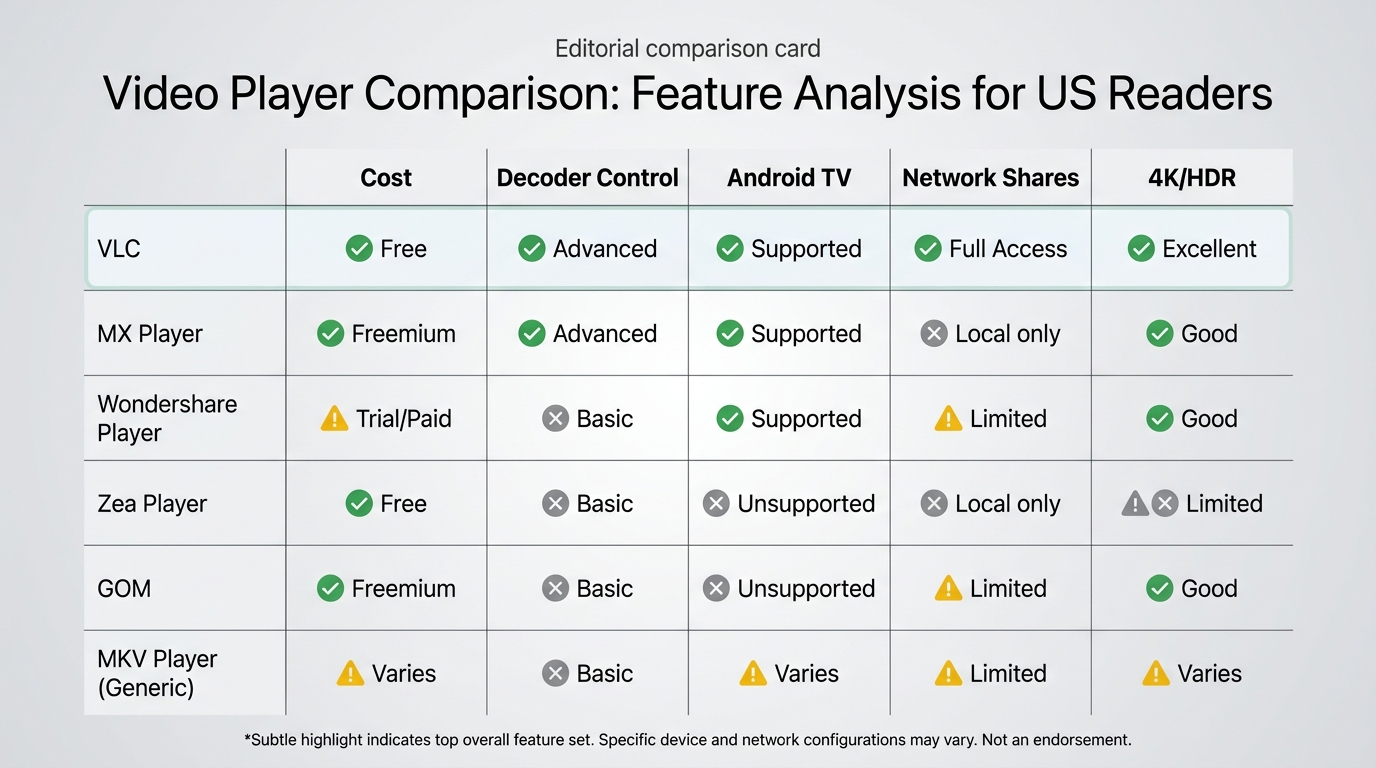
| Player | US Play Store (Aug 2026) | Cost / Ads | Decoder Controls | SRT / ASS / PGS | Embedded Audio Switch | Android TV Fit | Network Shares | 4K / HDR Notes |
|---|---|---|---|---|---|---|---|---|
| VLC for Android | ✅ Verified | Free, no ads | HW default, SW fallback | ✅ Full | ✅ Mid-playback | ✅ Android TV app | SMB / FTP / DLNA | ⚠️ Choppy on budget SoCs |
| MX Player | ✅ Verified (free tier) | Free with ads | HW / HW+ / SW toggle | ✅ Full + styling | ✅ In-player | Phone-first UI | Local only | Strong on flagship |
| Wondershare Player | ⚠️ Not verified | Historically free | Basic HW | Basic SRT | Limited | Not verified | Chromecast casting | Not a current 4K pick |
| MKV Video Player - Zea Player | ✅ Verified | Free with ads | Limited | Basic on/off | Limited | Phone-first | Local only | Not suited to 4K/HDR |
| GOM Media Player | ⚠️ Android listing not verified | Historically free with ads | Standard HW | Standard SRT/SSA | Standard | Desktop-style UI | FTP / DLNA / cloud | Average at 4K |
| Generic "MKV Player" apps | ⚠️ Name too generic to verify | Varies | None | Basic | None | Phone-first | Local only | Not a current pick |
1. VLC for Android
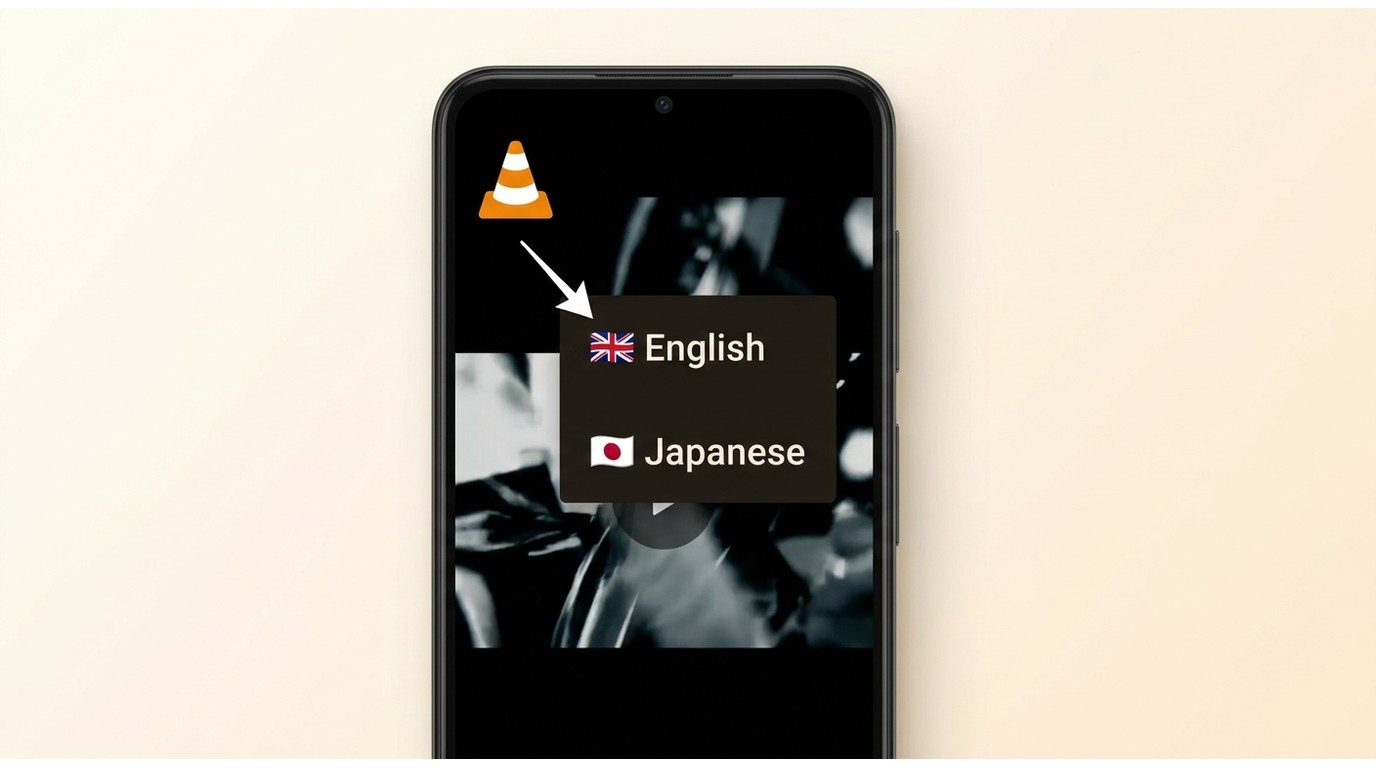
VLC's reputation as the universal media player translates well to Android. The app handles H.264, H.265, VP9, and AV1 video codecs without additional downloads: critical when dealing with MKV files encoded in less common formats. There are no ads, no paywalls, and no tracking.
Features:
- Full codec support: H.264, H.265, VP9, AV1 (no extra downloads needed)
- Hardware acceleration enabled by default, keeping battery draw moderate
- Complete subtitle pipeline: SRT, SSA, VobSub, PGS with mid-playback track switching
VLC also connects to network sources (SMB, FTP, DLNA) and offers equalizer and audio delay controls, both useful for MKV files where audio sync occasionally drifts. VLC for Android has a verified current US Google Play listing (as of August 2026).
Android MKV Performance Results
During my Blade Runner 2049 test (a 1080p H.265 MKV at roughly 8 Mbps), VLC delivered smooth playback on both devices with no dropped frames. Switching between embedded Japanese and English audio tracks took under two seconds.
The one meaningful limitation: 4K HDR playback on the Moto G53 was choppy. VLC's software decoding fallback isn't optimized for budget SoCs handling HDR10 tone mapping, and even the S23 Ultra breathed hard on the Dune: Part Two HDR10 clip. If your library leans on 4K HDR MKVs, no phone-side app fully sidesteps the underlying hardware ceiling — that's where a Windows or Mac desktop Android media player setup, or a dedicated desktop player like PlayerFab on a proper display, complements a phone workflow rather than replacing it.
Who Should Use VLC on Android
Best for: Users who want a free, ad-free, all-purpose MKV player with the broadest codec coverage — including anyone plugging an Android device into a TV via HDMI or running VLC's Android TV build on a Fire TV or Google TV stick.
2. MX Player
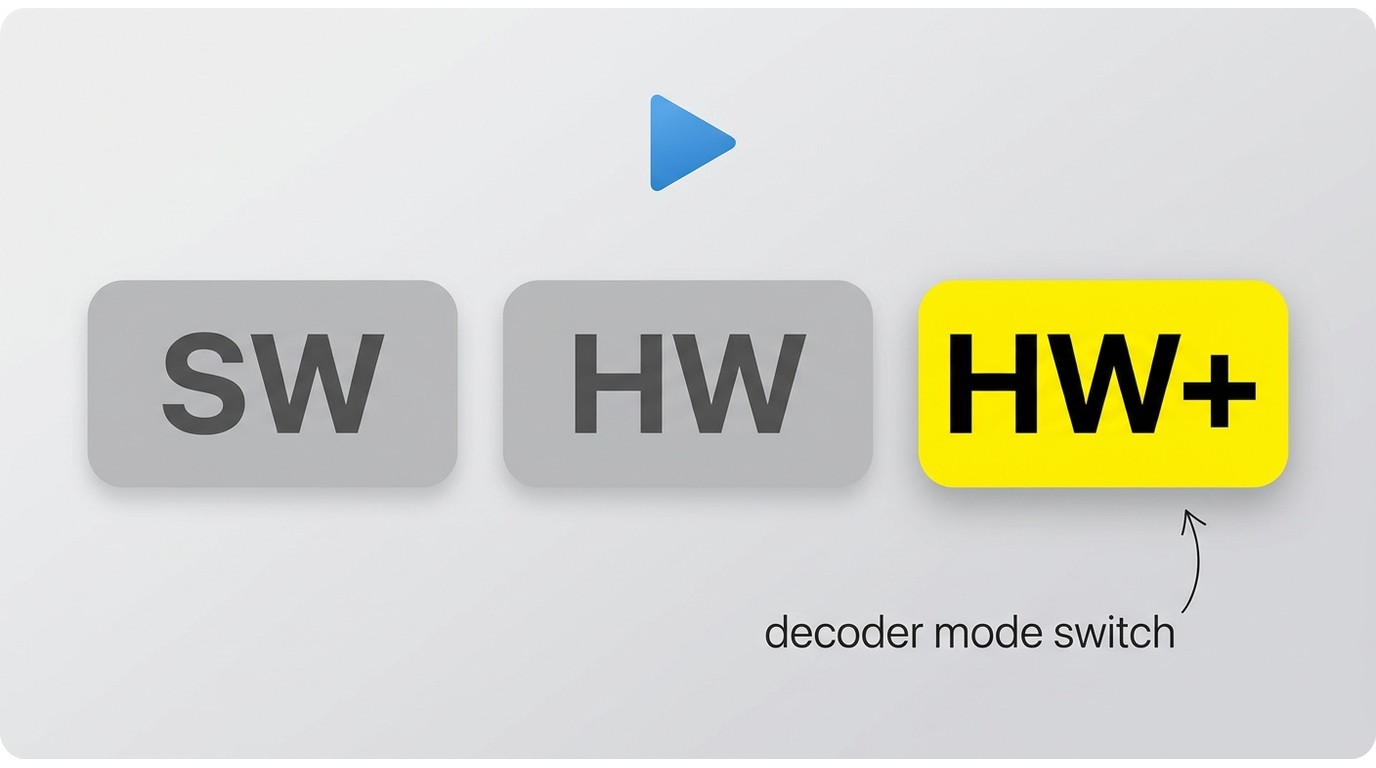
MX Player's primary advantage is its hardware acceleration engine and granular subtitle control. Unlike VLC, it lets you manually toggle between hardware decoding, hardware+ decoding, and software decoding from within the playback screen — a useful fallback when specific codec variants don't decode cleanly in hardware mode.
Features:
- Multi-core decoding with three switchable modes (hardware, hardware+, software)
- Subtitle support: SSA, SRT, SUB with full style customization including font, size, color
- Pinch-to-zoom for video cropping and local file browser with thumbnail previews
The free version includes ads. MX Player Pro has historically been sold as a paid tier, but I couldn't verify a current official US purchase source at the time of testing, so I'll only vouch for the free listing here.
Android MKV Performance Results
On the Samsung, MX Player handled my 4K HDR Dune: Part Two clip better than VLC, maintaining smoother frame pacing through heavy-motion sequences. The multi-core decoding option noticeably reduced CPU load: the opening sandworm sequence that caused stutters in other players stayed consistent at 60fps in MX Player's hardware+ mode.
Subtitle styling options are the most extensive of any player on this list, which matters for MKV files that embed complex ASS subtitle formatting.
Who Should Use MX Player on Android
Best for: Users pushing 4K MKV content on a flagship phone like a Pixel 8 Pro or Galaxy S23-class device, or anyone whose anime and foreign-film library relies on ASS subtitle styling that basic players flatten.
3. Wondershare Player
Wondershare Player has historically positioned itself as a content-hub-style app rather than a pure local MKV file player, with a "Watch Later" queue for offline viewing. One caveat up front: I could not verify a current official US app-store listing for a standalone Wondershare Player Android app, so treat this as a legacy-context entry rather than an equal current pick.
Features:
- Screen mirroring to Chromecast and smart TVs with stable 1080p quality
- Background download with "Watch Later" queue for offline MKV viewing
- Curated video discovery alongside local library management
Performance Results
Screen mirroring to a Chromecast Ultra worked reliably in my tests, with minimal latency and stable 1080p quality. Local MKV file playback was functional across my standard test files. The player organized my local library cleanly with thumbnail previews on first launch.
One caveat: during playback of a multi-audio-track MKV, the app crashed once and required a relaunch. The other players on this list handled the same file without issue. Codec depth and subtitle options are also narrower than VLC or MX Player.
Who Might Consider Wondershare Player
Best for: Readers already running an older Wondershare Player install who cast to a living-room TV via Chromecast — with a fresh install, confirm the app is still listed on Google Play in your region before committing.
4. MKV Video Player - Zea Player
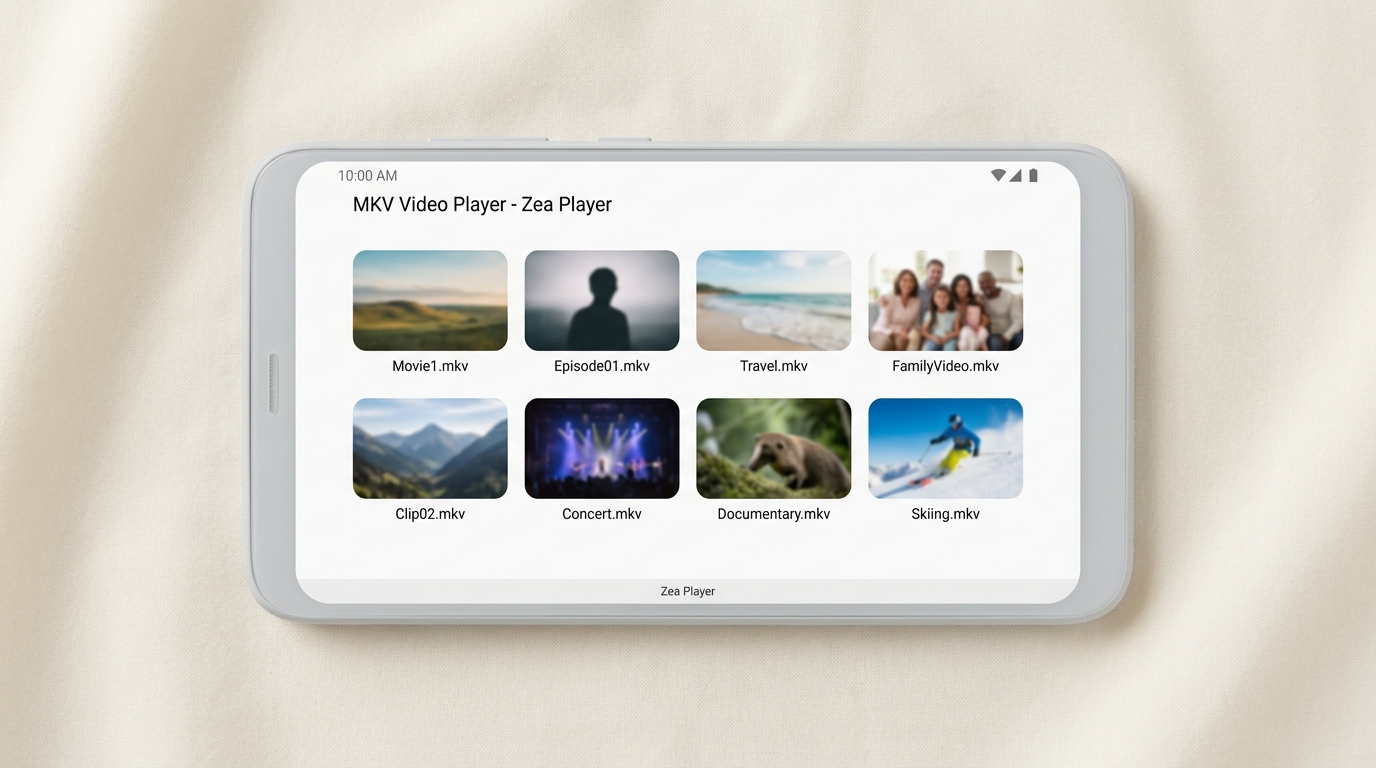
Listed on Google Play as "MKV Video Player - Zea Player," this no-frills option focuses entirely on local MKV file playback and has a verified current US listing. It auto-scans your device and SD card on launch, displaying thumbnail previews for fast file identification. There is no content discovery, no streaming, no extra features — just open an MKV file and play it.
Features:
- Auto-scan of device and SD card on launch with thumbnail preview browser
- Full-screen MKV playback with support for MP4, AVI, and other common formats
- No setup required: immediate access to your local video library
Performance Results
Startup to playback was the fastest of all six apps — under two seconds from tap to video. For users with large local MKV libraries who want the quickest access path, that speed is noticeable.
The trade-offs are real, though. The app is ad-supported, and ads appear during playback at unpredictable intervals. My HEVC test file played back with occasional blocking artifacts that the other players didn't exhibit. Subtitle support is limited to a basic on/off toggle with no styling or format variety.
Who Should Use Zea Player
Best for: Casual viewers who have a folder of ripped 1080p H.264 MKVs from an SD card and want to tap-and-play without configuring anything — not the pick for HEVC-heavy libraries or anime with styled subtitles.
5. GOM Media Player
GOM remains an active media-player brand on the desktop side, and its Android app has historically served the NAS-and-FTP crowd well. Availability caveat: I couldn't verify a current US Google Play listing for GOM's Android app at the time of writing, so if the network-streaming feature set below is what draws you in, check the store before you plan around it.
Features:
- Streams MKV files from FTP servers, cloud storage, and DLNA sources
- 360-degree video playback with gyroscope panning support
- Supports most common video and audio codecs, free with ads
Performance Results
Connecting to a NAS and streaming a 1080p H.264 MKV over local Wi-Fi worked reliably. The player buffered quickly and maintained consistent playback without mid-stream interruptions during my 30-minute test session. The 360-degree mode was responsive, though this is a niche use case for most MKV libraries.
The Android UI feels like a direct port from the desktop version, with some interface elements awkwardly sized for mobile. Playback performance on 4K MKV content was average, roughly comparable to VLC.
Who Might Consider GOM Player
Best for: Home-server users with a Synology or QNAS box full of MKV rips who want to browse those shares from an Android phone on the same Wi-Fi — assuming the Play Store listing is live in your region.
6. Generic "MKV Player" Apps — a Verification Warning
Search "MKV Player" on Google Play and you'll find several apps sharing that near-identical name from different developers, with different package IDs and wildly different quality. I initially tested one such app that handled MKV alongside MP4, AVI, and MOV in a minimal browse-and-play flow, but the name alone isn't specific enough to tie a recommendation to one developer or package with confidence. If you're set on a stripped-down MKV player, verify the exact developer name and package ID on the Play Store listing before installing.
When a Minimal Player Fits
Best for: Nobody I can point to reliably by name — for a lightweight local MKV player from a verified developer, Zea Player above is the safer pick.
Fix Common Android MKV Playback Problems
If you've picked a solid player and an MKV still won't cooperate, the fix almost always lives in one of four symptoms. Work the ordered path within each — most people jump apps when they should be switching a decoder toggle. And a compliance note before the fixes: everything below assumes the MKV files are your own local rips or downloads you legitimately hold; "conversion fallback" here means re-encoding a file you already own into a more compatible container, not extracting or recording online content.
Video Without Audio
Picture plays, sound doesn't. Almost always an audio-codec mismatch — the MKV contains a DTS, TrueHD, or E-AC3 stream your app or device can't decode natively. Steps: (1) in the player, open the audio-track menu and switch to a different embedded track if one exists; (2) enable software decoding for audio (VLC: Settings → Audio → Audio output method → AudioTrack or OpenSL ES); (3) if none of that works, re-encode the audio track to AAC or AC3 on desktop before transferring the file back.
Audio With a Black Screen
The mirror symptom, and on Android TV especially common with HEVC Main 10 or Dolby Vision profiles the built-in decoder rejects. Steps: (1) toggle from hardware to software decoding (MX Player: HW / HW+ / SW menu; VLC: Settings → Video → Hardware acceleration → Disabled); (2) if playback works but stutters, try HW+ as a middle ground; (3) verify the file plays on desktop to isolate a device-decoder issue from a corrupt file.
Missing Subtitles or Wrong Audio
MKV containers can carry a dozen tracks; the player has to pick one. If subtitles don't appear, first check the subtitle-track menu — many MKVs default to "off" or to a forced-narrative track. For missing formats, PGS image subtitles and styled ASS/SSA render fully in VLC and MX Player but flatten or vanish in minimal players. For an unwanted audio language, open the audio-track menu mid-playback and switch — this took under two seconds in my VLC and MX Player tests.
Stutter, Lag, and Decoder Fallbacks
Choppy 4K HEVC or AV1 playback on a mid-range phone isn't a bug, it's the SoC hitting its ceiling. Steps: (1) confirm hardware decoding is enabled; (2) drop from 4K to a 1080p re-encode for mobile viewing; (3) test a second verified player to rule out an app-specific regression. If two players both stutter on the same file, the file or the hardware is the bottleneck, not your app choice.
FAQs
Can Android open an MKV file without another app?
Sometimes. Android's default video app can open MKV containers when the codecs inside (typically H.264 with AAC audio) match what your device's hardware decoder supports. It falls over on HEVC Main 10, Dolby Vision, DTS audio, or PGS subtitles — which describes most modern rips. A dedicated player like VLC covers the codec gaps the built-in app leaves behind.
Which Android MKV player works best with embedded subtitles?
VLC and MX Player both handle SRT, SSA/ASS, and PGS embedded tracks with mid-playback switching. MX Player gives you more styling control — font, size, color, outline — which matters for anime and foreign films where ASS subtitles carry deliberate typography. VLC is the safer default; MX Player is the upgrade when styling breaks in other apps.
Do the same MKV players work well on Android TV?
VLC ships a dedicated Android TV build with remote-friendly navigation and works well with SMB and DLNA shares — that's the pick for a Fire TV or Google TV stick. MX Player runs on Android TV hardware but its interface is phone-first, so remote control feels awkward. On the TV side, the real gotcha isn't the app; it's whether the stick's built-in decoder handles the codec and profile in your file — the Audio-With-a-Black-Screen fix above applies directly.
What should I try if an MKV file still will not play?
Fast escalation: (1) confirm the file plays on another device to rule out corruption; (2) in your current player, toggle hardware ↔ software decoding; (3) manually switch the embedded audio and subtitle tracks; (4) update the app; (5) install a second verified player (VLC if you're on MX Player, or vice versa) and retry; (6) as a last resort, re-encode your own file to H.264 + AAC in an MP4 container on desktop.
Final Verdict
After testing six Android MKV players across two devices and a range of formats, my thesis held up: on Android, MKV playback breaks along codec lines far more often than along app lines, so the goal is a verified baseline plus a fallback decoder toggle rather than a hunt for the "perfect" player. For most phone users, install VLC for Android first — free, ad-free, and codec-complete across every recent Android version. For 4K-heavy libraries on flagship hardware like a Galaxy S23 or Pixel 8 Pro, use MX Player instead for its HW+ decoder mode and ASS subtitle styling. For Android TV or Google TV sticks, VLC's dedicated TV build is the choice; MX Player runs but its phone-first UI fights the remote. If your MKVs live on a NAS, layer in GOM (once you confirm the current Play Store listing) or use VLC's SMB browser. The ordered path to a working setup: (1) install a verified baseline player, (2) grant it storage access, (3) open a known-good MKV to confirm the pipeline, (4) if it fails, toggle the decoder mode and switch tracks before switching apps, (5) fall through to the troubleshooting section above.

 Play Video Files: 4 Paths Across Formats and DevicesBy James Morgan - Sep 22, 2026
 12 Best HEVC Players for Windows, Mac, and 4K (2026)By Alice Harper - Aug 4, 2026
 Best WMV Player for Mac and How to Play WMV on Mac NativelyBy James Morgan - Aug 4, 2026
 8 Best TS File Players and Playback Tools for 2026By Alice Harper - Jul 28, 2026