10 Best Music Players for Windows 10 and 11 (2026)

Summary: Microsoft replaced Groove Music with a new Media Player app, and the options for Windows 10 and 11 users have shifted considerably since. This guide covers six actively maintained music players, from the no-install built-in option to free tools favored in audiophile communities. For most users, the choice comes down to AIMP for audio quality or MusicBee for large library management.
The quick takeaway: the right music player for Windows 10 or Windows 11 depends less on a single “best sound” label than on your library size, playback controls, and listening habits. This guide compares music players for Windows 10 by local-library tools, format handling, output options, and everyday fit.
Windows 10 reached end of support on October 14, 2025. A player may still run on Windows 10, but active Windows 11 maintenance is an important distinction when choosing software for a long-term local music library.
Table of Contents
Music Players for Windows 10 and 11
1. PlayerFab Free Video Player
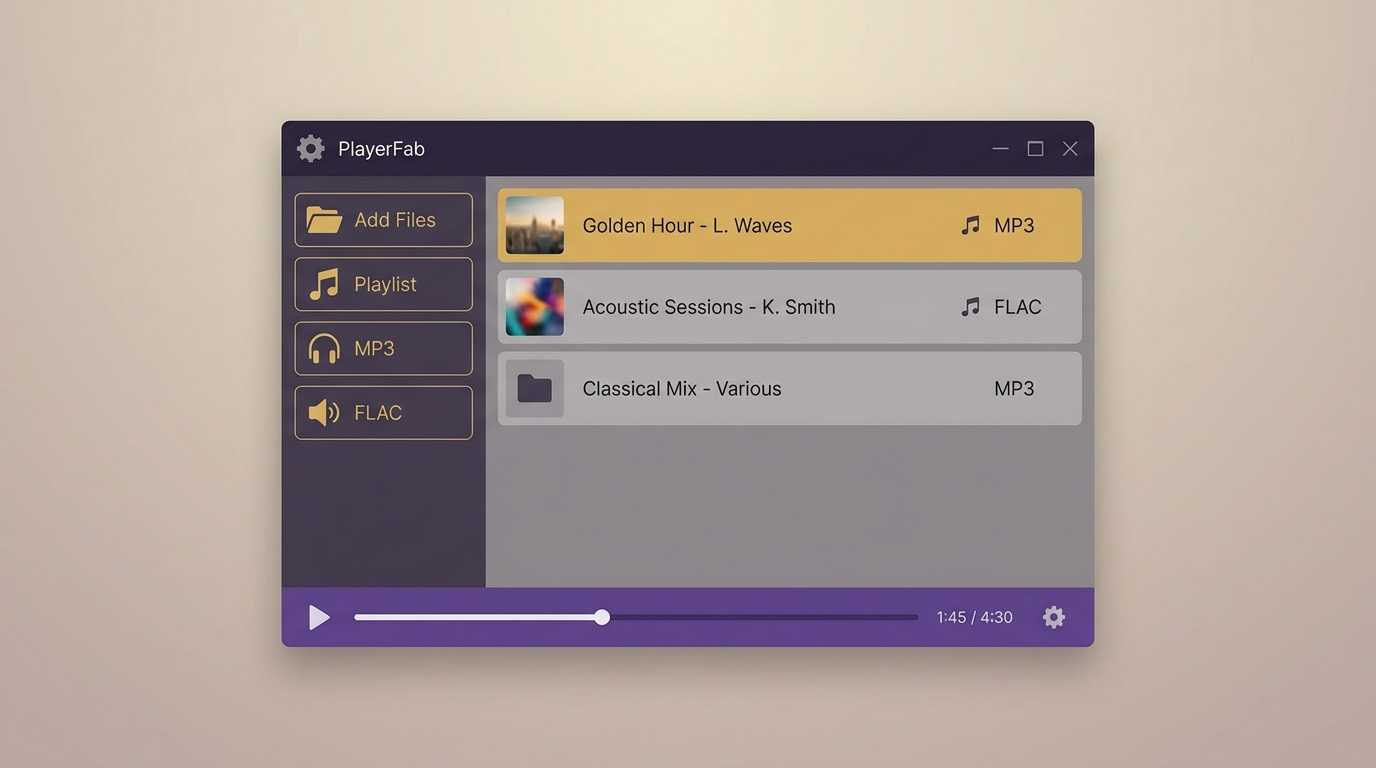
PlayerFab Free Video Player is a desktop player for readers who keep authorized local media files in one place. The free version supports Windows and macOS, plays local standard- and high-definition video, and provides basic poster-wall library organization. Its maximum supported resolution is 1080p, so it is not the right fit for listeners who specifically need 4K, HDR, Blu-ray, or ISO playback.
For a local collection that includes video alongside other authorized media, this desktop media player keeps playback and a basic media library in the same application. In my view, that shared-library approach makes sense when music is part of a broader local media collection; it is less compelling if you want a highly specialized music-tagging workflow or a very lightweight player.
Before importing files, make sure they are local audio files you legally own or are authorized to use. For music listening, start with library organization and playback settings rather than expecting a player alone to transform the quality of the source file, headphones, speakers, or system audio output.
Pros:
- Available on: Windows & macOS
- Local standard- and high-definition video playback, up to 1080p
- Basic poster-wall media library organization
- Free base version
i Free Download i Free Download
Using PlayerFab for Local Music
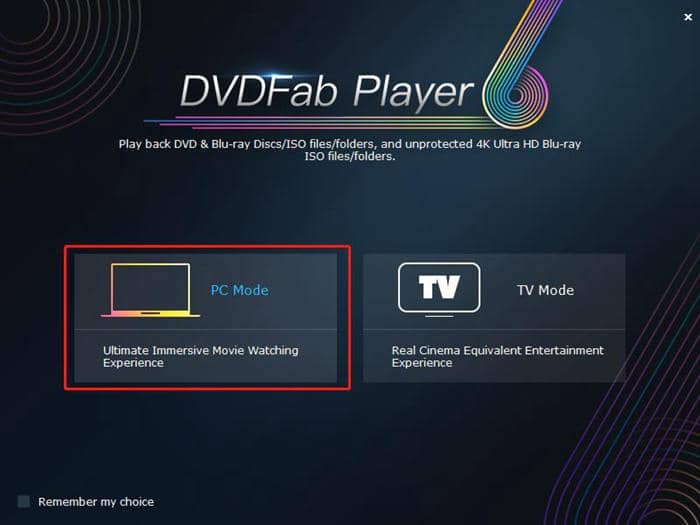
Step 1: Launch PlayerFab and choose PC playback mode
Step 2: Add authorized local audio files to the library
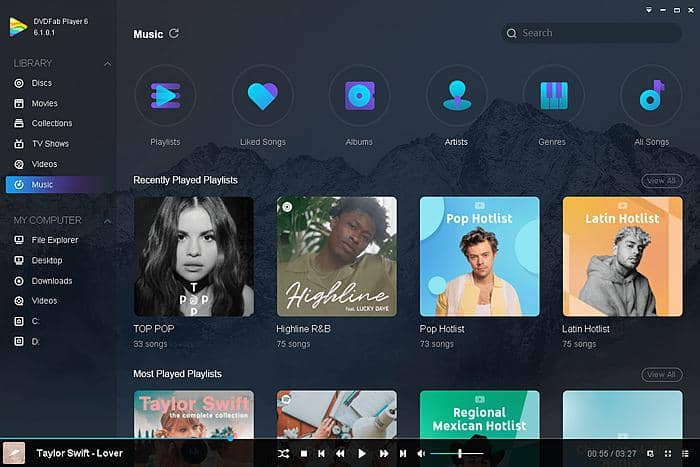
Step 3: Build a playlist and adjust playback settings
After arranging your playlist, adjust the available playback settings to suit your listening setup. This workflow is most useful when you want one desktop app for a local music collection alongside locally stored video.
Tip: Add several authorized local tracks at once, then organize them into a playlist before playback.
Quick Comparison by Listening Need
Use this table as a starting point, not a universal ranking. Library size, metadata work, output controls, and whether you also play video files are more useful decision points than a single sound-quality claim.
| Player | Good fit for | Library and metadata | Controls and formats | Price and Windows support |
|---|---|---|---|---|
| PlayerFab Free Video Player | Basic local media library | Basic poster wall | Local playback, up to 1080p | Free base version; Windows and macOS |
| Microsoft Media Player | Simple built-in playback | Library and playlists | Basic playback controls | Included with Windows |
| MusicBee | Large music collections | Tagging and album art | EQ and plug-in support | Free; Windows |
| foobar2000 | Lean customization | Configurable library | Components and output controls | Free; Windows |
| VLC | Music and video files | Basic playlists | Broad media playback | Free; Windows |
| AIMP or Dopamine | Lightweight modern use | Music-focused library | Everyday audio controls | Free; Windows |
Compatibility and pricing context as of August 2026.
2. Windows Media Player
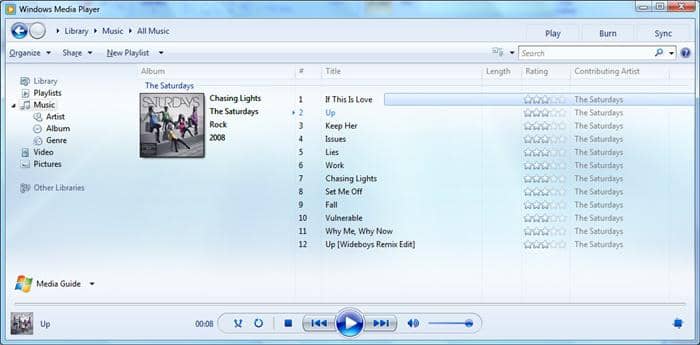
Best for simple built-in playback: Microsoft’s current Media Player experience focuses on a modern music library and playlists, making it a practical starting point when you do not want to install another app. It replaces the old Groove Music branding and is better suited to straightforward local listening than deep library management or specialized output customization.
Pros:
- Support various audio formats
- Built-in player without extra need of installation
How to Use Bulit-in Windows Music Player
Step 1: Find the music tracks on your computer
Step 2: Right click to choose Open with Windows Media Player
Step 3: Enjoy the music as you like
System Requirements: 64-bit or 32-bit Windows 7, Windows 8/8.1, or Windows 10 OS
Supported Formats: M4V, MOV, MP4, WMP, MPEG, WMV, WMA, AVI, ACE, MP3, WAV.
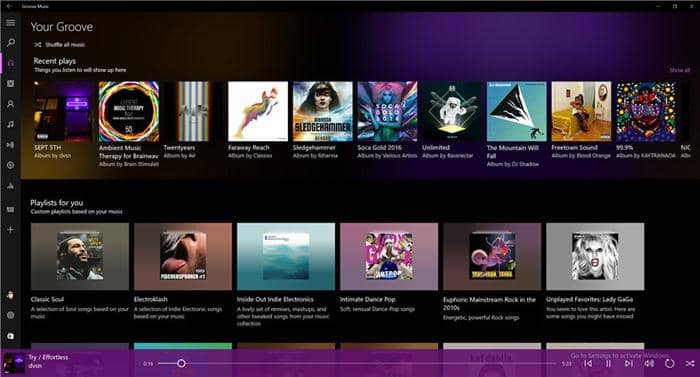
Groove Music Status
Groove Music is no longer a current peer recommendation. Microsoft replaced the Groove Music name with Media Player, so readers searching for the old app should use the current built-in player described above instead.
3. VLC Player
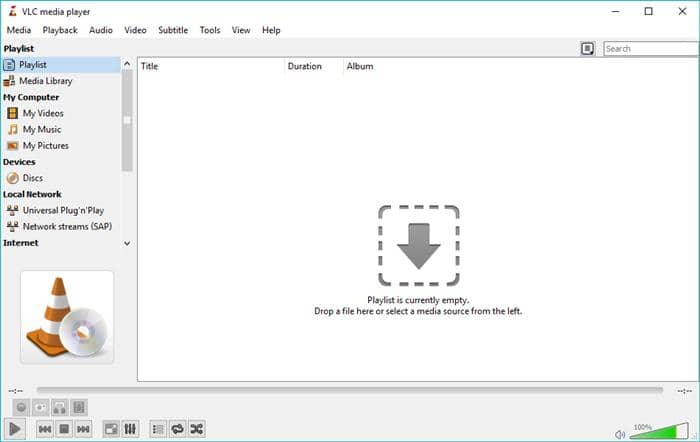
VLC is a free music player for Windows 10 that also suits people who play local video files. It handles common audio formats such as MP3, OGG, FLAC, and WMA, and includes playlist controls, extensions, and interface customization. Its strength is broad everyday media playback rather than the deep tagging and library-maintenance tools offered by music-focused players.
Pros:
- Create music playlist easily
- Extension support and interface customization
- Support for common audio formats
- Basic playlists and media controls
How to Use VLC Windows Music Player
Step 1: Open VLC player
Step 2: Import music files from local or go to My Music to find the file
Step 3: Play and enjoy the wonder music brings
Available on: Windows, Linux, macOS, Android, iOS
4. Jet Audio
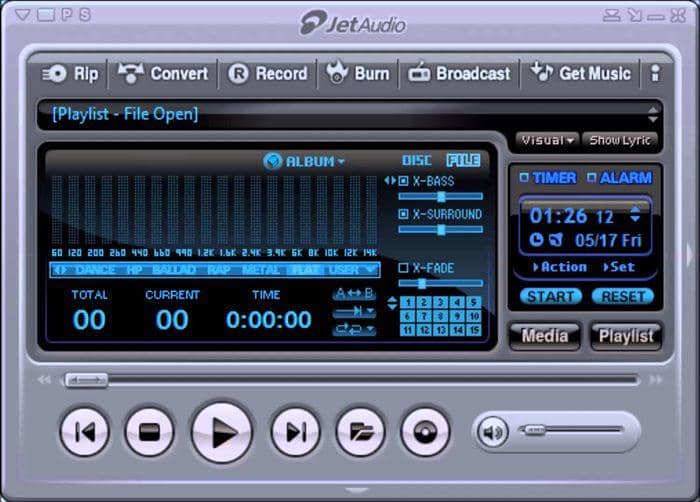
JetAudio is the music player with a legacy. It is one of the oldest Windows music players that have managed to come so far. JetAudio supports a range of common audio formats. Apart from that, you get a professional music player UI. JetAudio is a shareware music player, you can use it for free. But for advanced functionality you need to buy some extensions like Xbass, Xsurround. JetAudio has recently launched DFX which is known to bring HD sound quality on PCs. With JetAudio you can also rip and burn CDs. It may suit listeners who want built-in sound effects and CD tools.
Pro:
- Rip and burn CDs, a fantastic function for music enthusiasts
- Support a wide array of built-in sound effects, like X-Bass and X-Surround, Wide, etc.
- Sound recording, data conversion, metadata editing
- Also available on Android and iOS
How to Use JetAudio Music Player Windows
Step 1: Find the music you want to play at local
Step 2: Select it and right click to Open with JetAudio
Step 3: Play it and adjust relevant settings as you like
Available: Windows, macOS, Android, iOS
5. Winamp
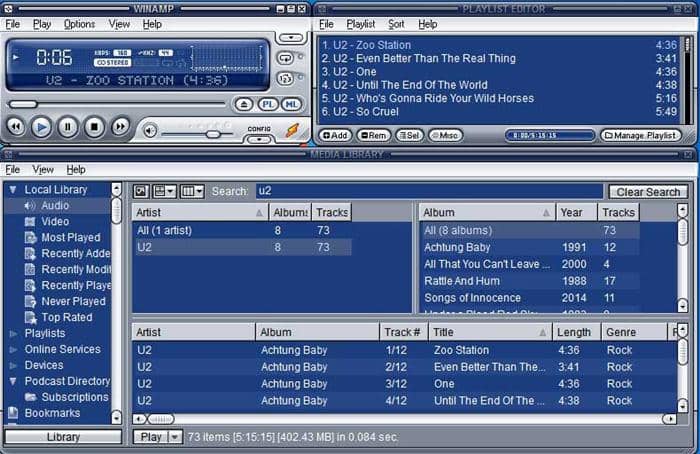
Winamp is a long-running music player with automatic library scanning, skins, plug-ins, visualizations, and DSP effects. It can appeal to listeners who enjoy a familiar customizable interface, while people focused on detailed metadata maintenance may find MusicBee or MediaMonkey more practical.
Pro:
- Automatically scan and create music library
- Support all kinds of music files
How to Use Winamp Music Player for Windows 10
Step 1: Install this free music player for Windows 10
Step 2: Open it to see the automatically arranged music files or import more
Step 3: Adjust relevant settings, then play the music and enjoy
Available: Windows & Mac OS, Android
6. MusicBee
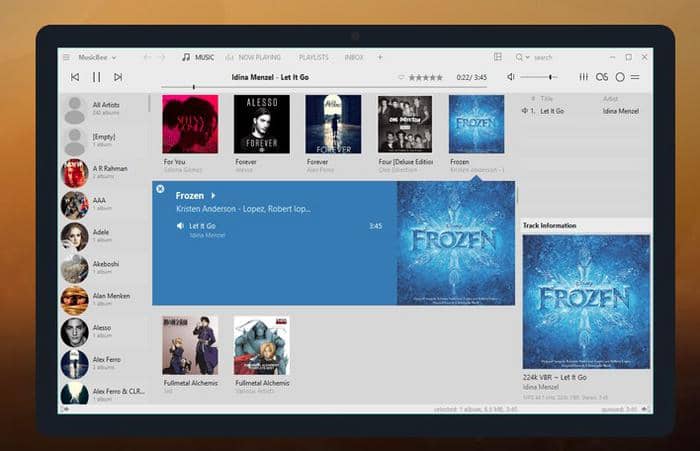
Best for a large local music library: MusicBee is a music-focused Windows player with library organization, tagging, album-art management, search, playlists, equalizer controls, and support for selected Winamp plug-ins. It is the stronger fit when you want to clean up metadata, find albums quickly, and maintain a growing collection rather than simply open individual folders.
Pro:
- Search and organize music tracks from your computer automatically
- Enable you to add tracks from iTunes or Windows Media Player
- Fine-tune the sound with the 10-band or 15-band Equalizer and DSP effects
- Support some WinAmp plugins to enhance your music
How to Use Musicbee Music Player Windows 10
Step 1: Start MusicBee and double-click on any track or playlist
Step 2: Right click and choose Play Now
Step 3: Enjoy your music
Available: Windows. For cross-device listening, an Android media player is a better place to evaluate phone-specific playback and playlist needs.
Note: MusicBee is a powerful music manager which can bring order to your messy music library by using its auto-tagging function.
7. Media Monkey
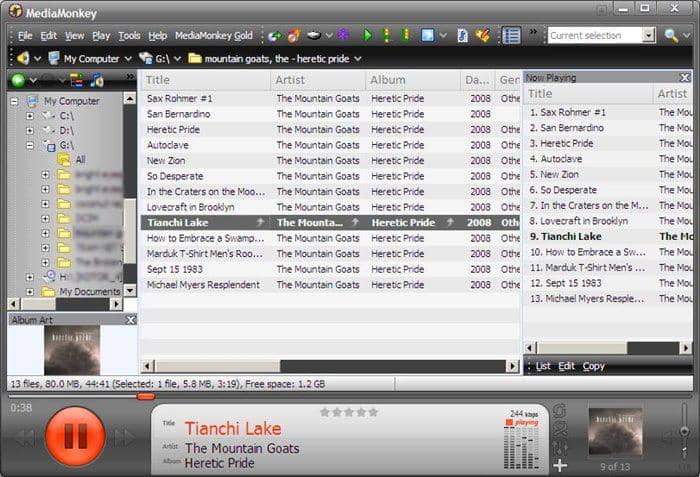
Best for metadata-heavy collections: MediaMonkey centers on library scanning, tags, album art, lyrics, playlists, and device synchronization. It is worth considering when duplicate handling, searchable metadata, and a structured collection matter more than a minimal interface; casual folder playback may not need this level of library management.
Supported Audio Format: MP3, AAC (M4A), OGG, WMA, FLAC, ALAC, MPC, WAV, CDA, AVI, MP4, OGV, MPEG, WMV, M3U, PLS, etc.
Pro:
- Fantastic music manager handling 100,000+ files without bogging down
- Record CDs and download music, movies, and podcasts
- Automatically lookup and intuitively tag album art, lyrics and other metadata
- Sync Android, iPhone, iPod, iPad & others, converting & leveling tracks on-the-fly
How to Use Media Monkey Windows Music Player
Step 1: Start Media Monkey and click File
Step 2: Click Add/Rescan files to the library to update the music library
Step 3: Choose the music folder or playlist you would like to play and enjoy
Available: Windows, Mac OS (some old version)
8. Clementine
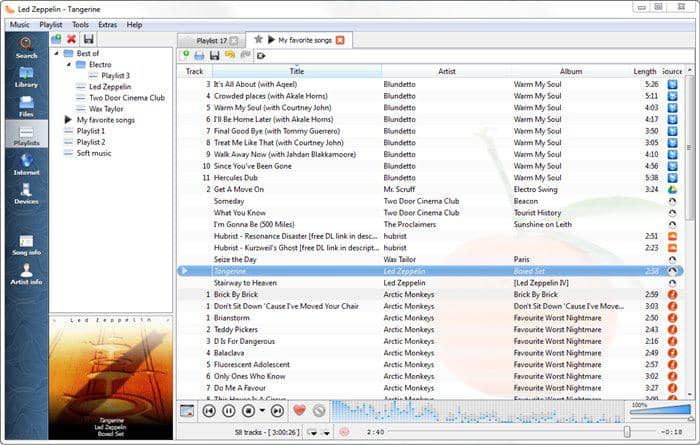
Clementine remains a familiar legacy option for local music, playlists, tags, and a simple cross-platform-style interface. Its official site foregrounds a stable 1.3 release from April 2016, so its maintenance cadence should be part of your decision rather than treating it as an unqualified current recommendation.
Pro:
- Search music files with built-in file browser from local or cloud
- Supports all kinds of known audio formats
- Create playlist, auto update music tags with Internet
How to Use Clementine Windows Music Player
Step 1: Start Clementine after successful installation
Step 2: Search the music track by clicking the first icon “Search” or choose “Playlist” to find the music you want to play
Step 3: Enjoy the wonder that music brings
Available: Windows, macOS X, and Linux
Note: Clementine’s download archive lists the versions available for supported systems.
9. Foobar2000
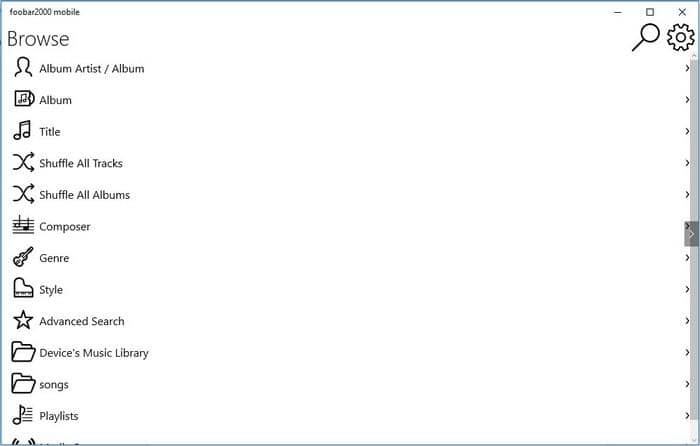
Best for lightweight customization and output control: foobar2000 uses a lean interface and optional components, which suits listeners who want to shape their library and playback workflow. FLAC, ALAC, and WAV are lossless formats, meaning they preserve the audio data from the source; a dedicated FLAC player guide can help if lossless-library support is your main priority. WASAPI or ASIO can matter when you need more direct audio-output control, while ReplayGain helps keep tracks at a more consistent perceived volume and DSP tools alter playback processing.
Pro:
- Gapless playback
- Easily customizable user interface layout
- Advanced tagging capabilities
- Support for ripping Audio CDs as well as transcoding all supported audio formats using the Converter component
How to Use Foobar2000 Music Player for Windows
Step 1: Start Foobar2000 and make settings at Quick Appearance Setup
Step 2: Open the music folder or the playlist your created with Foobar2000
Step 3: Immerse in the world of music
Available on: Windows, macOS X, and Linux
10. AIMP and Dopamine
Best for lightweight everyday listening: AIMP and Dopamine are worth considering when you want a more music-focused interface without building a complex library workflow. AIMP suits listeners who value configuration and audio controls, while Dopamine is a reasonable option for a cleaner, modern library view. Choose between them based on the interface and organization tools you will actually use.
Which Music Player Fits Your Listening Style?
The best music player for Windows 10 or Windows 11 is the one that matches your listening style: choose MusicBee or MediaMonkey for a large, metadata-heavy library; foobar2000 for lightweight customization and output controls; AIMP or Dopamine for simpler music-first playback; VLC when video files matter too; and Microsoft’s Media Player for straightforward built-in listening. PlayerFab Free Video Player is a sensible fit when your authorized local music collection sits beside locally stored video, but its free version is not designed for 4K, HDR, Blu-ray, or ISO playback.

 Play Video Files: 4 Paths Across Formats and DevicesBy James Morgan - Sep 22, 2026
 12 Best HEVC Players for Windows, Mac, and 4K (2026)By Alice Harper - Aug 4, 2026
 Best WMV Player for Mac and How to Play WMV on Mac NativelyBy James Morgan - Aug 4, 2026
 8 Best TS File Players and Playback Tools for 2026By Alice Harper - Jul 28, 2026