Best Plex Alternatives in 2026: Free, Self-Hosted, and Local Options Compared

Summary: Plex raised its Lifetime Pass to $750 in 2026, pushing many users to evaluate alternatives. This guide tests eight options, from fully open-source servers like Jellyfin to DLNA tools and local players, including an honest account of where each falls short. For most users switching from Plex, the decision comes down to Jellyfin for a free self-hosted setup, or Emby for a Plex-style feature set with a paid tier.
In May 2026, Plex announced a price increase for its Lifetime Pass from $250 to $750, effective July 1. The announcement landed on r/selfhosted and triggered over 900 comments in a matter of hours. The core sentiment: if Plex can double its price once, it can do it again.
That kind of pricing shift has a way of prompting people to look harder at what they actually need from a media platform. I tested eight alternatives to map out where each one fits: which ones are truly free, which require some technical setup, which work on your TV without workarounds, and which are worth skipping entirely.
The list below covers the range from fully self-hosted open-source options to desktop players built for local disc and file playback. Each entry includes an honest account of where it falls short, not just what it does well.
What Is Plex, and Why Are Users Looking for Alternatives?
Plex is a media server platform that organizes your personal video, music, and photo libraries and streams them to almost any device. Install the server software on a computer or NAS, point it at your media folders, and Plex handles the metadata, artwork, and transcoding. Clients are available for Android, iOS, Apple TV, Roku, Amazon Fire TV, Chromecast, and most smart TV platforms.
On paper, Plex remains one of the most polished media server solutions available. In practice, two issues have pushed users toward alternatives.
The first is pricing. Plex's free tier limits certain features, including offline sync and live TV, behind the Plex Pass subscription. The Lifetime Pass option, once priced at $79 and then $120, reached $250 in recent years before jumping to $750 in mid-2026. For users who bought in early, the existing cost is grandfathered. For anyone evaluating Plex today, $750 is a significant commitment for software that could change its terms again.
The second issue is architecture. Plex routes authentication through its own servers, which means accessing your local library requires an active Plex account and a working connection to Plex's infrastructure. Users on r/selfhosted have flagged this repeatedly: if Plex's servers have an outage, or if your internet goes down, playback from a device a few feet from your server can stop working. That behavior runs counter to what most people expect from software they're running on their own hardware.
These two factors explain the current interest in alternatives, particularly fully self-hosted options that do not depend on any external service to function.
Top 8 Plex Alternatives Worth Considering
The eight options below cover different use cases: local disc and file playback, fully self-hosted network streaming, DLNA streaming to in-home devices, and aggregator-style platforms. Not all of them are direct Plex replacements. Where the scope differs from Plex, that distinction is noted.
PlayerFab All-In-One
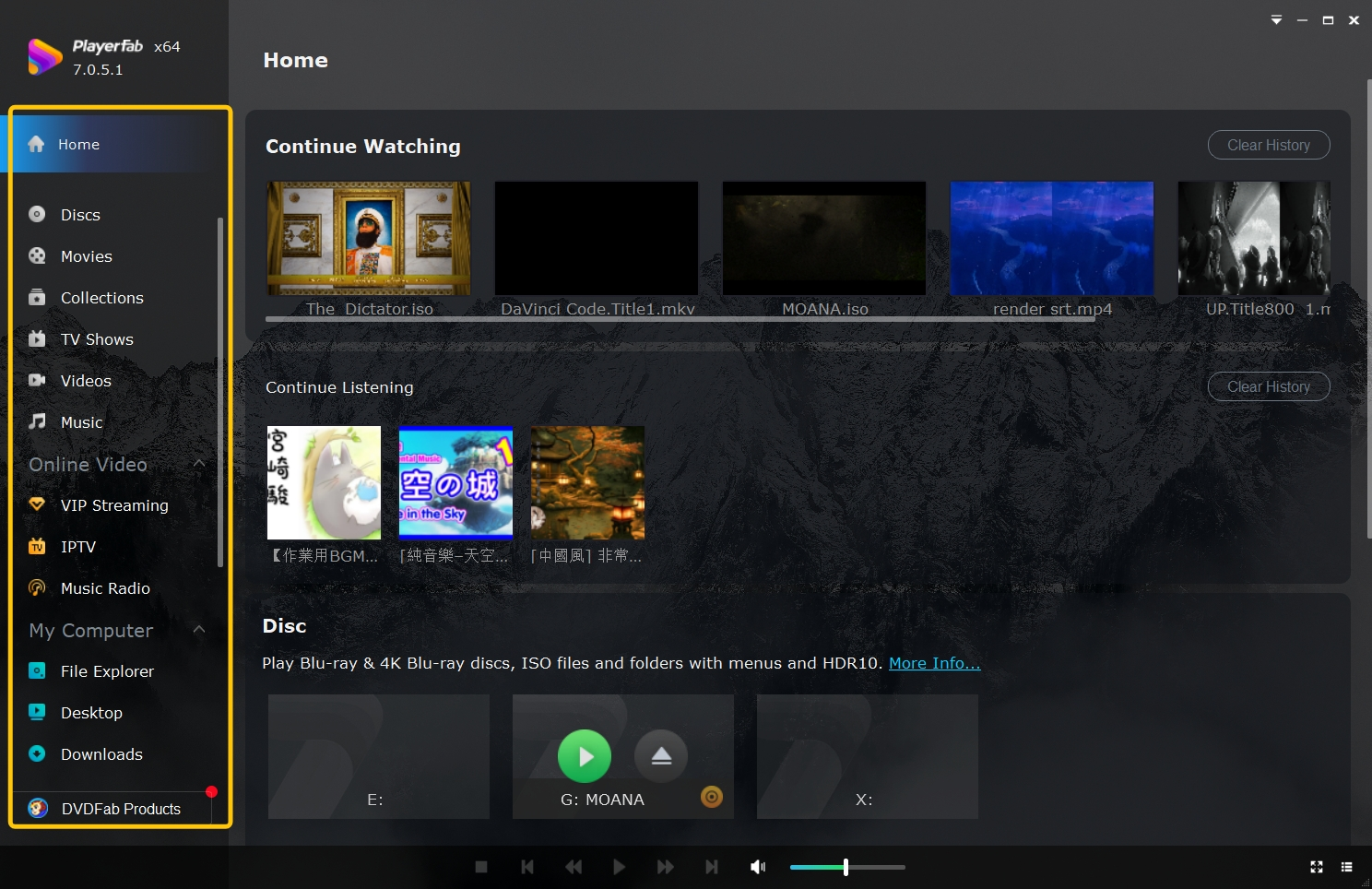
PlayerFab All-In-One is built around a specific use case that most other options on this list do not address: playing physical disc media and local video files on a single machine, with a library management interface that keeps everything organized in one place. If your collection includes physical media alongside digital files and you want them all accessible from one application on your Windows or Mac computer without routing anything through an external account or service, PlayerFab addresses that directly. Its disc playback feature set goes deeper than what general-purpose alternatives on this list offer.
Highlights
- Plays 4K Ultra HD Blu-ray, Blu-ray, and DVD with full disc menu navigation
- Builds a local media library organized by poster walls with automatic metadata
- Imports physical discs to ISO files automatically for archive and offline access
- Handles HEVC/H.264 and other common video formats without separate codec installation
Limitations
- Not a network media server; cannot stream your library to other devices on your local network
- No mobile client, browser interface, or remote access outside the local machine
Jellyfin
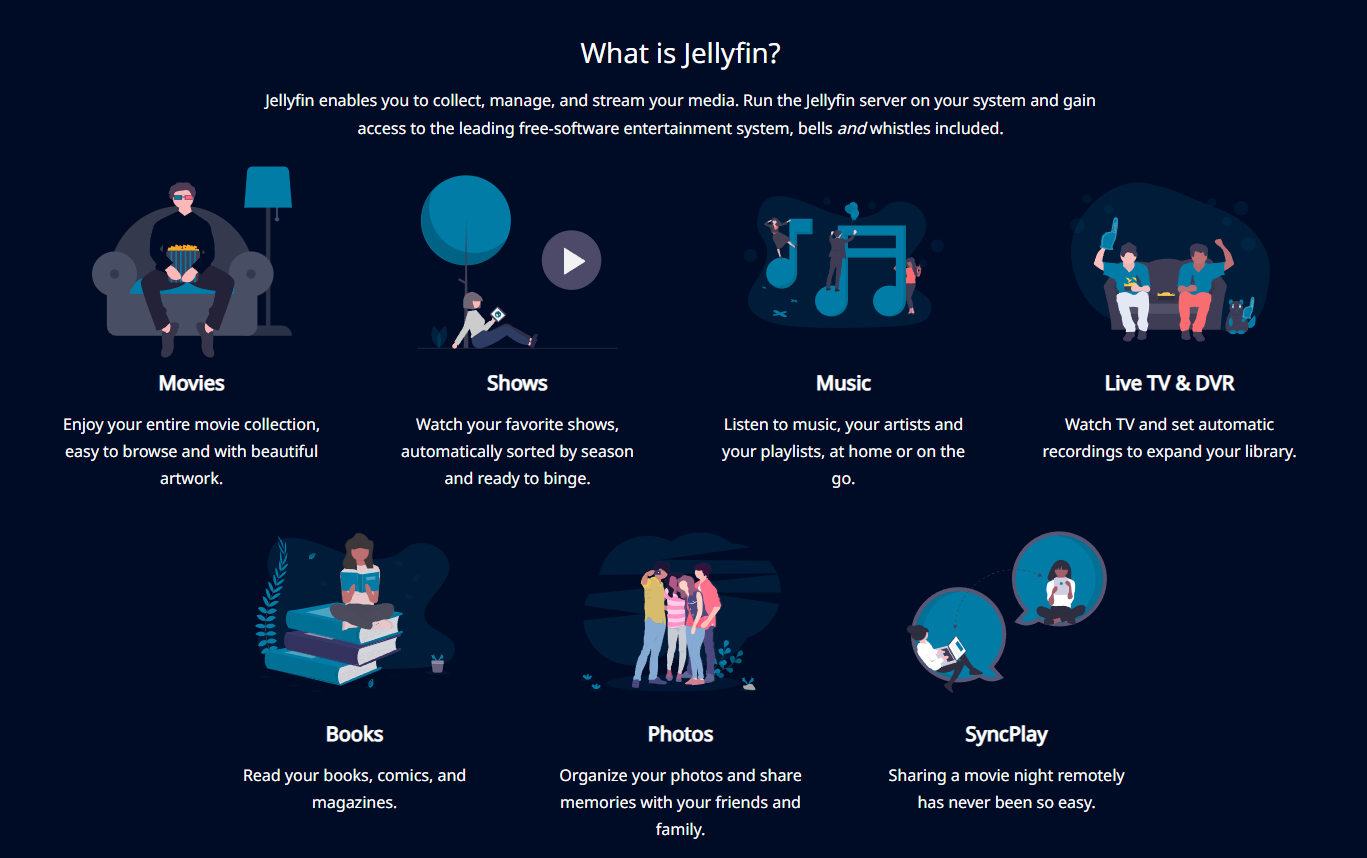
Jellyfin is an open-source media server that forked from Emby in 2018 after Emby moved to a closed-source model. Everything in Jellyfin is free, with no premium tier, no locked features, and no subscription. More importantly for users concerned about data control, authentication in Jellyfin runs entirely on your own server. Your library stays accessible on your local network whether or not the Jellyfin project's servers are up, because playback does not depend on any external infrastructure. Reports on r/selfhosted consistently place Jellyfin as the most-recommended free Plex alternative in 2025 and 2026, particularly among users who want real self-hosting rather than a managed service hosted on their own hardware.
Highlights
- Authentication and playback run on your own server, no external cloud dependency
- Per-user bandwidth caps and transcode limits configurable from the admin panel
- Client apps for Android, iOS, Fire TV, and Roku; web interface works on any browser
- Active open-source development with regular releases and a large community
Limitations
- No official app for Samsung or LG Smart TVs; users must sideload a third-party client
- Initial setup involves more steps than Plex: installing the server (often via Docker), configuring a reverse proxy for remote access, and migrating an existing library
Emby
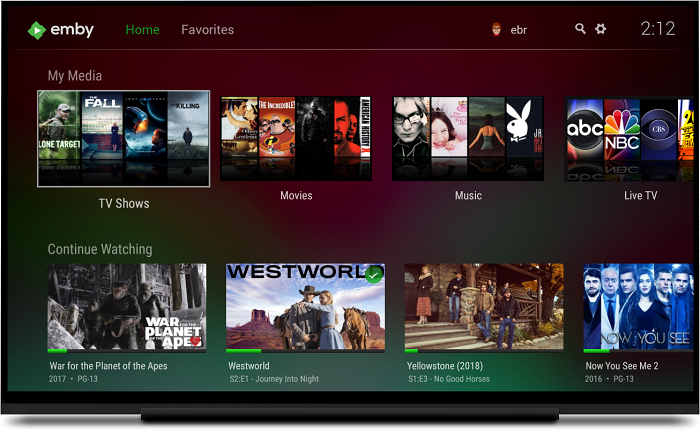
Emby started as an open-source project and was one of the original community-driven alternatives to Windows Media Center. In 2018, development moved to a closed-source model. The application now operates as a freemium service: the server and basic streaming are free, while advanced features such as offline sync, live TV DVR, and hardware transcoding on certain devices require an Emby Premiere subscription. In terms of feature scope, Emby sits closer to Plex than any other option on this list, making it a reasonable choice for users who want a polished experience and are willing to pay for the full feature set.
Highlights
- Live TV and DVR support with compatible tuner hardware, available on the free tier with limits
- Broad device compatibility including Smart TVs, Android, iOS, Fire TV, and Roku
- Automatic metadata from TheTVDB and TheMovieDB keeps libraries organized without manual input
- Server-side transcoding adjusts quality automatically based on the client's capabilities
Limitations
- No longer open-source; advanced features require Emby Premiere (approximately $4.99/month or $54/year)
- Like Plex, authentication partially depends on Emby's servers, which introduces the same cloud dependency concerns
Kodi
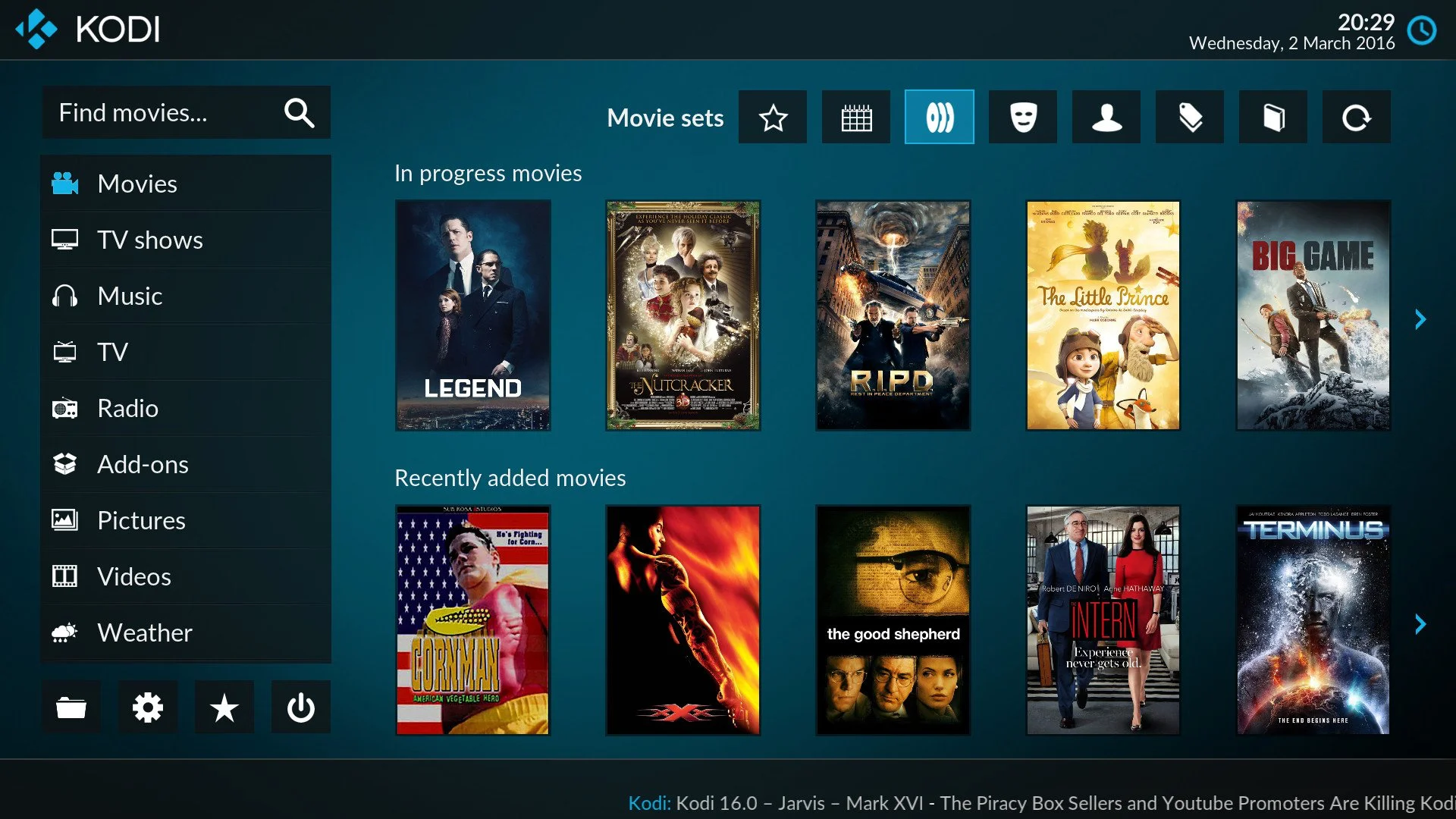
Kodi is a local media player, not a media server. That distinction matters when comparing it to Plex or Jellyfin: Kodi plays files on the device it runs on and can pull content from network shares, but it does not stream your library to other devices the way a server-based solution does. Where Kodi stands apart is the depth of its customization. The add-on and skin ecosystem allows for a level of configuration that no other option on this list approaches, which makes it well suited to a dedicated home theater PC where one machine handles everything and the person running it wants full control over how it looks and behaves.
Highlights
- Free and open-source, with no account required to use any core feature
- Runs on Windows, macOS, Linux, Android, and Raspberry Pi
- Add-on library extends functionality for streaming services, metadata sources, and interface customization
- Handles a wide range of video, audio, and image formats without additional codecs
Limitations
- Not a media server; sharing your library to other household devices requires additional configuration beyond the base installation
- Library setup and add-on management require more hands-on configuration than most alternatives here
- iOS version is significantly more limited than the Android or desktop builds
Stremio
Stremio works differently from the other options on this list. Rather than organizing a library of files stored on your hardware, it aggregates content from third-party add-ons, streaming services, and external sources into a single interface. Setup takes minutes rather than hours, and no server knowledge is required. The trade-off is control: your streaming activity routes through Stremio's infrastructure, and the platform's usefulness depends heavily on the add-ons you connect to it. For users whose primary goal is a clean, unified interface for content from multiple online sources, Stremio handles that well. For users who want to manage a local file library with the same level of control as Plex, it is not the right fit.
Highlights
- Available on Windows, macOS, Android, iOS, and as a web app with no server setup required
- Aggregates content from multiple add-on sources into a single, consistent interface
- Supports Chromecast and Android TV for watching on a television
- Automatic subtitle support in multiple languages across supported content
Limitations
- Not a self-hosted solution; streaming activity and library data pass through Stremio's servers
- Stremio is designed for online sources, not local library organization
Universal Media Server
Universal Media Server is a DLNA/UPnP media server designed to stream files from a Windows, Mac, or Linux computer to devices on the same local network. It requires no account, no cloud connection, and no subscription. In practice, that makes it one of the simplest options to get running: install, point it at a folder, and most DLNA-compliant devices on your network will detect it automatically.
Highlights
- Compatible with Windows, macOS, and Linux on the server side
- Streams to any DLNA-compliant device, including smart TVs, PlayStation, Xbox, and Blu-ray players
- Automatically rescans and updates the media library when files or metadata change
Limitations
- DLNA-only; no dedicated mobile apps, no web interface, and no remote access outside your local network without separate configuration
- Transcoding quality and speed depend on server CPU; there is no GPU acceleration support in the standard build
MediaPortal
MediaPortal is a free, open-source home theater application for Windows. It is built around live TV and DVR, with a media library as a supporting component rather than the primary feature. If you have a TV tuner card installed in a Windows PC and want a single application to handle live TV recording, scheduled recordings, and media playback, MediaPortal handles that workflow without a subscription. Users who do not have a TV tuner and are primarily looking to manage a video file library will find the application less relevant than the other options here.
Highlights
- Live TV recording and DVR scheduling with compatible TV tuner hardware
- Customizable interface via skins and plugins for different home theater layouts
- Pulls metadata and artwork from online sources automatically
Limitations
- Windows only; no support for macOS, Linux, mobile devices, or browser-based access
- TV tuner hardware is required to use the live TV and DVR features, which are the application's main differentiator
Serviio
Serviio is a DLNA media server with real-time transcoding, designed to stream audio, video, and images to devices on your local network. The free version covers local file streaming. The Pro license adds support for online content sources such as RSS feeds and live streams. Compared to Universal Media Server, which covers similar DLNA ground, Serviio's main differentiation is online content integration. That said, community activity around Serviio has declined noticeably over the past few years, and for new setups, Jellyfin or Universal Media Server tend to receive stronger recommendations from current users.
Highlights
- Real-time transcoding matches the output format to the target device's requirements
- Online content sources including RSS feeds and live streams (Pro feature) available via plugin system
- Automatic library updates when media files or metadata change
Limitations
- Online content streaming and advanced source integration require the Pro license (approximately $25 one-time)
- Community development and support activity has slowed relative to more actively maintained alternatives
- No dedicated client apps of its own; device access relies entirely on the built-in DLNA player of the target device, which limits library browsing and playback control compared to server alternatives with full-featured clients
How These Plex Alternatives Compare
The table below covers five dimensions that most affect the decision: price, whether the software is open-source, which platforms the server runs on, the difficulty of getting started, and how many device types the client supports. Setup difficulty ratings reflect what most users without a home server background will experience.
| Alternative | Price | Open Source | Server Platform | Setup Difficulty | Client Ecosystem |
|---|---|---|---|---|---|
| PlayerFab | Free trial; paid license | No | Windows, Mac | Easy | Windows/Mac only |
| Jellyfin | Free | Yes | Windows, Mac, Linux | Moderate | Android, iOS, Fire TV, Roku, web |
| Emby | Free / ~$5/mo Premiere | No (since 2018) | Windows, Mac, Linux | Moderate | Smart TVs, mobile, web |
| Kodi | Free | Yes | Windows, Mac, Linux, Android | Moderate–High | Local device only |
| Stremio | Free | No | No server; cloud-based | Easy | Android, iOS, Chromecast, web |
| Universal Media Server | Free | Yes | Windows, Mac, Linux | Easy | Any DLNA device |
| MediaPortal | Free | Yes | Windows only | Moderate | Windows only |
| Serviio | Free / ~$25 Pro | No | Windows, Mac, Linux | Easy–Moderate | Any DLNA device |
Open-source picks, Jellyfin, Kodi, Universal Media Server, and MediaPortal, are all fully free with no feature gating, while Emby and Serviio gate their most useful capabilities behind a paywall. The wider device ecosystems of Jellyfin and Emby come at the cost of a more involved setup, which explains why simpler tools like Universal Media Server and Stremio remain relevant. If setup difficulty is a dealbreaker, both of those get running in under ten minutes with no technical background required.
Frequently Asked Questions
What is the difference between Kodi and a media server like Jellyfin or Plex?
Kodi is a local media player. It plays content on the device where it is installed and can read from network shares, but it does not serve your library to other devices on your network. Jellyfin and Plex are media servers: you install the software once on a central machine, and any device in your household with a compatible client app can stream from it. If you want your library accessible on a TV in a different room without duplicating files, you need a server-based solution, not Kodi alone.
Can I switch from Plex to Jellyfin without losing my library organization?
Your media files stay where they are during the switch; neither Plex nor Jellyfin moves or modifies the actual video files. What does not transfer automatically is the metadata Plex has assembled: watch history, custom artwork, playlists, and ratings. Jellyfin rebuilds its own library by re-scanning the same folders and pulling fresh metadata from online sources. The process works well for most libraries, though very large or unusual collections may need some manual corrections after import.
Conclusion
The right choice depends primarily on two factors: whether you need network streaming to multiple devices, and whether you want to avoid ongoing costs.
For users who want a fully free, self-hosted server accessible from any device in the household, Jellyfin is the most capable option at no cost. For users coming from Plex who want a similar feature set and are willing to pay for it, Emby covers that ground most directly. If your media collection centers on physical discs and local files on a single machine, PlayerFab handles that without the complexity of a server setup. For households that primarily stream to DLNA-compatible devices on the home network and want the simplest possible installation, Universal Media Server requires the least configuration.
Whichever direction you go, the options above are all more straightforward to evaluate than they were a few years ago. Most have free tiers or free trials, so testing before committing is practical. If you are considering the switch from Plex, starting with a parallel Jellyfin installation alongside your existing Plex server is a low-risk way to compare the two before migrating your library.

 12 Best HEVC Players for Windows, Mac, and 4K (2026)By Alice Harper - Aug 4, 2026
 Best WMV Player for Mac and How to Play WMV on Mac NativelyBy James Morgan - Aug 4, 2026
 8 Best TS File Players and Playback Tools for 2026By Alice Harper - Jul 28, 2026
 6 Best DVD Players for Laptops in 2026: Drives and AppsBy Alice Harper - Jul 22, 2026