6 Best DVD Players for Laptops in 2026: Drives and Apps

Summary: A laptop needs optical hardware to read a physical DVD and compatible software to play the movie. This guide compares three external drives and three player apps, then maps USB-C, USB-A, free playback, burning, and disc-menu needs to the right setup.
Table of Contents
Searching for a DVD player for laptop use now means solving two separate problems: most current notebooks lack an optical drive, and Windows or macOS may still need DVD player software. The practical route is an external DVD drive plus an app that supports the disc features you need.
The quick takeaway: choose the drive by port, disc format, and read-or-burn support, then choose DVD playback software by menu, subtitle, audio, and region behavior. This hardware-first approach avoids paying for features that cannot fix a missing drive.
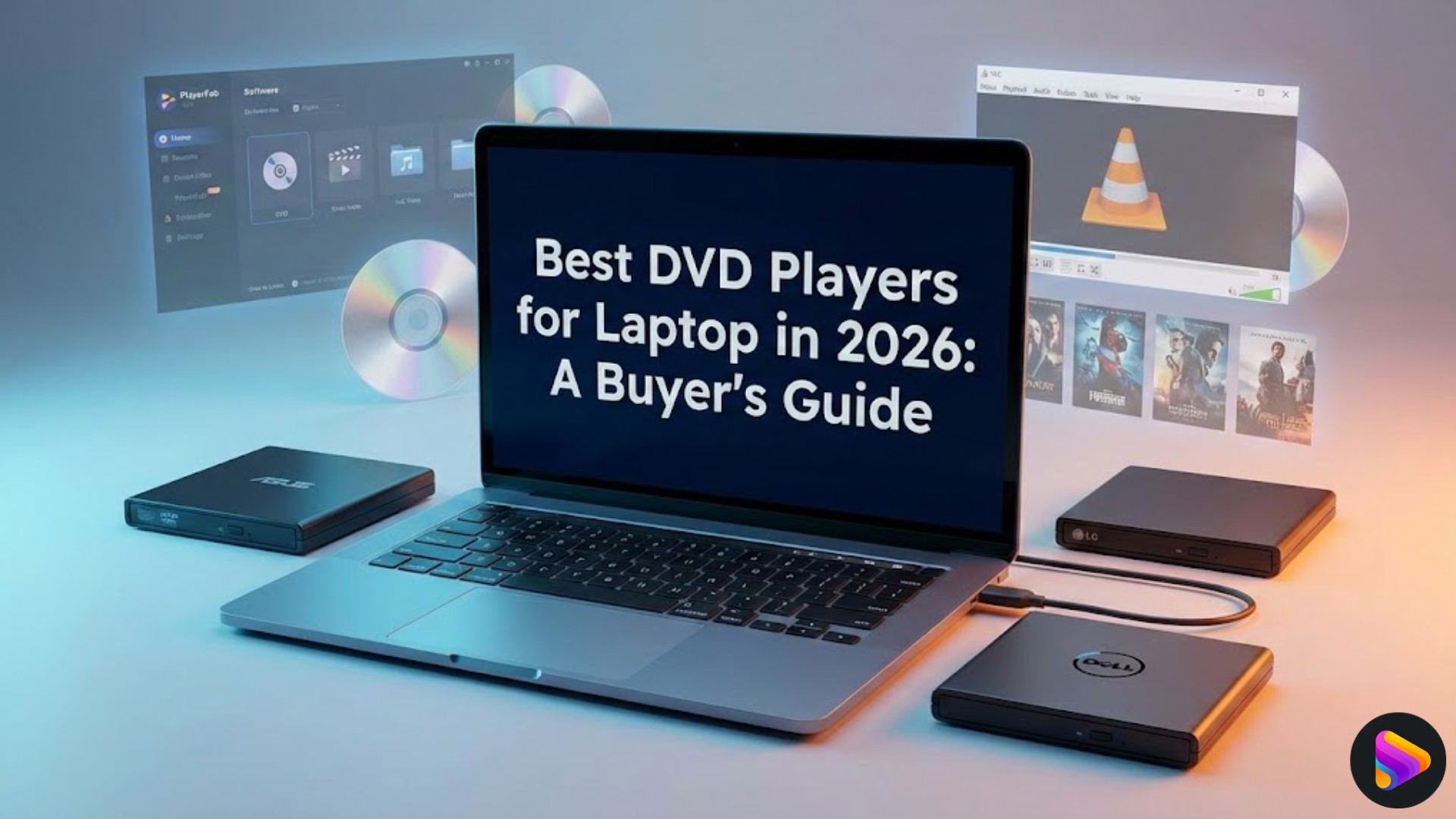
Choose the Right Laptop DVD Setup
A dependable DVD player for laptop use starts with the hardware already in the computer. Software can decode and display a movie, but it cannot read a physical disc when no optical drive for laptop use is present.
External Drive, Built-In Drive, or Software?
For a current notebook, an external DVD drive is usually the least disruptive choice. It keeps the laptop thin and lets one drive move between computers, though it adds a cable and another device to carry.
- Modern laptop without a drive: Add an external DVD player for laptop use, then install compatible playback software.
- Legacy or refurbished built-in DVD drive laptop: Consider this route only when an integrated drive is central to a specialized workflow. Older hardware can mean battery, support, and performance trade-offs.
- Laptop that already reads discs: Use software-only. The best laptop for DVDs is often the laptop you already own once its drive and operating system recognize the disc.
My preference for most buyers is a separate drive because it preserves the current laptop while making the optical hardware replaceable. The limitation is simple: portability is less tidy than an integrated drive.
Laptop DVD Player Buying Checklist
Check connector fit and disc format before design. A slim case is useful, but the wrong port or a DVD-only mechanism cannot meet a USB-C or Blu-ray requirement.
- Port: Match USB-A or USB-C directly when possible. A USB-C DVD drive avoids a loose adapter path on newer MacBooks and Windows laptops.
- Operating system: Confirm Windows or macOS support separately from the connector.
- Disc formats: DVD/CD drives do not automatically read Blu-ray or 4K UHD Blu-ray.
- Read versus burn: A DVD-ROM model may read discs, while a DVD±RW laptop DVD burner can write supported blank media.
- Power: Bus-powered drives can become unreliable through an underpowered hub. A direct laptop connection is the cleanest first test.
- Noise and portability: Listen for sustained vibration after spin-up, not just the brief loading sound.
- Movie features: Disc menus, subtitles, region behavior, and audio support depend on the playback app as well as the drive.
- Bundled software: Burning utilities are not the same as movie playback software.
Connector fit, supported media, and read-or-write capability matter more than cosmetic design. I would rather carry a plain drive that matches the laptop than a polished model that needs an uncertain adapter chain.
How We Tested External DVD Drives
Drive testing focused on decisions a buyer can observe: connection stability, loading behavior, noise after spin-up, and whether clean and lightly worn DVDs played without interruption.
- Connection and power: Each drive was connected directly before trying a hub, because a spinning disc does not prove that the data connection is working.
- Disc reading: Clean and lightly marked movie discs were used to separate normal loading from media-condition problems.
- Noise: Spin-up noise and steady playback noise were judged separately during quiet dialogue scenes.
- Port fit: USB-A and USB-C paths were checked without treating an adapter as equivalent to a native cable.
On a Dell XPS 15 running Windows 11, the ASUS drive appeared in File Explorer after a direct USB connection and completed a feature-length DVD session without disconnecting in that test. That observation supports the setup, not a guarantee for every port or disc.
How We Tested DVD Playback Software
DVD playback software was assessed by movie behavior, not by the length of its feature list. The useful checks were menu access, subtitle selection, audio synchronization, image stability, and processor load during a normal film.
- Basic playback: Could the app open the detected disc and keep picture and sound synchronized?
- Navigation: Did menus, chapters, audio tracks, and subtitles remain accessible?
- System impact: Did playback stay responsive while the laptop handled normal background tasks?
- Fit: Did the app solve DVD playback, or was it primarily a local-file player with uncertain movie-disc support?
During a DVD menu check on the Dell XPS 15 with Windows 11, PlayerFab loaded the chapter and subtitle controls for a retail movie disc without requiring a second scan. On a MacBook Air M2, a local-file check helped distinguish app compatibility from the separate question of whether an external drive was connected correctly.
3 Best External DVD Drives for Laptops
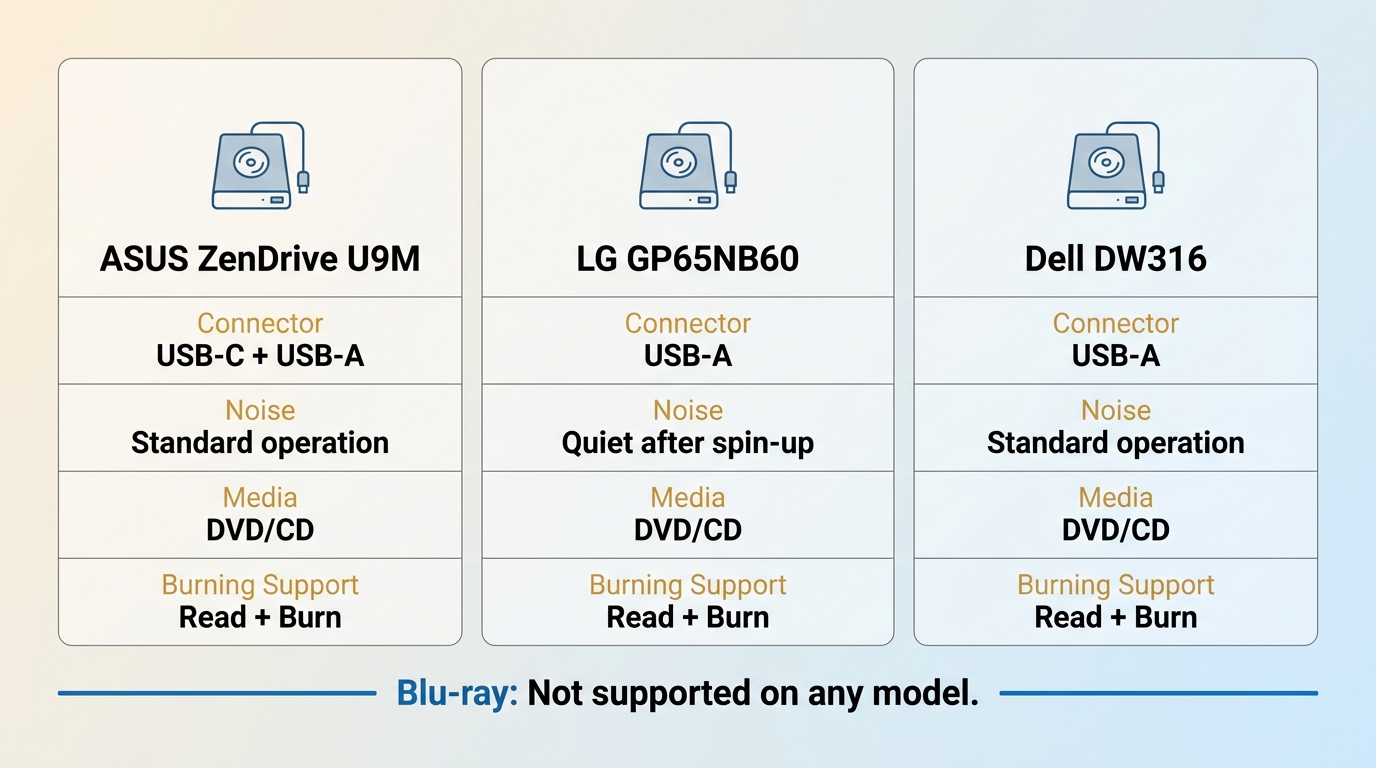
These three DVD players for laptops cover the common connector and noise priorities. None is a Blu-ray drive, so buyers who need Blu-ray should skip to the current-options note rather than assume DVD compatibility extends upward.
ASUS ZenDrive U9M: Best for USB-C Laptops
The ASUS ZenDrive U9M is the strongest fit here for a laptop that may alternate between USB-C and USB-A. Its included connection options reduce adapter dependence without implying Blu-ray support.
Who it suits: Newer laptops with USB-C, mixed-device use, and buyers who want a compact DVD/CD reader and writer. Who should skip it: Blu-ray collectors or desk layouts that require a long cable.
The metal housing stayed planted during the Windows 11 session described above, and lightly marked DVDs loaded without visible skipping in that test. The practical advantage is port flexibility, not a universal performance claim. The ASUS ZenDrive U9M listing is retained for model identification rather than a fixed price or rating.
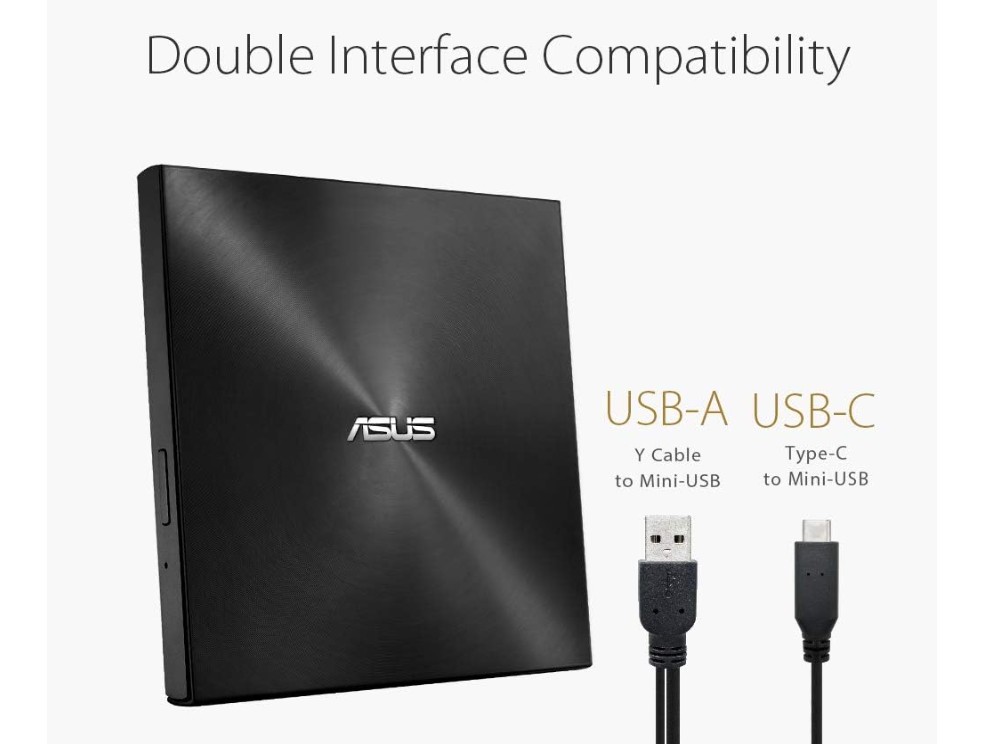
- USB-C and USB-A connection paths are included.
- Reads and writes supported DVD and CD media.
- Does not read Blu-ray discs.
LG GP65NB60: Best for Quiet Playback
The LG GP65NB60 suits viewers who notice mechanical noise during quieter films. Its observed playback noise settled after the initial disc spin-up, but USB-C-only laptops need a suitable connection path.
A good match for: DVD/CD movie playback where low steady noise and light weight matter. Look elsewhere if: You need Blu-ray, rugged travel hardware, or native USB-C without an adapter or compatible cable.
With The Dark Knight playing during a quiet-room check, the drive was audible while identifying the disc, then became less noticeable once the movie started. On a MacBook Air M2, the connection depended on the USB-C adapter path, so I would treat the adapter as part of the buying decision. The LG GP65NB60 listing identifies the model without preserving a volatile marketplace score.
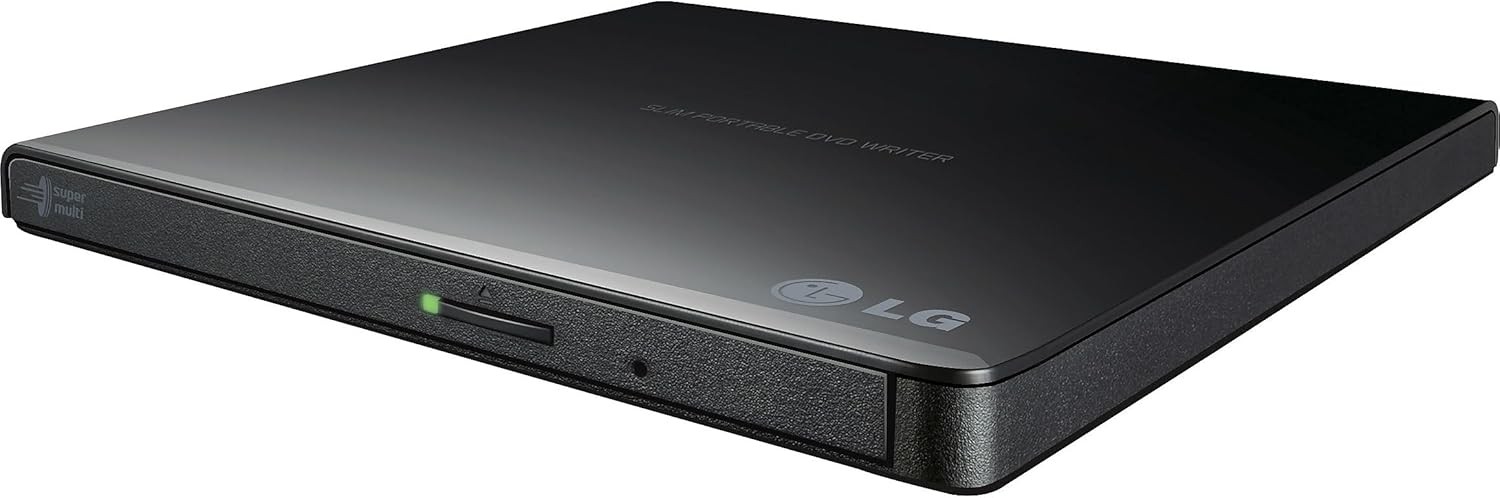
- Compact DVD/CD drive with read and write support.
- Quiet-running behavior is most relevant after spin-up.
- DVD/CD support does not include Blu-ray.
Dell DW316: Best for Older USB-A Laptops
The Dell DW316 is a sensible USB-A optical drive for laptop setups that prioritize a direct connection over USB-C convenience. Availability can vary, so it is better treated as a model-specific option than an automatic default.
Choose it for: Older Windows laptops with USB-A ports and routine DVD/CD reading or burning. Avoid it when: The laptop is USB-C-only, Blu-ray support is required, or startup noise is a priority.
On the Dell XPS 15 running Windows 11, a direct USB-A connection was recognized without a manual driver search, and the drive remained connected through a movie-length session in that setup. Its slightly heavier feel was useful on a desk but less attractive for minimal travel. The Dell DW316 listing is included without an unverified price or availability claim.
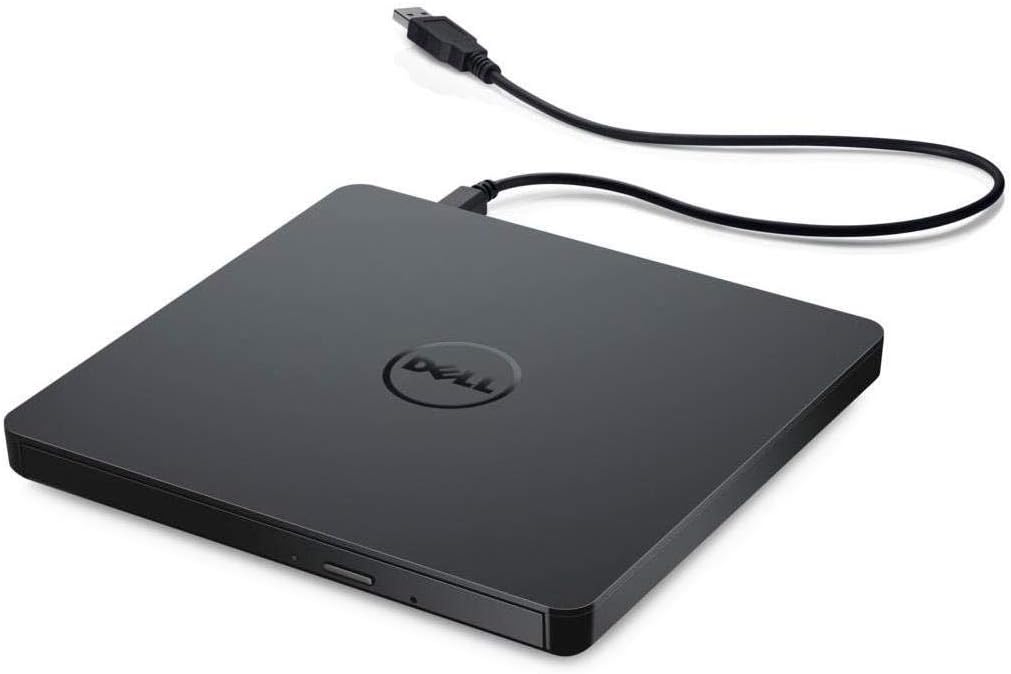
- USB-A connection fits many older and business laptops.
- Reads and writes supported DVD and CD media.
- Requires an adapter path for USB-C-only computers.
Comparison: External DVD Drives for Laptops
The table separates hardware from software and shows where each candidate fits. My practical reading is that a drive solves disc access, while an app solves movie behavior; buying one cannot substitute for the other.
| Candidate | Category | Primary role | Best for | USB or OS compatibility | DVD, Blu-ray, and 4K UHD support | Read or burn support | Disc menu support | Key limitation | Price model |
|---|---|---|---|---|---|---|---|---|---|
| ASUS ZenDrive U9M | External drive | Reads physical discs | USB-C and mixed-port laptops | USB-C and USB-A; Windows and macOS | DVD/CD; no Blu-ray or 4K UHD Blu-ray | Reads and burns supported DVD/CD media | Depends on player app | Short-cable desk fit | One-time hardware purchase |
| LG GP65NB60 | External drive | Reads physical discs | Quiet DVD/CD playback | USB-A path; Windows and macOS | DVD/CD; no Blu-ray or 4K UHD Blu-ray | Reads and burns supported DVD/CD media | Depends on player app | USB-C needs an adapter path | One-time hardware purchase |
| Dell DW316 | External drive | Reads physical discs | Older USB-A laptops | USB-A; Windows and macOS | DVD/CD; no Blu-ray or 4K UHD Blu-ray | Reads and burns supported DVD/CD media | Depends on player app | Availability and USB-C fit | One-time hardware purchase |
| PlayerFab All-In-One | Playback app | Plays discs and supported local media | Menus, Blu-ray, 4K UHD, HDR, and surround audio | Windows and macOS | DVD, Blu-ray, 4K UHD Blu-ray, ISO, and folders | Playback, not an optical burning mechanism | Full disc menus | Paid software; needs compatible drive and hardware | Paid app with free download option |
| VLC Media Player | Playback app | Basic disc and local-file playback | Free standard playback | Windows, macOS, and Linux | DVD support varies by disc and configuration; local formats supported | Playback, not disc burning | Can be inconsistent | Commercial-disc and menu results vary | Free and open source |
| GOM Player | Local-media app | Plays local video files | Common local formats and subtitle tools | Windows-focused | Local files; commercial DVD menu and region support not clearly documented | Playback, not disc burning | Not a verified strength | Not the clearest choice for retail DVD menus | Free and paid editions |
The table's practical upshot is a two-step decision: select hardware by port and disc format, then select software by the viewing features you will actually use.
More Current External Drive Options
Current status matters more than a long list of old model names. As of July 2026, these notes keep the alternatives in the right context:
- Pioneer BDR-XD08B: A current portable reference for buyers who need Blu-ray as well as DVD; the older BDR-XD07B should not be treated as the default current model.
- Apple USB SuperDrive: Legacy hardware rather than a normal current Apple Store recommendation. Its connector path is also a poor match for many newer USB-C Macs.
- Buffalo MediaStation Blu-ray drives: Buffalo ended Blu-ray-drive production in February 2026 and announced no successors, so these should not appear as current peer picks.
- Hitachi-LG GP95NB70, Orico, and Verbatim: Consider an exact active model only after confirming its official disc-format, connector, and write specifications.
I would choose a clearly documented current model over a discounted legacy drive, especially when Blu-ray support is the reason for buying.
3 Best DVD Player Apps for Laptops
A DVD laptop player app should match the job: full disc features, free basic playback, or local video files. Windows and macOS do not turn a connected drive into a complete movie experience by themselves.
PlayerFab All-In-One: Best for Disc Features
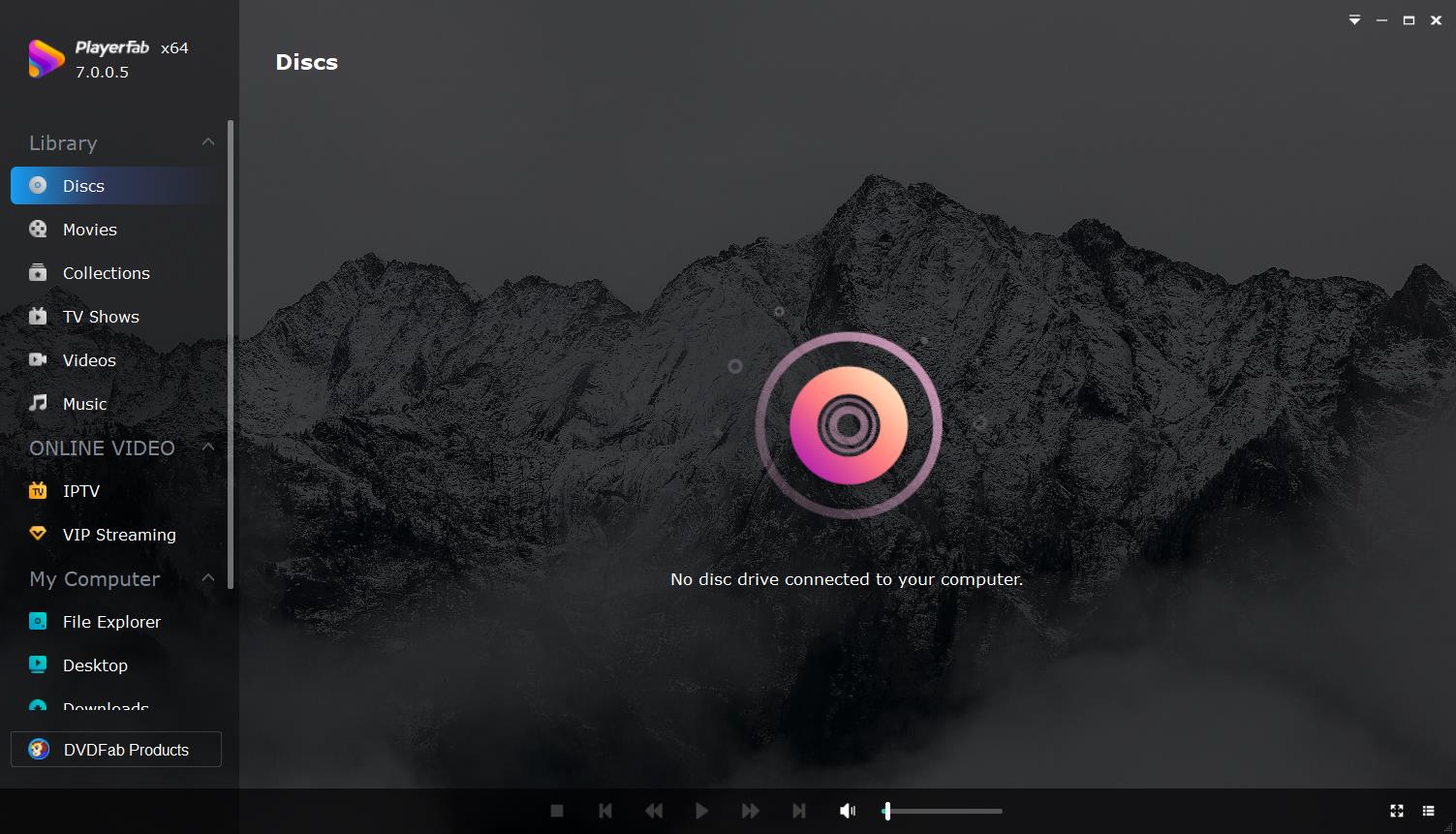
PlayerFab All-In-One is the fit for viewers who need documented support beyond basic DVD playback. It handles DVDs, Blu-rays, 4K UHD Blu-rays, ISO files, and folders with full disc menus on compatible hardware.
For content you're authorized to access, where permitted by platform terms and applicable law, its local-file workflow can organize supported media alongside disc playback. The app also documents HDR10, HDR10+, Dolby Vision, lossless surround-audio formats, GPU acceleration, and AI subtitle generation.
| Capability | Documented fit |
|---|---|
| Disc and image formats | DVD, Blu-ray, 4K UHD Blu-ray, ISO files, and folders |
| Navigation | Full disc menus, chapters, audio tracks, and subtitles |
| Picture and sound | HDR formats and lossless surround audio on compatible hardware |
| Performance support | GPU acceleration on supported systems |
| Subtitle option | AI subtitle generation for supported playback scenarios |
Best for: Disc collectors who value menus, Blu-ray and 4K UHD support, HDR, and surround audio. Not ideal for: Someone who needs free, basic DVD playback and no expanded disc features.
When I used Blade Runner 2049 to compare chapter navigation and subtitle selection on the Dell XPS 15, the useful difference was control, not marketing language: the menu path stayed visible and the selected subtitle track remained active during that session.
VLC Media Player: Best Free Basic Option
VLC is a reasonable free DVD player software option for standard playback, but it should not be presented as universal. Menus, disc regions, commercial movie discs, damaged media, and local configuration can change the result.
Best for: Free basic playback, common local formats, and users comfortable adjusting settings. Not ideal for: Buyers who expect consistent retail-disc menus or guided troubleshooting.
In a standard DVD check on Windows 11, VLC opened the detected disc and kept audio synchronized through a dialogue scene, but that one result does not settle menu or region behavior for other discs. Broader free DVD player options for Windows belong in the dedicated comparison rather than a longer list here.
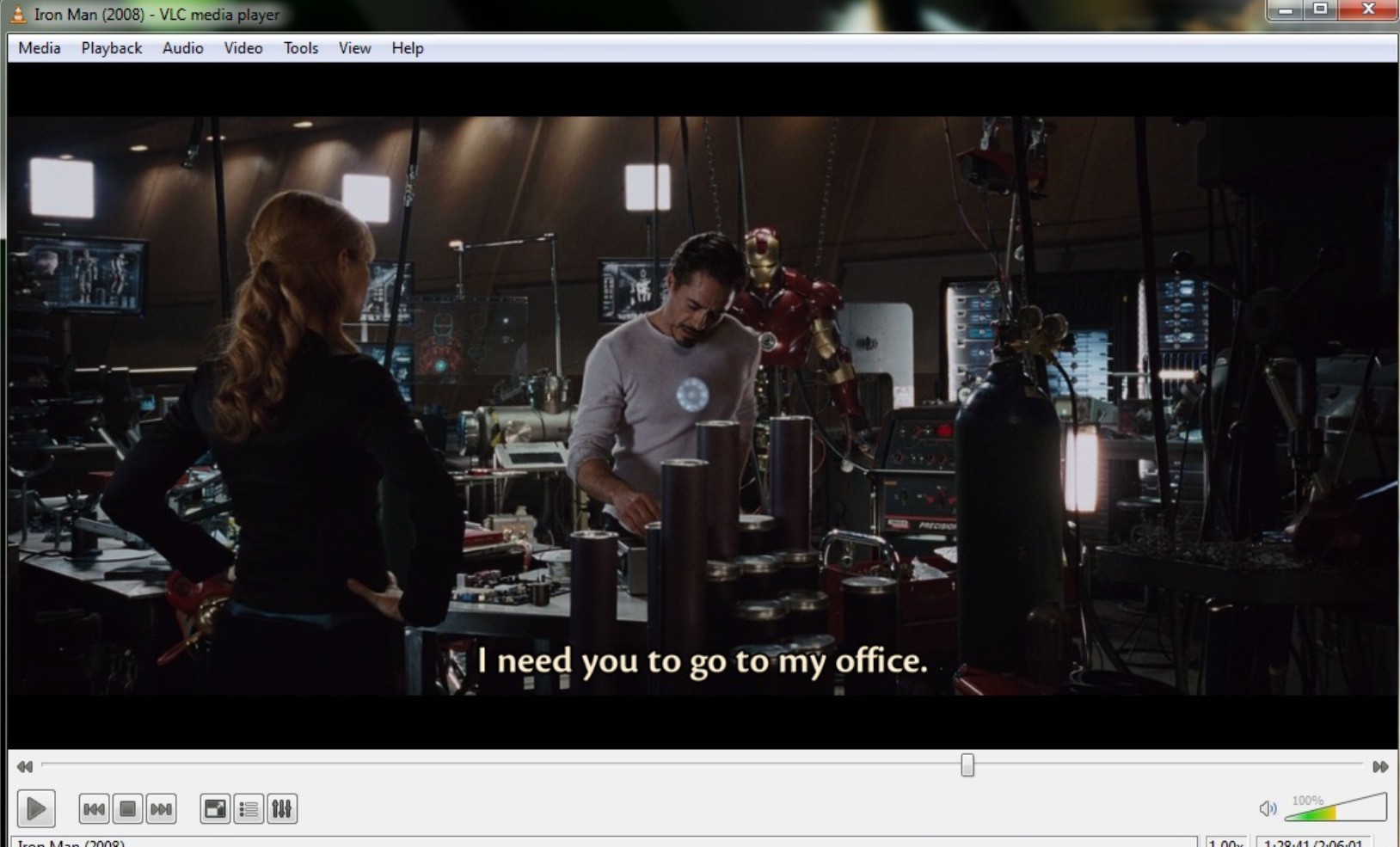
- Free and open source.
- Supports DVD playback and many local media formats.
- Menu and commercial-disc results can be inconsistent.
GOM Player: Best for Local Video Files
GOM Player is better framed as an active local-media player than as a verified commercial-disc solution. Its strengths include common video formats, subtitle tools, and playback controls, while official DVD menu and region support is not clearly documented.
Fits: Local AVI, MP4, MKV, and subtitle workflows. Does not fit: Readers whose priority is dependable retail DVD menu playback.
That narrower positioning matters. A media player can be useful on the same laptop as an external drive without being the right DVD playback software for a movie collection.
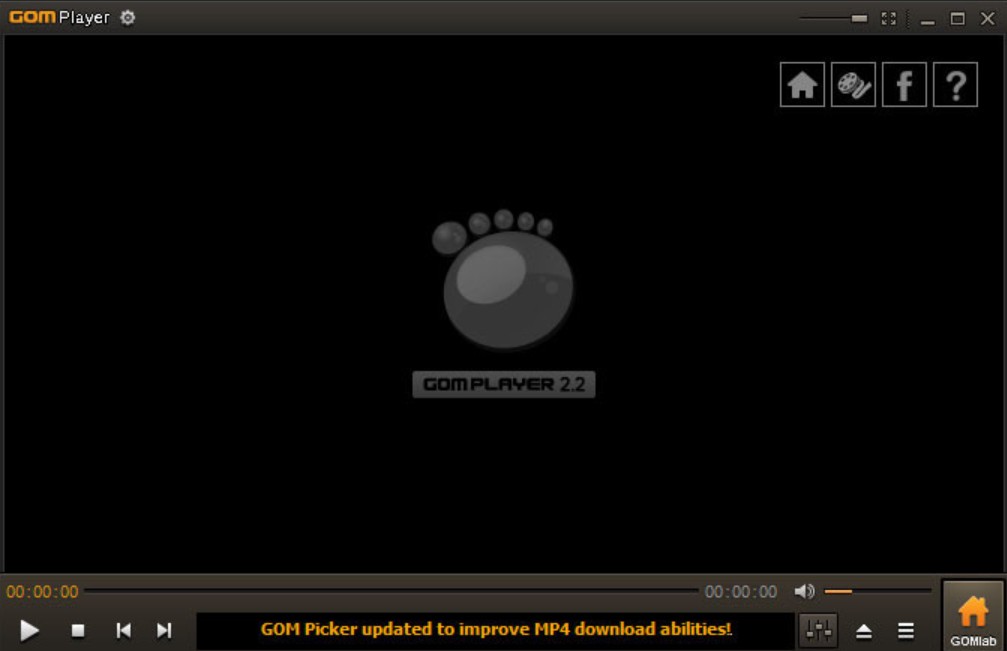
- Supports common local video formats and subtitle controls.
- Offers separate free and paid editions.
- Commercial DVD menus and region handling are not a documented reason to choose it.
Windows 11 DVD Compatibility Checks
Windows 11 DVD playback problems fall into three different buckets: hardware detection, movie playback, and blank-disc burning. Identify the symptom first; changing player software cannot repair a missing drive connection.
If the Drive Is Not Detected
A DVD drive not detected in File Explorer or Device Manager points to the connection, power, port, cable, or device recognition before it points to the movie app.
- Connect the drive directly to the laptop instead of through a hub.
- Try another compatible port or cable, especially when an adapter is involved.
- Check File Explorer and Device Manager for the optical drive and its drive letter.
- Restart Windows with the drive connected if recognition remains inconsistent.
A powered light or spinning disc confirms power, not a working data link. I start with recognition because it prevents wasted software changes.
If the Disc Will Not Play
If Windows sees the drive but the movie does not open, check DVD player software, disc condition, region settings, and menu support as separate variables.
- Try a clean, known-good DVD to rule out media damage.
- Open the disc from a dedicated player rather than expecting Windows Media Player to provide full DVD support.
- Check whether the disc and drive region settings are compatible.
- If one app fails, compare a basic player with an app that documents full disc-menu support.
Keep this as a purchasing diagnostic: a detailed playback-repair workflow belongs on the dedicated Windows guide, while product-specific Windows Media Player setup is a separate task.
If Reading Works but Burning Fails
A drive that reads a movie may still reject blank media. A laptop DVD burner must support the blank-disc type and write speed, and the burning app must recognize both the drive and the media.
- Confirm that the model is DVD±RW rather than read-only DVD-ROM.
- Match the blank DVD format to the drive's documented write support.
- Use a direct USB connection if the burn fails through a hub.
- Try another compatible blank disc before treating playback success as proof of write compatibility.
This is why read and burn support appear as separate buying criteria, not as interchangeable labels.
Frequently Asked Questions
These quick answers cover adjacent setup questions without turning a buying guide into a connection or conversion manual.
Can a Living-Room DVD Player Connect to a Laptop?
Usually not as a direct video source because most laptops do not accept HDMI input. A living-room deck and a USB optical drive are different devices; the latter is designed for computer use. A dedicated connection guide is the better place for capture-device methods.
Can One External Drive Read and Burn Discs?
Yes, if the specifications include writing. A DVD-ROM drive may read only, while a DVD±RW model can act as a laptop DVD burner for supported blank media. Check the exact media types because reading a DVD does not prove that the drive can burn it.
Why Do Subtitles Vary Between Player Apps?
Subtitle behavior depends on the tracks stored on the disc, closed-caption format, selected language, app support, and software version. In my workflow, I compare the disc menu's listed tracks with the app's subtitle menu before assuming the drive missed anything.
Can I Convert a DVD to MP4 Instead?
Conversion is a separate workflow from using a DVD laptop player. Handle only discs and content you are authorized to use, where permitted by applicable law, and use a dedicated conversion guide rather than treating playback software as a conversion tool.
Which Laptop DVD Setup Should You Choose?
The best DVD player for laptop use depends on ports, disc formats, burning needs, and how much control you want during playback. Choose ASUS for native USB-C flexibility, LG for quieter DVD/CD viewing, or Dell for an older USB-A setup. VLC covers free basic playback, while PlayerFab fits advanced disc features but costs more than a basic player; GOM is better reserved for local video files. For most current laptops, I would buy the correctly matched external drive first and decide on software after confirming the disc is recognized.

 Play Video Files: 4 Paths Across Formats and DevicesBy James Morgan - Sep 22, 2026
 12 Best HEVC Players for Windows, Mac, and 4K (2026)By Alice Harper - Aug 4, 2026
 Best WMV Player for Mac and How to Play WMV on Mac NativelyBy James Morgan - Aug 4, 2026
 8 Best TS File Players and Playback Tools for 2026By Alice Harper - Jul 28, 2026