Best Free MKV Player for Mac/Windows/iOS/Android in 2026

Summary: Native OS media players consistently fail to handle high-bitrate 4K MKV files. After rigorous testing, I've categorized the 8 best MKV players based on your operating system. While VLC remains the universal free standard and IINA is the undisputed choice for macOS users, I found that PlayerFab delivers the most reliable hardware acceleration for heavy 4K HDR remuxes. Here is exactly which player you should download based on your hardware.
Table of Contents
When a 68GB 4K HDR remux of Dune: Part Two instantly crashed QuickTime on my MacBook Air M2 last week, it proved one thing: native OS media tools still cannot handle heavy MKV containers. If you are dealing with stuttering 4K video, missing codec error prompts, or broken subtitles, the issue is not your file—it is your media engine. I will delve into the results of my recent hardware tests to rank the most capable MKV players for Android, Windows, and Mac in 2026.
How I Tested and Ranked the Best MKV Players
While MP4 files are standardized for highly compressed web streaming, MKV is an open-source container favored by physical media collectors and home theater enthusiasts. It acts as a massive digital vault designed to hold uncompressed 4K video, multiple lossless audio tracks like Dolby TrueHD, and complex embedded subtitles all in one place. Default operating system players are not built to decode this level of dense data.
To separate the capable video engines from the outdated software, I test different video players for Windows and Mac. I ran playback tests across two distinct hardware setups: a Windows PC equipped with an Intel i7 and an NVIDIA RTX 4060, and an Apple Silicon Mac equipped with the M2 chip.
Any player that made this final list of eight had to pass these strict tests:
- Hardware Acceleration Efficiency: The player must successfully offload heavy H.265 and AV1 decoding directly to the GPU using NVIDIA NVENC, Intel QuickSync, or Apple VideoToolbox. If playing a 4K MKV pushed my CPU usage past 30 percent and caused thermal throttling, the software was disqualified.
- Native HDR Tone Mapping: The software must correctly read the metadata and tone-map high-dynamic-range colors accurately to your display. Players that output a washed-out or grey image on HDR10 content were immediately cut.
- Complex Subtitle Handling: The engine must render heavy, image-based PGS subtitles extracted directly from 4K Blu-rays without causing stuttering or frame drops during fast panning shots.
Top Picks for the Best MKV Players on Windows
PlayerFab Free Video Player
Best For: Users who need a hardware-accelerated local media manager with robust format support at no cost.
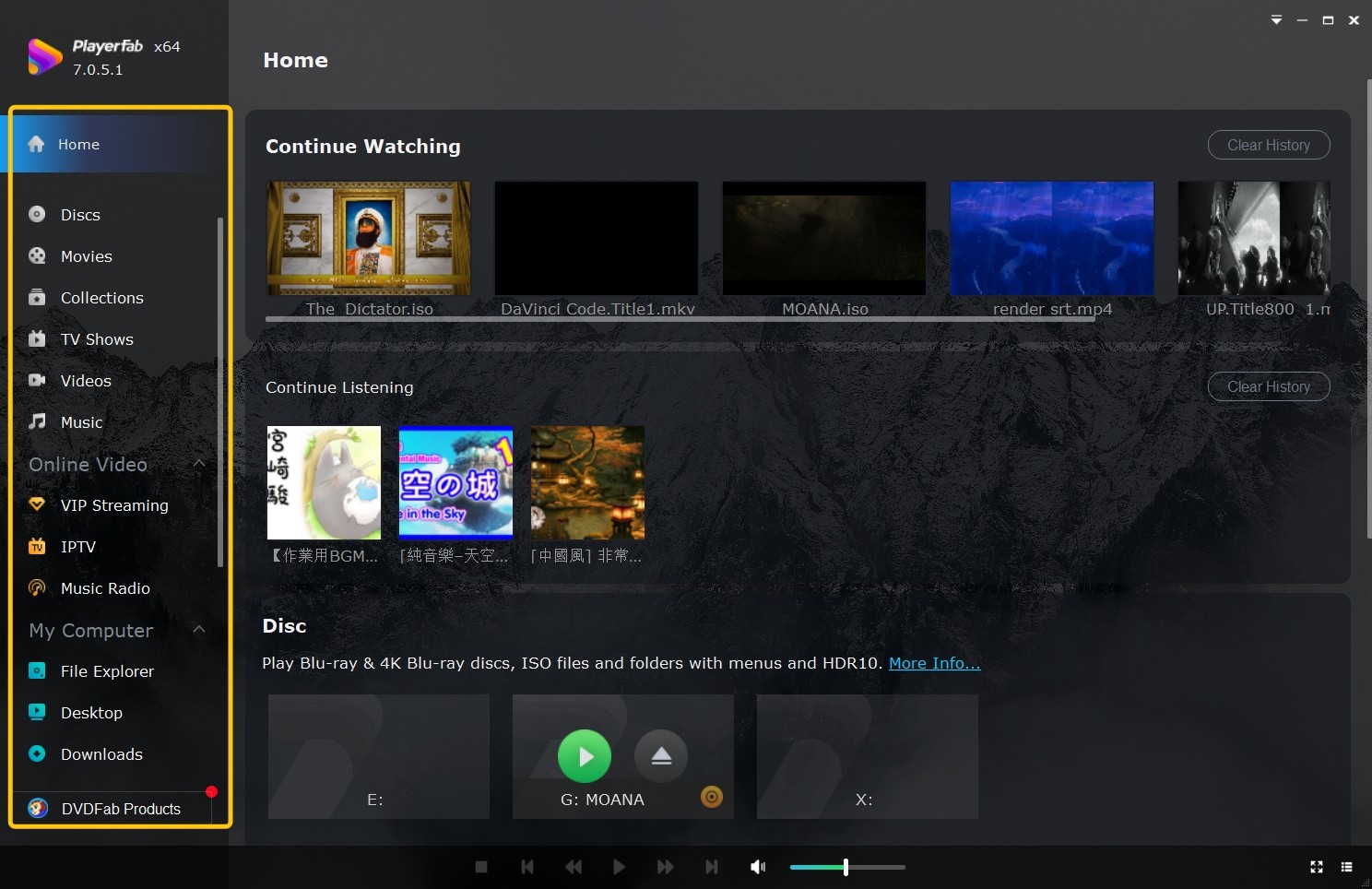
Finding the best MKV player often means compromising between format compatibility and system stability, but PlayerFab Free Video Player handles both efficiently. It is built specifically to process complex local files, natively supporting 4K UHD playback with HDR10 output. The software also executes lossless audio passthrough, sending surround formats like Dolby Atmos and DTS:X (up to 7.1 channels) to an external AV receiver.
During my hardware tests on the RTX 4060 desktop, the software utilized NVIDIA NVENC efficiently for hardware decoding. I ran a high-bitrate 4K AV1 file, and the CPU usage stayed locked under 12 percent.
Pros:
- Automatically organizes local media into a visual Poster Wall by scraping accurate metadata from the internet.
- Includes dual interface modes specifically optimized for either standard PC monitors or large television screens.
- Detects the default audio language and matches the correct subtitles without requiring manual file downloads.
Cons:
- Requires a separate premium upgrade to bypass region codes on commercial discs.
- The installation package is noticeably larger than minimalist media players.
VLC Media Player
Best For: Users who require an open-source tool to play damaged media formats without external codecs.
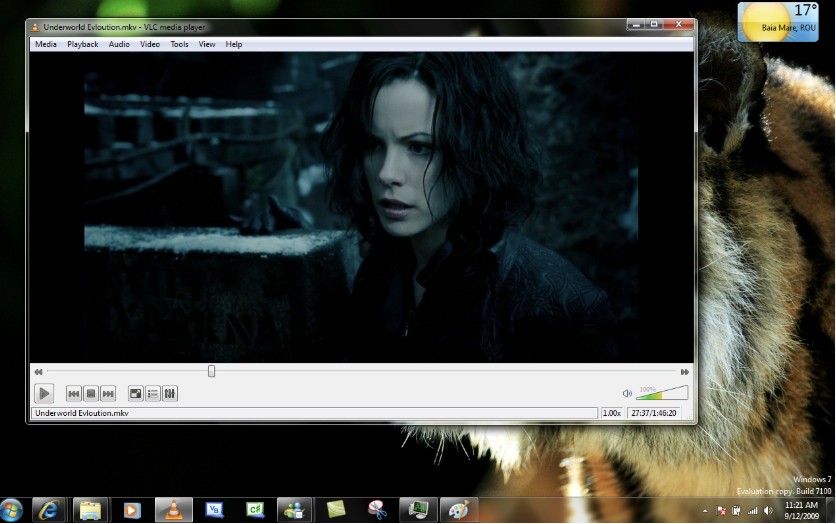
VLC Media Player operates on the libavcodec library, packing built-in support for nearly every video and audio standard. If you need a free MKV player to force a poorly encoded legacy file to render, this engine handles it. It bypasses the need to install external Windows codec packs, which often cause system conflicts.
When I loaded the 68GB Dune remux, playback stuttered heavily until I manually enabled DirectX Video Acceleration in the advanced preferences. This required manual configuration step is a recurring technical complaint on the VideoLAN subreddit.
Pros:
- Comprehensive Format Support: Plays most multimedia files without the need for additional codecs.
- Advanced Playback Controls: Offers features like speed control, frame-by-frame playback, and customizable toolbars.
- Audio and Video Effects: Includes an equalizer and filters to enhance media playback.
- Customization: Supports customizable skins and integration with various extensions.
- No Ads or User Tracking: Provides a clean viewing experience without advertisements or tracking.
Cons:
- The user interface is dated and lacks modern organizational tools for media library management.
- Requires manual configuration deep in the preferences menu to utilize GPU hardware acceleration effectively.
- Drops frames occasionally when rendering image-based PGS subtitles on demanding 4K video files.
PotPlayer
Best For: PC enthusiasts who require granular control over rendering engines and custom audio processing filters.
PotPlayer is engineered for maximum technical optimization on Windows. It integrates directly with DXVA, CUDA, and QuickSync protocols to ensure high-performance hardware decoding. The software allows you to swap out internal video renderers and audio processing filters, providing absolute control over the output pipeline and how your media displays on the monitor.
I spent a few hours configuring the software on my Windows test bench. Setting up madVR as the custom renderer visibly improved the upscaling quality of a standard 1080p MKV file. As users on the Doom9 video forums frequently point out, the setup process is highly complex, and incorrect configuration will easily break the playback pipeline.
Pros:
- Supports a wide variety of 3D video output modes, including standard side-by-side and top-and-bottom formats.
- Features an interface that supports custom community skins to change the visual layout.
- Executes gapless playback for split video files, ensuring continuous viewing for multi-part media rips.
Cons:
- The complex settings menus are difficult to navigate for users who want basic functionality.
- The official installer frequently includes bundled third-party software.
- Operates exclusively on the Windows operating system.
Best MKV Player Software for macOS
Elmedia Player
Best For: Mac users who need local video decoding alongside native wireless casting to external displays.
Elmedia Player functions as a dual-purpose media hub, combining local file processing with advanced network streaming protocols. As a free MKV player, it handles high-bitrate video containers and multi-channel audio tracks without requiring external codec pack installations. Beyond local playback, its core architecture is engineered to communicate directly with AirPlay, DLNA, and Chromecast receivers, allowing users to push unsupported file types from a Mac to a living room television.
During my testing, I cast a 4K MKV file directly from the MacBook Air to an Apple TV over a local Wi-Fi network. The software transcoded the incompatible audio stream in real-time while maintaining stable video sync.

Pros:
- Plays over 70 video and audio formats, including MP4, AVI, MKV, FLV, and FLAC, without requiring additional codecs.
- Delivers smooth HD playback with native hardware-accelerated decoding, ensuring optimal performance for 4K and 8K media.
- Streams local files seamlessly to devices like Chromecast, AirPlay, Roku, and DLNA-enabled devices, supporting both audio and video streaming.
- Offers built-in access to opensubtitles.com, allowing users to search and add subtitles within the app.
Cons:
- Advanced network streaming and wireless casting capabilities are strictly locked behind the paid software upgrade.
- The free tier displays periodic upgrade prompts that interrupt the software configuration process.
- Consumes higher baseline RAM during 4K video playback compared to lightweight alternatives like IINA.
IINA
Best For: Mac users who require an open-source video engine optimized for Apple Silicon and macOS design guidelines.
When searching for the best MKV player on macOS, users realize that porting Windows software often results in battery drain and poor interface scaling. IINA solves this by wrapping the highly efficient mpv command-line playback engine in a native Swift application. It utilizes the Apple Metal API for hardware decoding and integrates with standard macOS features, including Touch Bar controls, native Picture-in-Picture, and Dark Mode.
I tested a 50GB Oppenheimer MKV file on my Mac, and IINA maintained CPU usage around 15 percent without triggering thermal throttling. Furthermore, it rendered complex ASS subtitle formats—complete with custom fonts and positioning—without the frame stuttering I frequently observe in VLC.
Pros:
- Integrates with macOS system features, including Picture-in-Picture and Force Touch trackpad gestures.
- Supports dedicated browser extensions to stream online video through the local media interface.
- Features a minimalist, distraction-free user interface that aligns with Apple application design guidelines.
Cons:
- Restricting installation and usage exclusively to macOS environments.
- Modifying advanced playback parameters often requires editing text-based configuration files.
- Software development updates arrive infrequently due to its reliance on volunteer open-source community contributions.
Leawo Blu-ray Player
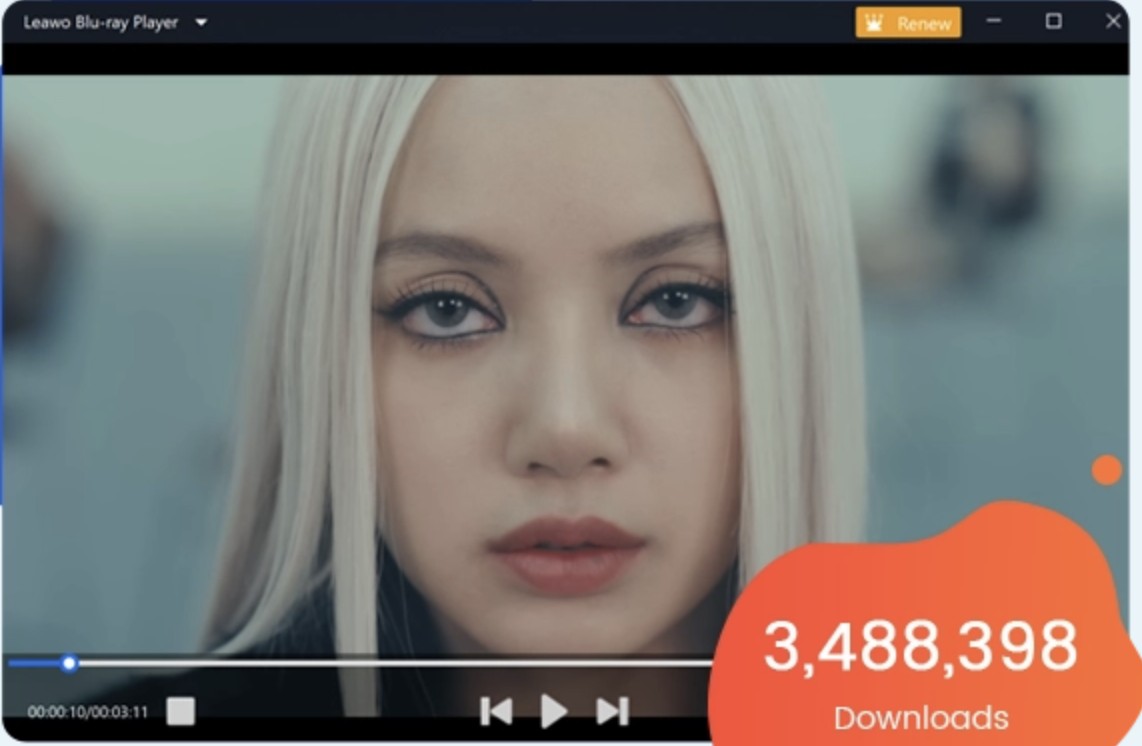
When evaluating the best MKV player for Mac, most software focuses on digital containers while ignoring physical media backups. Leawo bridges this gap by integrating a decryption module capable of reading region-locked ISO files and BDMV folders alongside standard high-bitrate MKV files. The engine processes up to 4K resolution video and allows lossless audio passthrough to dedicated AV receivers.
As several users on the MacRumors forums have documented, playing a standard 50GB digital MKV file resulted in noticeably higher CPU utilization compared to native applications like IINA, indicating a lack of deep Apple Metal API optimization.
Pros:
- Bypasses region codes on DVD and Blu-ray backups without requiring external third-party decryption plugins.
- Executes reliable audio passthrough to deliver lossless surround sound formats to dedicated home theater receivers.
- Supports basic physical disc menu navigation to allow manual selection of specific video chapters or extras.
Cons:
- Displays intrusive advertisements prompting users to purchase associated conversion software upon pausing or exiting.
- The graphical user interface is ported directly from Windows and lacks modern macOS design integration.
Best Free MKV Player Apps for iOS and Android
KMPlayer
Best For: Users operating across both iOS and Android who want a unified, gesture-driven interface for their local media.
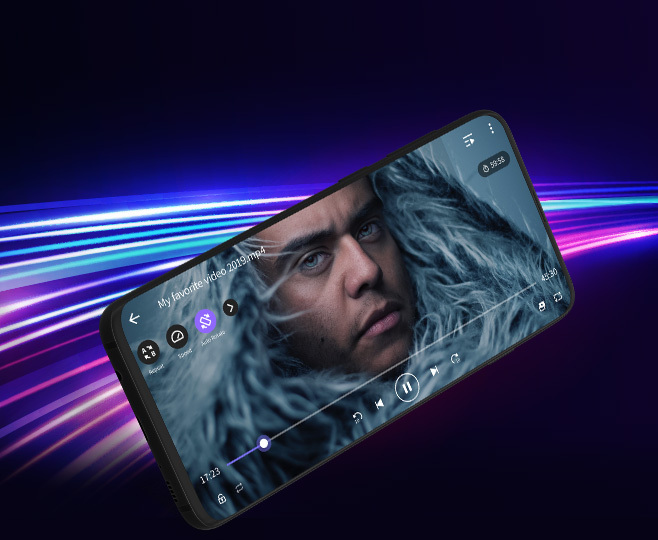
For users who frequently switch between Apple and Android ecosystems, maintaining consistent playback software is a priority. The mobile iteration of KMPlayer delivers a standardized experience across both platforms. It is engineered to process 4K and 8K Ultra HD MKV containers while offering deep audio controls, including speed normalization and pitch adjustment. It also features KMP Connect, a proprietary protocol designed to bypass physical storage limits by streaming files directly from a desktop PC to the mobile application.
I installed KMPlayer on both my Pixel and iPad to test cross-platform consistency. The interface logic is identical, and I was able to smoothly scrub through a large 4K file using the identical swipe-to-seek gestures on both devices.
Pros:
- Enables seamless background audio playback, allowing users to listen to video files while minimizing the app.
- Includes the KMP Connect feature to wirelessly stream large files directly from a local host PC.
- The player handles a wide range of subtitle formats and allows users to adjust subtitle settings.
- Users can apply filters during playback, such as sharpening, denoise, and color effects, to enhance video quality.
Cons:
- Consumes noticeably higher battery percentage during standard 1080p playback compared to native mobile video engines.
- The user interface feels cluttered with unnecessary social networking features and integrated mobile mini-games.
MX Player
Best For: Android users who require maximum hardware decoding efficiency to prevent rapid battery drain during heavy video playback.
As a highly optimized free MKV player, MX Player addresses the thermal management challenges through its proprietary HW+ decoder framework. By utilizing multi-core processing, it distributes the video rendering workload across modern Snapdragon and MediaTek chipsets. This allows the software to handle 4K 10-bit HEVC files and complex embedded audio tracks without forcing the mobile CPU to operate at maximum capacity.
As frequently documented on the XDA Developers forums, licensing restrictions mean the application no longer natively supports DTS or AC3 audio tracks out of the box. I had to manually compile and install a custom codec pack to achieve audio playback on my home theater rips.
Pros:
- Utilizes multi-core decoding to improve rendering efficiency on modern Android smartphone processor architectures.
- Features responsive on-screen gesture controls for immediate volume, brightness, and timeline seeking adjustments.
- Supports pinch-to-zoom functionality and customizable text sizing within the active video playback window.
Cons:
- The free version displays banner and pop-up advertisements during video pausing and navigation.
- Requires users to manually download and install custom external codecs for DTS audio support.
- The main interface is increasingly cluttered with integrated online streaming services irrelevant to local playback.
Fixing Common MKV Player Codec and Playback Errors
Missing Video Codec Issues in Your MKV Player
The most frequent error occurs when a player lacks the specific decoder for modern compression standards like HEVC (H.265) or AV1. While Windows 11 and macOS have improved, they still lack native support for these high-efficiency codecs unless you pay for specific extensions in their respective app stores. The most direct fix is to utilize a player with an internal, self-contained codec library.
In my experience, switching from a native OS player to a tool like PlayerFab or VLC resolves this because these applications do not rely on system-level decoders. For example, when VLC showed a missing codec error for a specific AV1-encoded file of Tenet, PlayerFab initialized the stream because its internal library was already updated for that specific bitstream.
Audio Synchronization Drift During MKV Playback
Audio drift usually stems from processing latency or Variable Frame Rate issues within the MKV container. This is common when playing 4K files on older hardware that struggles to keep the video and audio clocks in sync. If you encounter this, your first step should be to disable any "audio enhancements" or spatial sound settings in your OS, as these add extra processing layers that increase delay.
If the drift persists, you can manually offset the audio timing within the player's interface. In VLC, you can use the track synchronization settings to adjust the audio in 0.1-second increments. During my tests, I found that PlayerFab offers a more permanent manual sync adjustment tool in the audio settings menu that effectively locks the tracks together for the duration of the film.
Missing PGS and ASS Subtitles for MKV Files
Subtitles in MKV files are often stored as either text-based scripts (ASS/SSA) or image-based layers (PGS). PGS subtitles are particularly problematic because they are high-resolution images pulled from Blu-rays, requiring significant system resources to overlay onto 4K video. If your subtitles are missing or flickering, it is often because the player's rendering engine cannot keep up with the video frame rate.
I noticed during testing that VLC occasionally drops PGS subtitles entirely if you seek forward or backward in a high-bitrate 4K stream. To fix this, ensure your player is set to "Native" or "Hardware" subtitle rendering in the preferences. For stylized ASS subtitles, which rely on embedded fonts, the player must be able to access the font attachments within the MKV container. If text appears as generic blocks, your player is failing to load these internal fonts.
Conclusion
Selecting the best MKV player for your setup is a matter of matching your hardware's decoding capabilities with a robust video engine. While VLC is a reliable free MKV player for legacy formats, my testing on the RTX 4060 and M2 chips confirms that PlayerFab Free Video Player offers the most stable 4K HDR performance. For macOS users, IINA is the preferred choice to minimize thermal output through the Apple Metal API. Ensure your GPU drivers are updated to the latest builds to prevent playback errors before they start.

 How to Open MP4 Files on Windows 11: 4 Reliable FixesBy Alice Harper - Aug 10, 2026
 9 Best Free FLV Players for Windows, Mac, and Mobile (2026)By Alice Harper - Aug 4, 2026
 13 Best Free MP4 Players for Windows & macOS: Hands-on Review in 2026By Alice Harper - Aug 3, 2026
 How to Play MOV Files on Windows 10/11, Including iPhone HEVC, ProRes & 4K HDRBy Alice Harper - Jul 30, 2026