13 Best Free MP4 Players for Windows & macOS: Hands-on Review in 2026

Summary: Choosing the best MP4 file player depends on your hardware and library. For high-end 4K HDR setups, PlayerFab Free Video Player and IINA are considered as reliable tools on Windows and macOS. If you need a lightweight, universal fallback, VLC remains the most popular and practical choice.
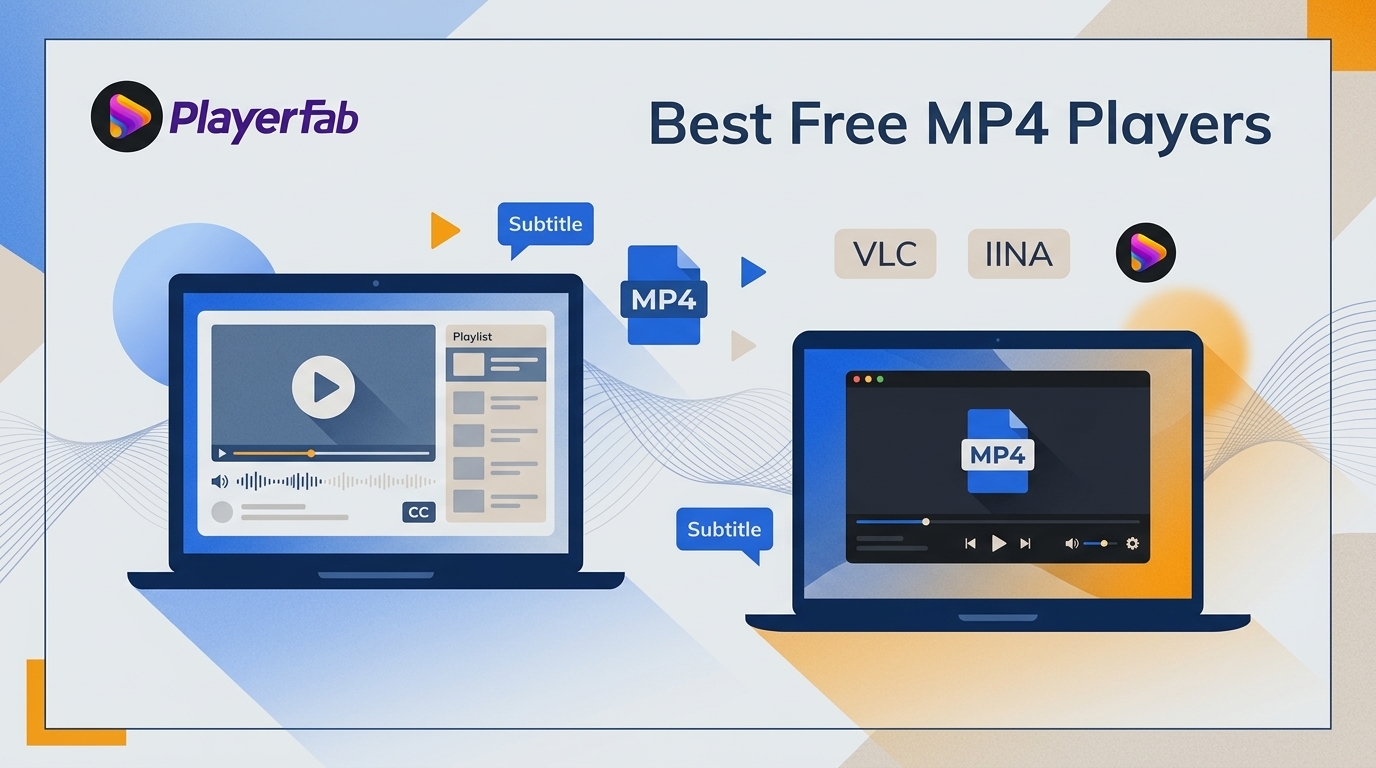
Here's the short answer: if an MP4 will not open, stutters, has no sound, or shows incorrect HDR colors, the problem is often the codec or playback path rather than a damaged file. This MP4 file player guide starts with a quick fix, then compares 13 desktop options by real viewing needs.
My takeaway is simple: opening a file is not enough. The best MP4 player for your setup must also decode it efficiently, preserve the intended image and audio, and fit the way you organize local media.
MP4 Players by Setup and Playback Need
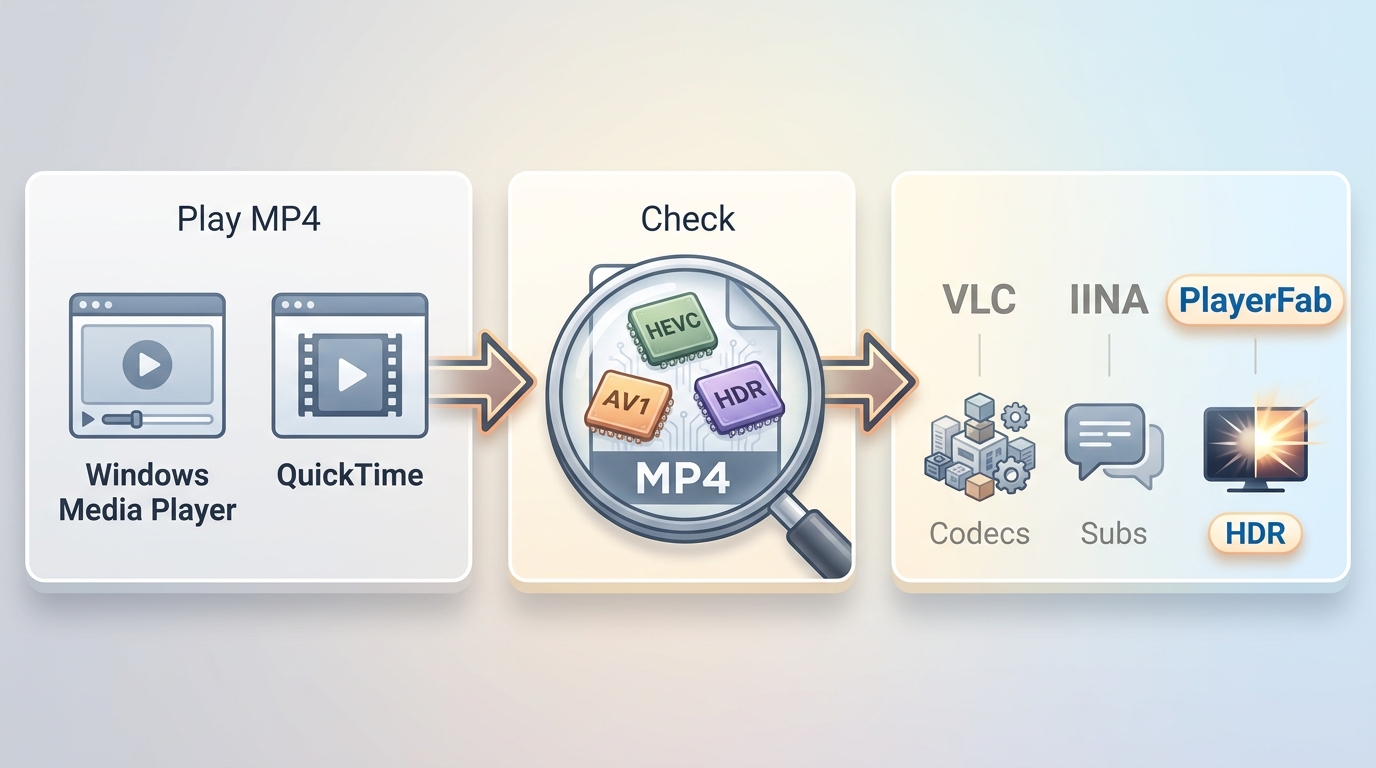
Before installing anything, try these three steps:
- Open the file in the built-in player first. On a PC, start with the normal steps to play MP4 on Windows; on a Mac, try QuickTime.
- If playback fails, identify whether the file uses H.265/HEVC, AV1, an uncommon audio track, or HDR. MP4 is a container, so files with the same extension can have very different playback requirements.
- Choose a current desktop player when the built-in app cannot handle the codec, subtitles, HDR rendering, audio output, or smooth seeking you need.
An online video player can be practical for a small, non-sensitive file and a one-time check. Desktop software is usually the better fit for large files, offline viewing, advanced codecs, subtitles, HDR, and local libraries.
MP4 file player for Windows
PlayerFab Free Video Player
Combines high-quality decoding with local file management. This best MP4 file player supports extensive formats (MP4, AVI, MP3, FLAC, etc.) with NVIDIA/Intel hardware acceleration for accurate HDR. Its auto-generated poster wall effortlessly organizes your media library.
VLC Media Player
A practical free MP4 player for rare formats. Its built-in decoding library easily handles legacy or custom MP4s. It's open-source, ad-free, and features a handy 50ms subtitle sync shortcut.
Media Player Classic (MPC)
A lightweight, portable MP4 file player for low-spec PCs. Focused purely on core decoding, it smoothly plays 1080p MP4s and MKVs without burdening older CPUs.
MP4 file player for macOS
IINA
A capable MP4 player for Mac for native macOS controls. It uses Apple's VideoToolbox for smooth 4K HEVC playback and ColorSync for accurate HDR colors, fully supporting native Mac trackpad gestures.
VLC Media Player (Mac Edition)
VLC for Mac seamlessly plays MP4s with AC3 audio or legacy codecs, delivering consistent, ad-free, and stable performance on macOS.
MPlayer OSX
Packed with decoders for rare MP4s, its smart text recognition prevents garbled foreign subtitles. Ideal for reliable 1080p playback.
MP4 Player Test Method
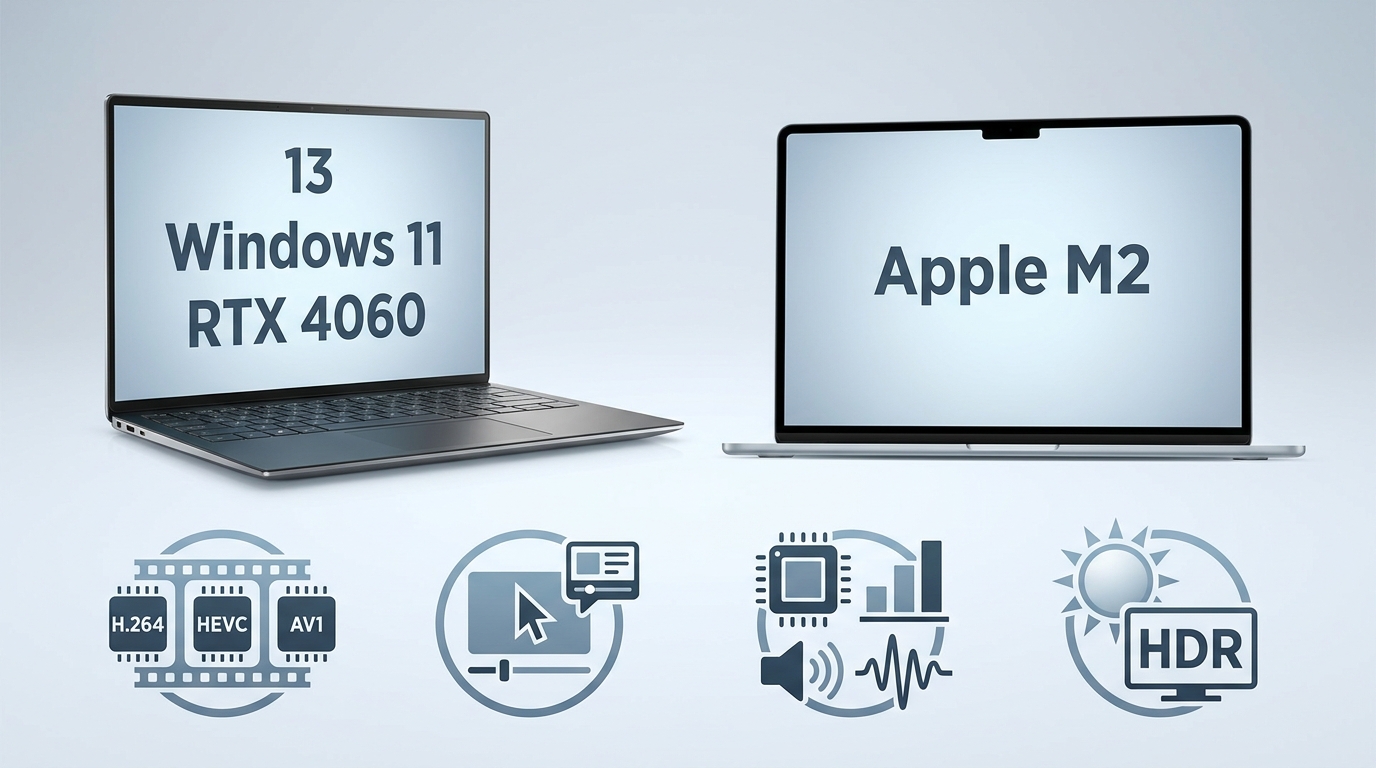
To compare practical MP4 file players, I used the same local-file workflow across the 13 programs. I looked beyond whether a file opened, because a player can launch an MP4 yet still mishandle HDR, audio output, seeking, or system resources.
- Compatibility Test: Checked H.264, MPEG-4, H.265/HEVC, and AV1 codec availability. I treated access to an HEVC player as separate from smooth playback, since hardware decoding and the source bitrate can materially affect the result.
- Stability Test: Checked audio-video synchronization, seeking recovery, subtitle behavior, and whether a significant timeline jump caused artifacts, black screens, or extended buffering.
- Resource and Audio Test: Checked CPU and memory behavior, whether GPU hardware acceleration engaged, and whether stereo or multi-channel audio output remained available through the selected playback device.
- Image Quality Test: Checked whether HDR color and tone mapping appeared correct, whether detail was retained without forced over-sharpening, and whether basic playback differed from accurate rendering.

Windows Platform: Dell XPS 15 running Windows 11 with an NVIDIA RTX 4060 GPU and 32GB of RAM.
Mac Platform: MacBook Air with Apple M2 for cross-platform compatibility checks.
13 Players Tested: 10 Picks, 3 Warnings
Download players and any required codecs from the vendor's official site or an official operating-system store. Check the publisher name, avoid third-party codec bundles and download mirrors, and review installer options carefully when optional software is offered.
#1 PlayerFab Free Video Player
Best for: Windows users with large local libraries, 4K HDR files, or multi-channel audio. Not ideal for: readers who want the smallest possible player for occasional single-file playback.
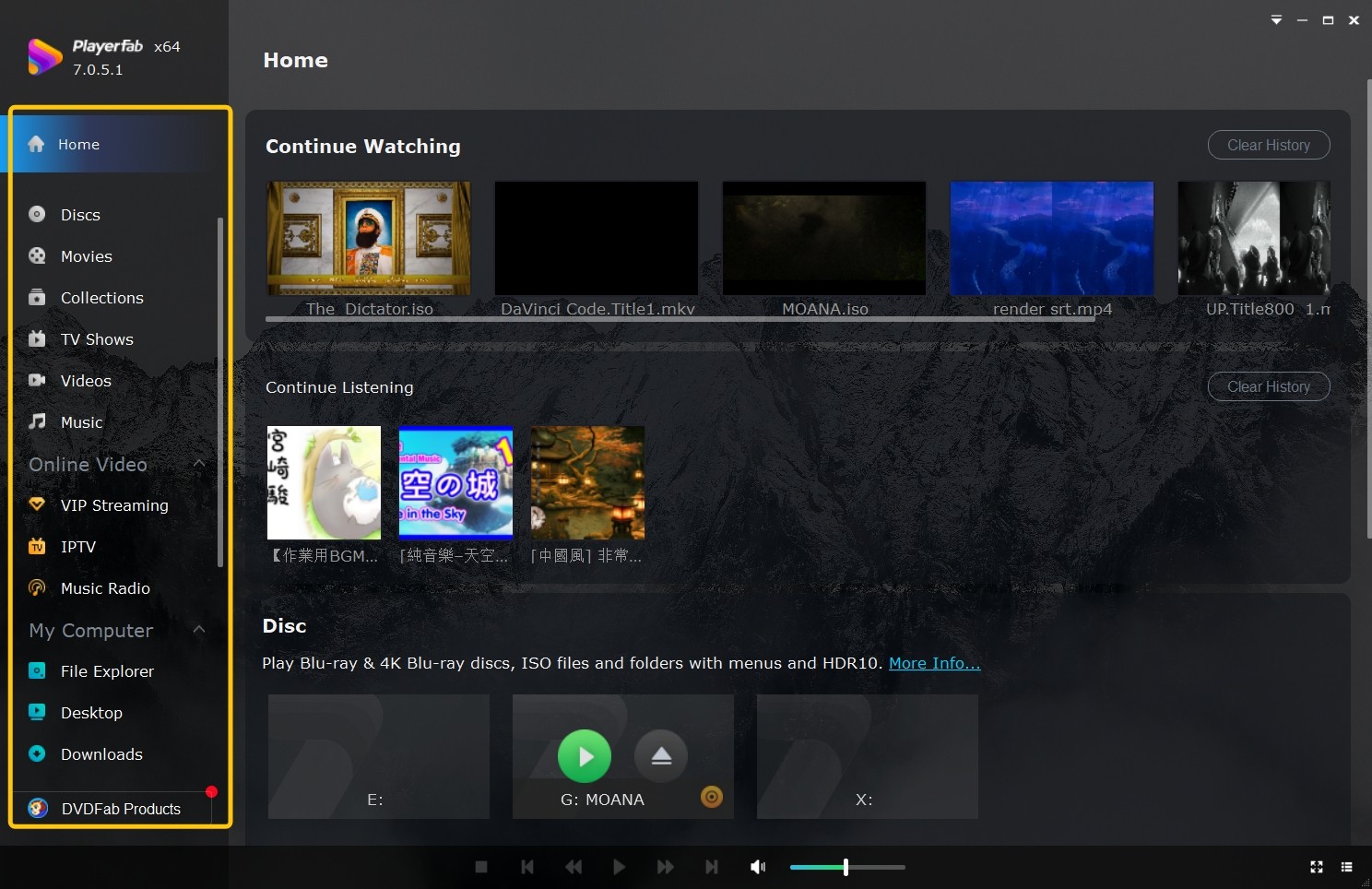
PlayerFab Free Video Player is a local media player for Windows and macOS that supports MP4, MKV, ISO, and other common media formats. For Windows users, its relevant strengths here are 4K HDR playback, NVIDIA, AMD, and Intel Quick Sync hardware acceleration, and support for home-theater audio formats including Dolby Atmos, Dolby TrueHD, DTS-HD Master Audio, and DTS:X, with up to 7.1-channel output.
This best MP4 file player features intelligent local media library management. When a user imports folders containing MP4 videos, the software automatically retrieves metadata to generate a poster wall with cover art. It supports grouping different MP4 files of the same series into a single collection and automatically updates the library when local files are added or deleted. If an MP4 file contains multiple audio tracks, the best MP4 player's auto-detection feature can match and provide the corresponding subtitles. Additionally, it includes a smart preview timeline with thumbnails and a GIF maker, allowing users to quickly locate scenes or extract clips during playback.
Pros:
- Supports multiple video and audio formats (AVI, MPEG, WMV, MP4, MP3, WAV, M4A, etc.).
- Supports high-resolution audio: Dolby TrueHD, DTS-HD Master Audio, and DTS:X.
- 4K UHD video playback with HDR10 rendering.
- NVIDIA CUDA, AMD, and Intel IQS hardware acceleration.
- Provides a local media library with automated poster wall generation.
- Automatic grouping of series and file status updates.
- Includes a built-in GIF maker for extracting video materials.
#2 VLC Media Player
Best for: broad codec coverage, subtitle adjustments, and a practical cross-platform fallback. Not ideal for: readers who need a polished media library or consistently light resource use with demanding files.
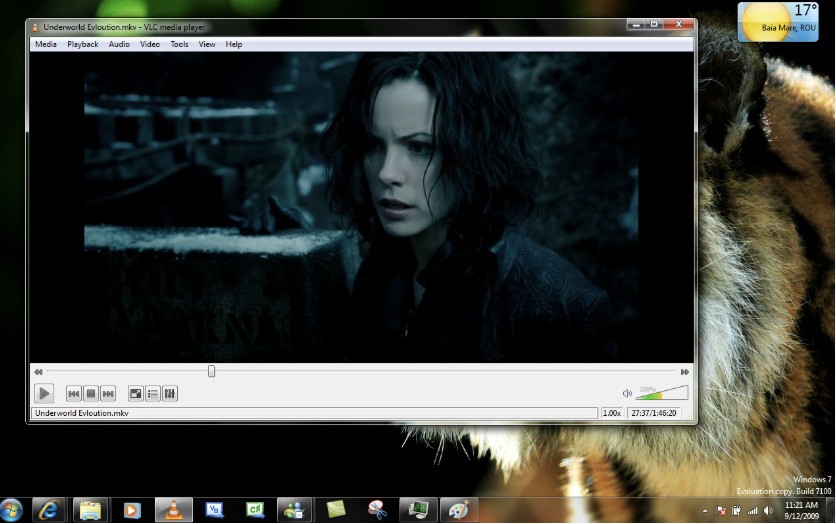
VLC Media Player is an open-source player that handles almost all MP4 encodings using its built-in codec library. It supports multiple operating systems, including Windows, macOS, and Linux. This free MP4 file player features the complete libavcodec library, allowing it to play H.264, H.265/HEVC, VP9, and even the latest AV1 encoded MP4 files without the need for third-party codec packs. Regarding audio and video quality, it natively supports 1080p to 4K resolutions and can decode AAC or multi-channel AC3 tracks within MP4 containers, accurately reproducing original stereo or surround sound channels.
For foreign-language MP4 movies without embedded subtitles, VLC's subtitle track loading is intuitive and allows for synchronization in 50ms increments using hotkeys (G and H). This player can also open supported network streams. Additionally, it includes basic video filters; if an MP4 file appears too dark or washed out, users can adjust contrast and color levels in real-time through the "Effects and Filters" panel, or even rotate and crop the image.
Pros:
- Complete built-in codec library with out-of-the-box support for H.265/HEVC and AV1.
- Practical subtitle synchronization via hotkeys in 50ms increments to resolve timing issues.
- Open-source, completely free, and lightweight with no background advertisement processes.
- Excellent cross-platform compatibility with consistent performance across Windows and Mac.
Cons:
- Inefficient hardware decoding scheduling for ultra-high bitrate files, leading to CPU spikes or dropped frames.
- Grey artifacts and 1–2 second buffering delays when skipping through large MP4 files.
- Outdated default interface design.
- Lack of poster wall or metadata-based management for MP4 media libraries.
#3 IINA
Best for: Mac users who value native gestures, Picture-in-Picture, and flexible subtitle controls. Not ideal for: Windows users or people who need a poster-wall library.
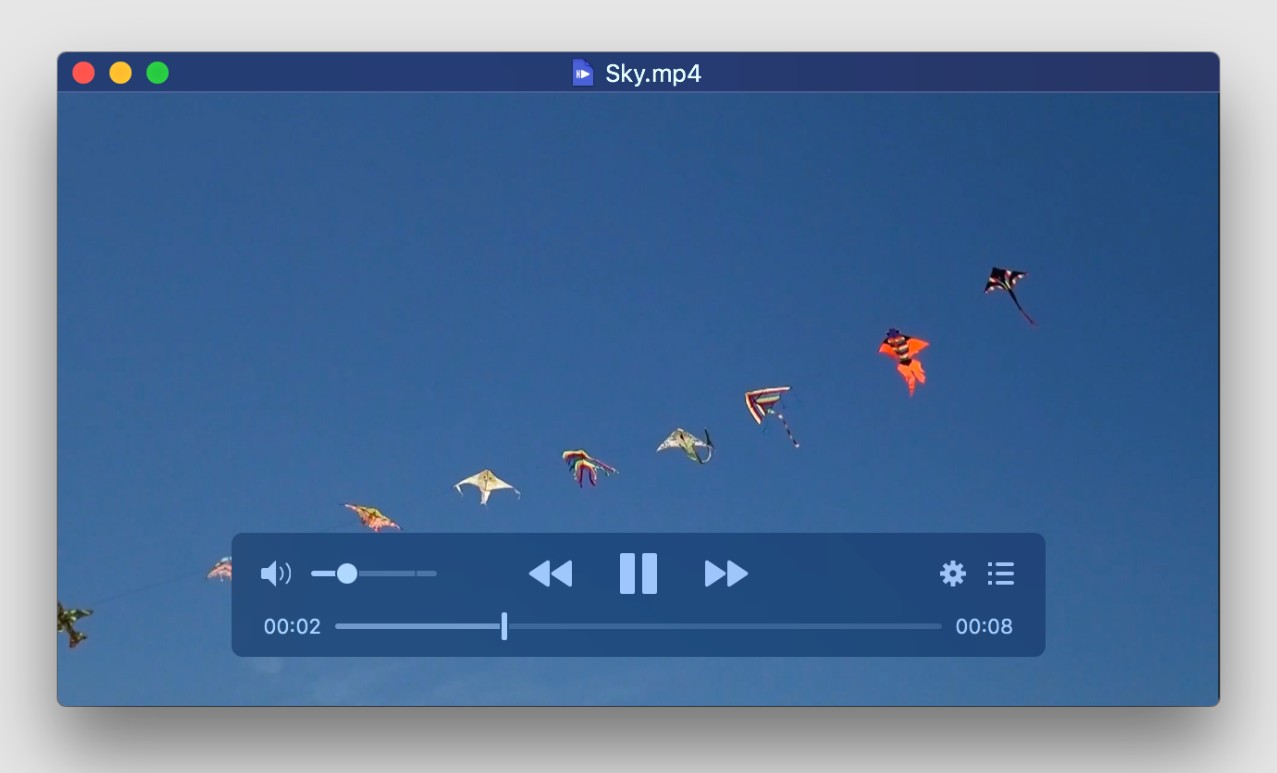
IINA is the best open-source MP4 viewer developed specifically for macOS. Built on the mature mpv decoding core, it natively supports H.264, H.265/HEVC, and the emerging AV1 encoding. Regarding audio and video performance, it integrates deeply with Apple's ColorSync management system to accurately reproduce true colors and highlight details in 4K HDR MP4 videos, while providing stable output for embedded stereo or multi-channel audio.
For Mac users, IINA is a preferred macOS free MP4 player that fully aligns with modern Mac user habits. It natively supports trackpad gestures, allowing users to precisely adjust volume, brightness, or seek through MP4 playback with two-finger swipes. For foreign-language videos without subtitles, its built-in online subtitle search module enables users to find and download matching files directly within the software panel. It also supports native Picture-in-Picture (PiP) mode, allowing the MP4 video window to float in a screen corner during multitasking. Furthermore, with integrated open-source components, users can play online MP4 streams simply by pasting a URL.
Pros:
- Effectively utilizes Apple's hardware acceleration frameworks.
- Deeply optimized for macOS trackpad gestures, providing intuitive and precise control over playback progress and volume.
- Supports system-level Picture-in-Picture mode.
- Integrates Apple ColorSync for accurate color mapping when playing HDR MP4 videos.
Cons:
- Limited to a single platform, available only for macOS and incompatible with Windows or Linux.
- Built-in network video parsing is highly dependent on open-source plugin updates and prone to failure if web interfaces change.
- Focuses on single-file playback, lacking media library management and poster wall generation for large local collections.
#4 KMPlayer
Best for: users who want built-in codec coverage and capture tools. Not ideal for: viewers who prefer an ad-free interface or untouched default image rendering.
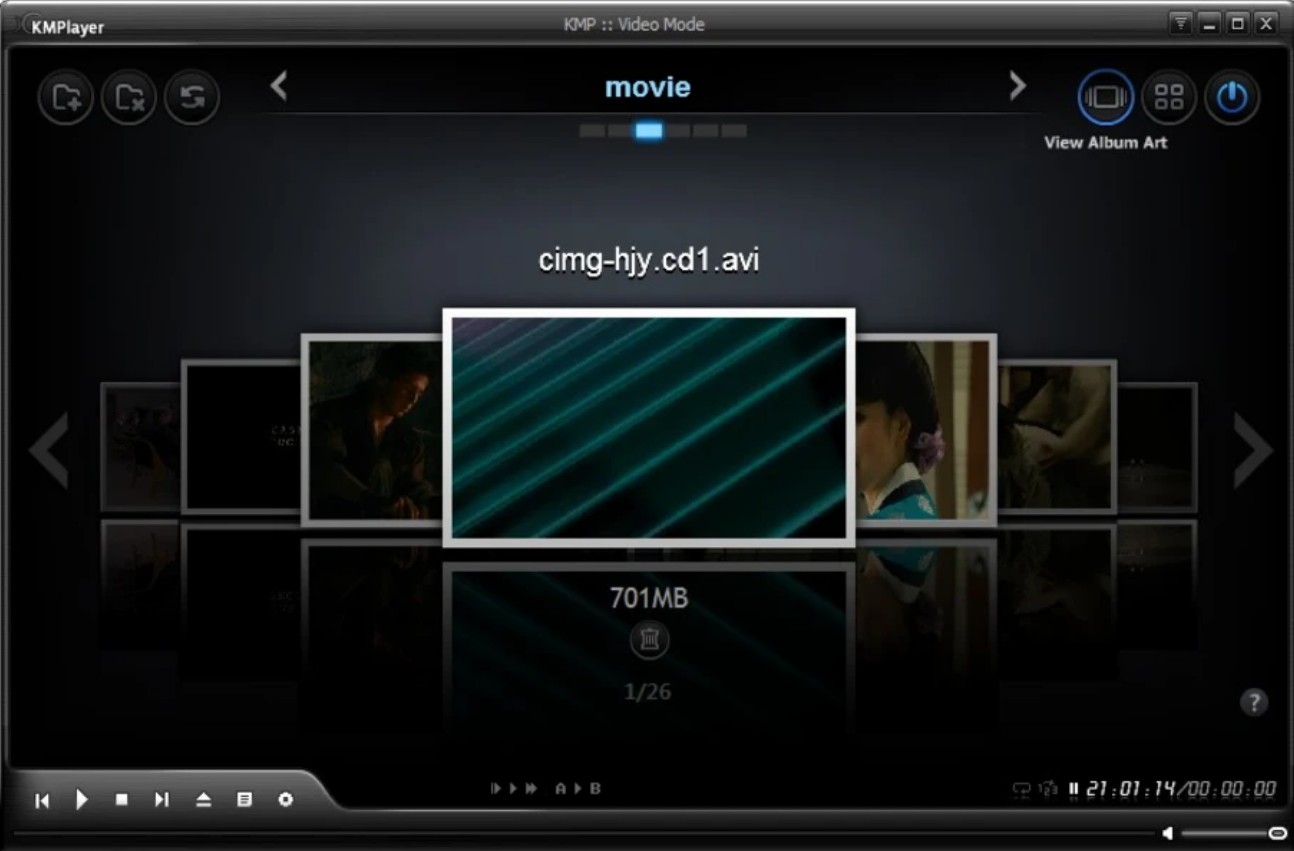
KMPlayer is a professional multimedia player capable of natively decoding almost all MP4 encoding formats. Its extensive built-in codec library supports common H.264 as well as high-compression H.265/HEVC and AV1 encoded MP4 files without requiring the installation of third-party codec packs. During a test last month involving 4K 60fps game footage recorded in the latest AV1 encoding (MP4 format), the default Windows player resulted in a "black screen" with audio only. However, this best MP4 player rendered the visuals immediately. Regarding audio, it can parse multi-channel sound within MP4 containers and allows for adjustments via a built-in equalizer.
For MP4 playback assistance, KMPlayer provides several practical tools. Its subtitle features support online searches and millisecond-accurate timeline adjustments, resolving synchronization issues. This free MP4 file viewer can also parse network streams, allowing users to play video links as if they were local files. Additionally, the built-in frame-by-frame screenshot and GIF recording tools are highly convenient for users who need to extract materials from MP4 videos.
Pros:
- High hardware efficiency for 4K/60fps files with low CPU usage.
- Built-in support for H.265 and AV1 without third-party plugins.
- Integrated frame-by-frame capture and high-quality GIF recording.
- Millisecond-level subtitle synchronization.
Cons:
- Default renderer requires manual adjustment for authentic image quality.
- Commercial advertisements present in the interface and sidebar.
- Background ad processes consume 50–80MB of additional RAM.
- Minor audio-sync delay when skipping through ultra-large 4K files.
#5 GOM Player
Best for: users who want subtitle tools, VR playback, and guided codec help. Not ideal for: readers who dislike ads, pop-ups, or optional installer offers.
GOM Player is the best MP4 player featuring a unique "Codec Finder" mechanism. If a video file uses a rare or natively unsupported codec, this tool guides the user to download the necessary components to enable playback, requiring no prior technical knowledge of video formats. It natively supports over a hundred formats, including MKV, AVI, MP4, and MOV, which is sufficient for most playback requirements.
The free MP4 viewer offers extensive subtitle features, including a large built-in online database for searching and downloading matching subtitle files directly within the software. It provides a 360-degree VR playback mode, allowing users to navigate spatial perspectives in MP4 videos using a mouse. Additionally, the GOM Remote mobile app enables users to cast MP4 video from a PC to a larger screen or use their phone as a remote to control playback progress and volume.
Pros:
- Guides users to download necessary components for rare MP4 formats.
- Searches and downloads external subtitles directly within the software.
- Supports 360-degree VR video navigation using a mouse.
- Enables remote control of playback via the GOM Remote app.
Cons:
- Frequent advertisements and pop-ups in the free version.
- Bundles unrelated third-party software during the installation process.
- Occasional dropped frames and stuttering when seeking in high-bitrate 4K files.
#6 BS.Player: Stale Release Warning
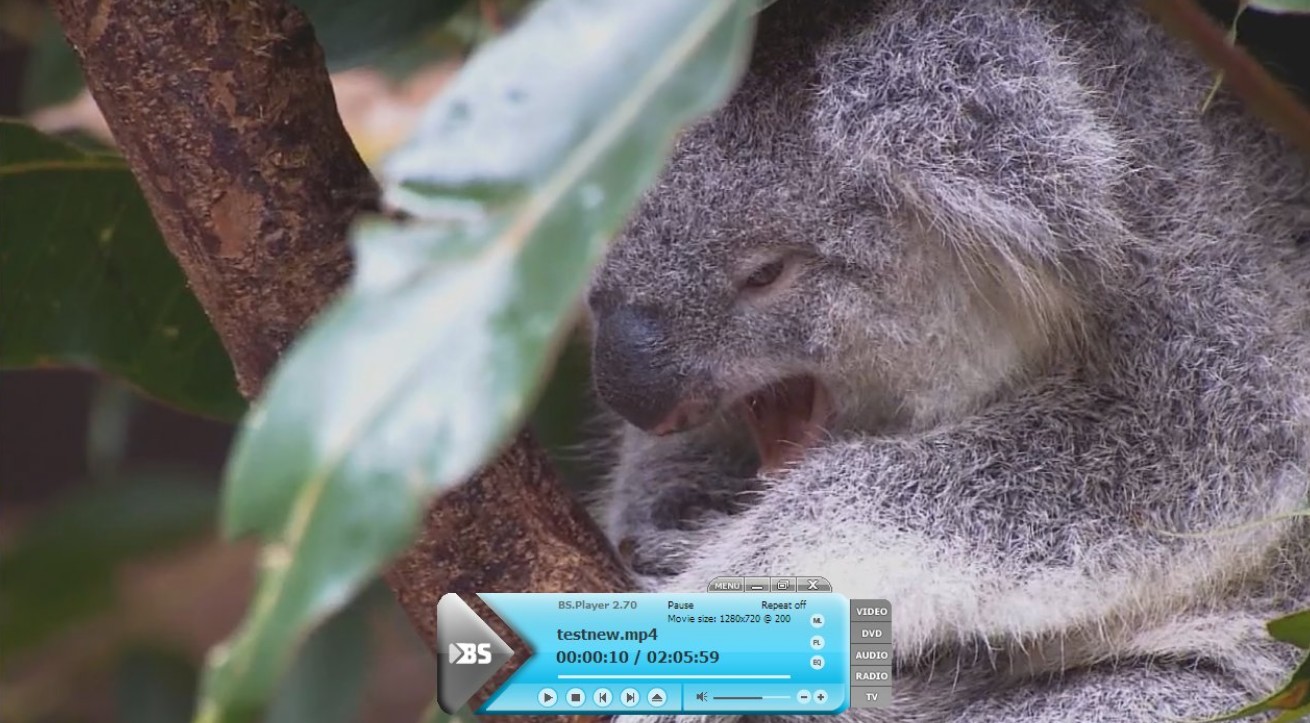
BS.Player remains downloadable, but its newest visible release signal dates to 2022. Treat it as a legacy option for a specific older Windows setup, not as an equal current peer. Its reliance on external codec components also makes a maintained player with built-in support the simpler choice for most people.
Regarding additional features, BS Player includes local file management tools, such as a built-in media library and playlist functions, for categorizing and continuously playing multiple MP4 files. It also supports network streaming by entering a video URL. While the software features Chromecast support, this is restricted to the paid Pro version; free users cannot wirelessly cast MP4 content to a TV.
Pros:
- Reduces CPU usage significantly via hardware acceleration during 1080p playback.
- Includes an automated tool to scan and download missing system codecs.
- Provides a built-in media library for organizing and batch-playing local files.
Cons:
- Restricts Chromecast support to the paid Pro version.
- Causes 2–3 second lag when seeking through 4K or H.265 encoded files.
- Relies heavily on external codecs, leading to black screens if downloads are skipped.
#7 SMPlayer
Best for: Windows or Linux users who value resume playback and configurable local-file controls. Not ideal for: anyone unwilling to review Windows installer options carefully.

SMPlayer is a free media player for Windows and Linux that can play MP4 videos natively, supporting common formats such as MP4, AVI, FLV, and MOV. In terms of audio and video quality, this best MP4 video player delivers 1080p resolution and accurately outputs stereo or multi-channel audio from MP4 containers. Beyond local files, it also supports physical optical drives, allowing users to play content directly from inserted CDs or DVDs.
For additional features, SMPlayer offers a precise playback memory function. When a user closes an MP4 video, the software automatically saves the current progress, volume level, and subtitle settings. Upon reopening the file, it resumes exactly where it left off. It also includes a built-in audio equalizer and subtitle adjustment tools for manual fine-tuning. Furthermore, it features network stream parsing; by pasting a YouTube link into the software, users can play online MP4 videos directly without downloading them to a local drive.
Pros:
- Excellent cross-platform compatibility for Windows and Linux.
- Precise resume playback functionality that remembers the last position and all settings.
- Direct streaming of YouTube and other online videos via URL.
- Compatible with legacy optical drives for CD and DVD playback.
Cons:
- Windows installer bundles third-party software, leading to potential unwanted installations.
- UI display errors on Windows 7, where the bottom control panel may disappear.
- Lacks media library management for organizing and categorizing files.
#8 Original MPC-HC: Discontinued

The original Media Player Classic Home Cinema (MPC-HC) project ended development in 2017. I often use it on older, low-spec computers for quick video reviews. It features basic built-in decoding components, supporting standard MP4 files as well as common formats like MKV, MPG, FLV, and AVI. Regarding image and sound quality, it provides smooth 1080p output and correctly plays dual-channel or multi-channel audio within MP4 containers.
In terms of additional features,MPC-HC offers a practical customizable toolbar, allowing users to add or hide specific playback control buttons at the top of the interface. Additionally, it supports DVB playback; if a computer is connected to TV receiving hardware, the software can display television signals directly in a window. It focuses strictly on local file playback and does not include features such as network stream parsing, wireless casting, or smart subtitle downloads. The original project should not be selected as a current download. Maintained forks are separate projects and should be evaluated independently.
Pros:
- Available as a portable version that runs directly from a USB drive without occupying system space.
- Extremely lightweight with minimal CPU and RAM usage during 1080p playback.
- Customizable top toolbar for quick access to preferred playback and interface controls.
- Supports DVB playback for receiving digital TV signals via external hardware.
Cons:
- Lacks video quality controls, preventing manual adjustments to brightness, contrast, or color.
- Limited advanced configuration options for deep rendering adjustments.
- Lacks modern features like network streaming or wireless casting.
#9 AVS Media Player
Best for: Windows users who prioritize configurable multi-channel speaker layouts. Not ideal for: viewers who need network playback, advanced subtitle tools, or an ad-free experience.
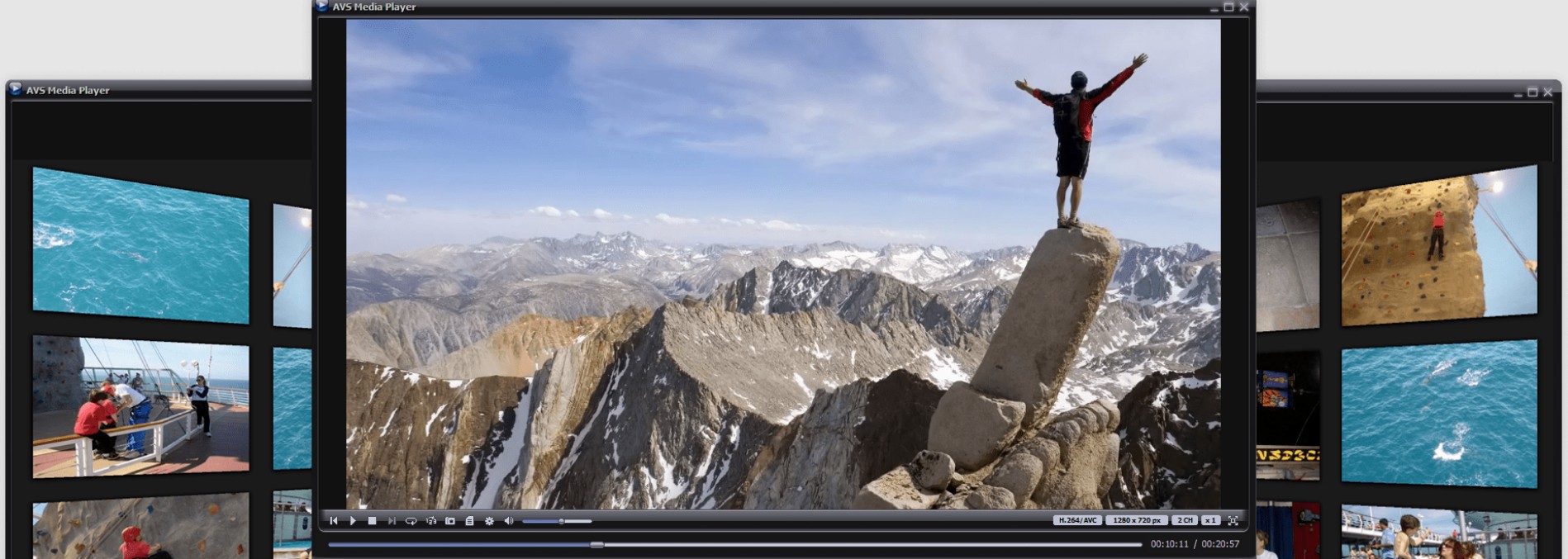
AVS Media Player is a free MP4 player that supports multi-channel audio system layouts. It successfully decodes common video files such as MP4, 3GP, and MKV. Regarding image and sound quality, it outputs high-definition video and features built-in audio environment configuration. It can parse multi-channel audio tracks within MP4 files and supports 3.1, 5.1, and 7.1 physical speaker layouts. Users can enable sound effects and accurately assign audio channels to the corresponding speakers.
Beyond MP4 playback, AVS Media Player can open various audio and static image formats, making it suitable for browsing mixed media folders. The software includes a multi-language interface (English, French, German, etc.). However, it lacks modern features such as network stream parsing, wireless casting, or smart subtitle matching, remaining a traditional local player.
Pros:
- Native support for 3.1, 5.1, and 7.1 multi-channel speaker layouts for accurate surround sound output.
- Wide compatibility, supporting video playback as well as direct viewing of audio files and images.
- Broad system support, running on Windows 10 as well as older systems like Windows 7, XP, and 2003.
Cons:
- Mandatory commercial advertisements during playback that interfere with the viewing experience.
- A fixed user interface that does not allow for toolbar customization or hiding unnecessary panels.
- Lacks network playback and advanced subtitle processing, meeting only basic local playback needs.
#10 ACG Player
Best for: touch-first Windows devices and basic local MP4 playback. Not ideal for: users who need easily accessible advanced subtitle, audio, or rendering controls.
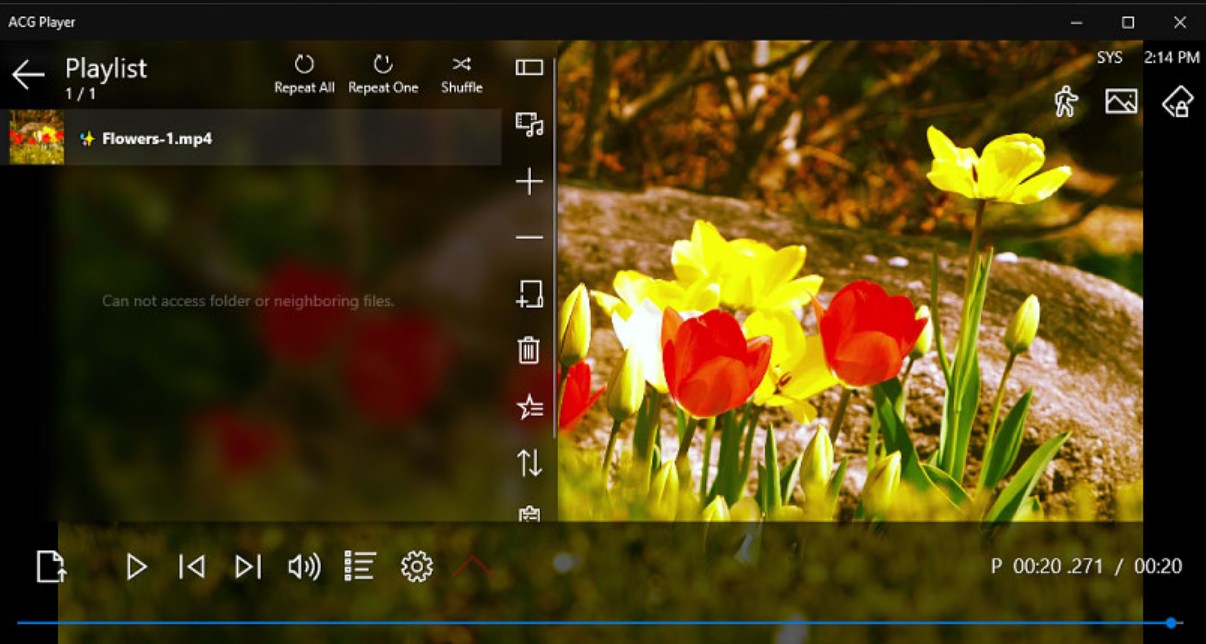
ACG Player is a Microsoft Store application with built-in codecs capable of playing various MP4 files. It directly decodes H.264 encoded MP4 and AVI videos, as well as MP3 and lossless FLAC audio. Utilizing the native Windows media framework, it delivers smooth 1080p and basic 4K visuals while accurately reproducing stereo audio tracks.
Regarding additional features, ACG Player replaces traditional complex panels with a gesture-based control interface. Users can slide across the screen to adjust playback progress or volume. This best MP4 file player provides basic image adjustment tools for real-time changes to playback speed, aspect ratio, and video rotation. Additionally, it supports reading media from local drives or optical disks and allows for playlist management. It does not offer stream parsing or image enhancement algorithms.
Pros:
- Touch-optimized gesture interface for Windows tablets and laptops.
- Native support for MP4, AVI, and FLAC out of the box.
- Real-time adjustments for playback speed, aspect ratio, and rotation.
- Easy installation via Microsoft Store with low system resource usage.
Cons:
- Free version includes advertisements that require payment to remove.
- Minimalist UI hides advanced settings in deep menus, increasing search time.
- Lacks advanced rendering controls and image enhancement features.
#11 Final Media Player
Best for: Windows users handling older or uncommon file types. Not ideal for: readers who need a clearly current maintenance record or modern playback controls.

Final Media Player is a Windows-only player that remains downloadable, although its current release and maintenance status were not independently verified. In addition to MP4, it supports over 40 types of video files—such as 4XM, ANM, ASF, AVI, BIK, CDG, and CDXL—along with more than 40 common and uncommon audio formats. If you frequently encounter the "Windows cannot open this file" error message when using native Windows tools, this player is a reliable solution for your video playback needs.
The player focuses on the fundamental requirement of successful local file playback. Its interface is minimalist, retaining only basic controls for play, pause, volume, and progress bar navigation. It does not offer modern features like network streaming, wireless casting, or video editing.
Pros:
- Natively integrates extensive codecs for 40+ video and audio formats without needing external plugins.
- Stable audio output with good compatibility for home theater systems and multi-channel tracks.
- High OS compatibility, running smoothly on legacy systems such as Windows XP, Vista, and 7.
Cons:
- Extremely basic controls lacking features like frame-stepping or thumbnails for precise seeking.
- Complete lack of video quality adjustments for color or brightness correction.
- No advanced features like network stream parsing or online subtitle matching.
#12 FLVPlayer4Free: Download Unavailable
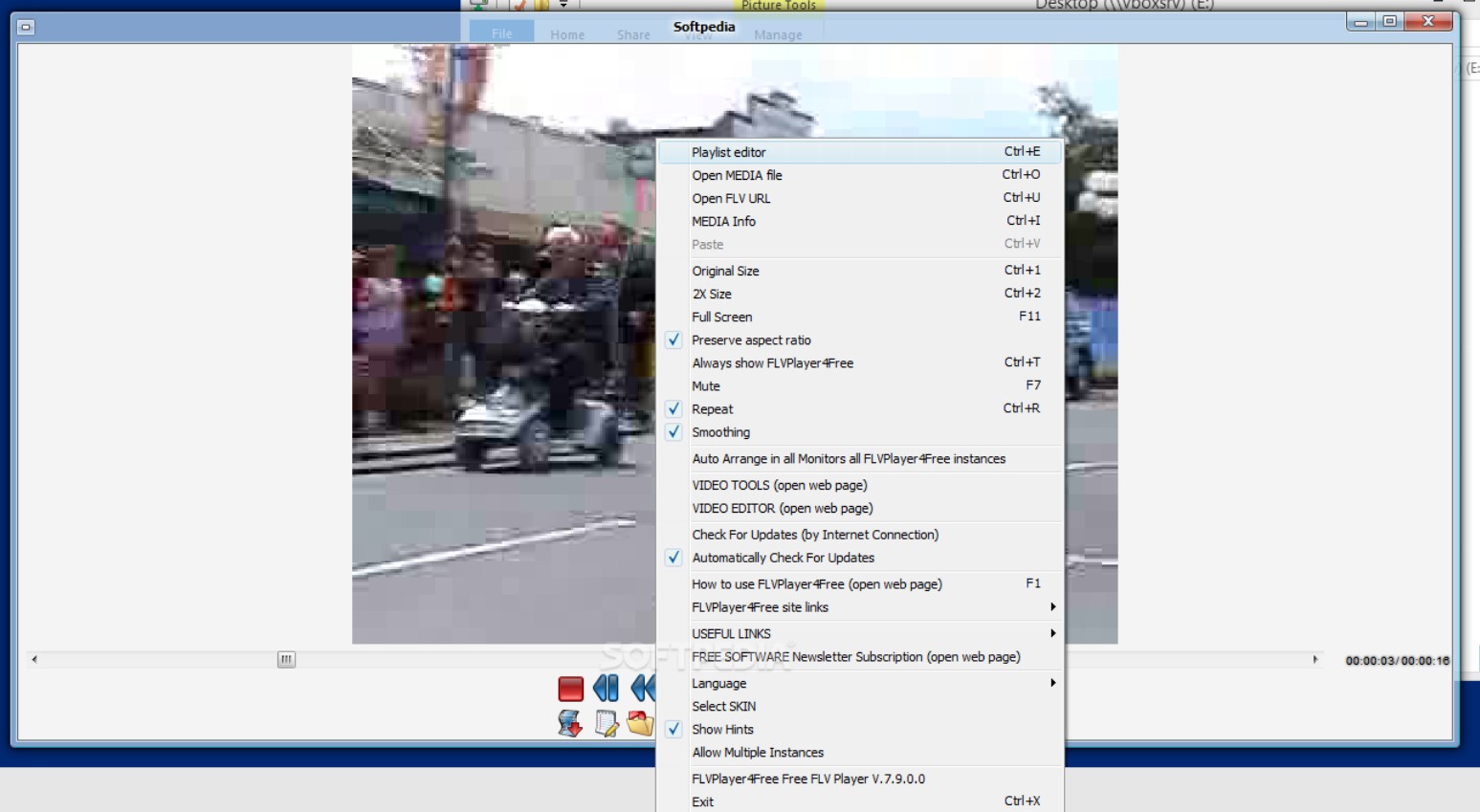
FLVPlayer4Free no longer has a functioning official product download page; its former domain redirects to a domain-for-sale listing. Do not treat it as an active MP4 player recommendation or rely on third-party mirrors for installation.
Despite being lightweight, the software includes practical tools. During MP4 playback, users can capture the current frame and save it as a lossless JPEG, PNG, or BMP image. I find the "Always on top" feature particularly useful for pinning the video window to a corner of the screen for multitasking.
Pros:
- Captures MP4 video frames as high-quality PNG or BMP images with a single click.
- Includes an "Always on top" floating window mode for multitasking.
- Displays real-time technical parameters such as bitrate and frame rate for source file verification.
- Provides excellent backward compatibility for DIVX, XVID, and early MPEG4 encodings.
Cons:
- Compatibility issues on Windows 10, leading to freezes or unresponsiveness.
- Lacks hardware acceleration for modern GPUs, resulting in high CPU usage for high-resolution or high-bitrate files.
- Limited functionality, lacking basic adjustment panels for subtitle timing, color control, or audio equalization.
#13 5KPlayer
Best for: users who want local playback with AirPlay or DLNA casting options. Not ideal for: readers who prefer a minimal interface without registration prompts or pop-up ads.
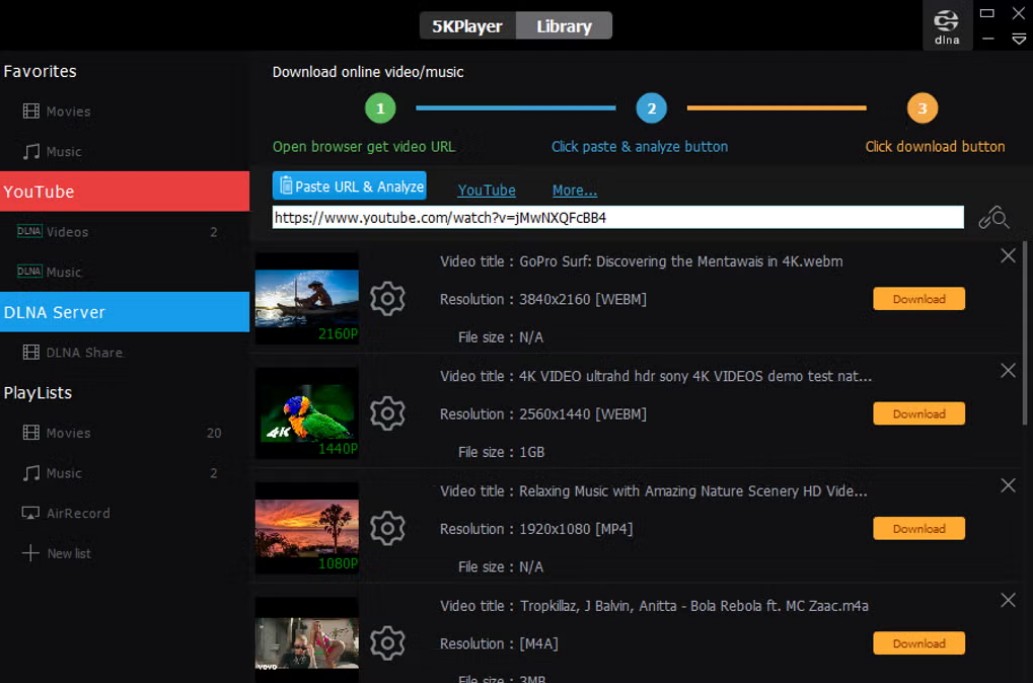
5KPlayer is a media player focusing on cross-screen casting and ultra-high-definition MP4 decoding. It supports standard MP4 encodings such as H.264 and H.265/HEVC, and it can natively render video resolutions up to 4K or even 5K.
The additional features of 5KPlayer center on media categorization and online streaming. This best MP4 player includes a built-in media library where users can import and manage their local MP4 videos. It also integrates AirPlay and DLNA protocols, allowing users to wirelessly cast local MP4 content to smart TVs. Furthermore, it can parse network links; by entering a URL from streaming sites like YouTube, users can play supported videos and should save content only when they have permission to do so.
Pros:
- Supports hardware acceleration to effectively reduce CPU usage during high-bitrate 4K MP4 playback.
- Built-in AirPlay and DLNA protocols for wireless casting to large-screen devices.
- Media library and online download tools for managing local files and acquiring online resources.
Cons:
- Mandatory registration requiring personal email and private information.
- Over-integrated modules make the interface less streamlined than dedicated local players.
- Frequent pop-up advertisements within the software.
MP4 Player Comparison by Codec and Use
This table is a quick fit guide, not proof that a file will render identically in every setup. Compare codec coverage, HDR behavior, hardware decoding, audio needs, resource use, subtitles, library tools, and installer tradeoffs before choosing. Status notes are current as of July 2026.
| Player | Maintenance Status | Codec Handling | 4K and HDR | Hardware Acceleration | Audio | CPU and RAM Considerations | Subtitles and Library | Ads or Installer Concerns | Best Fit and Main Limitation |
|---|---|---|---|---|---|---|---|---|---|
| PlayerFab Free Video Player | Current | MP4, MKV, ISO, and common media formats | 4K with HDR10 rendering | NVIDIA, AMD, and Intel Quick Sync | Up to 7.1-channel output; Dolby Atmos, Dolby TrueHD, DTS-HD Master Audio, and DTS:X | Hardware acceleration is available for demanding files | Subtitle matching; poster-wall local library | No in-app ads stated | Large Windows libraries, 4K HDR, and home-theater audio; less suited to minimal single-file playback |
| KMPlayer | Available | H.264, HEVC, and AV1 | 4K playback; default rendering may need adjustment | DXVA2 support stated | Multi-channel audio with equalizer controls | Hardware decoding can reduce CPU demand | Online subtitle search and timing controls | Interface ads | Codec coverage and capture tools; not ideal for untouched default image rendering |
| VLC Media Player | Current open-source project | H.264, HEVC, VP9, and AV1 | Up to 4K; assess HDR tone mapping on your display | Available where supported by the system | AAC and multi-channel AC3 support | Large high-bitrate files can be more demanding | External subtitle loading and 50ms sync controls; no poster-wall library | No in-app ads stated | Broad codec coverage across platforms; less polished for large media libraries |
| IINA | Current macOS project | H.264, HEVC, and AV1 through its mpv-based core | 4K HDR with ColorSync integration | Apple VideoToolbox support | Embedded stereo and multi-channel audio | Uses macOS hardware acceleration where available | Online subtitle search, timing controls, and no poster-wall library | No in-app ads stated | Native Mac gestures and Picture-in-Picture; unavailable on Windows |
| GOM Player | Available; current maintenance status not independently verified | Common MP4 codecs, with Codec Finder guidance | 4K playback and optional rendering controls | D3D11 rendering available | Multi-channel audio support stated | High-bitrate 4K seeking may stutter | Subtitle database and 360-degree VR playback | Free-version ads, pop-ups, and optional installer offers | Subtitle and VR tools; not ideal for an ad-free, low-friction setup |
| SMPlayer | Current project | Common MP4 formats through its playback engine | 1080p stated; HDR behavior is not a primary strength | Depends on system configuration | Stereo and multi-channel output stated | Lightweight local-file focus | Subtitle adjustment and resume playback; no media library | Review Windows installer options carefully | Resume playback and configurable controls; not ideal for a managed media library |
| AVS Media Player | Available | MP4, 3GP, and MKV | High-definition playback; HDR behavior is not stated | Not stated | 3.1, 5.1, and 7.1 speaker layouts | Traditional local-player design | Basic local playback; limited advanced subtitle tools and no library focus | Commercial ads during playback | Configurable speaker layouts; not ideal for network playback or advanced subtitles |
| ACG Player | Yes | Yes | Yes | Touch-optimized gesture interface | |||||
| Final Media Player | Downloadable; current release and maintenance status not independently verified | MP4 plus legacy and uncommon formats | 4K and HDR support are not stated | Not stated | Multi-channel audio compatibility stated | Minimalist local playback | Basic controls; no subtitle matching or library tools | No in-app ads stated | Older or unusual file types; not ideal when a clearly current maintenance record matters |
| 5KPlayer | Available | H.264 and HEVC | Up to 4K or 5K; HDR behavior is not stated | Hardware acceleration available | Audio specifics are not stated | Hardware acceleration can reduce CPU demand on supported files | Media library, AirPlay, and DLNA casting | Registration prompts and frequent pop-up ads | Local playback with casting; not ideal for a minimal, registration-free interface |
Status warnings: BS.Player remains downloadable, but its newest visible release signal dates to 2022. The original MPC-HC project ended development in 2017. FLVPlayer4Free no longer has a functioning official product download page. These three entries are warnings rather than peer recommendations.
FAQ
Can a free MP4 player handle 4K HDR?
Some free players can open 4K HDR files, but opening the file and rendering HDR correctly are separate tests. Check whether hardware acceleration engages, whether the display and operating system are using HDR, and whether colors and tone mapping look right rather than assuming a 4K label guarantees the intended image.
Why does an MP4 have no sound or picture?
An MP4 file can contain video and audio codecs that your current app does not support. First test the file in another current player, then check the selected audio-output device and whether hardware decoding is enabled. If multiple players fail in the same way, the file itself may be damaged.
What is an MP4 player, and do I need one?
MP4 is a container, not a single video format. An MP4 player is the app that decodes the video and audio streams inside it. Built-in players handle many ordinary files, while another player can help when you need support for an uncommon codec, subtitles, HDR, audio output, or better performance.
Should I install a codec pack when playback fails?
Usually, switching to a current player with built-in codec support is simpler than installing a broad codec pack. If you need an extension or codec, use the official operating-system store or the vendor's official site. Avoid unverified codec bundles and mirrors, which can add unwanted software.
Which MP4 Player Fits Your Setup?
The best MP4 player depends on the job: use a built-in or lightweight app for ordinary files, choose a current codec-focused player such as VLC or IINA when unusual encodings are the issue, and consider PlayerFab Free Video Player when a Windows setup benefits from 4K HDR playback, home-theater audio, and local-library organization. Its broader feature set is less compelling if you simply need to open an occasional MP4, so start with the fit that matches your files and viewing habits.

 How to Open MP4 Files on Windows 11: 4 Reliable FixesBy Alice Harper - Aug 10, 2026
 9 Best Free FLV Players for Windows, Mac, and Mobile (2026)By Alice Harper - Aug 4, 2026
 How to Play MOV Files on Windows 10/11, Including iPhone HEVC, ProRes & 4K HDRBy Alice Harper - Jul 30, 2026
 4 Ways to Open and Play FLV Files on Windows and MacBy Alice Harper - Jul 29, 2026