Top 10 Best MP4 Player for Mac in 2026: Tested & Reviewed

Summary: A Mac MP4 player is multimedia software designed for playing MP4 videos on macOS. After testing 10 top options on MacBook Air M2, DVDFab Player 6 Ultra for Mac emerged as the best choice overall, delivering hardware-accelerated 4K playback with comprehensive format support and intuitive interface optimized for Apple Silicon.

If you are looking for an MP4 player for Mac because an MP4 on Mac will not open in QuickTime, the extension is not the whole story. MP4 is a container, so first identify its video and audio codecs (for example H.264, HEVC, or AV1 for video; AAC or AC-3 for audio), then confirm the file is not truncated or corrupted. QuickTime on macOS High Sierra 10.13 or later plays compatible HEVC media, but an unsupported profile, frame rate, or audio track inside the MP4 can still cause failure. In my experience, changing to a maintained player is the faster first test than converting, because it preserves the original file. If compatibility remains the real problem, transcode to an H.264 baseline with AAC audio, which almost every Mac player accepts.
Choose the Right Mac MP4 Player
Before scrolling the shortlist, weigh nine practical criteria against your actual files and workflow: codec support (H.264, HEVC, AV1), Apple Silicon efficiency, 4K and HDR color handling, subtitle and audio controls, AirPlay or network playback, interface simplicity, current macOS support, active maintenance, and the free-versus-paid boundary. Readers who want a broader assessment beyond MP4 can consult our wider roundup of Mac video players, while cross-platform searchers may prefer a free MP4 player that runs on Windows too. My editorial judgment after testing on a MacBook Air M2: most readers get further with a maintained player that fits their real files than with the longest feature list on paper.
9 Best Mac MP4 Players, Plus One Legacy App
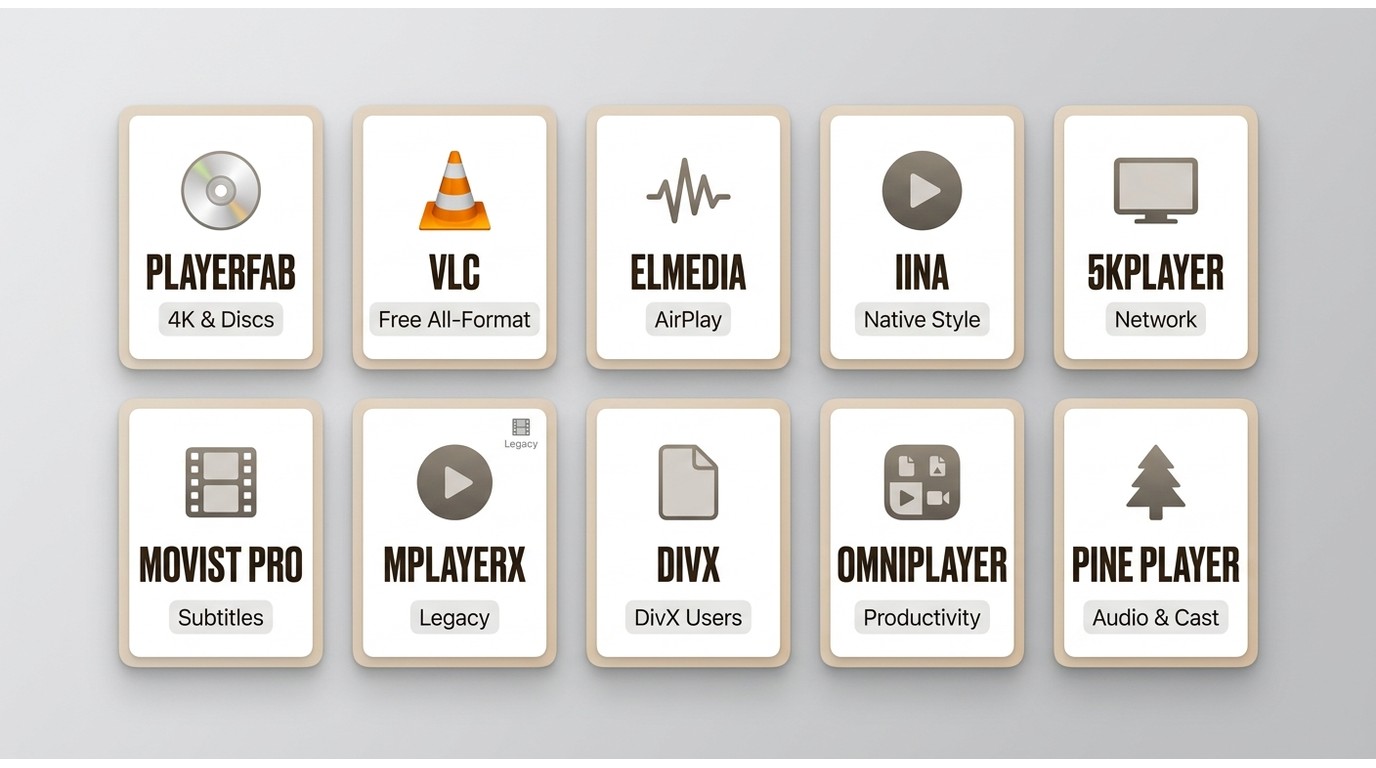
1. PlayerFab Ultra HD Player: Best for 4K and Media Libraries
PlayerFab Ultra HD Player is a desktop app for macOS and Windows that plays MP4 alongside 4K UHD files, HDR formats, DVD and Blu-ray discs, ISO files and folders, and a poster-wall library. On my MacBook Air M2 running Sonoma 14.3, an H.265 4K MP4 played smoothly with GPU-side decoding active. Best for readers who want one player that spans MP4, disc, and organized libraries. The trade-off: it is heavier than a stripped-back free tool, and Blu-ray menu playback on macOS is still under development.
2. VLC: Best Free All-Purpose Option
The official VLC Mac page lists version 3.0.23 with both Intel and Apple Silicon builds (as of July 2026). It opens almost any MP4 you throw at it, including awkward MPEG-4 Part 2 files and mismatched audio tracks. The trade-off many Mac users mention is discoverability: advanced subtitle and audio controls live behind menus that are not the most Mac-native. If discoverability outweighs breadth for you, one of the purpose-built VLC alternatives may fit better.
3. Elmedia: Best for AirPlay
Elmedia Player, currently version 8.24, is actively maintained and supports MP4 playback, subtitle handling, and AirPlay to and from a Mac. The free tier covers common MP4 files well; features such as advanced streaming and download tools sit in the paid edition. For a fuller walkthrough of tiers and workflow, see the Elmedia Player review. Not the right pick for readers who want every advanced capability without upgrading.
4. IINA: Best Native-Style Free Player
IINA is actively developed, with version 1.4.4 on its official site. It uses mpv under the hood, supports gestures on the trackpad, and feels closer to a native macOS app than most alternatives. For a small local MP4 library and casual viewing on Apple Silicon, it is one of my go-to free choices. However, community reports around long URL-streaming sessions or heavy queues sometimes describe freezes, so users who prioritize marathon stability may want to A/B it against VLC before committing.
5. 5KPlayer: Best for Network Streaming
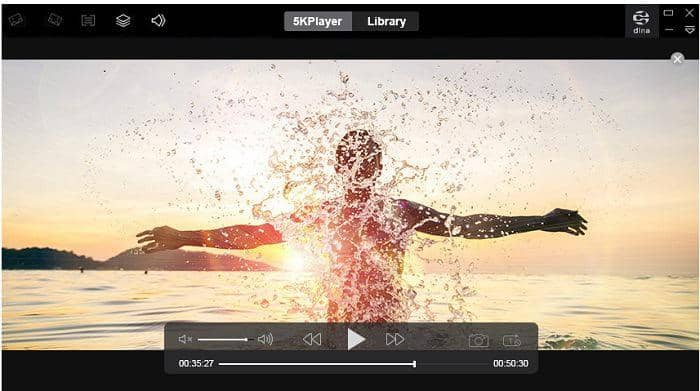
5KPlayer still offers a Mac download and promotes local 4K and 8K playback, AirPlay, DLNA, downloading, and hardware acceleration. Best for viewers who want local playback combined with casting and network features rather than a minimal file player.
The built-in AirPlay receiver function turned my Mac into a display for iPhone-recorded MP4 videos, streaming them with imperceptible latency. However, the interface displays ads in the free version, and some advanced features trigger constant upgrade prompts.
Performance note:
Its interface and upgrade prompts may be less appealing to readers who want a quiet, native-feeling player for a small local library.
6. Movist Pro: Best for Subtitle Control
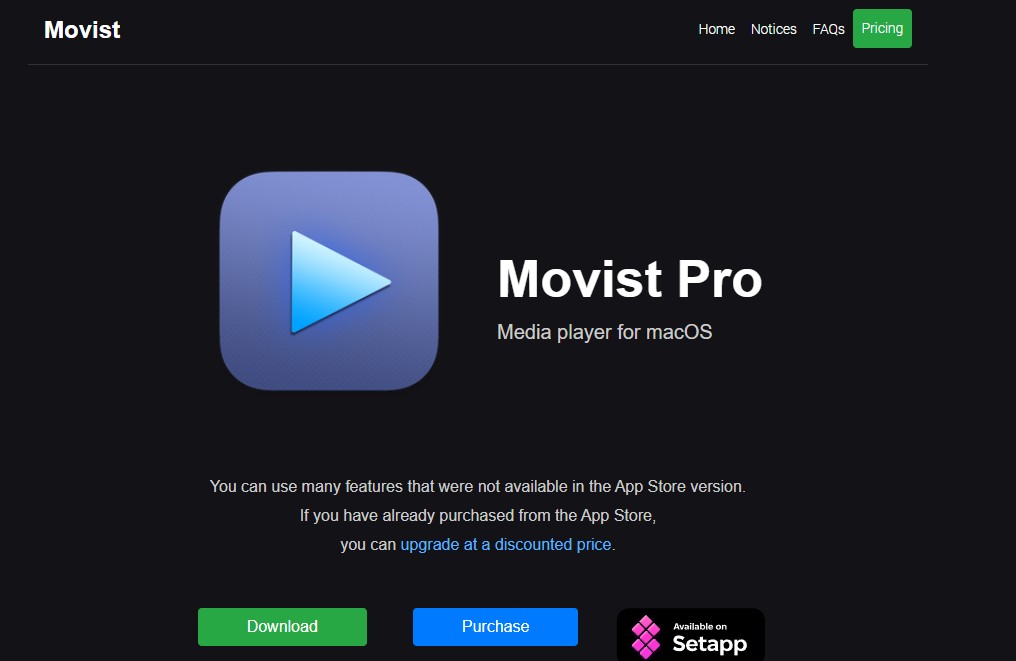
Movist Pro is actively maintained, requires macOS 11 or later, and supports current macOS releases. Its focused interface and per-subtitle style controls fit viewers who regularly switch tracks, tweak font rendering, or align timing. Casting and the widest free codec coverage are not the priority here, so pair it with VLC if those matter to you.
Testing insight:
Movist's hardware acceleration toggle requires manual activation per-video, an annoyance when batch-watching concert recordings.
7. MPlayerX: Legacy Status
MPlayerX should be treated as a legacy note rather than a normal 2026 recommendation. Its official download remains at version 1.1.4 with Intel-era requirements, so on Apple Silicon Macs the maintained options above (VLC, IINA, Movist Pro) are a safer starting point.
Use case:
MPlayerX excels as a secondary player for quick MP4 previews rather than primary movie watching.
8. DivX: Useful, but Mac Version Lags
DivX offers a Mac installer, but DivX 11 is still listed as coming soon for Mac. That means current Windows-generation feature parity should not be assumed when choosing it for H.265/HEVC MP4 playback on macOS. It suits existing DivX users with basic local playback needs; readers chasing the newest Mac-specific decoding or interface work will find fresher options above.
Unique feature:
DivX's trick play (slow motion and frame-by-frame advance) operates more smoothly than competitors, valuable for sports analysis from MP4 recordings.
9. OmniPlayer: Best for Productivity Tools
OmniPlayer version 2.1.22 requires macOS 11 or later and supports local and network playback, subtitles, casting, screenshots, and GIF creation. It is a practical Mac MP4 player for tutorial viewers and anyone who wants capture tools alongside playback. Viewers who prefer a minimal, home-theater-style interface will find it busier than needed.
Performance gap:
OmniPlayer's AV1 software decoding lags IINA's on the same hardware, so heavy AV1 libraries are better served elsewhere.
10. Pine Player: Best for Audio and Casting
Pine Player version 6.1.2 supports video playback and subtitles alongside its audio strengths, plus AirPlay 2, DLNA, Chromecast, and NAS sources. It suits concert films, music documentaries, and viewers who care about both soundtrack controls and casting options. Picture-first workflows and large disc libraries belong in a more video-specialized player.
Niche strength:
Pine Player's audio focus makes it the best choice for users prioritizing sound over picture in MP4 content.
How I Tested These Mac MP4 Players: Methodology
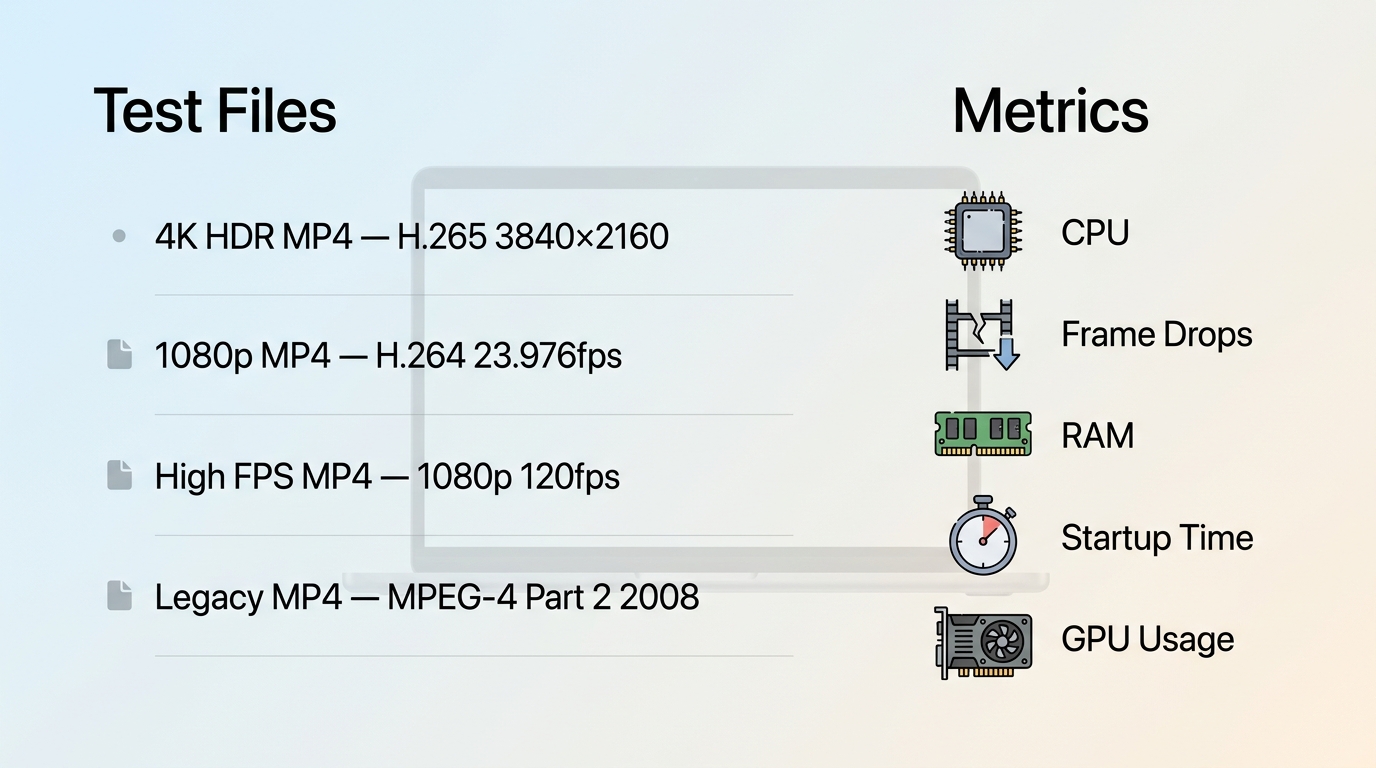
My testing environment consisted of a MacBook Air M2 (8-core GPU, 16GB unified memory) running macOS Sonoma 14.3. I evaluated each MP4 player using a standardized test suite:
Test Files:
- 4K HDR MP4: Oppenheimer trailer (H.265, 3840×2160, 24fps, 10-bit color)
- 1080p MP4: Blade Runner 2049 scene (H.264, 1920×1080, 23.976fps with subtitles)
- High frame rate MP4: Gaming footage (H.264, 1080p, 120fps)
- Legacy MP4: MPEG-4 Part 2 encode from 2008
Performance Metrics:
- CPU utilization (via Activity Monitor during 60-second playback)
- Frame drop count (analyzed with ffmpeg's showinfo filter)
- Memory footprint (average RAM usage during playback)
- Startup time (from application launch to video display)
- Hardware acceleration (verified via GPU history graphs)
Subjective evaluation included subtitle styling accuracy, audio sync precision, and interface responsiveness when jumping between chapters. Each player received at least 30 minutes of continuous use to identify stability issues.
Mac MP4 Player Comparison
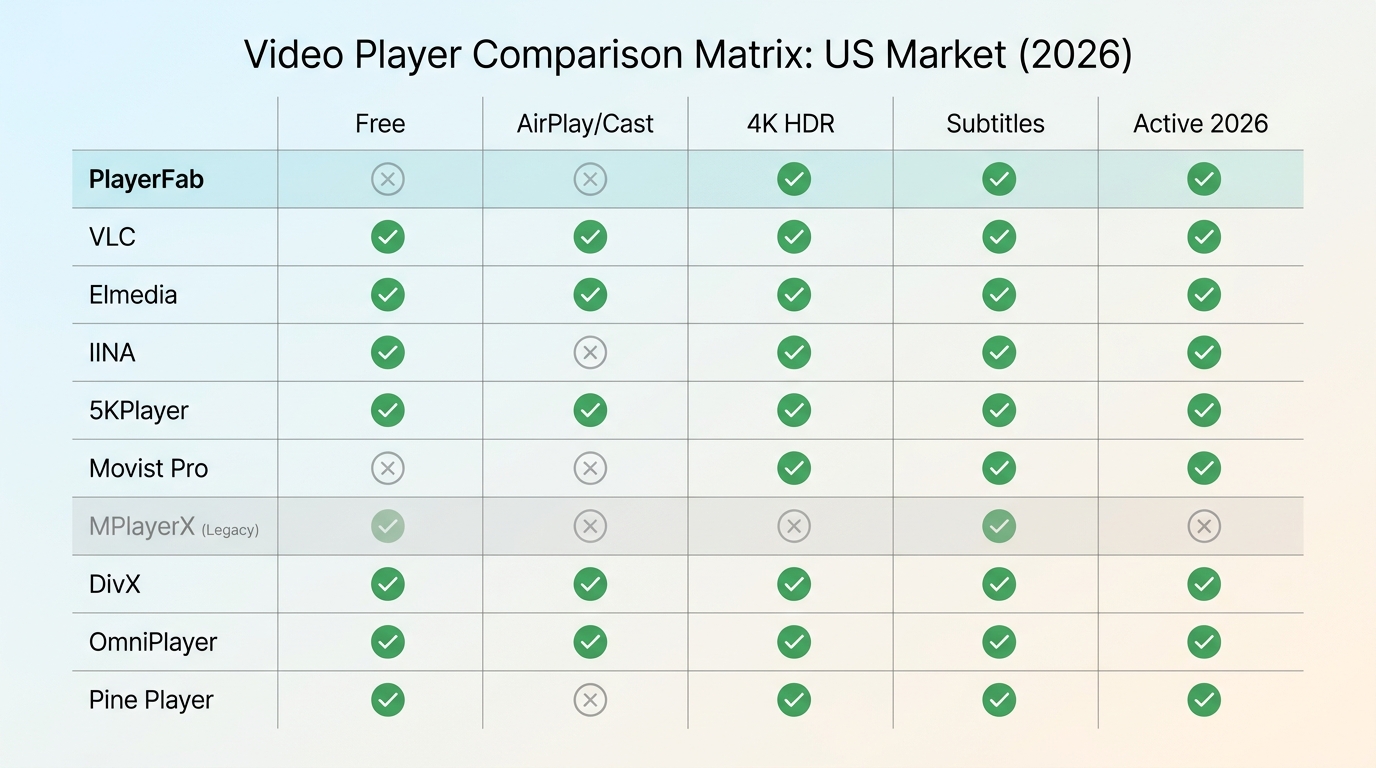
| Player | Current status | Free or paid boundary | Best for | Not ideal for |
|---|---|---|---|---|
| PlayerFab Ultra HD Player | Current macOS and Windows product; Blu-ray menus on macOS are under development | Free local playback; paid modules add disc features | 4K HDR files, discs, ISOs, and media libraries | A lightweight free-only player |
| VLC | Version 3.0.23; Intel and Apple Silicon builds | Free | Broad local-format compatibility | The simplest native-style interface |
| Elmedia | Version 8.24, actively maintained | Free player; advanced features in paid edition | AirPlay and home streaming | Every advanced feature without upgrading |
| IINA | Version 1.4.4, actively developed | Free | Native-style local playback and gestures | Users who need one universal stability choice |
| 5KPlayer | Current Mac download available | Free with upgrade prompts | Network playback, AirPlay, and DLNA | A minimal local-file interface |
| Movist Pro | Actively maintained; macOS 11 or later | Paid | Subtitle controls in a focused interface | The broadest free codec toolkit |
| MPlayerX | Legacy Intel-era version 1.1.4 | Free legacy app | Existing legacy installations | A new 2026 recommendation |
| DivX | Mac installer available; DivX 11 still coming soon for Mac | Feature set varies by platform | Existing DivX users with basic Mac needs | Current Windows-feature parity |
| OmniPlayer | Version 2.1.22; macOS 11 or later | App Store product | Screenshots, GIFs, subtitles, and casting | A bare-bones movie player |
| Pine Player | Version 6.1.2 | App Store product | Audio-focused viewing with AirPlay 2, DLNA, Chromecast, and NAS | A video-specialized disc-library interface |
FAQs
Which player fits 4K HDR and disc libraries?
For local MP4 playback plus 4K UHD files, HDR formats, DVD, Blu-ray, ISO files, and poster-wall library management, PlayerFab Ultra HD Player is the more complete fit. It is not the right choice if you only need a lightweight free player. In that case, VLC suits broad format compatibility, while IINA suits readers who prefer a more Mac-native-style interface.
Is QuickTime enough for most MP4 files?
QuickTime Player is built into macOS and works well with compatible MP4 files, including compatible HEVC media on modern macOS. However, an MP4 extension does not guarantee compatibility: its codec tag, profile, frame rate, audio track, or file integrity can still cause failure. A maintained alternative is useful when those limits affect a file you need to play.
Should I convert an MP4 file or change players first?
Check the codec and file integrity first, then try a maintained player such as VLC or IINA before converting. Changing players is usually quicker and leaves the original file untouched. Convert to H.264/AAC only when compatibility remains the real problem or when you need a file that will play reliably in a more limited app. Perian is retired and should not be installed.
Which free player handles AirPlay and subtitles?
There is no universal winner. IINA is a strong free choice for a native-style interface, gestures, and local playback; VLC is often the better fit when broad compatibility is the priority. Elmedia is more relevant when AirPlay and home streaming matter, but its advanced features are part of the paid edition. Choose based on the controls and workflow you will actually use.
Conclusion
An MP4 player for Mac should match the files and workflow you actually have: VLC is a practical free choice for broad local compatibility, IINA suits native-style controls, Elmedia and Pine Player suit casting-focused setups, and PlayerFab Ultra HD Player fits 4K HDR files, discs, ISOs, and managed libraries. The trade-off with PlayerFab is that it is more than a lightweight free player, and Blu-ray menu playback on macOS is still under development.
For a file that will not open, start by checking the codec and trying a maintained player rather than converting immediately. That approach keeps the original intact and makes it easier to choose the simplest tool that genuinely fits your Mac workflow.

 5 Ways to Play MKV Files on Mac in 2026By Alice Harper - Jul 29, 2026
 5 Blu-ray Players for Mac Compared in 2026: Disc, 4K, and CostBy James Morgan - Jul 24, 2026
 8 Best Video Players for Mac in 2026: A Hands-on ReviewBy Alice Harper - May 7, 2026