8 Best Video Players for Mac in 2026: A Hands-on Review

Summary: This article reviews the 8 best video players for macOS. DVDFab Player 6 Ultra is the top choice for a cinematic 4K and Blu-ray playback on Mac, IINA and VLC are the best free options for a flawless Mac-native feel and universal format support, Elmedia excels at wireless TV streaming, and the other players cover all your everyday media playback needs.
Have you ever clicked a video on your Mac and thought, "Why is this not playing?" Maybe it's an MKV file that QuickTime refuses to open, or a movie that plays but the subtitles are missing, or the audio sounds weird for no obvious reason. Yep, I've been there too.
The funny part is: macOS is great, but "video playback" is one of those everyday things that can still get annoying fast. That's why I rounded up 8 best video players for Mac (including classics like VLC and newer favorites like IINA) and tested them with normal, real-life usage in mind.
In this guide, I'll walk you through what each player is actually good at, who it's for, what it costs, and the little pros and cons you'll notice once you use it for more than five minutes. If you just want something that works with minimal fuss, you'll find your match here.
How I Tested These Mac Video Players
I didn't test these players in some "perfect lab setup." I tested them the way you probably use a player in real life: you download a random file, you double-click it, and you just want it to play without drama.
Here's what my testing looked like:
Mac compatibility (the real kind). I checked whether each player feels stable on modern macOS, launches fast, and doesn't crash the moment I drag in a big file. I also paid attention to whether it feels "Mac-native" (menus, shortcuts, trackpad behavior, that kind of everyday stuff).
Format support. I threw a mixed bag at every player, including the kinds of files that usually cause problems (like MKV, MP4, MOV, and some higher-resolution videos). Some apps aim to play nearly anything you have, while others are pickier.
Performance (what you notice, not what a spec sheet says). I listened for volume weirdness, audio delay, and whether dialogue stays clear. I also watched for stutter, sudden frame drops, and whether the picture looks clean when jumping around the timeline.
Ease of use. I asked a simple question: "If someone installs this today, can they figure it out in 2 minutes?" I looked at subtitle controls, playback speed, playlist handling, and whether common actions are obvious or buried in settings.
8 Best Video Players for Mac: Tested & Reviewed
1. DVDFab Player 6 Ultra for Mac

- Why I picked it: If you often watch higher-quality videos (think 4K files, HEVC/H.265, MKV, Blu-ray discs), and you care about picture and sound feeling "right" on a bigger screen, this one is built more like a home-theater player than a basic Mac utility.
- Compatible with: macOS 10.10 - 15.x
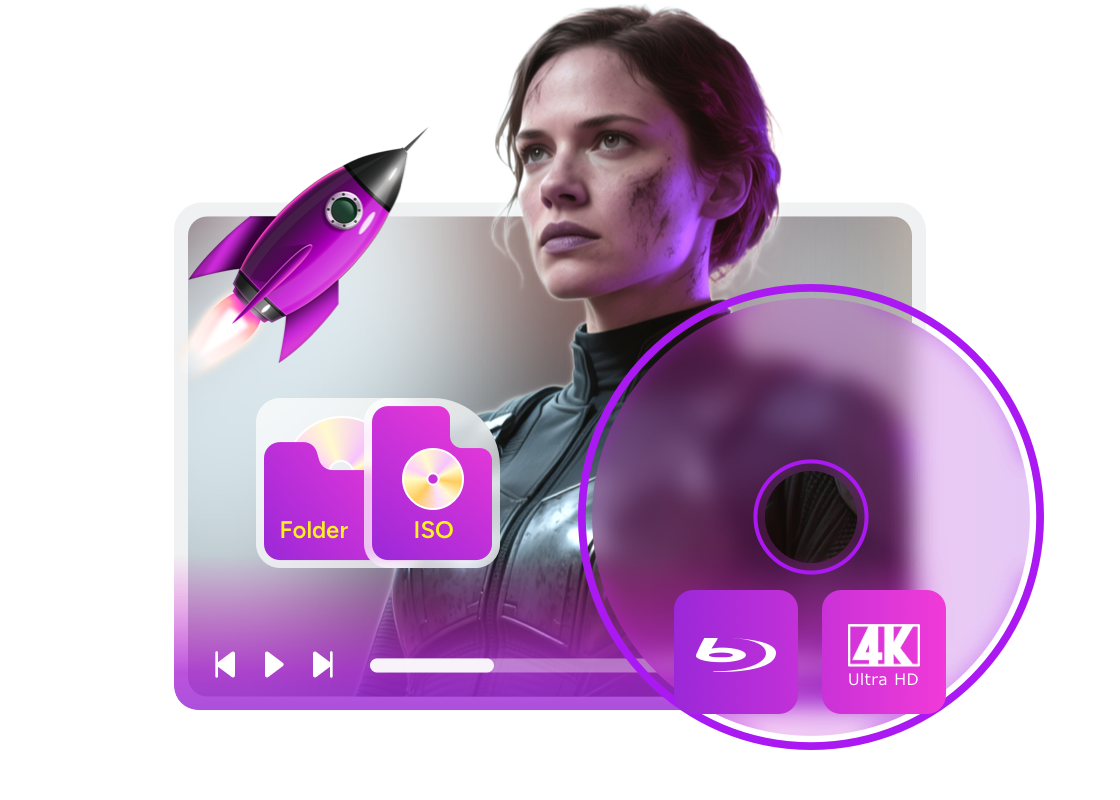
DVDFab Player 6 Ultra for Mac is the best video player for Mac, focusing on smooth playback and a more cinematic viewing experience. It supports a wide range of formats (such as MP4, MKV, MOV, FLV, VOB, M2TS), modern codecs like H.264 and HEVC/H.265. This best media player for Mac also features DVD/4K Blu-ray playback, with extra emphasis on HDR support and hardware-accelerated decoding for high-resolution videos.
What works well:
This best video player for Mac cares about the "watching" part, not just the "opening" part. When I'm sitting back and actually watching a full movie (especially on an external display), it leans more toward a home-theater vibe than a lightweight utility player, and that makes the whole experience feel more intentional.
The second win is how clearly it aims at heavier videos. It's built with high-resolution playback in mind. With hardware acceleration, it doesn't struggle or drop frames when the file is huge. You don't get that frustrating stuttering effect. When I played a 4K movie with it on my MacBook Air, it ran so quietly that I could barely hear the fan at all.
Another thing I genuinely enjoy is the library style. If you have a lot of local videos, the "poster wall" approach makes picking something to watch feel more like browsing a streaming app, and less like digging through folders.
And yes, discs do matter for some people. This best Mac media player also supports DVDs and (4K) Blu-rays, plus ISO files and folders, so if you occasionally watch disc content or backups, you do not need a separate player just for that.
Limitations:
This media player for macOS is not completely free, so if your life is mostly casual clips and basic MP4s, you might feel like you're paying for premium playback features you rarely touch. But if you want a cinematic viewing experience, it's worth the money.
Quick recommendation: If playback quality is your top priority and you want the cinema-like viewing experience for local videos and discs, DVDFab Player 6 Ultra for Mac is hands down the number one pick on this list.
2. IINA
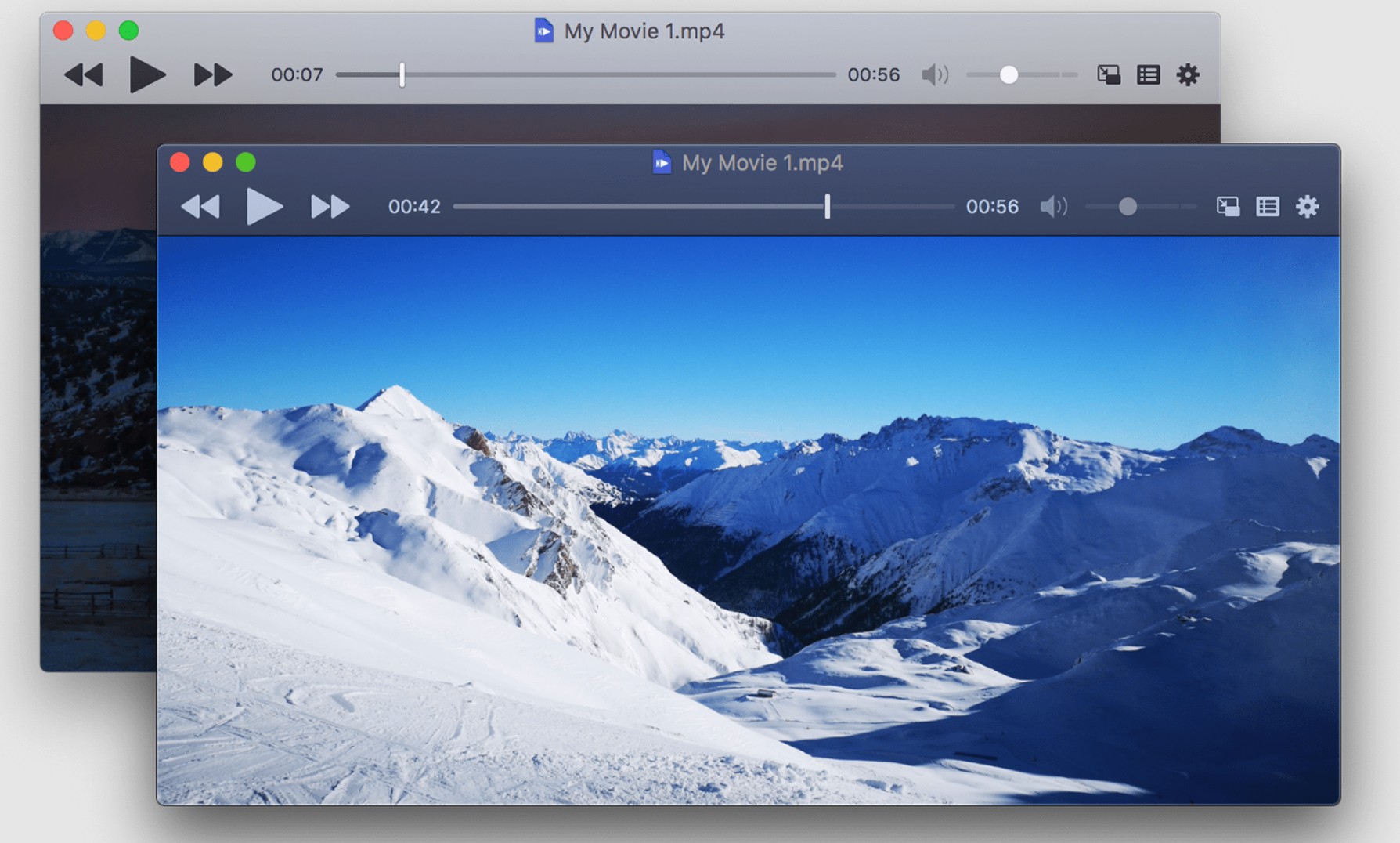
- Why I picked it: If you want a modern video player for Mac that plays almost anything you throw at it, and you love little quality-of-life touches like Picture in Picture and trackpad gestures, IINA is an easy favorite.
- Compatible with: macOS 12.0+ (Apple Silicon) / 10.15+(Intel)
IINA is the best video player for Mac built on the mpv engine, designed for macOS 10.15+ with strong decoding ability and everyday playback features like subtitles, playlists, chapters, Picture in Picture, and highly customizable controls.
What works well:
The biggest strength is the overall macOS feel. The interface looks like it belongs to macOS, and it supports system-style features like Picture in Picture, plus Mac-friendly controls like Force Touch and Touch Bar support. It feels like someone actually thought about how Mac users watch videos day to day.
Another big plus of this best Mac video player is how much it covers without making you hunt for plugins. Subtitles, playlists, chapters, and playback basics are all there, and it even has online subtitle searching and smart matching for local subtitles. That last part is a lifesaver when you have a folder full of random episode files and you just want subs to "show up" with minimal effort.
I also like that it grows with you. If you are the type who loves tweaking shortcuts or using trackpad gestures, IINA lets you customize keyboard, mouse, trackpad, and gesture controls in a way most free players do not.
Limitations:
Because this best media player for Mac is so configurable, some settings can feel a bit overwhelming if you tend to click around and explore menus. You do not have to touch any of it, but the moment you start reading about mpv configs and advanced options, it can feel more complex than a simple player.
Also, if you are specifically chasing perfect HDR and Dolby Vision behavior on every file, IINA can be hit or miss depending on the format and setup. For example, Dolby Vision support has been discussed as an open limitation in the project community, so I would not pick IINA solely for that niche use case.
Quick recommendation: If you want a best free video player for Mac that feels polished, plays a ton of formats, and gives you great everyday controls, IINA is one of the easiest picks.
3. VLC Media Player for Mac
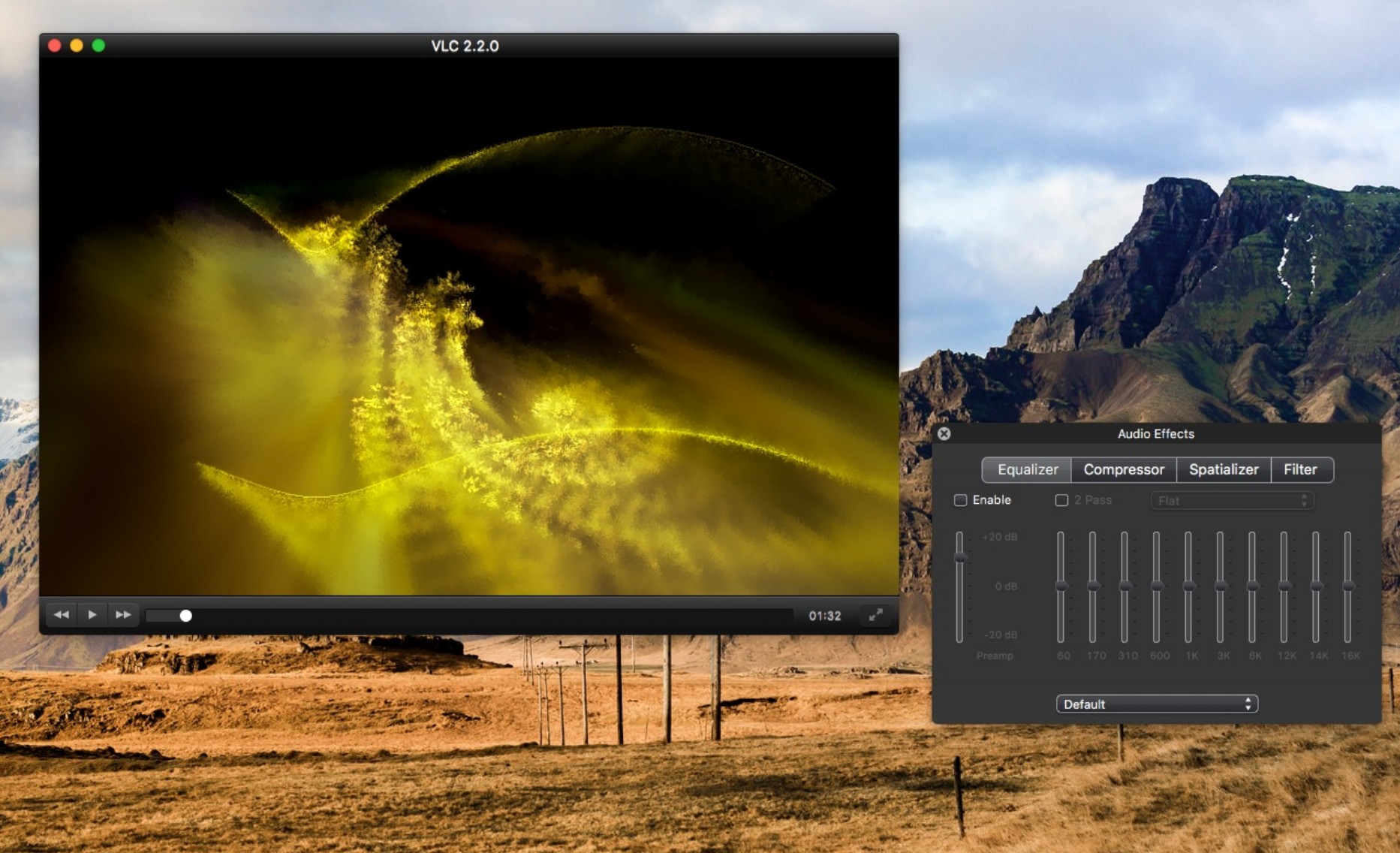
- Why I picked it: If you constantly run into random video files (MKV today, some weird old AVI tomorrow), and you want a best free video player for Mac that usually just opens them without negotiation, VLC is still the classic pick.
- Compatible with: Mac OS X 10.7.5+
VLC is not only one of the best media player for Windows, it's also compatible with macOS. It is a cross-platform, free media player designed to play most multimedia files, plus discs, various online streams and live feeds, with features like hardware decoding to help with smoother HD/UHD playback.
What works well:
The main reason I keep VLC installed is reliability. It is the player I reach for when a file refuses to open elsewhere, because VLC's whole identity is built around broad compatibility and being able to handle everything from normal files to discs and streams.
I also like that it can feel surprisingly capable with heavier video, especially if your Mac supports it well. VLC has hardware decoding on most platforms, and VLC 3.0 enables hardware decoding by default to support higher resolution playback, including 10-bit and HDR. When a file is large, this is the difference between smooth viewing and a laptop that suddenly sounds like it is trying to take off.
Beyond local playback, VLC media player for Mac is also highly practical for networking viewing. It supports online streaming and can cast video directly to Chromecast devices, effectively bypassing Chromecast's usual format restrictions. This is a very convenient feature if your workflow involves starting a video on your Mac and moving it to a larger TV screen.
Limitations:
On macOS, VLC can feel less Mac-native than IINA or QuickTime. It works, but the UI and settings are clearly built for being universal across platforms, not for feeling like a pure macOS app. VideoLAN's own Mac documentation still frames it very much as the standard VLC interface on Mac rather than a Mac-first design.
Also, VLC's strength is "it can do a lot," but that comes with a learning curve. Once you leave basic play and pause and start touching audio filters, subtitle syncing, or advanced settings, it can feel like there are many knobs and switches. VLC's own documentation emphasizes how extensive the feature set is (filters, subtitle sync, and fine-tuning A/V), which is great for power users but not always friendly for casual users.
Quick recommendation: If you want the best video player for Mac that covers the most situations and you do not want to think too hard about formats, VLC is still the safest install. If you care more about a Mac-native feel, IINA is usually the more comfortable daily driver.
4. Elmedia Player
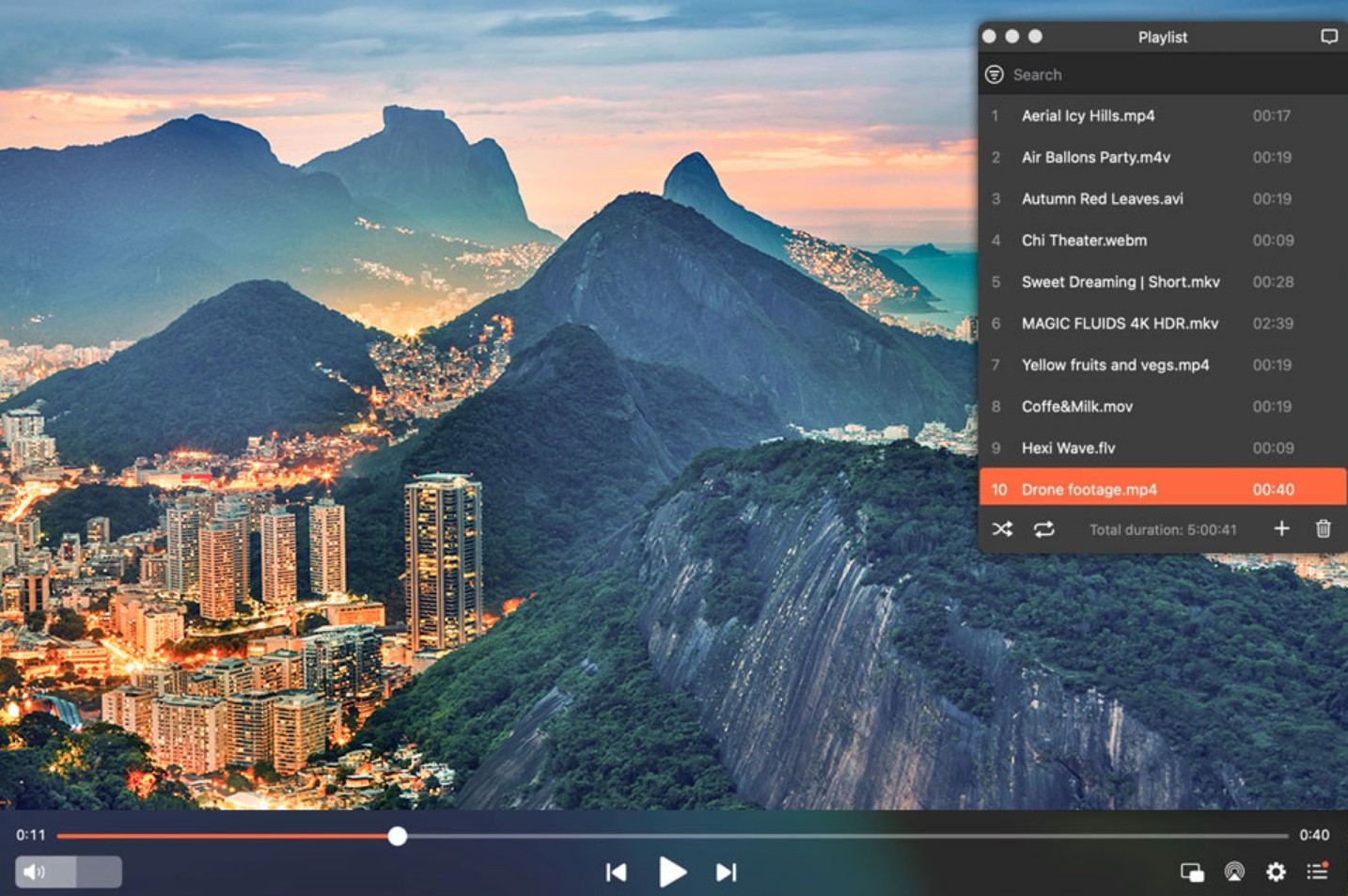
- Why I picked it: If you often start watching on your Mac but want to continue on a TV (Apple TV, Chromecast, smart TV), and you also care about having subtitles behave nicely, Elmedia is a very practical choice.
- Compatible with: macOS 10.15+
Elmedia Player is the best mac media player designed to make everyday playback smoother and more controllable, featuring broad format support, hardware acceleration, and built-in subtitle search. Additionally, its PRO version heavily emphasizes wireless streaming, allowing you to easily cast content to AirPlay, Chromecast, DLNA devices, and more.
What works well:
On format support, Elmedia covers both the common stuff and the annoying edge cases. The official supported formats includes popular containers like MP4, MKV, MOV, AVI, WMV, FLV, WebM, plus disc-style formats like VOB and transport streams like M2TS/TS, and it even mentions RM/RMVB for older files. On the audio side, it supports everyday tracks like MP3, AAC, AC3/EAC3, DTS, FLAC, which is why I run into fewer "this file won't open" moments in my real testing.
Subtitles are another strong point. I like that this macOS video player supports integrated subtitle search, so when I open a file that does not come with subs, I can look for them inside the player instead of bouncing between websites. That workflow feels very user-friendly.
The streaming angle is where this best video player for Mac becomes a real daily driver for some people. The PRO feature list is very clear about streaming local files to Apple TV (including Apple TV 4K), Chromecast (including 4K for Chromecast Ultra), DLNA smart TVs, and even Roku devices. If your habit is "start on Mac, finish on TV," this is the convenience you notice immediately.
Limitations:
The biggest limitation is that the free version can feel like a teaser if streaming is your main goal. Elmedia does have a free tier, but the official Free vs Pro comparison makes it obvious that the most TV-friendly streaming features are largely in PRO. So if you came here specifically for Chromecast, Apple TV, DLNA, Roku streaming, you should expect to pay.
Also, while the interface is pleasant, this macOS media player is still feature-rich. If you want something extremely minimal, Elmedia may feel like it has more controls than you asked for. It is not hard to use, but it is definitely not the "one button, no settings" type of app.
Quick recommendation: If streaming from Mac to a bigger screen is part of your routine, Elmedia Player is one of the most convenient options here, and the subtitle tools are a nice bonus. If you never stream and you just need a lightweight video player for Mac, IINA or VLC may fit better.
5. Quicktime for Mac
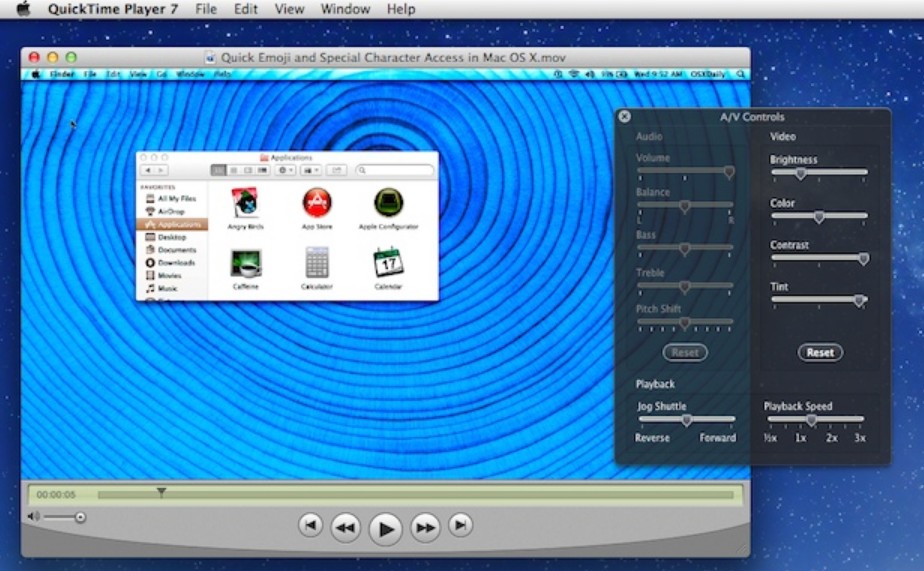
Why I picked it: QuickTime Player is already built into macOS, launches instantly, and is the simplest no-setup option for playing everyday MP4 and MOV files.
QuickTime Player is Apple's built-in macOS video player that focuses on simple, stable playback plus handy extras like recording and basic edits, and it works best with Apple-friendly formats and codecs (think MOV/MP4-style workflows, H.264/HEVC, AAC), rather than trying to play every weird file on the internet.
What works well:
In terms of compatiblity, it's almost unfair to compare it to third-party players because it's the built-in media player for Mac. QuickTime is the definition of frictionless. It launches instantly, behaves like a Mac app should, and it's usually the most stable option for quick playback, especially when you are bouncing between files while working.
Subtitles and captions are also simple when the file actually includes them: QuickTime lets you switch subtitle or caption tracks right from the View menu (or playback controls), which is exactly what most people want.
Limitations:
On format support, QuickTime is where Mac users most often hit the wall. Apple openly notes that if a media file uses an older or specialized format, it may not be supported and you might need different software. In daily life, this is the classic "why won't this MKV play" moment. The same can happen when you try to play WMV on Mac, since WMV is not a Mac-first format and requires a more flexible third-party media player.
With video and audio flexibility, this media player for Mac is intentionally light. If you want built-in codec handling for all kinds of containers, deeper subtitle management, or advanced playback controls that power users expect, QuickTime can feel too basic. Even when exporting, QuickTime exports movies as .mov using H.264 or HEVC, and it does not export movies as MP4, which tells you a lot about its "Apple formats first" mindset.
Quick recommendation: If you mainly play common videos and you want the simplest Mac-native experience, QuickTime is perfect. If you frequently download MKV/WebM files or you want more control over subtitles and playback behavior, you'll be happier with IINA, VLC, or Elmedia as your daily player.
6. Vidi
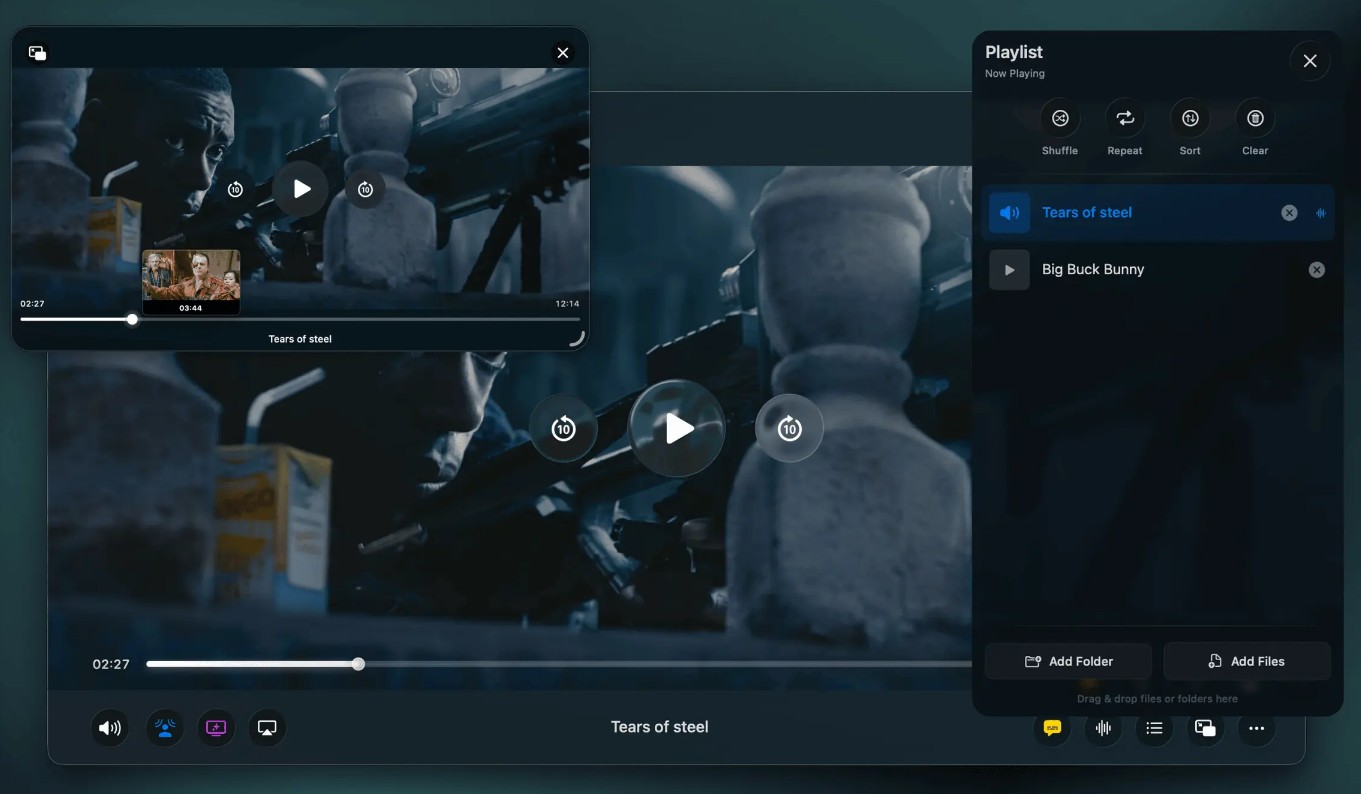
- Why I picked it: If you watch a lot of local video files on a newer Mac (especially Apple Silicon), and you care about smooth playback, HDR support, and a clean interface that does not feel "old school," Vidi is worth a look.
- Compatible with: macOS 12+
Vidi is a modern macOS video player focused on efficient, high-quality playback, advertising support for common formats like MKV, AVI, WebM, MP4, and HEVC, plus higher-end viewing features such as 4K playback, HDR/Dolby Vision, Picture in Picture, and casting to AirPlay, Chromecast, and DLNA.
What works well:
Vidi clearly targets the formats Mac users most often get stuck with. When I tested it as a daily file opener, it handled the typical troublemakers like MKV and WebM without me needing to convert anything first, which is usually the make-or-break moment for casual users.
This best video player for Mac is designed around higher-end playback. The product positioning calls out 4K plus HDR/Dolby Vision, and it also highlights enhanced audio features like spatial audio as part of the viewing experience.
A practical bonus is casting. If your routine is "start on Mac, finish on TV," it is nice to have AirPlay, Chromecast, and DLNA casting in the same app instead of jumping between tools.
Limitations:
In my testing, the biggest limitation is that some of the most interesting extras are tied to Pro. The developer explicitly frames features like Advanced PiP, immersive audio options, ambient mode, and casting as part of the Pro feature set (with a trial), so depending on what you want, you might hit that paywall pretty quickly.
Also, because Vidi is relatively new compared with VLC or IINA, it does not have that decades-long "I have seen every weird file on earth" reputation yet. For truly oddball edge cases, I still like having VLC installed as a fallback.
Quick recommendation: If you want a modern media player for Mac that's aimed at smooth 4K HDR playback and common "Mac pain" formats like MKV/WebM, Vidi is a strong candidate. If you want the most battle-tested compatibility for every strange file on the internet, PlayerFab Ultra HD Player or VLC remain the safer backup choices.
7. Movist Pro
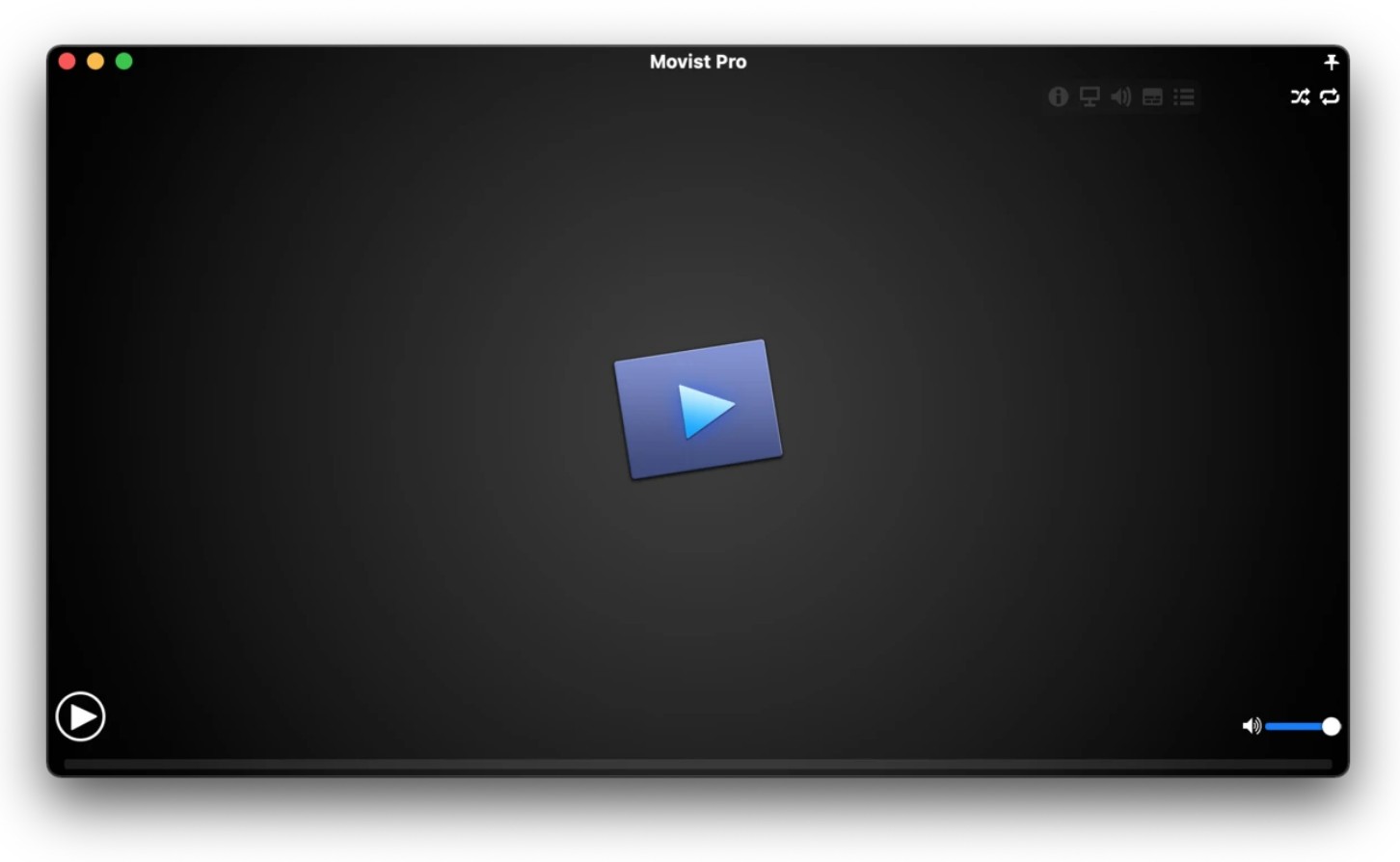
- Why I picked it: If you like a clean video player for Mac but still want more control than QuickTime, especially for tricky files, subtitle-heavy watching, or smoother HEVC playback on Apple Silicon, Movist Pro is a strong middle ground.
- Compatible with: macOS 10.15+
Movist Pro is the best media player for Mac that combines a simple, Mac-native watching experience with advanced playback tools like hardware decoding for H.264 and H.265/HEVC, HDR tone mapping, strong subtitle handling, and Pro extras such as Picture in Picture and network server playback (FTP, SFTP, WebDAV, SMB).
What works well:
On format support, it's a very practical player for mixed libraries. It's commonly described as handling the usual variety of containers people actually download and collect, like MKV, MP4, AVI, WMV, and FLV, so I don't feel like I'm gambling every time I double-click a file.
This best video player for macOS also supports hardware decoding acceleration for H.264 and H.265/HEVC formats, plus HDR tone mapping and Dolby Vision. These are precisely the features that make the difference between a video that just 'plays fine' and one that 'plays flawlessly' when handling demanding files.
On subtitles, it's one of the nicer experiences on this list if you watch a lot of foreign content. It lets you set a preferred track language and even display multiple subtitles simultaneously, which is niche but genuinely useful for some viewers.
Limitaions:
It's not the most beginner-simple option once you start using its power features. If you never touch subtitle styling, decoder-related settings, or HDR handling, you may feel like you are paying for flexibility you don't use.
Also, some of the "nice extras" are very workflow-dependent. Network server playback (FTP/SFTP/WebDAV/SMB) and browser extensions are great if you actually watch videos from servers or web sources, but if you only play local files, those benefits might not matter much.
Quick recommendation: If you want a video player for Mac that can handle 4K/HEVC smoothly, gives you strong subtitle control, and still stays relatively clean to use, Movist Pro is a great upgrade from QuickTime without feeling as heavy as some full theater-style players.
8. 5K Player for Mac
- Why I picked it: If you want one Mac video player that can play high-resolution local videos and also handle AirPlay or DLNA streaming without installing extra tools, 5KPlayer is aimed at that "one app does everything" workflow.
- Compatible with: macOS 10.8+
5KPlayer is an all-in-one Mac video player built around high-resolution playback (4K/5K/8K) and wireless streaming, combining local playback with AirPlay receiver features, DLNA streaming, and an online video downloader in the same app.
What works well:
This player covers the everyday files most people actually run into. It's presented as handling things like MP4, MKV, AVI, WMV, MOV, and it also mentions disc-style or camera-style formats like M2TS/MTS and DVDs. That "open it and it plays" feeling is the main reason people keep it installed.
The feature pages lean hard into 4K/5K/8K playback, and also call out modern codecs like H.265/HEVC and H.264, plus GPU acceleration options to help reduce stutter on heavier files. In practical terms, that's what you want when you're testing the same 4K file across multiple players and one of them starts dropping frames.
The AirPlay and DLNA side can be genuinely useful. This medial player for macOS can act as an AirPlay receiver for screen mirroring from iPhone/iPad to Mac, and it also supports DLNA-style media streaming. If your real-life scenario includes "show this video from my phone on my Mac" or "send video to another device," it saves you from juggling multiple apps.
Limitations:
The all-in-one design is a double-edged sword. Because this best video player for Mac bundles playback, streaming, mirroring, and downloading, the interface can feel busier than players that focus purely on watching videos. If you only want a clean, minimal player, it can feel like you're walking past extra features you never asked for. Plus, it displays large ads right on the screen, and it really starts to get distracting when you're just trying to watch a video.
On the Mac-native feel, it's more functional than elegant. It gets the job done, but compared with something like IINA or QuickTime, it doesn't feel as tightly aligned with macOS design habits, especially if you care about a simple, polished daily player experience.
Quick recommendation: If you want the best Mac media player that combines broad format support, high-resolution playback, and AirPlay/DLNA features in one place, 5KPlayer is a practical pick. If you prefer a cleaner, Mac-first daily player, IINA is usually the more comfortable choice, and VLC remains the best fallback for weird files.
Which Best Media Player for macOS Should You Choose?
| Quick Glance: 8 Best Media Players for Mac | ||||||||
| Feature | DVDFab Player 6 Ultra (Mac) | IINA | VLC | Elmedia | QuickTime | Vidi | Movist Pro | 5KPlayer |
| Format support | Excellent | Excellent | Excellent | Excellent | Limited | Excellent | Very good | Excellent |
| DVD Support | Yes | Limited | Limited | No | No | No | No | No |
| Performance | Excellent | Very good | Good | Excellent | Good | Excellent | No Best |
Very good |
| macOS Compatibility | Excellent | Excellent | Poor | Good | Excellent | Excellent | Excellent | Fair |
| Streaming | No (only for Windows) | No | Chromecast / AirPlay | AirPlay / Chromecast / DLNA | AirPlay | AirPlay / Chromecast / DLNA | No | AirPlay / DLNA |
| Subtitle support | Excellent | Excellent | Very good | Excellent | Limited | Excellent | Good | Good |
| Customization | Excellent | Good | Excellent | Fair | Fair | Fair | Fair | Fair |
| Best for | Movie-night + discs playback | Most users | Power users | Streamers | Simplicity | Native Mac experience | Videophiles | All-in-one |
Pick DVDFab Player 6 Ultra for Mac if you want the most "movie-night" playback experience, especially with high-quality local files and discs or ISO folders in your library.
Pick IINA if you want a free, Mac-native daily player with PiP and excellent subtitle handling.
Pick VLC if you want the most universal free backup for strange formats, discs, and streaming links.
Pick Elmedia Player if streaming local videos from Mac to TV is a big part of your routine (AirPlay/Chromecast/DLNA).
Pick Vidi if you want a modern Mac-first player that focuses on 4K/HDR-style playback and casting to TV.
Pick QuickTime Player if you mainly watch common files and want the simplest built-in option on macOS.
Pick Movist Pro if you want a clean Mac player with more control for subtitles and modern codecs than basic players.
Pick 5KPlayer if you want a free all-in-one that combines high-resolution playback with AirPlay/DLNA features.
FAQs
Is there a better media player than VLC for Mac?
It really depends on what you mean by "better," as different players excel at different things.
- For format support: VLC is usually more than enough. It's the Swiss Army knife that will open almost anything you throw at it.
- For a cinematic, high-res experience: If you are watching 4K files, DVDs, or Blu-rays and want a premium home-theater vibe, DVDFab Player 6 Ultra is noticeably better.
- For the best Mac-native feel: If you want an app that actually looks and feels like it belongs on macOS (with seamless trackpad gestures and a beautiful UI), IINA is the superior choice.
Are these apps safe to download and use?
Yes, the mainstream apps on this list are very safe, but there is one major golden rule: always download them directly from the developer's official website (like iina.io or videolan.org). Because media players are so popular, third-party download sites often bundle them with annoying adware or browser hijackers. As long as you get them from the official source or the Mac App Store, you have nothing to worry about.
Can I play DVDs or Blu-rays on Mac with these players?
Yes, but you will need an external disc drive (since modern Macs don't have them built-in anymore) and the right software. DVDFab Player 6 Ultra is the undisputed champion here; it fully supports DVDs, 4K Blu-rays, and even ISO folders with full navigation menus.
Why does Mac's built-in QuickTime always fail to open MKV or WebM files?
QuickTime is built strictly for Apple's ecosystem, meaning it natively supports Apple-friendly formats like MOV and MP4. It simply lacks the decoders for complex formats like MKV.
If I just want a good, completely free player, which is the best?
IINA is the best modern, free choice. It feels like a native Mac app, supports Picture-in-Picture, and auto-searches for subtitles. Keep VLC Media Player installed as your reliable backup for truly stubborn, weird files.
Will using these players cause my Mac to heat up or slow down?
Usually, no. However, if you are watching massive 4K files using software decoding, your CPU will work overtime and the fans will kick in. To fix this, ensure Hardware Decoding / Acceleration is enabled in your player's settings.
Conclusion
Finding the best video player for Mac shouldn't be a headache. The 8 top media players for Mac introduced in this guide cover everything you need — from a cinema-like viewing experience and daily video playback, to streaming and even Blu-ray support. If you're a movie enthusiast and still aren't sure which one to choose, our top recommendation is DVDFab Player 6 Ultra. Not only does it support a massive variety of video formats, but it also lets you properly enjoy your personal movie collection right at home.

 Top 10 Best MP4 Player for Mac in 2026: Tested & ReviewedBy Alice Harper - Aug 4, 2026
 5 Ways to Play MKV Files on Mac in 2026By Alice Harper - Jul 29, 2026
 5 Blu-ray Players for Mac Compared in 2026: Disc, 4K, and CostBy James Morgan - Jul 24, 2026