Best Windows Media Center Alternatives: Local Players, Media Servers, and Disc

Summary: Most Windows Media Center replacement guides treat these tools as interchangeable. They aren't: Kodi runs locally with no server required, Jellyfin, Emby, and Plex follow a server-client model built for multi-device access, and PlayerFab is the only option that handles physical discs natively. Getting the category right matters more than choosing between tools within the same category.
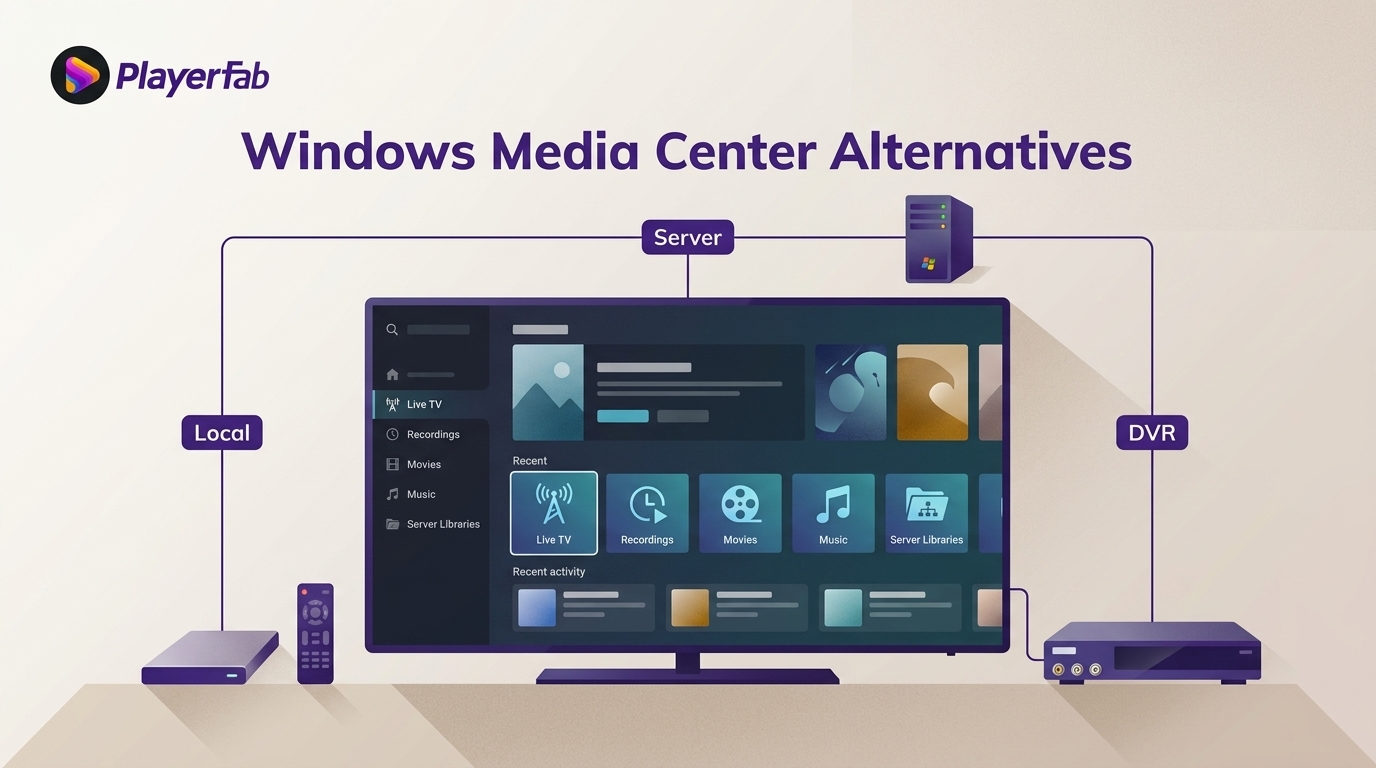
Here's the short answer: a Windows Media Center replacement works best when you separate local playback, whole-home media serving, and Live TV/DVR. If you are replacing WMC on Windows 11, choose the architecture first, then match its disc, remote, or tuner requirements.
For a Windows Media Center alternative, this guide compares seven options across three practical paths. They do not replace Windows Media Center in the same way: Kodi is a standalone local media center, Jellyfin, Emby, and Plex are media server platforms, PlayerFab focuses on disc and high-spec local playback, and MediaPortal and NextPVR address tuner-based TV recording. For a Windows Media Center replacement, the right choice depends on what you used WMC for. That is the key test for any media center alternative.
Why Windows Media Center Is Gone and What Changed Since
Windows Media Center shipped as part of Windows Vista and Windows 7, giving PC users an all-in-one hub for local video, music, photos, live TV, and DVD playback through a remote-friendly 10-foot interface. When Microsoft released Windows 10 in 2015, WMC was not included — and it has never returned in any official form.
The closest built-in replacement changed twice. Windows 10 shipped with Groove Music, a music-focused app that handled local audio but had no video library management or disc playback. Windows 11 replaced Groove Music with a redesigned Windows Media Player app in early 2022, an improvement over its predecessor but still not a media center. It plays files; it doesn't manage TV series by season, access a disc drive, or serve media to other devices on your network.
One detail worth noting: the original Windows Media Center application can be installed on Windows 10 and Windows 11 through third-party methods, but it runs without official support, and its live TV and guide features no longer function. For reliable day-to-day use, the alternatives below are the practical path forward.
Local Player or Media Server: Know the Difference First, Then Choose a Path
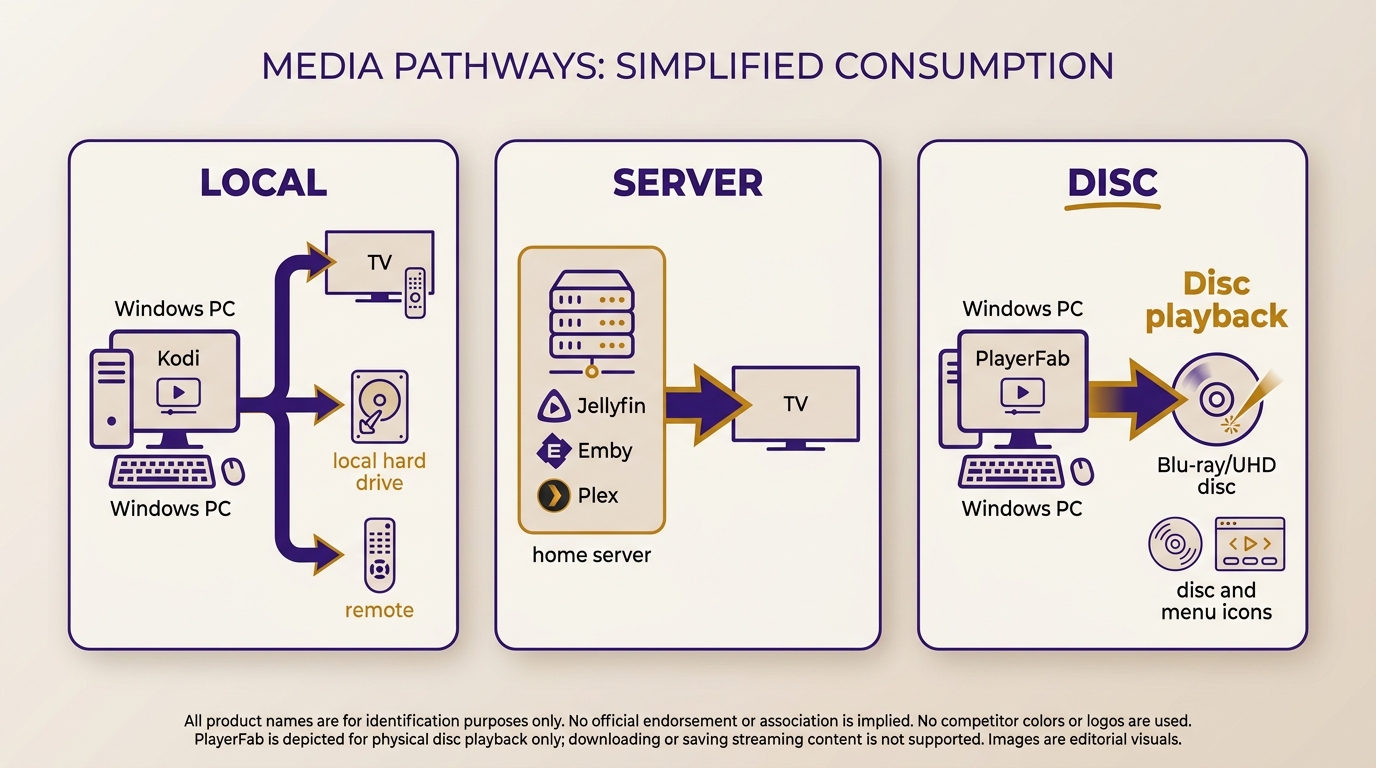
Windows Media Center replacements divide into three practical paths: local playback, multi-device media serving, and Live TV/DVR. Choosing the architecture before choosing a brand prevents the costliest setup mistake, especially when a tuner, guide data, and recordings are part of the plan.
Media center software (Kodi) runs on a single machine and manages your local library directly. No server process, no second device, and no account are required. It reads files from your drives and presents them through a TV-friendly interface you navigate with a remote or controller. This is the model Windows Media Center used, and it is a natural fit for a Media Player for TV.
Media server software (Jellyfin, Emby, Plex) splits the work into two parts: a server component that runs in the background and organizes your media, and a client app that connects to it on the same machine, a TV, a tablet, or a phone. Setup takes more steps than Kodi, but the payoff is access to your entire library from devices around the home or remotely. All three follow this architecture, but they differ on cost and strengths. When choosing media server software, focus on whether you are comfortable maintaining a host machine. Jellyfin is free and self-hosted for readers prioritizing subscription-free access. Emby adds a paid Premiere tier for features such as live TV/DVR, mobile sync, and per-user parental controls. Plex offers clients across many smart TVs, consoles, streaming sticks, mobile devices, and computers, which suits households focused on device coverage and convenience. For a closer feature-by-feature breakdown, the Emby vs Plex. page covers their different trade-offs.
Disc and streaming players (PlayerFab) focus on playback quality rather than library management. PlayerFab is a desktop player for supported local media, legitimate discs, and supported streaming services; it does not manage a library through a server-client model. It is therefore a complement to Kodi or a media server when disc menus and high-spec local playback matter more than whole-home library access.
Live TV and DVR Need a Separate Path
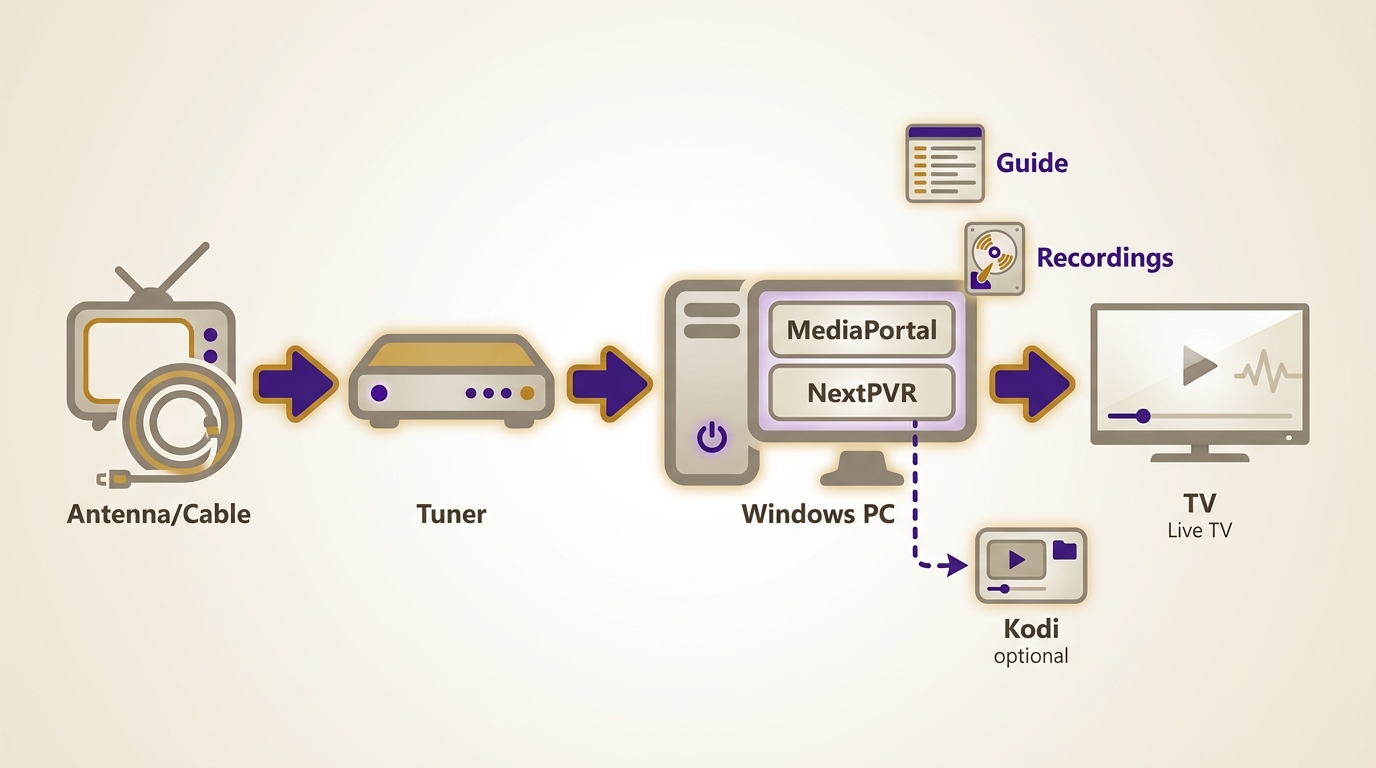
Live TV/DVR software has different requirements from local playback or media serving. Before choosing it, confirm that your TV tuner is compatible, decide how guide data and recording storage will be handled, and consider time-shifting, backend maintenance, and remote usability. A strong movie library interface does not automatically make a practical DVR replacement.
MediaPortal for Windows-Centered DVR Setups
MediaPortal is worth considering when a Windows PC, a compatible tuner, and a remote-friendly TV interface are central to the setup. It can combine live TV, guide data, recording, and local media functions, but it requires time for tuner configuration and ongoing maintenance.
NextPVR for Flexible Backend Setups
NextPVR is a flexible DVR backend option for readers who want to build a recording system around compatible tuner hardware. It can pair with a separate front end, including Kodi, but that flexibility also means more decisions about clients, storage, guide data, and remote control behavior. For former WMC DVR users, guide reliability and setup burden matter more than a long feature list.
Top Windows Media Center Alternatives in 2026
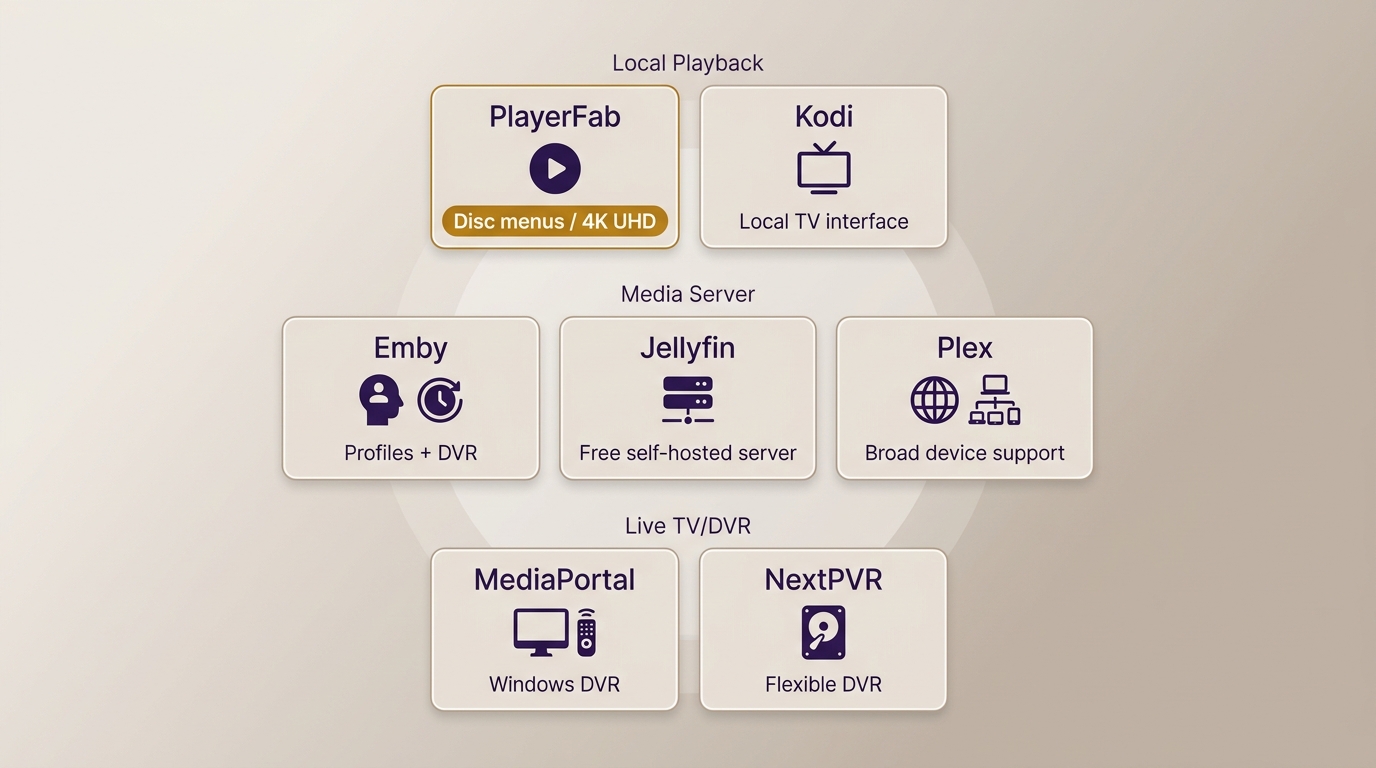
The five options below cover local playback, media serving, and disc playback; MediaPortal and NextPVR cover the Live TV/DVR path described above. Each listing includes what the tool does well and where it falls short; both matter when deciding which fits your setup.
PlayerFab All-In-One
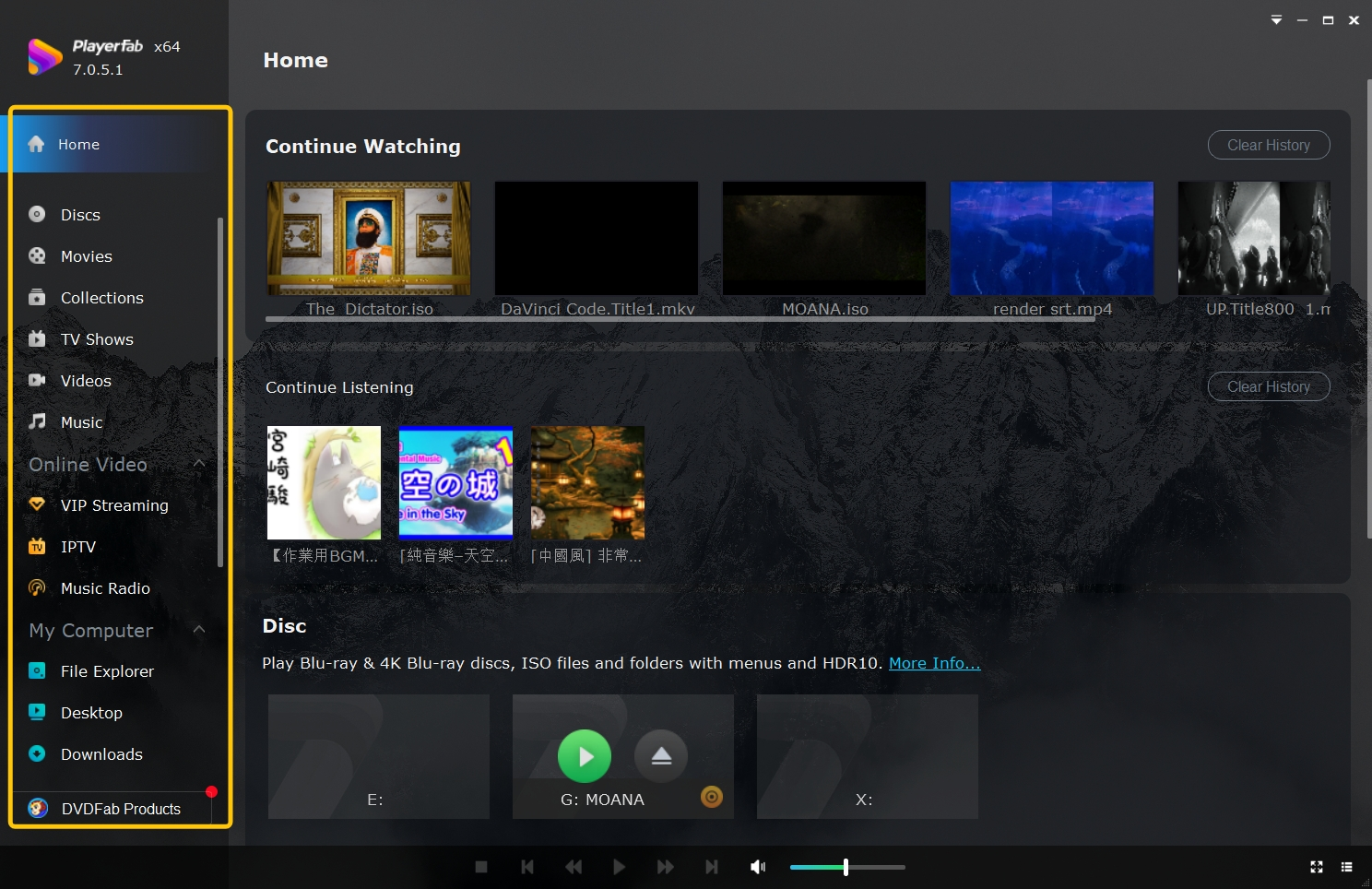
PlayerFab All-In-One is a Windows and macOS desktop player for readers who need disc-menu playback or high-spec local playback alongside supported streaming services. Streaming playback is listed up to FHD 1080p, while supported local files and UHD discs can use 4K UHD playback. On Windows, full Menu Mode supports compatible DVD, Blu-ray, and UHD disc menus, while supported local media can include ISO and folder structures.
What it does well
- Compatible DVD, Blu-ray, and UHD disc playback with full Menu Mode on Windows
- Supported 4K UHD local playback with HDR10, HDR10+, Dolby Vision, or HLG, depending on the system and display chain
- Home-theater audio support, including HDMI bitstream output for compatible equipment
Worth noting
- Not a media server, so it is not the fit for whole-home library management
- Streaming availability depends on the service, subscription, region, and platform rules
- Disc-menu and HDR behavior can vary by title, drive, GPU, display chain, and settings; I would evaluate the complete hardware path before making it the center of a home-theater setup
Kodi
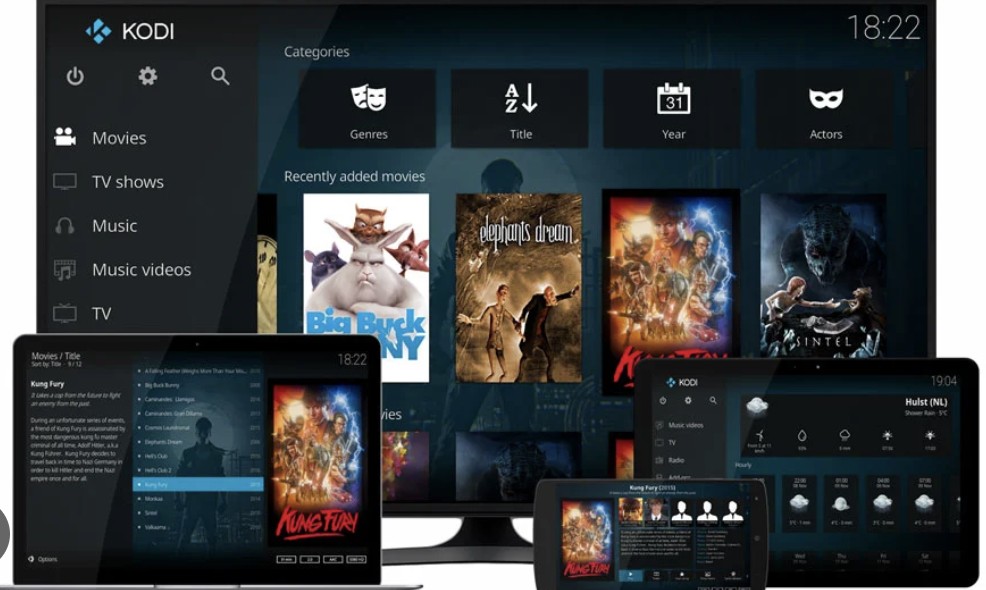
Kodi is the closest modern equivalent to Windows Media Center in terms of how it works. It runs on a single machine, organized around a 10-foot interface designed for remotes and controllers, and requires no server process or online account to function. Originally developed as XBMC for the original Xbox and later rebuilt as a standalone open-source project, Kodi has been actively maintained for over two decades and runs on Windows, macOS, Linux, Android, and Raspberry Pi.
What it does well
- Manages local movie, TV, music, and photo libraries with automatic metadata and artwork
- 10-foot interface works with remote controls and game controllers without additional configuration
- Runs on Windows, macOS, Linux, Android, and Raspberry Pi from the same codebase
- Add-ons extend functionality to live TV, cloud storage, and PVR/DVR backends
- Fully customizable interface with downloadable skins, including options that closely resemble WMC's layout
Worth noting
- Physical disc support requires configuring an external player like PlayerFab or VLC
- iOS support was removed from the App Store
- Initial library scan and add-on setup involves a learning curve that takes more time than Plex or Emby's guided setup
- Live TV generally requires a compatible PVR backend and additional integration
Kodi is most practical for a single-TV, remote-first local library. It is less suitable for readers who want a WMC-style tuner setup with minimal configuration.
Jellyfin
Jellyfin is a free, open-source media server forked from Emby in 2018, after Emby moved parts of its codebase to proprietary licensing. The practical difference: Jellyfin has no premium tier, no subscription, and no feature lock: everything is included at no cost, and the project is funded by community donations. Like Emby and Plex, it follows the server-client model: a server component runs on your Windows machine as a background service, and clients on TVs, phones, and tablets connect to it remotely.
What it does well
- Completely free with no premium tier; all features including hardware transcoding are available at no cost
- Organizes movies, TV shows, music, and photos with rich metadata from TMDB, TheTVDB, and MusicBrainz
- Hardware-accelerated transcoding via NVENC, Intel Quick Sync, and AMD AMF reduces CPU load during playback
- Client apps available for browsers, Android, Apple TV, Roku, Fire TV, and Kodi integration
- Active development with regular releases and a growing plugin ecosystem
Worth noting
- Requires installing and running a server component on the host machine, which involves more initial setup than Kodi's single-app install
- No native disc drive playback; Jellyfin indexes files and folders, so disc content must first be converted to library files, limited to content you legally own or are authorized to handle and subject to applicable copyright rules
- Jellyfin has an official iOS app, and version 1.7.0 added downloads
Jellyfin suits readers comfortable running a server who want subscription-free media access. It is less suitable for a single-app couch setup or native disc playback.
Emby
Emby shares a code history with Jellyfin but has evolved separately as a commercial product. The free tier covers core local streaming: organizing your library, creating user profiles, and playing back media through Emby's server and client apps. The free tier handles core library organization, profiles, and playback, while Emby Premiere adds feature gates such as live TV/DVR, mobile sync, and some premium clients. For households with children who need content restrictions, Emby's parental controls and profile system are more granular than Kodi's and comparable to Plex's.
What it does well
- Multi-user profiles with per-user libraries, parental controls, and viewing history
- Live TV and DVR recording with compatible tuner hardware (Premiere required)
- Polished client apps on Android, iOS, Apple TV, Android TV, and Fire TV
- Server-side transcoding handles format compatibility across devices automatically
- Sync media to mobile devices for offline playback on trips (Premiere required)
Worth noting
- Several practical features (mobile sync, some premium clients, and Blu-ray folder playback) sit behind an Emby Premiere subscription
- No live disc drive support; Emby Premiere can read Blu-ray folder structures preserving extras and menus, but this still requires library files created from content you legally own or are authorized to handle, subject to applicable copyright rules
- Smaller third-party plugin ecosystem compared to Plex or Kodi, which limits customization options
Emby suits households that value profiles and parental controls and are comfortable paying for relevant Premiere features. It is less compelling when a fully free server or native disc playback is the priority.
Plex
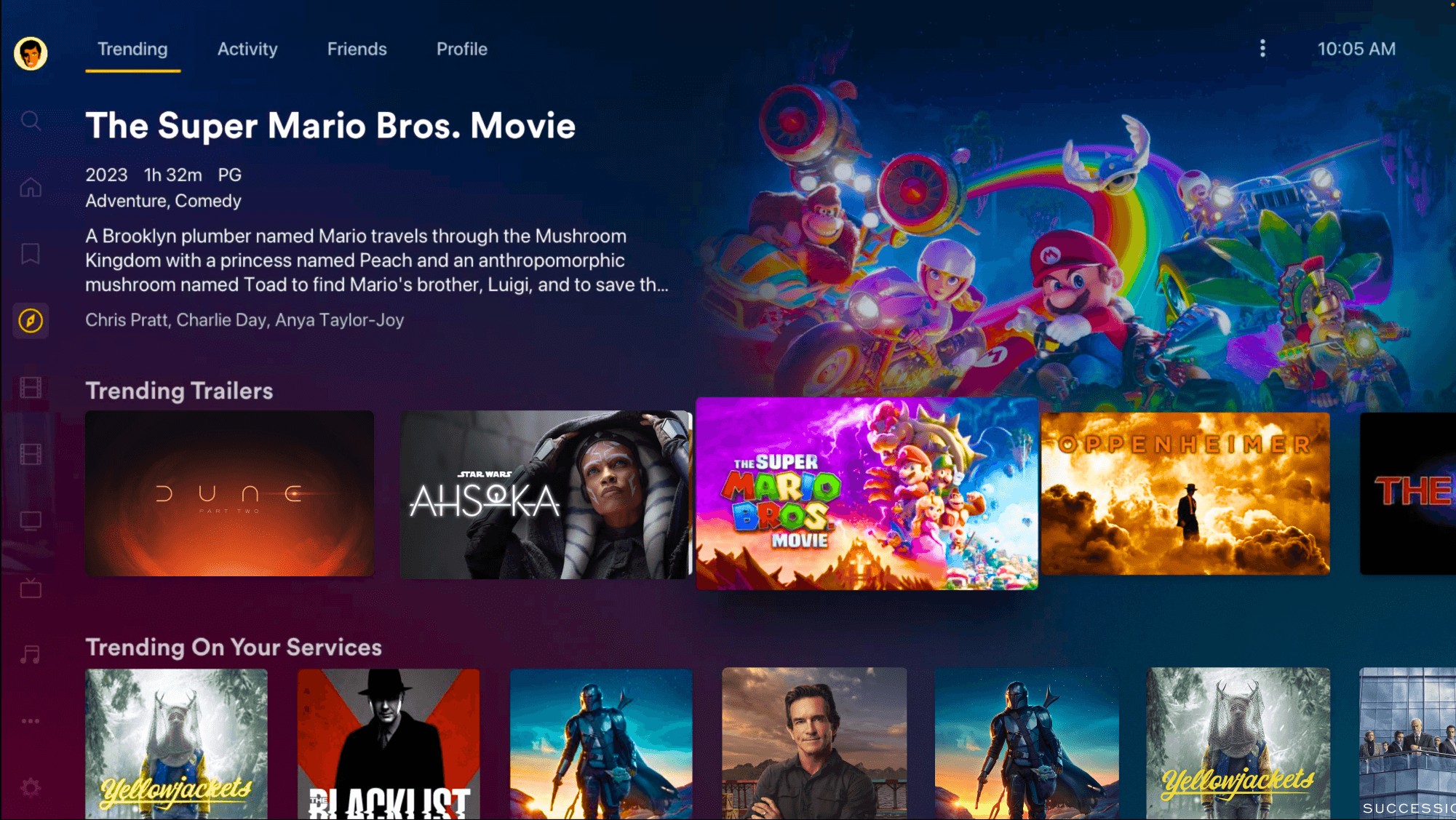
Plex provides clients for many smart TVs, game consoles, streaming devices, computers, and mobile platforms, with a consistent interface across them. It functions as a polished personal streaming service for your own media files, with automatic metadata and an interface that can be approachable for non-technical household members. The trade-off is that hardware transcoding, mobile sync, Live TV/DVR, and downloads require Plex Pass, while a Plex account is part of the setup.
What it does well
- Clients for many smart TVs, consoles, streaming devices, computers, and mobile platforms
- Remote access to your library from outside your home network without manual port configuration
- Automatic metadata organization
- Free Plex TV (ad-supported streaming) and Tidal music integration available without Plex Pass
- Watch Together for synchronized remote viewing with friends
Worth noting
- Hardware transcoding, mobile sync, live TV DVR, and downloads all require Plex Pass
- A Plex account is required even for local-only playback, which means an internet dependency at initial setup
- No native disc playback, and Plex has no built-in ripping tool
Windows Media Center Replacements Compared
The first table compares general replacement fit. The second separates Live TV/DVR requirements, where tuner compatibility and backend maintenance can matter more than the player interface.
| Software | Setup model | Multi-device access | Disc menus | Price model |
|---|---|---|---|---|
| PlayerFab All-In-One | Desktop player | No server model | Windows Menu Mode | Trial policy varies |
| Kodi | Local media center | Single-machine focus | External player needed | Free |
| Jellyfin | Self-hosted server | Yes | No live-disc playback | Free |
| Emby | Server and clients | Yes | No live-disc playback | Free; Premiere: $4.99/mo, $54/yr, $119 lifetime |
| Plex | Server and clients | Yes | No live-disc playback | Free; Pass: $6.99/mo, $69.99/yr, $249.99/5 years, $749.99 lifetime |
U.S. paid-plan prices, as of August 2026.
| Software | Tuner support | Guide and recording | Backend burden | Remote-friendly UI |
|---|---|---|---|---|
| MediaPortal | Compatible tuners | Built for TV and DVR | Moderate to high | Yes |
| NextPVR | Compatible tuners | Backend-based recording | Moderate to high | Front end dependent |
| Kodi | Via PVR backend | Backend dependent | Additional integration | Yes |
| Emby | Compatible tuner | Premiere feature | Server setup | Client dependent |
| Plex | Compatible tuner | Plex Pass feature | Server setup | Client dependent |
Decision guide: Choose Kodi for a single-TV local library with a remote-first interface. Choose Jellyfin, Emby, or Plex when multi-device access is the priority, then weigh free self-hosting against household controls, account requirements, and paid features. Choose MediaPortal or NextPVR when Live TV and recording are essential. Add PlayerFab when Windows disc-menu playback or high-spec local playback is a separate requirement; it is not the right fit for readers whose main need is a whole-home media server.
Frequently Asked Questions
Is Windows Media Player the same as Windows Media Center?
No. Windows Media Player handles local media files, but it does not recreate Windows Media Center's TV-friendly library, tuner, DVR, or disc-centered experience.
Will my old Windows Media Center remote work with a replacement?
It depends on the receiver and key mapping. Kodi and MediaPortal are the most natural remote-first options, but some setup may be needed before all buttons behave as expected.
Can one Windows PC manage both live TV and a local library?
Yes, a Windows PC can combine a local library with a MediaPortal setup or a NextPVR backend and compatible front end. The practical challenge is configuring the tuner, guide data, storage, and remote controls.
Can one app replace Windows Media Center for Blu-ray menus and whole-home streaming?
Not always. Disc-menu playback and server-client streaming are different strengths, so a combined setup can make more sense than expecting one app to handle both equally well.
Conclusion
Windows Media Center alternatives fall into three practical choices: Kodi-style local playback for a single-TV library, Jellyfin, Emby, or Plex for multi-device media serving, and MediaPortal or NextPVR for Live TV/DVR. PlayerFab fits Windows setups where Blu-ray or UHD disc menus and high-spec local playback are separate priorities. If you primarily need whole-home streaming and recording, start with a media server or DVR backend rather than a disc-focused desktop player.

 Play Video Files: 4 Paths Across Formats and DevicesBy James Morgan - Sep 22, 2026
 12 Best HEVC Players for Windows, Mac, and 4K (2026)By Alice Harper - Aug 4, 2026
 Best WMV Player for Mac and How to Play WMV on Mac NativelyBy James Morgan - Aug 4, 2026
 8 Best TS File Players and Playback Tools for 2026By Alice Harper - Jul 28, 2026