CD vs DVD: 7 Key Differences, Plus VCD

Summary: CDs, VCDs, and DVDs may look alike, but their capacity, laser design, media formats, and player support differ. This guide connects those physical differences to practical choices for music, legacy video, movies, data, and desktop playback.
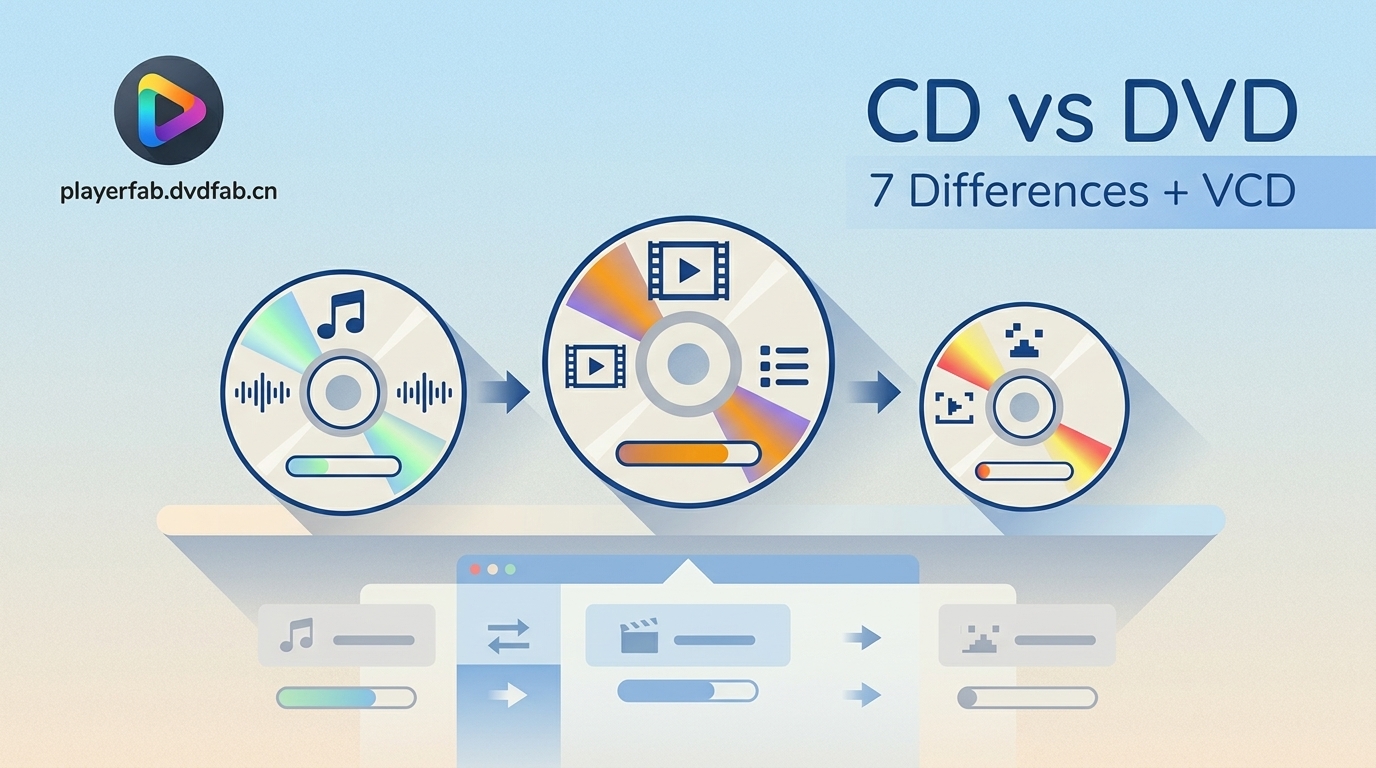
Table of Contents
CD vs DVD and VCD vs DVD searches usually start with the same frustration: the discs look alike, yet a player may accept one and reject another. The practical answer comes down to capacity, laser design, media format, and one-way compatibility.
This guide follows that chain from physical construction to storage, picture and sound, common uses, and the player you already own. The result is a faster way to choose among CD, VCD, and DVD without treating one format as a blanket winner.
What Is a CD?
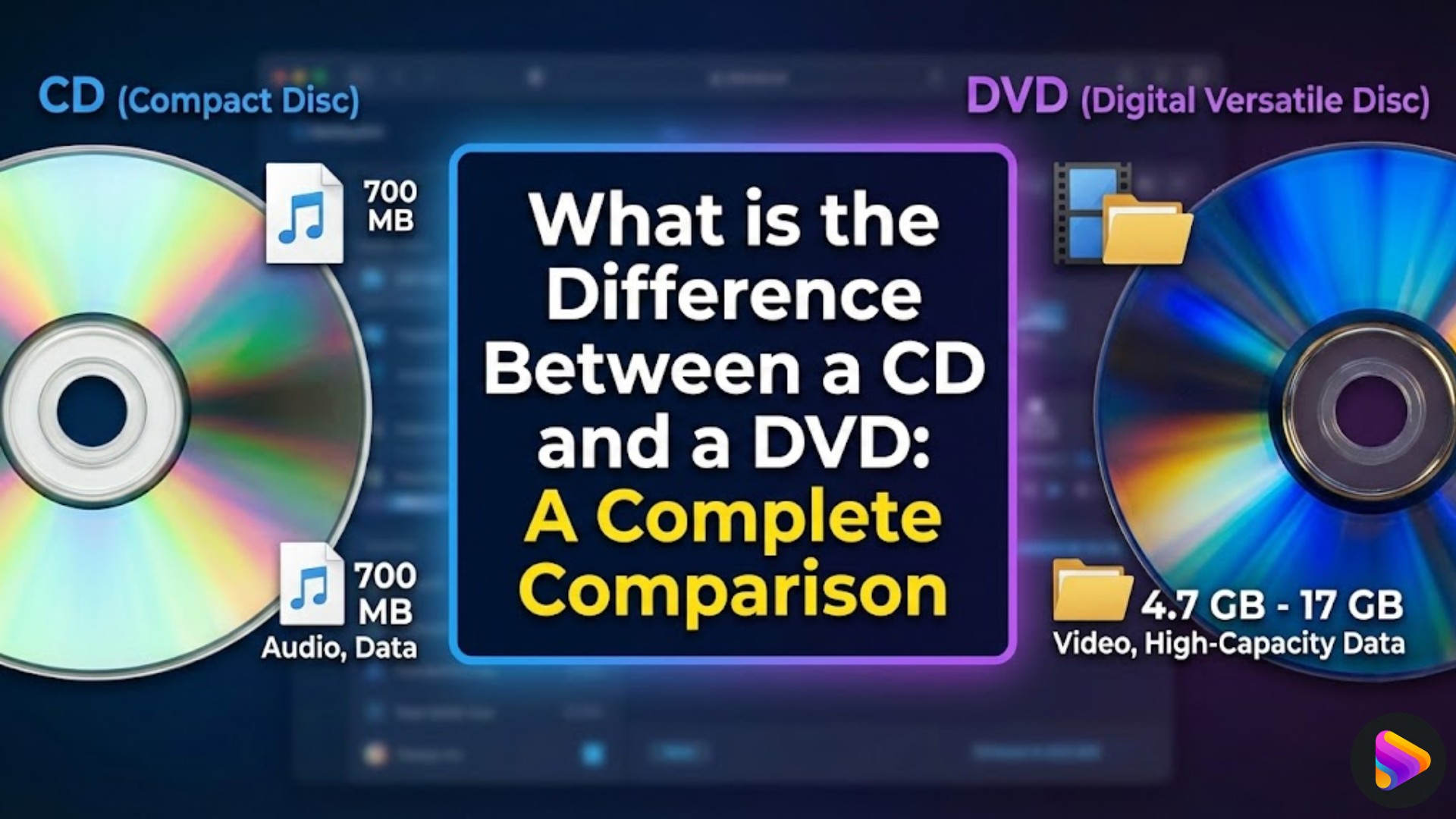
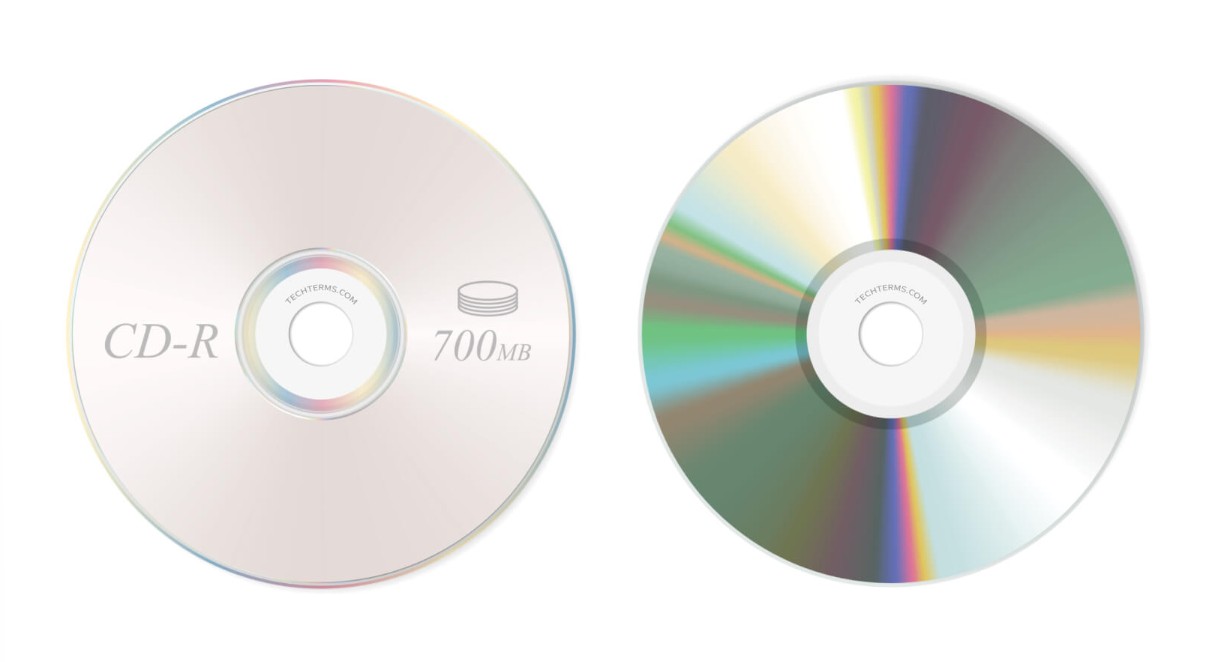
A Compact Disc is an optical format created for digital audio and later adapted for computer data. Standard CD capacity is about 700 MB, which suits albums, small software collections, and modest file archives.
Audio CD and CD-ROM describe different applications of the same basic disc family. A 780 nm infrared laser reads microscopic pits and lands, while the disc’s formatting tells the player whether it contains audio tracks or computer files.
From an editor’s perspective, the useful point is not that CDs are old. It is that their limited capacity and broad legacy audio support still make them a sensible fit for music collections and older hardware.
What Is a DVD?
A DVD is a higher-density optical disc designed to hold far more data than a CD. In a DVD vs CD comparison, a standard single-layer DVD stores 4.7 GB and can carry standard-definition video, menus, additional audio, or larger computer files.
The difference between CD and DVD begins below the surface: DVD uses a shorter 650 nm red laser and more tightly packed data tracks. The phrase DVD compact disc is informal; CD and DVD are separate formats even though their common 12 cm versions share the same diameter.
DVD-Video is a standard-definition format. Blu-ray and 4K UHD media are newer disc formats built for higher-resolution video, so DVD should not be described as a high-definition disc format.
CD vs DVD: Key Differences
A standard CD holds about 700 MB, while a single-layer DVD holds 4.7 GB. DVD players commonly read audio CDs, but CD players do not read DVDs because their optics and decoding systems were not built for DVD data density.
The seven practical CD vs DVD differences are laser wavelength, data density, capacity, intended use, media structure, durability, and player compatibility. CD vs DVD size can be misleading because the standard discs have the same diameter while storing very different amounts of data.
- Laser: CD uses a 780 nm infrared laser; DVD uses a 650 nm red laser.
- Data density: DVD tracks and pits are packed more tightly.
- Capacity: Standard CD and DVD capacity starts around 700 MB and 4.7 GB respectively.
- Primary use: CD is closely associated with audio and smaller data sets; DVD supports larger data and standard-definition video.
- Media structure: DVD-Video can include menus, chapters, and multiple audio or subtitle tracks.
- Construction: DVD places its data layer between bonded substrates, while a CD’s data layer sits closer to the label side.
- Compatibility: DVD hardware commonly supports CDs, but the reverse is not true.
Laser Wavelength and Data Density
The physical difference is straightforward: DVD’s shorter 650 nm laser can focus on smaller features than CD’s 780 nm laser, allowing tighter track spacing and greater data density on a disc of the same diameter.
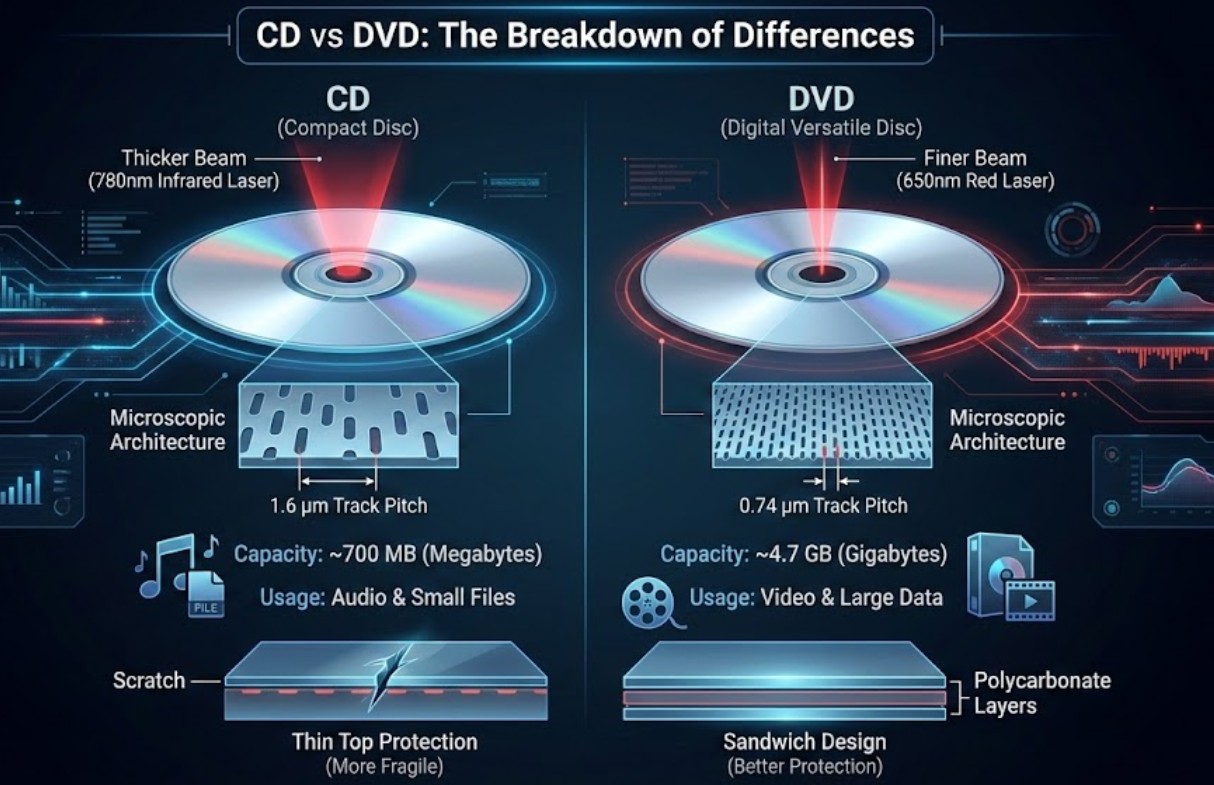
A CD track pitch is about 1.6 μm, while DVD narrows it to about 0.74 μm. I would remember the cause-and-effect relationship rather than the numbers alone: a finer reading point lets DVD store more information in the same physical area.
Storage Capacity and Disc Types
The core CD vs DVD capacity comparison is about 700 MB versus 4.7 GB for the common single-layer versions. A dual-layer DVD can hold 8.5 GB, while smaller and double-sided variants change the total available space.
In a CD ROM vs DVD data comparison, both can store computer files, but DVD is the practical choice when the data set exceeds CD capacity. Pressed discs are manufactured with fixed content; CD-R/RW and DVD±R/RW are recordable or rewritable variants, and support depends on the drive, media type, and whether a recorded disc was finalized correctly.
| Disc type | Diameter | Layers or sides | Typical capacity |
|---|---|---|---|
| Standard CD-R/RW | 12 cm | Single layer | 700 MB |
| Mini CD | 8 cm | Single layer | 185 MB |
| DVD-5 | 12 cm | Single-sided, single-layer | 4.7 GB |
| DVD-9 | 12 cm | Single-sided, dual-layer | 8.5 GB |
| DVD-10 | 12 cm | Double-sided, single-layer | 9.4 GB |
| DVD-18 | 12 cm | Double-sided, dual-layer | 17.1 GB |
| Mini DVD | 8 cm | Single-sided, single-layer | 1.4 GB |
The practical upshot is that capacity follows the physical format, while successful playback also depends on how the disc was authored and what the drive supports.
Typical Uses and Media Formats
CD is a strong fit for digital audio and smaller data collections; DVD is better suited to standard-definition movies, software, and larger archives. Neither disc is restricted to a single content type, but their established formats shape how most players handle them.
- Audio CD: uncompressed PCM audio organized as tracks rather than ordinary files.
- Data CD or CD-ROM: documents, installers, photos, and other computer-readable files.
- VCD: a CD-based MPEG-1 video format with lower picture detail and simpler navigation.
- DVD-Video: MPEG-2 standard-definition video with room for chapters, menus, subtitles, and additional audio options.
- Data DVD: larger computer files and archives that do not fit conveniently on a CD.
This is where the CD versus DVD decision becomes practical: capacity enables the format, but the authored media structure determines what a living-room player can actually recognize.
Lifespan and Durability
Both formats can remain readable for years when stored upright in clean cases away from heat, sunlight, moisture, and scratches. Their weak points differ because the data layers sit in different parts of the disc.
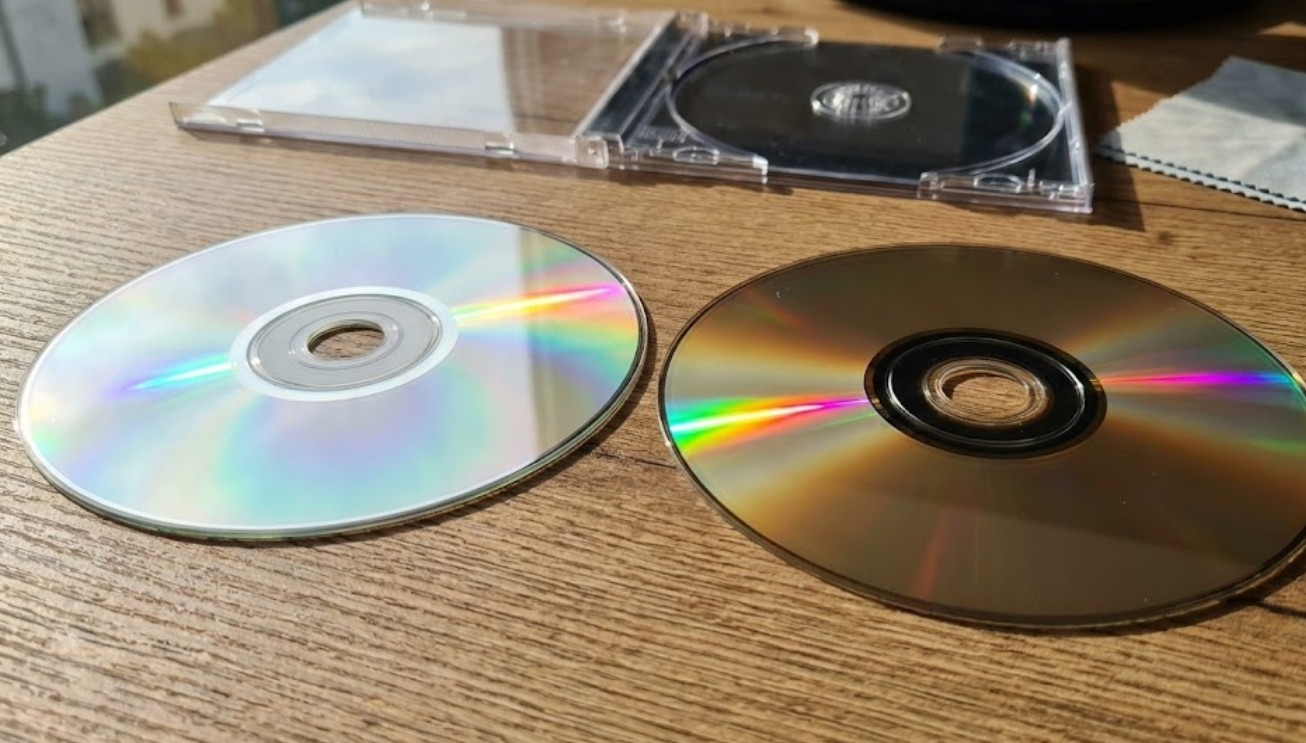
A CD’s reflective layer is close to the label side, so a deep top-side scratch can be serious. A DVD bonds two thinner substrates around its data layer, which adds protection but introduces a bonded Edge and layered construction that also need careful storage.
I would treat handling and manufacturing quality as more important than broad lifespan promises. A clean, properly stored disc in a compatible drive is a better bet than assuming either format is inherently immune to age or damage.
CD vs DVD Comparison Table
This table puts the main CD, VCD, and DVD differences in one view. It also corrects a common misconception: larger capacity creates room for richer media structures, but it does not automatically improve the quality of the source or the playback chain.
| Format | Typical capacity | Laser wavelength | Track pitch and data density | Primary media use | Video codec and NTSC resolution | Audio capability | Menus and extras | Common disc variants | Playback compatibility |
|---|---|---|---|---|---|---|---|---|---|
| CD | About 700 MB | 780 nm infrared | About 1.6 μm; lower density | Audio and smaller data sets | Not a video format by itself | Audio CD uses lossless PCM stereo | Track navigation; no DVD-Video menu structure | Pressed CD, CD-ROM, CD-R, CD-RW | CD players, DVD players, and compatible computer drives commonly read supported CD types |
| VCD | CD-based, commonly 650 or 700 MB | 780 nm infrared | CD-density storage | Legacy standard-definition video | MPEG-1 at 352×240 for NTSC | Stereo audio with fewer options than DVD-Video | Basic navigation; limited extras | Pressed or properly authored recordable CD media | VCD players and many DVD players; support is model-dependent |
| DVD | 4.7 GB single-layer; 8.5 GB dual-layer | 650 nm red | About 0.74 μm; higher density | Standard-definition movies and larger data sets | MPEG-2 at up to 720×480 for NTSC | Stereo and broader multichannel options | Chapters, menus, subtitles, alternate audio, and extras | Pressed DVD, DVD±R, DVD±RW, dual-layer variants | DVD players and compatible computer drives; recordable-media support varies |
For a fast decision, the table’s compatibility column matters as much as the capacity column. A format is useful only when the available drive and player can read both its physical media and authored structure.
VCD vs DVD: Quality and Compatibility
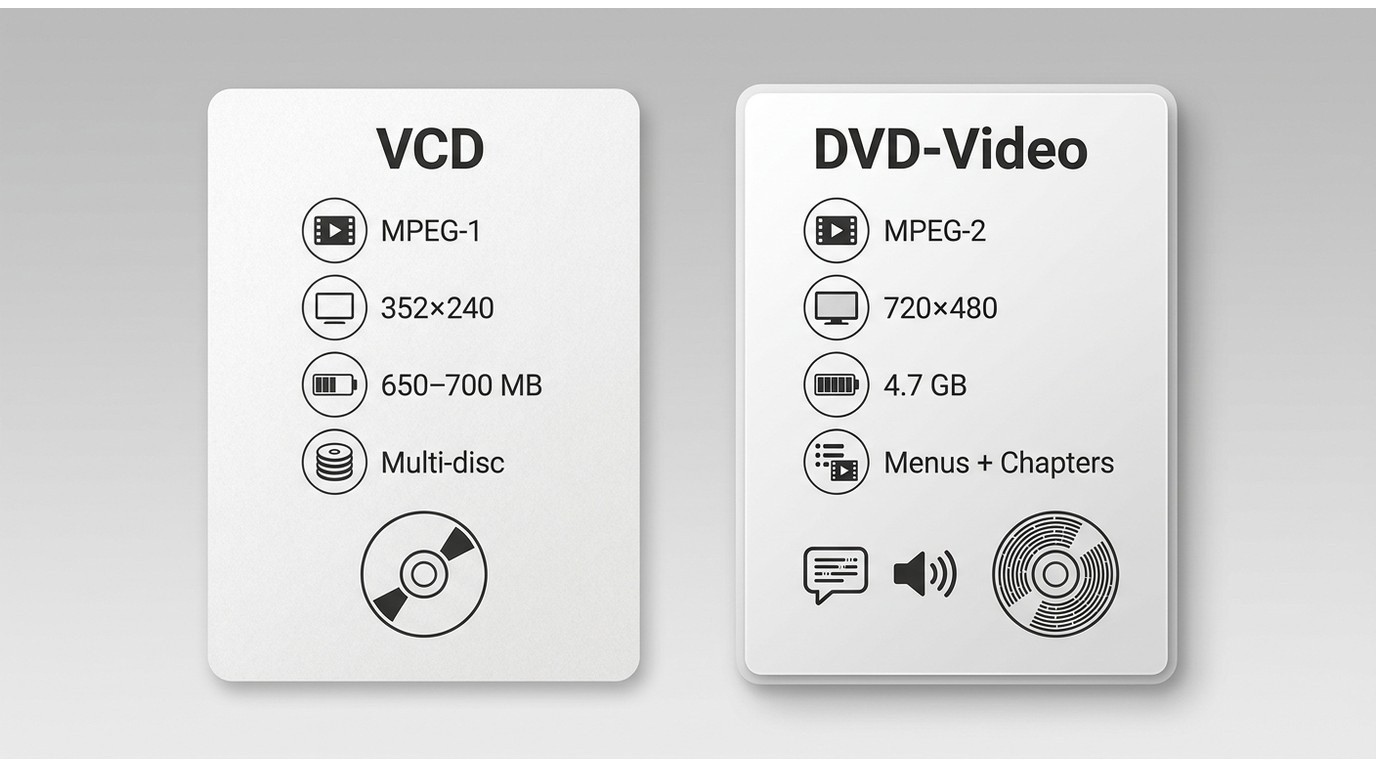
VCD is a legacy video format stored on CD media, while DVD-Video uses denser DVD media for higher-quality standard-definition video. In a VCD vs DVD choice, DVD offers more picture detail, more capacity, and a richer navigation structure.
Resolution, Compression, and Capacity
VCD uses MPEG-1 video at 352×240 for NTSC. DVD-Video commonly uses MPEG-2 at up to 720×480 for NTSC, so it can preserve more visible detail while supporting longer programs and additional media features.
A feature-length VCD release may span multiple discs, while a DVD has more room for the main program and extras. For personal use with media you own or are authorized to handle, reauthoring VCD material onto DVD media can change the container and navigation, but it cannot recreate detail missing from the original VCD source.
The DVD vs VCD result is therefore about source quality and format capability, not a magic upgrade created by changing discs.
Audio, Menus, and Player Support
VCD generally provides stereo audio and basic navigation. DVD-Video can include menus, chapters, subtitles, multiple audio tracks, and broader audio options because its format and capacity were designed for a more layered movie presentation.
Many DVD players can play properly authored VCDs, but support is model-dependent, especially with recordable media. Older dedicated VCD players remain useful for legacy collections, while computer optical drives may need compatible playback software.
My practical judgment is simple: use VCD hardware when preserving an existing VCD workflow matters, but choose DVD-Video when the source and player support its better standard-definition presentation.
Which Disc Fits Your Use?
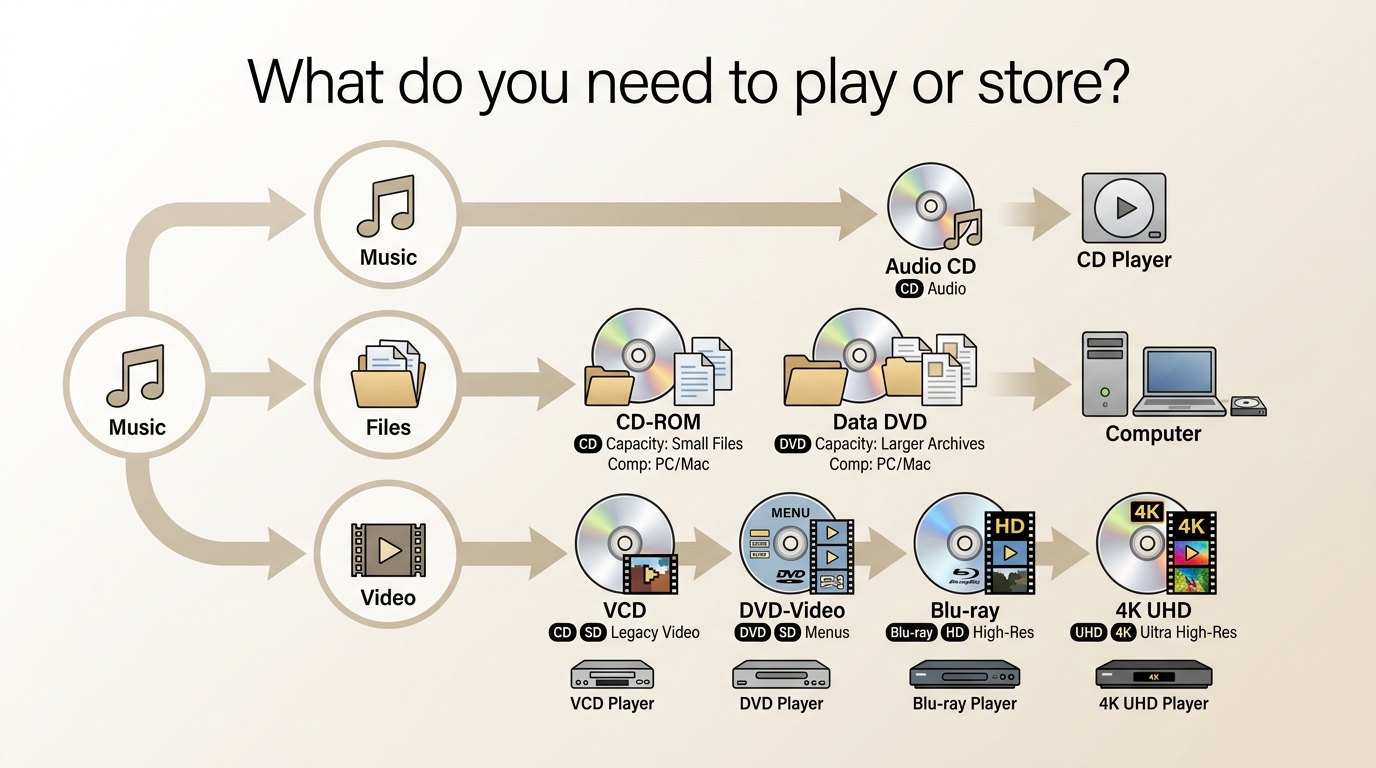
Choose by content and hardware, not by declaring DVD or CD universally better. CD suits music and small data; VCD suits legacy low-resolution video; DVD suits standard-definition movies and larger files.
Music Playback and Player Quality
A DVD player can serve as a CD transport, but the listening experience depends on loading behavior, controls, gapless playback, the internal DAC, and whether digital output feeds an external receiver or DAC.
- Choose a dedicated CD player when: you want fast loading, front-panel track controls, screen-free operation, and predictable album playback.
- Use an existing DVD player when: it reads your CDs reliably and you are comfortable with its remote, menu behavior, and loading time.
- Use digital output when: a receiver or external DAC is the preferred conversion and amplification path.
- Check gapless playback when: live albums, classical works, or continuous mixes should play without pauses between tracks.
Best for readers with a compatible player and receiver: using the DVD player as a transport can avoid buying another device. Not ideal for listeners who want instant, screen-free album playback. In that situation, usability can matter more than nominal disc capacity.
Movies, Data, and Legacy Media
DVD is the stronger fit for standard-definition movies and larger data sets, while VCD remains relevant mainly for existing legacy collections. Blu-ray and 4K UHD are separate newer formats for higher-resolution video.
- Music albums and older car or home audio: choose Audio CD when the hardware already supports it well.
- Small software or file sets: CD-ROM can be sufficient when the data fits.
- Legacy VCD movies: keep the original format when compatible playback is the priority.
- Standard-definition movies with menus or subtitles: DVD-Video is the more capable format.
- Larger file archives: data DVD offers more space, provided the receiving drive supports the disc type.
I would not replace working hardware just to chase a format label. The better decision is the disc that preserves the source, fits the data, and works with the equipment already in the playback chain.
CD and DVD Playback Compatibility
Playback depends on both the physical disc and its authored format. A DVD drive may recognize a CD, yet a particular player can still reject a data disc, rewritable disc, unfinalized recording, or unsupported file structure.
Compatibility Matrix
The matrix below shows common behavior, not a promise for every model. Manuals and drive markings remain useful because recordable-media and VCD support vary across generations.
| Disc or format | Dedicated CD player | DVD player | Computer optical drive |
|---|---|---|---|
| Audio CD | Commonly supported | Commonly supported | Commonly supported with audio playback software |
| Data CD or CD-ROM | Usually unsupported as a file disc | Model-dependent file support | Commonly supported |
| CD-R/RW | Model-dependent | Model-dependent | Drive-dependent; finalized discs are more widely readable |
| VCD | Unsupported unless the unit is designed for VCD | Common on many models, but not universal | Supported with a compatible drive and software |
| DVD-Video | Unsupported | Supported | Supported with a DVD-capable drive and playback software |
| DVD±R/RW | Unsupported | Model-dependent | Drive-dependent; authoring and finalization matter |
The pattern is one-way: DVD hardware often includes CD-reading capability, while CD-only hardware lacks the optical and decoding support required for DVD.
Why Some Discs Fail
A compatible player may still reject a disc because of the media type, incomplete finalization, unsupported authoring, firmware behavior, scratches, contamination, or a worn optical drive; a dedicated disc-reading guide is the better place for detailed troubleshooting.
One Player for Newer Disc Formats
A desktop media player can simplify a mixed collection when the computer has a compatible optical drive. It does not change a disc’s capacity or repair a hardware compatibility gap, but it can organize supported local files and disc playback in one interface.
PlayerFab All-In-One supports local video files and disc modules for DVD, Blu-ray, and 4K UHD playback. On Windows, its full Menu Mode supports disc navigation, while Simple Mode goes directly to the main title. The macOS version supports DVD menus, with Blu-ray menu playback still under development.
For older foreign-language videos or supported discs without usable subtitles, PlayerFab AI Live Subtitle can generate synchronized multilingual subtitles in real time on Windows. That feature addresses subtitle availability; it does not alter the underlying CD, VCD, or DVD format.
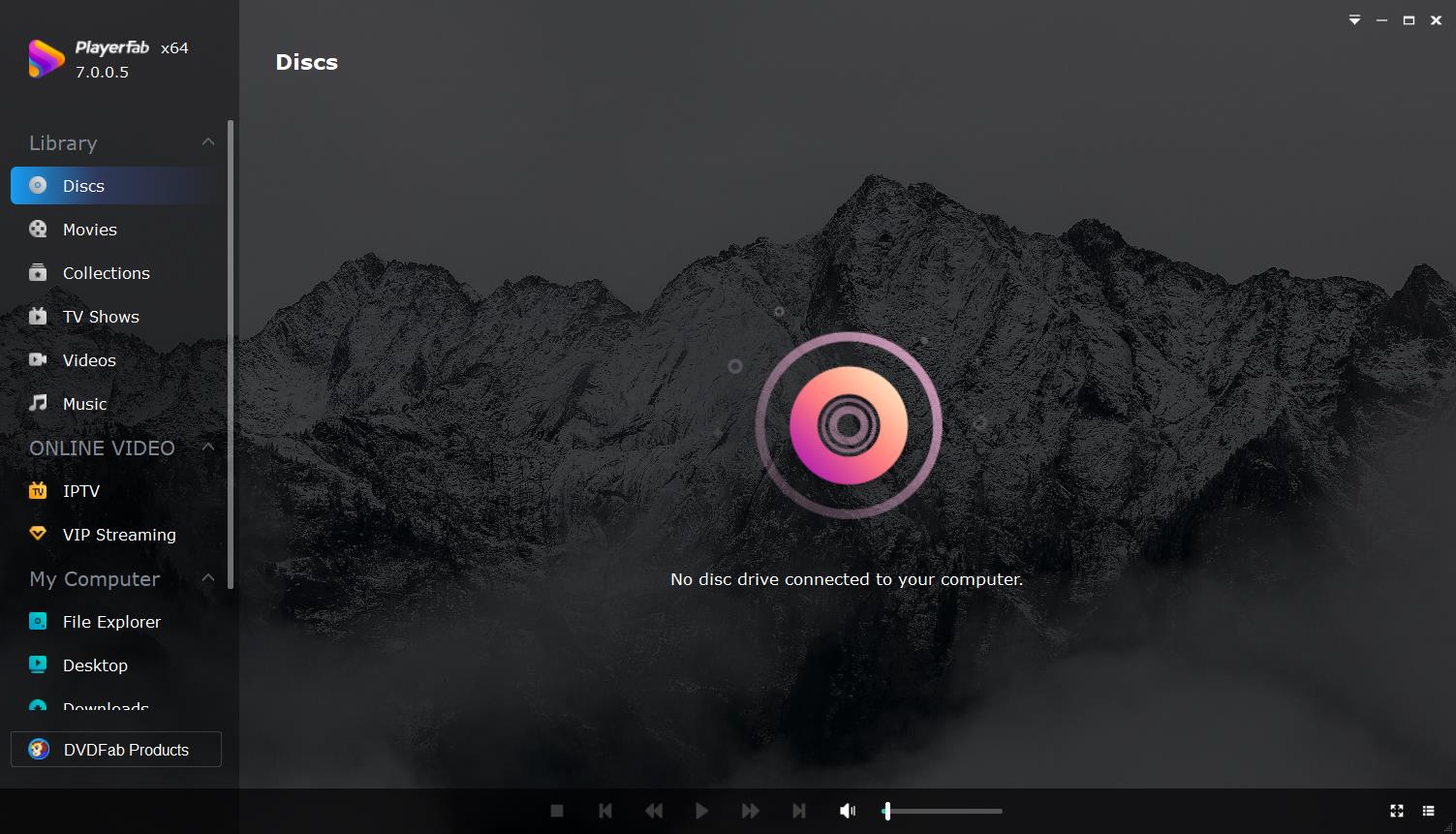
Best for: Windows users who want a desktop library for supported local media and disc formats, especially when subtitle availability is part of the playback problem. Not ideal for: anyone without an optical drive or anyone seeking instant, screen-free Audio CD playback.
For a focused Windows software workflow, see this DVD player for Windows guide. Download PlayerFab for Windows when that setup matches your hardware and playback needs.
The separate Player 6 download for macOS is available for Mac desktop playback, but PlayerFab AI Live Subtitle is specified for Windows.
Many Blu-ray players also support DVDs and CDs, but model details vary; a dedicated backward-compatibility guide is the right place for the full Blu-ray discussion.
FAQ
Can a DVD Be Played in a CD Player?
No. A CD player’s 780 nm optical system and decoding hardware are designed for CD-density data, so they cannot read the smaller, more tightly packed features or DVD-Video structure on a DVD.
How Can I Identify an Unlabeled Disc?
Use several clues rather than relying on color alone:
- Look for Compact Disc, CD-ROM, Video CD, or DVD logos around the center ring or label.
- Check printed capacity: about 650 or 700 MB suggests CD media, while 4.7 GB or more suggests DVD media.
- Insert the disc into a computer drive and review its reported type and capacity.
- Inspect the file structure: VCD commonly uses VCD folders and MPEG-1 program files, while DVD-Video uses VIDEO_TS content.
- Treat a silver, blue, purple, or darker tint as a clue, not proof, because dyes and manufacturing vary.
Does DVD Capacity Mean Better Audio?
No. Capacity determines how much data fits, not how well it sounds. Audio CD uses lossless PCM, while a DVD may carry different audio encodings. The player’s DAC, digital output, receiver, speakers, and mastering can matter more than the disc’s storage size.
Are Movies Stored on CDs, VCDs, or DVDs?
A data CD can hold a movie file, but that does not make it a Video CD. VCD is a specific MPEG-1 video format on CD media, while DVD-Video is a higher-quality standard-definition movie format with more room for menus, subtitles, and audio options.
Can a CD Be Used as a DVD?
No. The physical formats have different data density and capacity, so a CD does not become a DVD. For personal use with content you own or are authorized to handle, files can be authored onto compatible DVD media, but that process does not improve the source quality.
Conclusion
CD is the practical choice for Audio CD collections and small data sets. VCD is a CD-based legacy format for lower-resolution video. DVD provides more capacity for higher-quality standard-definition video, menus, subtitles, additional audio, and larger files.
My final CD vs DVD judgment is to start with compatibility, not hierarchy. Choose the format that matches the source media, required capacity, available drive, preferred controls, DAC and output path, and the hardware already in use.

 Play Video Files: 4 Paths Across Formats and DevicesBy James Morgan - Sep 22, 2026
 12 Best HEVC Players for Windows, Mac, and 4K (2026)By Alice Harper - Aug 4, 2026
 Best WMV Player for Mac and How to Play WMV on Mac NativelyBy James Morgan - Aug 4, 2026
 8 Best TS File Players and Playback Tools for 2026By Alice Harper - Jul 28, 2026