Emby vs Plex: Features, Pricing, and Performance Compared (2026)

Summary: Emby and Plex are the two most widely used self-hosted media servers, but they take different approaches to sharing, transcoding, and pricing. This guide compares both platforms across setup difficulty, remote access, 4K support, and cost, including Plex’s 2026 lifetime price increase to $749.
Here's the short answer: Emby vs Plex comes down to whether you value simpler remote sharing and apps or tighter control over your server, privacy, and long-term costs. Both can run a capable personal media library, but their remote-access rules and paid plans now matter more than ever.
Table of Contents
The practical pressure point is no longer just features. Plex has changed both its long-term pricing and remote-playback requirements, while Emby continues to appeal to administrators who want more direct control. The better fit depends on how you share, where you watch, and how much server administration you are willing to handle.
This Emby vs Plex: Pricing in 2026 comparison covers remote access, privacy, client experience, transcoding, and local playback so you can choose based on your actual viewing setup.
What Are Emby and Plex?
What Is Emby?
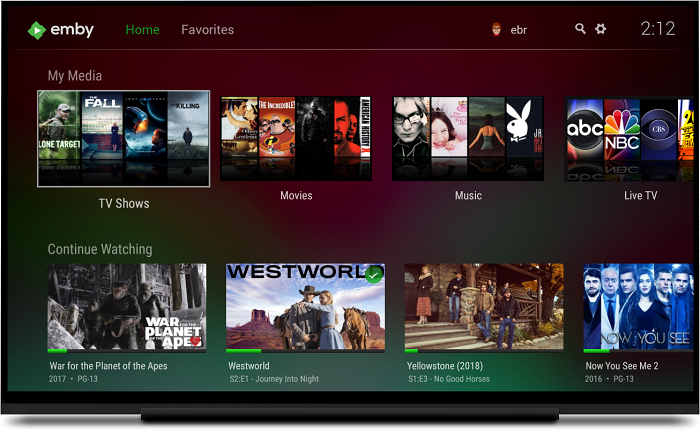
Emby is self-hosted media server software: you install it on a PC or NAS, point it at your media library, and it organizes and streams your content to any supported device on your network or over the internet. The project started as an open-source application called Media Browser, but the server component has been commercially licensed and closed-source since 2018. The open-source continuation of that original codebase is Jellyfin, which is a separate project maintained independently. Emby supports live TV, DVR recording, multi-user management, and a mobile app, with most core features available in the free tier.
What Is Plex?
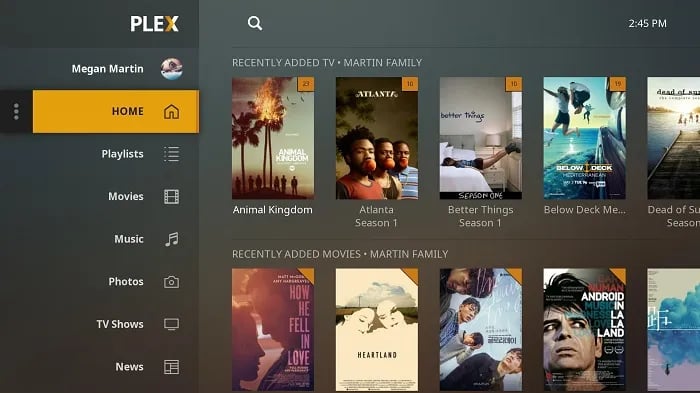
Plex works on the same principle: install a server, add your media, and stream it to supported clients. Its account and relay infrastructure can simplify connection setup without requiring router changes in every case. However, remote playback of personal media can require Plex Pass or Remote Watch Pass under the current policy. Plex accounts are free, while Plex Pass also unlocks hardware transcoding, live TV, offline syncing, and other features.
Emby vs Plex: Head-to-Head Comparison
The table below summarizes the dimensions most users weigh before choosing a platform. The sections that follow go into detail on each.
| Feature | Emby | Plex |
|---|---|---|
| Free tier | Yes, covers most basic streaming | Yes, with ads on some content |
| Paid plan | $4.99/month or ~$119 lifetime | $6.99/month, $69.99/year, or $249.99 lifetime (until July 1, 2026; $749 after) |
| Setup difficulty | Moderate; remote access requires manual configuration | Low; cloud relay handles networking automatically |
| Sharing with others | Managed users; requires server-side setup | Share by email address; no configuration needed |
| Privacy | Self-hosted; no activity data sent to Emby servers | Cloud-connected; usage data collected per privacy policy |
| Hardware transcoding (free) | No | No |
| Hardware transcoding (paid) | Yes (Emby Premier) | Yes (Plex Pass) |
| 4K direct play | Yes | Yes |
| Live TV / DVR | Free via web app; paid for other devices | Plex Pass required on all devices |
Plex has a clear Edge in setup simplicity and sharing ease, while Emby gives more control over your data. Pricing was comparable for years until Plex's lifetime price change, which shifts the long-term cost calculation substantially. The sections below cover each dimension in more detail.
Ease of Setup and Remote Sharing
Setting up either platform starts the same way: install the server software, let it scan your media folders, and create an account. Where they diverge is what happens after the initial setup.
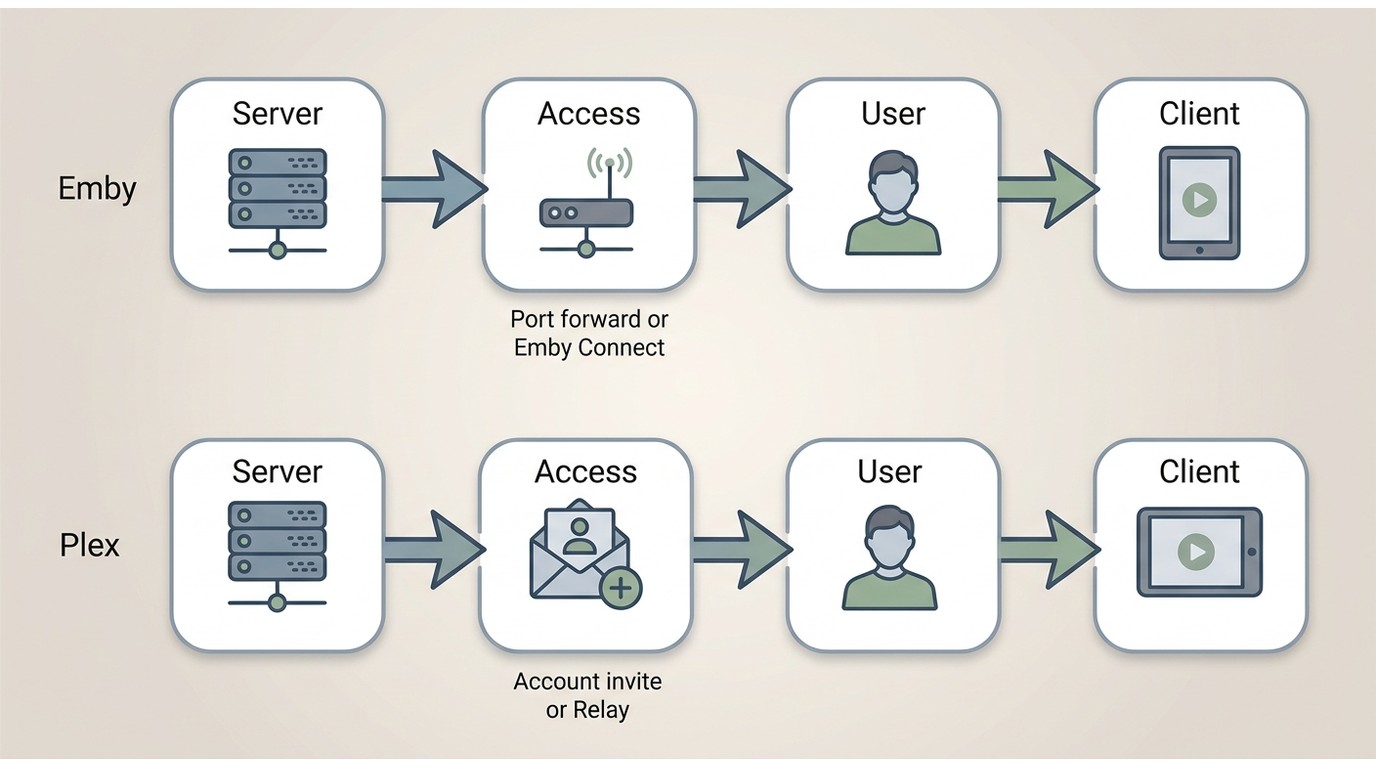
Emby's local setup is straightforward, but enabling remote access requires either configuring port forwarding on your router or using Emby Connect, which provides a relay similar to what Plex offers. Without one of those two steps, your server is only reachable on your home network. Sharing your library with someone else follows a similar pattern: you create a managed user account on your server and they connect through the server address directly.
Plex can make invitations and connection setup relatively low-friction through its account and relay infrastructure. You can add another person's email address in the sharing settings, but remote personal-media playback eligibility can require Plex Pass or Remote Watch Pass. Router settings, home upload capacity, and the recipient's connection can still affect the result.
For households sharing with non-technical friends or family, Plex is usually the easier fit because invitations are account-based. Emby is better suited to administrators willing to manage more of the networking themselves in exchange for greater control over the server.
Device and App Experience
Both platforms cover the same core device categories. The gap between them is smaller than it was several years ago.
| Category | Emby | Plex |
|---|---|---|
| Mobile | iOS, Android | iOS, Android |
| Streaming devices | Roku, Apple TV, Amazon Fire TV, Chromecast | Roku, Apple TV, Amazon Fire TV, Chromecast |
| Smart TVs | Samsung, LG, Android TV | Samsung, LG, Android TV, Vizio |
| Game consoles | Xbox One/Series, PlayStation 4/5 | Xbox One/Series, PlayStation 4/5 |
| Web browser | Yes | Yes |
Plex covers slightly more smart TV brands, including Vizio, and its account-centered apps can be easier for remote family members to navigate. Emby's client library now reaches the same mainstream hardware, but its experience can feel more server-focused. Fire TV, TV apps, mobile devices, and codec support can vary by client version, so the actual playback device matters more than a nominal support list.
Transcoding, 4K, and HDR Support
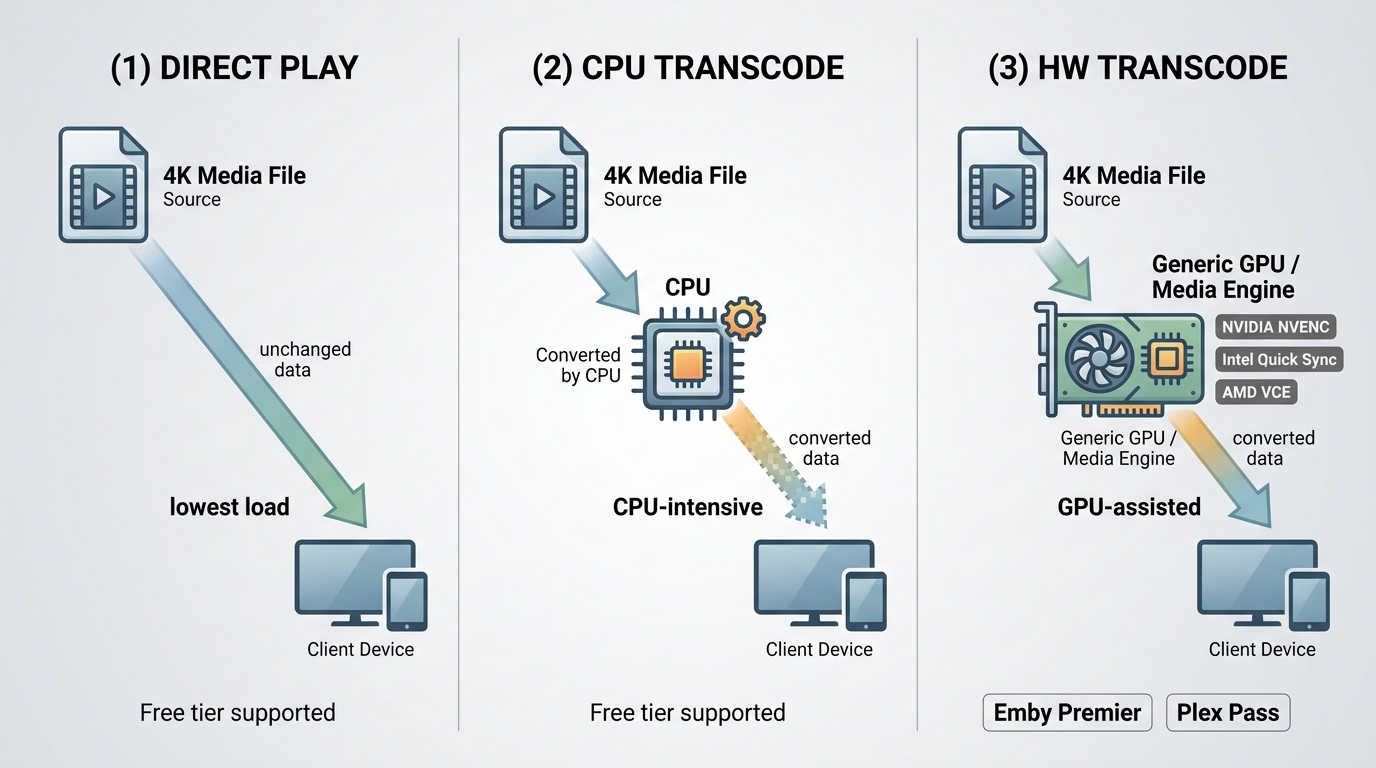
Transcoding is what happens when a client device cannot play a file natively: the server converts it in real time to a compatible format. Without hardware acceleration, that conversion runs on your CPU, which is slow and resource-intensive for 4K content.
For a practical Emby vs Plex playback comparison, I focus on the actual client, codec support, subtitle behavior, and CPU/GPU workload rather than treating the server specification as the whole experience. A 4K Blu-ray rip of Dune may direct-play smoothly on one TV app while requiring transcoding on another, so the viewing device remains part of the performance decision.
Both Emby and Plex gate hardware-accelerated transcoding behind paid tiers. With Emby Premier or Plex Pass, you can offload transcoding to a GPU (NVIDIA NVENC, Intel Quick Sync, AMD VCE), which reduces CPU load and handles multiple streams more reliably. On the free tier, you depend on direct play or software transcoding.
For 4K direct play, both platforms perform well when the client device and network bandwidth are adequate. HDR10 is broadly supported on current client apps. Dolby Vision support is less consistent and depends on the specific client and device combination rather than the server software. If your library includes 4K Blu-ray rips with Dolby Atmos or DTS:X audio, test your actual playback device before committing, since behavior varies by client app on both platforms.
Server hardware requirements scale with transcoding load. Direct play avoids conversion work, while software transcoding can put substantial pressure on a CPU, especially with 4K sources.
| Playback factor | Emby | Plex |
|---|---|---|
| Direct play | Lowest server load | Lowest server load |
| Software transcode | CPU-intensive for 4K | CPU-intensive for 4K |
| Hardware acceleration | Emby Premier | Plex Pass |
| Multiple streams | GPU helps substantially | GPU helps substantially |
| Dolby Vision and audio | Client-dependent | Client-dependent |
For a 4K library, I would choose based on the clients you actually use rather than expecting either server to overcome an unsupported TV app, audio path, or weak network connection.
Privacy and Data Control
Emby is self-hosted, so your media library, watch history, and user management are centered on your own hardware. Emby Connect can assist with authentication and remote access, while the server remains under your administration. Privacy and data control are especially relevant if local control is central to your decision.
Plex's account-based service has more cloud dependency and collects data as described in its privacy policy, including device and usage information. That trade-off can be reasonable for people who value simpler sharing and account-based access. Users who want to minimize cloud involvement should weigh that convenience against Emby's more locally controlled approach.
Emby is not open-source. It was originally developed as an open-source project but moved to a commercial license in 2018. If an open-source stack is a firm requirement, Jellyfin is the independently maintained continuation of that original codebase and belongs in a short list of Plex alternatives.
Where Jellyfin Fits
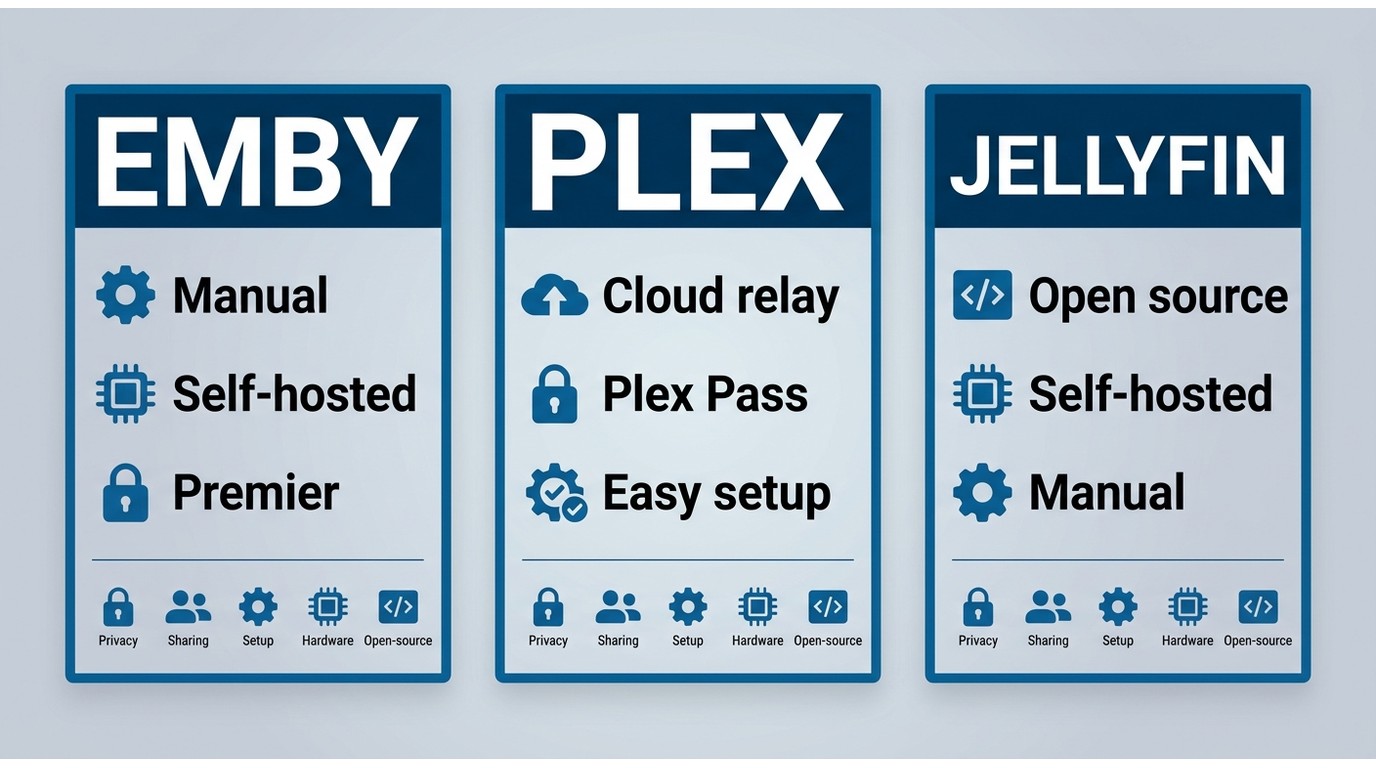
Jellyfin is worth considering when open-source software, local control, and avoiding a paid service are higher priorities than turnkey remote sharing. Keep the core choice focused: choose Plex for account-based convenience, Emby for a commercially supported self-hosted server with more direct control, and Jellyfin when an open-source approach is the deciding factor. Each option still depends on the quality of its client apps, server hardware, and network setup.
Emby vs Plex: Content and Ecosystem
Live TV and DVR
Both platforms support live TV and DVR recording when paired with compatible tuner hardware, but the access model differs between them.
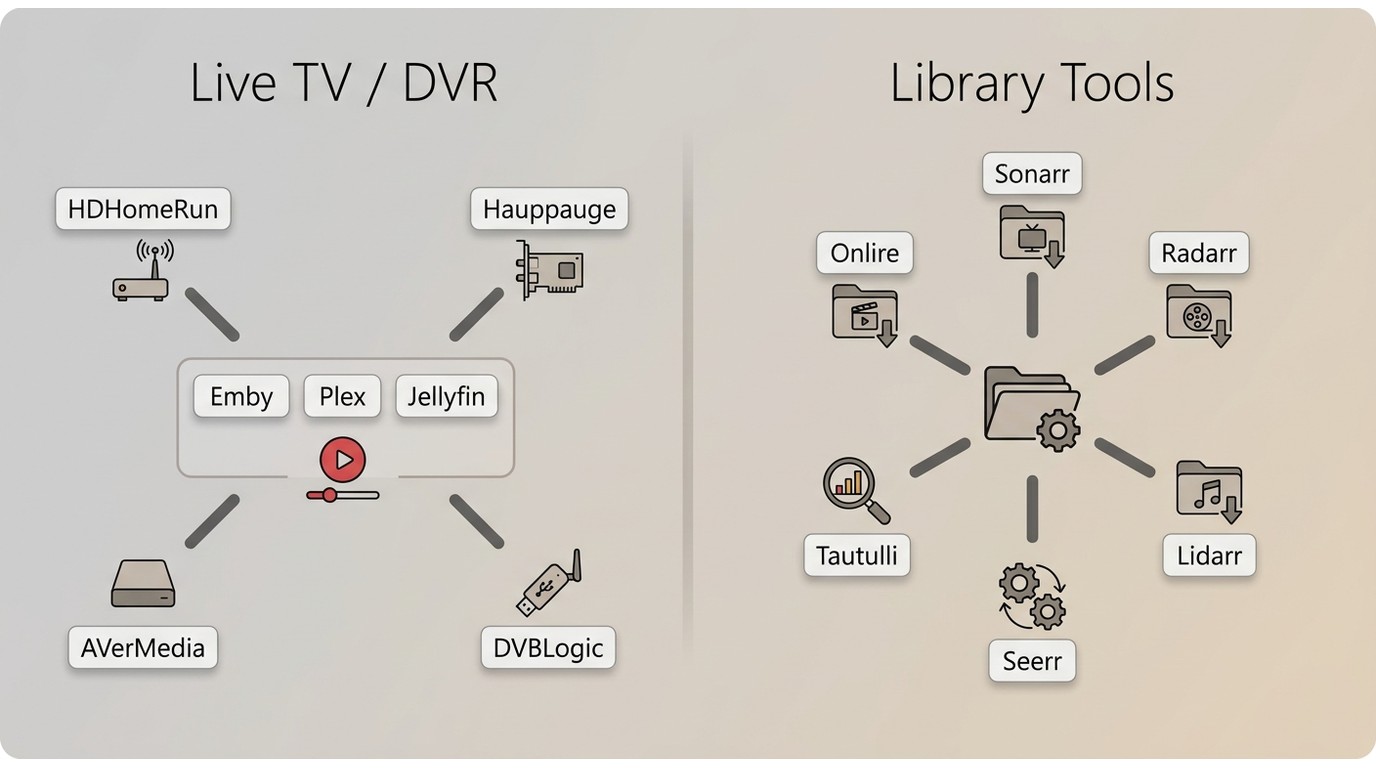
Emby includes live TV access through its web app at no cost. Streaming live TV to other device types (mobile apps, TV apps, and streaming sticks) requires an Emby Premier subscription. Tuner hardware compatibility centers on HDHomeRun, which covers most over-the-air and cable card tuner use cases.
Plex restricts live TV to Plex Pass subscribers across all devices, with no free web-based exception. In exchange, Plex supports a broader range of tuner hardware including Hauppauge, AVerMedia, and DVBLogic products in addition to HDHomeRun. For users with non-HDHomeRun hardware already in place, Plex is the more straightforward fit.
Once the subscription requirement is met on either platform, DVR functionality including recording schedules and episode management works comparably between the two.
Third-Party Integrations
Both platforms integrate with the standard self-hosted media management tools. Sonarr and Radarr trigger library refreshes in Emby and Plex when new TV episodes or movies are added. Lidarr covers music on the same basis.
For media request management, Seerr, released in early 2026 as the merged successor to Overseerr and Jellyseerr, now supports Plex, Emby, and Jellyfin under a unified interface. This removes the previous friction where Plex users needed Overseerr and Emby users needed Jellyseerr as separate tools.
Plex has stronger coverage from third-party analytics tools. Tautulli, widely used for detailed server statistics and notification automation, is built primarily for Plex. Emby includes a built-in statistics dashboard that covers most common monitoring needs without requiring an external service.
One significant change in Plex's ecosystem: the Channels and plugin system that once extended Plex's content catalog was deprecated and removed from most clients around 2020. Current Plex integrations are API-based. Emby's plugin system, managed through the server dashboard, remains active and includes a maintained catalog of community plugins for metadata, notifications, and playback customization.
Emby vs Plex Pricing in 2026
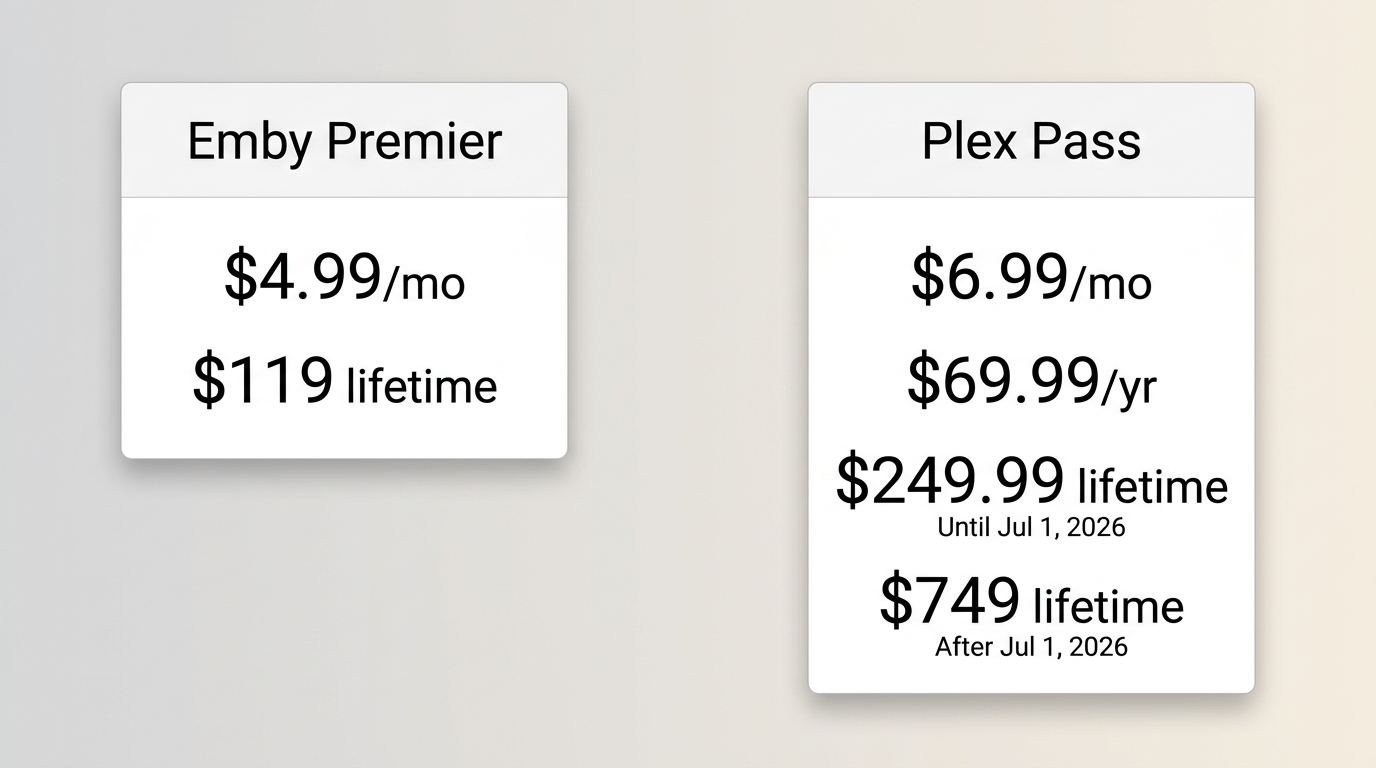
As of August 2026, Emby and Plex offer similar recurring choices, but their long-term options differ substantially. The right comparison is the plan required for your remote access, transcoding, live TV, and offline-use needs, not the headline price alone.
Emby Pricing
Emby's free tier covers local streaming to most supported device types without payment. The main restriction is live TV on non-web clients, which requires a paid plan.
Emby Premier is listed at approximately $4.99 per month or $119 for a lifetime license. It adds hardware transcoding, live TV on all devices, mobile sync for offline playback, and full access to the Emby mobile apps on iOS and Android.
Plex Pass Pricing
Plex's free tier covers local streaming and a selection of on-demand content, with ads on some content types. It excludes hardware transcoding, live TV, and offline sync.
Plex Pass is available at $6.99 per month or $69.99 per year. The current US lineup also includes a $249.99 five-year recurring option and a $749.99 lifetime option for new purchases.
For users comfortable with recurring billing, Plex Pass and Emby Premier remain comparable monthly options. The larger difference is long-term payment preference: Plex offers both five-year and lifetime paths, while Emby's lower lifetime price may appeal to users who are comfortable taking on more initial configuration work. Price is important, but remote access, client behavior, and privacy expectations can matter just as much.
PlayerFab All-In-One: Local Playback Beyond Emby and Plex
What Emby and Plex Can't Handle
Emby and Plex are built around streaming: they organize a library, serve files over a network, and transcode when needed. That model works well for most personal collections.
The trade-off becomes clearer with demanding local playback. Disc images, physical discs, lossless audio routing, and Dolby Vision behavior can depend heavily on the client app and connected hardware. A dedicated desktop player can be the better fit when direct playback quality matters more than remote library serving.
For home-theater PC users with authorized local files, disc images, disc folders, or legally owned physical media, a dedicated desktop player can complement Emby or Plex rather than replace the server.
Key Features
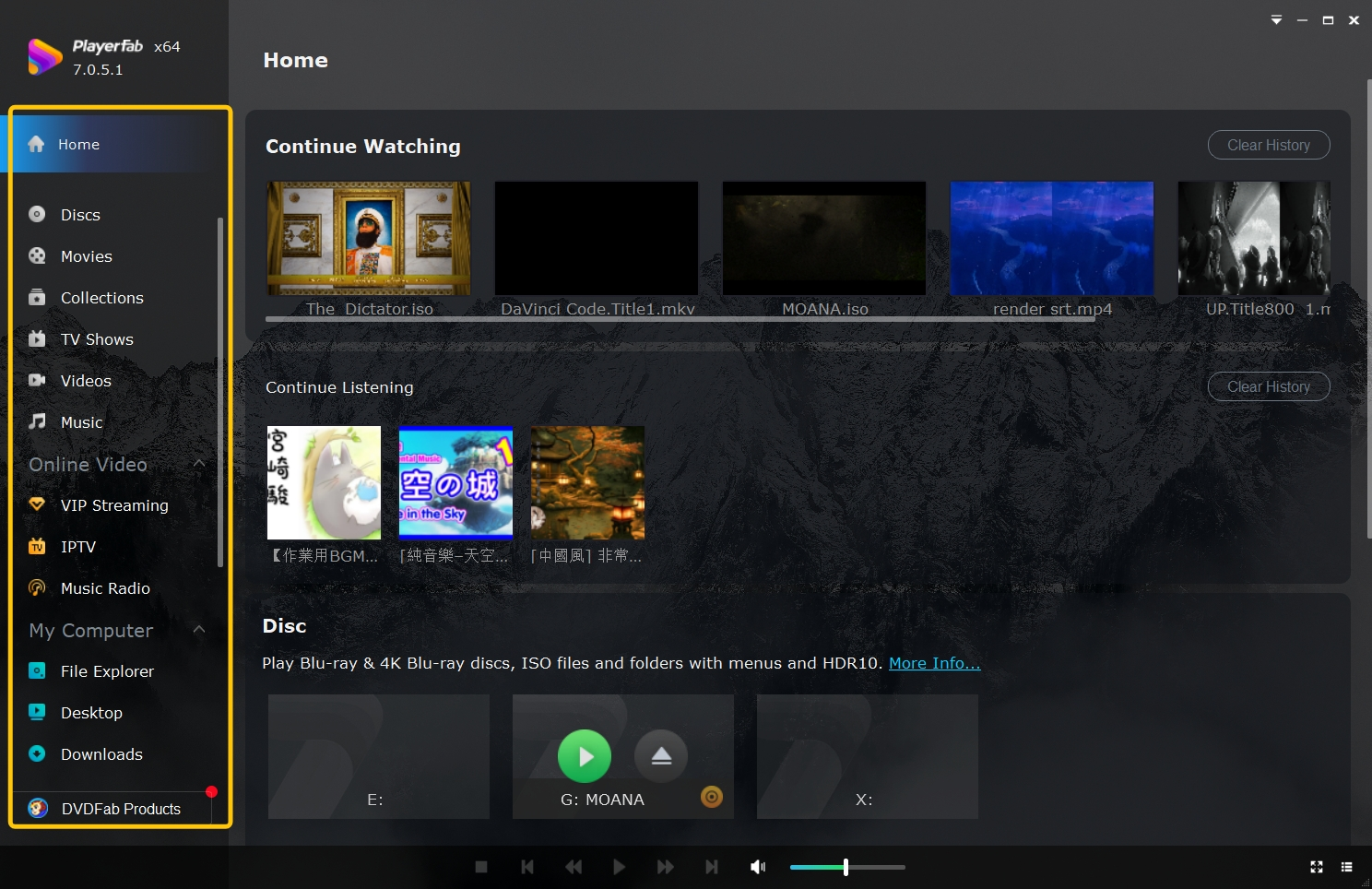
PlayerFab All-In-One is a desktop media player for Windows and Mac that brings supported local files, DVD, Blu-ray, 4K UHD Blu-ray, disc images, HDR formats, and hardware-accelerated playback into one viewing setup. For authorized content, it is most useful when a home-theater PC needs direct local playback with supported audio, subtitle, and display controls.
PlayerFab fits between media-server management and direct desktop playback. It is a practical companion for viewers who need supported local-file, disc, or disc-image playback on a home-theater PC, but it is not the right choice for readers whose main need is remote library serving.
FAQs
Is Emby legal to use with a personal media library?
Emby is legal media-server software. You remain responsible for having lawful access to the media you add and for using it in line with applicable copyright rules and service terms.
Why can Emby or Plex buffer when I stream away from home?
Start with your home upload speed and the remote connection, then check whether the client can direct-play the file. If the server must transcode, its CPU or GPU capacity, the file bitrate, and any remote quality limit can all affect playback.
Can I run Emby and Plex on the same server before choosing?
Yes. Point both servers at the same library and compare the clients you actually use. Avoid running heavy scans or multiple demanding transcodes at the same time, since that can make either platform appear less responsive than it normally would.
When does a local player make more sense than Emby or Plex?
A local desktop player makes more sense when direct playback of authorized local files, discs, disc images, lossless audio, or demanding HDR formats is the priority. It complements a media server that handles organization and remote sharing.
Which One Should You Choose?
Emby: Best for local control
Emby is best for users who want a commercially supported self-hosted server, more direct control over networking and library administration, and a lower-cost lifetime path. It is not ideal for households that want the simplest possible invitations and remote setup without managing server-side configuration.
Plex: Best for simpler sharing
Plex is best for households that prioritize account-based invitations, polished client apps, and easier connection setup. It is not ideal for users who want to minimize account and cloud dependency or who dislike the added cost requirements that can apply to remote playback of personal media.
Jellyfin: Best for an open-source priority
Jellyfin belongs on the shortlist when open-source software, local control, and avoiding a paid service matter more than turnkey remote sharing. For a broader look at a Plex alternative, use a dedicated alternatives comparison rather than expanding this Emby-versus-Plex guide.
How to choose with a short trial
- Install Emby and Plex on the same server hardware and point them to the same test library.
- Check the TV, mobile, and streaming-device clients your household actually uses.
- Test one direct-play file and one file that may require transcoding, including subtitles and remote playback.
- Compare the required paid features, privacy trade-offs, and expected payment horizon before subscribing.
Emby vs Plex is ultimately a choice between low-friction sharing and greater local control. Neither platform replaces a dedicated local player for every home-theater PC scenario, and PlayerFab is most relevant when authorized local files, discs, or disc images need direct playback.

 Play Video Files: 4 Paths Across Formats and DevicesBy James Morgan - Sep 22, 2026
 12 Best HEVC Players for Windows, Mac, and 4K (2026)By Alice Harper - Aug 4, 2026
 Best WMV Player for Mac and How to Play WMV on Mac NativelyBy James Morgan - Aug 4, 2026
 8 Best TS File Players and Playback Tools for 2026By Alice Harper - Jul 28, 2026