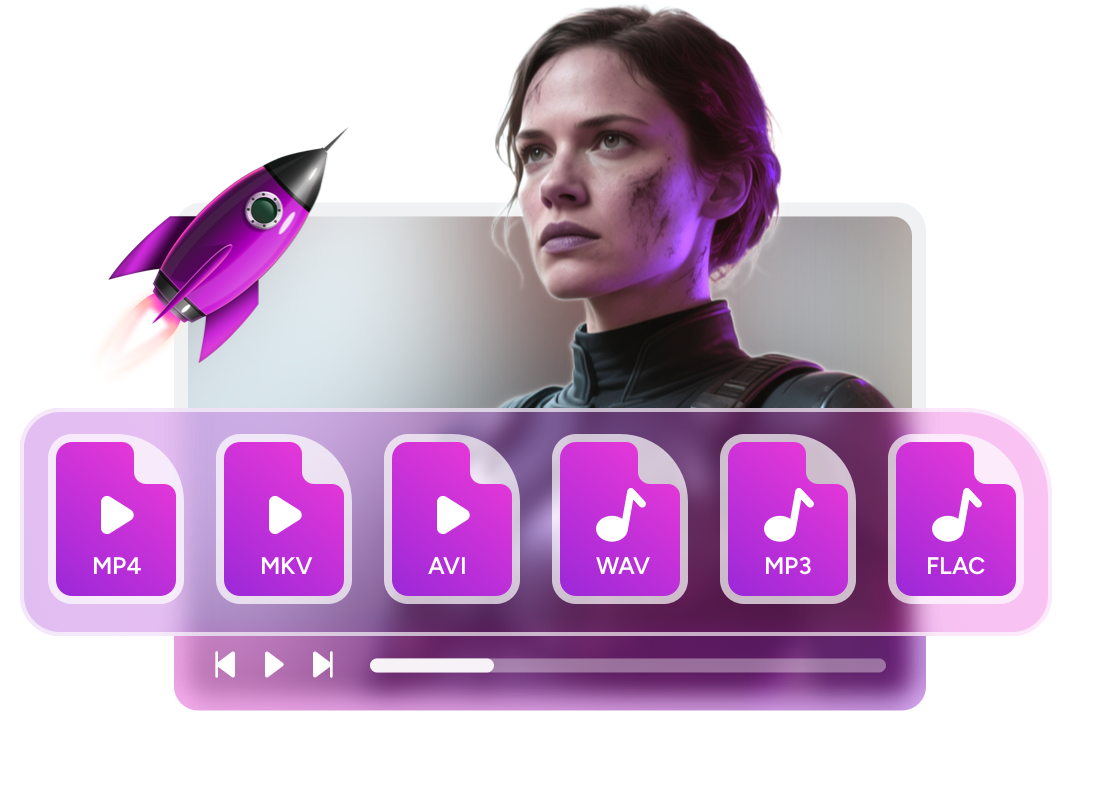
Best Music Players for Mac: 8 Options Tested and Compared

Summary: Apple Music's FLAC wall sends many Mac users looking for alternatives. This guide covers 8 music players for Mac — free and paid, casual and audiophile — with a comparison table and scenario-based recommendations to help you choose.
Table of Contents
Apple Music built up a loyal following, but it hits a hard wall for anyone with a FLAC library: the app simply will not import lossless files in that format. Reports on MacRumors forums and r/macapps show this is the most common trigger that sends Mac users looking for an alternative. The jump to a third-party player is not complicated, but the options vary widely: some are free and minimal, others are subscription-based audiophile tools, and a few blur the line between video and audio player.
I reviewed eight WMA music players across those categories. This article maps out what each one does well, where each one falls short, and which scenario each one suits best.

8 Best Music Players for Mac: Detailed Review
Choosing one depends on what you are actually trying to do. Format compatibility, price, library management, Apple Silicon support, and audiophile-grade output all matter differently depending on your setup. The eight players below cover the full range.
PlayerFab Free Video Player
PlayerFab Free Video Player handles both video and audio without charging a subscription. On the audio side, it supports FLAC, WAV, M4A, OGG, APE, and CUE alongside the standard MP3 and AAC, which covers most local music collections without needing a separate dedicated player. The integrated music library organizes files by album, artist, or genre, and the metadata editing tools let you fix incorrect tags directly inside the app.
The playback engine uses GPU hardware acceleration to keep CPU usage low during high-resolution audio decoding. Hi-res output extends to Dolby Atmos and DTS-HD Master Audio, up to 7.1-channel surround, which matters if you have a receiver or high-end headphone setup rather than standard laptop speakers.
Key features:
- Supports FLAC, WAV, OGG, APE, M4A, CUE and a wide range of additional formats with no extra codec installation
- Hi-res audio output including Dolby Atmos and DTS-HD Master Audio, up to 7.1-channel surround
- Music library with album, artist, and genre sorting plus in-app metadata editing
Worth noting:
- Blu-ray and 4K Ultra HD disc playback requires a paid upgrade
- Primarily optimized for local file playback; streaming service integration is not a core feature
Elmedia Player
Elmedia Player is one of the more complete music players available for Mac in 2026. The free version handles the core job well: it opens MP3, AAC, FLAC, OGG, WAV, and AIFF without conversion, launches quickly on Apple Silicon, and keeps the interface clean even with large libraries. Where it pulls ahead of simpler players is the built-in 10-band equalizer with presets, which lets you adjust for headphones, speakers, or a specific listening environment without leaving the app.
The PRO upgrade adds AirPlay, DLNA, and Chromecast streaming, which matters if you want to push audio from your Mac to a TV or a smart speaker system. Playlist management is straightforward, and the app does not require an account or subscription to use the free tier.
Key features:
- Native Apple Silicon support with fast launch and stable playback on M-series Macs
- Opens FLAC, ALAC, OGG, WAV, AIFF, MP3, and AAC with no additional setup
- Free tier available with full audio playback; PRO adds AirPlay, DLNA, and Chromecast streaming
Worth noting:
- AirPlay and DLNA output are locked behind the PRO upgrade ($4.99/month or a one-time purchase option)
- Library management is functional but less feature-rich than dedicated music organizers like Swinsian
Audirvana Studio
Audirvana targets a specific listener: someone who owns a DAC or high-end headphone amp and wants bit-perfect playback rather than whatever macOS's CoreAudio mixer does by default. The core technology loads and decodes the entire audio track into buffer memory before playback begins, reducing jitter and minimizing signal interference from background OS processes.
Since 2021, Audirvana has split into two products. Audirvana Studio ($6.99/month or $69.99/year) integrates Qobuz and TIDAL streaming alongside your local library and adds the full DSP suite including a 10-band parametric EQ, a convolution engine, and adjustable crossfeed. Audirvana Origin is a one-time purchase for listeners who play local files exclusively and do not need streaming integration. Both versions run natively on Apple Silicon.
Key features:
- Bit-perfect and Exclusive mode bypass the macOS audio mixer, sending the source signal directly to your DAC
- Comprehensive DSP suite: 10-band parametric EQ, convolution engine, crossfeed, and Audio Unit plugin support
- Studio version integrates Qobuz and TIDAL with your local library in a single interface
- Native Apple Silicon support on both Studio and Origin versions
Worth noting:
- Studio is subscription-only; Origin requires a one-time purchase
- The number of settings options can be overwhelming for casual listeners
- Not the right tool if you just want to hit play on a playlist without any setup
IINA
IINA is what happens when a Mac developer writes a media player from scratch in Swift instead of porting an existing app. The result is a player that behaves like a native macOS application: it respects Dark Mode, supports trackpad gestures for volume and seeking, integrates with the Touch Bar on older MacBook Pros, and handles Picture-in-Picture without an extension. Under the hood, it uses the mpv engine, which means it opens virtually any format, including high-resolution audio files, without additional codec installation.
When IINA detects that you are playing an audio file, it automatically switches to a music-focused mode that displays album artwork and track details rather than a video-optimized layout. It is completely free and open-source.
Key features:
- Written entirely in Swift for macOS: native Dark Mode, trackpad gestures, and PiP support
- Powered by mpv engine for broad format compatibility with no codec downloads required
- Automatic Music Mode activates when playing audio files, showing album art and track info
- Open-source with active development on GitHub
Worth noting:
- Playlist and library management is basic compared to dedicated music apps
- No built-in equalizer or DSP processing in the standard interface
VLC for Mac
VLC has been the go-to free media player for over two decades, and its Mac version remains the most reliable option for anyone who just needs to open a file without thinking about codecs. It plays every major audio format, MP3, AAC, FLAC, OGG, WAV, AIFF, WMA, and most of the obscure ones too. Advanced users can adjust audio sync, apply filters, use the equalizer, and stream over UPnP, SMB, or Chromecast. All of this costs nothing.
The trade-off is that VLC is not designed around music. There is no media library to speak of, no automatic genre or artist organization, and the interface has not been updated to feel at home on current macOS. Use it to open files quickly. For managing a collection, a dedicated music app serves better.
Key features:
- Opens virtually every audio format with no additional installation
- Works across all current macOS versions including those on Apple Silicon
- Built-in equalizer, audio sync controls, and network streaming via UPnP, SMB, and Chromecast
- Subtitles, chapter navigation, and playlist queuing for mixed media libraries
Worth noting:
- No organized music library or collection management
- Interface design has not meaningfully updated for modern macOS conventions
Vox Music Player
Vox focuses on audio quality first. It plays FLAC, CUE, APE, MP3, M4A, and other common formats, and the HD Audio output supports up to 24-bit/192kHz, four times the resolution of standard 44.1kHz audio. A built-in radio feature provides access to over 30,000 internet radio stations, which makes it useful for discovery beyond a local library. The settings panel gives fine-grained control over the audio processing chain.
The business model is the main point of friction. Vox operates on a subscription, and the free version has meaningful restrictions. Discussions on r/macapps consistently flag Vox's monetization structure as one of the more aggressive among Mac audio players, especially given that capable free alternatives exist. Worth evaluating on a trial before committing.
Key features:
- HD Audio playback up to 24-bit/192kHz with FLAC, CUE, APE, M4A, and MP3 support
- Access to over 30,000 internet radio stations built into the app
- Control panel and advanced settings for fine-tuning the audio processing chain
Worth noting:
- Subscription-based at $4.99/month; free tier has limited functionality
- Reddit's r/macapps community flags the subscription model as poor value relative to free alternatives like Elmedia
Fidelia
Fidelia is a purpose-built audiophile music player for Mac, available on the App Store for a one-time purchase of $49.99. Version 2, a complete rebuild in Swift with a new C++ audio engine, added Bit-perfect mode and Exclusive mode, which together send the source audio directly to your DAC while locking the output device to Fidelia and bypassing the macOS audio mixer entirely. The behavior mirrors what dedicated audiophile hardware does.
The app supports three Audio Unit plugin slots, letting you chain any AU plugin (EQ, reverb, spatial processor) without switching apps. Other additions in v2 include DSD and APE import, gapless playback, format conversion with dither, and expanded remote controls.
Key features:
- Bit-perfect and Exclusive mode bypass the macOS mixer for direct DAC output, similar to dedicated hardware behavior
- Three Audio Unit plugin slots for chaining EQ, reverb, or any AU plugin without leaving the app
- DSD and APE support, gapless playback, and format conversion with dither built in
Worth noting:
- At $49.99, it is the priciest option on this list
- Developer website activity appears limited as of 2025; the app remains on the Mac App Store and functional
GOM Audio
GOM Audio is a free audio player developed by GOM & Company, a team with over a decade of media software experience. The format list is comprehensive for a free tool: MP3, FLAC, WAV, OGG, WMA, APE, AAC, M4A, Opus, AIF/AIFF, DFF, DSF, MPC, and WV, which covers both standard playback and more specialized formats including DSD (DFF, DSF). Podcast and internet radio streaming are built in, so you can listen without relying solely on local files.
Version 2.2.27.0 is the current release, and GOM & Company continues to push updates. The interface is clean and familiar, with a built-in equalizer and a customizable taskbar mini-player for quick access without opening the full window.
Key features:
- Free with no core feature restrictions; supports FLAC, OGG, APE, AAC, M4A, DFF, DSF, and more
- Built-in podcast and internet radio streaming alongside local file playback
- Equalizer and taskbar mini-player for quick playback control without the main window
Worth noting:
- Library organization features are more basic than dedicated Mac music managers
- The interface design prioritizes function over macOS visual conventions
Mac Music Player Comparison: Key Features
Before diving into specific use cases, the table below summarizes the key decision variables across all eight players.
| Player | Price | FLAC Support | Apple Silicon | Media Library | Best For |
|---|---|---|---|---|---|
| PlayerFab Free Video Player | Free | Yes | Yes | Yes | Video + audio in one app |
| Elmedia Player | Free / PRO subscription | Yes | Yes | Yes | General Mac users |
| Audirvana Studio | $6.99/month or $69.99/year | Yes | Yes | Yes | Audiophiles with streaming |
| Audirvana Origin | One-time purchase | Yes | Yes | Yes | Audiophiles, local-only |
| IINA | Free | Yes | Yes | Basic | Open-source minimalists |
| VLC for Mac | Free | Yes | Yes | No | Opening any file quickly |
| Vox Music Player | $4.99/month (limited free) | Yes | Yes | Yes | Hi-res + internet radio |
| Fidelia | $49.99 one-time | Yes | Yes | Yes | DAC/audiophile users |
| GOM Audio | Free | Yes | Yes | Basic | Free all-in-one option |
Three patterns stand out from this data. First, every player on the list supports FLAC, so format coverage alone is not a differentiator. Second, the free options (PlayerFab, Elmedia free tier, IINA, VLC, GOM Audio) cover the majority of everyday use cases, and the paid tools only pull ahead for specific audiophile or streaming-integration scenarios. Third, subscription costs add up quickly: Vox at $4.99/month and Audirvana Studio at $6.99/month both cost more per year than Fidelia's one-time purchase.
How to Choose the Right Music Player for Your Mac
The right choice depends on how you actually use your Mac for music, not on feature counts.
Choose PlayerFab Free Video Player if your Mac does double duty as both a media center and a music player, and you want one app that handles video files in the same library as your audio collection.
Choose Elmedia Player if you want a clean, capable free option that works immediately on Apple Silicon and covers everyday playback with a decent equalizer. The free tier handles most use cases; upgrade to PRO only if you need AirPlay or DLNA output.
Choose Audirvana Studio or Origin if you have a DAC, a high-end headphone amp, or a serious local library and you want bit-perfect output that bypasses the macOS audio mixer. Studio adds streaming (Qobuz, TIDAL); Origin skips the subscription for local-only listeners.
Choose IINA if you want a fast, free, open-source player that feels genuinely native on macOS — good trackpad support, Dark Mode, and format compatibility — without needing a full media library manager.
Choose VLC if you need to open a file that nothing else will play, or if you work across multiple operating systems and want the same familiar tool everywhere.
Choose Fidelia if you already own a DAC and want hardware-level bypass (Bit-perfect + Exclusive mode) with Audio Unit plugin support, and a one-time purchase fits better than a monthly subscription.
FAQs
What is the best free music player for Mac?
Elmedia Player and IINA are the two most consistently recommended free options in Mac-focused communities. Elmedia's free tier includes format support, an equalizer, and a clean library interface. IINA is better if you prefer a minimal, open-source player with strong format compatibility through its mpv engine. VLC and GOM Audio are also free and solid for everyday playback.
Are these music players compatible with Apple Silicon?
Yes. All players on this list either run natively on Apple Silicon or work reliably through Rosetta 2. IINA and Elmedia are natively compiled for Apple Silicon. Audirvana Studio and Origin are native as well. Players like VLC and GOM Audio run with broad OS compatibility and perform well on M-series Macs.
Do I need a paid music player for Mac?
Not for everyday listening. Elmedia's free tier, VLC, and GOM Audio cover MP3, FLAC, and most other formats at no cost. The paid options (Audirvana, Fidelia, Vox) serve specific use cases: audiophile-grade playback with a DAC, bit-perfect output, or streaming service integration alongside a local library.
What should I use instead of Apple Music on Mac?
Apple Music does not support FLAC and can slow down with very large libraries. For casual listeners switching away, Elmedia Player is the most straightforward replacement. For audiophile-grade playback, Audirvana Origin or Fidelia are the more common choices. IINA works well for anyone who prefers a lightweight open-source option.

 8 Free MKV Player Apps for Windows, Mac, and Mobile in 2026By Alice Harper - Oct 16, 2026
 How to Open MP4 Files on Windows 11: 4 Reliable FixesBy Alice Harper - Aug 10, 2026
 9 Best Free FLV Players for Windows, Mac, and Mobile (2026)By Alice Harper - Aug 4, 2026
 13 Best Free MP4 Players for Windows & macOS: Hands-on Review in 2026By Alice Harper - Aug 3, 2026