WMA Music Players for Windows, Mac, Android, iPhone, and Online

Summary: This guide gives immediate WMA playback paths for Windows, Mac, iPhone, Android, and the browser, then compares six local players by platform, library tools, and output needs. It also explains upload retention, protected-file limits, metadata checks, and when conversion is worth the quality tradeoff.
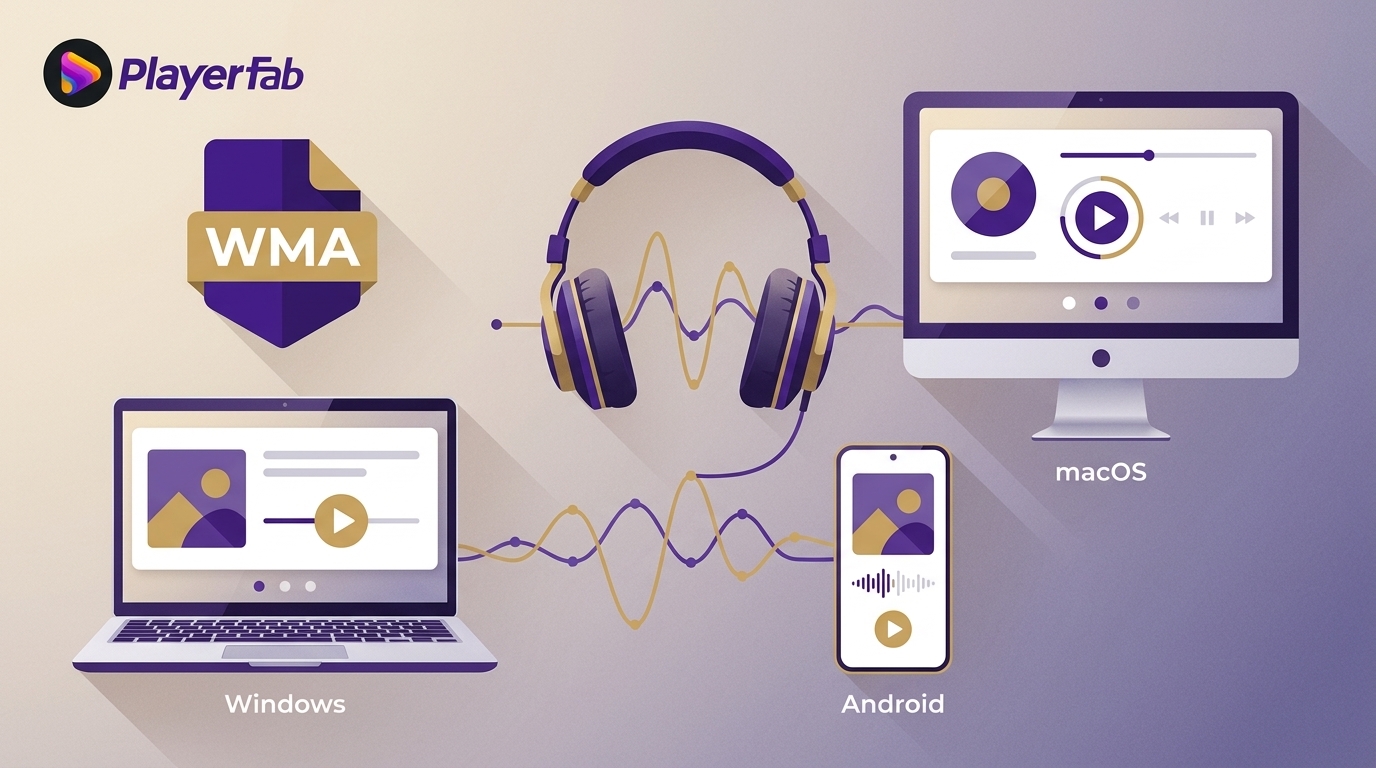
A WMA music player choice starts with the platform: use Windows 11 Media Player on Windows, VLC on Mac or iPhone, and an app-tested player on Android. For a WMA player online, Jumpshare can preview a non-sensitive file in a browser after upload.
The practical difference is not just whether an app can play WMA files. Library indexing, WMA metadata, licensing, privacy, and audio output determine whether it fits a single track or a long-standing collection. This guide starts with an immediate route, then compares six players by task.

Play WMA Files Now by Platform
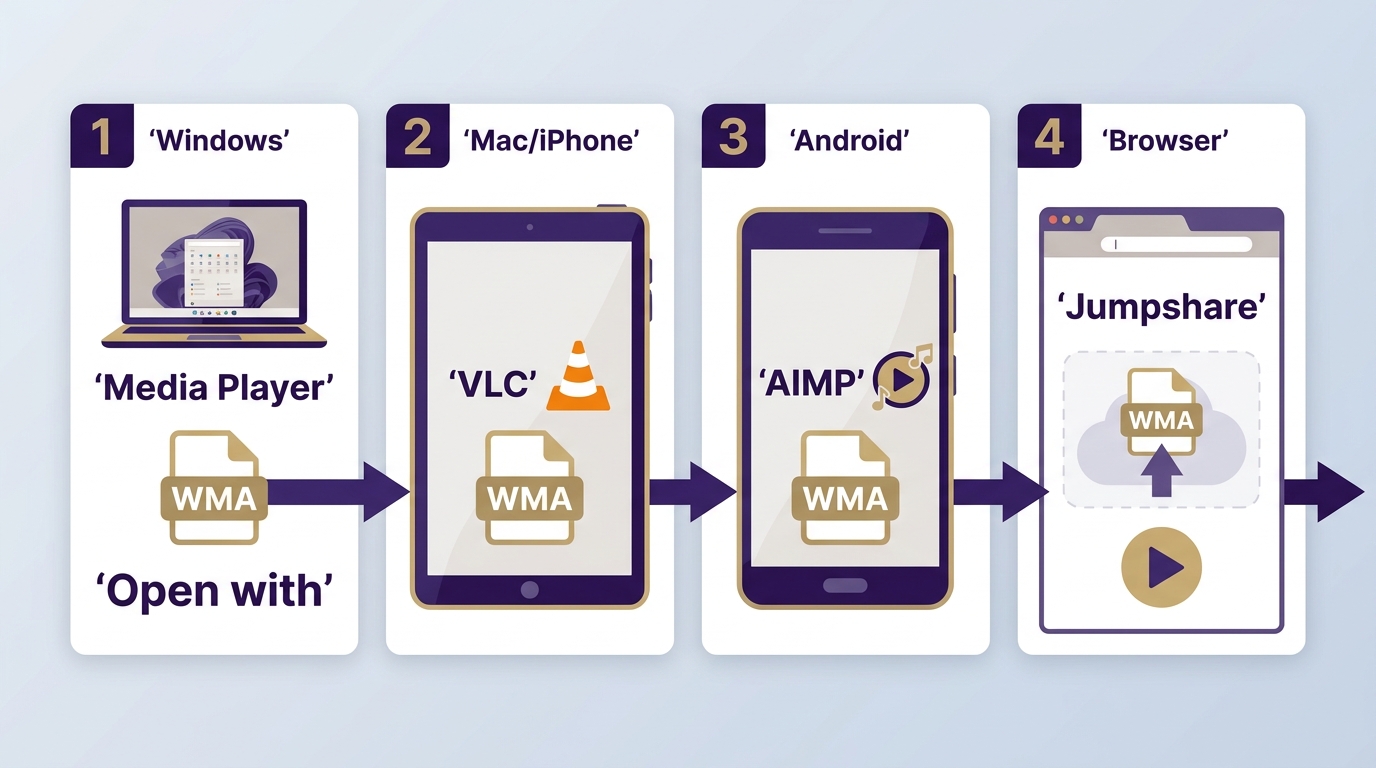
The quickest route is platform-specific: start with the current Windows app, use VLC on Apple devices, test Android apps with a representative folder, or upload a non-sensitive file to a browser viewer.
Windows 11 and Windows 10
On Windows 11, right-click the file, choose Open with, and select the current Media Player app. If it is not listed, install the Microsoft Store app. Legacy Windows Media Player is a separate optional Windows feature, so instructions for the two products should not be mixed.
On Windows 10, a local WMA player such as VLC, MusicBee, or foobar2000 is a clearer long-term route than relying on an older Microsoft interface. Broader Windows Media Player alternatives are useful when the problem extends beyond WMA playback.
Best for: local playback without uploading audio. Not ideal for: files tied to an old playback license that is no longer available.
Mac and iPhone
VLC provides a practical local path on macOS and iPhone. On a Mac, open the WMA file from VLC. On an iPhone, import a representative file through Files or VLC's file-sharing workflow, then confirm that playback and tags appear correctly before moving a large collection.
A dedicated Mac music player may offer a stronger library interface, but WMA support still needs a file-level check. Best for: local listening across Apple devices. Not ideal for: assuming a desktop library will transfer to iPhone unchanged.
Android and Samsung Phones
A WMA player for Android must be tested on the actual phone because decoding and metadata behavior vary by app and device. Install VLC or AIMP, copy a small folder containing typical tracks, and check album artist, genre, artwork, queue order, and resume behavior.
If Samsung Music displays the files but will not play them, the failure may involve the WMA variant, the app's decoder, or a playback license. Changing apps can help with ordinary compatibility, but it cannot resolve a missing license. Best for: users willing to test a sample folder first.
Browser Playback
For a one-off file, open Jumpshare's WMA Viewer, choose or drag the file into the upload area, wait for processing, and press play. This route works without installing a desktop app, but it sends the audio to a remote service.
Best for: a non-sensitive track on a device where software installation is inconvenient. Not ideal for: confidential recordings, licensed archives, or a large library.
Play WMA Online With Privacy in Mind
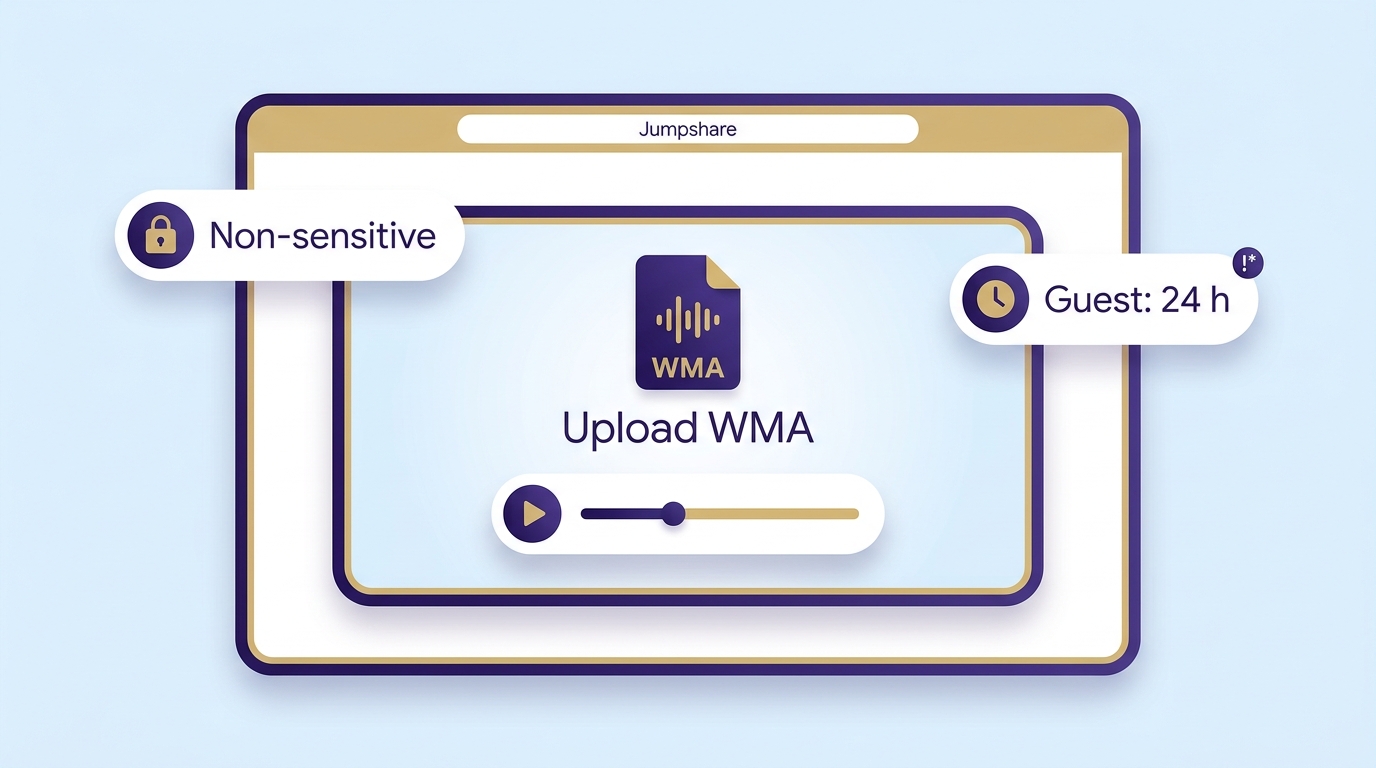
Jumpshare offers a named WMA player online, but browser playback is an upload workflow, not local playback. Use it only when the file's sensitivity and the service's retention terms are acceptable.
- Open the Jumpshare WMA Viewer in a modern browser.
- Select one WMA file or drag it into the upload area, then wait for processing.
- Use the page's player controls after the preview loads.
As of August 2026, Jumpshare states that a guest WMA upload stays on its servers for 24 hours before deletion. If the uploader signs in, the file stays online while the account is active unless the uploader deletes it. Those are the service's stated terms, not a guarantee against every privacy risk.
My practical rule is simple: use online playback for disposable or non-sensitive audio, and use a local WMA player for work recordings, personal archives, or files whose license terms matter. The convenience of avoiding an install does not outweigh unnecessary upload exposure.
What WMA Compatibility Depends On
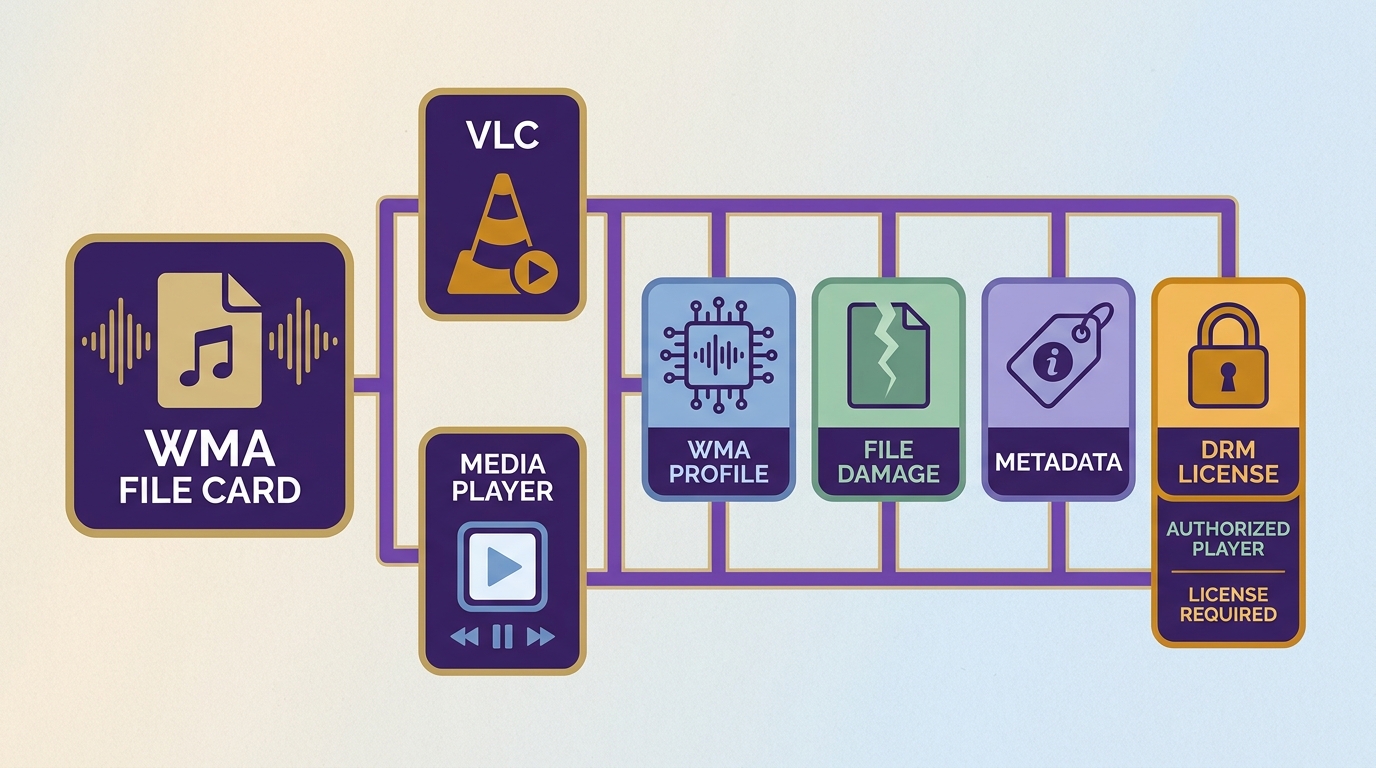
A player can list WMA support and still reject a particular track. The usual causes are the encoding profile, file damage, metadata indexing, or a protected file that needs its authorized player or playback license.
Codec, License, and Metadata Checks
- Encoding profile: WMA is a format family, so support for one profile does not prove support for every WMA file.
- File integrity: copy the file to local storage and try a second player. If both fail at the same point, the track may be damaged.
- WMA metadata: a track can play while album artist, genre, artwork, or track order indexes incorrectly. Re-scan a small folder before importing the full library.
- Playback license: some older purchases use WMA DRM and require the authorized player or license associated with the purchase. A different player or converter may not open them.
I would diagnose in that order because it separates a player problem from a file problem quickly. Conversion is a compatibility fallback for unprotected audio, not a remedy for a missing playback license.
Best WMA Music Players
These six WMA music player options serve different jobs. The useful comparison is between platform reach, library tools, output control, and mixed-media playback, not a universal ranking.
My take is to choose the narrowest tool that solves the real problem. A simple local player is easier for occasional files, while a library manager earns its setup cost only when tags, artwork, search, and playlists matter.
PlayerFab Ultra HD Player
PlayerFab Ultra HD Player is the mixed-media option in this list rather than a dedicated music-library manager. On Windows, it combines supported local audio with video, DVD, Blu-ray, 4K UHD Blu-ray, ISO, disc menus, HDR playback, and home-theater audio output, depending on the selected SKU and hardware.
Before making it your WMA player, test representative tracks and the metadata fields you rely on. Best for: a Windows setup that switches between music, local video, and legally owned discs. Not ideal for: a mobile music library or users who need deep tag editing.
VLC Media Player
VLC is a practical first choice when the same WMA files need to open on Windows, macOS, Linux, iPhone, or Android. It favors direct file and folder playback over detailed music-library management, so it is easy to try without committing to a new catalog structure.
Best for: cross-platform local playback and quick compatibility checks. Not ideal for: browsing a large collection by carefully maintained artwork, album artist, genre, and smart playlists.
Windows 11 Media Player
The current Windows 11 Media Player is a Microsoft Store app and should be named separately from legacy Windows Media Player, which remains an optional Windows feature. If the current app is already installed and the file is ordinary, unprotected WMA, it is the most direct place to start.
Best for: Windows users who want familiar local playback with minimal setup. Not ideal for: cross-platform libraries or listeners who need extensive tagging and output controls.
foobar2000
foobar2000 suits Windows listeners who want manual control over library views, tags, components, and audio output such as WASAPI. That flexibility also creates a steeper setup path than VLC or the current Windows app.
Best for: technically comfortable Windows users with a DAC or a carefully organized collection. Not ideal for: anyone who wants a polished library immediately after installation.
MusicBee
MusicBee is the library-first Windows option. It focuses on artwork, tagging, search, duplicate management, playlists, and a multi-panel collection view, which matters more than raw format count when a legacy WMA library has years of accumulated metadata.
Best for: Windows users managing a substantial tagged collection. Not ideal for: Mac, Linux, iPhone, or Android users, or anyone who needs only occasional file playback.
AIMP
AIMP currently lists Windows, Linux, and Android builds. It provides a music-focused interface and playback controls without requiring the component-heavy setup associated with foobar2000, but Android WMA decoding and metadata should still be checked on the target device.
Best for: users who want a dedicated music interface on its supported platforms. Not ideal for: choosing an Android app without testing representative WMA files and tags first.
WMA Player Comparison
This table shows the verified scope that matters for WMA files. “Test first” is intentional: file variants, device decoders, metadata, and playback licenses can change the result.
| Player | Verified platform | Local or online | Library and metadata | Best fit |
|---|---|---|---|---|
| PlayerFab Ultra HD Player | Windows | Local | Mixed-media library | Audio, video, and discs |
| VLC Media Player | Windows, Mac, Linux, iOS, Android | Local | Basic browsing | Cross-platform playback |
| Windows 11 Media Player | Windows 11 | Local | Basic music library | Minimal Windows setup |
| foobar2000 | Windows | Local | Configurable tags and views | Output control |
| MusicBee | Windows | Local | Detailed library tools | Tagged collections |
| AIMP | Windows, Linux, Android | Local | Music-focused; test Android | Dedicated music playback |
Choose by Library, Privacy, and Output
Play directly when a local app handles the file, use an online viewer only for suitable uploads, and convert WMA to MP3 or AAC only when device compatibility outweighs the quality and metadata tradeoffs.
- Play directly: preserves the existing audio encoding and avoids a new file-management step.
- Use an online viewer: works for a one-off, non-sensitive file when an install is inconvenient.
- Convert an unprotected file: improves compatibility, but lossy-to-lossy conversion can reduce quality and tags may need review.
If conversion creates an MP3 copy, the guide to MP3 players covers playback choices after conversion. Keep the original WMA until the new file's audio, artwork, album artist, and track order have been checked.
For a small set of awkward files, conversion may be reasonable. For a large archive, I would first test two local players and repair metadata where needed; converting the entire collection creates another lossy generation and a second library to maintain.
Frequently Asked Questions
These quick answers cover the failure modes and platform decisions that are easiest to miss after choosing a player.
Why Won't My WMA File Play?
The extension alone does not identify the exact encoding profile or license status. Try a second local player, test a copy from local storage, and inspect whether the file is damaged or protected. A licensed file may still require the authorized player and playback license linked to the original purchase.
Can Android Apps Play WMA Reliably?
Some can, but results vary by app, phone, WMA profile, and metadata. Test a representative folder before migrating a library. Confirm playback plus album artist, genre, artwork, queue order, and search, especially if Samsung Music already failed on the same files.
Is Converting WMA to MP3 Lossless?
No. When the WMA source is already lossy, encoding it again as MP3 can discard more audio information. Direct playback is preferable when available. Convert unprotected files only for compatibility, use a suitable quality setting, and keep the original until the copy passes a listening and metadata check.
Can I Play WMA Files on a Mac?
Yes, with a local app such as VLC. Open a representative file first, then confirm tags and artwork before importing a full collection. On iPhone, use an app that accepts file imports and repeat the same test because desktop and mobile behavior can differ.
Final Thoughts
A WMA music player should match the platform and workflow. Choose Media Player for Windows, VLC across platforms, MusicBee for tagged libraries, foobar2000 for configurable output, AIMP for a music-focused interface, or PlayerFab for mixed local audio, video, and disc playback. Keep sensitive files local.

 6 Best MPEG Players for Windows and Mac (2026)By Alice Harper - Aug 26, 2026
 How to Play Blu-ray Discs on Windows 10 (Free & Pro Solutions)By Alice Harper - Aug 7, 2026
 10 Best 4K Video Players for PC and Mac, Tested in 2026By Alice Harper - Aug 4, 2026
 The 5 Best Free MOV Players in 2026 (Windows, Mac and Android), plus How to FixBy Alice Harper - Aug 4, 2026