8 Best Free Video Players for Windows in 2026: Tested & Reviewed

Summary: The best media player for Windows must offer independent decoding libraries and true GPU hardware acceleration. While VLC remains the top free video player for Windows for quick troubleshooting, PlayerFab stands out as the superior choice for natively organizing and decoding massive local MKV and HEVC libraries.
Microsoft has gradually stripped native support for modern video formats like H.265 (HEVC) and AV1 out of their default operating systems. If you have a hard drive full of high-bitrate movies or complex audio tracks, the built-in Windows Media Player simply isn't going to cut it. After benchmarking over 20 media players across different Windows builds and GPU configurations, I've compiled this guide to the best streaming player that bypasses these restrictions.
How I Selected the Best Video Players for Windows
Reviewing media software isn't just about playing a standard 1080p MP4—any default app can do that. The real test is how a program handles a 60GB 4K HDR rip or a directory full of lossless audio files without choking your system.
Testing Methodology
To ensure these players perform reliably across different setups, I tested them against modern hardware standards and legacy operating systems:
- Operating Systems: Windows 11 Pro (Build 26200) as the primary daily driver, alongside a Windows 10 22H2 partition to verify backward compatibility.
- Hardware Rig: Intel Core i7-13700K, 32GB DDR5 RAM, and an NVIDIA RTX 4070. (Having a 40-series GPU was strictly necessary to test the AV1 hardware decoding capabilities of each player).
- Test Files: 4K HDR10 MKV files, HEVC/H.265 encoded videos, high-bitrate FLAC/ALAC audio albums, and anime files with highly complex, hard-to-render ASS/SSA subtitle scripts.
Core Selection Criteria
Relying on the default OS software does more than just limit which files you can open, it actively bottlenecks your PC's hardware capabilities. When evaluating these free video players for Windows, I required them to solve three technical issues:
- Independent Codec Libraries: The software must rely on its own internal decoding libraries (such as FFmpeg). This means they natively decode heavily compressed formats like H.265, AV1, and FLAC without forcing you to install sketchy, system-level codec packs that can cause registry conflicts.
- True Hardware Acceleration: Instead of maxing out your CPU to decode a 4K file, an optimized video player taps directly into your graphics card. By utilizing APIs like NVIDIA NVDEC, AMD AMF, or Intel Quick Sync, a dedicated player offloads the heavy lifting to your GPU, ensuring smooth playback without dropping frames or spinning up your system fans.
- Advanced Subtitle Rendering: Native Windows media apps routinely fail to display complex subtitle scripts correctly. A robust player renders intricate formatting natively and allows for millisecond-level synchronization offsets when your audio and text drift out of sync.
My Top Picks: Best Media Players for Windows 10/11
Best Overall for Local Libraries: PlayerFab
The best media player for Windows if you have hard drives full of disorganized MP4 and MKV files. It automatically scrapes metadata to build a cinematic poster wall and uses hardware acceleration (NVDEC/Quick Sync) to chew through 4K HEVC and AV1 files.
Best Open-Source Troubleshooter: VLC Media Player
The lightweight tool to force broken files open. It relies on its own built-in libavcodec library, bypassing the frustrating Windows HEVC codec paywall without ads or spyware.
Best for Advanced Customization: PotPlayer
My go-to recommendation for PC power users. It's incredibly light on system resources but allows you to tweak custom video renderers (like madVR), bitstream uncompressed audio, and perfectly sync heavy ASS/SSA subtitle scripts.
Top 8 Best Free Media Players for Windows 10/11
PlayerFab - Best Overall Media Player for Windows
- Rating: ★★★★★ (5/5)
- OS Compatibility: Windows 11/10/8.1/8/7 & Mac
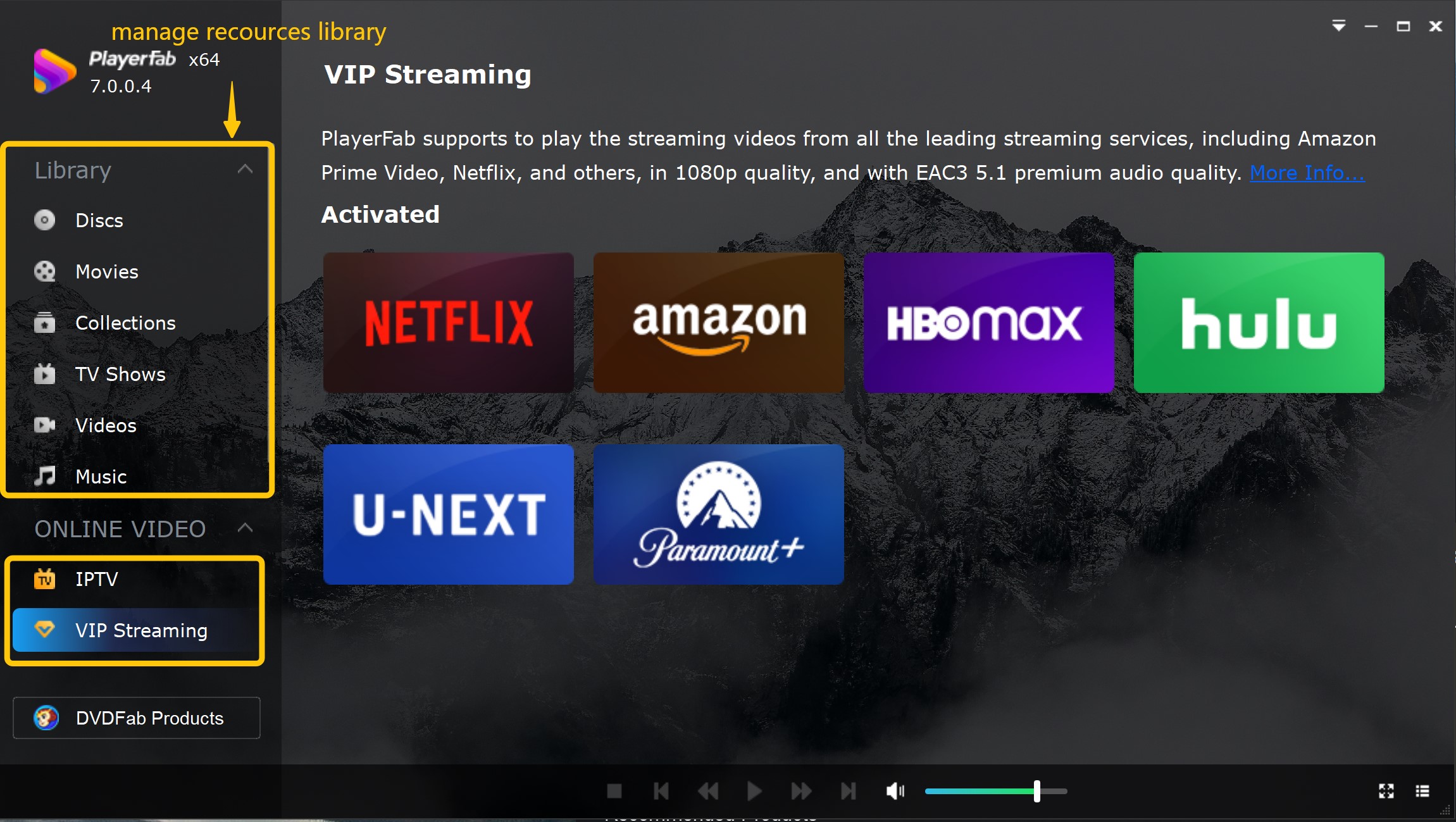
I use PlayerFab as my primary media player for Windows because it solves the mess of local file management. When you have terabytes of loosely named MP4 and MKV files, navigating through Windows File Explorer is a nightmare. PlayerFab scrapes the internet for metadata, transforming chaotic folders into a clean, searchable poster wall. While it is renowned for handling physical discs, its true daily value lies in how it categorizes and plays back large digital directories natively.
On my RTX 4070 test bench, I loaded a 60GB 4K HEVC HDR10 rip. Because this HEVC player successfully offloaded the decoding workload to the NVIDIA NVDEC API, CPU usage on my i7-13700K hovered at a mere 2%. Skipping through the timeline of this high-bitrate file was instantaneous, and the HDR metadata passed through to my monitor flawlessly.
Pros:
- Lossless high-resolution audio passthrough (Dolby Atmos/DTS:X) to AV receivers
- Intuitive, customizable UI with multiple playback modes (PC and TV)
- Regular updates that keep pace with new codec developments
- Excellent customer support and active community forums
Cons:
- Premium disc-decryption and advanced features require a paid license
- Larger installation footprint compared to open-source players
VLC Media Player
- Rating: ★★★★☆ (4.5/5)
- OS Compatibility: Windows 11/10/8/7, macOS, Linux, Android, iOS
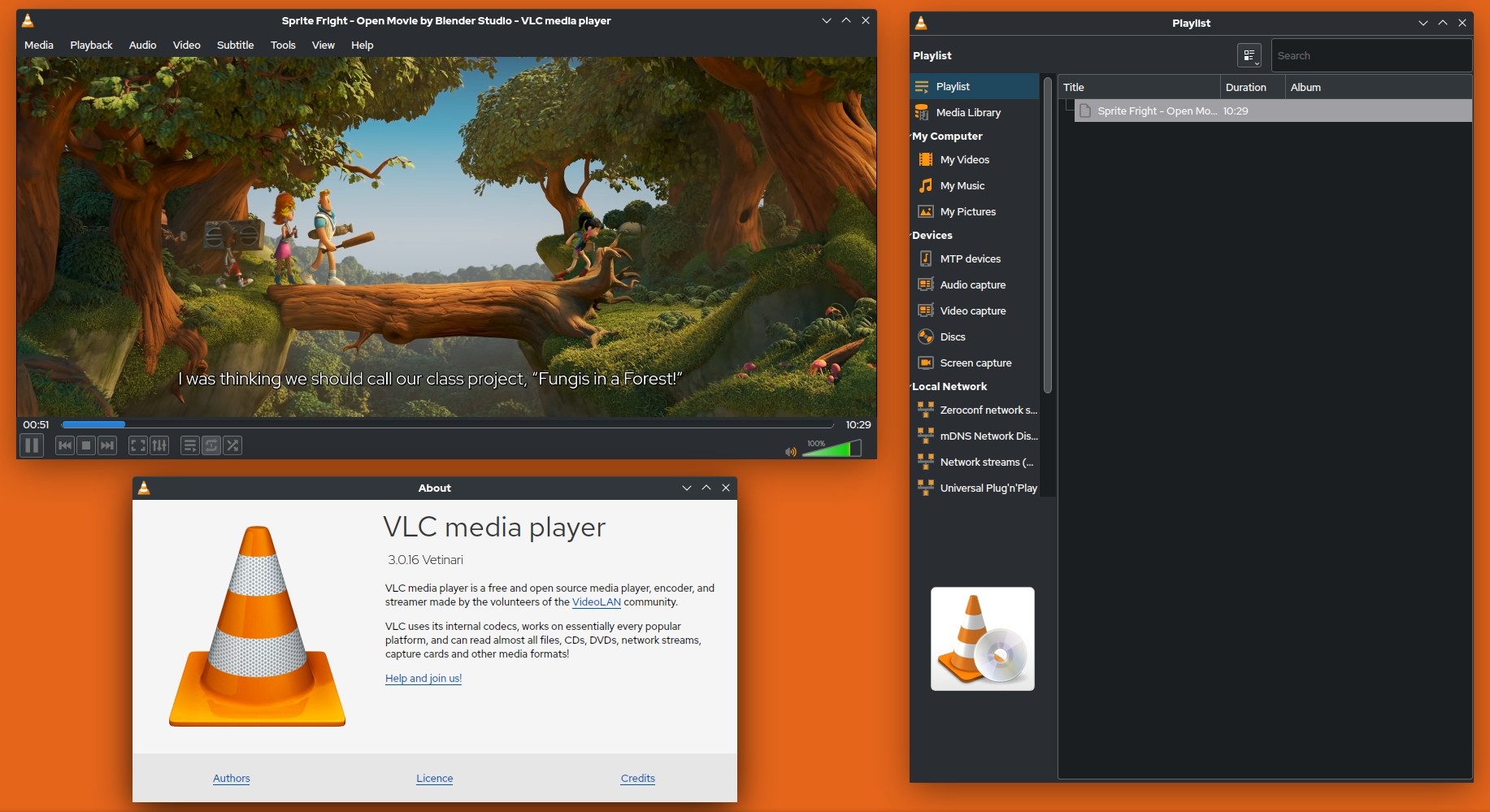
VLC remains an essential free video player for Windows because it simply ignores Microsoft's native codec restrictions. Thanks to its internal libavcodec library, you don't need to hunt down sketchy codec packs or pay for store extensions to play less common video formats. Besides video playback, I also tested this free MP3 player with audio files, and it supports formats such as FLAC and OPUS with no compatibility problems.
I threw a stubborn anime MKV file encoded in H.265 with a complex ASS subtitle script at VLC on my Windows 11. It handled the intricate subtitle rendering without crashing, and wasn't quite as aggressive as PlayerFab's, resulting in a slight 5% CPU usage bump during 4K playback.
Pros:
- Robust network streaming capabilities (HTTP, RTP, RTSP)
- Extensive library of community-created extensions and plugins
- Built-in video/audio conversion and basic editing tools
- 100% free with absolutely no ads, spyware, or user tracking
Cons:
- The interface is severely dated and feels clunky on modern ultra-wide displays
- Default HDR tone-mapping can occasionally look washed out on SDR monitors
For users specifically interested in stereoscopic content, this roundup of 3D video players covers both software and glasses-free hardware options.
PotPlayer
- Rating: ★★★★☆ (4.5/5)
- OS Compatibility: Windows 11/10/8/7 (32-bit and 64-bit)
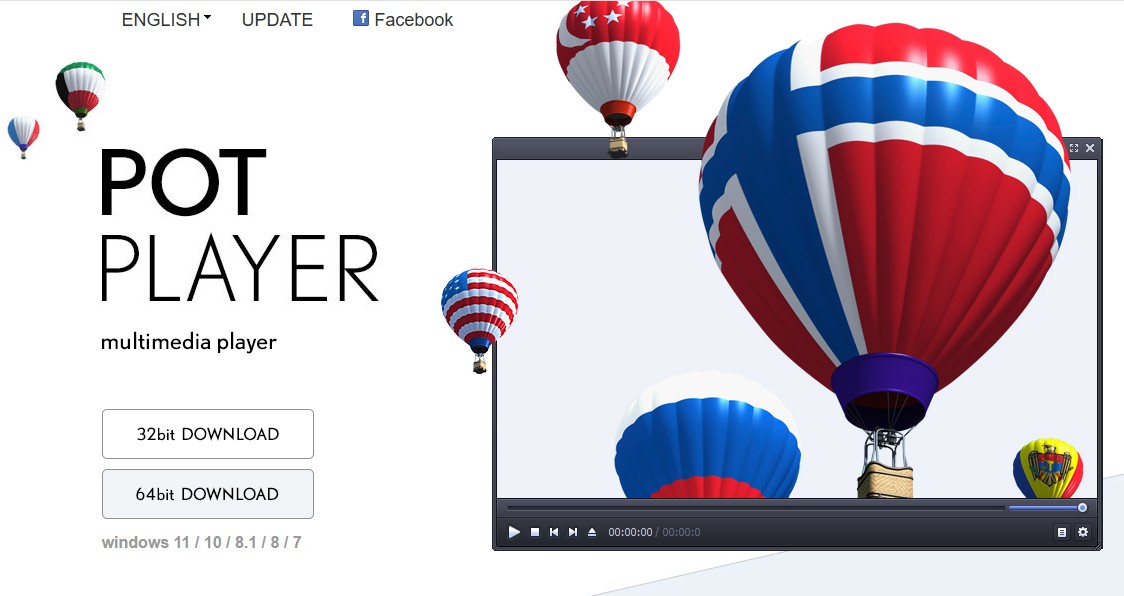
For users who want granular control over the technical backend of their video, PotPlayer is the best video player for Windows 10/11. Developed by the team behind the original KMPlayer, this software lets you dig deep into output settings. I recommend it to users who want to implement custom renderers like madVR to natively upscale lower-resolution files or older DVD rips using advanced algorithms.
I pushed PotPlayer hard by using madVR to aggressively upscale a 1080p H.264 file to my 4K monitor. The RTX 4070 GPU usage hit about 30%, but playback remained locked at a buttery smooth 60fps.
Pros:
- Built-in screen recording and video capture tools
- Massive array of keyboard shortcuts for frame-by-frame control
- Supports 3D video playback with various output formats (Side-by-Side, Top-and-Bottom)
- Seamlessly handles A-B repeating, which is great for language learning
Cons:
- The sheer volume of settings is deeply intimidating for beginners
- The setup wizard occasionally prompts you to install bundled software if you don't read carefully
MPC-HC (Media Player Classic - Home Cinema)
- Rating: ★★★★☆ (4/5)
- OS Compatibility: Windows 11/10/8/7 (32-bit and 64-bit)
While the original project officially halted development years ago, the community-maintained forks (specifically the clsid2 build) keep MPC-HC relevant. It is a fantastic Windows video player that mimics the old-school Windows Media Player interface but packs modern decoding power underneath. It's my go-to recommendation for keeping things lean on modern Windows 11 systems.
I paired MPC-HC with the LAV Filters package to test its raw decoding efficiency. When opening an AV1-encoded test file, the software tapped directly into the RTX 4070's hardware decoder instantly. The i7-13700K processor essentially went to sleep, and the player utilized virtually zero background resources.
Pros:
- Completely portable version available (can run directly off a USB drive)
- Integrates perfectly with advanced external filters and splitters
- Supports DVB playback for unencrypted TV signals
Cons:
- Zero built-in media library management or metadata scraping
- Reliant on independent community forks for modern codec updates
MPV
- Rating: ★★★★☆ (4/5)
- OS Compatibility: Windows 11/10/8/7, macOS, Linux
MPV is a minimalist, open-source media player for Windows that operates entirely without a traditional graphical user interface. You drag and drop a file into the window, and it plays. I respect MPV because it focuses 100% of its development on high-quality video output, utilizing Vulkan and D3D11 APIs for superior scaling algorithms and color management.

Pros:
- Unmatched color management and scaling algorithms out of the box
- Highly scriptable via Lua and JavaScript for custom functionality
- On-Screen Controller (OSC) is unobtrusive and mouse-driven
- Efficient frame pacing for ultra-smooth playback
Cons:
- No traditional settings menu (requires editing configuration text files)
- Command-line nature is completely hostile to casual users
KMPlayer
- Rating: ★★★☆☆ (3.5/5)
- OS Compatibility: Windows 11/10/8/7, macOS, iOS, Android
KMPlayer started as a powerhouse Windows video player and has since transitioned into a multi-platform ecosystem. I include it here for users who frequently switch between their PC and mobile devices and want an ecosystem approach to their media. It natively handles massive files, including 8K and 360-degree VR formats, without needing external codec hunting.
I loaded a high-bitrate 8K VR file exported from a 360-degree camera. The RTX 4070 handled the hardware decoding smoothly, allowing me to pan around the spherical video using my mouse with zero stuttering or screen tearing. However, its overall memory footprint during standard ALAC audio playback was noticeably heavier than PotPlayer.
Pros:
- Cross-platform cloud sync for bookmarks and playback settings
- Built-in GIF maker for capturing specific video moments
- Robust built-in subtitle downloader integration
- Dedicated mobile companion app with casting support
Cons:
- The free version contains intrusive banner ads in the UI
- Higher background resource usage compared to alternative players
GOM Player
- Rating: ★★★☆☆ (3/5)
- OS Compatibility: Windows 11/10/8/7 (32-bit and 64-bit)
GOM Player's standout feature is its built-in Codec Finder. If you stumble upon an obscure legacy format that even standard free video players for Windows struggle with, GOM will automatically search its database and prompt you to download the exact missing filter. It's a highly automated approach to media playback for users who simply want their files to work without tinkering.
Pros:
- Variable playback speed controls (great for lectures or tutorials)
- Excellent built-in screencast and audio capture functions
- Highly skinnable UI with a variety of themes available
- Automated subtitle search based on the video file's hash
Cons:
- Installation wizard aggressively pushes bundled adware
- Displays advertisements within the player's interface
- Requires manual tweaking to smoothly play extremely high-bitrate 4K files
5KPlayer
- Rating: ★★★☆☆ (3/5)
- OS Compatibility: Windows 11/10/8/7, macOS
5KPlayer markets itself as a solution for Apple AirPlay and DLNA streaming, making it a unique free video player for Windows users who exist in a mixed OS environment. If you need to mirror your iPhone's screen to your PC monitor or stream an MP4 from your Windows hard drive directly to a smart TV, this software bridges that network gap natively.
I used 5KPlayer to wirelessly stream a 1080p MKV from my Windows 11 to a DLNA-compatible smart TV over my local 5GHz network. The i7-13700K handled the network handoff easily, and the stream remained stable.
Pros:
- Native AirPlay receiver functionality (rare for Windows software)
- Built-in hardware-accelerated downloader for online video platforms
- Built-in internet radio player with preset satellite channels
- Simple toggle switch for hardware decoding in the main UI
Cons:
- The interface feels cluttered and slightly disjointed
- Aggressive marketing pop-ups for the developer's other software suite
Comparison: How These Windows Video Players Stack Up
To help you choose the best video player for Windows without installing and testing all of them yourself, I've broken down the core technical specifications of my top picks into a quick-reference matrix.
| Media Player | Independent Codecs | Hardware Acceleration | Ad-Free | Best Use Case |
| PlayerFab | Yes | Yes | Yes | Local Media Libraries |
| VLC | Yes (libavcodec) | Yes | Yes | Open-Source Troubleshooting |
| PotPlayer | Yes | Yes | Yes | Advanced Customization |
| MPC-HC | Yes (via LAV) | Yes | Yes | Lightweight Efficiency |
| MPV | Yes | Yes | Yes | High-Quality Scaling |
| KMPlayer | Yes | Yes | No | Cross-Platform Syncing |
| GOM Player | Partial (Codec Finder) | Yes | No | Automated Setup |
| 5KPlayer | Yes | Yes | No | Mixed OS Environments |
FAQs
Is Windows Media Player still available in Windows 11?
Yes, the legacy Windows Media Player still exists if you dig deep into the 'Windows Tools' folder, but Microsoft has replaced it with a modern app simply called "Media Player." This new native app paywalls high-efficiency formats. If you try to open an HEVC (H.265) video, Windows will prompt you to buy a $0.99 extension from the Microsoft Store. That hardcoded limitation is why I recommend bypassing the default app with a dedicated media player for Windows.
If the problem continues after the standard fixes, our Windows Media Player not working guide covers the less obvious causes.
Do I need to install external codec packs like K-Lite?
No, and I strongly advise against it. Back in the Windows 7 era, downloading massive, system-wide bundles like the K-Lite Codec Pack was mandatory to get files to run. Today, doing that will likely corrupt your Windows registry and cause audio desync across other applications. The best video player for Windows relies on its own isolated decoding library (such as FFmpeg).
What is the best free video player for Windows 10?
Windows 10 users face the exact same HEVC and AV1 codec bottlenecks as Windows 11 users. If you just need a reliable, lightweight tool to double-click and play an MKV file without an error message, VLC Media Player is the undisputed best free video player for Windows. However, if you have a massive video files and want to organize them into a scannable library, I recommend installing the VLC alternative, PlayerFab.
Final Thoughts
You don't need to tolerate dropped frames, out-of-sync ASS subtitles, or registry errors just because Microsoft dropped native HEVC and AV1 support. After testing these tools, my recommendations for the best video player for Mac and Windows come down to how you interact with your files. If you want the best media player for Windows to automatically organize a massive folder of MKVs and hardware-decode 4K files, install PlayerFab.

 12 Best HEVC Players for Windows, Mac, and 4K (2026)By Alice Harper - Aug 4, 2026
 Best WMV Player for Mac and How to Play WMV on Mac NativelyBy James Morgan - Aug 4, 2026
 8 Best TS File Players and Playback Tools for 2026By Alice Harper - Jul 28, 2026
 6 Best DVD Players for Laptops in 2026: Drives and AppsBy Alice Harper - Jul 22, 2026