6 Best MP3 Player Apps for iPhone in 2026

Table of Contents
In short, an iPhone MP3 player app is useful when you want to open owned local files without relying on Apple Music. The right choice depends on whether you need simple Files access, cloud or Wi-Fi imports, lossless playback, Apple Music integration, or streaming alongside local MP3s.
Apple's Music app is centered on its managed library, so a folder of MP3s from Bandcamp, a computer, or a CD collection may require a separate workflow. A compatible MP3 player app can open or import those files, but the trade-offs differ between free local playback, cloud access, hi-res audio, Apple Music integration, and streaming.
This guide compares six iPhone MP3 player apps by local-file access, import methods, format support, offline behavior, price model, and iOS compatibility. The recommendations are scenario-based, so a free local player is judged differently from a streaming app or an Apple Music-focused interface.
6 MP3 Players for iPhone in 2026: Free, Offline, and Hi-Res Picks
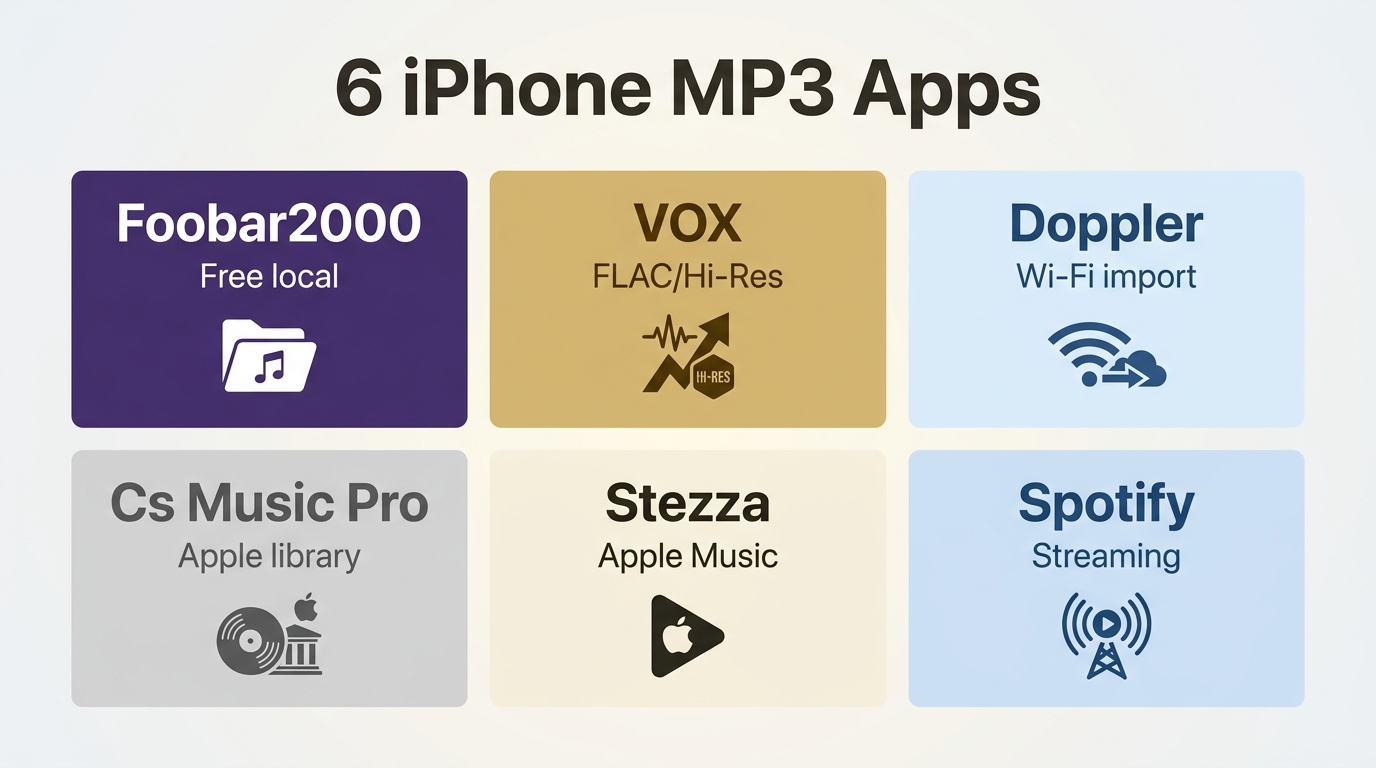
1. Foobar2000 Mobile: Free Local Playback
Price: Free
A good fit for: Free local playback with broad format support.
Not ideal for: A polished cloud library or built-in streaming service.
Foobar2000 started as a cult-favorite desktop audio player for Windows, known for format flexibility and a no-frills approach to sound quality. The iOS version carries those same priorities. It is free to download, handles a wider range of audio formats than any other app on this list, and plays files directly from the iPhone's Files app without any syncing setup required. The interface is minimal, but the playback engine is reliable, and regular updates confirm the app is actively maintained. The official iOS page lists stable version 2.25.8 and a 2.26 preview dated August 20, 2026.
Strengths
- Free to download with no subscription, ads, or locked feature tiers
- Supports MP3, FLAC, AAC, WAV, Opus, OGG, AIFF, WavPack, and Musepack formats
- True gapless playback with ReplayGain volume normalization support
- Loads files directly from the iPhone Files app without a computer sync
- Broad format support for local playback
Worth noting
- Interface is functional but sparse; lacks the polished design of Doppler or VOX
- No cloud storage, streaming integration, or Wi-Fi music import; local file playback only
2. VOX Music Player: Hi-Res and FLAC Playback
Price: Free download; Premium subscription for additional cloud and audio features.
A good fit for: Listeners who prioritize local FLAC and hi-res playback.
Not ideal for: Users who want a fully featured experience without a subscription.
VOX treats audio quality as the central feature rather than a secondary consideration. Its custom-built audio engine handles lossless FLAC files without downsampling to a compressed format, and its equalizer and audio controls provide more adjustment than the standard iOS player. If you maintain a personal library of high-resolution FLAC files from services like Qobuz or Bandcamp, or you have FLAC rips from a CD collection, VOX is a focused option for iPhone listeners who want to play them without converting first.
Strengths
- Plays FLAC, MP3, AAC, WAV, and other hi-res formats at original quality
- Equalizer, bass boost, crossfade, and custom presets
- Streams from SoundCloud and Qobuz in addition to your local iTunes library
- VOX Music Cloud stores your collection without compressing the original files
- Internet radio organized by genre and region
Worth noting
- The free version is limited; full equalizer and cloud features require a Premium subscription
- Cloud storage is a useful addition but not necessary if you only want local file playback
3. Doppler: Wireless Local-Library Imports
Price: Current trial and purchase options are listed in the App Store.
A good fit for: Frequent wireless imports and organized local-library management.
Not ideal for: Users who want a permanently free player after the trial or support for every niche codec.
Doppler is built around a simple idea: your iPhone should hold and play your own music library the way an iPod used to, with wireless and Files-based imports available alongside its purchase model. The current listing documents version 3.2 support for iOS 26. You can import MP3 and FLAC files over Wi-Fi from a computer, drag them in through the iPhone's Files app, or pull from cloud storage like iCloud Drive or Dropbox. The interface is designed to feel like a native iOS app rather than a desktop program ported to mobile. It includes home screen widgets and CarPlay support.
Strengths
- Wi-Fi music import from a computer without a cable or iTunes required
- Supports FLAC, ALAC, MP3, AAC, M4A, and WAV formats
- CarPlay and AirPlay 2 support for in-car and multi-room playback
- Home screen widgets for quick playback control without opening the app
- One-time purchase with a 7-day free trial before committing
Worth noting
- No free version after the trial period
- While solid for most users, excludes some niche codecs (Opus, WavPack) that Foobar2000 handles
4. Cs Music Pro: Apple-Library Browsing
Price: Free download; one-time unlock available.
A good fit for: Gesture-based browsing of an Apple-centered music library.
Not ideal for: Broad Files-based imports or a large range of niche formats.
Cs takes a design-forward approach to music playback, with gesture-based controls that keep navigation fast without cluttering the screen with buttons. The app connects to your iCloud and iTunes library and lets you browse by album, artist, or playlist using swipe gestures that feel natural on larger iPhone displays. For users who want a visually polished player at an affordable price, Cs sits between the free-but-minimal Foobar2000 and the premium subscription tier of VOX.
Strengths
- Swipe gestures for track navigation reduce time spent tapping small controls
- Customizable accent colors via RGB slider with separate day and night modes
- Landscape mode support for a wider album view on larger iPhone models
- Displays track metadata including artist name, album title, and track details
- A one-time unlock is available
Worth noting
- Primarily syncs with iCloud and iTunes libraries; direct local file import via the Files app is limited
- Version 7.3.1; compatible with iOS 16 or later
5. Stezza: Apple Music and Record-Collection Integration
Price: Paid app.
A good fit for: Users who want an iPhone record collection alongside Apple Music.
Not ideal for: A dedicated broad-format player for files outside the Apple library.
Stezza is designed around an iPhone record collection and Apple Music, with an interface that keeps playback controls easy to reach. Buttons are large and high-contrast, readable at a glance and easy to tap without looking away from the road. The app's adaptive theming shifts the interface color to match the current album's artwork, so the visual display stays cohesive as your playlist moves through different albums. Seven language options and a layout optimized for physical reach over visual detail make it a practical choice for commuters.
Strengths
- Large, high-contrast interface buttons designed for safe use while driving
- Adaptive color theme matches the album artwork color of the current track
- Connects to your iTunes media library with support for standard iPod playback features
- Video playback support alongside music files in the same library view
- Available in multiple language versions
Worth noting
- Paid app
6. Spotify: Streaming with Occasional Local Files
Price: Free with ads; Premium subscription available.
A good fit for: Streaming-first listeners with a small local MP3 collection.
Not ideal for: Dedicated local-library management or broad offline file workflows.
Spotify is a streaming service first. Its current US App Store listing requires iOS 16.1 or later. What makes it relevant here is a built-in feature that most users overlook: Spotify can also play local MP3 files stored on your iPhone. Enabling "Local Files" in the app settings adds any MP3s in your library to the same interface you use for streaming, so you get one unified app for both your downloaded files and your streamed content. That integration is useful if you have a mostly-streamed library with a small number of files you own outright.
Strengths
- Free tier includes access to the full streaming catalog (with ads and shuffle-only mode on mobile)
- Local Files setting plays MP3s stored on your iPhone alongside streamed content
- A large music catalog, plus podcasts and audiobooks in the same interface
- Personalized "Discover Weekly" and "Daily Mix" playlists update automatically
- Student discount available for eligible users
Worth noting
- Local file playback is a secondary feature, not a core focus
- Offline listening for streamed content requires a Premium subscription
Compare iPhone MP3 Players by Use Case
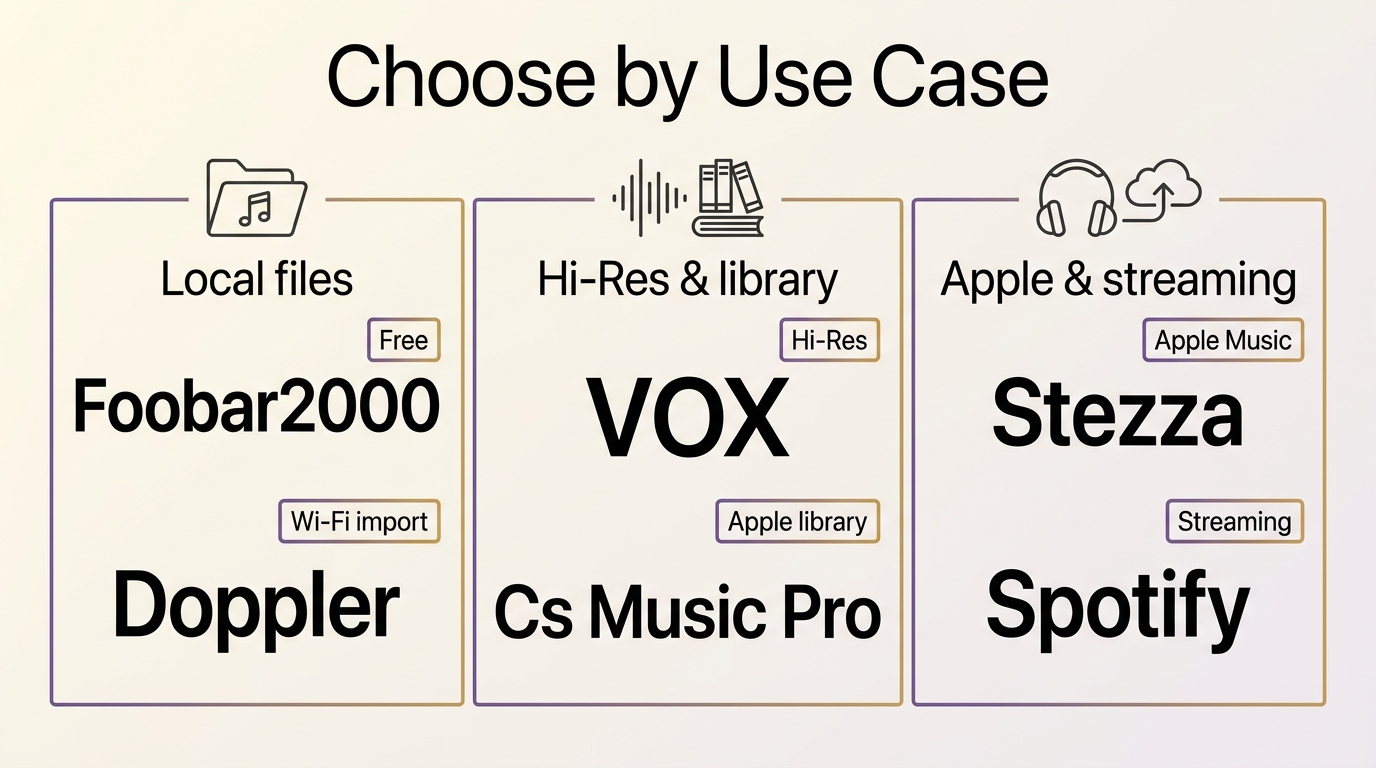
Choosing an iPhone MP3 player starts with the files you already own. Local access, import friction, lossless formats, Apple Music integration, streaming, price model, and iOS compatibility lead to different choices.
| App | Good fit for | Import paths | Formats and offline use | Price and iOS |
|---|---|---|---|---|
| Foobar2000 | Free local files | Files app | MP3, FLAC, AAC, WAV; local offline | Free; iOS requirement varies |
| VOX | Hi-res and FLAC | Files, library, cloud | FLAC, MP3, AAC, WAV; local offline | Free download; Premium; iOS requirement varies |
| Doppler | Wireless imports | Wi-Fi, Files, cloud | FLAC, ALAC, MP3, AAC, M4A, WAV; offline | Trial and purchase; iOS 26 |
| Cs Music Pro | Apple-library browsing | iCloud, iTunes | MP3, AAC, M4A; offline | Free download; unlock; iOS 16+ |
| Stezza | Apple Music integration | iPhone library, Apple Music | Apple-library formats; offline library playback | Paid app; iOS requirement varies |
| Spotify | Streaming plus local MP3s | Local Files | MP3; local offline, streamed offline with Premium | Free with ads; Premium; iOS 16.1+ |
App availability, versions, prices, and iOS requirements are listed as of August 2026.
The table points to four practical choices: Foobar2000 for no-cost local playback, Doppler for repeated wireless imports, VOX for listeners who prioritize lossless files and accept Premium trade-offs, and Spotify for a streaming-first library with occasional local MP3s. Cs Music Pro and Stezza make more sense when your collection already sits inside Apple's ecosystem.
How to Add MP3 Files to Your iPhone
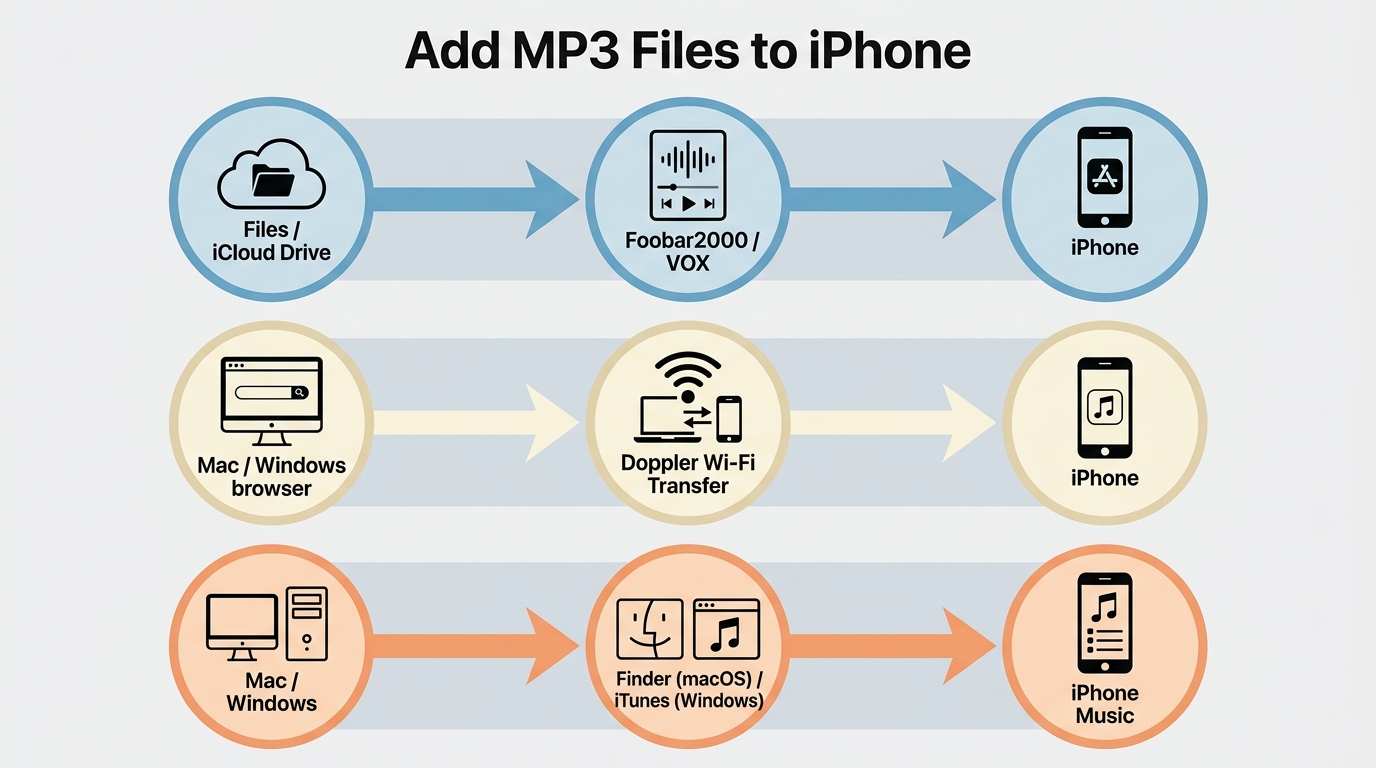
Playing local MP3 files on iPhone starts with getting them into a location the chosen app can access. Files is simplest for a small library, Wi-Fi import is cleaner for frequent transfers, and Finder or iTunes sync remains useful for bulk collections.
Method 1: Import from Files or Cloud Storage
If you have MP3 files in iCloud Drive or on connected external storage, open the Files app and use Share or Open In to send the file to Foobar2000, VOX, or another compatible player. A completed download may still be invisible if it remains outside the selected app's accessible container, so move or share it into that app's folder when needed. The file then stays available for offline playback.
Method 2: Transfer over Wi-Fi with Doppler
Doppler includes a built-in Wi-Fi server that lets you drag MP3 files from a Mac or PC to your iPhone over the same Wi-Fi network, with no cable or iTunes required. Open Doppler, go to Settings, enable Wi-Fi Transfer, then open the address shown in any browser on your computer and drag files in. The files are stored in Doppler's local library and play offline, and the current listing documents support for iOS 26.
Method 3: iTunes or Finder Sync
Connect your iPhone to a Mac or PC with a cable. On macOS Catalina or later, open Finder and select your iPhone under Locations. On Windows, open iTunes. Navigate to the Music section, enable library syncing, and add the folder containing your MP3 files. This method requires a cable but is reliable for bulk transfers of large collections.
iPhone MP3 Player FAQs
Which free iPhone MP3 player has no ads?
Foobar2000 is the clearest no-cost, no-ad choice for local MP3 playback on iPhone. It supports a wide format range including FLAC and does not require a subscription. The trade-off is a functional interface with fewer cloud or streaming integrations.
Does the iPhone have a built-in MP3 player?
Yes. An iPhone can play MP3 audio, including through Apple’s Music app when files are added to its managed library. Music is not a general Files-folder player, though. If you want to open owned MP3s directly from Files or cloud storage, use a compatible app such as Foobar2000, VOX, or Doppler.
Why will an MP3 file not play after download?
Check the file in this order: confirm the download finished, use Share or Open In to place it in the chosen player's accessible container, and try another compatible player if the file is unsupported or damaged. Protected purchases may also be restricted by the service that supplied them; ordinary unprotected MP3 files do not have that catalog limitation.
Can an iPhone MP3 player work with Apple Music?
That depends on the app. Some players can read or complement an Apple Music or device media library, while local-file players keep a separate collection. Apple Music catalog tracks remain subject to the service's access rules, so integration does not turn protected songs into ordinary MP3 files.
Which iPhone MP3 Player Fits You?
An iPhone MP3 player should match the way you manage music: choose Foobar2000 for free local playback, Doppler for frequent wireless imports and a more organized library, VOX for hi-res listeners who accept Premium trade-offs, Stezza for Apple Music integration, and Spotify when streaming is the priority with only occasional local MP3s. These apps address iPhone playback, not a cross-device desktop library; for that broader need, the free MP3 player comparison is a more relevant next step.

 Play Video Files: 4 Paths Across Formats and DevicesBy James Morgan - Sep 22, 2026
 12 Best HEVC Players for Windows, Mac, and 4K (2026)By Alice Harper - Aug 4, 2026
 Best WMV Player for Mac and How to Play WMV on Mac NativelyBy James Morgan - Aug 4, 2026
 8 Best TS File Players and Playback Tools for 2026By Alice Harper - Jul 28, 2026