7 Best Open Source Video Players for PC & Mac in 2026

Summary: Not every player on popular open source video player lists is still under active development. This guide focuses on seven that are. For most use cases, the decision comes down to VLC for immediate, no-setup convenience across all platforms, or MPV for superior 4K HDR image quality. A comparison table covers platform support, hardware acceleration, and maintenance status to help narrow the choice.
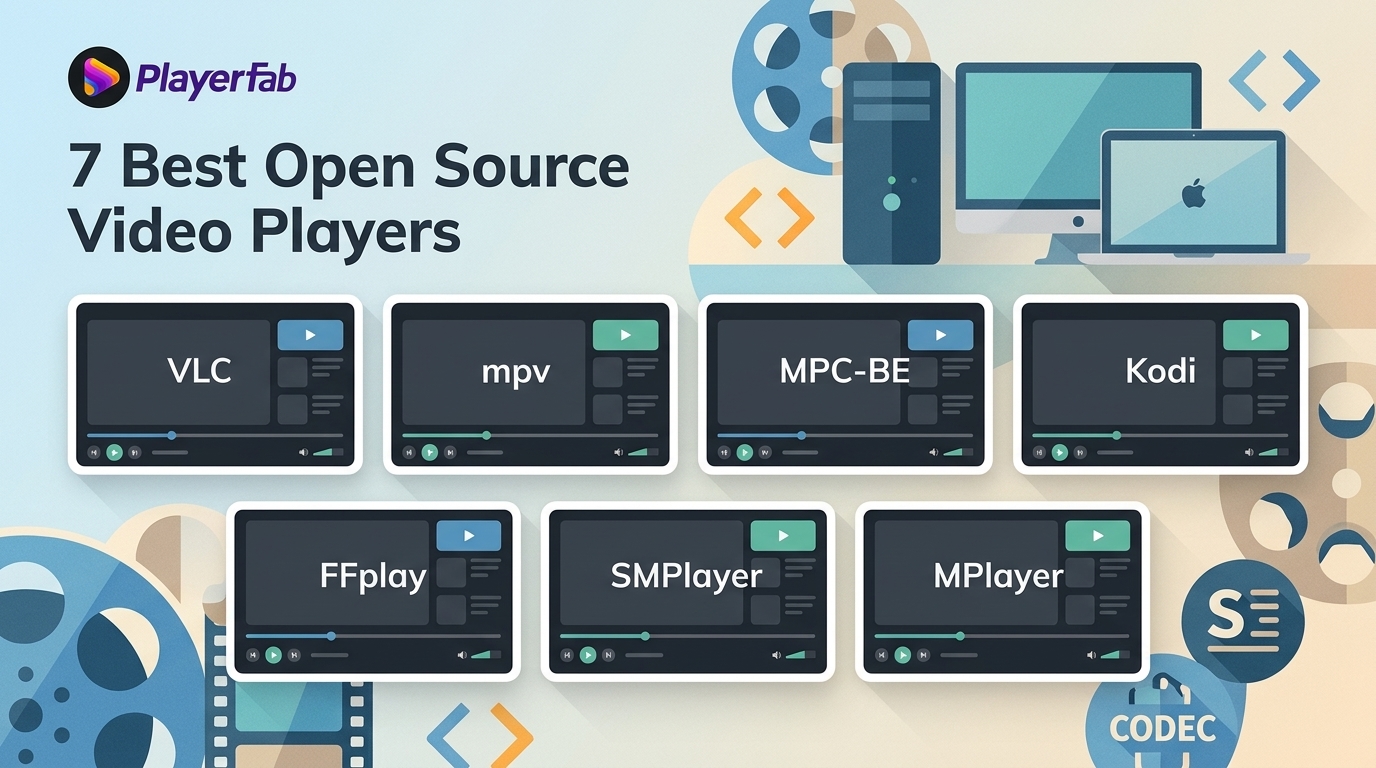
To get straight to the point, the right open source video player depends on your device, setup tolerance, and media library. This desktop guide reviews seven video playback software projects, separating current recommendations from limited-release and legacy options so you can choose with clearer expectations.
This desktop-focused article compares seven open source players for PC and Mac, including current options alongside projects with limited recent releases or legacy roles. Android media player and online video player searches involve different selection criteria and are covered separately. For each player, the review explains its practical strengths, limitations, and best-fit workflow, followed by a compact comparison table.
Open Source Video Players Reviewed
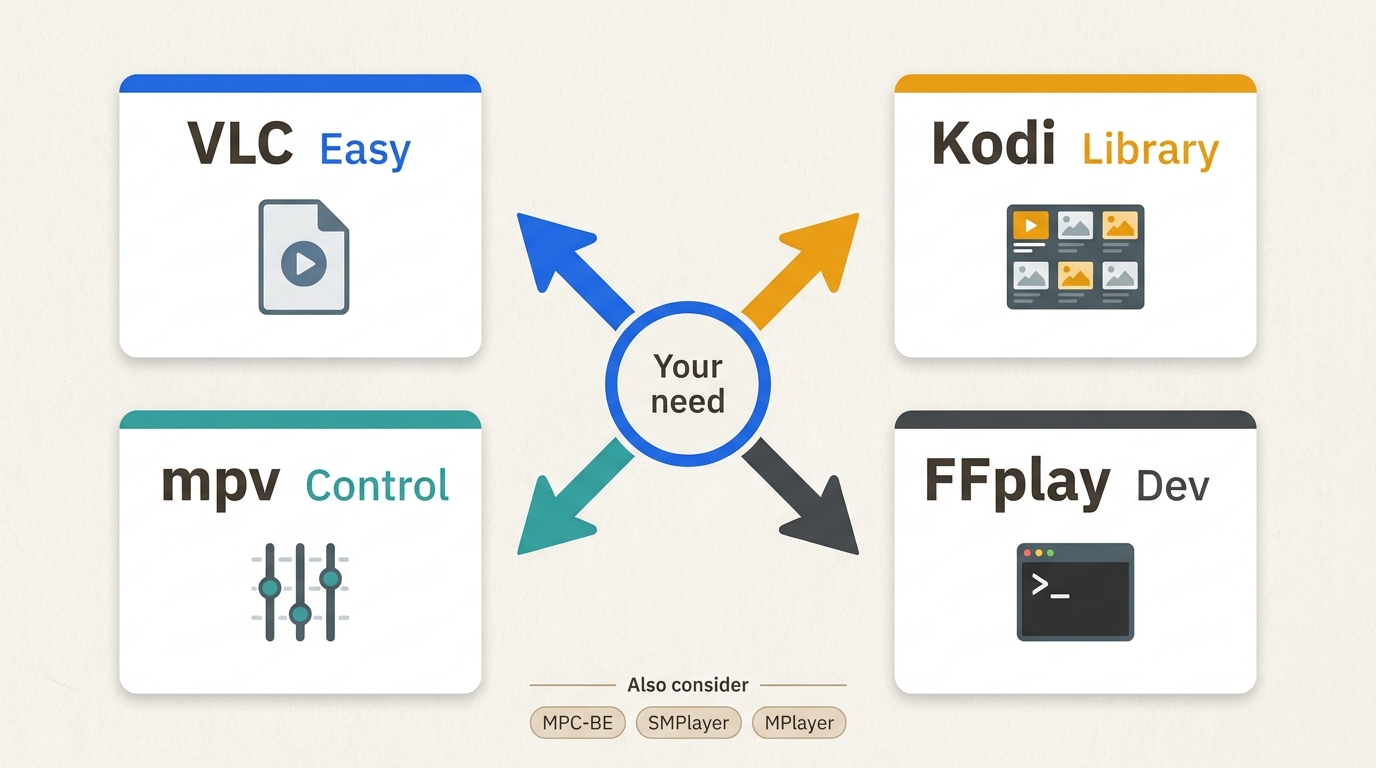
I evaluate these players by five practical factors: maintenance status, platform fit, playback compatibility, setup burden, and the trustworthiness of the official download path. That creates four useful decision lanes: simple local playback, a managed home media library, configurable rendering, and developer diagnostics.
1. VLC Media Player
VLC has been a common answer to "what video player should I install?" for over two decades, and it remains a sensible low-setup choice for many users. It handles a broad range of formats without additional codec packs and runs on Windows, macOS, Linux, Android, and iOS. Broad container support is useful, but it does not settle every MKV player decision because decoding, subtitles, and hardware support also matter.
One area where VLC's reputation slightly oversells its performance is 4K HDR: hardware acceleration is not enabled by default, and finding the setting requires navigating to Tools > Preferences > All > Input/Codecs, a path most casual users never reach. With hardware acceleration properly configured, VLC handles 4K content well on most modern hardware.
Strengths:
- Plays MKV, MP4, AVI, HEVC, AV1, and hundreds of other formats natively
- Available on Windows, macOS, Linux, Android, iOS, and ChromeOS
- No codec packs, background processes, ads, or user tracking of any kind
- Built-in subtitle support including ASS, SSA, SRT, and VobSub formats
- Streams from network shares, HTTP sources, RTSP feeds, and local disc drives
Limitations:
- Hardware acceleration (DXVA2 / D3D11 / VA-API) must be enabled manually; it is off by default
- 4K HDR tone mapping is functional but produces noticeably flatter colors than MPV on the same file
- VA-API support on Linux has been inconsistent across recent releases
2. MPV
MPV is often considered by technical users who want more control over video rendering. Built on FFmpeg, it uses OpenGL, Vulkan, or D3D11 for video output and supports scaling controls, color management, frame timing, and HDR tone mapping. Those controls can be valuable when you want to tune how a demanding 4K file looks rather than relying on default settings.
The trade-off is a minimal interface: MPV launches with a small on-screen controller and is otherwise driven by keyboard shortcuts and a plain-text config file. For Mac users comparing a video player for Mac, MPV suits those willing to configure rendering controls, while VLC is less demanding for immediate playback.
Strengths:
- Vulkan and OpenGL rendering with support for HDR10, HDR10+, and Dolby Vision tone mapping
- Hardware decoding via VA-API, VDPAU, NVDEC (NVIDIA), and VideoToolbox (macOS/Apple Silicon)
- Lua and JavaScript scripting support for custom workflows and automated quality switching
- Active development with frequent releases and a large community script library
- Detailed controls for 4K HDR rendering and motion settings
Limitations:
- No traditional GUI; full configuration requires editing a plain-text mpv.conf file
- Steeper learning curve than VLC for users who prefer point-and-click interfaces
- No built-in media library, playlist management, or metadata scraping
3. MPC-BE: Media Player Classic Black Edition
MPC-BE is a Windows-only player that has become a consistent recommendation in communities like r/htpc and r/software for users who want fast 4K playback. It is an actively maintained community fork of the original Media Player Classic, which stopped receiving updates years ago. MPC-BE adds hardware decoding support, 3D stereo modes, refined subtitle rendering, and ISO mounting to the classic lightweight interface. On a mid-range Windows machine, MPC-BE handles high-bitrate 4K HEVC files with lower CPU usage than VLC in its default configuration, and it launches noticeably faster than either VLC or MPV.
Strengths:
- Hardware decoding via DXVA2 and D3D11 for smooth 4K HEVC and AV1 playback on Windows
- Very fast launch time and minimal memory footprint
- Supports ISO mounting, 3D stereo playback modes, and automatic PC shutdown after playback
- Advanced subtitle rendering with strong support for dual-audio language tracks
- Actively maintained on GitHub with regular community-driven updates
Limitations:
- Windows only; no Linux or macOS version is available
- Interface follows an older design pattern that some users find visually dated
- Less format flexibility than VLC for obscure or legacy container types
4. Kodi
Kodi is not a video player in the same sense as VLC or MPV. It is a full media center application designed to manage and organize a local or networked media library, not to open individual files on demand. Kodi automatically scrapes metadata from online databases, fetches cover art and cast information, tracks watched status, and organizes content by season, genre, or director. It supports thousands of community-developed add-ons and works with remote controls. Kodi takes more initial setup than a file player, but it is designed for a long-term library workflow. For opening a single downloaded file, VLC is faster and simpler. For managing a library of hundreds of films and shows on a dedicated HTPC, Kodi is difficult to replace.
Strengths:
- Full media library management with automatic metadata scraping, poster art, and cast info
- Thousands of community add-ons covering streaming services, internet radio, and home automation
- Compatible with remote controls and optimized for TV-connected PC setups
- Available on Windows, macOS, Linux, Android, iOS, and Raspberry Pi
- Active development with large documentation base and dedicated community support
Limitations:
- Significant setup time required before it functions as a daily media center
- Not practical for users who want to quickly open individual video files
- Third-party add-on quality varies widely; some are abandoned without notice
5. SMPlayer (Limited Recent Releases)
SMPlayer functions as a graphical front-end for MPV (and the older MPlayer engine), giving users access to MPV-based playback through a conventional point-and-click interface without requiring a config file. It supports a wide range of formats through MPV's codec layer, remembers playback position for every file it has opened, and includes a built-in YouTube browser for streaming from the app. A Mac version has been available since version 21.8, although recent release activity has been limited, so it is less suitable for readers who prioritize frequent updates.
As a video player for Windows, SMPlayer can automatically download subtitles from OpenSubtitles.org, handles timing adjustments cleanly, and manages multiple subtitle tracks simultaneously. For users who want an MPV-based interface but find MPV's setup too involved, SMPlayer remains a practical, cautious middle ground.
Strengths:
- Runs on MPV's playback engine, inheriting its 4K and HDR rendering capabilities
- Automatically remembers playback position for every file in the library
- Built-in YouTube browser for direct streaming without a separate application
- Automatic subtitle download from OpenSubtitles.org with timing adjustment controls
- Multiple skins and icon themes available for interface customization
Limitations:
- Recent release activity is limited compared with VLC or MPV
- YouTube integration can break when YouTube makes backend API changes
- Playback quality depends on which engine is configured
6. MPlayer (Legacy Use Only)
MPlayer is one of the oldest open source video players still in use, originally written for Linux in the early 2000s when usable video software for that platform was scarce. It is the technical foundation that both SMPlayer and MPV were built on, which gives it historical significance even as its active development has largely stalled. MPlayer handles legacy video formats well, including older containers like SVCD, PVA, RoQ, FLI, and VIVO that some modern players fail to open. For current use cases involving HEVC, 4K, HDR, or hardware acceleration, MPV is the actively maintained successor and the better choice.
MPlayer remains relevant primarily for users working with very old file formats or established Linux media pipelines where its behavior is well-understood. For a daily player, release recency matters more than historical significance: readers who need modern HEVC, AV1, HDR, or current hardware acceleration should choose MPV instead.
Strengths:
- Reliable support for legacy formats including SVCD, DVD, PVA, RoQ, VIVO, and FLI
- Available on Windows, Linux, macOS, and several BSD variants
- Lightweight and functional in command-line and embedded environments
- Served as the direct technical foundation for both SMPlayer and MPV
Limitations:
- Active development has largely stalled; MPV is the recommended modern successor
- No hardware acceleration support for HEVC, AV1, or 4K content
- Command-line primary interface is not suited to casual users
7. FFplay
FFplay is the video player bundled with FFmpeg, the open source multimedia framework used internally by most of the players on this list. It is not designed for regular daily use: there is no graphical interface, no playlist support, no subtitle rendering, and no persistent settings between sessions. FFplay's value is in development and debugging contexts, where it lets developers confirm that a video file decodes correctly at the FFmpeg library level, without any additional application layer introducing variables.
Strengths:
- Directly uses FFmpeg's decoding pipeline with no additional software abstraction
- Useful for testing codec support and verifying raw playback at the library level
- Available on any platform where FFmpeg is installed (Windows, macOS, Linux)
Limitations:
- No graphical interface, playlist support, subtitle rendering, or persistent settings
- Not intended for general media playback; it is a developer and diagnostic tool
- Requires command-line familiarity to operate
Comparison: Which Open Source Media Player Fits Your Needs
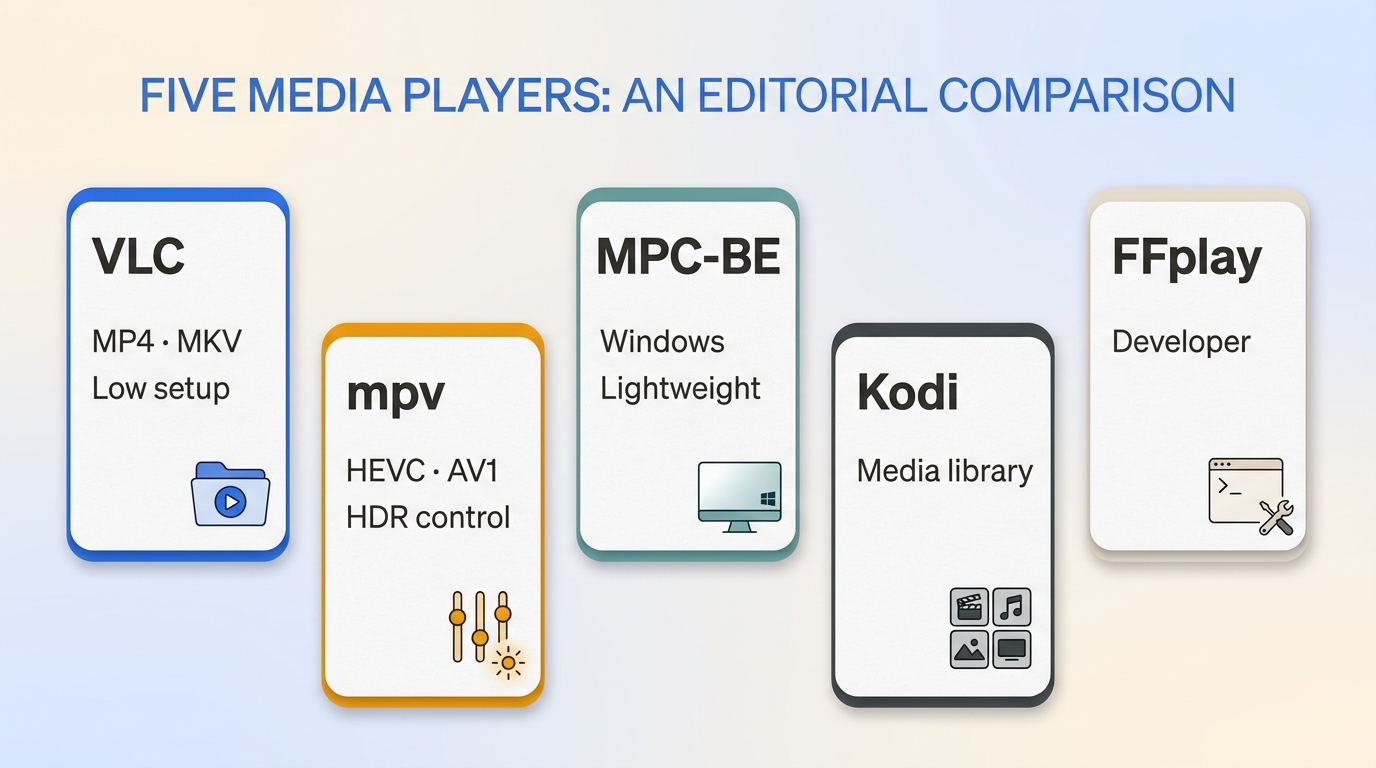
This table compares the five current projects most suitable for a new desktop installation. SMPlayer remains a cautious option with limited recent releases, while MPlayer is best reserved for legacy workflows.
| Player | Platforms | Best fit | Compatibility highlights | Official project and license |
|---|---|---|---|---|
| VLC | Windows, Mac, Linux, mobile | Low-setup local playback | MP4, MKV, subtitles, streams | Project download, GPL |
| mpv | Windows, Mac, Linux | Configurable rendering | HEVC, AV1, HDR controls | Source repository, GPL |
| MPC-BE | Windows | Lightweight desktop playback | HEVC, AV1, subtitle controls | Source repository, GPL |
| Kodi | Windows, Mac, Linux, mobile | Home media library | Metadata, network libraries, add-ons | Project download, GPL |
| FFplay | Windows, Mac, Linux | Codec diagnostics | FFmpeg decoding pipeline | Project documentation, LGPL/GPL |
Release and maintenance status are current as of August 2026.
The practical choice usually follows the workflow. VLC suits simple cross-platform local playback, MPV suits readers who want to tune rendering, and MPC-BE suits a responsive lightweight Windows setup. Kodi belongs in a home-library workflow, while FFplay is for diagnosing codecs rather than watching films day to day.
When a Desktop Player Fits a Local Media Library
Open source video players are often enough for ordinary local-file playback. For readers who want a Windows or Mac desktop player with a basic local library view, PlayerFab Free Video Player is a separate option for local media they are legally entitled to access.
PlayerFab Free Video Player is a desktop app for Windows and Mac that plays local standard- and high-definition video up to 1080p, offers basic DVD playback and a basic poster wall, and includes an AI Live Subtitle trial. It does not support Blu-ray, ISO, 4K UHD, HDR, or DVD menu navigation. For a small local library, the poster wall can make titles easier to browse, while the subtitle feature may be useful when its trial access fits your viewing needs.
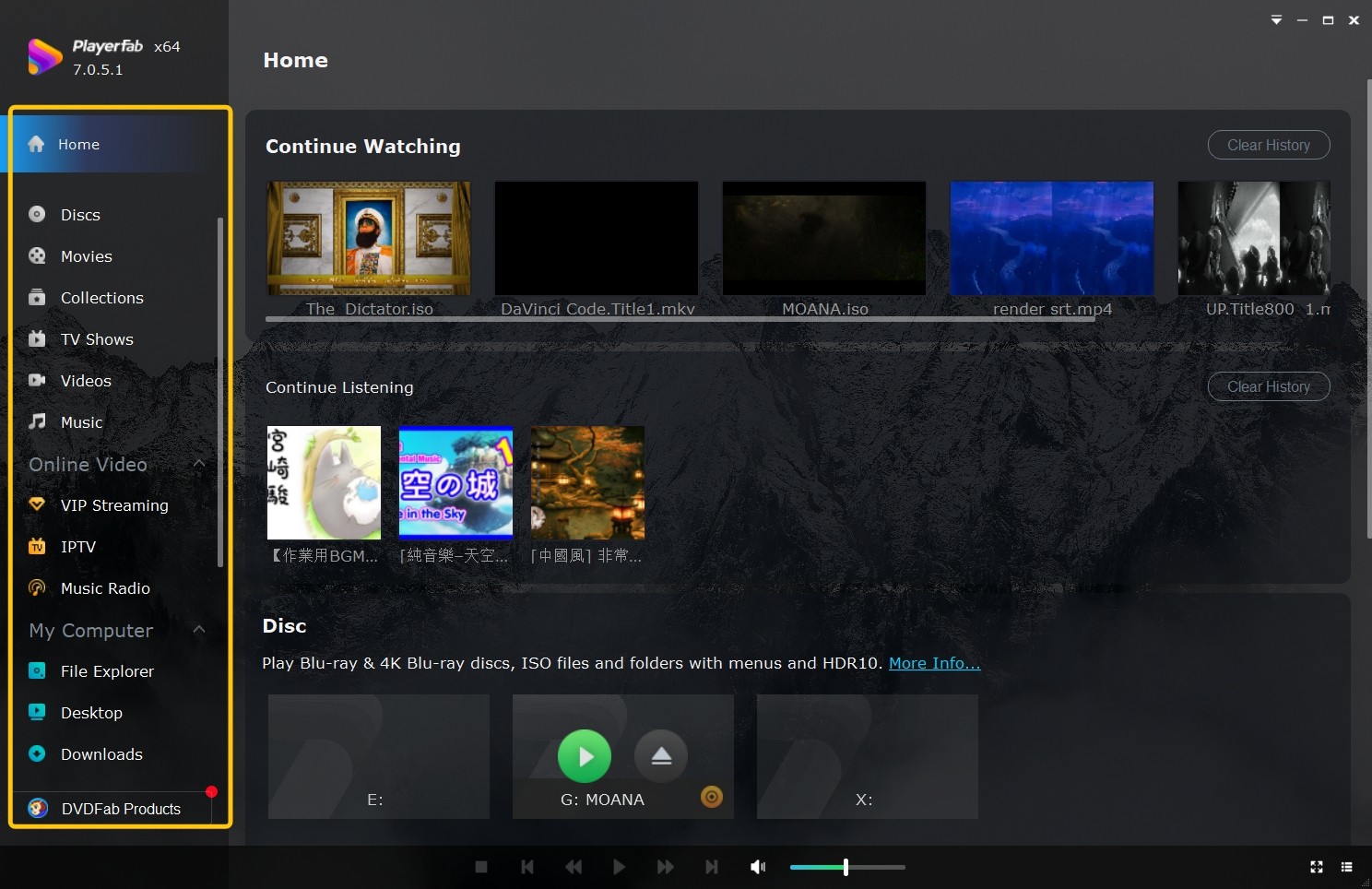
Choose VLC or mpv when you mainly want broad local-file playback or configurable rendering. PlayerFab Free Video Player is more relevant if you want a simple Windows or Mac desktop player with basic library browsing and an AI Live Subtitle trial, provided 1080p playback and basic DVD playback meet your needs.
FAQs
Does hardware acceleration matter for 4K playback?
Hardware acceleration can matter when a high-bitrate HEVC or AV1 file pushes a computer’s CPU hard enough to cause dropped frames or stutter. GPU decoding shifts part of that work to supported graphics hardware, but the available API and setup path vary by player and operating system. You are most likely to notice the difference on older PCs, laptops running on battery, or systems playing demanding 4K files.
Is every open source video player private and ad-free?
No. Open source code makes inspection possible, but it does not mean every packaged build has identical privacy practices. Use the official project page, an official app-store listing, or a maintained repository rather than a repackaged download. Before installing, review the app’s requested permissions, privacy disclosures, and whether optional update or crash-reporting features can be disabled.
Where should I download an open source video player?
Download from the project’s official website, official app-store listing, or maintained source repository. The comparison table above links to the relevant official project pages. Confirm that the page identifies the current release and states the license, such as GPL or LGPL, then avoid generic download mirrors and installers that add unrelated software.
Conclusion
The best open source video player depends on the viewing workflow: VLC is a practical low-setup choice across major desktop platforms, mpv fits readers willing to configure rendering controls, and MPC-BE fits a lightweight Windows interface. Kodi is for a managed home media library, while FFplay is for codec diagnostics; approach SMPlayer as a limited-release option and MPlayer as a legacy tool. PlayerFab Free Video Player is a conditional desktop alternative for local 1080p playback, basic DVD playback, and basic library browsing, not for Blu-ray menus or ISO files.

 Play Video Files: 4 Paths Across Formats and DevicesBy James Morgan - Sep 22, 2026
 12 Best HEVC Players for Windows, Mac, and 4K (2026)By Alice Harper - Aug 4, 2026
 Best WMV Player for Mac and How to Play WMV on Mac NativelyBy James Morgan - Aug 4, 2026
 8 Best TS File Players and Playback Tools for 2026By Alice Harper - Jul 28, 2026