PlayerFab Review: The Story on DVD, Blu-ray, 4K, and Streaming Playback

Summary: PlayerFab brings disc playback, streaming, and local file management under one interface. This review covers what each module delivers, where the limits are, and whether the investment makes sense for your setup.
A PlayerFab review comes down to one distinction: PlayerFab Free Video Player handles local SD/HD files and basic DVD playback on Windows and macOS up to 1080p, while PlayerFab All-In-One groups paid disc, streaming, and subtitle modules. Buy only if those additions match your setup.
If you arrived wondering whether one desktop player can cover a mixed media library, the answer depends less on feature count than on what you play. Local MP4 playback is easy to cover for free; Blu-ray, UHD, supported streaming access, and AI captions sit behind different product boundaries.
My view is to treat this as a workflow decision, not a brand contest. The sections below separate verified Free limits, recent release-note changes, user-reported concerns, and the points where VLC or Kodi is the smarter fit. That distinction keeps free local playback from being confused with the paid modules that carry the harder compatibility questions.
Table of Contents
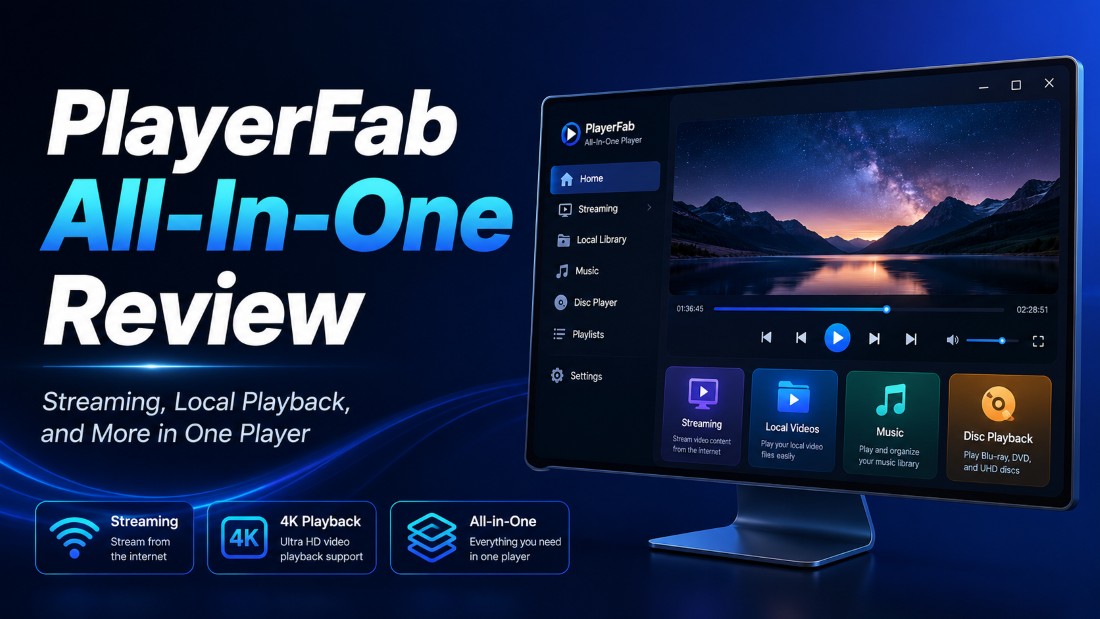
What PlayerFab Includes and Where It Stops
PlayerFab Free Video Player is a Windows and macOS desktop player for local SD/HD files and basic DVD playback up to 1080p. Blu-ray, 4K UHD, HDR, ISO, and supported streaming access sit outside the Free SKU.
The older DVDFab PlayerFab name still appears in searches, but the current product family is easier to understand by task: free local playback first, then paid disc, streaming, and subtitle options. As a DVDFab media player, PlayerFab is built for playback and library use rather than editing or conversion.
PlayerFab Modules, Platforms, and Pricing
PlayerFab pricing is module-based, so the useful comparison is what each option does and where it runs. Exact prices, trial conditions, and license scope depend on the current offer and should not be inferred from older community posts.
| Module | Platform | Core use | Access and scope |
|---|---|---|---|
| Free Video Player | Windows, macOS | Local SD/HD, basic DVD | Free basic version |
| Disc player SKUs | Desktop; SKU-specific | DVD, Blu-ray, UHD options | Paid by named SKU |
| Stream Player | Windows | Supported streaming access | Paid module |
| AI Live Subtitle | Windows | Live recognition and translation | Trial in Free; rights vary |
| All-In-One | Desktop bundle | Groups eligible modules | Scope follows the offer |
Module availability is summarized as of August 2026; PlayerFab pricing, trial terms, and license scope vary by module and offer.
Free PlayerFab, MP4 Playback, and Paid Limits
PlayerFab MP4 playback means opening a local MP4 file; it is not a separate product or price tier. The PlayerFab free version also covers common local SD/HD media and basic DVD playback, but its verified ceiling is 1080p.
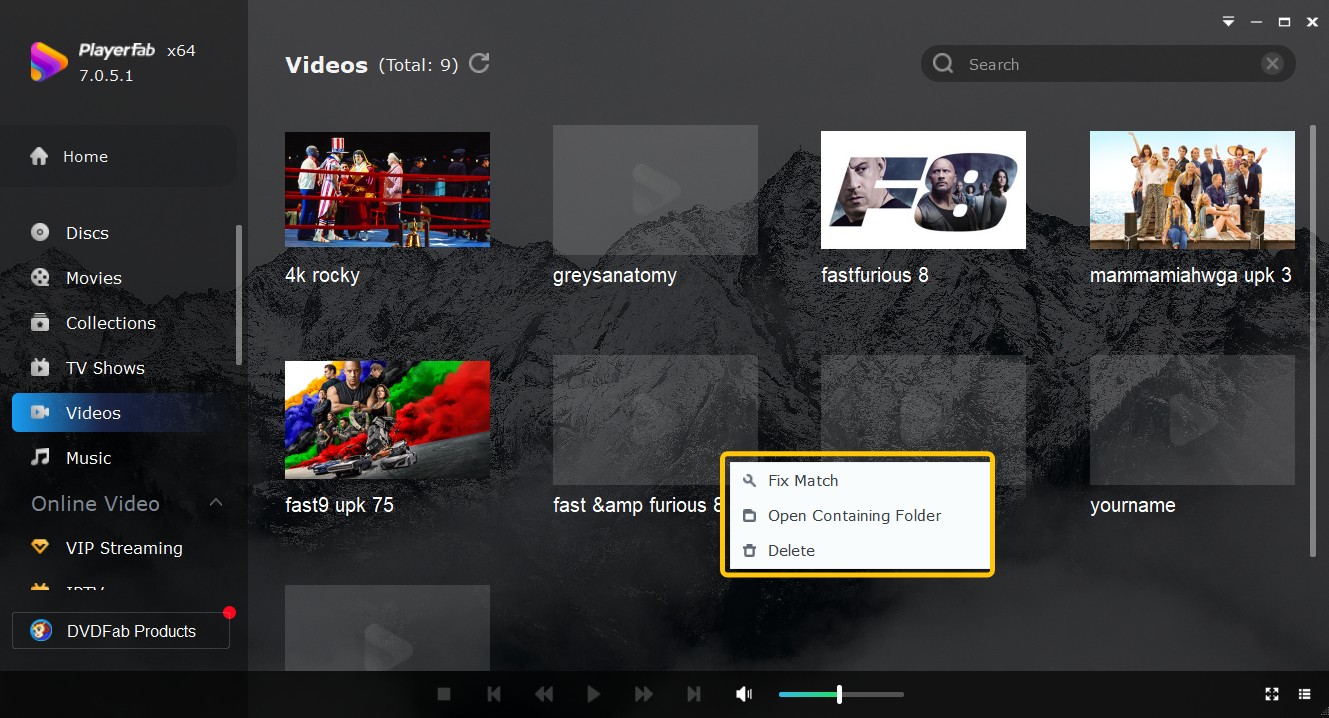
The PlayerFab Free Video Player offers a basic poster wall for local libraries. It does not include Blu-ray, 4K UHD, HDR, ISO playback, or the full paid subtitle entitlement.
No hands-on result is claimed for the media paths below; the table separates documented product scope from the conditions that can change playback reliability.
| Media or path | Free status | Paid path | Reliability boundary |
|---|---|---|---|
| MP4 | Supported local file | Not required | Codec and hardware dependent |
| MKV | Supported local file | Not required | Codec and hardware dependent |
| DVD | Basic playback | Menus need a disc SKU | Disc and drive dependent |
| Blu-ray | Not supported | Blu-ray SKU | Build and disc dependent |
| UHD Blu-ray | Not supported | Ultra HD SKU | Full display chain matters |
| ISO or network share | Not supported | SKU-specific | Build and network dependent |
Streaming Services, Accounts, and Resolution Limits
PlayerFab Stream Player is a Windows desktop module for accessing supported services in one interface. A valid service subscription remains required, while content, resolution, and availability depend on the service, plan, region, and DRM policy.
The PlayerFab Stream Player is useful when several supported services need a consistent desktop launch point. It is less useful when one native app already covers the job, and it should not be confused with a downloader or converter.
PlayerFab Playback and Version 7.0.5.8 Changes
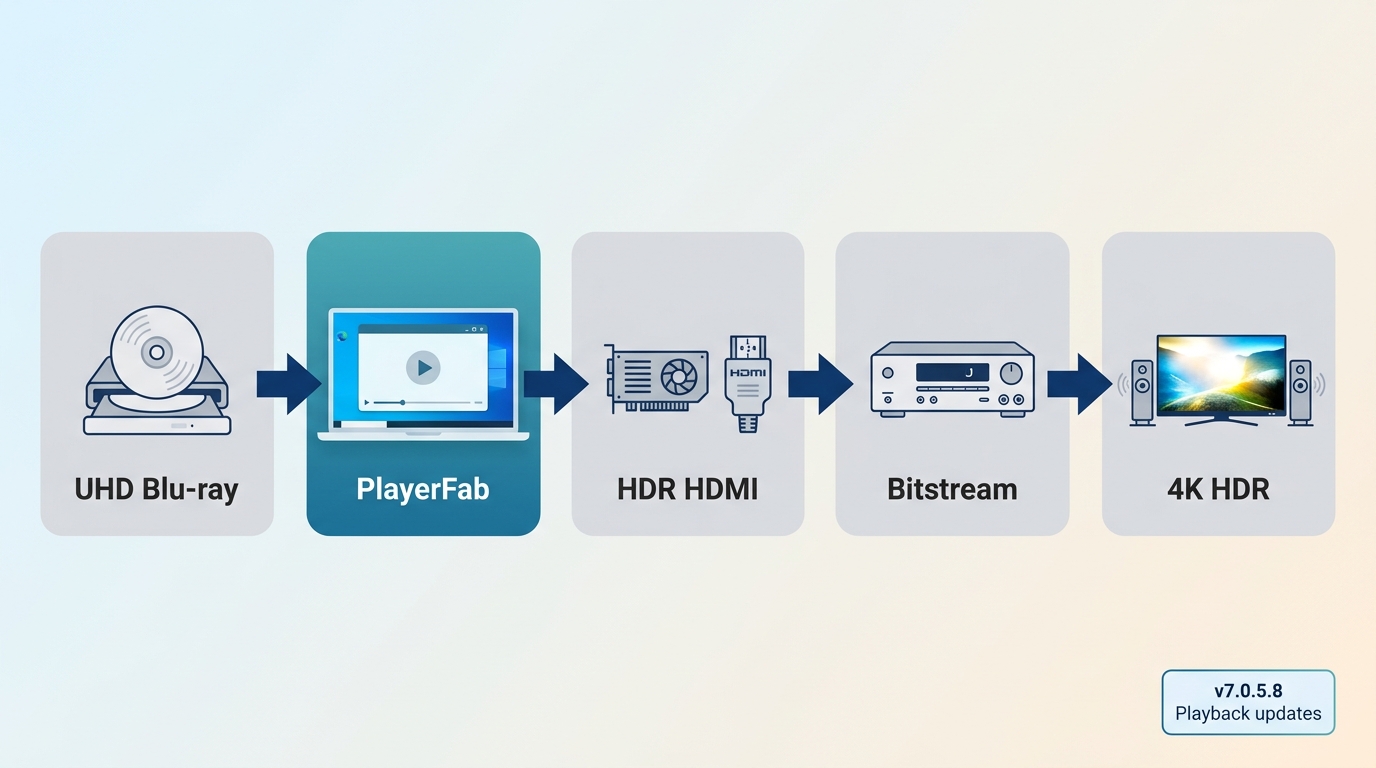
PlayerFab 7.0.5.8 is better described by documented changes than by a blanket reliability claim. Release notes across versions 7.0.5.6 through 7.0.5.8 list AV1 hardware decoding, a 10-bit rendering pipeline, BD-J menus, UNC-share ISO playback, and multiple playback and crash fixes.
Those notes show active maintenance, but a fix list is not the same as a universal hands-on result. I would judge reliability against the exact build, media type, hardware path, and failure being discussed.
4K Disc Playback, Hardware, and Reliability
4K disc playback depends on the full playback chain, not a codec checkbox. The optical drive, firmware, GPU path, HDR display, audio route, and any required internet verification all affect the result.
- Drive and firmware: use hardware that can read the legally owned UHD disc and expose it correctly to the operating system.
- Graphics path: confirm that the GPU, driver, and video output can carry the intended resolution and HDR signal.
- Display chain: the monitor or television, cable, and receiver must support the same HDR and resolution path.
- Audio path: match bitstream or decoded audio output to the receiver, speakers, and operating-system settings.
- Verification: account, license, or disc checks may require an internet connection even when the media is physically present.
The paid Ultra HD Player covers the UHD role in the product family. The optical-drive and display-chain checks in the PlayerFab Ultra HD Player review matter because codec support and commercial-disc conditions are separate issues.
PlayerFab system requirements therefore need to be read as a chain, not a single minimum-spec line. Free Video Player does not support 4K UHD, HDR, Blu-ray, or ISO; those capabilities depend on a suitable paid SKU and compatible hardware.
Stream Player: Useful, with a Ceiling You Should Understand
Stream Player is a convenience layer for supported services, not a replacement for their accounts or regional catalogs. Its value is consistent desktop navigation; its boundary is that platform rules, subscriptions, and service changes still control what can play.
For readers already satisfied with native apps, another interface may add little. For a Windows setup using several supported services, the consolidated workflow can reduce switching, provided the service-specific limits are acceptable.
AI Live Subtitle: Fit and Limits
AI Live Subtitle is most useful when a supported video lacks a suitable subtitle track. PlayerFab 7.0.5.5 introduced automatic language recognition and English translation, while the Free product exposes the feature as a trial rather than a full entitlement.
On supported Windows setups, speech recognition and translation quality depends on audio clarity, background noise, accents, overlapping dialogue, the language pair, and a stable connection. Processing can trail speech, so professionally authored subtitles remain preferable when available.
What Users Report About Reliability and Value
PlayerFab user reviews are most useful as signals, not specifications. Recurring concerns center on update regressions, whether paid modules justify the cost, and what a license actually covers.
One August 6, 2026 Blu-ray regression report describes playback failing after an update. That is a dated anecdote, not proof of a universal defect, but it reinforces why build-specific evidence matters more than saying the software simply works reliably.
Value complaints deserve the same discipline. A high perceived price does not prove poor value, and a lifetime-license complaint does not define official policy. The practical question is whether the named SKU covers the exact disc, streaming, library, or subtitle workflow you need without paying for unrelated modules.
My judgment is to buy only when the required module and license scope are clear. If the purchase depends on an unannounced feature, a future platform port, or a broad promise about all later modules, waiting is the more defensible decision.
PlayerFab vs. VLC and Kodi
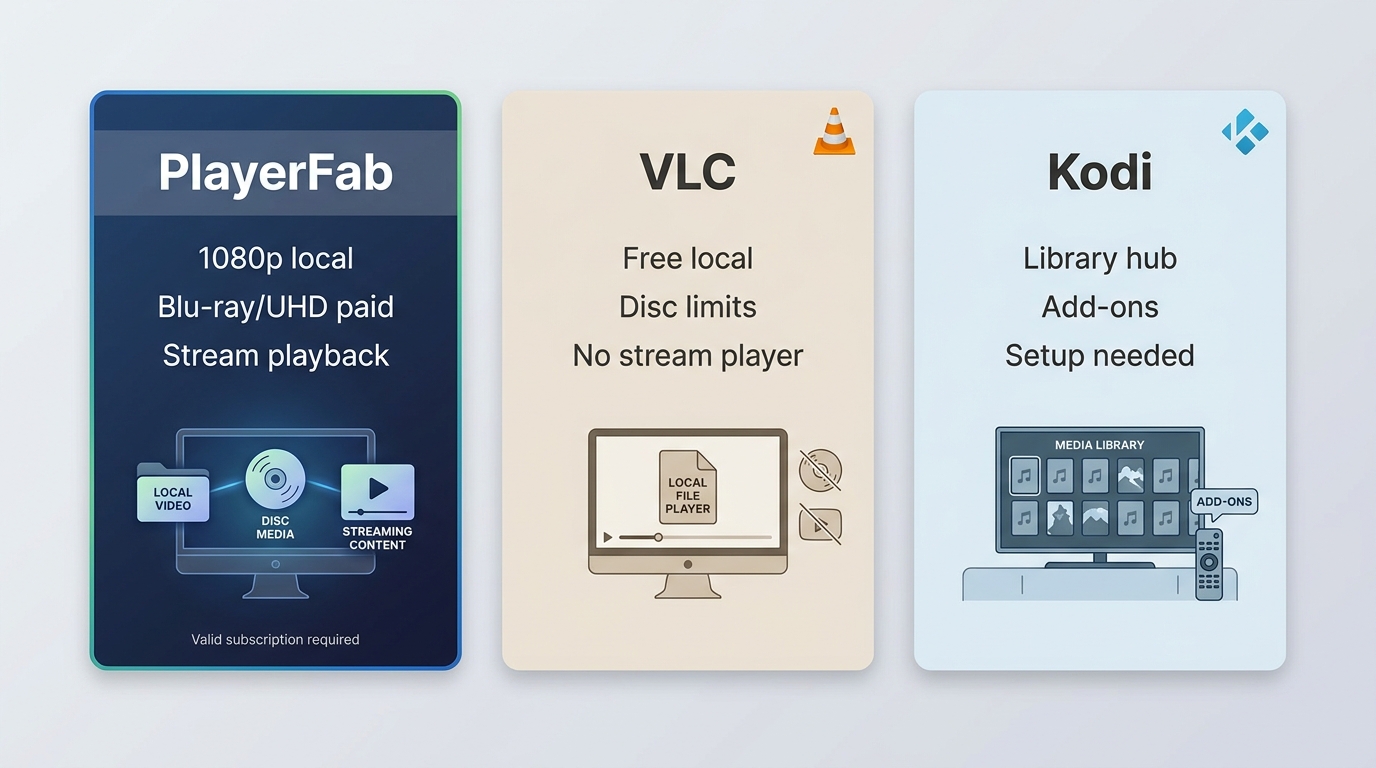
PlayerFab, VLC, and Kodi overlap, but they are not built for the same workflow. VLC favors straightforward local playback, Kodi favors a configurable media center, and PlayerFab adds paid disc and supported streaming options inside one desktop product family.
| Decision point | PlayerFab | VLC | Kodi |
|---|---|---|---|
| Local file playback | Windows/macOS; Free to 1080p | Free, broad cross-platform playback | Library-centered local playback |
| Disc and menu playback | Paid SKU options | Basic paths; limited menu scope | Setup and add-on dependent |
| HDR and lossless audio | Paid SKU and hardware dependent | Device and configuration dependent | Device and configuration dependent |
| Streaming integration | Supported services; Windows module | No subscription-service hub | Add-ons and setup required |
| Library setup effort | Basic poster wall | Minimal library tools | More setup, more control |
| Price and platform fit | Free entry; paid modules | Free, open source | Free, open source |
The practical upshot is simple: choose by workflow, not by the longest feature list.
VLC Fits Straightforward Local Playback
VLC suits users who want a free, active, cross-platform player for common local media without building a larger library system. It is a sensible fit when MP4, MKV, and similar files make up the job.
If local files are enough, paying for another player adds little. A dedicated DVD player for Windows becomes relevant when a disc-focused interface or menu workflow matters beyond basic file playback.
Kodi Fits Custom Media Centers
Kodi suits users willing to configure a full media center, organize a library, and maintain the parts that make that setup personal. The trade-off is time: more control usually means more setup and ongoing attention.
I would pick Kodi for a customizable living-room library workflow, not because it wins every feature comparison. It is less attractive when the goal is a simple desktop player with a short setup path.
Where PlayerFab Adds Disc and Streaming Convenience
For content you're authorized to access, where permitted by platform terms and applicable law, the PlayerFab desktop player brings local, disc, and supported streaming playback into one interface.
That convenience matters when paid disc modules, a basic poster wall, or the Windows Stream Player solve a real workflow gap. It is not ideal for users whose needs stop at free local playback, or for anyone expecting the Free SKU to include Blu-ray, UHD, HDR, or ISO support.
PlayerFab Pros, Cons, and Verdict
The balanced verdict is that PlayerFab offers a useful free entry point and a broad paid product family, but its value depends on SKU boundaries, hardware, platform support, and build-specific reliability.
Pros
- The Free version covers local SD/HD files and basic DVD playback up to 1080p on Windows and macOS.
- Paid modules can add disc, supported streaming, media-library, and subtitle workflows without switching product families.
- Recent release notes document work on AV1 decoding, 10-bit rendering, BD-J menus, UNC-share ISO paths, and stability fixes.
Cons
- The Free SKU excludes Blu-ray, 4K UHD, HDR, ISO, ad skipping, batch download, and subtitle download.
- Some modules are Windows-focused, and high-end disc playback depends on a compatible drive, graphics path, display, and audio chain.
- Price, trial, and license scope vary by module, so All-In-One is not automatically the economical choice.
- Release-note fixes and individual user reports both argue against broad reliability promises.
Who Should Buy PlayerFab All-In-One and Who Should Not
PlayerFab All-In-One fits readers who need several eligible modules in one desktop product family. It is a poor fit when free local playback already solves the problem or when the required feature is unavailable on the reader's operating system.
Consider it if:
- You need more than local MP4 or MKV playback and can name the disc, streaming, library, or subtitle module that fills the gap.
- You prefer one desktop interface and accept the hardware and platform conditions attached to higher-end playback.
- PlayerFab pricing for the needed modules makes more sense than buying capabilities you will not use.
Skip or wait if:
- VLC already covers your local-file workflow.
- Kodi better matches your willingness to configure a media center.
- Your decision depends on a future Mac module, a universal reliability promise, or automatic inclusion of separately sold future features.
Frequently Asked Questions
These answers provide quick boundaries for the Free SKU, platform support, installation, 4K hardware, purchase fit, and lifetime-license scope.
Can I Use PlayerFab Free Without a Paid License?
Yes. PlayerFab Free Video Player covers local SD/HD files and basic DVD playback up to 1080p, with a basic poster wall. Blu-ray, 4K UHD, HDR, ISO, supported streaming access, and full AI subtitle rights sit outside that Free scope.
Does Every PlayerFab Module Work on Mac?
No. The verified PlayerFab free version supports Windows and macOS, while Stream Player and AI Live Subtitle are Windows-focused. Other paid module availability depends on the named SKU, so All-In-One should not be read as identical feature access across both systems.
Is the PlayerFab Installer Safe to Use?
For a PlayerFab safe download, use the installer distributed through PlayerFab's official product site. Installer provenance and playback permission are separate questions: legitimate software still requires valid accounts, licenses, and authorization for the media being played.
What Hardware Is Needed for 4K Blu-ray Playback?
PlayerFab system requirements for 4K include a suitable optical drive and firmware, a compatible GPU and driver, an HDR-capable display chain, the intended audio path, and any required internet verification. A codec list alone cannot confirm disc playback.
Should I Pay for PlayerFab If VLC Meets My Needs?
Usually not for straightforward local playback. Paid PlayerFab modules become relevant when you specifically need their disc, supported streaming, library, or subtitle workflow. If VLC already covers the task, buying extra modules adds cost without solving a new problem.
What Does a PlayerFab Lifetime License Include?
A lifetime license applies to the named product and the scope sold with it. It should not be read as a promise that every separately sold future module or feature is automatically included, and a community complaint should not be treated as official policy.
Conclusion
The short verdict: PlayerFab is worth considering when a verified paid module fills a specific disc, streaming, library, or subtitle gap. It is easy to skip when free local playback already covers the job.
For most readers, the right decision is narrower than “PlayerFab or not.” Start with Free, identify the missing capability, then compare that exact module with VLC, Kodi, and the hardware you already own. That approach keeps the purchase tied to a real workflow instead of a bundle checklist.

 12 Best HEVC Players for Windows, Mac, and 4K (2026)By Alice Harper - Aug 4, 2026
 Best WMV Player for Mac and How to Play WMV on Mac NativelyBy James Morgan - Aug 4, 2026
 8 Best TS File Players and Playback Tools for 2026By Alice Harper - Jul 28, 2026
 6 Best DVD Players for Laptops in 2026: Drives and AppsBy Alice Harper - Jul 22, 2026