Can PS4 or PS4 Pro Play 4K Blu-ray Discs: What You Need to Know

Summary: The answer is no: neither the standard PS4 nor the PS4 Pro can play 4K Blu-ray discs. While the PS4 Pro easily handles 4K video streaming, it lacks the physical optical drive required to read 4K UHD media. From my experience testing home theater setups, since a software update cannot fix a missing hardware component, the effective workaround for collectors is to migrate 4K disc playback to a compatible PC using professional software like PlayerFab.
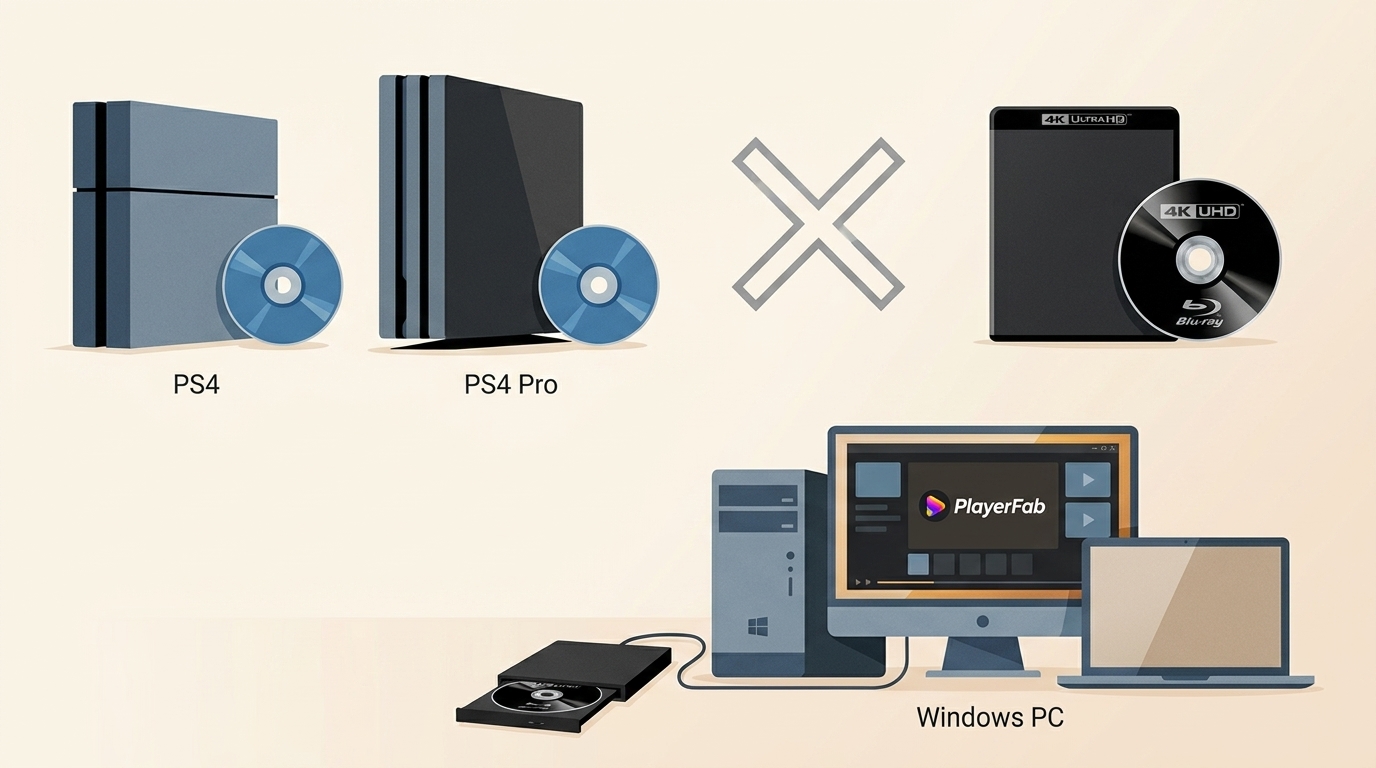
PS4 4K Blu-ray confusion comes from one misleading label: no PS4, PS4 Slim, or PS4 Pro can read physical 4K Ultra HD Blu-ray discs, even though PS4 Pro can output supported 4K and HDR video. The key distinction is digital output versus disc-drive compatibility.
That distinction is easy to miss when a used PS4 Pro is marketed as a 4K media hub. In my view, the problem is not a hidden setting, but the way one “4K” label blends game output, streaming video, and physical-disc support. The model chart below separates those capabilities, followed by practical playback choices.

PS4 4K Support by Model and Format
| Console model | 4K game or video output | Standard Blu-ray playback | Physical 4K UHD Blu-ray playback | Best-use note |
|---|---|---|---|---|
| PS4 | No, up to 1080p output | Yes | No | Standard Blu-ray, DVD, and supported HD media |
| PS4 Slim | No, up to 1080p output | Yes | No | A smaller PS4 for standard Blu-ray playback |
| PS4 Pro | Supported 4K and HDR output | Yes | No | Digital 4K-capable content, not UHD discs |
| PS5 Disc Edition | Yes | Yes | Yes | One console for games and UHD Blu-ray discs |
How PS4 Pro Handles 4K Video
PS4 Pro can output supported 4K and HDR content, including compatible games and video services, when the display and connection support those formats. Its 4K settings affect video output, not the type of optical disc the console can read. That is why a PS4 Pro can look convincing beside a 4K TV yet still reject a 4K UHD Blu-ray.
Why PS4 Drives Cannot Read UHD Discs
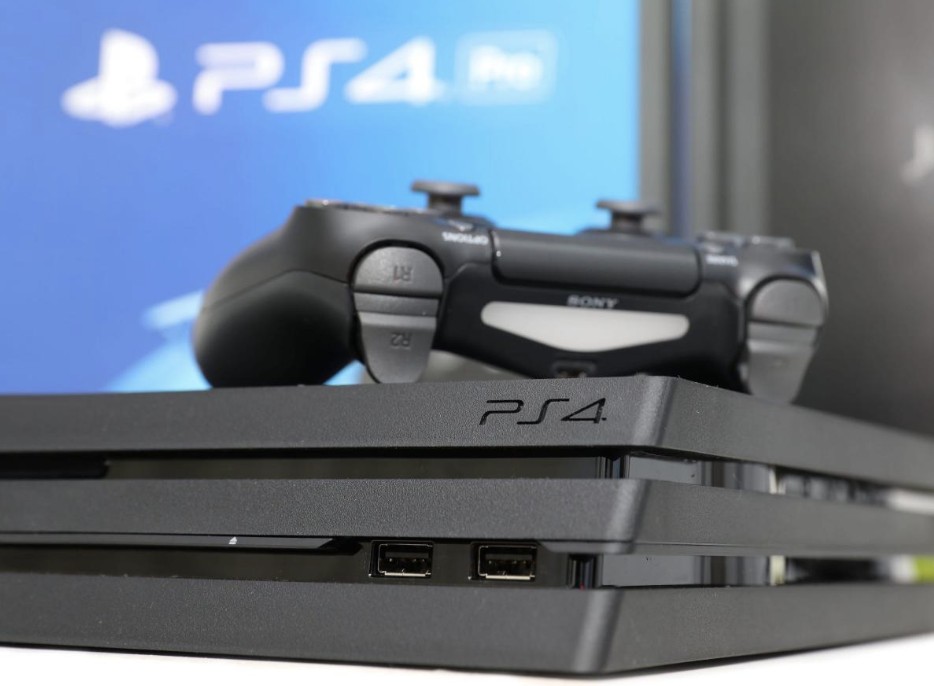
Every PS4-family console has an optical drive for standard Blu-ray and DVD formats, not the UHD Blu-ray format used by physical 4K discs. This is a hardware compatibility limit, so no PS4 setting or system update can add UHD-disc playback.
An unrecognized UHD disc on a PS4 is therefore a compatibility signal, not by itself evidence of a broken console. I would not treat it as a repair problem unless standard Blu-ray discs also fail.
Physical 4K Blu-ray Playback Options
PS5, Xbox, and Dedicated Players
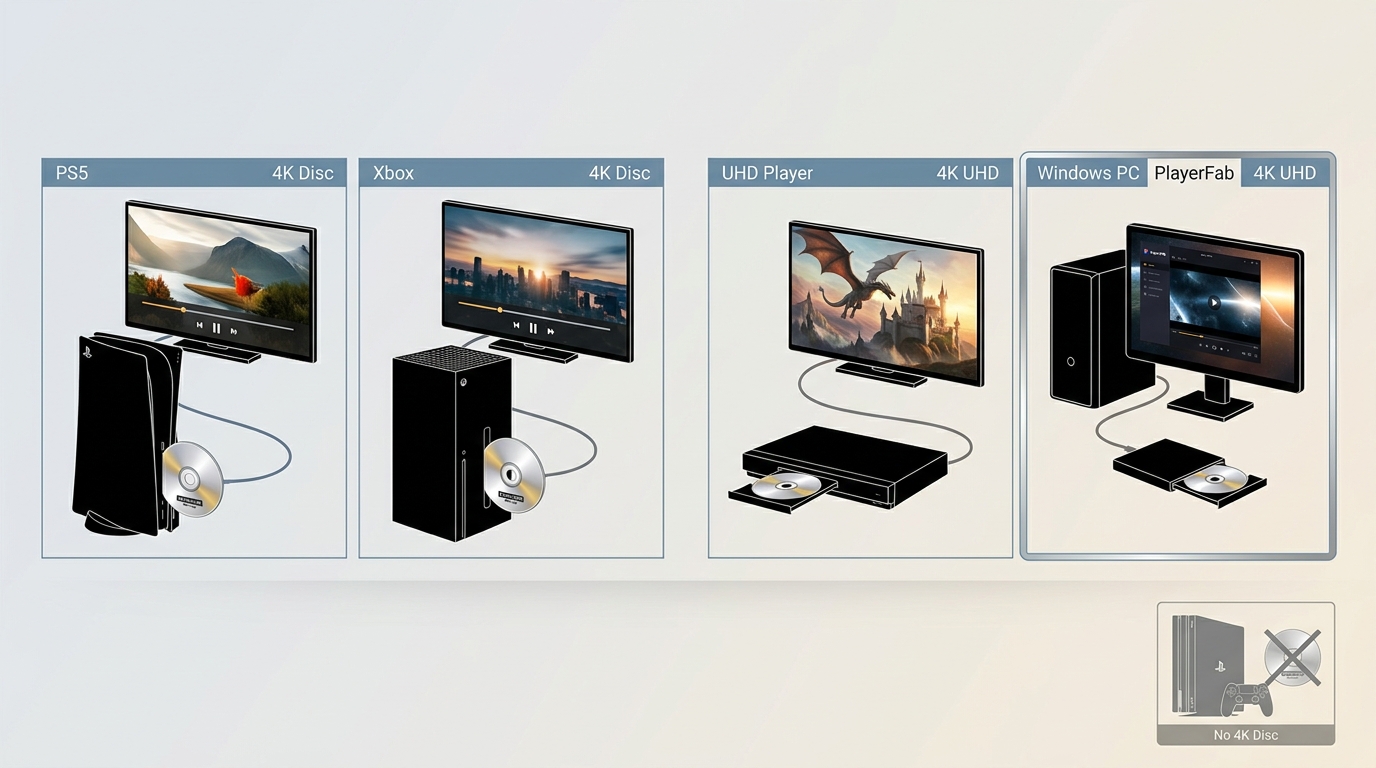
For physical 4K playback, a PS5 Disc Edition is a straightforward fit if you also play current PlayStation games. Compatible Xbox consoles suit households already using Xbox, while a dedicated 4K Blu-ray player can make more sense when home-theater playback is the priority. A standard Blu-ray player does not necessarily read UHD discs, so it helps to know whether a Blu-ray player can play 4K before buying. PS5 Disc Edition supports UHD Blu-ray discs, although it does not support Dolby Vision playback from those discs.
Using a Compatible PC with PlayerFab
A compatible PC is another option for people who already use a computer in their media setup and prefer fewer living-room devices. It requires compatible optical hardware and playback software, so it is less suitable for anyone who wants a simple standalone appliance.
For content you are authorized to access, where permitted by platform terms and applicable law, PlayerFab Ultra HD Player provides a local disc-or-file viewing workflow on Windows and macOS. It supports compatible physical discs, ISO files, folders, and local video files, with hardware acceleration available for demanding playback.
Step 1: Confirm compatible hardware
Connect a compatible UHD optical drive to your computer, then install PlayerFab and select PC Mode or TV Mode for the display you use.
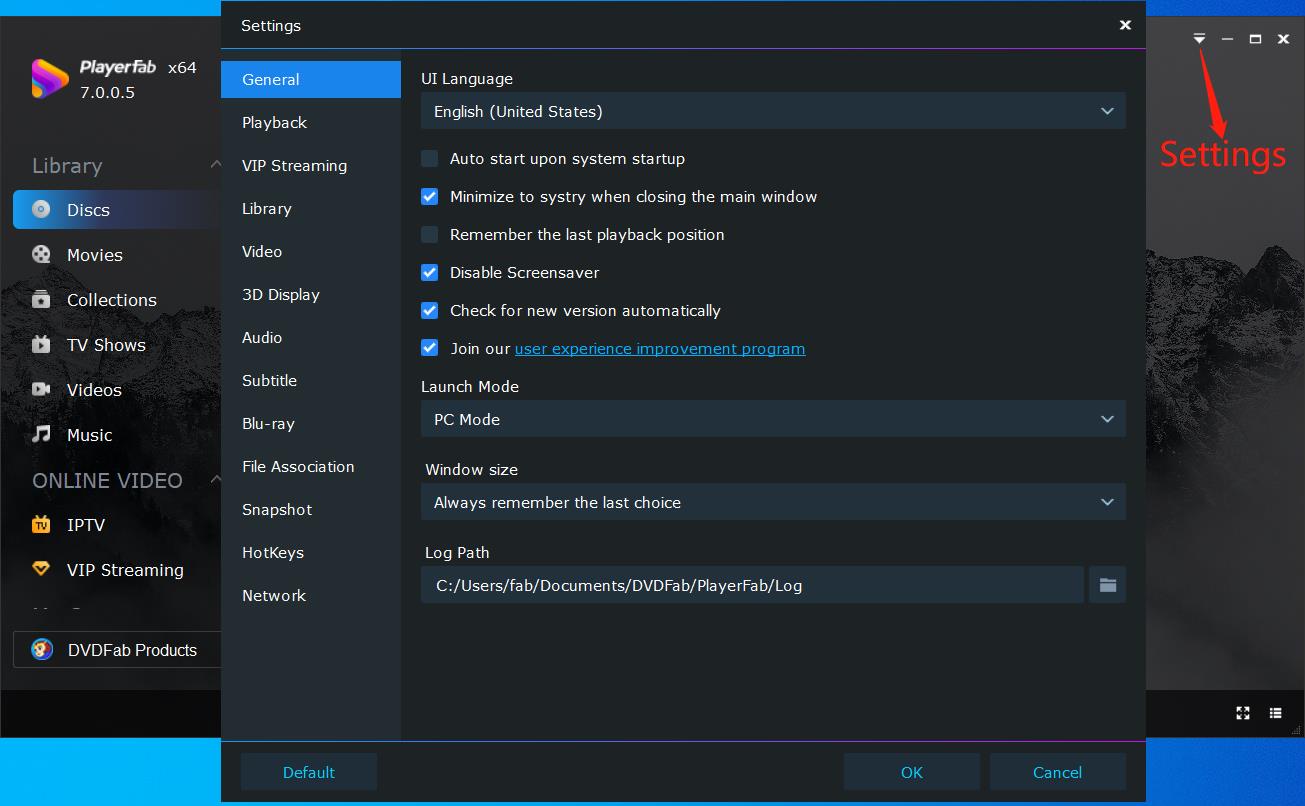
Step 2: Load Your Desired 4K Blu-ray Movie
Open an authorized UHD disc from the connected drive, or choose a local ISO, folder, or video file from your library.
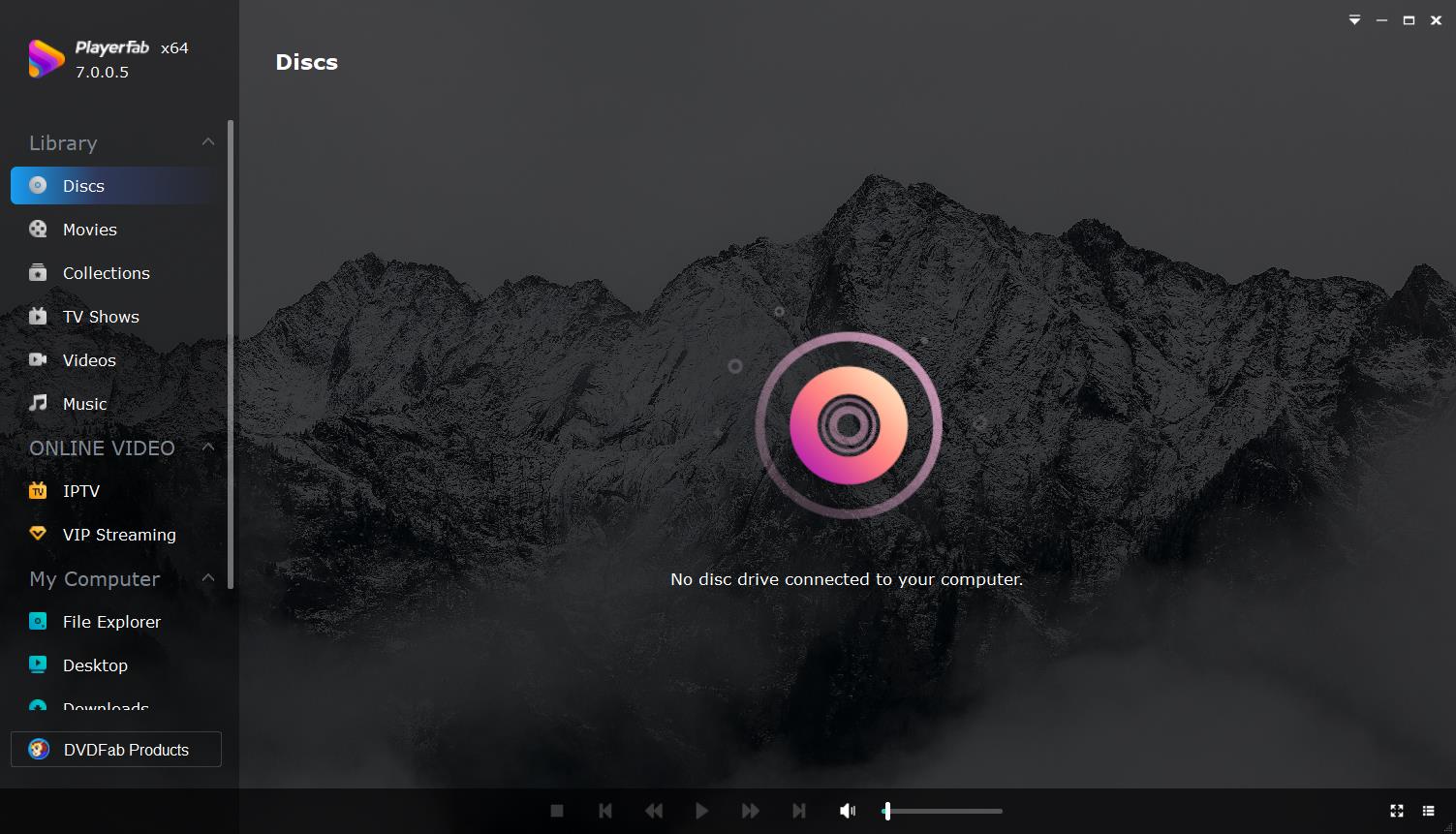
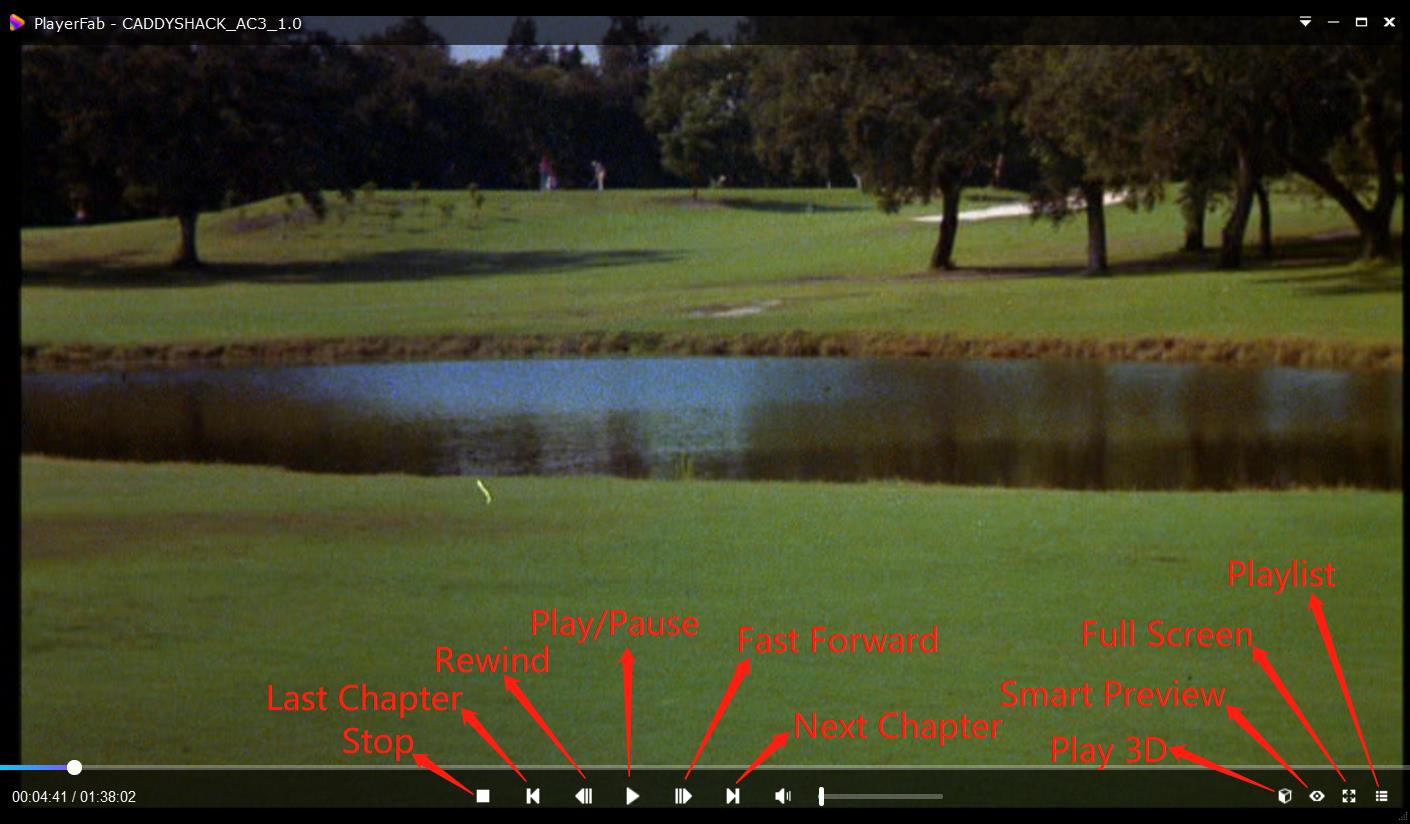
Step 3: Customize Playlist and Play 4K UHD Movie
Choose the playback settings that match your display and audio setup, then start the movie. For a computer already serving as a media center, I find this route more practical than adding another box and another HDMI connection.
Common PS4 4K Blu-ray Questions
Can a system update make a PS4 play 4K Blu-ray discs?
No. A system update can adjust supported PS4 Pro video-output settings, but it cannot add a UHD-capable optical drive to a PS4, PS4 Slim, or PS4 Pro.
Do I need a 4K TV as well as a compatible UHD player?
Yes, a compatible player reads the UHD disc, while a 4K TV and suitable HDMI connection are needed to see full-resolution output. A 4K TV alone does not make a PS4 capable of reading UHD Blu-ray discs.
Why does my PS4 Pro show an unrecognized-disc error with a 4K Blu-ray?
That error is expected when the disc is a 4K UHD Blu-ray because PS4 Pro does not support that format. If a standard Blu-ray also fails, the issue is different; see whether PS4 plays Blu-ray discs for standard-disc compatibility details.
Is 4K streaming the same quality as a 4K Blu-ray disc?
Both can deliver 4K resolution, but they use different delivery methods. UHD Blu-ray discs generally offer less compression and can provide different audio options, while streaming quality depends on the service and your connection.
The Bottom Line
PS4 4K Blu-ray playback is not available on any PS4 model because its optical drive does not support UHD discs. Use a PS4 for standard Blu-ray playback and supported digital 4K capabilities, then choose a PS5 Disc Edition, a compatible Xbox, a dedicated UHD player, or a compatible PC based on your games, home-theater priorities, and available space. PlayerFab Ultra HD Player is a practical PC option when a computer already fits your authorized local media setup.

 6 Best MPEG Players for Windows and Mac (2026)By Alice Harper - Aug 26, 2026
 How to Play Blu-ray Discs on Windows 10 (Free & Pro Solutions)By Alice Harper - Aug 7, 2026
 10 Best 4K Video Players for PC and Mac, Tested in 2026By Alice Harper - Aug 4, 2026
 The 5 Best Free MOV Players in 2026 (Windows, Mac and Android), plus How to FixBy Alice Harper - Aug 4, 2026