Portable Blu-ray Players in 2026: Current Picks and Buying Checks

Summary: Current portable Blu-ray player listings require careful SKU checks because DVD-only products, aging inventory, and incomplete specifications are common. This guide compares a verified large-screen WONNIE listing with a laptop-based setup, then explains the battery, disc, port, seller, and travel-fit checks that matter before buying.
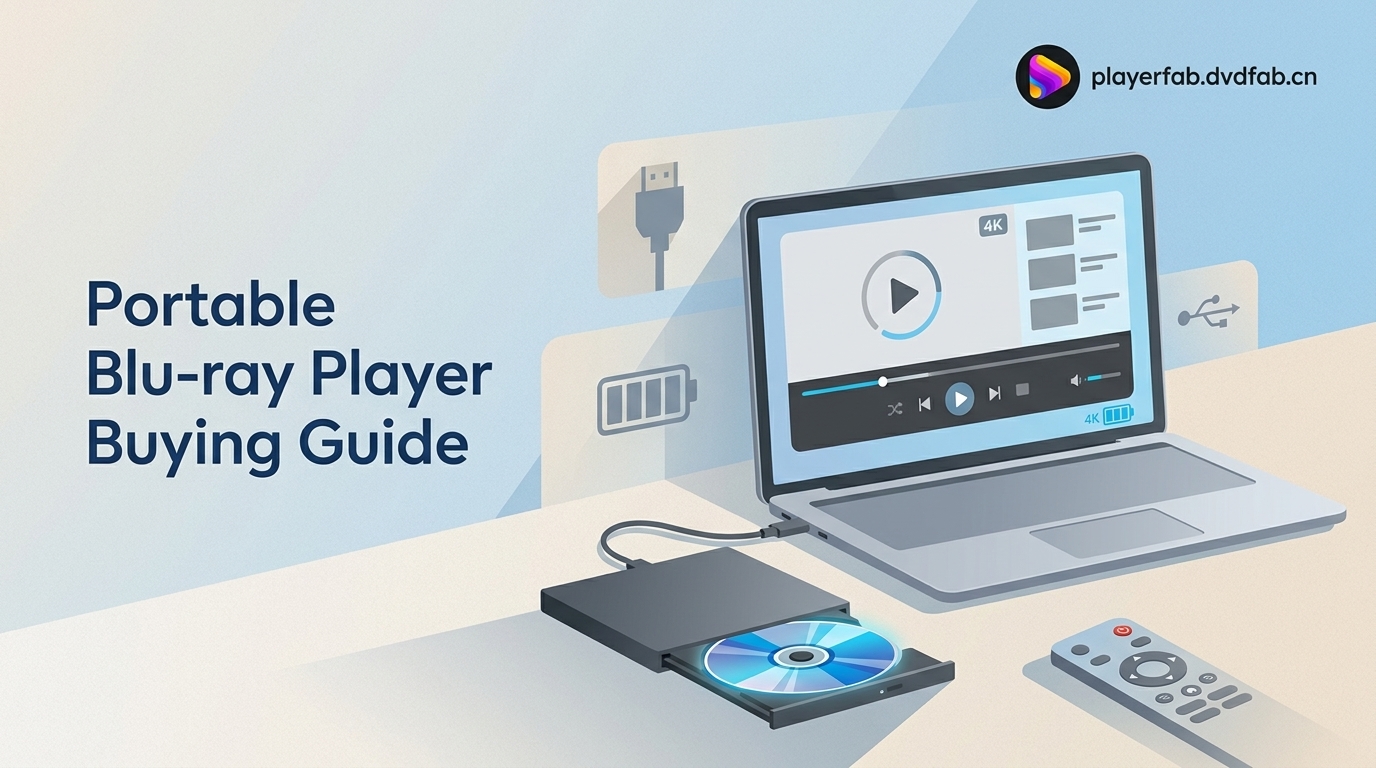
A genuine portable Blu-ray player with screen is harder to identify than the marketplace labels suggest. Current US availability is fragmented, and DVD-only products often appear beside true Blu-ray hardware. The practical choice is between verified self-contained hardware and a laptop Blu-ray player setup.
Table of Contents
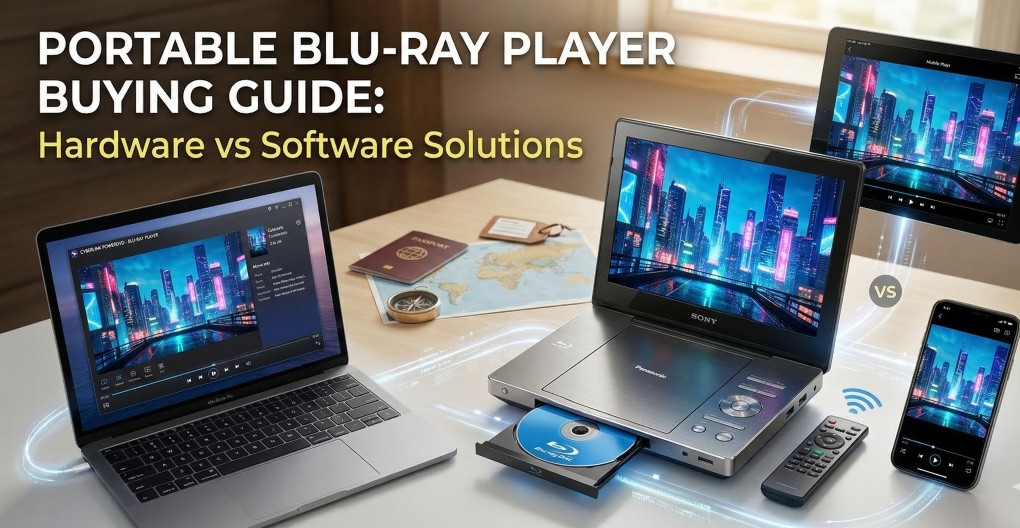
Portable Blu-ray Players: Two Practical Setups
A portable Blu-ray player now means one of two workable setups: a dedicated unit with its own screen, or a laptop paired with a compatible external optical drive and playback software.
Hardware Players With Built-In Screens
A portable Blu-ray player with screen keeps the display, disc drive, speakers, controls, and battery in one device. That simplicity suits travel and rear-seat use, but the exact SKU must explicitly confirm Blu-ray playback.
- Choose this setup when a single self-contained device matters more than format flexibility.
- For a Blu-ray player for car use, check the mount, power adapter, viewing angle, cable routing, and reachable controls.
- Avoid assuming that a familiar brand name or a large screen proves current support, warranty coverage, or true Blu-ray compatibility.
My first buying filter is the model number, not the marketing headline. If the manual and seller page do not agree on disc support, I would not treat the listing as a defensible purchase.
Laptop Setups With External Drives
A laptop Blu-ray player setup combines a compatible Windows or Mac computer, an external Blu-ray drive, and playback software. It can also serve portable 4K Blu-ray player needs when the drive, display, and software support UHD playback.
This route suits readers who already carry a laptop and can accept separate pieces. It is less suitable when a built-in screen, minimal setup, and simple physical controls are the priority.
Current Portable Blu-ray Players to Compare
The current hardware market is too uneven for an indiscriminate top-five list. The safest shortlist publishes exact models only when core Blu-ray and screen specifications can be confirmed.
| Setup | Current US availability and evidence | Screen and disc support | Battery and connections | Ownership checks | Best fit | Not ideal for |
|---|---|---|---|---|---|---|
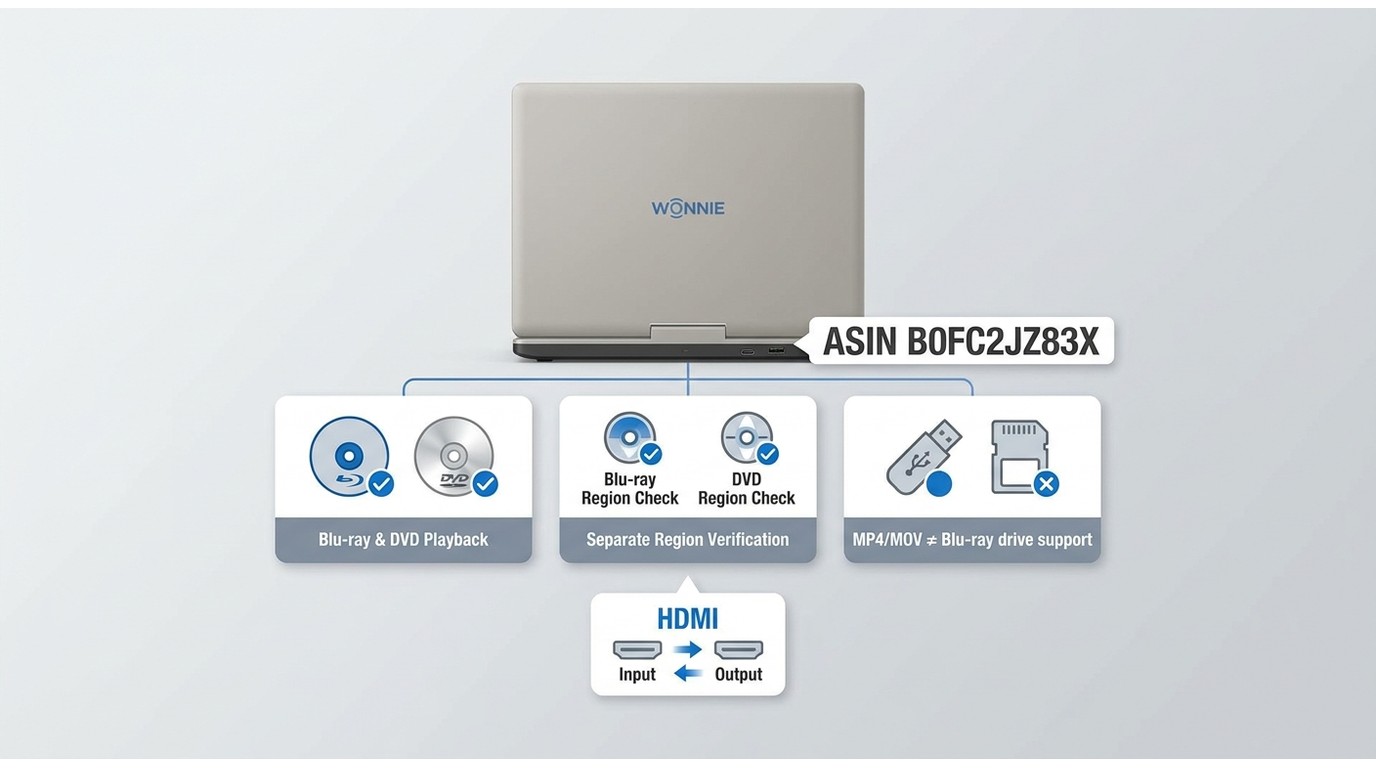
| WONNIE portable Blu-ray/DVD player, ASIN B0FC2JZ83X | Current US Amazon product page surfaced; price and rating evidence were not sufficiently stable to publish. Availability note: as of July 2026. | 17.6-inch body with a claimed 15.4-inch 1080p swivel display; Blu-ray and DVD playback listed. | Rechargeable battery listed without a published runtime in the supplied listing details; HDMI output, AV input, USB, and SD; MP4 and MOV file playback listed. | Region behavior, weight, car accessories, warranty, return terms, and Bluetooth audio require exact-listing confirmation before purchase. | Buyers prioritizing a large built-in screen and self-contained controls. | Buyers who need documented region support, Bluetooth audio, or a verified battery runtime before ordering. |
| Laptop, compatible external Blu-ray drive, and PlayerFab Ultra HD Player | PlayerFab supports Windows and Mac; the external drive must be checked separately for Blu-ray or UHD compatibility. | Uses the laptop display; PlayerFab supports DVD, Blu-ray, 4K UHD Blu-ray, ISO, folders, and common video files within compatible hardware requirements. | Battery life depends on the laptop and external drive; connections depend on the selected drive and computer. | Confirm drive compatibility, total packed weight, power needs, and the software license that fits the intended device. | Readers who already travel with a compatible laptop and value broader local disc and file playback. | Readers who want one unit with a built-in screen and no software setup. |
The table supports two defensible choices rather than a universal winner. The WONNIE listing is the clearer large-screen hardware candidate; the laptop setup is easier to justify when the computer is already part of the travel kit. A supposed budget model with unverified Blu-ray support carries more ownership risk than either.
WONNIE 17.6-Inch: Large-Screen Option
The surfaced WONNIE listing is the strongest current large-screen candidate because the exact Amazon ASIN identifies Blu-ray and DVD playback plus a 15.4-inch 1080p swivel display.
Its limits matter: the available details do not establish runtime, region coding, weight, warranty, Bluetooth audio, or current price. I would keep it on the shortlist for screen size, but I would make the return policy and battery condition part of the purchase decision.
NAVISKAUTO Models: Verify the Exact SKU
NAVISKAUTO remains visible as a brand-level option, but that does not validate the older 14-inch specifications previously attached to this article.
Match the listing, model number, and manual before comparing it with the WONNIE unit. Do not transfer screen resolution, battery claims, Bluetooth features, or warranty terms from one NAVISKAUTO product to another.
Budget Listings: Confirm Blu-ray Support
A low-cost portable Blu-ray DVD player listing is useful only when the exact drive reads both formats. A DVD-only optical mechanism cannot read Blu-ray discs, regardless of how the marketplace title is phrased.
- Find an explicit Blu-ray logo or Blu-ray support statement for the exact SKU.
- Check whether USB and SD claims describe file playback rather than optical-disc compatibility.
- Favor sellers with usable returns over listings that offer a small specification advantage but weak documentation.
Compact Models: Check Battery and Ports
A small Blu-ray player saves bag space only if its battery, charger, and ports fit the trip. Compact dimensions can come with a smaller screen, fewer connection options, and a battery whose condition matters more than its original claim.
For USB Blu-ray playback claims, identify whether the USB port plays digital files, powers accessories, or supports another function. Also confirm whether HDMI is an input, an output, or absent.
Used Players: Inspect Condition and Support
A used portable Blu-ray disc player can be reasonable when the battery, charger, drive, hinges, speakers, and screen are tested and the seller accepts returns.
- Reject a battery with swelling, heat damage, deformation, or uncertain transit history.
- Confirm that the included charger matches the device.
- Test Blu-ray and DVD discs rather than relying on USB file playback.
- Check whether replacement chargers, remotes, and mounting accessories remain obtainable.
Portable Blu-ray Player Buying Checks
The best portable Blu-ray player is the one whose screen, battery, disc drive, ports, and ownership support are documented for the exact unit you will receive.

Screen Size and Native Resolution
Screen size tells you how large the picture is; native resolution tells you how much detail the panel can display. A larger low-resolution panel can look softer than a smaller 1080p panel at normal viewing distance.
My practical check is simple: compare the native pixel resolution, viewing angle, hinge range, and brightness controls, not the word “HD” by itself. For subtitle-heavy films such as Dune or Blade Runner 2049, panel clarity matters more than an extra inch of diagonal size.
Realistic Battery Life and Safety
Blu-ray player battery life varies with screen brightness, speaker volume, disc activity, battery age, and temperature. Manufacturer claims and community experience should not be treated as interchangeable.
One supplied community use case reported around three hours, but that single experience is not a universal runtime. I would treat battery condition as a purchase filter: inspect for swelling, confirm the charger, and plan car or wall power for a long viewing session.
Disc, Region, and File Compatibility
Disc playback, region behavior, and USB or SD file support are separate specifications. A DVD-only player cannot read Blu-ray, and MP4 playback from a memory card does not prove that the optical drive supports Blu-ray.
- Confirm Blu-ray, DVD, and recordable-disc support for the exact SKU.
- Check whether a region-free Blu-ray player claim applies to Blu-ray, DVD, or both.
- Name supported USB and SD formats only when the manual lists them.
- Use the optical-disc specification, not the file-format list, to judge Blu-ray compatibility.
If DVD portability is the main need, a dedicated portable DVD player may offer a wider hardware selection, but it should not be mistaken for a Blu-ray drive.
Seller, Warranty, and Return Policy
New disc-player launches are uncommon, and active brand choice is narrowing. That makes seller reputation, exact-SKU documentation, warranty coverage, returns, and replacement parts central ownership checks.
I would accept a modest screen or port compromise from a seller with clear returns before gambling on an undocumented specification from an unknown storefront. A return policy can outweigh a small paper advantage when battery and drive condition are uncertain.
PlayerFab as a Laptop-Based Alternative
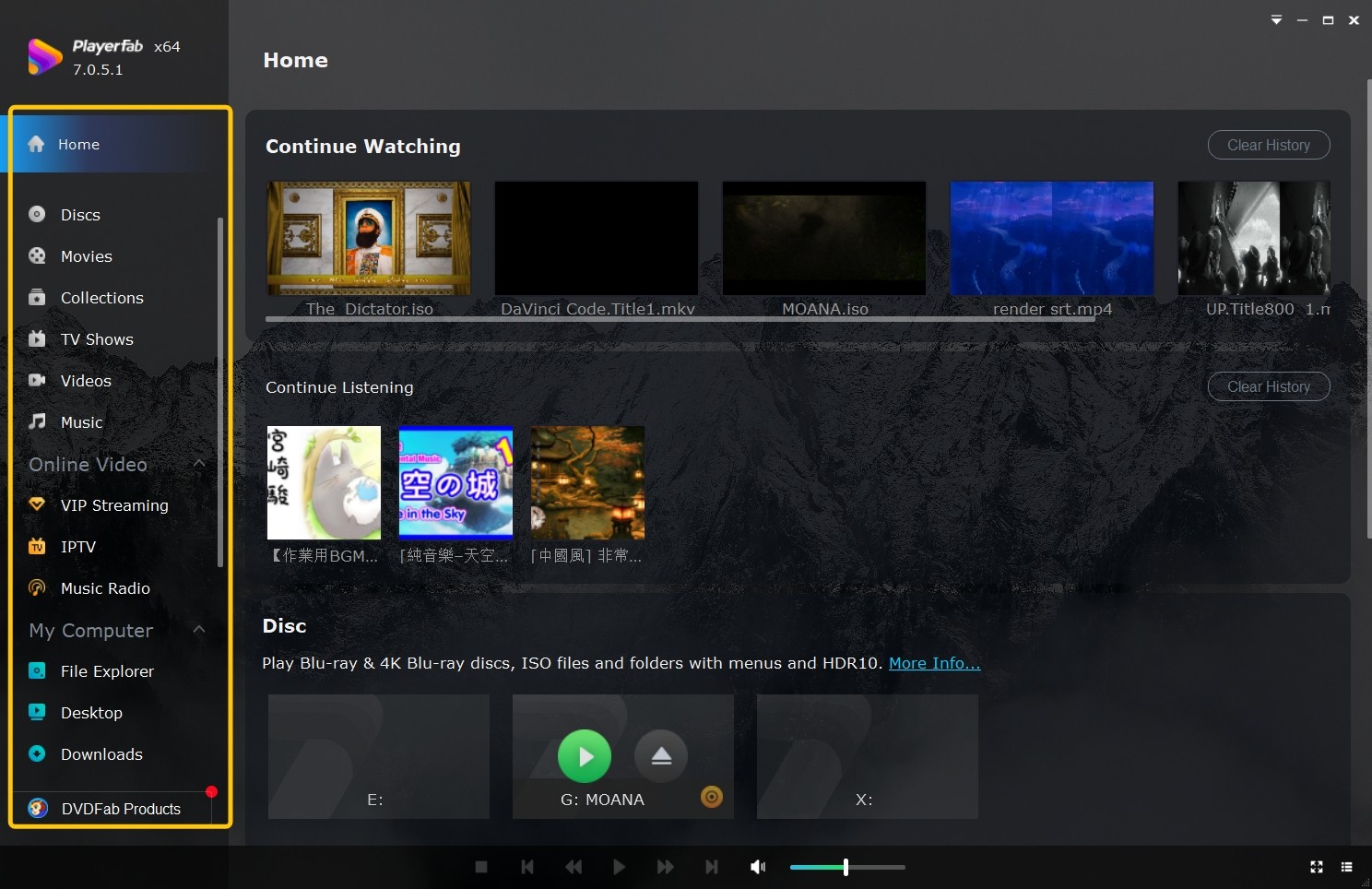
PlayerFab Ultra HD Player is one practical laptop-based alternative when compatible computer hardware and an external optical drive already fit the trip.
When a Laptop Setup Makes Sense
A laptop setup makes sense for readers who already carry a Windows or Mac computer and prefer one display for discs, ISO files, folders, and supported digital video.
For personal playback of discs and files you are authorized to access, where permitted by applicable law, the workflow requires a compatible external drive plus software. The practical steps for playing Blu-ray on a PC begin with confirming that the drive actually supports the disc format.
The tradeoff is physical: a laptop, drive, cable, and charger can weigh more and take longer to arrange than a self-contained player. This setup is not ideal for readers who want a single screen with dedicated controls.
PlayerFab Ultra HD Player Capabilities
PlayerFab Ultra HD Player supports Windows and Mac and can play DVD, Blu-ray, and 4K UHD Blu-ray sources from compatible physical discs, ISO files, and folders.
Its relevant strengths here are menu navigation, Simple Mode for direct main-title playback, HDR support, and common formats including MP4 and MKV. Readers comparing a 4K Blu-ray player should still confirm the optical drive, display, and computer hardware required for UHD playback.
From a travel perspective, I would choose this route for an existing laptop rather than buy a computer solely to create a portable player. The value comes from using compatible equipment already in the bag.
Choose the Setup That Fits
The decision comes down to whether you value one-piece simplicity or the flexibility of hardware you already own.
Choose Hardware for Simplicity
Choose a dedicated portable Blu-ray player when a built-in screen, physical controls, simple startup, and car-friendly use matter most.
- You do not want to carry a separate laptop and optical drive.
- You need controls that remain accessible in a mounted position.
- You are comfortable checking the exact SKU, battery, warranty, and return terms.
This is the better fit for simplicity-first travelers. It is less suitable for buyers who need broad file support or who cannot verify the hardware listing.
Choose a Laptop for Flexibility
Choose a laptop setup when the computer is already part of the trip and broader disc or file playback justifies the external drive and setup steps.
- You already own a compatible Windows or Mac laptop.
- You need Blu-ray, UHD Blu-ray, ISO, folder, or common video-file playback from one interface.
- You can accommodate the drive, cable, charger, and added battery demand.
This route fits flexible playback better, but it is not a substitute for the convenience of a portable Blu-ray player with screen.
Compare Total Cost and Travel Fit
Total cost depends on what you already own, not a universal bundle price. Compare the complete setup before buying.
| Decision factor | Dedicated hardware | Laptop setup | Hybrid ownership |
|---|---|---|---|
| Core equipment | Player with integrated screen and drive | Laptop, compatible external drive, and software | Both setups for different trips |
| Packed weight | One main device plus charger and accessories | Computer, drive, cable, and chargers | Highest if both are carried |
| Battery dependence | Depends on the player's battery condition | Depends on laptop power and drive use | Provides a backup device but adds charging needs |
| Screen and controls | Built in and purpose designed | Uses the laptop display and controls | Choose based on the trip |
| Setup effort | Lower after disc compatibility is confirmed | Requires compatible hardware and software setup | Highest ownership complexity |
| Ownership risk | Battery, drive, seller, parts, and warranty | Drive compatibility, software license, and cable or power needs | Combines both risk profiles |
I would not buy both by default. Add a second setup only when it solves a distinct use case, such as a mounted car screen plus a laptop workflow used elsewhere.
Portable Blu-ray Player FAQs
Can a Portable DVD Player Play Blu-ray Discs?
No. A DVD-only optical drive cannot read the higher-density Blu-ray format. Verify that the exact model and SKU explicitly list Blu-ray disc support instead of relying on a mixed marketplace title.
Do Portable Blu-ray Players Work Well in Cars?
They can work well for rear-seat viewing when the player has a secure mount, compatible car power, stable viewing angles, reachable controls, and safely routed cables. Battery condition matters even when a car adapter is included.
Can You Use Bluetooth Headphones With One?
Only when the exact model supports Bluetooth audio output. Many listings omit Bluetooth or use it for another function, so confirm the manual rather than assuming wireless headphone support.
Are Used Portable Blu-ray Players Safe to Buy?
A used player can be a reasonable purchase if the battery is flat and undamaged, the charger is correct, the drive reads tested discs, and the seller offers returns. Avoid swelling, heat damage, broken hinges, or uncertain battery history.
Final Recommendation
The best portable Blu-ray player is the verified setup that matches how you travel. Choose dedicated hardware for a built-in screen and simple controls; choose a laptop and compatible drive when you already carry the computer and value broader local playback. If the laptop route fits, PlayerFab offers an official Windows and Mac playback option without turning the choice into a universal hardware replacement.

 6 Best MPEG Players for Windows and Mac (2026)By Alice Harper - Aug 26, 2026
 How to Play Blu-ray Discs on Windows 10 (Free & Pro Solutions)By Alice Harper - Aug 7, 2026
 10 Best 4K Video Players for PC and Mac, Tested in 2026By Alice Harper - Aug 4, 2026
 The 5 Best Free MOV Players in 2026 (Windows, Mac and Android), plus How to FixBy Alice Harper - Aug 4, 2026