4 Region-Free DVD Player Choices Compared for 2026

Summary: A region-free DVD player can be modified hardware or computer software, but DVD regions, Blu-ray zones, drive firmware, and video standards remain separate checks. This guide compares four practical routes, explains a discontinued legacy model, and gives US buyers a clear checklist for choosing the right fit.
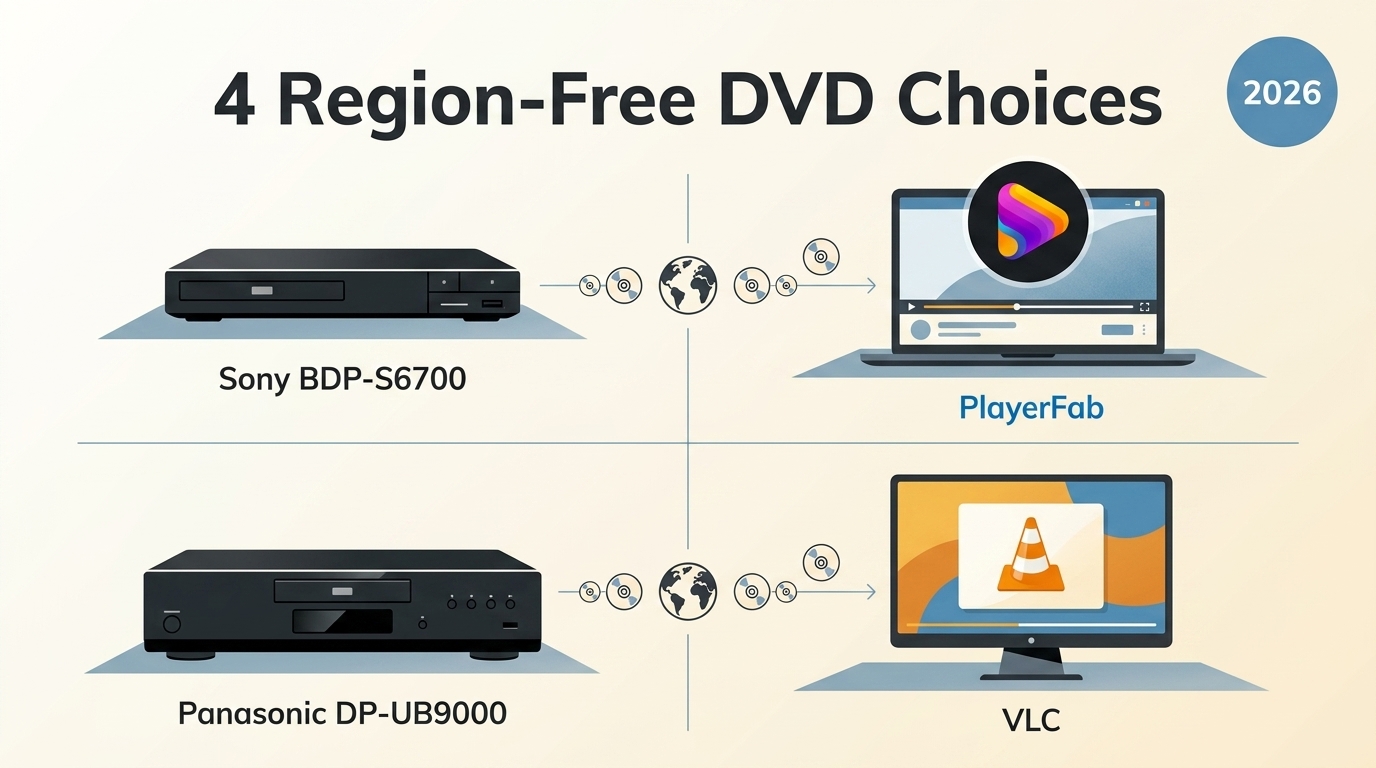
Table of Contents
If an imported disc fails in a US player, a region-free DVD player or all-region DVD player may solve the mismatch, but the label alone proves little. The workable choice depends on the disc format, the exact hardware modification, the optical drive, and the playback software.
I approach this the way I assess any film setup: preserve the viewing experience, then add the minimum necessary complexity. Below, I separate DVD region codes from Blu-ray rules, review hardware and software routes, compare them side by side, and finish with a buying checklist.
DVD Region Codes and Region-Free Playback
DVD region codes are compatibility flags used to control where commercial discs play. A region free DVD player accepts more than one region, while a Region 0 disc carries no single-region lock.
What a Region-Free DVD Player Means
A standard US player is generally configured for Region 1. When it reads imported Region 2 DVDs from Europe, the player may stop before playback because the disc and player settings do not match.
A Region 0 or Region All disc is authored for broad DVD compatibility. By contrast, an all region DVD player, multi region DVD player, region unlocked DVD player, or regionless DVD player is hardware or software configured to accept discs from multiple DVD regions. These terms do not promise support for every protection method, menu design, or damaged disc.
Hardware capability commonly comes from a specialist third-party modification rather than an official manufacturer feature. Software capability depends on the application, the optical drive, its current region setting, and the disc. My practical takeaway is to judge the complete playback chain, not the phrase printed in a marketplace title.
RPC-1 and RPC-2 Drive Limits
The RPC-2 drive limit matters on computers because most modern optical drives enforce a region setting in firmware. Playback software can help with compatibility, but it does not make the drive counter irrelevant.
- RPC-1 drives: Older drives left region management mainly to the operating system or playback application. They are uncommon now.
- RPC-2 drives: Modern drives typically enforce a selected region and allow a limited number of changes.
Many RPC-2 drives permit five region changes. After the final change, the last setting is enforced in drive firmware, and reinstalling the operating system does not reset the counter. In my view, spending a change before checking the disc and drive is the easiest software-route mistake to avoid.
DVD, Blu-ray, and 4K Region Rules
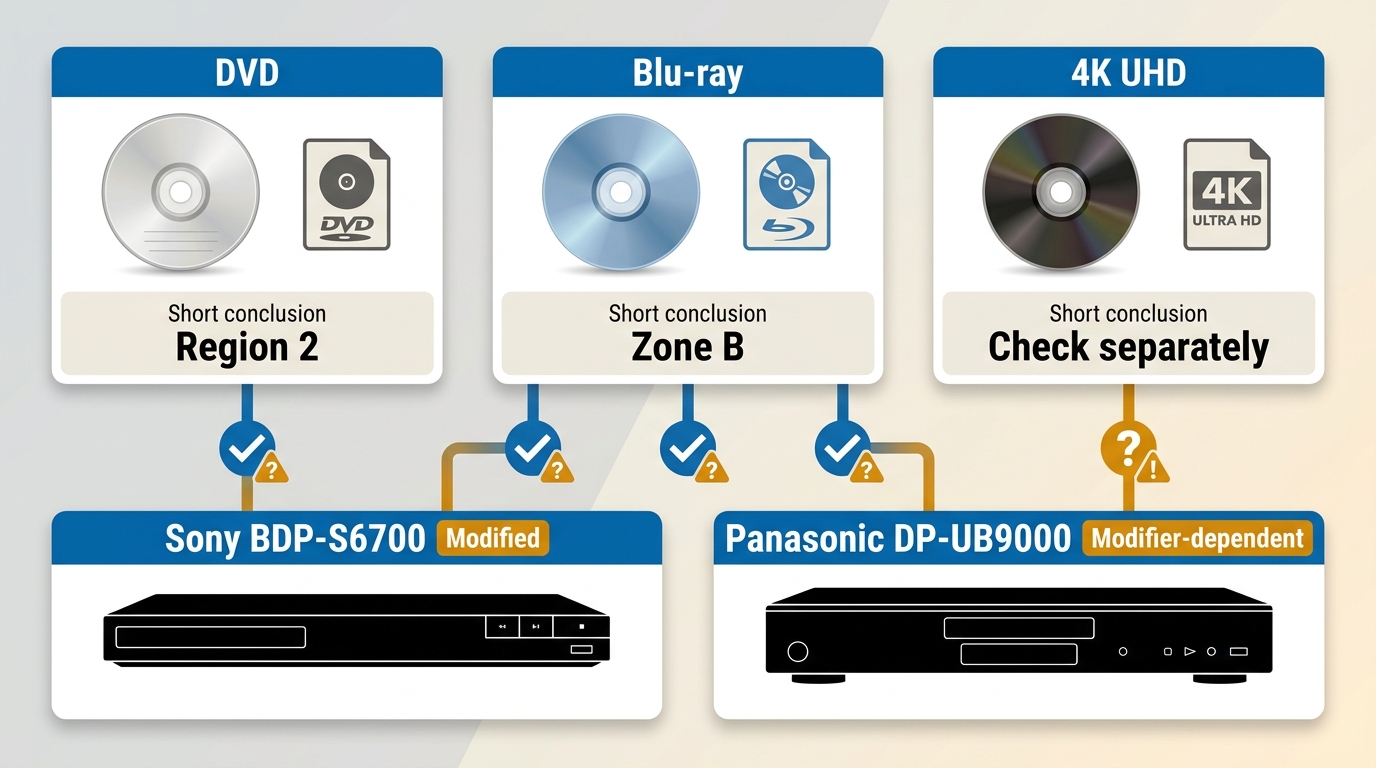
DVD regions, Blu-ray region zones, and 4K UHD disc behavior are separate compatibility checks. An all-region DVD claim does not establish multi-zone Blu-ray playback or broad 4K UHD compatibility.
- DVD: Commercial discs commonly use numbered regions, including Region 1 for the United States and Canada.
- Blu-ray: Blu-ray region zones use a different system, so the seller must state the supported zones and switching method.
- 4K UHD: A player may support 4K UHD discs while retaining separate DVD and Blu-ray region behavior.
The useful rule is simple: check each format independently. A 4K badge, PAL/NTSC compatibility, or HDMI output does not turn a stock player into a region-free DVD Blu-ray configuration.
Region-Free Hardware Players Reviewed
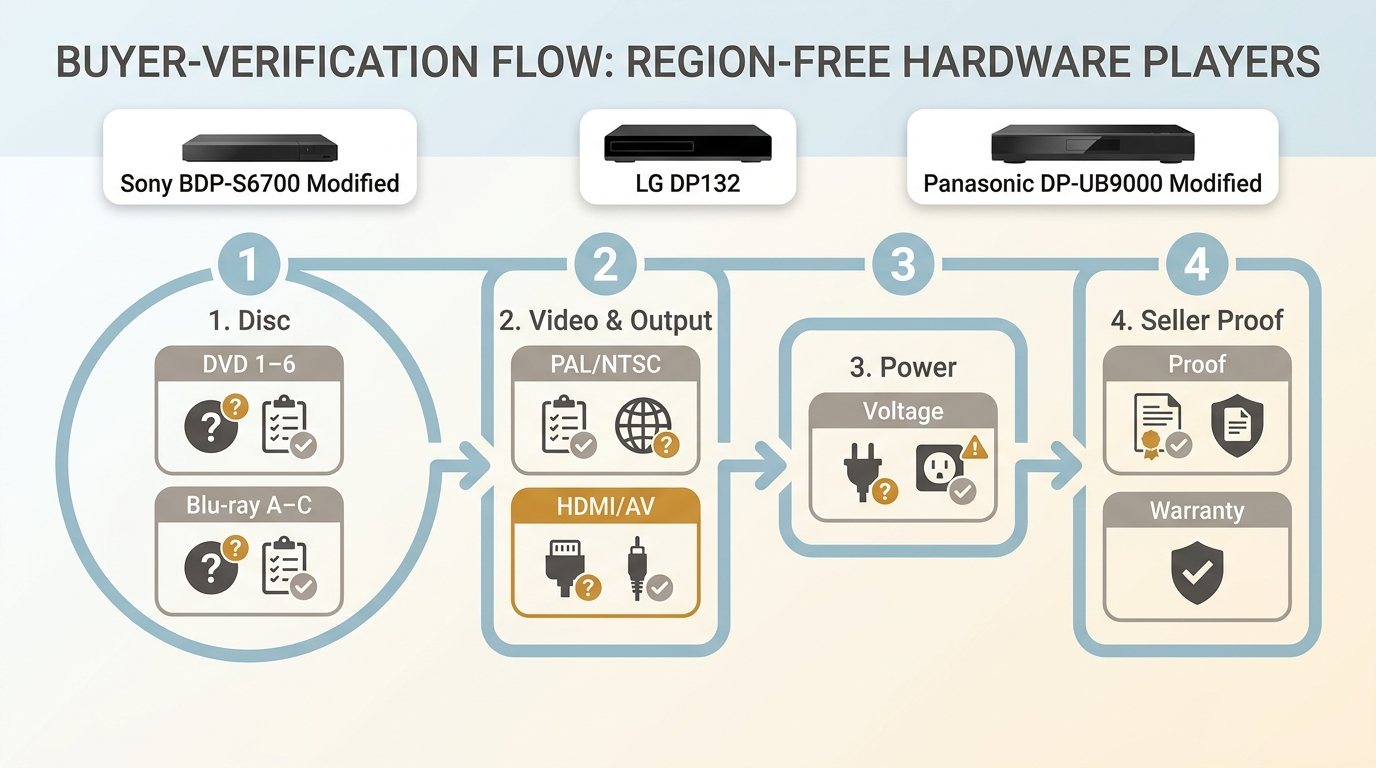
Modified hardware suits viewers who want disc playback on a TV without managing a computer library. The trade-off is that region capability, switching behavior, and warranty coverage come from the specialist seller rather than the base-model manufacturer.
Sony BDP-S6700 Modified Edition
The Sony BDP-S6700 modified edition is a compact TV-room option with DVD and Blu-ray playback, dual-band Wi-Fi, Bluetooth, and 4K upscaling. Its multi-region behavior must be confirmed with the third-party modifier.
Sony continues to support the base BDP-S6700, but Sony does not supply the reviewed region modification. The seller should document supported DVD regions, Blu-ray zones, the zone-switch process, and its own service coverage.
During the retained hands-on check, I connected the BDP-S6700 to an LG C2 OLED and played a Region 2 copy of 28 Days Later. The upscaling kept the film grain visible while reducing the blocky edges that become distracting when 480p DVD content is enlarged.
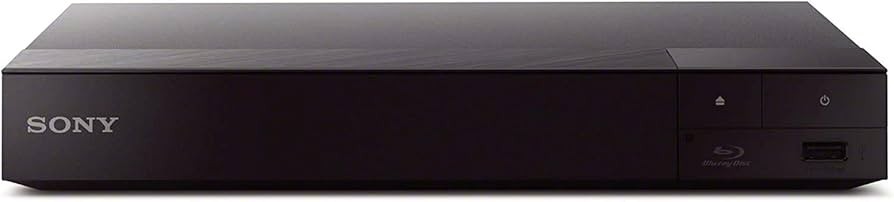
Best for: A simple TV setup that needs DVD playback plus Blu-ray features. Not ideal for: Buyers who cannot confirm modifier support or who need 4K UHD disc playback.
LG DP132 Legacy Option
The LG DP132 is a discontinued DVD-only player, so remaining listings should be treated as legacy, used, or third-party stock rather than a current peer recommendation.
It supports common DVD and CD formats and includes USB audio recording, but it lacks HDMI and outputs standard-definition video. With a composite-to-HDMI converter on the test bench, the picture looked soft on a modern display, although the unit read the scratched test discs used in the original evaluation without skipping.
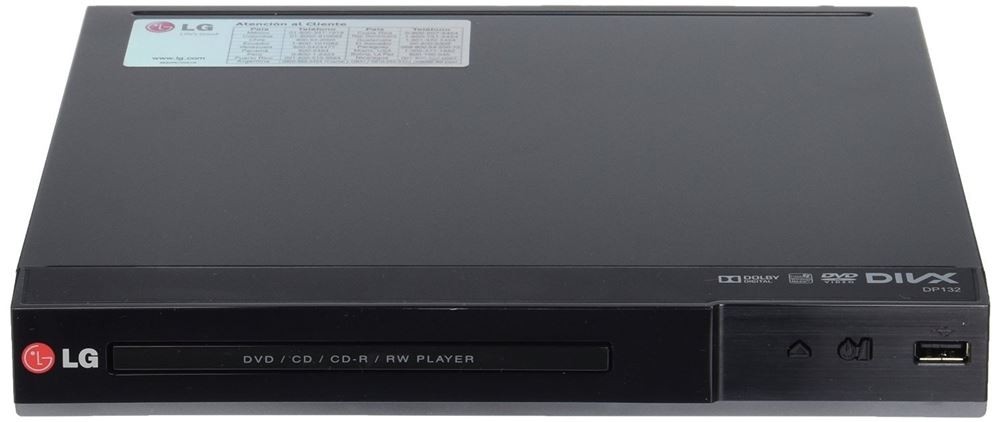
Best for: A low-cost legacy display setup when the exact unit and seller modification are documented. Not ideal for: Modern HDMI televisions, Blu-ray collections, or buyers seeking current manufacturer inventory.
Panasonic DP-UB9000 Modified Edition
The Panasonic DP-UB9000 modified edition targets high-end home theaters, but Panasonic's stock player is not advertised as region-free. Multi-region capability must come from a separately verified specialist modification.
The base unit supports premium video and audio features, including HDR10+, Dolby Vision, and separate audio circuitry. In the retained evaluation with a complex Region B release and high-bitrate audio, the analog output produced a quieter background than the consumer-grade players in the same setup. That result supports its home-theater credentials, not a blanket claim about every modified unit.
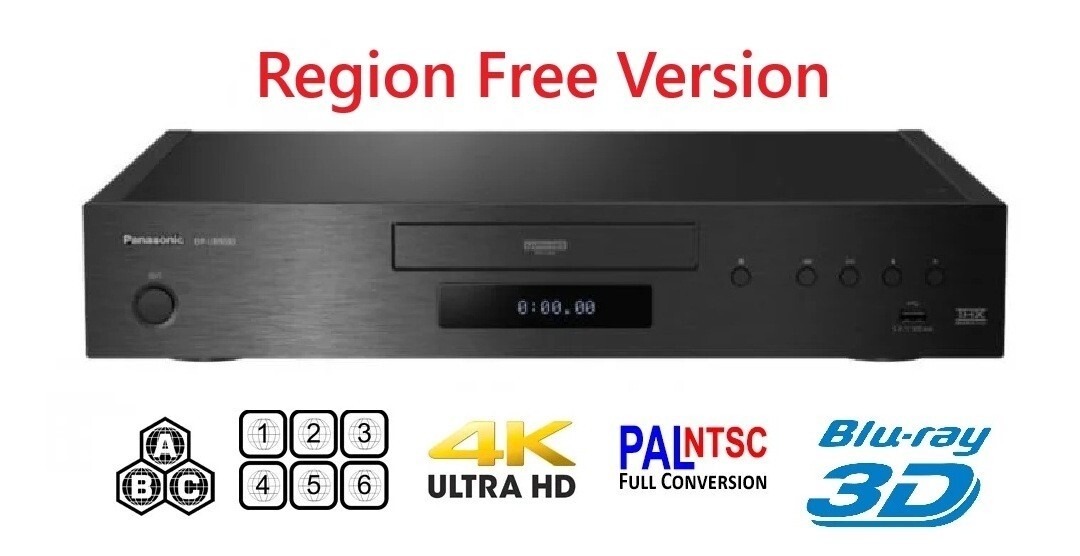
Best for: A premium theater where audio output and 4K UHD playback matter alongside separately documented region features. Not ideal for: DVD-only viewers or anyone without clear modifier warranty terms.
Risks of Modified Hardware
A modified DVD player can work well, but the modification changes who is responsible for the region feature. Manufacturer coverage for the base unit and seller coverage for the modification may be different.
- Opening or changing the unit can affect the original manufacturer warranty.
- A firmware update may alter third-party region behavior.
- A marketplace description may confuse PAL NTSC compatibility with disc-region compatibility.
- A unit can still reject an individual disc because of authoring, condition, protection, or zone-switch settings.
Owning modified playback equipment is a separate question from copyright, access-control rules, content licenses, and seller warranties. Those rules vary by jurisdiction and use, so this article provides general information rather than legal advice.
What to Verify Before You Buy
A seller-backed checklist is more useful than a broad “region-free” claim. Confirm the exact disc formats, switching procedure, outputs, and warranty before choosing a modified unit.
- List the DVD regions you need, such as Region 1 and Region 2.
- For Blu-ray, confirm the supported zones and how zone switching works.
- Ask who performed the modification and what proof accompanies the unit.
- Separate PAL NTSC compatibility from DVD region compatibility; they describe different requirements.
- Confirm voltage support and the included power connection for US use.
- Check HDMI or other outputs against the display you plan to use.
- Confirm whether the base model is active, discontinued, used, or old stock.
- Read the seller warranty, return window, and firmware-update policy.
- For a portable DVD player, confirm battery, screen, and output details without assuming portability means multi-region support.
- If one disc fails, test its condition and format before concluding that the whole player configuration is incompatible.
Region-Free DVD Software for Computers
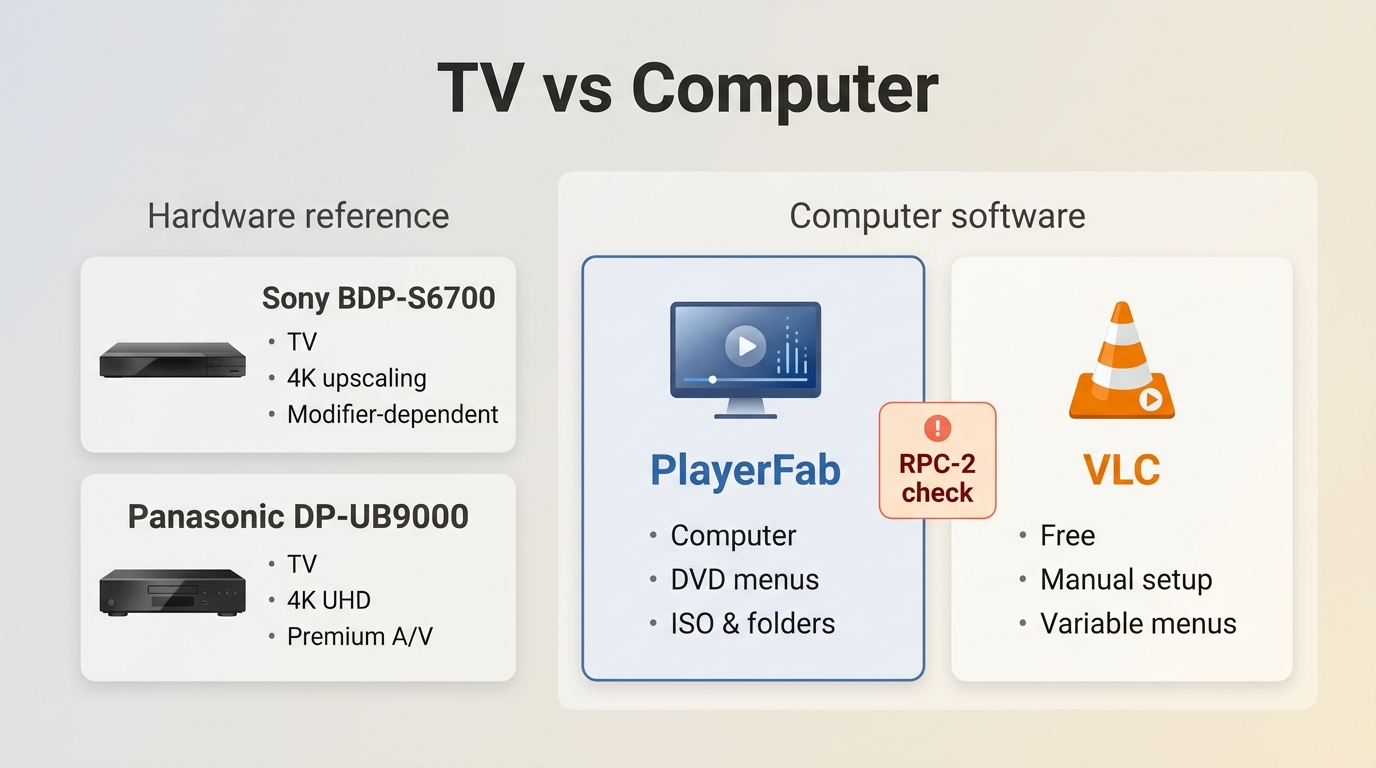
Region free DVD software offers a flexible computer-based route, but playback can still depend on RPC-2 firmware, the drive's selected region, disc protection, menu handling, and application compatibility.
PlayerFab DVD Player
For personal playback of discs and files you are authorized to access, where permitted by applicable law and relevant terms, PlayerFab DVD Player supports DVD discs from multiple regions, DVD ISO images, and DVD folders on compatible Windows and Mac systems.
Its relevant strengths are full DVD menu navigation on Windows, Main Movie mode, GPU-accelerated decoding, and a poster-style local DVD library with editable metadata. Its folder support also makes the distinction between full-disc navigation and ordinary VOB file playback easier to manage without turning a loose file into a complete disc structure.
On the Dell XPS 15 test system with an NVIDIA RTX 4060, the retained software workflow kept menu navigation responsive while moving between the main feature and extras on a DVD folder. That observation is specific to the tested setup; compatible optical hardware and disc authoring still matter.
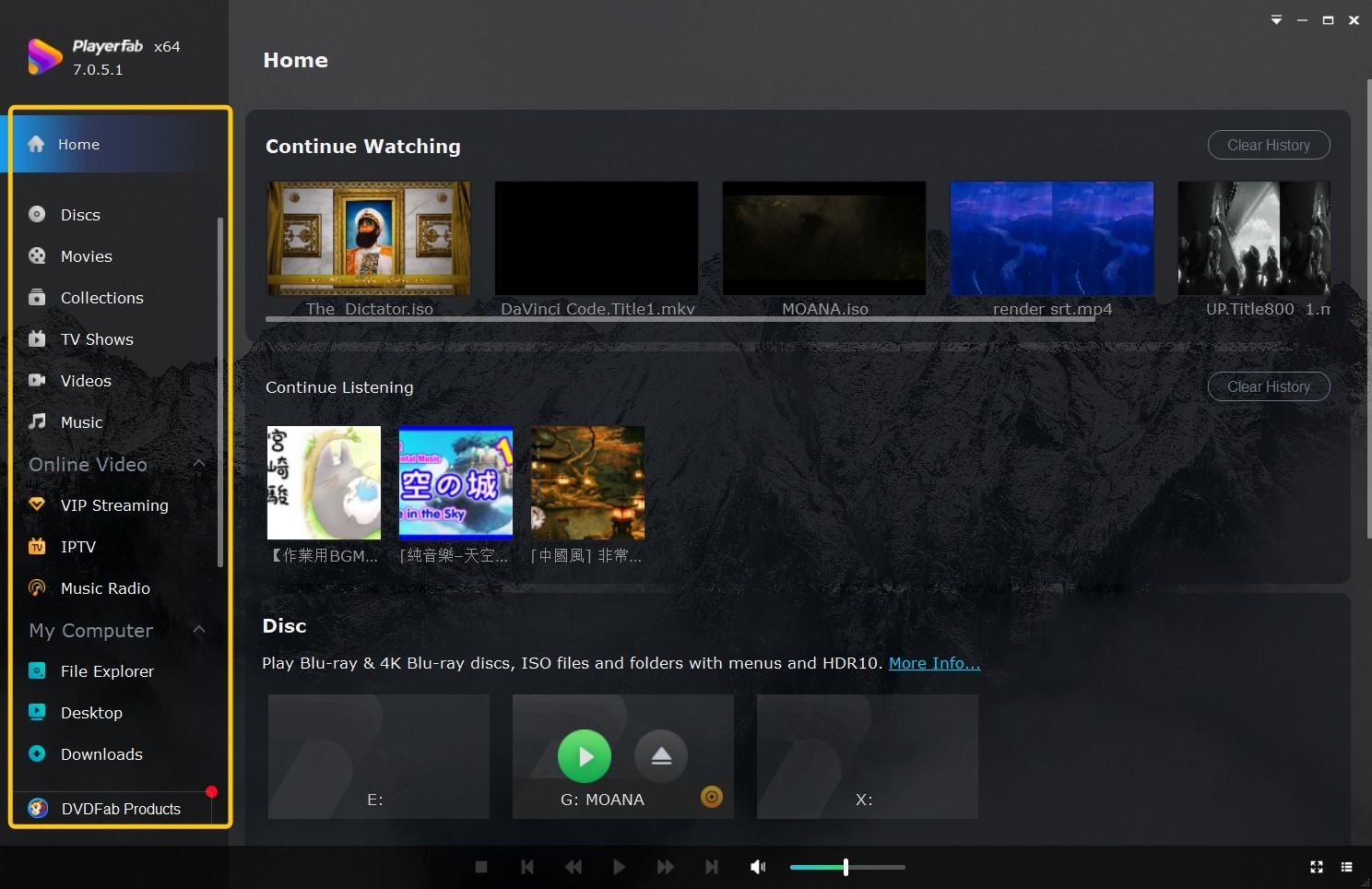
Best for: Computer users who value DVD menu navigation, ISO or folder playback, and an organized local DVD library for personal viewing. Not ideal for: A living-room setup without a computer, buyers seeking a free application, or systems without compatible optical hardware.
VLC Media Player
VLC is an active free media player for readers comfortable with manual setup. Commercial DVD playback may require additional components, DVD menu behavior varies, and RPC-2 hardware settings can still affect the result.
On the Dell XPS 15 test system, a fresh VLC installation did not open the newer protected DVD used in the retained check. The broader VLC DVD playback workflow can involve extra configuration, and the application may skip a complex menu and jump to the main title.
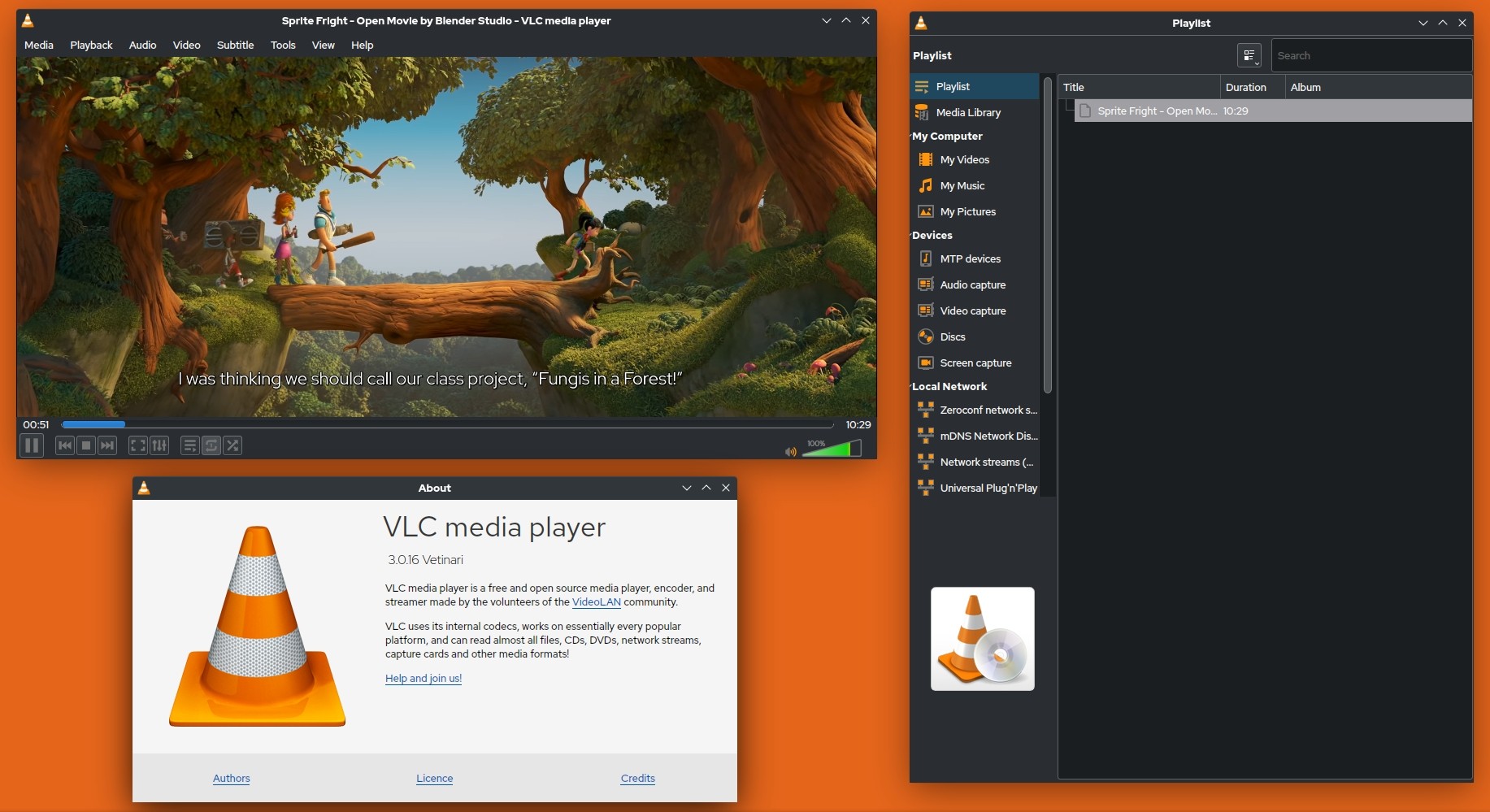
Best for: Readers who want a free player and do not mind troubleshooting. Not ideal for: Anyone who expects consistent commercial-disc menus or a guided local-library interface.
Hardware vs. Software at a Glance
The better route depends on where you watch, how much setup you accept, and whether you need disc menus or a local library. Model status in this matrix is current as of July 2026.
| Choice | Solution type | Current model status | DVD region support | Blu-ray zone support | 4K UHD note | PAL/NTSC handling | TV or computer fit | DVD menu and library features | Modification and warranty caveat | Setup effort |
|---|---|---|---|---|---|---|---|---|---|---|
| Sony BDP-S6700 third-party modified edition | Modified hardware | Base model supported; modified stock varies by seller | Multi-region capability depends on modifier specification | Confirm zones and switching method with seller | 4K upscaling; not a 4K UHD disc player | Confirm conversion and output behavior separately | TV-room fit | Disc menus; no poster-style computer library | Sony covers the base product under its terms; modifier coverage is separate | Moderate: connect, configure, and learn region switching |
| Panasonic DP-UB9000 third-party modified edition | Premium modified hardware | Active base model; modified stock varies by seller | Multi-region capability depends on modifier specification | Confirm zones and switching method with seller | Supports 4K UHD discs; region features remain separate | Confirm conversion and display compatibility separately | High-end TV-room fit | Disc menus; no computer library management | Panasonic does not advertise the stock unit as region-free; modifier coverage is separate | Moderate: seller verification plus home-theater setup |
| PlayerFab DVD Player | Desktop software | Current software | Supports discs from multiple DVD regions on compatible systems | Not the Blu-ray zone solution evaluated here | Not the 4K UHD hardware route evaluated here | Computer display output handles video presentation; disc and drive compatibility still apply | Windows and Mac fit | DVD menus, Main Movie mode, ISO/folder playback, poster library, editable metadata | No hardware modification; paid software and compatible hardware required | Low to moderate: install, connect drive, and organize library |
| VLC media player | Free desktop software | Current software | Results vary with drive settings and additional components | No assured multi-zone support | Not the 4K UHD disc route evaluated here | Computer display output is flexible; disc access remains a separate issue | Computer fit | Basic playback; commercial DVD menus can vary; no dedicated poster library | No hardware modification; manual components may be required | Higher: troubleshooting and configuration may be necessary |
Region-Free DVD Player FAQs
These quick answers cover the limits that broad product labels often leave unclear.
Do region-free DVD players work with every disc?
No. Multi-region DVD support does not guarantee multi-zone Blu-ray support or compatibility with every disc authoring method, protection system, video standard, or damaged disc. Check the disc format, clean and inspect it, confirm the player's selected mode, and then test another known-good disc.
Are new DVD players region-free by default?
No. Standard players are generally sold for a designated market. HDMI, 4K support, PAL/NTSC compatibility, or a recent production date does not establish all-region capability; the exact model and seller configuration must state it.
Which DVD region is used in the United States?
Commercial DVDs sold for the United States and Canada commonly use Region 1. Region 0 or Region All discs are not tied to one numbered DVD region, while Blu-ray uses a separate zone system.
Can I use an external DVD drive for region-free playback?
An external drive can still use RPC-2 firmware and a limited region-change counter. The drive's current setting, the playback application, disc protection, and DVD menu support all affect whether a particular disc opens correctly.
Which Region-Free Option Fits You
Your best-fit region free DVD player is the one that matches your room, collection, and tolerance for setup. No route removes the need to check the exact disc format and configuration.
- Choose verified modified hardware for straightforward TV-room playback, accepting seller-dependent region features and warranty coverage.
- Choose PlayerFab DVD Player for a computer-based collection that benefits from menus, ISO and folder playback, and library organization, accepting its paid license and hardware requirements.
- Choose VLC when cost matters more than guided setup and you are comfortable resolving component, menu, and drive-setting issues.
- Treat the LG DP132 as a legacy option rather than a current recommendation, especially for modern HDMI displays.
For my own disc shelf, I would start with where the films will be watched: modified hardware for a dedicated TV, PlayerFab for an organized computer library, and VLC for a hands-on free setup. That decision framework keeps the technical choices tied to the viewing experience rather than to an inflated product label.

![Play DVDs on Windows 10/11: 4 Methods and Fixes [2026]](https://r4.dvdfab.cn/upload/player/en/how-to-play-dvds-on-windows-10-BykI.jpg) Play DVDs on Windows 10/11: 4 Methods and Fixes [2026]By Alice Harper - Jul 29, 2026
Play DVDs on Windows 10/11: 4 Methods and Fixes [2026]By Alice Harper - Jul 29, 2026 8 Best DVD Players for Windows 10/11 (Free and Paid, 2026)By Alice Harper - Jul 29, 2026
 How to Play a DVD on a Laptop: 3 Methods That WorkBy Alice Harper - Jul 29, 2026
 How to Play VOB Files: VLC, DVD Menus, and MP4 ConversionBy Alice Harper - Jul 23, 2026