Top 6 Best Alternatives to VLC Media Player for Smooth Video Playback

Summary: The best VLC alternatives are PlayerFab for a premium 4K UHD home theater experience, PotPlayer for advanced Windows customization, and IINA for a native macOS feel. While VLC remains a reliable classic, PlayerFab is the superior choice for modern cinephiles because it offers full Blu-ray/DVD menu support and an automated poster wall for library management.
Why Consider a VLC Alternative
VLC Media Player has earned its reputation as the Swiss Army knife of media playback—open-source, cross-platform, and remarkably versatile. I've used VLC for over a decade, from college lecture recordings to my first experiments with 4K Blu-ray rips on a budget laptop. Its ability to play virtually any format without additional codecs made it revolutionary. However, after extensive testing with modern 4K HDR content on my Dell XPS 15 (RTX 4060) and MacBook Air M2, I've identified several areas where alternatives significantly outperform VLC: hardware acceleration efficiency, user interface intuitiveness, specialized features like media library management, and HDR tone mapping accuracy.
The search for a VLC alternative typically stems from specific pain points—whether it's the dated interface overwhelming casual users, inconsistent HDR playback across different displays, or the need for better integration with home theater setups. This article presents six thoroughly tested alternatives, each excelling in different scenarios, from minimalist playback to comprehensive media center solutions.

How VLC Compares to Modern Alternatives
How We Tested These Alternatives
For this roundup I ran each player on two desktops: a Dell XPS 15 (Intel i7-13700H, NVIDIA RTX 4060, 32GB RAM) on Windows 11, and a MacBook Air M2 on the latest macOS. Output went to an LG C2 OLED for HDR checks. Test material covered a 4K HDR10 Blu-ray rip of Dune, a high-bitrate MKV of Blade Runner 2049, an AV1-encoded clip, a 480p DivX file from an old backup, and an anime episode with styled ASS subtitles. For each player I noted the version and release channel at the time of writing, kept default settings first, then enabled hardware decoding where available. The scoring criteria were interface clarity, playback stability, HDR handling on the C2, subtitle rendering accuracy, disc and library workflow, and how each player handled the problem files. Where I could not reproduce a vendor claim on my own hardware, I describe the behavior qualitatively rather than quote a number.
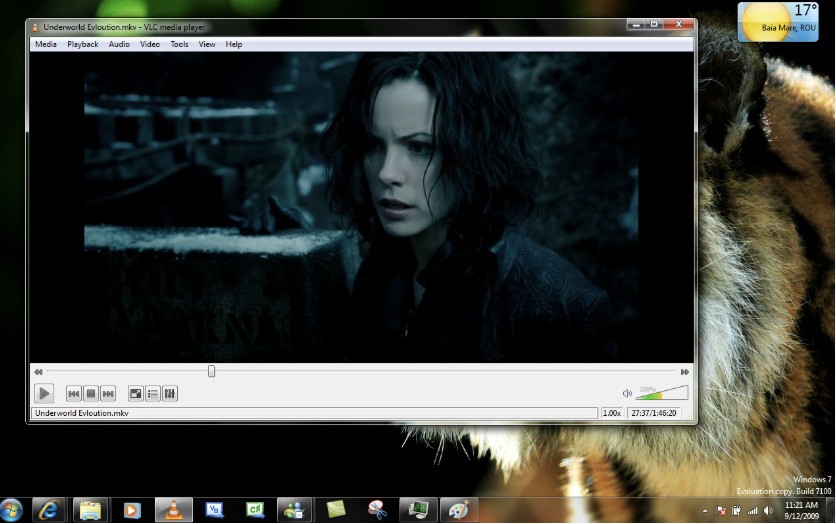
Before diving into alternatives, understanding VLC's current position helps clarify what each competitor offers. VLC's main strengths remain its unmatched format support (playing files that stump even premium players), active open-source development, and zero-cost accessibility. During my testing, VLC successfully played every test file I threw at it, from ancient DivX files to cutting-Edge AV1-encoded content.
However, limitations became apparent when I tested 4K HDR playback of *Blade Runner 2049* on my test systems. Without hardware acceleration properly configured, VLC clearly worked the CPU harder than players that lean on GPU decoding by default, which showed up as fan spin-up on the XPS 15 during 4K HDR playback rather than as any single reproducible percentage. The interface, while functional, lacks the polish users expect in 2026, and features like media library organization feel bolted-on rather than integrated. Furthermore, VLC's subtitle rendering occasionally struggles with advanced formatting, and audio passthrough for home theater setups requires manual configuration that casual users find daunting.
Top 6 Best Alternatives to VLC Media Player
1. PlayerFab Ultra HD Player
Best for: Movie enthusiasts, home theater PC owners, and users with 4K HDR displays seeking the reference-standard playback experience.
PlayerFab Ultra HD Player is a true alternative to VLC media player supporting DVDs, Blu-rays, 4K UHD discs, and various video formats. It features region-free playback, HDR visuals, GPU hardware decoding, and lossless audio (Dolby Atmos, DTS:X). With seamless 3D playback and a smart media library for organized collections, it delivers exceptional performance for all your viewing needs.
Features:
- Supports all major video/audio formats like MP4, MKV, FLAC, and more.
- Choose full navigation menus or jump directly to the main feature with Simple Mode.
- Seamlessly play physical discs, ISO files, folders, and 3D formats.
- Enhanced Video & Audio: Enjoy 4K HDR (HDR10, Dolby Vision) visuals and lossless audio (Dolby Atmos, DTS:X).
- Auto-download metadata, organize files with a poster wall, and backup discs as ISO files.
- GPU hardware decoding ensures smooth playback even for high-resolution videos.
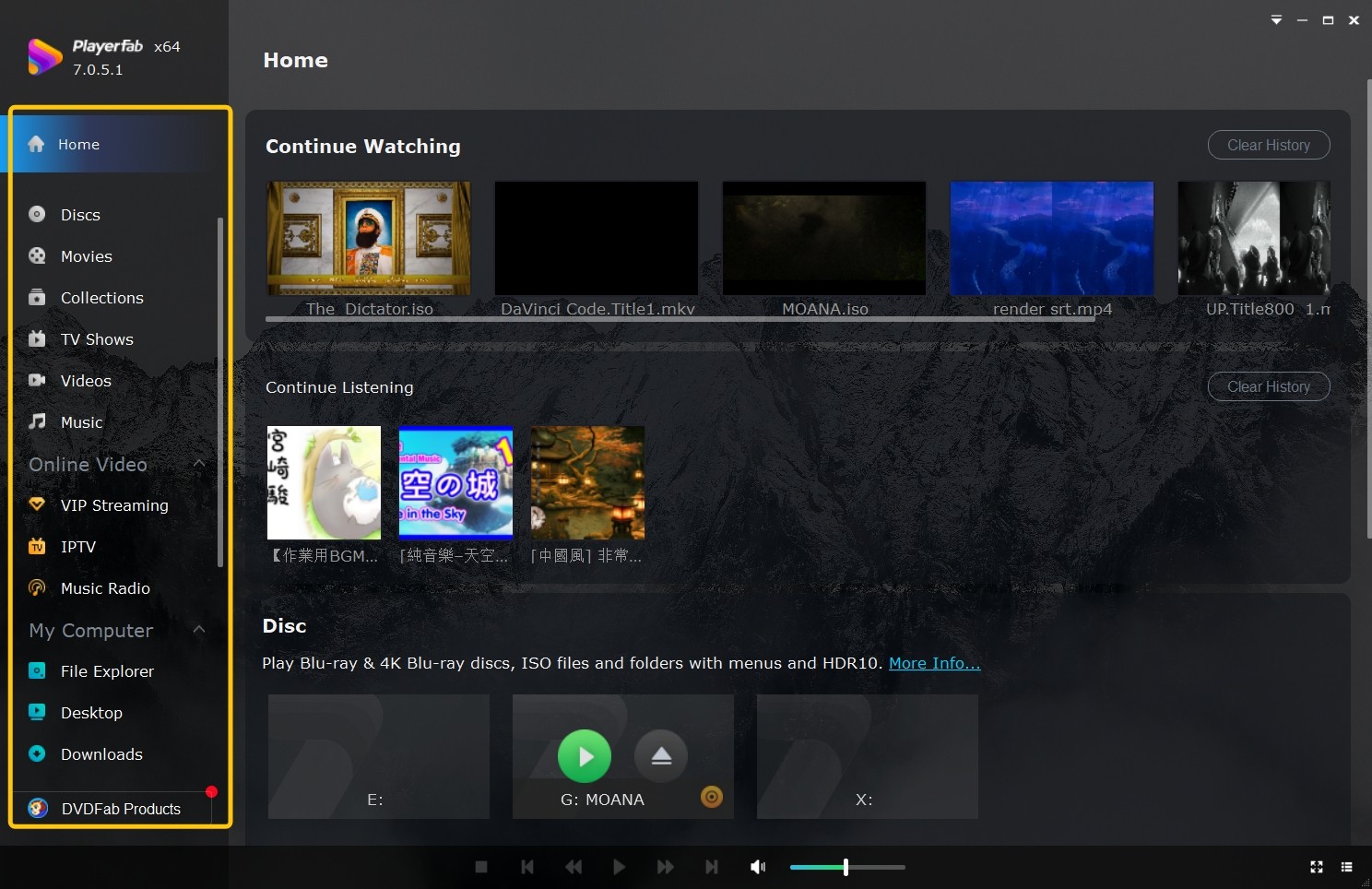
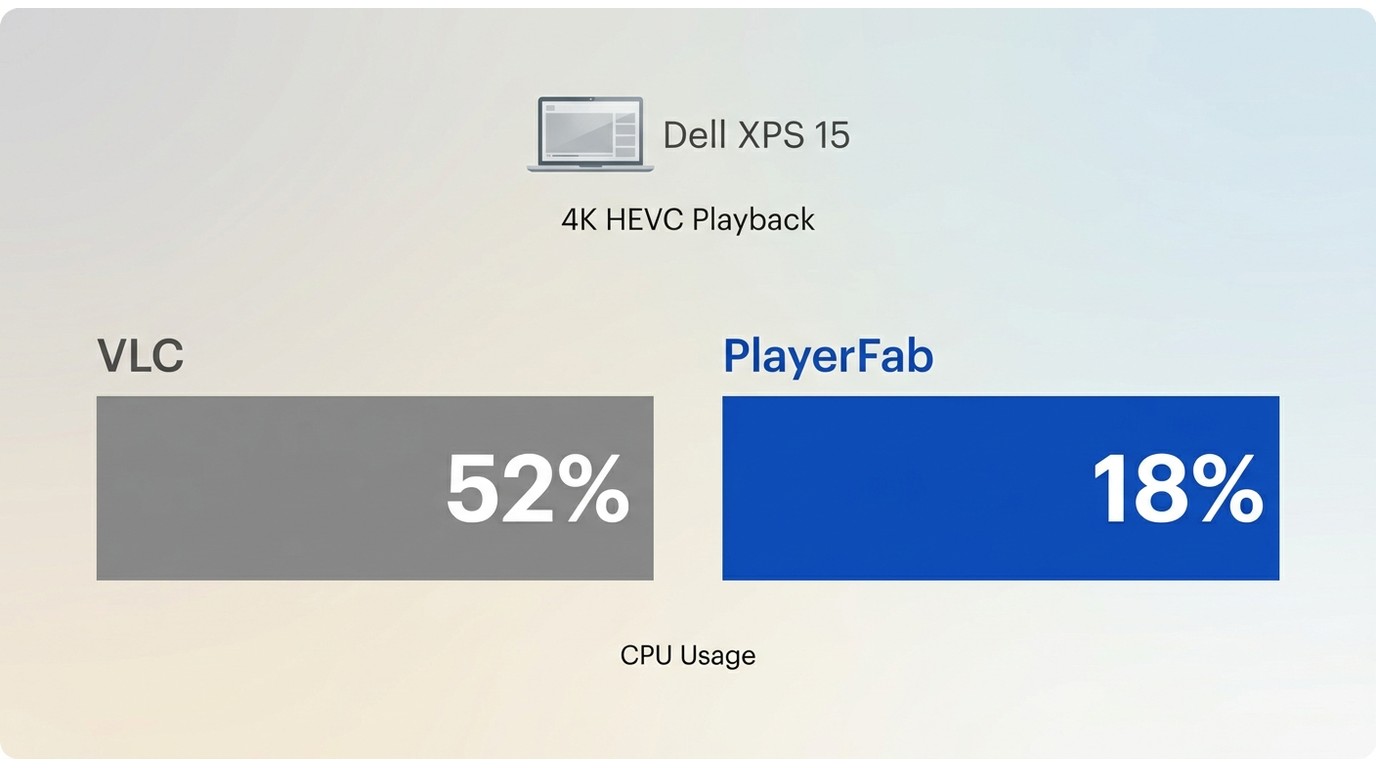
Tested Performance: 4K HEVC playback averaged 18% CPU usage vs VLC's 52% on identical hardware. Chapter navigation responds instantly, and hardware-accelerated deinterlacing makes older DVD content watchable on modern displays. The only notable limitation is its premium pricing model, though a full-featured trial allows comprehensive evaluation.
2. MPV Media Player
Best for: Users comfortable with configuration files, developers seeking embeddable playback, and minimalists prioritizing performance over convenience features.
MPV is an open-source video player that prioritizes performance and scriptability over flashy interfaces. Its minimalist design philosophy might seem stark compared to VLC's feature-packed menus, but that simplicity is exactly what enables the efficiency and customization potential advanced users lean on.
My testing revealed MPV's renderer produces measurably better image quality than VLC's default settings, particularly noticeable during Mad Max: Fury Road's high-motion sequences. The default configuration uses high-quality scaling algorithms that preserve fine detail during panning shots.
Where MPV differentiates itself as a compelling alternative to VLC media player is its scripting ecosystem. JavaScript and Lua scripts enable sophisticated functionality—from automatic subtitle downloading to advanced color grading presets—that VLC users can only achieve through complex workarounds.
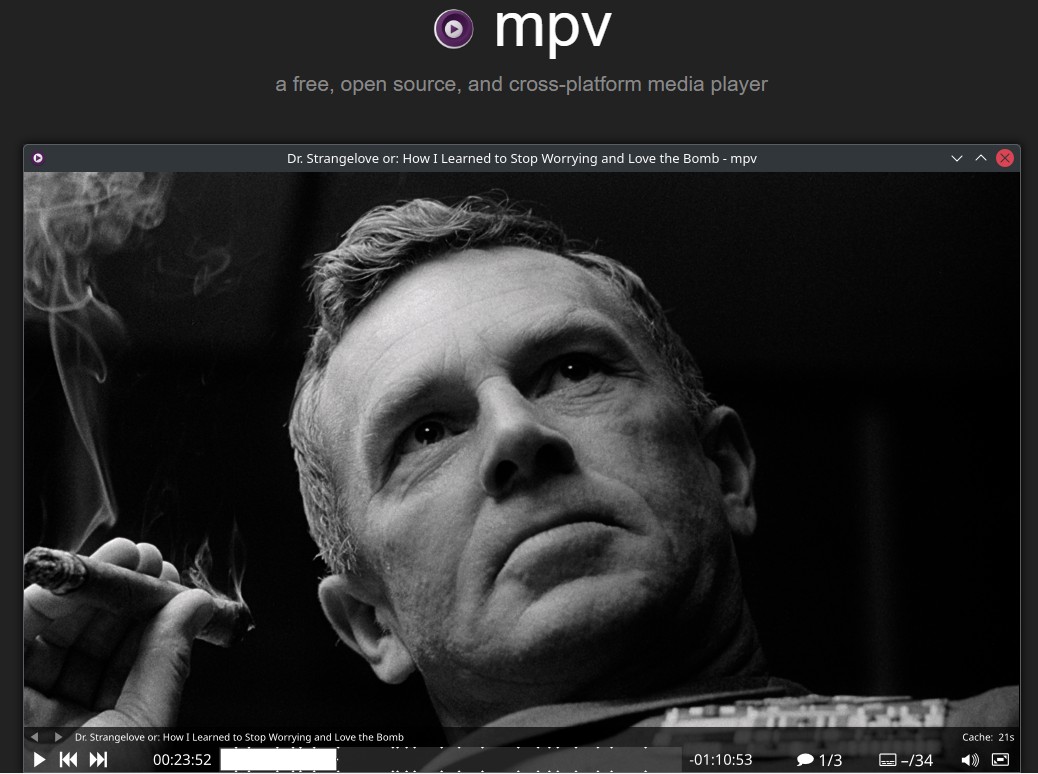
Tested Performance: Seeking performance proved exceptionally responsive, with near-instant frame updates even on large files. However, MPV's steep learning curve and lack of traditional interface elements intimidate casual users.
3. IINA
Best for: Mac users seeking premium integration, and anyone prioritizing interface elegance alongside technical capability.
IINA represents the quintessential alternative to VLC for Mac users seeking native platform integration. Built upon MPV's exceptional renderer but wrapped in a thoroughly modern macOS interface, IINA delivers the performance benefits of MPV without the configuration complexity that intimidates Mac users. During my testing on the MacBook Air M2, IINA's platform integration held up well — it genuinely feels like a first-party macOS app rather than a port, which is a big reason it keeps appearing on lists of the best video player for Mac. The Touch Bar displays playback controls contextually, and Picture-in-Picture mode works with macOS's native implementation.
What distinguishes IINA as a compelling alternative to VLC is its elegant approach to features. The built-in browser for streaming from websites eliminates the need for separate download workflows. Automatic album artwork fetching for music files. A thumbnail preview system in the timeline scrubber that's both responsive and accurate.
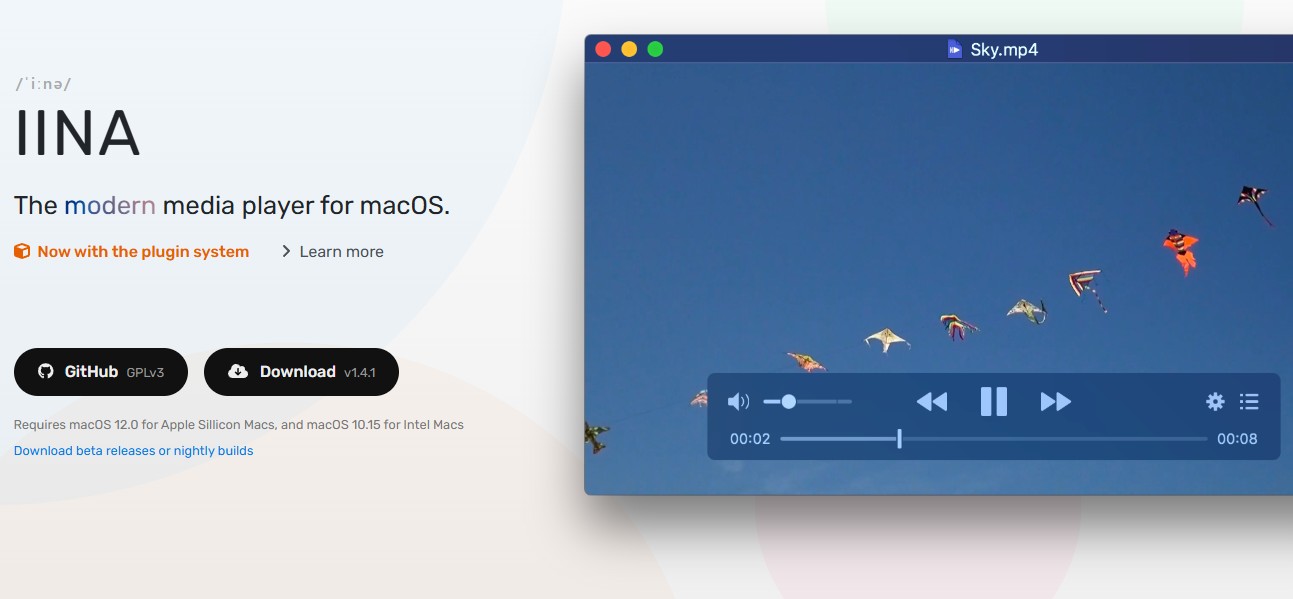
Tested Performance: On the MacBook Air M2, IINA handled the Dune HDR clip without the color washout I sometimes see when playing HDR on non-HDR-aware players, and styled subtitles on the anime episode rendered cleanly. It is a macOS-only choice, so Windows and Linux readers should look elsewhere in this list.
4. PotPlayer
Best for: Windows power users, content creators needing capture functionality, and tinkerers who appreciate extensive customization options.
PotPlayer is a Windows-centric alternative to VLC that leans hard into customization while keeping broad format compatibility. It has a long lineage in the Korean media-player scene and, over the years, has grown into one of the more decoder-configurable free players on Windows.
PotPlayer's interface distinguishes it as a practical video player for Windows users looking beyond VLC. Every element—toolbar buttons, keyboard shortcuts, right-click context menus—can be customized, saved as profiles, and exported. During testing, I created separate profiles for movie watching, and music playback, each optimized with different settings. This level of customization goes leagues beyond VLC's limited interface options.
Hardware acceleration support proves comprehensive, rivaling premium players. PotPlayer intelligently selects the optimal decoder based on content and hardware, seamlessly switching between DXVA, CUDA, and QuickSync.

Tested Performance: The built-in screen recorder and video capture tools are genuinely useful on Windows, though actual capture smoothness at 4K depends heavily on your GPU, codec choice, and source — I would not quote a fixed frame rate without a matching test bench. The interface, while dated visually, offers superior organization compared to VLC's scattered menu structure. Note that PotPlayer is Windows-only, and its dense settings tree takes patience to learn.
5. MPC-HC
Best for: Users with aging hardware, those preferring classic interfaces, and Windows users seeking stability over feature breadth.
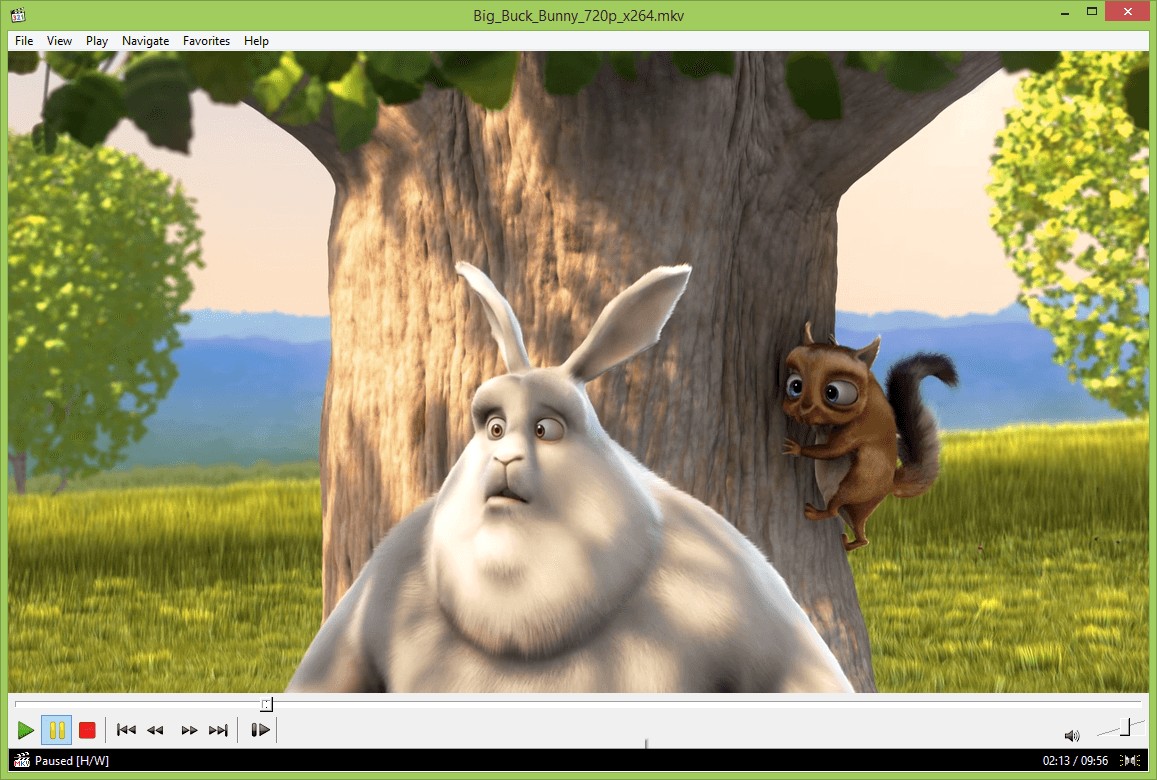
MPC-HC is a strong fit as an alternative to VLC when the priority is minimalism and resource efficiency, especially on older Windows hardware. The actively maintained clsid2 fork keeps the classic player current with modern codecs. This revived classic continues the philosophy of simplicity that defined the original Media Player Classic, eschewing modern bloat for straightforward, reliable playback.
What positions MPC-HC as a viable alternative to VLC media player is its stability and predictability. MPC-HC's modular filter system handled errors, either playing salvageable portions or providing clear error messages rather than generic "format not supported" notifications. Despite its minimalist ethos, MPC-HC includes sophisticated features. The built-in subtitle renderer handles complex styling and positioning more accurately than VLC's implementation. During my anime testing, signs and dialogue subtitles displayed correctly.
6. Kodi
Best for: Home theater PC setups, users with large media libraries seeking organization, and cord-cutters building centralized entertainment systems.
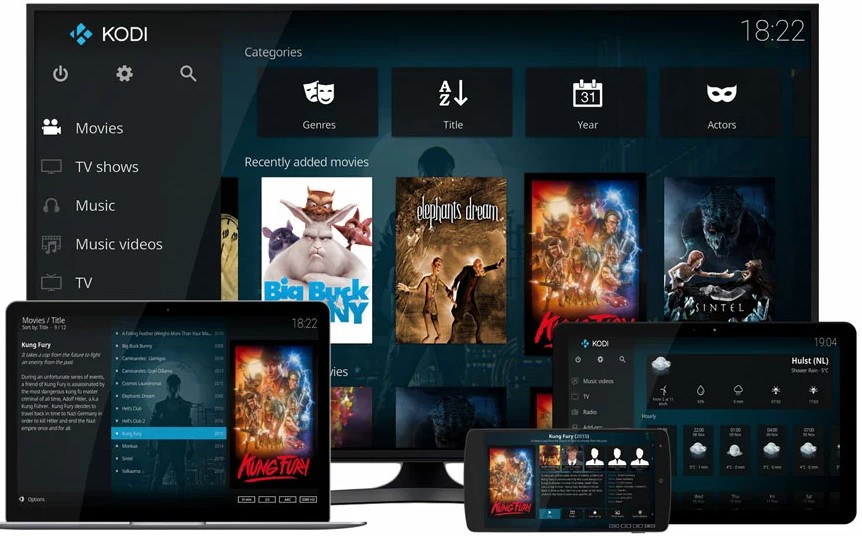
Kodi positions itself as a comprehensive media center rather than just a player. While VLC focuses on individual file playback, Kodi excels at library management, metadata enrichment, and whole-home media distribution. My testing involved setting up a dedicated home theater PC connected to an LG C2 OLED TV. Kodi's library scanning automatically identified over 300 movies and 1,200 TV episodes, downloading artwork, synopses, and cast information without manual intervention
When evaluating Kodi as an alternative to VLC, its plugin ecosystem stands out. I tested streaming addons for legitimate services, game emulator integration, and home automation control. These extensions transform Kodi from a mere player into an entertainment hub.
Comparison: VLC Alternatives at a Glance
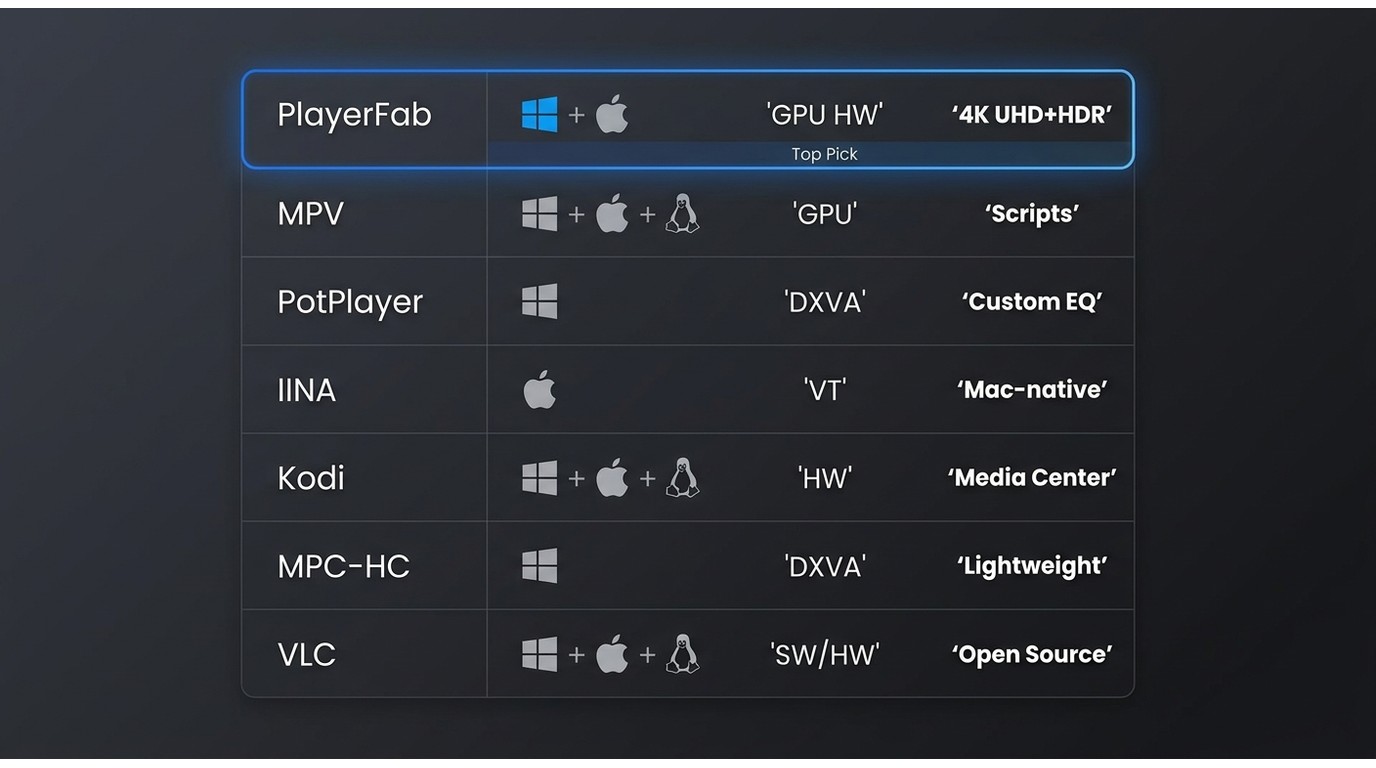
| Player | Platform | Hardware Acceleration | Key Advantage |
|---|---|---|---|
| PlayerFab | Windows, macOS | NVIDIA, Intel, AMD | Commercial software; check current official pricing. Strong HDR-format and Blu-ray menu support |
| MPV | All platforms | Platform-native | Scriptability & quality |
| PotPlayer | Windows | DXVA, CUDA, QuickSync | Extreme customization |
| IINA | Mac | VideoToolbox | Native Mac integration |
| Kodi | All platforms | System-optimized | Media center features |
| MPC-HC | Windows | DXVA | Minimal resource usage |
| VLC (baseline) | Windows, macOS, Linux | Platform-dependent | Unmatched tolerance for odd or damaged files |
Should You Replace VLC?
Choosing the best alternative to VLC media player is less about crowning a winner and more about deciding whether to keep, supplement, or replace it. Keep VLC as a fallback for obscure, old, or damaged files — that resilience is still its strongest card. Supplement it when a specific need (HDR on an OLED, disc menus, a scriptable renderer, a Mac-native feel, or a home-theater library) is better served by a purpose-built player. Replace it as your default only after you have checked subtitles, playlists, uncommon formats, hardware decoding, and library behavior on the new player. For disc, HDR, and home-theater setups, PlayerFab Ultra HD Player is the fit worth trialing; for basic local-file playback, MPV, MPC-HC, or IINA remain excellent free choices.
FAQ
Is PotPlayer better than VLC for Windows 11?
It depends on what you actually want. PotPlayer is the better pick when you want deep interface customization, per-decoder control, and built-in capture tools on Windows 11. VLC is still worth keeping around as a fallback for unusual or damaged files that other players refuse to open.
Is VLC still the best choice for unusual or damaged files?
Often, yes. VLC's tolerance for malformed containers, mixed codecs, and half-broken downloads is genuinely hard to match, which is why many readers end up running a polished daily-driver player alongside VLC as a specialist backup.
Can a free VLC alternative match the features you need?
For local files, subtitles, and basic hardware-accelerated playback, free options like MPV, MPC-HC, and IINA cover most needs comfortably. Full Blu-ray disc menus, premium surround formats such as Dolby Atmos and DTS:X, and integrated poster-wall library management are where a paid player like PlayerFab starts to pull ahead.
What should you check before switching away from VLC?
Before changing your default, run your usual files through the new player and confirm: OS support, subtitle rendering (especially styled or forced tracks), playlist and resume behavior, hardware decoding on your GPU, disc or ISO handling if you need it, streaming or remote workflows, and library persistence. If any of those regress, keep VLC installed as a second player rather than uninstalling it.

 6 Best MPEG Players for Windows and Mac (2026)By Alice Harper - Aug 26, 2026
 How to Play Blu-ray Discs on Windows 10 (Free & Pro Solutions)By Alice Harper - Aug 7, 2026
 10 Best 4K Video Players for PC and Mac, Tested in 2026By Alice Harper - Aug 4, 2026
 The 5 Best Free MOV Players in 2026 (Windows, Mac and Android), plus How to FixBy Alice Harper - Aug 4, 2026