Leawo Blu-ray Player Review 2026: Safe, Free, Worth It?

Summary: Leawo Blu-ray Player is a desktop media player designed for Blu-ray, DVD, ISO, and local media playback on Windows and Mac. Is it safe and free? This article reviews Leawo Blu-ray Player by examining its key features, pricing, safety, playback performance, and overall user experience to help readers decide whether it is worth downloading.
Leawo Blu-ray Player is often mentioned as a solution for Blu-ray playback on PC, but that alone does not tell you whether it is worth installing. Many users also want answers to practical questions before downloading it, such as whether Leawo Blu-ray Player is safe, how well it handles disc playback, and what limitations appear in real use. In this Leawo Blu-ray Player review, I evaluate its actual performance based on hands-on testing, so readers can decide more confidently whether it is worth installing.
Overview of Leawo Blu-ray Player
Leawo Blu-ray Player is a desktop media player for users who want to watch Blu-ray discs on a computer while also handling DVDs, ISO files, and common local media formats. It combines disc playback and regular media playback in one program, which makes it suitable for users who do not want separate software for Blu-ray movies and everyday video files. It is available for both Windows and Mac, supports 4K playback, and includes both a free version and a paid version for different usage needs.
| Item | Details |
| Supported content | Blu-ray disc/folder/ISO, DVD disc/folder/ISO, video files, audio files |
| Operating system | Windows and Mac |
| File size | 1.57 MB |
| Pricing | Free version available; Basic Plan: $44.95/year, Professional Plan: $99.95/lifetime |
Is Leawo Blu-ray Player Safe?
Leawo Blu-ray Player software claims not to collect any user data that could lead to privacy leakage. Based on my installation and playback tests, Leawo Blu-ray Player appears safe to use as a desktop media player. During installation and normal playback, I did not encounter obvious malware-like behavior, suspicious background activity, or forced bundled software that would immediately raise serious safety concerns. From my testing experience, it did not show signs of behaving like risky or intrusive software, although it does display promotional pop-up ads during use.
Is Leawo Blu-ray Player Free?
Leawo Blu-ray Player offers both a free version and paid plans. The free version is mainly for playback, while the paid version adds Blu-ray/DVD to lossless MKV conversion with original subtitles and audio tracks retained. For users who only want to watch discs or local media, the free version covers the basic need. Users who want disc backup or conversion features need the Premium plan.
| Item | Details |
| Free version | Available |
| Paid plans |
|
| Main premium benefit | Convert Blu-ray/DVD disc, folder, and ISO to lossless MKV |
| Device limit | 1 PC |
| Upgrade policy | Professional Plan includes free lifetime upgrades |
| Refund policy | Basic Plan: 5-day money-back guarantee; Professional Plan: 14-day money-back guarantee |
Leawo Blu-ray Player Review: Key Features
To better understand Leawo Blu-ray Player, it is necessary to look at the main features it offers before moving on to the hands-on test. The software includes a range of functions related to Blu-ray playback, local media support, audio decoding, and playback control. In this section, I will go through the key features one by one as a basis for the later review.
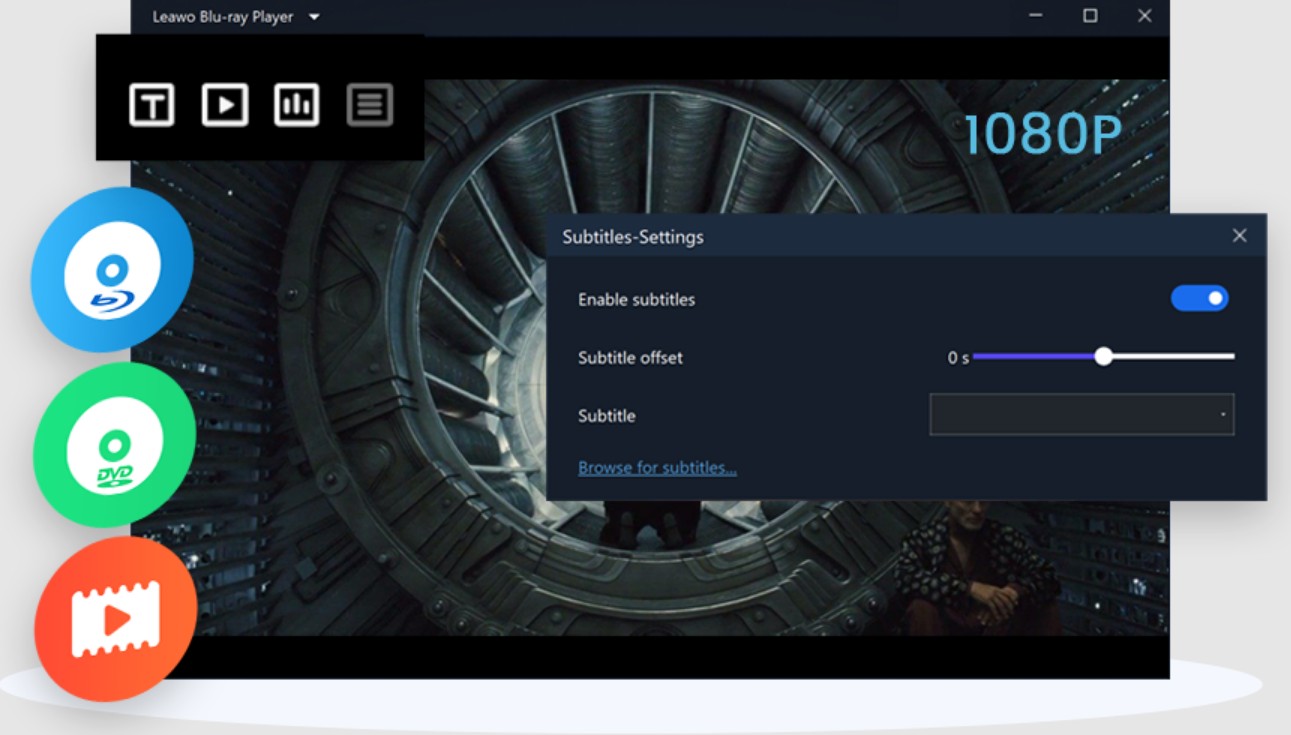
Supports Blu-ray, DVD, ISO, and Local Media Playback
Leawo Blu-ray Player is not limited to standard Blu-ray discs. It can also open DVDs, ISO files, Blu-ray folders, and common local video or audio files. For users, this means the software can be used for both disc-based media and regular media playback, rather than serving only as a dedicated Blu-ray player.
Includes 4K Blu-ray and High-Resolution Video Playback
The software also supports 4K Blu-ray playback as well as high-resolution video files. This makes it relevant for users who want to play higher-quality content on a computer, especially when standard media players do not support Blu-ray structure or UHD disc playback in the same way.
Offers Region-Free Playback
Leawo Blu-ray Player is designed to handle region-coded Blu-ray discs and DVDs, which is an important feature for users with discs purchased from different countries or regions. In practice, this expands the range of discs that can be played on one device without being limited by the original region setting.
Supports Multiple Audio Technologies
The player supports several common audio technologies, including Dolby, DTS, AAC, TrueHD, and DTS-HD, along with 5.1 and 7.1 channel output. For users who care about sound performance, this means the software is built to work with more advanced audio formats instead of focusing only on basic video playback.
Allows Subtitle and Audio Track Selection
Leawo Blu-ray Player includes controls for selecting subtitles and audio tracks during playback. This is useful when a disc or video file includes multiple language options, commentary tracks, or external subtitles, since users can adjust playback based on their own viewing preferences.
Provides Disc Menu and Playback Navigation
The software includes menu navigation for Blu-ray and DVD playback, which allows users to access scenes, bonus content, or different sections of a disc in a more standard way. It also provides basic playback controls such as full-screen mode, fast forward, rewind, volume adjustment, and other viewing settings that are expected in disc playback software.
Offers a Premium MKV Conversion Feature
Besides playback, Leawo also provides a Premium version that adds Blu-ray and DVD to MKV conversion. This feature is separate from the free player itself and is more relevant for users who want to save disc content as digital files while keeping original subtitles and audio tracks.
Leawo Blu-ray Player Review: My Real Experience
To evaluate Leawo Blu-ray Player beyond its feature list, I tested it on my Windows 11 PC in the same way a regular user would use it in daily life, from installation to Blu-ray playback. Instead of focusing only on supported formats, I paid more attention to the parts that directly affect the viewing experience, such as setup, disc loading, playback controls, and overall stability.
Step 1: Download and Install Leawo Blu-ray Player
The installation process is fairly standard and does not require any complicated setup. After downloading the installer, the software can be installed in just a few steps, so getting started is not difficult. From a usability perspective, this part is simple enough for most users.
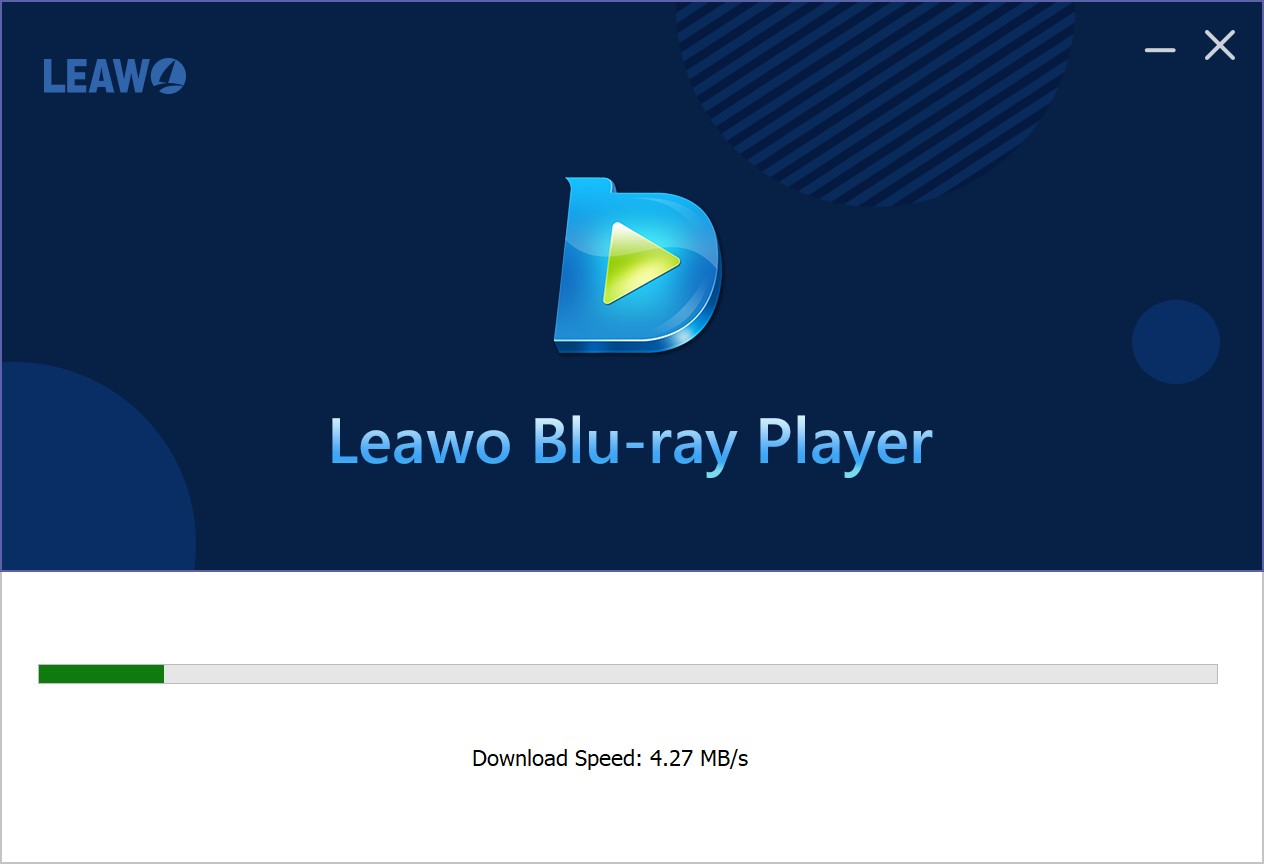
Step 2: Launch the Program and Check the Interface
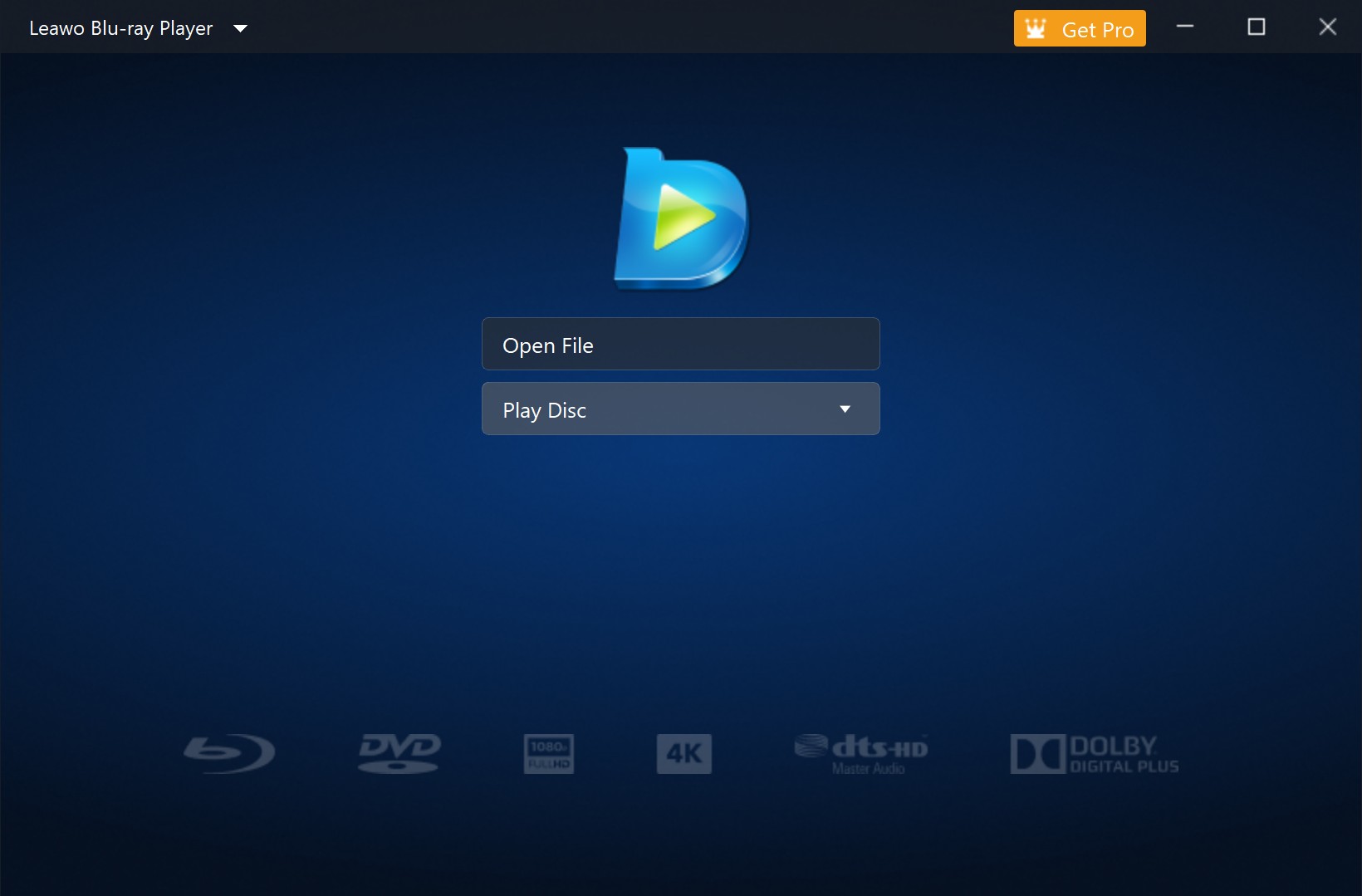
After launching the program, a large advertisement pops up first. After closing it, the main interface appears with a relatively clean layout. It is easy to understand at first glance, and the available media sources are presented clearly. In the new version, there are two buttons, Open File and Play Disc. In terms of design, the interface is functional, although it feels somewhat dated compared with newer media players.
Step 3: Load the Blu-ray Disc and Enter the Disc Menu
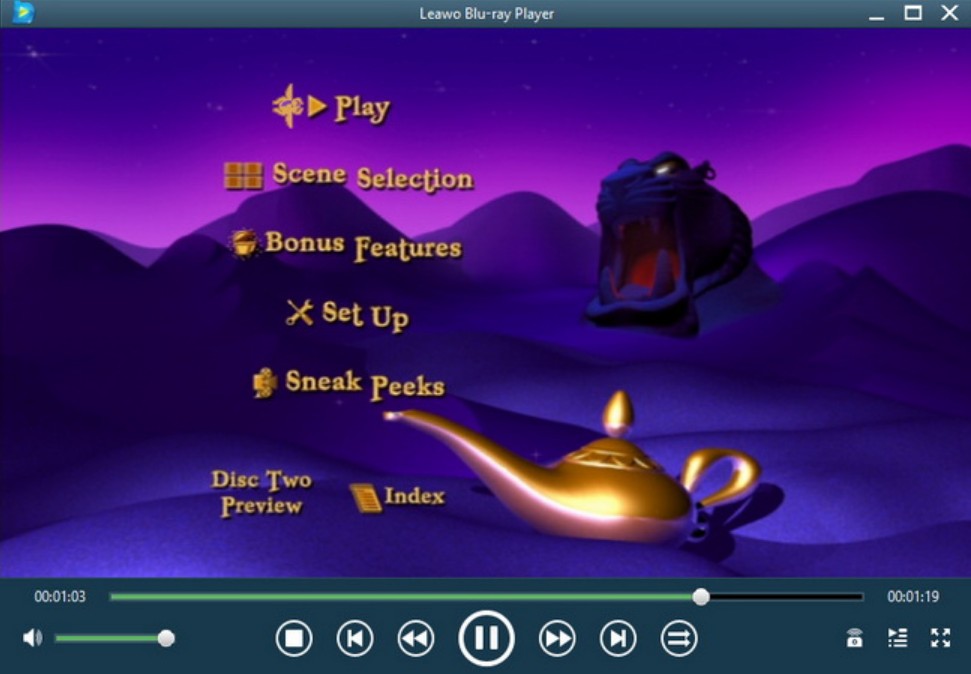
After the Blu-ray disc is recognized, it can be selected directly from the main interface to begin playback. During this process, a prompt appears to indicate that direct mouse control is not fully supported in the disc menu, so navigation may need to rely on the virtual remote controller or keyboard instead. After entering the menu, the original Blu-ray navigation structure is preserved, which means users can access the main movie, choose scenes, switch subtitles, or open bonus content depending on what the disc includes. This part shows that Leawo Blu-ray Player can handle full disc-style playback rather than only jumping straight to the main title.
Step 4: Check the Overall Playback Experience
Once playback started, I focused on how stable and smooth the viewing experience felt in actual use. In my test, the player handled five standard Blu-ray discs fairly well, and the overall playback result was acceptable for regular movie watching. However, the experience became less stable when I tried a 4K Blu-ray disc. During playback, noticeable stuttering occurred, and the audio later fell out of sync with the video. Another issue is that although the main interface itself does not show ads, promotional pop-ups for other software appear whenever playback is paused, which interrupts the viewing experience. If Leawo Blu-ray Player could improve 4K playback stability and reduce these ad interruptions, the overall experience would feel much better.

- Easy to install and get started with
- Can detect and load Blu-ray discs after insertion
- Handles standard Blu-ray playback reasonably well
- Preserves the original disc menu structure
- Supports subtitle and audio track selection during playback
- The main interface itself is relatively clean
- No clear Open Disc option on the default interface
- Some disc menu operations rely on keyboard or virtual remote control
- 4K Blu-ray playback may stutter in actual use
- Audio and video sync issues can occur during 4K playback
- Promotional pop-up ads appear when playback is paused
- The interface feels somewhat dated overall
Best Alternative to Leawo Blu-ray Player
Leawo Blu-ray Player can handle standard Blu-ray playback, but in actual use it still leaves room for improvement, especially if smoother 4K playback, a more polished interface, and a less disruptive viewing experience matter to you. For users who want stronger disc playback performance and a more polished 4K viewing experience, PlayerFab Ultra HD Player is the stronger alternative.
PlayerFab Ultra HD Player is a more advanced media player for users who need more than basic Blu-ray playback. It combines local video playback, DVD/Blu-ray/UHD playback, disc backup, full menu navigation, and higher-end audio and video support in one solution. For users looking for a more capable playback experience, it offers broader disc-focused support than a standard Blu-ray player. Furthermore, for users who want more than disc playback, PlayerFab also offers an All-In-One version that helps build a more complete media center, with streaming support and AI subtitle features.
- Play local videos, audio files, DVDs, Blu-rays, and 4K UHD Blu-rays
- Open discs, folders, and ISO files in one player
- Bypass region restrictions on DVDs, Blu-rays, and UHD Blu-rays
- Back up discs as ISO files for easier media management
- Support full menu navigation for DVDs, Blu-rays, and 4K UHD Blu-rays on Windows
- Support HDR10 and Dolby Vision playback
- Support high-resolution audio such as Dolby Atmos, Dolby TrueHD, DTS-HD Master Audio, and DTS:X
- Switch subtitles and audio tracks during playback
- Organize media with a poster wall library
- Capture screenshots, adjust playback settings, and switch between PC mode and TV mode
Free Download Windows 11/10/8.1/8/7
Free Download macOS 10.10 - 15
Leawo Blu-ray Player vs PlayerFab All-In-One
To make the differences between the two players easier to scan, the table below compares the areas that matter most in actual use.
| Feature | Leawo Blu-ray Player | PlayerFab Ultra HD Player |
| Playback coverage | 4K Blu-ray, Blu-ray, DVD, ISO, folder, local media | DVD, Blu-ray, 4K UHD Blu-ray disc, ISO, folder, local media |
| Video quality | Up to 4K playback | HDR10 & Dolby Vision |
| Audio quality | Dolby, DTS, AAC, TrueHD, DTS-HD, 5.1/7.1 | Dolby Atmos, TrueHD, DTS-HD MA, DTS:X, up to 7.1, and more |
| Menu navigation | Yes | Yes |
| Subtitle support | Basic subtitle and audio track selection | Yes (with PlayerFab AI Live Subtitle for real-time subtitle generation and English translation) |
| Disc backup | No | Yes |
| Disc backup | Basic disc playback | More advanced disc playback and 4K UHD viewing |
As the table illustrates, Leawo is a decent, straightforward option if you only need basic local and physical media playback. However, if you are looking for a more advanced player with stronger 4K UHD support, full menu navigation, and disc backup capabilities, PlayerFab Ultra HD Player is the better choice for a more complete home theater setup.
FAQs of Leawo Blu-ray Player
Is Leawo Blu-ray Player region-free?
Yes, Leawo Blu-ray Player is designed to support region-free playback for Blu-ray discs and DVDs. This makes it more useful for users who own discs from different countries or regions.
Is Leawo Blu-ray Player worth downloading?
That depends on what you need. If your goal is basic Blu-ray or DVD playback on a computer, Leawo Blu-ray Player can handle the essentials. But if smoother 4K playback, a cleaner interface, and more advanced playback features matter to you, a more capable alternative may be the better choice.
Conclusion
Leawo Blu-ray Player is a workable option for basic Blu-ray, DVD, ISO, and local media playback. In my test, standard Blu-ray playback was acceptable, but the software showed weaker 4K stability, a dated interface, and ad interruptions during use. Overall, it may suit users with simple playback needs, but those expecting a smoother and more polished experience may want to consider other options.

 6 Best MPEG Players for Windows and Mac (2026)By Alice Harper - Aug 26, 2026
 How to Play Blu-ray Discs on Windows 10 (Free & Pro Solutions)By Alice Harper - Aug 7, 2026
 10 Best 4K Video Players for PC and Mac, Tested in 2026By Alice Harper - Aug 4, 2026
 The 5 Best Free MOV Players in 2026 (Windows, Mac and Android), plus How to FixBy Alice Harper - Aug 4, 2026